


A boxed theme service showing version badges and a before and after view
PrestaShop Theme Installation & Setup Service puts a theme you already own into use on your real store through specialist setup. You hand over store access, the theme package, your logo and basic choices; delivery follows within 5 working days.
Activating a theme does not settle navigation, image sizes or where essential modules appear. The service configures your chosen languages, colours and homepage blocks, the required modules and the image sizes your catalogue needs.
The specialist checks adding products, the cart, checkout entry and mobile controls, correcting problems within the agreed setup. A child theme is created where supported. Design, content migration, new custom behaviour and the licence are excluded. A written report and screenshots accompany delivery, followed by 14 days of setup support.
Your launch comes with a checked buying route and a documented place for later theme edits.
Summary of what the Theme Installation & Setup Service delivers
PrestaShop Theme Installation & Setup Service installs and configures a theme you already own on your real store, gives shop-specific changes a safe home where the theme supports one, and verifies the routes customers use to buy. Delivery lands within 5 working days of a complete handover.
- Languages, logo, colours, theme options, navigation areas and homepage blocks set to your choices
- The core modules the theme expects, installed and configured
- A child theme created where supported, so later edits have one clearly identified home
- Launch checks across product, cart, checkout entry, key module areas, phones and images
- A completion email with a written report and storefront screenshots
- 14 days of setup support with a response within one working day

How is the theme matched to my store?
The setup is configured around the store that already exists, not around sample content. You choose the active languages, logo, colours, theme options, navigation areas and homepage blocks, and those decisions are applied together, so the header, menu and homepage present one coherent identity instead of a copied demonstration.
The core modules the theme expects are installed and configured in the same assignment, and the image sizes the new theme needs are identified and generated. The handover that starts the work contains store access, the theme package, the logo and the basic choices, giving the specialist a complete starting point without a chain of separate requests.

Where do shop-specific changes live?
Where the supplied theme supports a child theme, the service creates one for the shop’s own appearance and template changes. The supplier’s parent theme remains close to its delivered state, while the work that belongs only to your store has one clearly identified location.
This separation makes ownership visible without guaranteeing trouble-free supplier updates. The handover names the safe editing location, so the next person maintaining the store starts from a map instead of an investigation.

What is tested before customers see it?
The launch check follows the buying route: adding a product, opening the cart summary and entering checkout. Important modules are verified in product, cart, account, menu and footer areas, because a theme change affects far more than the homepage, and phone checks cover spacing and touch controls.
Setup problems within the agreed theme configuration and its required modules are corrected before delivery. A passed check therefore means a working route, not merely an active theme.

When is the work finished and what arrives?
Delivery is completed within 5 working days after store access, the theme package, the logo and the basic choices are confirmed complete, and the due date is recorded at the start. Design work, content migration and new custom behaviour remain separate assignments, and the theme licence itself is bought from its supplier, so nothing silently expands the setup or moves its deadline.
The completion email includes a written report with configuration decisions, checks performed, corrections made, remaining exclusions and screenshots of the important storefront states. It also names the safe place for later edits and any item that needs a separate decision.

What happens after handover?
Fourteen days of setup support cover questions and faults tied to the delivered setup, which we aim to answer within one working day, anchored to the written report. New design, migration and unrelated module work receive their own scope, so a new project never hides inside a support conversation.
The service suits a merchant who already owns a theme and wants it live with the buying path checked through checkout entry. A merchant still choosing between themes starts with PrestaShop Theme Selection & Fit Assessment, whose findings on child-theme viability and module positions feed straight into this setup.

-
ReferenceSVC-THEME-SETUP
-
Service typeExisting theme setup
-
PrestaShop versions1.6 / 1.7 / 8 / 9 where the theme supports them
-
Starting priceFrom EUR 690
Install, configure and verify an existing theme with child-theme safety.
We install and configure an existing PrestaShop theme, create a safe child-theme structure where supported, check key module compatibility and review mobile/layout sanity. If the theme is the wrong fit for your store, we tell you before billing deeper work.
Service type
Theme setup and configuration
Existing themes only
From-price
From EUR 690
Final scope depends on theme and store state
Turnaround
Usually 3-7 business days
From access, theme package and assets
Scope
Install, configure, child theme, sanity checks, handover
What we verify
Theme health, key modules, mobile/layout and launch blockers
PrestaShop versions
1.6 / 1.7 / 8 / 9
Where the theme itself supports your version
Theme install and baseline configuration
We set the theme up against your real shop, not just the vendor demo.
- Install the theme package and required companion modules where licence and version allow
- Configure logo, basic theme settings, layout options, image sizes and cache/compile behaviour
- Keep parent-theme edits out of the setup wherever a child-theme route is available
Child-theme and maintainability
Future updates should not wipe simple customisations.
- Create a safe child-theme structure for CSS, templates and minor theme-specific changes
- Document where future changes belong and where the parent theme should stay untouched
- Point DIY users to the free Child Theme Generator when full service is not needed
Compatibility and launch sanity
We check the visible paths that decide whether the theme is usable.
- Check key module hook output on product, category, cart, checkout, account and reassurance areas
- Review mobile/header/menu/product/cart/checkout layouts for obvious breakage
- Send a launch-ready handover with checked items, exclusions and remaining quote-based work
How it works
-
Intake StartYou send theme package or source, licence details, target version, brand assets, access and must-have modules.
-
Pre-check Before installWe review version support, dependencies, child-theme route and obvious module risks.
-
Install and configure Work sessionWe install the theme, configure baseline settings and create the child-theme structure where supported.
-
Verify Before handoverWe check key pages, module output, mobile layout and obvious launch blockers.
-
Handover Final stepYou receive the setup note, child-theme notes, checked paths, exclusions and quote-needed items.
Included, excluded and access
Theme setup gets an existing theme ready to use, with a maintainable child-theme path.
Included
Theme install, baseline configuration, child-theme structure, key module and mobile/layout checks
Not included
Content migration, custom design, bespoke templates, copywriting or new behaviour
Quoted separately
Warranty
We correct setup mistakes against the agreed configuration
Theme/vendor defects remain vendor responsibility
Access needed
Back-office admin, theme package/licence, assets, staging or live access
Host access may be needed for child theme or file deployment
Setup is not a disguised redesign
If a theme cannot place a module where you need it, or its templates cannot support the layout through existing options, we say so. Custom design, content migration and new behaviour are quoted separately; setup keeps to existing theme capabilities.
Related services
Book theme setup From EUR 690; content migration and custom design quoted separately
What do I receive at handover?
A setup note covering theme, child theme, configured areas, checked paths, module/layout observations and remaining quote-based work.
Can you install a paid marketplace theme?
Yes, if the licence allows it and the theme supports your PrestaShop/PHP version. Send the package, docs and licence details during intake.
Will you create a child theme?
Yes where the theme and PrestaShop version support it. We keep safe changes out of the parent theme and document the structure.
Is content migration included?
No. Moving product, category, CMS, blog or homepage content into a new layout is quoted separately.
Is custom design included?
No. This service configures an existing theme. Custom design, bespoke templates and new behaviour need a separate quote.
What if the theme is a bad fit?
If the theme is the wrong fit for your store, we tell you before billing deeper work. If you are still choosing, start with Theme Suitability Review.
 30 days return right
Easy return - no questions asked
 Plug & Play Modules
Install, set up and take profit
 Dedicated Support First
Priority Help & Satisfaction Over Sales
Who builds and maintains this module
Built and maintained by David Miller and mypresta.rocks. David Miller has worked with PrestaShop since 2013, and the company behind this shop has been registered since 3 December 2018. Every module in this catalogue is our own work, so your questions to support reach the people who wrote the code. The changelog on this page lists every update with its date.
More modules








Compliance & Legal
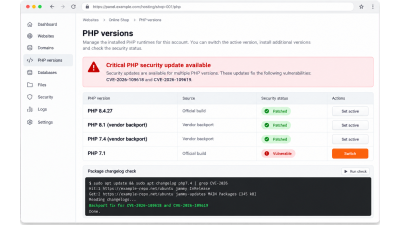
PHP2Shell: what PrestaShop shops should do about CVE-2026-109618 and CVE-2026-109619, even when they cannot upgrade
News & Updates
What's new at mypresta.rocks: September 2026
News & Updates
What's new at mypresta.rocks: August 2026

News & Updates
PrestaShop 9.2 native One Page Checkout: what it does and when you need more

News & Updates
Introducing Expert Services: PrestaShop audits before you buy another module

News & Updates