

Resend Order Confirmation: setup and help
Quick start
- Upload and install mprresendorderconfirmation in Module Manager.
- Check PrestaShop mail delivery and the order language order_conf templates; ensure delivery is not disabled.
- Open Configure for usage information and Integrity for diagnostics.
- Open a test order in Orders > Orders.
- Check the recipient in Resend Order Confirmation, click Resend Email, and confirm.
- Verify the received message and private order note.
Requires PrestaShop 1.6.1 or later and PHP 7.1 or later.
Setup manual
Install and check mail delivery
Upload and install the mprresendorderconfirmation ZIP in Modules > Module Manager. Click Configure. The configuration page is informational; it does not contain resend rules or mail settings. Use Integrity for template, hook, and delivery checks.
Requires PrestaShop 1.6.1 or later and PHP 7.1 or later.
Before resending, confirm the shop can send a PrestaShop test email from Advanced Parameters > E-mail. Check the mail configuration for the order's shop and the order_conf templates for its language.
Understand the available controls
There is no module settings form for recipients, templates, employee roles, or resend cooldowns. Enable or disable the module in Module Manager.
PrestaShop controls mail transport. Its PS_MAIL_METHOD values are 1 for PHP mail, 2 for SMTP, and 3 for disabled delivery. The actual configured value belongs to your shop; installing this module does not change it. For SMTP, configure the host, port, authentication, and encryption in PrestaShop. PS_MAIL_SERVER alone is not a complete SMTP setup.
The resend card requires an active Back Office employee session and edit permission on both Orders and this module’s Configuration page. Each resend is an admin POST request that also checks the admin token, the employee’s access to the order’s shop and the current shop context. The module has no role selector.
Resend a confirmation
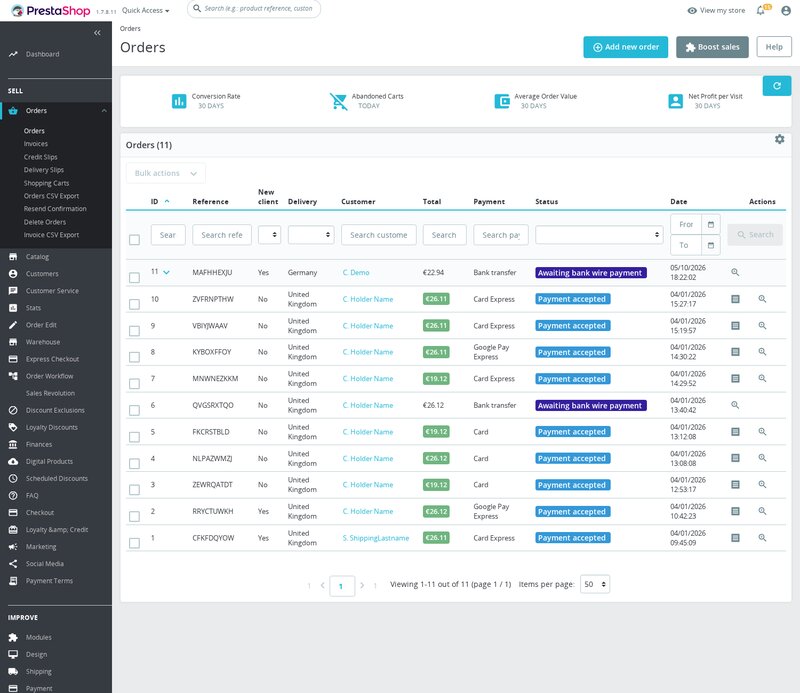
- Open Orders > Orders and select the order.
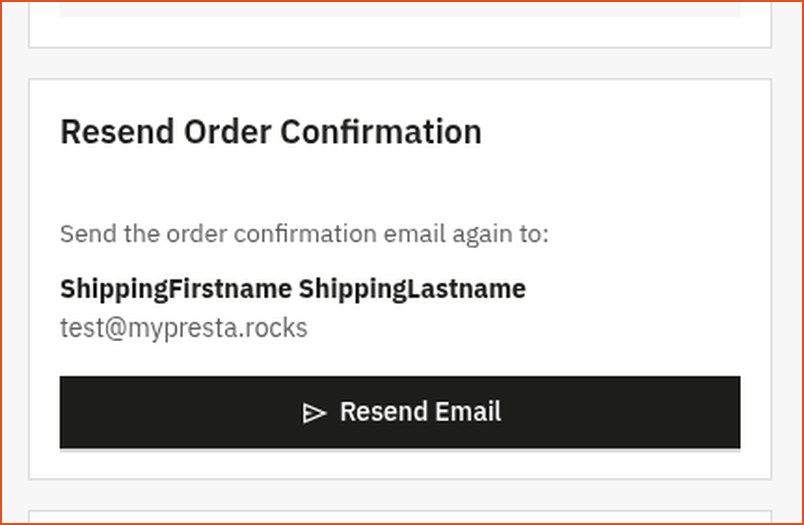
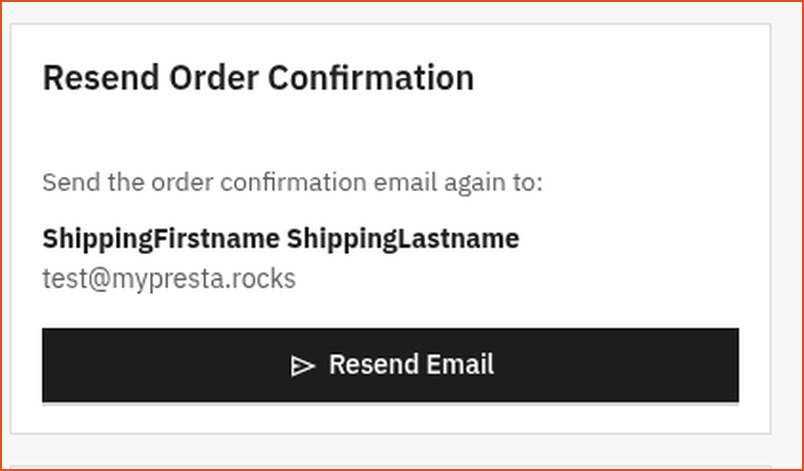
- Locate Resend Order Confirmation.
- Check the displayed customer name and email.
- Click Resend Email and accept the confirmation prompt.
- Wait for the result before clicking again.
On PrestaShop 1.7.7 and newer, the card uses displayAdminOrderSide. Before 1.7.7, the legacy panel uses displayAdminOrder. The module suppresses that legacy panel on newer versions to avoid duplicate output.
The button is disabled while a request runs. You can resend again later; there is no cooldown setting. You cannot enter another recipient in the card. The message goes to the current email address on the customer account linked to the order.
Understand the rebuilt email
The module calls Mail::Send() with the order language, shop, currency data, and the standard order_conf template. It rebuilds product and discount rows, invoice and delivery addresses, carrier, payment, reference, date, and totals from saved order information and current related records.
This is not an archived copy of the original email. Later changes to templates, customer account details, or address records can affect the resent content. Resending does not update order status, items, totals, payment, or shipment records. It adds a private note after a successful mail API result.
Templates are managed through PrestaShop, not through a module template picker. The base English files are:
mails/en/order_conf.html
mails/en/order_conf.txt
Mail template resolution may also use your theme's mail templates. Preserve matching templates for every language you use.
Useful rebuilt HTML variables include:
{firstname} {lastname} {email} {order_name} {date}
{products} {discounts} {payment} {carrier} {total_paid}
{total_products} {total_discounts} {total_shipping} {total_wrapping} {total_tax_paid}
{delivery_block_html} {invoice_block_html}
Plain-text variables include {products_txt}, {delivery_block_txt}, and {invoice_block_txt}. For example:
Order: {order_name}
Date: {date}
Products:
{products_txt}
Total paid: {total_paid}
Verify the resend
Use an order belonging to an email address you control for your first test. Check the result message, the received email and the private order note. A success message means the mail was handed over for sending; check the inbox to see that it arrived.
After a successful mail result, the module attempts to save a private message containing [mprresendorderconfirmation], the recipient and a timestamp. The message record is linked to the authenticated employee ID; its body does not include the employee name. When module diagnostics are enabled for the request, resend successes and failures are logged there with the order ID.
You can count recent private notes with a read-only query. Replace ps_ with your database prefix:
SELECT COUNT(*)
FROM ps_message
WHERE private = 1
  AND message LIKE '%[mprresendorderconfirmation]%'
  AND date_add >= DATE_SUB(NOW(), INTERVAL 30 DAY);
Troubleshoot and customize
If the card is missing, check the module enabled state, employee edit permissions for Orders and the module’s Configuration page, the order-page hook, version-specific placement, and that the order and customer still exist. If permission is denied, check the employee’s access to the order’s shop and the selected shop context, then reload the order page to refresh the admin session and token.
If the UI reports failure or the email is absent, check PrestaShop mail logs, transport settings, the order language’s templates, and the receiving mailbox. When PS_MAIL_METHOD=3 for the order’s shop, the module refuses the resend before calling Mail::Send() and does not add a success note. Enable native mail delivery before testing again.
The card selectors are #mpr-resend-order-conf, #mpr-resend-btn, and #mpr-resend-result. Check the active admin theme before styling them.
Uninstall
Uninstall through Module Manager. The module removes its menu and standard hook registration. It does not remove previously saved private order notes or PrestaShop log entries, and it does not change the orders or native mail setup.
Screenshots




Questions
1
Does this module add anything to storefront pages?
No storefront widget is added. The module's display hooks add the resend card to Back Office order pages, and email is sent when its resend action is called.
Known Issues
3
Administration messages stayed in English
Incorrect translated text appeared
Price formatting failed on newer PrestaShop versions
Feature Requests
5
Implemented
Resend order confirmations
Email setup checks
Back-office module updates
Installation checks
Additional administration languages
Changelog
v1.0.112026-09-25
- Addedcomplete FR/DE/ES/IT/PL translations
- FixedReplace Tools::displayPrice with PriceFormatter compat wrapper
Older releases
v1.1.02026-04-20
- Addedadmin menu management via MenuInstaller for streamlined module setup
- Addedself-healing integrity checks for automatic diagnostics and repair
- AddedLicense management tab with key management and renewal options
- Addedcomplete FR/DE/ES/IT/PL translations
Demo
Test the full module
- Ready demo shop Explore a ready demo shop in your browser.
- No registration No account, email or store domain needed.
By opening this demo you accept the demo terms and the privacy policy.