PrestaShop resend order confirmation email module adds a one-click action to the admin order page, helping your staff reassure shoppers who did not receive their confirmation after purchase. It resolves a common support request without asking the team to change order status or manually rebuild the message.
The module verifies the staff resend action, rebuilds the native order_conf email from the order, customer, currency, carrier, addresses, products, discounts and totals, then sends it through the store's normal mail setup and template path. Successful resends are recorded as a private order note with the recipient email and timestamp, and a PrestaShop log entry is written.
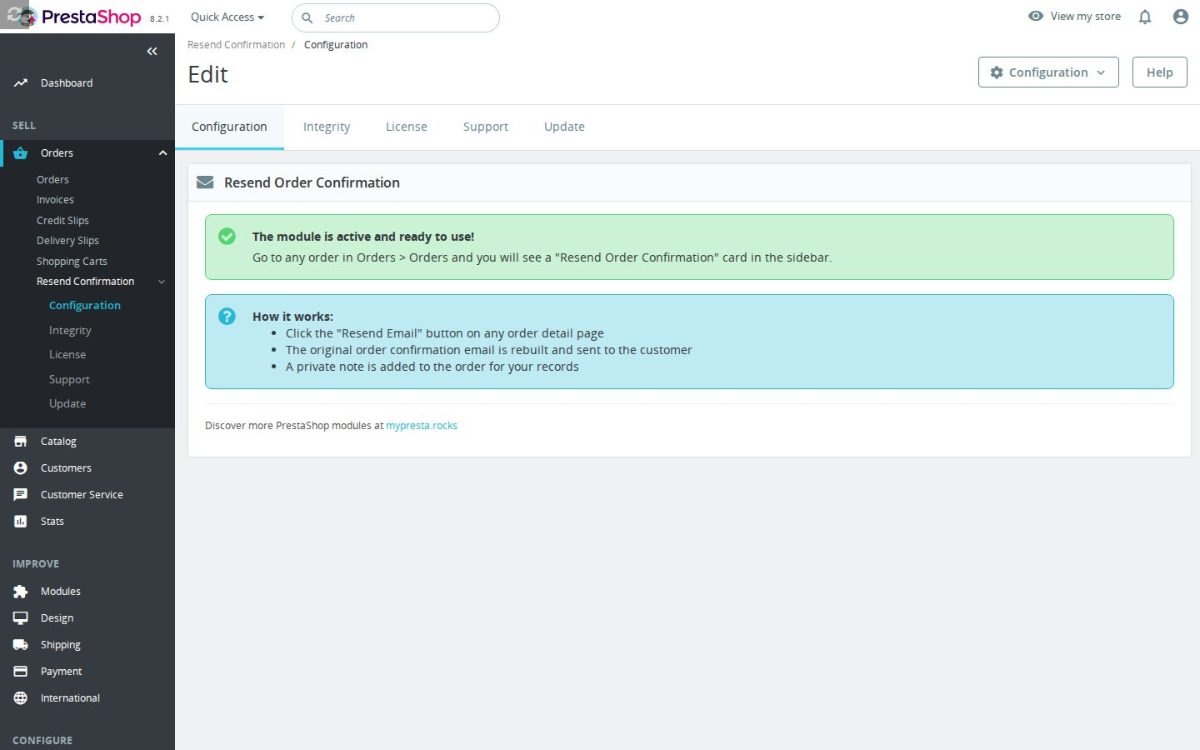
The button appears in supported areas of modern and legacy admin order layouts. The configuration screen warns when store mail is disabled or SMTP mode is incomplete, because delivery depends on PrestaShop's existing email configuration.
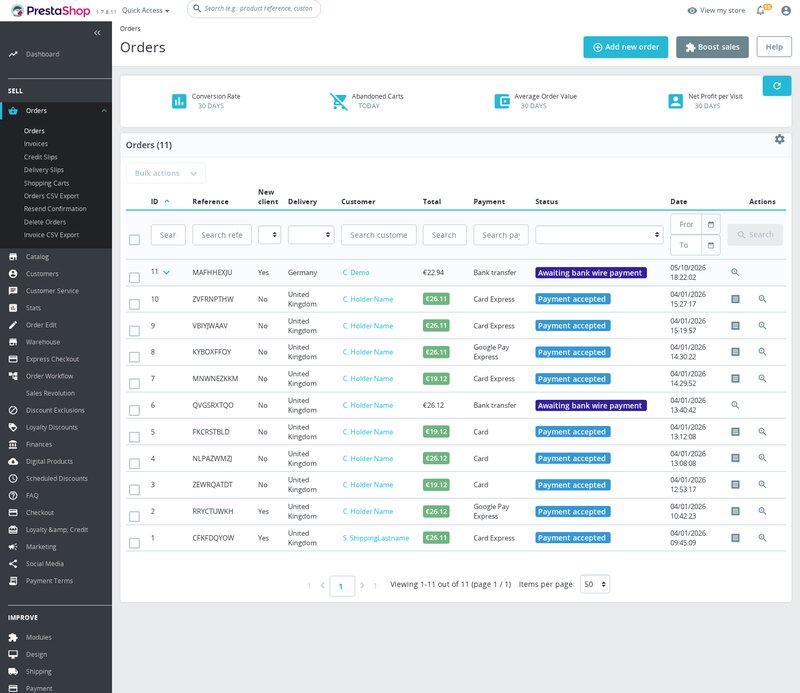
- Back Office send-again card. The module adds a staff card to the detail page, using the modern sidebar or legacy area and showing customer name and email before sending.
- Protected resend action. The button checks that the staff action belongs to the selected order before any email is sent. This helps prevent accidental or invalid resend attempts.
- Native order email rebuilt. The module rebuilds the order_conf email variables from the order, customer, currency, carrier, addresses, products, discounts and totals. It uses PrestaShop's mail template path rather than forwarding an old message.
- Private resend note. Successful sends are recorded on the order for staff, so support can see later when the confirmation was resent.
- Private note after success. On a successful send, the module adds a private order message with the recipient email and timestamp. It also writes a PrestaShop log entry.
- Mail setup warnings. The configuration screen warns when PrestaShop mail is disabled or when SMTP mode is selected without an SMTP server. The module depends on the store's existing mail configuration.
Resend PrestaShop order confirmation emails
PrestaShop Resend Order Confirmation Email adds a one-click resend button to the admin order page for customers who did not receive their confirmation email. Missing confirmations create anxiety because customers may think the order failed, payment was lost or the store is unreliable. The module rebuilds and sends the real PrestaShop order confirmation email, records the resend as a private order note and avoids risky workarounds such as changing order status just to trigger an email.
Resolve a common support request in seconds
Order confirmation problems are urgent because they happen right after the customer has paid. If staff have to dig through templates, statuses or old emails, the customer waits and confidence drops. A one-click resend on the order page lets support respond quickly and professionally.

Protect order workflow and automation
Changing an order status just to force an email can trigger unintended automation, confuse stock or create misleading order history. Sending a manual forwarded message can look inconsistent and may miss important order details. This module sends the proper confirmation without changing order status, which keeps the operational record cleaner.

Give customers the email they expected
A customer does not want a generic support reply after placing an order; they want the actual confirmation with products, addresses, carrier, payment, totals and discounts. The module rebuilds the standard PrestaShop confirmation with the normal template, variables and translation context. That consistency protects trust because the resent email looks like the official message, not an improvised workaround.

Support resends without status changes
Resend Order Confirmation is deliberately focused on one high-friction support task and puts the action where staff already work: the admin order detail page. It shows the customer name and recipient email before sending, supports older PrestaShop order page layouts, and logs successful resends privately on the order. Setup requires no coding or template edits, and the business risk is reduced because the module does not alter order statuses to resend an email.
-
Referencemprresendorderconfirmation
-
In stock2147483647 Items
-
PrestaShop CompatibilityPS 1.7 – 9.x
-
Pricing ModelOne-time Purchase
-
Module TypeBack-office
-
GDPR RelevantNo
-
Business GoalCustomer Communication
-
External Account NeededNo
-
Module ComplexityLightweight Widget
-
Customer Journey StageRetain Customers
-
Works With PlatformNo External Platform
What customers say about us
Be the first to share your experience with this module.
Write a Review
Resend Order Confirmation adds a resend button to the PrestaShop Back Office order page, so your team can send a customer their order confirmation again without changing the order status or rebuilding an email manually.
- Addedcomplete FR/DE/ES/IT/PL translations
- FixedReplace Tools::displayPrice with PriceFormatter compat wrapper
Works Well With Resend Order Confirmation
Modules our team genuinely pairs with this one — and exactly why each belongs in the same setup.
Reaching for the free Resend Order Confirmation tells you that after-sale order communication matters to you: staff get a one-click action to rebuild and resend the native order_conf email for shoppers who did not receive it, resolving a common support request quickly. That is one small task in a much larger post-order workload.
Advanced Order Workflow organises everything that happens after an order is placed. It adds teams, custom workflow statuses, assignments, internal comments, mentions, attachments, reminders, notifications and reporting, and can map native order states to responsible teams, so fulfilment, support and managers see who owns the next step. It is a separate, paid module.
Used alongside each other, the free resend handles one frequent confirmation request while the workflow module structures the rest of the post-order work. Together they keep both the quick fixes and the wider fulfilment process under control, so order handling is tidy from the confirmation email through to the steps that follow.
The free Resend Order Confirmation gives staff a fast answer to one recurring contact: a shopper who never got their confirmation email, rebuilt from the order and resent in one click without changing order status. It is a focused remedy for a single, common support moment.
Support Revolution provides the broader help desk that such contacts often belong to. Logged-in customers can open tickets, guest ticket creation can be enabled with a private support area, and your team manages ticket history, customer identity and order-related issues close to the data that matters. It is a separate, paid module for structured, trackable support.
Together they handle both the quick confirmation resend and the wider stream of customer questions. The free tool clears the simple did-not-receive-it request on the spot, while Support Revolution keeps the more involved, order-related cases organised with full history, so support stays efficient for both the trivial and the substantial.
Using the free Resend Order Confirmation shows you care about clear, reassuring order communication, rebuilding and resending the native confirmation when a shopper says it did not arrive. The smoother that confirmation experience is, the more it pays to make orders easy to refer to.
Custom Order Numbering improves that referencing. It replaces random order references with structured ones built from dates, counters, shop or customer context, prefixes and suffixes, with a format builder that previews patterns before a counter is consumed, so numbers are easier for shoppers, support and bookkeeping. It is a separate, paid module.
Together they make order communication clearer on both sides. The resend tool ensures the confirmation reaches the customer, while readable order numbers make it easier for shoppers and staff to identify and discuss that order, so a confirmation email is not only delivered but also tied to a reference everyone can use comfortably.
The free Resend Order Confirmation handles one tidy after-sale task: re-sending the confirmation email when a customer did not get it, without rebuilding the order or changing its status. But many post-order requests are not about the email; they are about the order itself needing a fix.
Order Editor addresses those. It adds an editing panel on the order detail page so staff can adjust products, prices, customer data, addresses, carrier details, vouchers, payments and documents, keeping the correction close to the workflow your team already uses. It is a separate, paid module for changing orders, not just re-notifying about them.
Used alongside each other, they cover both communicating an order and correcting it. The free resend reassures customers who missed their confirmation, while Order Editor lets staff fix real order problems in place, so your team can answer the simple email request and handle the substantive changes from the same order page.
Loading feature requests...
Easy return - no questions asked
Install, set up and take profit
Priority Help & Satisfaction Over Sales