

Checkout Revolution: setup and help
Quick start
- Upload the Checkout Revolution ZIP in Modules > Module Manager and install it.
- Open Checkout > Settings > Configuration. Keep Module Live Mode and Payments Live Processing off. Add Test Mode IP Addresses or use Show to Logged-In Admins.
- Enter Test publishable key and Test secret key, select terms/privacy pages and save.
- Open Settings > Payment Options. Activate and configure the methods you will test.
- Open Settings > Shipping Services. Link each Shop carrier and review its active switches and payment associations.
- In Configuration > One-Page Checkout, enable Enable One-Page Checkout, choose Replace default /order URL or the custom redirect, save and clear cache.
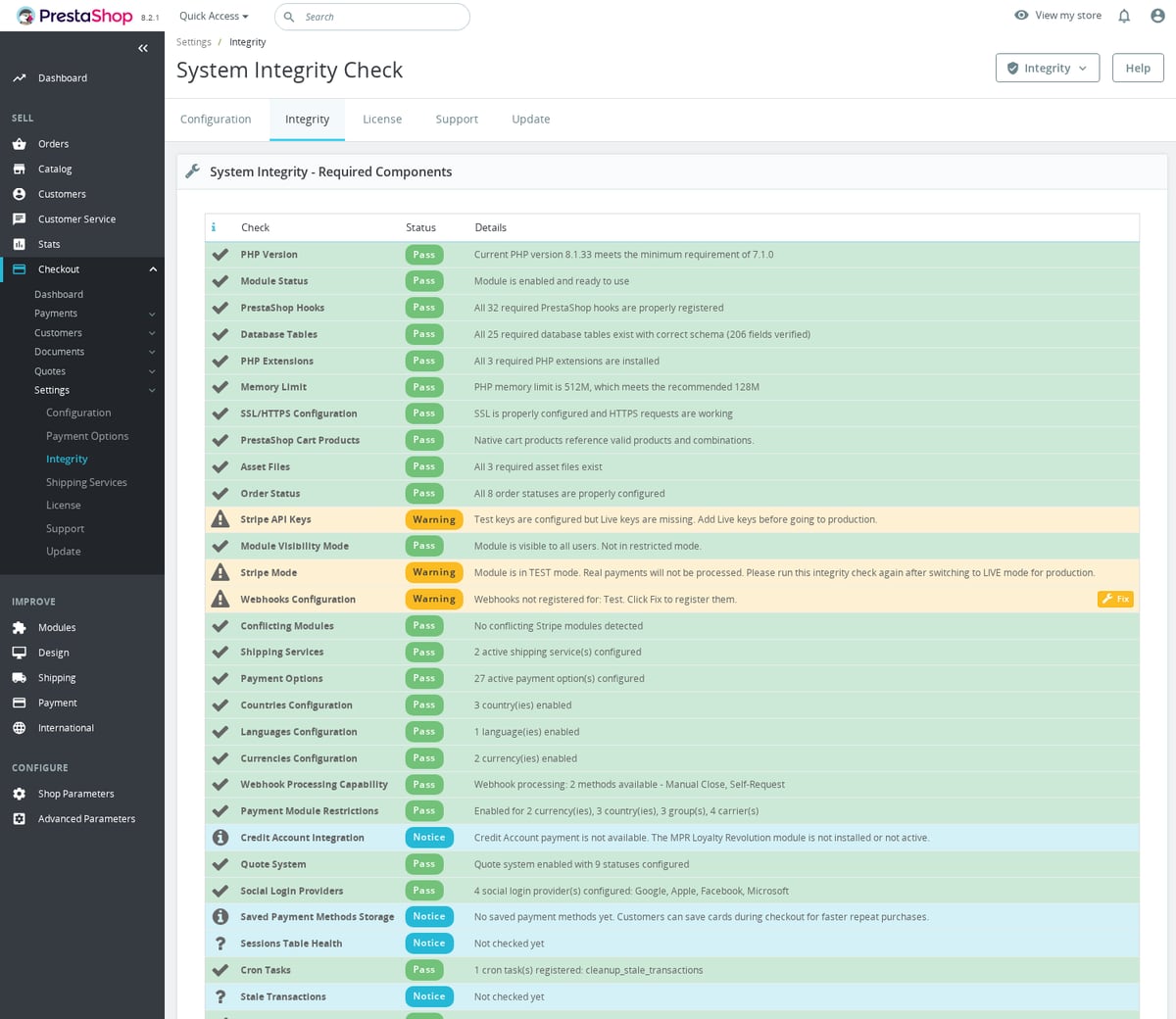
- Run Settings > Integrity and verify Stripe endpoint pairing. Place a test order and confirm its transaction, charge, order state and email.
- After testing guest/customer flows and each carrier/payment combination, enter live keys, enable Payments Live Processing and Module Live Mode, and check a browser without an employee session.
Requires PrestaShop 1.6 or later and PHP 7.1 or later.
Setup manual
Install and configure
Follow the steps in Quick start.
Set up a test checkout
Open Checkout > Settings > Configuration after installation. Configure payment options and shipping services in their own screens. Give employees access only to the payment, refund, document and settings pages they need.
Keep Module Live Mode off during setup. Add your address in Test Mode IP Addresses or use Show to Logged-In Admins. Leave Payments Live Processing off and enter Stripe test keys. Configure shipping and a payment option, then test the module checkout page before replacing the native order page.
Configuration: General
- Module Status. Enables the module while keeping its admin pages available when switched off; default:
true. - Module Live Mode. Controls whether front-office features are visible to everyone or only test users/admins; default:
false. - Test Mode IP Addresses. Comma-separated IP allowlist for test visibility when live mode is off; default: empty.
- Show to Logged-In Admins. Shows front-office module output to logged-in back-office employees during test mode; default:
true. - Payments Live Processing. Chooses live Stripe processing instead of test processing; default:
false. - Admin Test Mode. Lets logged-in employees use test Stripe keys while live processing is enabled for customers; default:
true. - Test publishable key. Stores the Stripe
pk_test_...key used in test mode; default: empty. - Test secret key. Stores the Stripe
sk_test_...key used in test mode; default: empty. - Live publishable key. Stores the Stripe
pk_live_...key used in live mode; default: empty. - Live secret key. Stores the Stripe
sk_live_...key used in live mode; default: empty. - Stripe account country. Two-letter country code used for wallet eligibility, falling back to shop locale when empty; default: empty.
- Terms and conditions Page. Selects the CMS page, or custom URL mode, used by the terms checkbox; default:
not selected. - Custom Terms and conditions link. Multilingual URL used when the terms page option is set to custom; default: empty.
- Privacy policy page. Selects the CMS page, or custom URL mode, used by the privacy checkbox; default:
not selected. - Custom Privacy policy link. Multilingual URL used when the privacy page option is set to custom; default: empty.
- Show Terms and Conditions checkbox. Displays a required terms consent checkbox in the checkout modal; default:
true. - Terms and Conditions checkbox label. Multilingual HTML label, with
{terms_url}replaced by the configured terms URL; default:I have read and agree to the <a href="{terms_url}" target="_blank">Terms and Conditions</a> governing the use of this website and the purchase of products. - Show Privacy Policy checkbox. Displays a required privacy consent checkbox in the checkout modal; default:
true. - Privacy Policy checkbox label. Multilingual HTML label, with
{privacy_url}replaced by the configured privacy URL; default:I acknowledge that I have read and understood the <a href="{privacy_url}" target="_blank">Privacy Policy</a> explaining how my personal data will be processed.
Module Live Mode controls who sees the module. Payments Live Processing controls whether Stripe charges are real. These are separate switches. Start with both off and allow your test IP or a recognized back-office employee. When Admin Test Mode is on, test the live customer flow from a separate browser without an employee session too.
Choose actual terms and privacy CMS pages or custom links before testing consent. {terms_url} and {privacy_url} are substituted into the corresponding labels.
Configuration: One-Page Checkout
- Enable One-Page Checkout. Enables the module checkout page; default:
false. - Replace default /order URL. Shows the module checkout page at the native PrestaShop order URL; default:
false. - Redirect /order to custom URL. Redirects the native order page to the configured checkout URL when replacement is not used; default:
false. - Allow Guest Checkout. Lets customers complete checkout without creating an account; default:
true. - Enable Social Login. Shows configured social login buttons on the one-page checkout; default:
true. - Show Cart Summary. Displays the order summary sidebar on the checkout page; default:
true. - Show Breadcrumbs. Displays breadcrumb navigation on the checkout page; default:
true. - Checkout Layout. Chooses
two-column,three-columnorsingle-columncheckout layout; default:two-column. - Section Order. Sets the visual order of checkout sections; default:
summary,contact,shipping,payment. - Payment Options Layout. Chooses
tabs,accordion-radiooraccordion-plain; default:accordion-radio. - Shipping Options Layout. Chooses the shipping selector layout; default:
list. - Checkout URL. Multilingual checkout slug; default:
en=checkout, pl=kasa, de=kasse, fr=caisse, es=caja, it=cassa, nl=kassa. - Page Title. Multilingual visible checkout title; default:
Checkout. - SEO Meta Title. Multilingual meta title for checkout; default:
Secure Checkout. - SEO Meta Description. Multilingual meta description for checkout; default:
Complete your order quickly and securely with our express checkout.. - SEO Meta Keywords. Optional checkout meta keywords; default: empty.
- Payment Filtering by Carrier. Chooses greying out or hiding for carrier-restricted payment methods; default:
client. - Split-credit upfront methods. Comma-separated payment methods allowed for upfront payment on split credit orders; default:
card,paypal,klarna,sepa_debit,bank_transfer,pickup. - Robots Meta Tag. Controls indexing for the checkout page; default:
index,follow.
Enable One-Page Checkout first. Choose either Replace default /order URL or Redirect /order to custom URL according to the URL you want, then clear cache and follow the shop's generated checkout link. The URL settings have no effect while the page is disabled. The split-credit list only accepts the supported upfront methods; credit account, COD, quote and wallet buttons are ignored for that part.
Configuration: Cart Page
- Enable Modern Cart Page. Enables the module cart page; default:
false. - Replace Default Cart Page. Redirects the native cart page to the module cart page; default:
true. - Cart Page Layout. Chooses
two-columnorsingle-columncart layout; default:two-column. - Show Voucher Code Input. Displays the voucher/code entry field on the cart page; default:
true. - Show Product Attributes. Displays product combinations in cart lines; default:
true. - Show Product Customizations. Displays custom text and uploaded customization data in cart lines; default:
true. - Show Product Images. Displays product thumbnails in cart lines; default:
true. - Cart Page URL. Multilingual cart slug; default:
en=shopping-cart, pl=koszyk, de=warenkorb, fr=panier, es=carrito, it=carrello, nl=winkelwagen. - Cart Page Title. Multilingual visible cart title; default:
Shopping Cart. - Cart Page Meta Title. Multilingual cart meta title; default:
Shopping Cart. - Cart Page Meta Description. Multilingual cart meta description; default:
Review your shopping cart items, update quantities, and proceed to checkout..
Enable Modern Cart Page before expecting Replace Default Cart Page to redirect. Check combinations, uploaded customizations, vouchers, quantity changes and shipping on the resulting cart.
Configuration: Quotes
- Enable quote requests. Enables quote request workflows; default:
true. - Allow guest quote requests. Lets visitors request quotes without logging in; default:
false. - Reference format. Format used for quote references; default:
QUO-{YEAR}-{ID:5}. - Default quote validity. Number of days a new quote remains valid; default:
30. - Payment link validity. Number of hours a quote payment link remains usable; default:
48. - Show quote button on product pages. Adds quote request buttons on product pages; default:
true. - Product quote action. Opens the quote flow as a page or modal; default:
page. - Quote button label. Multilingual quote button text; default:
Request Quote. - Show quote button on cart page. Adds a quote request button to the cart footer; default:
true. - Company. Shows the company field on quote request forms; default:
true. - Phone. Shows the phone field on quote request forms; default:
true. - Project reference. Shows the project reference field on quote request forms; default:
true. - Requested delivery date. Shows the requested delivery date field on quote request forms; default:
false. - File attachment. Allows attachments on quote request forms; default:
true. - Email admin on new request. Sends an admin email when a quote request is submitted; default:
true. - Email customer when quote is created. Sends a customer email when a quote is created; default:
true. - Email customer when quote is updated. Sends a customer email when a quote changes; default:
true. - Email customer before quote expires. Saves the expiry-reminder preference; default:
true. Automatic quote expiry reminders are not sent. - Expiration reminder lead time. Stored reminder lead time; default:
3days. It does not itself schedule reminders. - Email on quote messages. Sends emails when quote messages are added; default:
true.
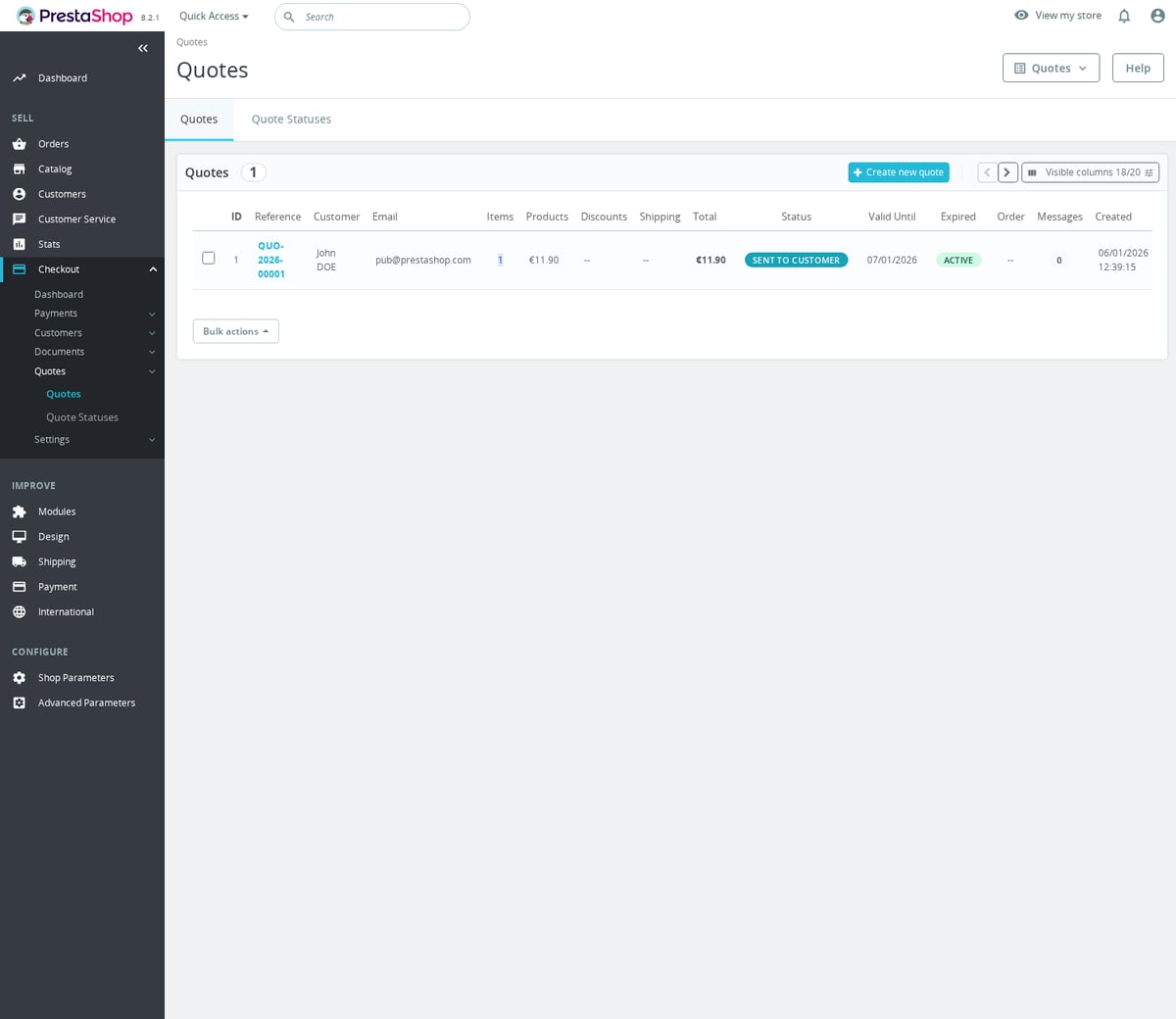
Manage requests under Checkout > Quotes > Quotes and manage the workflow under Quote Statuses. Review quantities, prices, addresses and validity before sending a quote or its payment link. Quotes support PDFs and customer messages. The reference format accepts {YEAR}, {MONTH}, {DAY}, {ID}, {ID:5} and {CUSTOMER_ID}. For example, QUO-{YEAR}-{ID:5} can produce QUO-2026-00042.
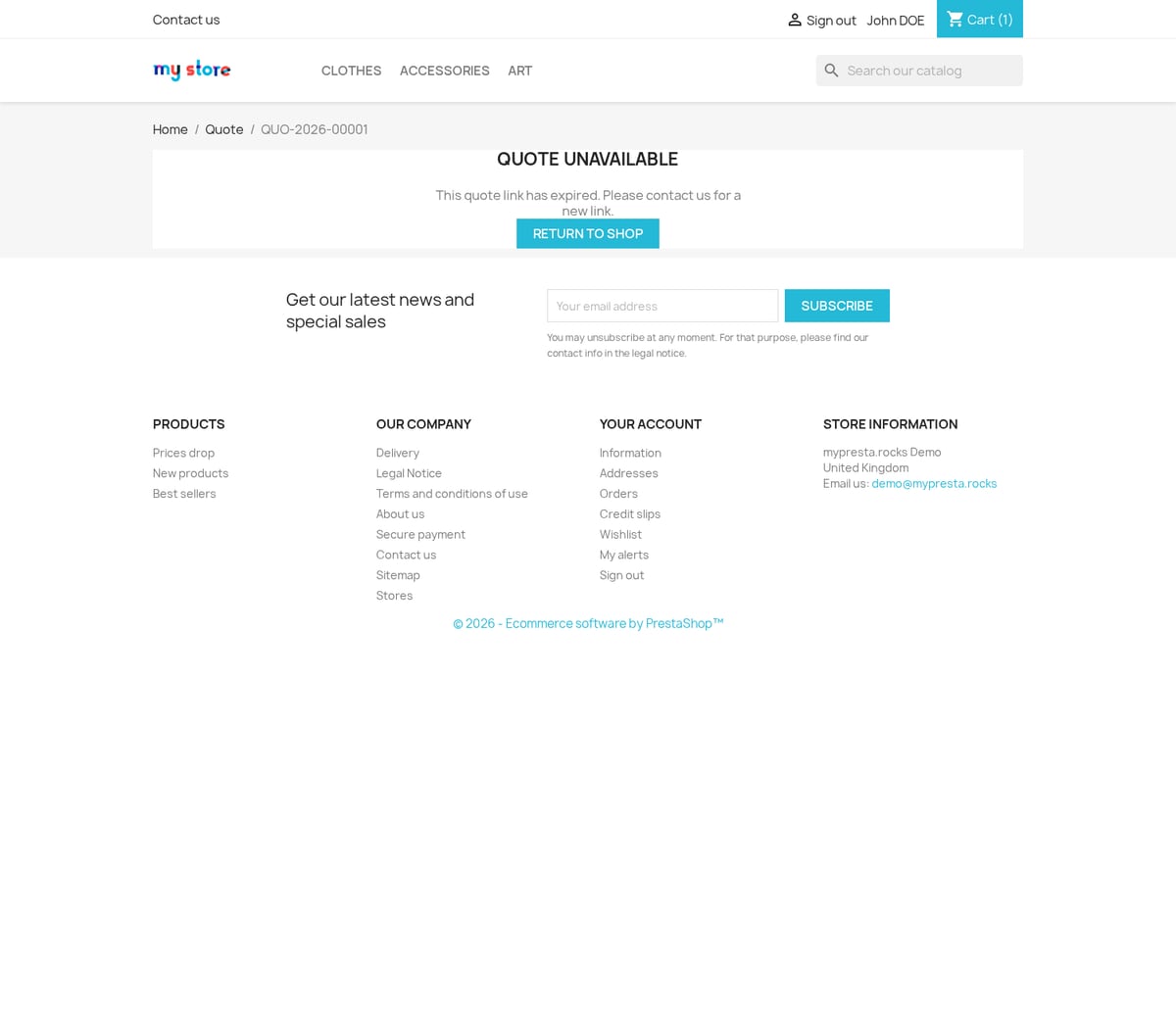
With default English URL settings, product quote links can use /request-quote/product/123 or /request-quote/product/123-456. Use generated links for the actual shop and language. Payment links have their own token and expiry; preserve the full generated link. The default payment-link lifetime is separate from the quote's default validity in days.
Review a quote before conversion
Open Checkout > Quotes > Quotes and view the request. Review its items, quantities, prices, addresses and expiry. Use Change Status to manage the request. The initial Convert to Order action is offered for a quote with items in the built-in Accepted status and no linked order. Editing stops once the quote is expired, linked to an order or in a final status.
Direct conversion creates a new PrestaShop cart from quote items with a catalogue product ID. Free-text items without a product ID are not added to that cart. Review such items before converting. The conversion uses ps_wirepayment when available, otherwise the Checkout Revolution module, with the PS_OS_BANKWIRE order state or its PS_OS_CHEQUE fallback. Creating this awaiting-payment order does not itself take an online payment. Check the resulting order and payment state before fulfilment.
Configuration: My Account
- Enable Header Login Modal. Enables the account/login widget in the header; default:
false. - Enable Modern Login Page. Enables the module login page; default:
false. - Enable Modern Register Page. Enables the module registration page; default:
false. - Enable Modern Password Reset Page. Enables the module password reset page; default:
false. - Enable Modern My Account Page. Enables the module account dashboard page; default:
false. - Redirect Core Auth Pages. Redirects native customer pages to enabled module pages; default:
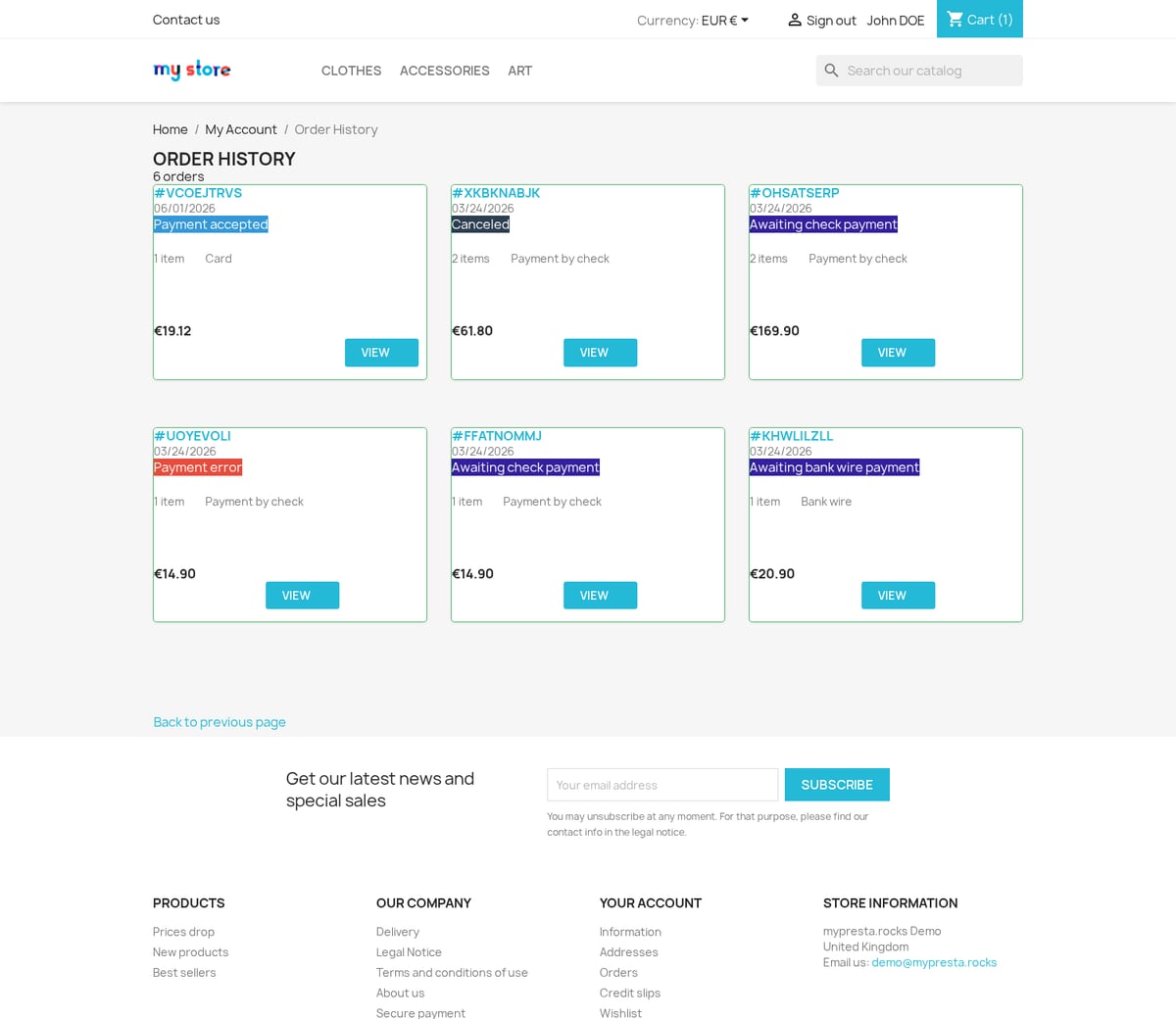
true. - Enable Modern Order History. Enables the module order history page; default:
false. - Enable Modern Order Detail. Enables the module order detail page; default:
false. - Enable Modern Merchandise Returns. Enables the module returns list page; default:
false. - Enable Modern Return Details. Enables the module return detail page; default:
false. - Enable Modern Credit Slips. Enables the module credit slips page; default:
false. - Enable Modern Vouchers Page. Enables the module vouchers page; default:
false. - Enable Modern Guest Tracking. Enables the module guest tracking page; default:
false. - Enable Modern Order Confirmation. Enables the module order confirmation page; default:
false. - Enable Password Login. Allows password-based login on module auth pages; default:
true. - Enable Email Code Login. Allows email-code login on module auth pages; default:
true. - Enable SMS Code Login. Allows SMS-code login on module auth pages when SMS credentials are configured; default:
true. - Social Login Button Layout. Chooses
icons,2-columnsorfullsocial button layout; default:full. - Social Login Position. Shows social login buttons at the top or bottom of the form; default:
top. - Show Guest Checkout Option. Shows the guest checkout choice on auth screens used by checkout; default:
true. - Require Password on Registration. Requires a password when customers register; default:
true. - Show Newsletter Checkbox. Shows the newsletter opt-in on registration; default:
true. - Show Birthdate Field. Shows the birthdate field on registration; default:
false. - Show Gender Selection. Shows the gender selector on registration; default:
false. - Show Company Registration. Shows company registration fields; default:
false. - Enable VAT Number Field. Enables VAT entry for company registration; default:
false. - Auto-Verify VAT via VIES. Verifies VAT numbers through VIES when VAT registration is enabled; default:
true. - Require VAT for Company Registration. Makes VAT required for company registrations; default:
false. - Block Invalid Registration VAT. Blocks registration when VIES says the VAT number is invalid; default:
true. - Block Registration When VIES Is Unavailable. Blocks registration when VIES cannot be reached; default:
false. - Verify VAT on Address Save. Verifies VAT numbers when customer addresses are saved; default:
true. - Require VAT for Company Addresses. Requires VAT for company addresses; default:
false. - Block Invalid Address VAT. Blocks address save when VAT validation fails; default:
true. - Block Address Save When VIES Is Unavailable. Blocks address save when VIES cannot be reached; default:
false. - VAT Cache Duration. Hours to cache VAT validation results; default:
720. - Enable My Company Page. Enables the B2B company account page; default:
false. - Auto-Approve VAT Join Requests. Automatically approves company join requests by VAT number; default:
false. - Show Saved Cards on Account Page. Displays saved card access from the account dashboard; default:
true. - Login Page URL. Multilingual login slug; default:
en=sign-in. - Register Page URL. Multilingual registration slug; default:
en=create-account. - Password Reset Page URL. Multilingual password reset slug; default:
en=reset-password. - My Account Page URL. Multilingual account slug; default:
en=account. - Order Confirmation Page URL. Multilingual confirmation slug; default:
en=order-confirmed. - Login Page Title. Multilingual login title; default:
Sign In. - Register Page Title. Multilingual registration title; default:
Create Account. - Password Reset Page Title. Multilingual password reset title; default:
Reset Password. - My Account Page Title. Multilingual account title; default:
My Account. - Enable Modern Identity Page. Enables the module personal information page; default:
false. - Identity Page Title. Multilingual identity page title; default:
Personal Information. - Identity Page URL. Multilingual identity slug; default:
en=personal-info. - Enable Modern Addresses Page. Enables the module addresses list page; default:
false. - Addresses Page URL. Multilingual addresses slug; default:
en=my-addresses. - Enable Modern Address Form. Enables the module address form page; default:
false. - Address Form URL. Multilingual address form slug; default:
en=new-address.
Also review the newer My Account controls:
| Setting | Default | How to use it |
|---|---|---|
| Passkey Sign-in Flow | email_first | Choose an email-first flow or a one-tap entry. Browser passkey availability still determines the offered interface. |
| Enable QR Sign-in Approval | Off | Allow an anonymous computer to request approval from a phone already signed in. |
| After QR approval on the phone | stay | Choose where the approving phone goes after confirmation. |
| Custom URL after QR approval | Empty | Use a URL on this shop if you select a custom destination. |
| How to create an account from sign-in | inline | Choose inline account creation, a full create-account modal or a registration-page redirect. |
| Connected Provider Display | marks | Choose how an already connected social provider is displayed. |
| Registration Terms Page | Shop default (0) | Use the shop's default terms page or choose the authentication terms page. |
| Registration Privacy Page | Shop default (0) | Follow the shop privacy fallback or choose the authentication privacy page. |
Enable account pages individually, then test redirects from the native pages. The saved-card dashboard link also depends on card saving and customer access. Provider buttons need their integration credentials. Do not assume the social display switch alone configures a provider.
Configuration: Integrations
- Enable Google Places Autocomplete. Enables address autocomplete using Google Places; default:
false. - Google Places API Key. Stores the Google Places API key; default: empty.
- Enable Google Sign-In. Enables Google OAuth login; default:
false. - Google OAuth Client ID. Stores the Google OAuth client ID; default: empty.
- Enable Google One Tap. Enables Google One Tap when Google Sign-In is active; default:
false. - Enable Apple Sign-In. Enables Apple OAuth login; default:
false. - Apple Service ID. Stores the Apple Services ID; default: empty.
- Apple Team ID. Stores the Apple team ID; default: empty.
- Apple Key ID. Stores the Apple key ID; default: empty.
- Apple Private Key. Stores the Apple private key; default: empty.
- Enable Facebook Sign-In. Enables Facebook OAuth login; default:
false. - Facebook OAuth Client ID. Stores the Facebook app ID; default: empty.
- Facebook OAuth Secret. Stores the Facebook app secret; default: empty.
- Enable Microsoft Sign-In. Enables Microsoft OAuth login; default:
false. - Microsoft OAuth Client ID. Stores the Microsoft client ID; default: empty.
- Enable X Sign-In. Enables X OAuth login; default:
false. - X OAuth Client ID. Stores the X client ID; default: empty.
- X OAuth Client Secret. Stores the X client secret; default: empty.
- Enable PayPal Sign-In. Enables PayPal OAuth login; default:
false. - PayPal OAuth Client ID. Stores the PayPal client ID; default: empty.
- PayPal OAuth Secret. Stores the PayPal secret; default: empty.
- Enable Amazon Sign-In. Enables Amazon OAuth login; default:
false. - Amazon OAuth Client ID. Stores the Amazon client ID; default: empty.
- Amazon OAuth Secret. Stores the Amazon secret; default: empty.
- Enable LinkedIn Sign-In. Enables LinkedIn OAuth login; default:
false. - LinkedIn OAuth Client ID. Stores the LinkedIn client ID; default: empty.
- LinkedIn OAuth Secret. Stores the LinkedIn secret; default: empty.
- Enable TikTok Sign-In. Enables TikTok OAuth login; default:
false. - TikTok Client Key. Stores the TikTok client key; default: empty.
- TikTok Client Secret. Stores the TikTok client secret; default: empty.
- Enable Yahoo Sign-In. Enables Yahoo OAuth login; default:
false. - Yahoo OAuth Client ID. Stores the Yahoo client ID; default: empty.
- Yahoo OAuth Secret. Stores the Yahoo secret; default: empty.
- Enable SMS Authentication. Enables Twilio SMS code sending; default:
false. - Twilio Account SID. Stores the Twilio account SID; default: empty.
- Twilio Auth Token. Stores the Twilio auth token; default: empty.
- Twilio Messaging Service SID. Stores the Twilio messaging service SID; default: empty.
- SMS Message Template. SMS text template for verification codes; default: empty.
- Enable WhatsApp Authentication. Enables Twilio WhatsApp verification; default:
false. - Twilio WhatsApp Number. Stores the Twilio WhatsApp sender number; default: empty.
- WhatsApp Message Template. WhatsApp text template for verification codes; default: empty.
Enable only the providers you configure. The form includes Google, Apple, Facebook, Microsoft, X, PayPal, Amazon, LinkedIn, TikTok and Yahoo sign-in. Copy the callback or redirect address supplied by the module into the corresponding provider application. Check it in every enabled shop language. Apple requires its Service ID, Team ID, Key ID and private key. Secret fields are not ordinary public text fields.
SMS and WhatsApp use Twilio credentials. The message templates support {code}, {minutes} and {shop_name}. SMS Code Login in My Account does not replace Enable SMS Authentication and its credentials. Google Places Autocomplete requires its API key.
Configuration: Advanced
- Awaiting Payment (Stripe). Order state used before Stripe payment completion; default:
Awaiting Payment state if installed, otherwise PS_OS_CHEQUE. - Payment Accepted. Order state used for accepted payments; default:
PS_OS_PAYMENT. - Processing. Order state used for processing orders; default:
PS_OS_PREPARATION. - Awaiting Bank Wire. Order state used by the bank transfer method; default:
bank_transfer payment option order state. - Awaiting Cash on Delivery. Order state used by COD; default:
PS_OS_COD_VALIDATION. - Partial Refund. Order state used for partial refunds; default:
Partial Refund state if installed, otherwise PS_OS_REFUND. - Full Refund. Order state used for full refunds; default:
PS_OS_REFUND. - Preserve Password on Recovery. Keeps password data during payment/cart recovery; default:
false. - Default abandoned cart redirection page. Chooses where recovered carts open; default:
cart. - Select CMS Page. CMS page used when the abandoned-cart redirect type is CMS; default:
not selected. - Payment Recovery Redirect. Redirects customers into recovery when a recoverable payment is detected; default:
true. - Allow Payment Intent Validation Override. Lets admins override payment intent validation in admin order/payment workflows; default:
false. - Treat new customers as. Customer group assigned to new customers created through the module; default:
PS_CUSTOMER_GROUP. - Transaction Recovery Method. Chooses the recovery mode used for unfinished transactions; default:
front. - Recovery Timeout. Seconds to wait before recovering unfinished transactions; default:
60. Keep it at least 60 seconds. - Session Timeout. Minutes before visitor sessions expire; default:
60. - Page error container selector. CSS selector used to insert page-level errors; default:
section > .container. - Conditions checkboxes selector. CSS selector for required checkout condition checkboxes; default:
#conditions-to-approve input[required]. - Confirmation button selector. CSS selector for the native place-order button; default:
#payment-confirmation button. - Payment option selector. CSS selector for native payment option radios; default:
input[name="payment-option"]. - Enable Modern Invoices. Replaces default invoice output with module-styled PDFs; default:
true. - Invoice Header Text. Optional custom invoice header HTML; default: empty.
- Invoice Footer Text. Optional custom invoice footer HTML; default: empty.
- Show Product Reference. Shows product reference codes on invoices; default:
false.
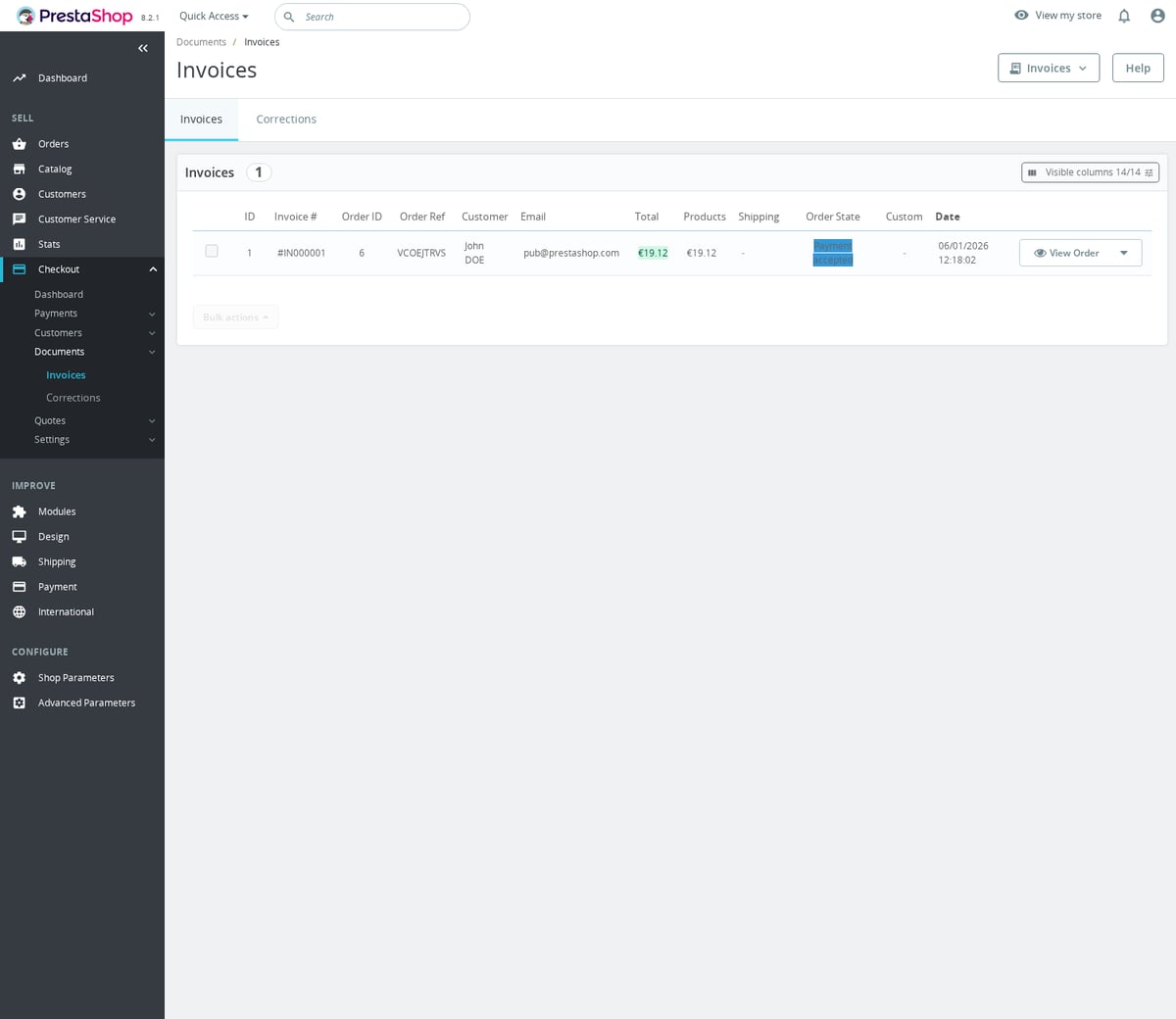
Order-state defaults come from this installation. Awaiting Payment and Partial Refund use the module's IDs when valid, with the fallback shown above. Confirm those states in your own shop before changing them. Enable Modern Invoices is on by default, so verify invoice output as part of the initial setup. The module participates in actionPDFInvoiceRender and actionMailAlterMessageBeforeSend.
Keep native-checkout selectors at their defaults unless your theme changes the markup. Change one selector at a time and test native payment selection, required conditions and the confirmation button. Allow Payment Intent Validation Override can let an employee create an order without a recorded transaction, so use it only with a specific payment reconciliation workflow.
Configuration: Appearance
- Enable custom assets. Loads
views/js/custom.jsandviews/css/custom.css; default:false. - Shop Template. Uses automatic theme or parent-theme matching, or your manual choice; default:
auto. - Unified Payment Modal. Shows one button that opens a list of payment methods instead of separate buttons; default:
false. - Button Design. Chooses unified modal button style; default:
logos. - Unified Express Checkout Button. Multilingual unified button label; default:
Express Checkout. - Modal Header. Multilingual unified modal heading; default:
Complete your purchase. - Payment Button Text. Multilingual unified payment button text; default:
Pay now. - Processing Message. Multilingual processing text; default:
Processing your payment.... - Payment Method Design. Chooses the payment method UI preset; default:
stripeTabs. - Shipping Method Design. Chooses the shipping method UI preset; default:
stripe. - Card Source Design. Chooses the saved-card/new-card selector UI; default:
compact. - Saved Cards Display. Chooses saved cards as
tilesordropdown; default:tiles. - Primary Background Colour. Primary module color, auto-detected from the theme when available; default:
#1d93ab. - Primary Font Colour. Text color over the primary background, auto-detected when available; default:
#ffffff. - Secondary Background Colour. Secondary module background, auto-detected when available; default:
#f6f6f6. - Secondary Font Colour. Text color over the secondary background, auto-detected when available; default:
#232323. - Icon Theme. Chooses payment icon theme; default:
light-mode. - Card Icon Display. Chooses generic card icon or card brand logos; default:
brands. - Card Brands to Display. Card brand logos shown for card payment; default:
visa,mastercard,american_express.
The color values above are fallbacks when shared theme detection has no value. Use Shop Template auto before choosing a manual preset. Keep custom code in the supplied custom.css and custom.js files only when Enable custom assets is on, and preserve your custom files during module updates.
Configure Payment Options
Open Checkout > Settings > Payment Options. Select an option and review Active, its configuration and associations. Options include Stripe-backed methods and manual bank transfer, cash on delivery, credit account, pickup and quote flows. A credit account option needs an eligible credit account; enabling its label does not grant credit.
Review the available country, currency and customer-group associations before expecting an option to appear. Choose the options needed for your store and test each enabled method independently.
The applicable fields depend on the selected method:
- Default Payment Option. Selects the default express checkout payment method in Checkout > Settings > Payment Options; default:
card. - Require Login for Existing Accounts. Requires sign-in for registered emails, usually useful for manual methods; default:
truefor manual methods,falseotherwise. - Disable Link Autofill. Prevents Stripe Link from autofilling card payment details; default:
false. - Enable Card Saving. Allows customers to save cards for later purchases; default:
true. - Saved Cards URL. Multilingual saved cards page URL; default:
en=my-saved-cards. - Cards Page Meta Title. Multilingual saved cards meta title; default:
Manage saved cards. - Cards Page Meta Description. Multilingual saved cards meta description; default:
Manage your saved payment methods securely. Add, remove, or update your cards for faster checkout.. - Use Wallet Billing Address. Uses billing data returned by Google Pay, Apple Pay or Link; default:
true. - When wallet unavailable. Chooses how unavailable wallets are handled; default:
hide. - Bank Transfer Details. Bank account instructions shown for bank transfer; default: empty.
- Send Confirmation Email. Sends bank transfer or credit account confirmation emails; default:
true. - Email Subject. Multilingual bank transfer email subject; default:
Bank Transfer Payment Instructions. - Email Subject. Multilingual credit account email subject; default:
Order Confirmation - Credit Account. - Label. Per-payment-method storefront label in Payment Options; default: method-specific translated label.
- Express Checkout Button. Per-payment-method express button text; default: method-specific translated text.
- Modal Header. Per-payment-method modal heading; default: method-specific translated text.
- Modal Button. Per-payment-method modal action text; default: method-specific translated text.
- Payment Button. Per-payment-method confirmation button text; default: method-specific translated text.
- Payment Option Label. Per-payment-method label shown in checkout option lists; default: method-specific translated text.
- Processing Text. Per-payment-method processing message; default: method-specific translated text.
The two Email Subject fields apply separately to bank transfer and credit account. Per-method Label, Express Checkout Button, Modal Header, Modal Button, Payment Button, Payment Option Label and Processing Text are multilingual. Keep default method text unless you need different storefront copy.
When wallet unavailable defaults to the hide behavior. Wallet availability depends on the Stripe account, device, browser, country and currency. It is expected that some wallet buttons are absent during a particular test.
Restrict an option to an audience
Open an option's associations form and use Payment Option Targeting to select shops, languages, customer groups, countries and currencies. For example, select your wholesale customer group for a trade payment option. Click Save Associations. An empty selection means Available Everywhere, so choose the intended restrictions explicitly.
This form has no minimum or maximum cart-total condition. Do not expect it to implement an amount threshold such as hiding cash on delivery above 500. Carrier/payment associations are configured separately under Shipping Services.
Configure Shipping Services
Open Checkout > Settings > Shipping Services. Link the service to a Shop carrier. The actual service-editor labels are:
| Setting | New-service default | How to use it |
|---|---|---|
| Shop carrier | Required selection | Select the PrestaShop carrier represented by the service. |
| Service Name | Empty until entered | Translate the customer-facing name. Carrier import can prefill it. |
| Description | Empty | Translate extra delivery information. |
| Minimum Transit Time (days) | 0 | Enter the lower delivery estimate. |
| Maximum Transit Time (days) | 0 | Enter the upper delivery estimate. |
| Display Mode | all | Choose all carts or the available stock-state restriction. |
| Express Checkout | Enabled | Enable the service for express checkout. |
| One-Page Checkout | Enabled | Enable it for the module checkout page. |
Services have ordering positions. New records use the next position; imported services can inherit carrier state. The global Default Shipping Option initially follows the service linked to PS_CARRIER_DEFAULT. Virtual Carrier Label defaults to Digital Delivery; Virtual Carrier Details defaults to Instant access after payment.
In the association section, review Display Everywhere, All Payment Options, Specific payment options, All External Payment Modules and External payment modules. Select the allowed options/modules for the carrier. In Configuration > One-Page Checkout, Payment Filtering by Carrier chooses greying out or hiding.
For example, link a service to carrier 12, enable Express Checkout and One-Page Checkout, then allow card, PayPal, Klarna and bank transfer as appropriate. Select a different carrier during testing and confirm incompatible payment choices become unavailable. Native carrier zones, ranges and customer access still determine whether delivery is available.
Verify webhooks and maintenance
The Stripe webhook URL is:
https://your-shop.example/module/mprcheckoutrevolution/webhook
The module includes endpoint registration and pairing for test and live Stripe modes. It stores mode-specific endpoint IDs and signing secrets. Verify the module-created endpoint and successful signed event delivery; manually adding an arbitrary endpoint without matching its signing secret is insufficient. Use Checkout > Settings > Integrity to check the setup and address reported pairing or processing problems.
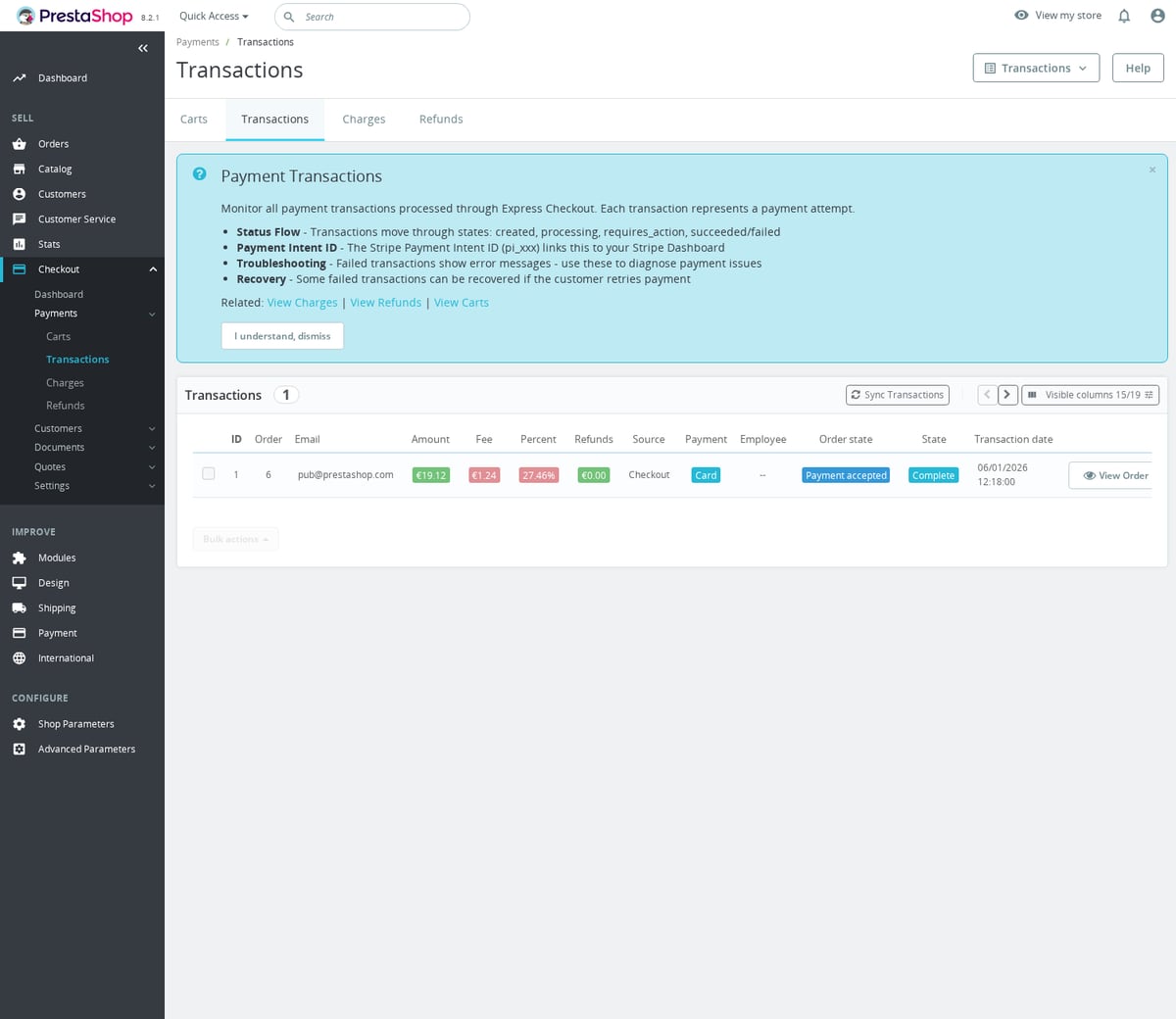
Complete a test payment and confirm a single PrestaShop order, transaction and charge are recorded. Review Checkout > Payments > Carts, Transactions, Charges and Refunds. Check interrupted/failed payment behavior before enabling live processing.
For scheduled maintenance, the shared runner can use:
php /var/www/html/modules/mprcheckoutrevolution/cron.php --token=YOUR_SHARED_MPR_CRON_TOKEN --max-tasks=20 --max-seconds=55 --context=cron
Use the shared MPR cron token and your real installation path. The registered tasks include recovery every 300 seconds, stale-transaction cleanup every hour, completed-webhook pruning daily and credential-state maintenance every 300 seconds. Check the runner results instead of treating a successful HTTP response as proof that every task ran.
Check customer flows before live use
- Test guest checkout and an existing customer account. Check address validation, country/state fields and each enabled authentication method.
- Test product quantities, combinations, customizations and vouchers on both the cart and checkout pages.
- Test all configured carriers and their payment restrictions. Confirm totals and tax display after address or carrier changes.
- Place a test order with each enabled payment option. Verify the resulting state and email. Test a refund on a test payment.
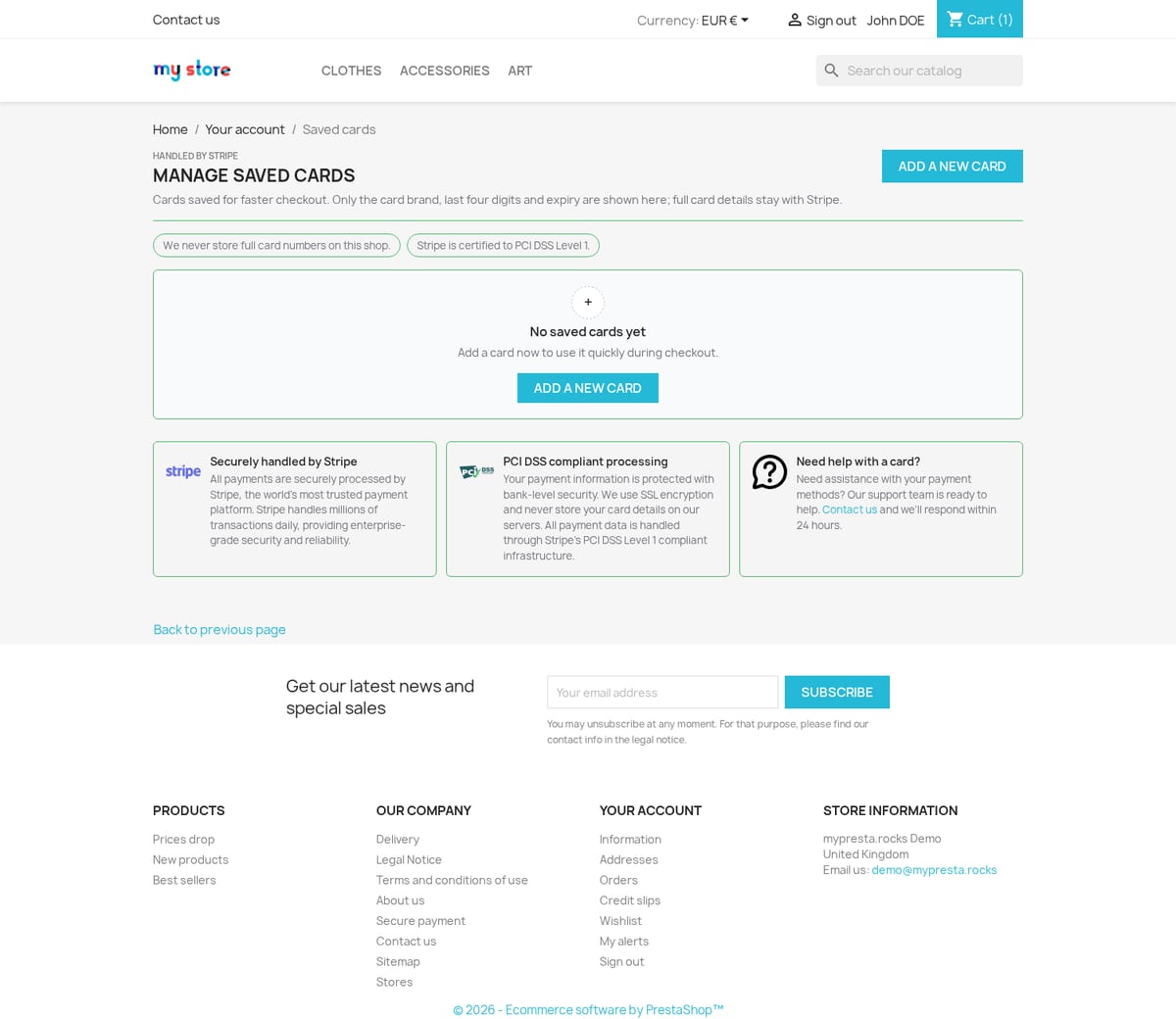
- If card saving is enabled, save a test card, open the default
/my-saved-cardspage and check removal and subsequent checkout selection. - Submit a quote from a product and cart. Review the admin request, PDF, messages and generated payment link. Test expiry handling. Automatic expiry reminders are not sent.
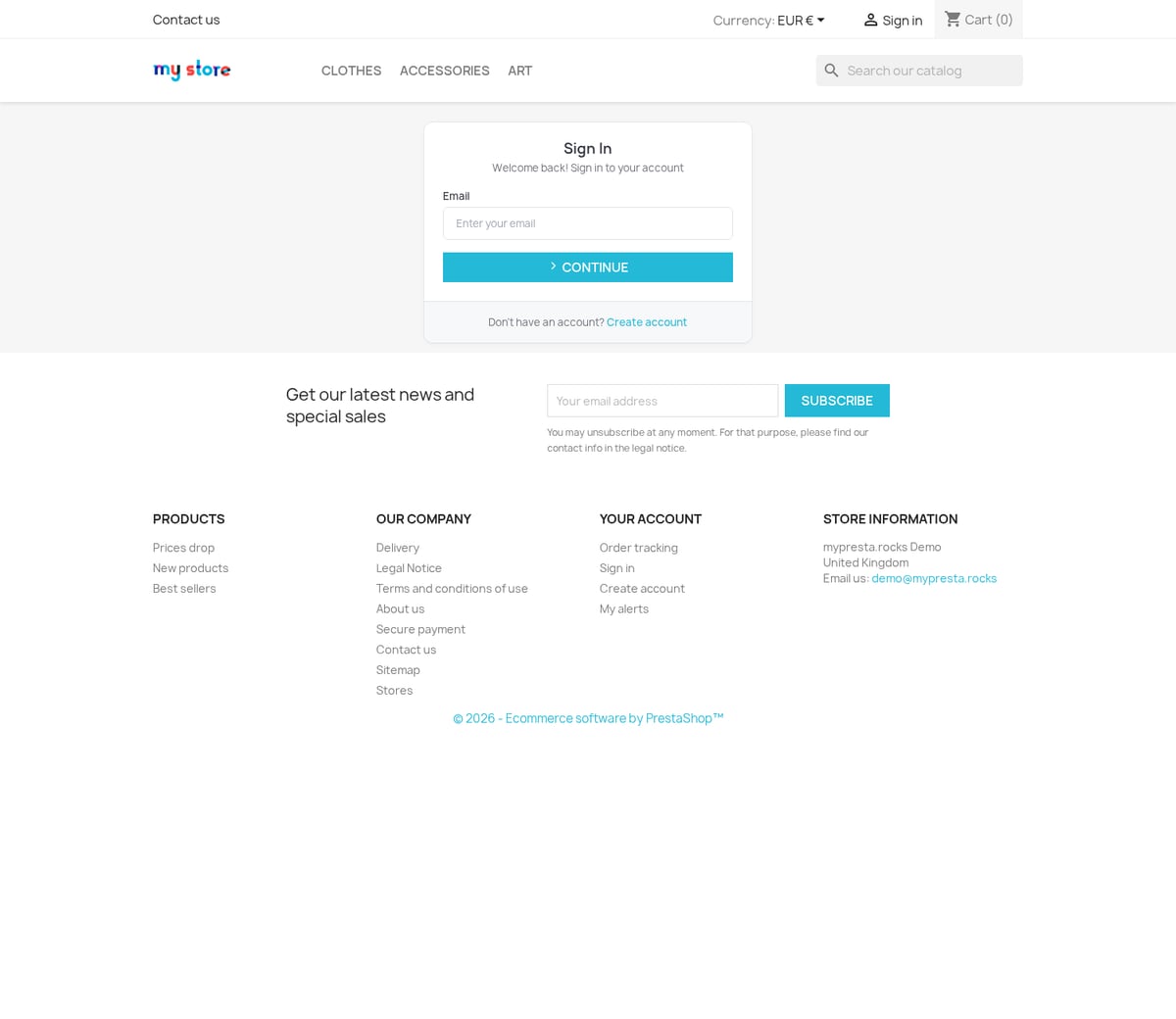
- Open each enabled account page, invoice and order confirmation. Check redirects from the native pages while signed out and signed in.
- Enter the live keys only after tests pass. Enable Payments Live Processing and Module Live Mode, verify live webhook pairing, then check the ordinary customer view from a browser without an employee session.
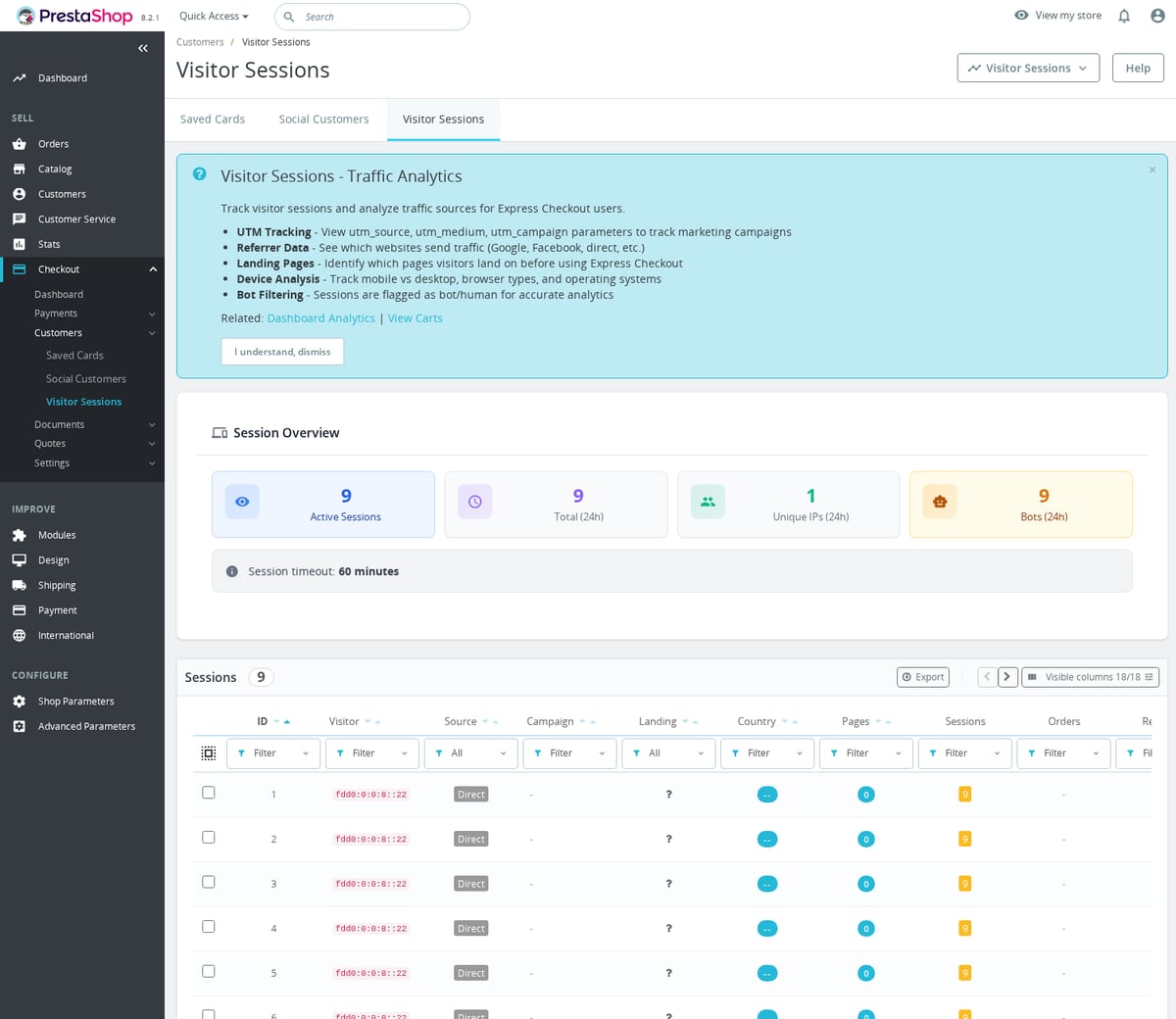
Use Customers > Saved Cards, Social Customers and Visitor Sessions for the corresponding admin records. Use Documents > Invoices and Corrections for module document workflows.
Customize styles and JavaScript
With Enable custom assets on, the module loads:
modules/mprcheckoutrevolution/views/css/custom.css
modules/mprcheckoutrevolution/views/js/custom.js
Examples of module CSS hooks:
:root {
  --mpr-ec-bg-color-primary: #111827;
  --mpr-ec-ft-color-primary: #ffffff;
  --mpr-ec-bg-color-secondary: #f3f4f6;
  --mpr-ec-ft-color-secondary: #1f2937;
}
.mpr-ec-btn-container.custom-hook .mpr-ec-btn,
.mpr-ec-btn-container.product-actions .mpr-ec-btn { width: 100%; }
.mpr-quote-request-btn-container .mpr-quote-request-btn { margin-top: 8px; }
The provided JavaScript customization class is MPRExpressCheckoutCustom. Its updateCheckoutContext(checkoutContext) and updateCheckoutSetup(checkoutSetup) methods return the updated context/setup. Extend the supplied class in custom.js while preserving those return values:
updateCheckoutContext(checkoutContext) {
    this.checkoutContext = checkoutContext;
    return this.checkoutContext;
}
updateCheckoutSetup(checkoutSetup) {
    this.checkoutSetup = checkoutSetup;
    return this.checkoutSetup;
}
These are methods inside the provided class, not a standalone script. Recheck custom assets after theme changes or module updates.
Troubleshoot
- If output is missing, check Module Status, Module Live Mode, your test IP/employee recognition and the individual page or hook switch.
- If the native page stays unchanged, enable the corresponding module page, choose replacement/redirect and clear cache.
- If Stripe methods fail, check key mode, account configuration, endpoint pairing and signed webhook delivery. An employee can still be using test keys while customers use live keys.
- If a manual option is missing, check Active, associations, carrier restrictions and existing-account login requirements. Credit requires account eligibility.
- If shipping is empty, check the linked Shop carrier, country/zone, ranges, stock display mode and active switch for the current checkout type.
- If a wallet is absent, check When wallet unavailable and test on an eligible device with the correct account/currency setup.
- If a provider login or code does not work, check that both the page-level choice and integration are enabled with matching credentials and callback URLs.
- Quote expiry reminders are not sent, even when Email customer before quote expires and Expiration reminder lead time are saved.
- Use Integrity and the relevant admin transaction/charge records before retrying a payment or changing order states.
Disable or uninstall
Set Module Status off to stop module behavior while keeping admin pages available. To disable the module in PrestaShop, use Module Manager.
Before Uninstall, back up module configuration, quote data, payment records and custom assets. Switch the storefront to a working checkout/payment page and remove obsolete scheduled invocations. The uninstall removes module admin pages, scheduled tasks, tables owned by the module and managed order statuses, and attempts to unregister its Stripe endpoints when outbound writes are allowed. Verify endpoint cleanup in Stripe if that step was blocked or failed. Shared tables explicitly marked persistent, including customer/company and credit records, are retained. Uninstalling does not issue customer refunds or settle outstanding payments.
Reference screenshots







Questions
2
What happens if I turn off Enable One-Page Checkout?
The module's checkout controller redirects a request for its checkout page to PrestaShop's native order page when Enable One-Page Checkout is off. This is the module setting one_page_checkout_enabled.
Does Credit Account include a purchase-order approval workflow?
Checkout Revolution provides quote requests and a Credit Account payment option. Credit eligibility is resolved through the credit-provider integration; enabling that payment option does not add an approve, submit and invoice purchase-order sequence. Review your credit integration separately for trade-account approval requirements.
Known Issues
78
PrestaShop 1.6 administration and page compatibility
Payment validation used a different email
Mixed digital orders were marked paid before verification
Digital refund checks happened too late
Cached payment icons differed by browser
Opening dialogs before their scripts loaded failed
Checkout dialog did not close on Bootstrap 3
Some shop links failed with checkout enabled
Digital shop-selection sign-in was unavailable
VAT checks caused repeated checkout refreshes
Address search did not fill the selected address
Express address form was hidden on some themes
Visit attribution order was incorrect
Installation banners named the wrong module
Guest order creation rejected an existing account email
Credit slips were reported before being saved completely
Passkey sign-in failed across first-visit tabs
Dashboard controls did not load
PrestaShop 1.6 installation and pages failed
Carts without carriers could not be paid
Paid digital options or prices were lost
Express checkout paid with the wrong address details
Installation failed with a custom database prefix
Missing staff alerts for incomplete payment associations
Manual payment orders did not finalize
Additional service items counted twice
Customers lost their session during order creation
Settings controls did not load
Transaction repair stopped with an error
One-page checkout used express validation
Existing checkout records were not found
Quote combinations and payment error handling failed
Express checkout failed to start
Virtual products incorrectly delayed shipping
Buy now lost selected digital options
Card payment forms stayed empty
Card payments stopped with an error
Late checkout updates replaced newer choices
Missing or incorrect translations
Subscription renewals were not recovered reliably
Checkout used the wrong address tax
Address state validation blocked checkout
Zero-total orders had incorrect payment handling
Account creation dialog was incomplete
Validation errors could leave dialogs stuck
Social registration ignored the typed email
Authenticator enrollment could not accept its code
QR approval button was unreachable on phones
Fresh installations failed on PrestaShop 9
First express checkout click was ignored
Payment buttons became stuck after wallet cancellation
Placement checks reported valid hooks as missing
Installation checks incorrectly disabled checkout
Installation status did not match saved checks
Wallet address recovery failed
Checkout pages failed on case-sensitive hosting
Invoice font and seller VAT presentation changed incorrectly
Invoice reference capacity was too limited
Trade account validation depended on VAT state
Saved cards could not be selected or edited reliably
Some payments did not complete their orders
Order totals differed with additional service items
Group discounts changed incorrectly after sign-in
Renewal orders used incorrect addresses
Trial subscriptions with saved cards failed
Cart redirects looped
Customer sign-in did not persist on PrestaShop 9.1
Checkout lost submitted VAT details
Gift products and vouchers were handled incorrectly
Checkout address changes were not retained reliably
Custom cart item details did not work reliably
Invoice seller details were incomplete
Invoice or order administration failed to open
Checkout styles interfered with theme dialogs
Express checkout did not load on some listing pages
Security hardening
Express payment (Apple Pay/Google Pay) did not preserve the selected carrier
Switching from card payment to Apple Pay resets the carrier selection to the cheapest option. The carrier ID was not persisted in the session between payment method switches.
Resolution note
The selected carrier ID is now persisted in sessionStorage before switching to express payment. When the payment sheet opens, the carrier from the customer's earlier selection is used instead of defaulting to the cheapest.
Webhook endpoint returns 200 even when processing fails
The webhook controller always returns HTTP 200, even when order creation fails. This prevents Stripe from retrying failed webhooks.
Resolution note
Changed to return 500 on processing errors, which triggers Stripe's automatic retry mechanism.
Feature Requests
40
Implemented
Apple Pay checkout on product pages
Stripe support subscriptions with renewal orders and invoices
Configurable one-page checkout
Express checkout
One-page checkout
Manual payment methods
Saved card management
Social sign-in
Connected social account management
Abandoned-cart recovery
Choose products to purchase
Quotes and quote orders
Credit account checkout
Trade account application at checkout
Modern invoice PDFs
Order payments and refunds
Recurring support subscriptions
Header sign-in widget
Checkout VAT validation
Separate payment test mode for staff
Appearance by placement
Installation checks and repair
Updates from the back office
Phone and passkey sign-in
QR sign-in
Authenticator two-factor authentication
Multiple verified email addresses
Customer return requests
Page updates after sign-in
Passwordless account creation
Password generation at registration
Save buttons follow unsaved changes
Background-prepared page support
VAT on add-ons and recurring services
Payment confirmation progress
Recovery of interrupted paid orders
Replace unpaid payment attempts
Staff handover for payments needing attention
Credit slip integration notifications
Consent-aware visit attribution
Changelog
v1.25.142026-08-11
- Fixeddemo boot readiness by repairing stale PrestaShop admin tab rows during install and upgrade.
- Existing inactive or ownerless Checkout Revolution tabs are now reactivated, re-owned by the module, and re-parented before readiness checks run.
Older releases
v1.25.132026-08-03
- Fixeddemo boot readiness by shipping active admin tabs in the current artifact.
- Addedlazy post-install integrity runner so first-visit install checks fire consistently.
- Synced shared packages and cleaned release packaging, including vendor asset access and stale debug configuration migration.
v1.25.152026-05-27
- AddedHarden checkout auth and cart recovery
- AddedAdd checkout trade account opt-in
- AddedAdd checkout trade account preview
- AddedShow bespoke cart details in modal
- AddedShow VAT reverse charge status in checkout
- Addedself-healing integrity checks for automatic diagnostics
- Addedautomatic theme detection for Classic and Hummingbird
- Addedcomplete FR/DE/ES/IT/PL translations
- ImprovedRestructure VAT status to title/detail pairs, fix French translations
- ImprovedHeader auth widget — dropdown instead of modal
- ImprovedRemove version query string from asset registration
- FixedMigrate module state to MPR config
- FixedSeparate partner validation from VAT state
- FixedRestore invoice font and simplify seller VAT
- FixedCenter partner account checkbox
v1.25.152026-05-26
- Fixeddemo install on PrestaShop 8.2 by normalizing stale admin tab rows with direct database updates during install and upgrade.
- Avoids legacy Tab object save failures when old tab rows exist without the correct module owner.
v1.8.02026-04-20
- AddedVirtual cart item removal + cart page CSS cleanup
- AddedStripe subscriptions — recurring support extensions with full order/invoice per cycle
- AddedVirtual cart support — allow orders with only prestashop-virtual-cart items
- AddedConfigurable button_style (black|primary), default quote_enabled=true
- Addedautomatic theme detection for Classic and Hummingbird style compatibility
- Addedadmin menu management via MenuInstaller for streamlined module setup
- AddedLicense management tab with key management and renewal options
- Addedself-healing integrity checks for automatic diagnostics and repair
- Addedcomplete FR/DE/ES/IT/PL translations
- ImprovedSessions controller extends shared BaseSessionsController
- ImprovedRework order edit modal to use prestashop-admin package
- Improvedadmin list columns with visual badge indicators and multiselect filters
- ImprovedSEO handling with proper canonical URLs and meta tags on all front pages
- FixedAdd default value for quantity in buttons.tpl to prevent PHP warnings
- FixedCart page refresh after virtual item removal + VirtualCart pricing
- FixedSync prestashop-icons to prevent Smarty mpr_icon double-registration crash
- Fixedvarious stability and compatibility improvements (42 fixes total)
- Fixedadmin list filters — sorting, searching, and filtering now work correctly on all columns
v1.7.22025-11-18
- FixedPayPal Express callback losing cart context in PS 8.2 with updated session handler
- Improvedcheckout analytics dashboard with funnel drop-off step visualization
- Addedconfigurable order bump product placement above or below payment methods
- Fixedsmart address autofill conflicting with browser built-in autofill on Firefox
v1.7.12025-09-03
- AddedGoogle Pay button on cart page as an additional fast checkout entry point
- Improvedone-page checkout scroll behavior on mobile when field validation errors appear
- Fixedorder submitted twice when user double-taps Pay button on a slow connection
- AddedStripe Radar fraud score display in back-office order detail panel
v1.7.02025-06-25
- AddedApple Pay integration with domain verification and merchant session handling
- Addedconfigurable checkout progress bar with custom step labels
- Redesigned smart address form with inline postcode-to-city autofill lookup
- Addedcheckout analytics: tracks entry point, per-step duration, and abandonment reasons
- ImprovedPayPal Express button styling to inherit shop theme accent colors
v1.7.32025-06-14
- AddedPrestaShop 9 and Hummingbird theme compatibility
- FixedApple Pay domain verification endpoint returning 404 under PS 9 Symfony routing
- ImprovedStripe Payment Element rendering on Hummingbird one-page checkout layout
- FixedGoogle Pay button not appearing when no default shipping method is pre-selected
- Optimized address form field validation to reduce false positives on international postcodes
v1.6.12025-04-11
- Fixedorder confirmation email not dispatched when PayPal IPN arrives before browser redirect
- ImprovedGoogle Pay availability detection to suppress button on unsupported browsers
- Fixedone-page checkout not advancing to payment step when address has no phone number
v1.6.02025-02-28
- AddedStripe Payment Element supporting card, SEPA, iDEAL, Bancontact, and more
- Addedone-page checkout layout as alternative to default multi-step flow
- Improvedmobile UX with collapsible order summary panel on small screens
- Addedoptional fields for company VAT number and customer order notes
v1.5.22024-11-14
- FixedPayPal button not rendering when PS lazy load is enabled
- Improvederror messaging for declined card and insufficient funds responses
v1.5.02024-08-07
- AddedPayPal Express Checkout integration with full buyer approval flow
- AddedGoogle Pay button on product page and cart
- Redesigned checkout analytics report with CSV export
Demo
Test the full module before you buy
Buy a licence later and keep your settings.
- Your 30-day demo Test it on your own shop for 30 days from the first install.
- Ready demo shop Explore a ready demo shop in your browser.
- No registration No account, email or store domain needed.
By downloading, you accept the demo terms and privacy policy.
By opening this demo you accept the demo terms and the privacy policy.