

Product and Store Reviews: setup and help
Quick start
- Upload and install the mprcomments ZIP in Module Manager.
- Open Reviews > Settings > Configuration.
- Review Enable Reviews, Product Reviews, Require Moderation and Allow Guest Reviews.
- Set display, photo and notification options, then save.
- Open an active product and submit a test customer review.
- Approve it in Reviews > Reviews when moderation is on.
- Reload the product and verify the review, listing stars and rating badge in your theme.
Requires PrestaShop 1.6.1 or later and PHP 7.1 or later.
Setup manual
Install and publish your first review
- Upload and install the
mprcommentsZIP through Modules > Module Manager. - Click Configure, or open Reviews > Settings > Configuration.
- Keep Enable Reviews and Product Reviews on. Review Require Moderation and Allow Guest Reviews.
- Check display, photo and notification settings, then click Save.
- Open an active product and use its review form as a customer. Submit a rating and review text.
- If moderation is on, open Reviews > Reviews and approve the pending review.
- Reload the product and check its review content, stars and rating badge where your theme renders them.
Installation creates the module schema, hooks, admin menu, default configuration and modules/mprcomments/img/reviews/ upload directory. Use Reviews > Settings > Integrity if optional service credentials, tables or hooks need attention.
Configure General and Review Types
The form is headed Review Settings. Settings are grouped into General, Review Types, Display, SEO & Anti-Spam, Notifications, Integrations and Theme styles.
| General setting | Default | How to use it |
|---|---|---|
| Enable Reviews | On | Enable the storefront review system. Turn off to stop normal review output. |
| Require Moderation | On | New reviews are pending until you approve them. Turn off for immediate approval. |
| Allow Guest Reviews | Off | Allow visitors without a customer login to supply name and email. |
| Anonymize Customer Names | Off | Mask names in supported loaded review lists. This is a display preference, not deletion of stored customer data. |
| Min. Time Between Reviews (seconds) | 30 |
Minimum interval checked by IP and shop. Increase if repeated submissions are a problem. |
| Reviews Per Page | 10 |
Native product review page size. The public reviews hub separately clamps its server-rendered page size to 24 to 30. |
| Review Types setting | Default | How to use it |
|---|---|---|
| Product Reviews | On | Enable the supplied product review collection/display path. |
| Category Reviews | Off | Stored type preference. There is no standard category review form placement in this module. |
| CMS Page Reviews | Off | Stored type preference. CMS collection needs an integration. |
| Store Reviews | Off | Stored type preference. Store collection needs an integration. |
You can store reviews for products, categories, CMS pages and the store. The supplied storefront form collects product reviews. Other review types need a separate collection form or integration.
A signed-in customer's name and email come from their account. Guests must provide both when guest submissions are enabled. A signed-in customer cannot submit another non-spam review for the same entity in the same shop.
Configure Display and photos
| Setting | Default | How to use it |
|---|---|---|
| Show Stars on Listings | On | Render compact product stars through supported listing hooks. |
| Show Rating Badge on Product Page | On | Show the clickable product rating badge. |
| Show Usefulness Voting | On | Show helpful/not-helpful controls. Voting requires a logged-in customer. |
| Show Report Button | On | Show reporting for logged-in customers. |
| Show Verified Purchase Badge | On | Display a label when the review's customer has a valid order containing that product. |
| Show Review Date | On | Show the review date. |
| Show Rating Criteria | On | Show criterion grades and averages where available. |
| Allow Photo Uploads | On | Allow review attachments. Use this switch to disable uploads. |
| Max Images Per Review | 3 |
Number of images per review. The form shows a range of 0 to 10, but entering 0 uses the default of 3. |
| Max Image Size (MB) | 2 |
Per-image size limit. The field hint is 1 to 10 MB. |
The uploader accepts JPEG, PNG and WebP images. It checks image readability, resizes within 1200 by 1200 pixels and creates thumbnails. Your PHP image library must support the chosen format, and the review image directory must be writable. PHP upload and POST limits can impose a lower limit than the module setting.
After a photo test, check the image on the published review. A review can save its text even when an attachment is skipped, because invalid files are dropped during upload.
Configure SEO & Anti-Spam
| Setting | Default | How to use it |
|---|---|---|
| Enable Schema.org Markup | On | Output native product review JSON-LD on product pages with approved native reviews. |
| Brand Name | Empty | Optional Brand object in product review schema. |
| Enable reCAPTCHA | Off | Enable the review form's verification paths. |
| reCAPTCHA Version | v2 |
Choose v2 or v3 with matching keys. |
| reCAPTCHA Site Key | Empty | Public key for the chosen version. |
| reCAPTCHA Secret Key | Empty | Private verification key. |
The v3 check requires a successful response, a score of at least 0.5 and action submit_review. There is no threshold field in this form. Configure both keys before enabling CAPTCHA. With v2, a review can be submitted when the secret key or the provider response is unavailable.
When verification is enabled, the native form also offers Email verification alternative. The customer completes the review, selects that alternative and clicks Email me a verification code. They then enter the eight-digit code and choose Verify and submit review. The code lasts 10 minutes and permits at most five checks. A changed review requires a new code. The form tells customers to select the same photos again after requesting a code.
The email alternative works without JavaScript. It requires working PrestaShop mail delivery and private writable verification state under the PrestaShop cache directory. The module creates its verification directory with 0700 and its state file with 0600 permissions.
Content checks require at least 10 characters and a rating from 1 to 5. The supplied form limits title to 255 characters and content to 5000 characters. Spam checks also reject excessive URLs and selected HTML tags.
Product schema uses approved native product reviews only. Imported company reviews are left out of product structured data, even if you include them in a visible badge count. When mprseorevolution is enabled, this module skips its own product schema output. Check the combined page markup with Google's Rich Results Test; Google decides whether rich results are shown.
Configure Notifications and reminders
| Setting | Default | How to use it |
|---|---|---|
| Notify Admin on New Review | On | Attempt an admin notification using mprcomments_new_review. |
| Notify Customer on Approval | On | Attempt an approval notification using mprcomments_review_approved. |
| Notify Customer on Reply | On | Attempt a public-reply notification using mprcomments_review_reply. |
| Admin Email | Empty | Use the shop email when empty, or enter a custom recipient. |
| Enable Review Reminders | Off | Create pending reminder rows after an order reaches a status with the delivery flag. |
| Reminder Delay (days) | 7 |
The delay is saved, but the module does not send reminder emails. |
Use the normal PrestaShop mail setup for notifications. Test the new-review, individual approval and reply emails. Bulk approval directly updates review statuses and does not run the individual approval notification service.
Review reminders record the order, product and customer for pending invitations, skipping existing reminders and products already reviewed. The supplied cron synchronizes external reviews only. The module does not send reminder emails, regardless of the reminder switch or delay.
Moderate reviews and manage criteria
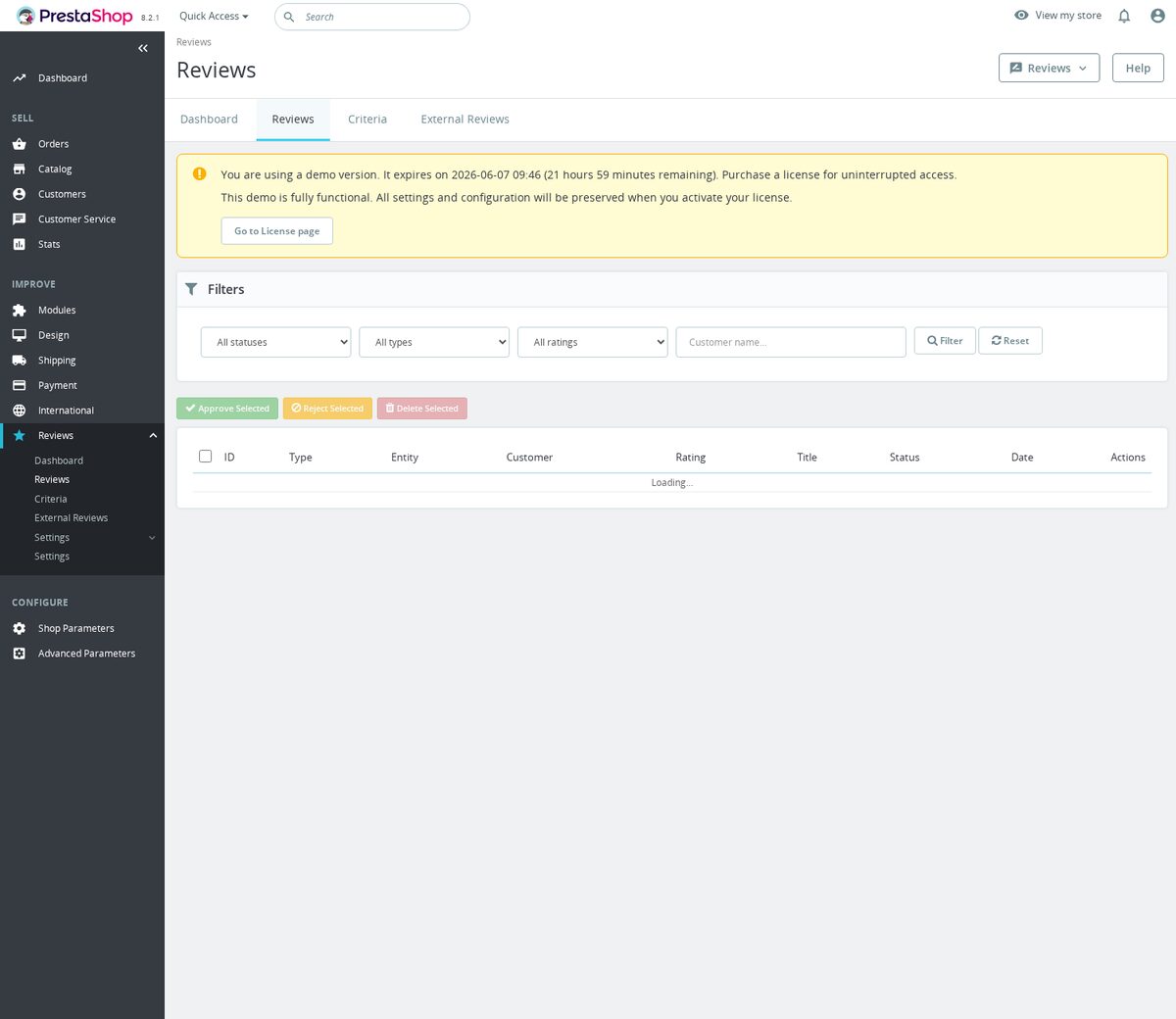
Open Reviews > Reviews. Filter the list by status or entity as needed. You can approve, reject, mark as spam, delete and reply to reviews. Bulk actions include Approve selected, Reject selected and Delete selected. Deletion is not a reversible status change.
Use a public reply for the text you want displayed beneath the review. The reply email is attempted when enabled and the review has a customer email.
Open Reviews > Criteria to create translated criterion names. Set the entity type, active state and position. Criteria can apply to all types or product, category, CMS or store reviews. The model uses active on, type all and position 0 for new criteria. Check the criterion list in the product form after saving.
The verified-purchase check uses a valid order containing the product. It is not a guest email verification label. The module does not provide a customer-account screen for editing submitted reviews. Handle review changes through the back-office tools.
Configure external company reviews
Use Review Settings > Integrations for credentials and display. Reviews > External Reviews lists imported records. These are company reviews, not native reviews of the particular product.
Trustpilot
| Setting | Default | How to use it |
|---|---|---|
| Enable Trustpilot | Off | Enable this provider. |
| Trustpilot API Key | Empty | API key for the configured business unit. |
| Trustpilot API Secret | Empty | The credential is saved but is not used to import public reviews. |
| Business Unit ID | Empty | Business unit identifier used in API requests. |
| Trustpilot Profile URL | Empty | Public profile link for the provider label. |
For API sync, enable Trustpilot, enter the API key and Business Unit ID, save, then click Sync Now in External Reviews Status. Read the provider's fetched/new counts and errors. The current readiness check requires the key and Business Unit ID, not the API secret.
For a CSV import, enable Trustpilot and save to expose Trustpilot CSV Import. Choose the CSV and click Import. Required headers can use these alternatives:
referenceId: referenceId, id, reviewId, reference_id
stars: stars, rating, star
createdAt: createdAt, created_at, date, datePublished
Optional headers:
text: text, content, review, reviewText, body
title: title, heading
consumer.displayName: consumer.displayName, consumerDisplayName, author, name, consumer_name
language: language, lang, locale
The parser reads comma-separated CSV with a header and accepts a UTF-8 BOM. Review IDs and ratings from 1 to 5 are required for imported rows.
Google Business Profile
| Setting | Default | How to use it |
|---|---|---|
| Enable Google Business Profile | Off | Enable the provider. |
| Google Account ID | Empty | Account identifier for the Business Profile API. |
| Google Location ID | Empty | Location identifier. |
| Service Account JSON | Empty | Full JSON credentials containing client_email and private_key. |
| Google Profile URL | Empty | Link for the Google provider label. |
Enter the credentials, save and use Sync Now. The module signs a JWT, requests an access token, then reads account and location reviews. You need PHP OpenSSL, cURL, working HTTPS and API access for these credentials, and the service account must have access to that business location. Read any sync errors before relying on this integration.
Company-review display
| Setting | Default | How to use it |
|---|---|---|
| Show Company Reviews on Product Pages | On | Show available imported reviews in the product review area. |
| Section Title | What customers say about us |
Heading for the external section. |
| Reviews Per Page | 6 |
External-source pagination size. This is separate from General > Reviews Per Page. |
| Use Company Reviews in Product Counts | Off | Add imported company statistics to supported visible product rating badges when company display is on. Does not add them to product schema. |
There is no current Lazy-load Company Reviews on Product Pages field. When a product has no native reviews but company reviews are displayed, the tab title identifies them as Company reviews, with their count. Native product reviews retain their own meaning and count.
Schedule external sync
The status panel shows a Cron URL only when a sync token has been configured. The token is empty by default. The module does not generate one automatically or offer a control to create one. Use Sync Now if your installation has no configured token.
When your installation supplies a token, use the displayed URL:
https://example.com/module/mprcomments/cron?token=YOUR_EXT_CRON_TOKEN&action=sync
The endpoint returns JSON for the shop of the request. Read each provider's result, since the overall success flag does not mean every provider imported. Keep the token private. This cron is for external review sync only.
Check storefront hooks and the public reviews page
Modern product pages use displayProductExtraContent. PrestaShop below 1.7 has displayProductTab and displayProductTabContent handlers. Your theme must render the appropriate hooks.
For listing stars, a developer can use:
{hook h='displayProductListReviews' product=$product}
The badge handlers are displayProductAdditionalInfo and displayMprProductFunctionalButtons. Choose the appropriate placement in your theme and check for duplicate output when customizing:
{hook h='displayProductAdditionalInfo' product=$product}
{hook h='displayMprProductFunctionalButtons' product=$product}
The form sends action=submitReview, entity type/ID, rating, title, content, criterion_{id} fields and optional review_images[]. It also needs the current session token. Use the supplied form or its generated URL; the old payload example without a session token is not a complete submission form.
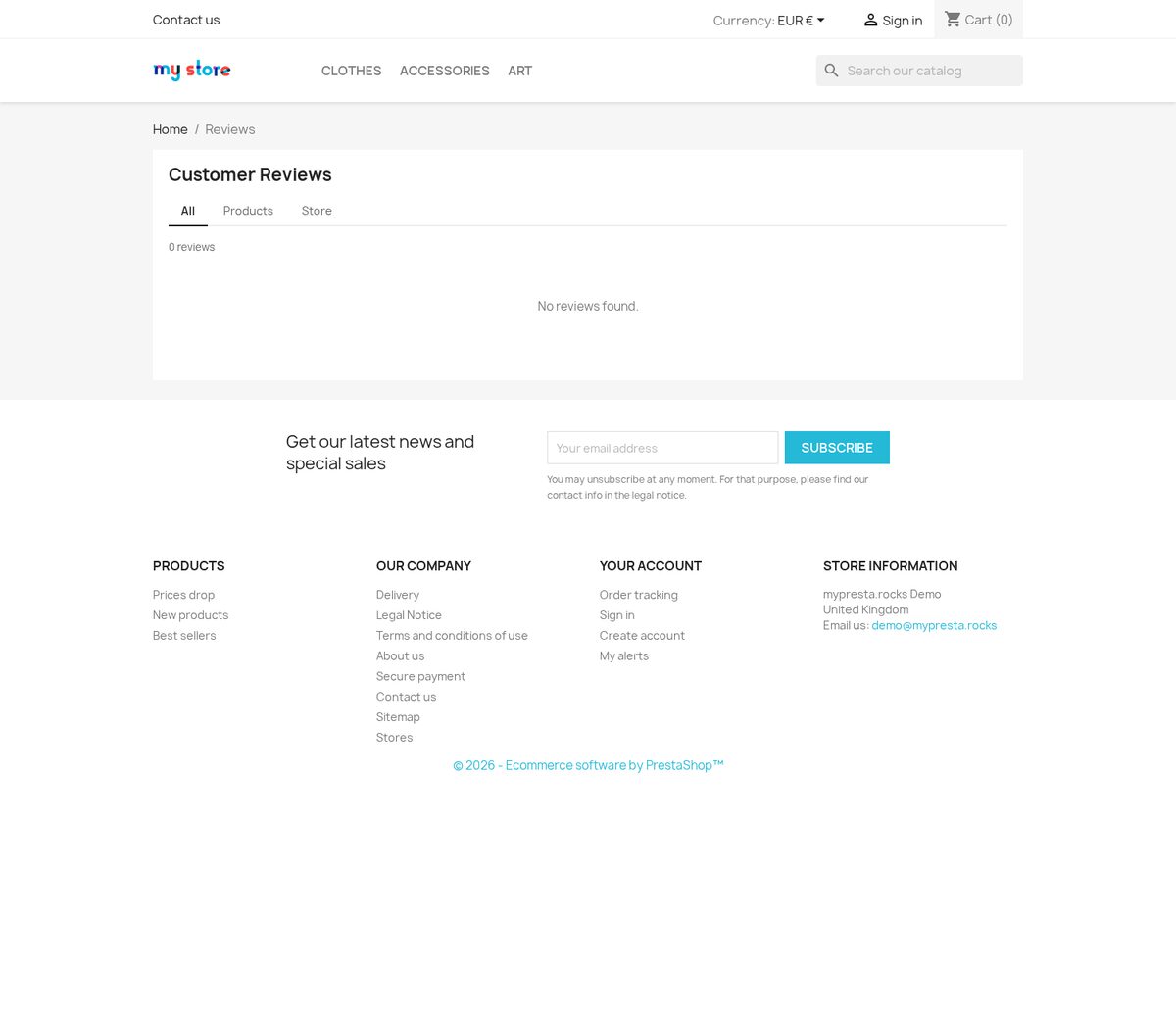
The public hub uses the reviews route, normally /reviews with friendly URLs and the appropriate language/shop prefix. It lists approved reviews. Only its first unfiltered view with available content is intended to be indexable. Paginated, filtered and empty variants use noindex policy. Root examples:
/reviews: index, follow when it has content
/reviews?page=2: noindex, follow
/reviews?type=product: noindex, follow
The module exposes the root hub to compatible sitemap generators. Product structured data remains separate from imported company reviews displayed on the hub.
Adjust styles and customer-data handling
In Theme styles, use detected theme values and shared style controls. Review-specific defaults are:
| Setting | Default |
|---|---|
| Rating stars | #f5a623 |
| Empty stars | #dddddd |
| Verified badge | #27ae60 |
For theme CSS, you can use:
.mprcomments-container {
  --mprcomments-star: #ffb400;
  --mprcomments-star-empty: #d8d8d8;
  --mprcomments-verified: #1f9d55;
  --mprcomments-radius: 8px;
}
.mprcomments-review__reply {
  border-left: 3px solid var(--mprcomments-primary);
}
.mprcomments-badge__link {
  text-decoration: none;
}
.mprcomments-external__title {
  margin-top: 1.5rem;
}
The GDPR export returns a customer’s review fields. A GDPR deletion request anonymizes their name, email and customer ID on linked reviews and removes their helpfulness votes and reports. Review content and IP addresses remain stored. Masking displayed names is a separate display setting.
Verify, troubleshoot and uninstall
Test moderation with one pending review, then approve it and verify public output. Test a public reply, notification email, a valid photo and a helpful vote from a logged-in customer.
If submission fails, check guest permissions, duplicate review restrictions, minimum text length, IP interval, current session token and CAPTCHA or email verification. If email codes fail, check mail delivery, code expiry, changed review/photos and writable private cache state.
If photos are missing, inspect PHP upload limits, writable img/reviews, image format support and the actual published attachment. If stars are absent, confirm approval, native review count, display switches and theme hooks. If external reviews are absent, check enabled providers, credentials, source counts, Sync Now errors and Show Company Reviews on Product Pages.
If schema is absent, check approved native product reviews, Enable Schema.org Markup and whether mprseorevolution owns schema output. If reminders do not send, the current module only creates their queue. Adding the external-sync cron does not supply a sender.
Turn off Enable Reviews to stop normal review display. Disable external-sync scheduling separately if you configured it. Export the data you need before uninstalling. Uninstall removes module configuration and schema tables, including saved reviews and related records. The uninstall method does not explicitly delete the img/reviews directory or verification cache files; check residual files if you remove the module completely.
Compatibility
Requires PrestaShop 1.6.1 or later and PHP 7.1 or later.
Reference screenshots

Questions
1
Where are review text and uploaded photos stored?
Native review text, ratings, author fields and related records are stored in your shop database; uploaded photo files are kept under modules/mprcomments/img/reviews/, with their filenames linked in the database. Reviews carry a shop ID. Back up both database records and photo files before removal: uninstall removes the module schema, and the customer-data deletion hook anonymizes selected identity fields rather than erasing every review field.
Known Issues
28
Review errors and criteria types remained untranslated
Rating criteria actions failed
Bulk review actions selected no reviews
Unverified reviews showed a verified badge
Review administration list could not load
Remaining administration labels were untranslated
Administration labels remained in English
Review administration controls stopped responding
Guest product pages failed on the review sign-in link
Review labels displayed escaped characters
Corrected review submissions could fail again
Product review tab showed the wrong count
Review controls and disabled reviews behaved incorrectly
Theme detection compatibility errors
Product and reviews pages stopped loading
Unreviewed products showed misleading ratings
Empty reviews pages could be indexed
Ratings and dates used the wrong format
Security hardening
Automatic theme detection failed
Review requests failed on PrestaShop 9
Reloading reviews left old content visible
Review pages lost styles and controls
Company reviews appeared in product ratings
Review list filters did not work reliably
Product ratings included unrelated reviews
Review styles failed with combined assets
Friendly review URLs failed
Feature Requests
12
Implemented
Trustpilot and Google Business Profile review integration
External review integrations
Manual external reviews
Multilingual reviews
Installation checks and repairs
One-click updates
Reviews sitemap entry
Expanded reviews overview
External reviews loaded on demand
Review counts in product tabs
German review emails
Review form loaded on demand
Changelog
v1.3.142026-05-27
- AddedLazy-load external product reviews
- AddedIntegrate shared review style tokens
- Addedcomplete FR/DE/ES/IT/PL translations
- FixedNofollow review filter links
- FixedRefine product rating badge
- FixedKeep company reviews out of schema
- FixedExpose product review badge in header meta
Older releases
v1.3.02026-04-20
- AddedAdd manual entry admin for external reviews, per-source display
- AddedAdd Trustpilot & Google Business Profile review integration
- Addedself-healing integrity checks for automatic diagnostics and repair
- Addedadmin menu management via MenuInstaller for streamlined module setup
- AddedLicense management tab with key management and renewal options
- Addedcomplete FR/DE/ES/IT/PL translations
- ImprovedReplace hardcoded rgba colors with CSS custom properties
- Improvedadmin list columns with visual badge indicators and multiselect filters
- ImprovedSEO handling with proper canonical URLs and meta tags on all front pages
- FixedCSS specificity for external review card padding and borders
- FixedUse local Trustpilot logo instead of CDN link
- FixedUse official Trustpilot CDN branding, profile link, UI polish
- Fixedvarious stability and compatibility improvements (4 fixes total)
- Fixedadmin list filters — sorting, searching, and filtering now work correctly on all columns
v1.2.02026-01-27
- AddedPrestaShop 9 and Hummingbird theme compatibility
- AddedSchema.org AggregateRating markup for category and CMS page review widgets
- Improvedphoto upload with client-side image compression before submission
- Fixedverified purchase badge not shown when order was placed with a guest account
- AddedGDPR data export: customer reviews included in PS personal data export requests
- Optimized moderation queue with bulk approve/reject and filter by star rating
v1.1.02025-08-26
- Addedreview photo upload supporting up to five images per review
- Addedhelpful and not-helpful voting on reviews with abuse threshold detection
- ImprovedSchema.org Product markup to pass Google Rich Results validation test
- Fixedstar rating widget not rendering on product pages using lazy-loaded tab panels
- Addedconfigurable minimum order age in days before review request email is dispatched
v1.0.02025-05-13
- Initialrelease of Reviews and Ratings
- InitialUniversal review system for products, categories, CMS pages, and the store
- InitialStar ratings from one to five with written review and display name
- InitialSchema.org review markup for Google rich snippet eligibility
- InitialModeration queue in back office with approve and reject actions
- InitialVerified purchase badge for reviews linked to confirmed orders
Demo
Test the full module before you buy
Buy a licence later and keep your settings.
- Your 30-day demo Test it on your own shop for 30 days from the first install.
- Ready demo shop Explore a ready demo shop in your browser.
- No registration No account, email or store domain needed.
By downloading, you accept the demo terms and privacy policy.
By opening this demo you accept the demo terms and the privacy policy.