Advanced Order Workflow

Custom Order Statuses + Team Assignments + Comments + Auto Reminders

Price: €149.00
Tax excluded

Optimize and streamline your store’s backend operations with Advanced Order Workflow, a comprehensive PrestaShop module that elevates how you manage orders and internal teams. Define custom order statuses—complete with color tags, descriptions, responsible teams, and recommended next steps. Team members can attach comments or files to each status, mention colleagues, and set automated reminders. You’ll also gain powerful dashboards and sorting tools to see all open orders, filter by department or assigned status, and track the time it takes to resolve each issue. For deeper insights, view statistics on how many statuses (e.g., delivery failures) occurred over a certain timeframe—broken down by employee or team. From automated notifications across back office pages to robust reporting, Advanced Order Workflow gives you full control over every stage of the order lifecycle.

Key Benefits

  1. Team-Based Organization: Group employees into specific departments or teams, assigning them relevant order statuses and responsibilities.
  2. Customizable Statuses & Colors: Tailor your store’s workflow with color-coded statuses, recommended next steps, and a user-friendly default choice.
  3. Detailed Order Management: Attach comments, files, and set reminders within any order status for comprehensive record-keeping and collaboration.
  4. Powerful Notifications & Insights: Get real-time alerts across your store’s back office, track resolution times, and analyze monthly or yearly data for informed decisions.
  5. Full Visibility & Control: Sort and filter orders by status, assigned team, or time open—plus monitor how different teams or employees are performing.
Product availability: Instant download after purchase
Share
Options total: 0.00 €
14 viewed

Complex e-commerce operations demand more than basic order statuses. They require team-based structures, extensive status customization, real-time collaboration, and performance insights. Advanced Order Workflow transforms your PrestaShop back office into a well-orchestrated system where every employee, team, and order step is meticulously managed. Below is an in-depth exploration of how this module works, the features it offers, and the way it enhances efficiency across your entire store management process.

1. Organize Employees into Teams

At the heart of Advanced Order Workflow lies a structure that acknowledges how modern e-commerce businesses operate:

  • Team-Based Hierarchies: Cluster employees into groups such as ‘Customer Support,’ ‘Shipping & Logistics,’ ‘Finance,’ or any relevant department.
  • Privileges & Responsibilities: Assign each team the statuses they’re responsible for handling, ensuring a logical workflow progression.

This setup prevents confusion about who handles what. When an order reaches a specific status (e.g., “Awaiting Shipping”), it’s automatically linked to the relevant team.

2. Create Custom Order Statuses

Standard PrestaShop statuses might be limiting for a dynamic store. Advanced Order Workflow frees you to build any status you need:

  1. Name & Description
    • Give the status a clear title, e.g., “Awaiting Supplier Confirmation,” and add a description explaining exactly what must happen at this stage.
  2. Responsible Team
    • Specify which department oversees this status—so the right employees get immediate visibility and notifications.
  3. Color-Coding
    • Visual organization is key. Use a color swatch system to highlight urgent statuses in red, neutral ones in blue, etc.
  4. Recommended Next Status
    • Define a “default next step” for each status, speeding up transitions. E.g., after “Awaiting Payment,” the typical next status might be “Payment Received.”
  5. Suggested Statuses
    • Provide alternative paths as well, so if the default next step isn’t suitable, employees can pick from other recommended statuses.
  6. Show All Statuses (Optional)
    • Even with recommended flows, you can still allow a full list of statuses to be selectable if needed for exceptional cases.

3. Comments, Files, Mentions, & Reminders

Deep collaboration tools are built in:

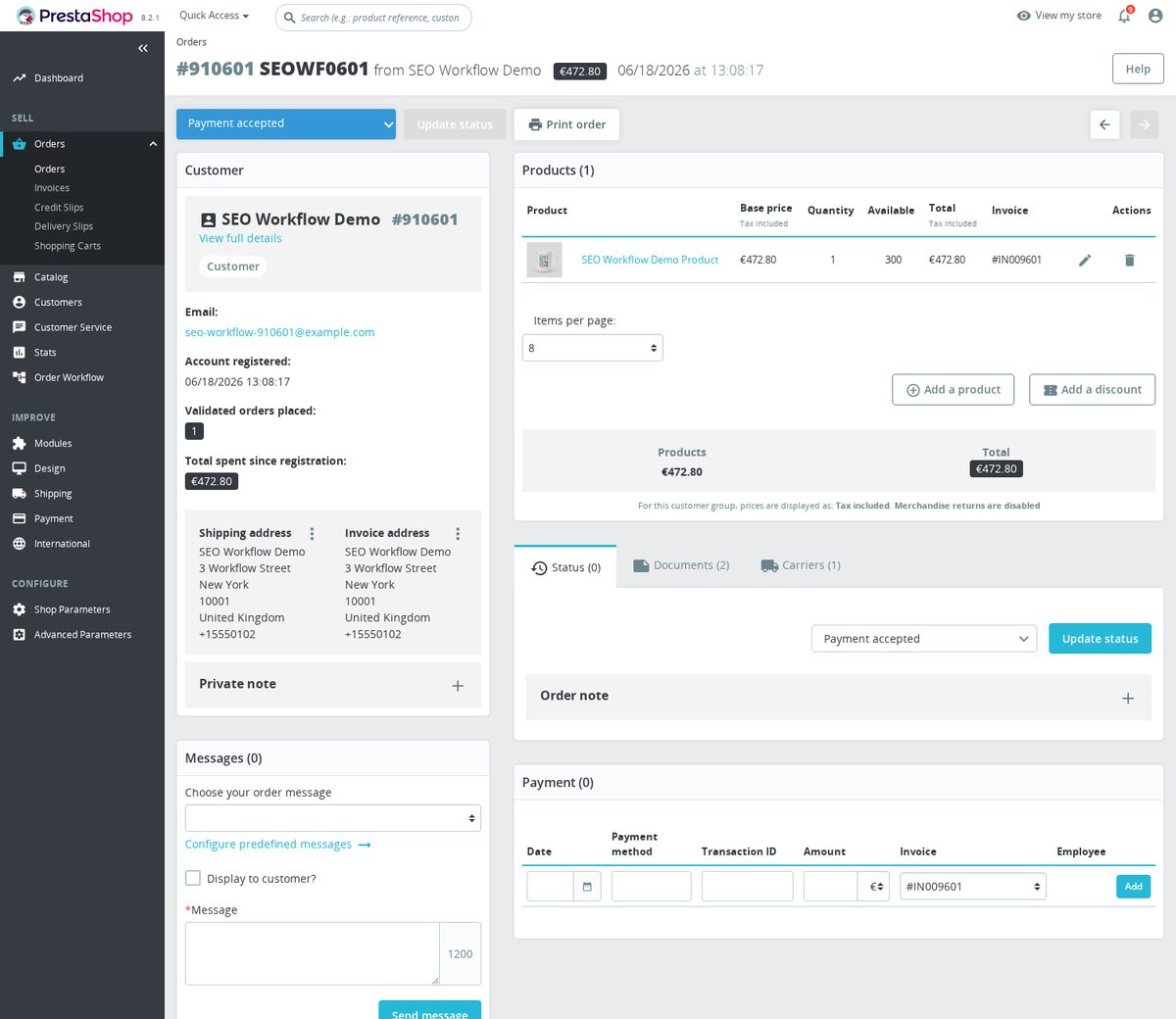
  • Inline Comments: Add context to any status, e.g., “Customer requested an upgrade in shipping.”
  • File Attachments: Upload order confirmations, invoices, or product images to keep everything centralized.
  • Mentions (@): Ping a colleague from another team, prompting them to check the status or provide input.
  • Reminders: Set deadlines for follow-ups. The module can notify you automatically if a certain status lingers too long without action.

4. Notifications on All Back Office Pages

Advanced Order Workflow ensures you never miss important updates:

  • Global Alerts: Employees see new mentions, upcoming reminders, or changes in assigned statuses wherever they are in the back office.
  • Team-Specific: Department members might get group notifications if an order enters a status managed by their team.

5. Full Visibility & Control Over Orders

No more hunting for details. A single consolidated list shows all orders and their statuses, plus advanced filtering:

  1. Open vs. Closed
    • Quickly see unresolved vs. completed orders.
  2. Sort by Status or Team
    • Filter orders in “Awaiting Customer Reply,” or see which ones are assigned to “Shipping Team.”
  3. Time Tracking
    • The module logs how long each order remains in a specific status or open state, letting you measure performance and spot bottlenecks.

6. Dedicated Analytics & Reporting

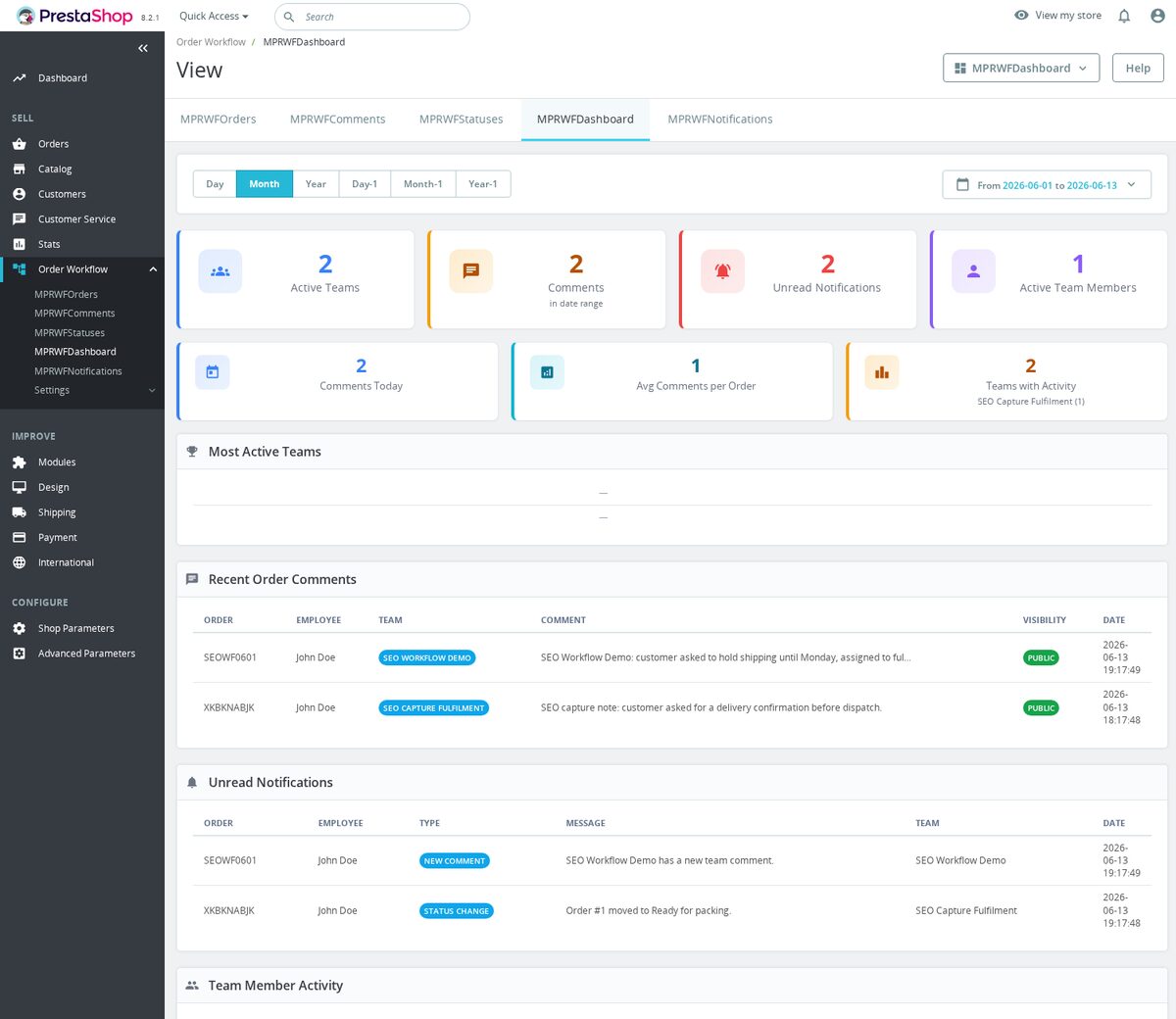
Advanced Order Workflow includes robust data views, giving managers an overview of how teams and employees are performing:

  • Actions Summary
    • Tally how many statuses were changed or commented on by each employee or team within a certain timeframe.
  • Status Statistics
    • For instance, find out how many “Delivery Failures” were recorded this January, or how many “Refund Requests” occurred last quarter.
  • Performance Insights
    • Evaluate average closure times, identify frequent status changes, or measure how effectively your teams are coordinating.

7. Example Use Cases

  1. Customer Support Escalation
    • A “Reported Issue” status might be assigned to Support. If unresolved after 48 hours, it automatically triggers a reminder or escalates to “Manager Review.”
  2. Warehouse & Shipping
    • Orders move from “Ready to Pack” to “Packed” to “Awaiting Courier,” with the “Logistics Team” responsible at each transition.
  3. Finance Department
    • They handle “Awaiting Payment Confirmation” statuses. Once a payment is verified, it’s recommended to move the order to “Payment Received,” prompting the next team to start shipping.

8. Installation & Setup

  1. Module Installation: Upload Advanced Order Workflow into your PrestaShop’s Modules section.
  2. Team Creation: Define your departments and assign employees.
  3. Statuses Configuration: Build or modify statuses, applying color codes, descriptions, recommended next steps, and the responsible team.
  4. Notifications & Visibility: Adjust how and when employees see alerts, plus set up reminders if orders stay in a status too long.
  5. Go Live: Employees can now add comments, track times, and move orders seamlessly through each stage.

9. Why Choose Advanced Order Workflow?

  • Centralized Communication: Keep all relevant info—comments, files, mentions—in one place.
  • Improved Accountability: Each status has a clear owner and recommended actions.
  • Enhanced Productivity: Automated reminders and default next statuses speed up tasks.
  • Data-Driven Optimization: Comprehensive analytics reveal trends and bottlenecks for continual improvement.

10. Conclusion

Running a multi-faceted e-commerce operation requires more than a basic order system—Advanced Order Workflow empowers you to handle complexities with ease. By customizing statuses for each department, attaching comments and files, and tracking progress from a single dashboard, your team becomes more efficient and better coordinated. Real-time notifications and in-depth reporting complete the package, ensuring you always know where any order stands, who’s handling it, and how fast it’s moving. Install Advanced Order Workflow today and transform the way you manage orders behind the scenes—resulting in happier teams and more satisfied customers.

Why is this module unique?

  • Team-Based Order Management—assign employees to teams (e.g., Customer Support, Shipping, Finance) with specific responsibilities.
  • Customizable Order Statuses—create unlimited statuses with color coding, descriptions, recommended next steps, and responsible teams.
  • Advanced Collaboration Tools—employees can attach comments, upload files, mention colleagues, and set automated reminders within each order.
  • Real-Time Notifications—get status updates, team alerts, and pending tasks across all back office pages to ensure nothing is missed.
  • Powerful Analytics & Reporting—track order status performance, resolution times, and team efficiency for continuous improvement.

Use Cases

  • Customer Support Coordination—Handle customer issues with clear workflow transitions, ensuring smooth escalations and fast resolutions.
  • Logistics & Shipping Workflow—Track each order’s progress from "Ready to Pack" to "Dispatched" with automated next-step recommendations.
  • Finance & Payment Processing—Define statuses like "Awaiting Payment Confirmation" and "Refund Requested" for better financial tracking.
  • Bottleneck Detection—Identify statuses where orders remain stuck for too long and optimize resolution times with automated reminders.
  • Team Performance Evaluation—Use detailed reporting to measure each team's efficiency, ensuring smoother operations and accountability.
  • Reference
    mprorderworkflow
  • In stock
    4 Items
  • PrestaShop Compatibility
    PS 1.7 – 9.x
  • Pricing Model
    One-time Purchase
  • Module Type
    Back-office
  • GDPR Relevant
    No
  • Business Goal
    Streamline Operations
  • External Account Needed
    No
  • Module Complexity
    Feature-Rich Module
  • Customer Journey Stage
    Manage Store
  • Works With Platform
    No External Platform

v1.2.0 — 2026-02-08

  • Added PrestaShop 9.x compatibility
  • New visual workflow builder with drag-and-drop state transitions
  • Added conditional triggers: auto-advance status based on carrier tracking events
  • Configurable role-based permissions per workflow step
  • Fixed email template rendering for custom status transition notifications

v1.1.1 — 2025-08-18

  • Fixed workflow not triggering when order status changed via API
  • Added audit log for all workflow state transitions with employee attribution
  • Improved back office timeline view for order workflow history
  • Added bulk status transition for multiple orders

v1.1.0 — 2025-03-25

  • Added custom order statuses with configurable colors and icons
  • New workflow rules engine: if/then conditions based on payment method, carrier, or total
  • Added SLA timer per workflow step with overdue alerts
  • Email and back office notification on workflow step completion
  • Configurable mandatory notes requirement before status transition

v1.0.1 — 2024-10-30

  • Fixed workflow step order not persisting after drag-and-drop reorder
  • Added default workflow templates for common fulfillment scenarios
  • Improved compatibility with third-party ERP order sync modules

v1.0.0 — 2024-07-01

  • Initial release
  • Define custom order processing workflows with sequential steps
  • Automatic email notifications on status transitions
  • Back office order detail panel showing current workflow position
  • Configurable allowed transitions between order statuses
  • Compatible with PrestaShop 1.7 and 8.x

Order Workflow

Custom order workflows, status transitions, and department assignments for PrestaShop.

Features

  • Define custom order status workflows
  • Restrict status transitions (e.g., can't skip from "Pending" to "Shipped")
  • Department/role-based status permissions
  • Visual workflow editor
  • Email notifications on status changes

Compatibility

  • PrestaShop 1.7 / 8.x / 9.x

Installation

  1. Upload the module ZIP via Back Office > Modules
  2. Configure workflows and department assignments

Development

composer install
yarn install
yarn build      # Compile SCSS
yarn release    # Build release ZIP

License

Proprietary - mypresta.rocks

0.0
0 reviews
5 ★
0
4 ★
0
3 ★
0
2 ★
0
1 ★
0

No reviews yet. Be the first to leave a review!

Write a Review

Rate specific aspects (optional)
Quality
Price / Quality
Stability
Compatibility
Support
1 Planned
1 Implemented
2 requests

Custom order statuses with email templates

Implemented
Create custom order statuses beyond the defaults (e.g., "Quality Check", "Packed", "Handed to Courier") with matching email notifications.
Patricia Santos Apr 15, 2025
Response: Core feature since v1.0.0! Unlimited custom statuses with color coding, email templates with variables, and customer-facing status page.

Auto-status change based on carrier tracking

Planned
When the carrier API confirms delivery, automatically update the order status to "Delivered". No manual status changes needed.
Mark Evans Oct 12, 2025
Response: On the roadmap! Will integrate with major carrier APIs (DHL, UPS, FedEx, DPD, GLS) for automatic status synchronization.
0 open 0 resolved
Report an issue

No known issues

There are currently no open or resolved issues registered for this module.

View all known issues
30 days return right
Easy return - no questions asked
Plug & Play Modules
Install, set up and take profit
Dedicated Support First
Priority Help & Satisfaction Over Sales

More From This Category

Total Defender
€199.00
Loading...
Back to top