Devolucion facil - sin preguntas
Instalar, configurar y beneficiarse
Prioridad en ayuda y satisfaccion
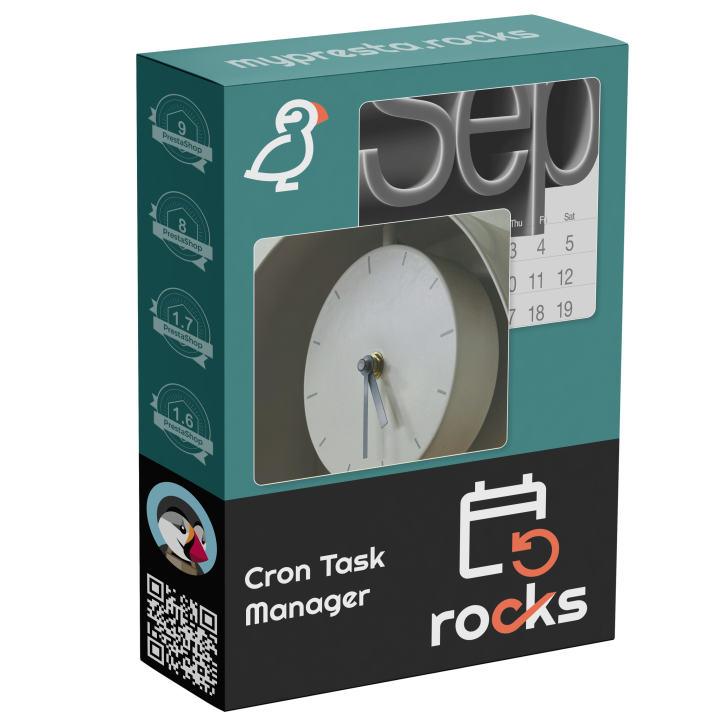
MPR Cron Gestor
Programa y supervisa tareas automatizadas desde tu back office
Gestor Centralizado de Tareas Programadas para PrestaShop
MPR Cron Manager proporciona un único panel para supervisar y gestionar todas las tareas programadas de tus módulos MPR. En lugar de configurar entradas cron separadas para cada módulo, este gestor actúa como un centro unificado — una sola URL de cron gestiona todo, con un pseudo-cron de respaldo que ejecuta tareas mediante cargas de página cuando el cron real no está disponible.
- Panel Unificado — visualiza todas las tareas programadas de todos los módulos MPR en un solo lugar con estado, última ejecución y próximas ejecuciones
- Una Sola Entrada Cron — un solo trabajo cron del sistema activa todas las tareas de los módulos, simplificando la configuración del servidor
- Pseudo-Cron de Respaldo — las tareas se ejecutan automáticamente mediante cargas de páginas del front-end o administración cuando no hay cron real configurado
- Rotación Automática de Logs — limpieza integrada que elimina logs con más de 30 días para prevenir la saturación de la base de datos
- Sincronización de Tareas de Módulos — descubre y registra automáticamente tareas de módulos MPR recién instalados
Compatible con PrestaShop 1.7 a 9.x. Módulo gratuito — funciona como planificador central para todos los módulos MPR.

One Cron Job to Rule Them All
PrestaShop modules that need scheduled tasks — sitemap generation, email campaigns, stock synchronization, cleanup routines — each require their own cron entry. Managing dozens of separate cron jobs across multiple modules is tedious, error-prone, and makes it nearly impossible to see at a glance what is running and when.
MPR Cron Manager provides a centralized dashboard that discovers, monitors, and executes all scheduled tasks from all MPR modules through a single cron entry. Instead of maintaining separate cron jobs for each module, you configure one URL and the manager handles the rest. For hosting environments where real cron is not available, a built-in pseudo-cron fallback executes tasks via page loads.
Unified Task Dashboard
- All tasks in one view — see every scheduled task from every MPR module with status, last run time, next scheduled run, and execution duration
- Task status indicators — visual indicators show which tasks are running, succeeded, failed, or overdue
- Manual execution — trigger any task on demand directly from the dashboard for testing or immediate needs
- Task history — view execution logs for each task with timestamps, duration, and output messages
- Enable/disable per task — temporarily disable specific tasks without uninstalling the parent module
Single Cron Entry
Configure one cron job on your server and the manager distributes execution across all registered tasks based on their individual schedules. This dramatically simplifies server configuration and makes it easy to verify that cron is working.
- Ready-to-use cron URL — copy the generated URL directly into your hosting control panel or crontab
- Secure token — the cron URL includes a security token to prevent unauthorized execution
- Recommended intervals — the dashboard suggests the optimal cron interval based on your registered tasks
Pseudo-Cron Fallback
Not every hosting environment supports real cron jobs. Shared hosting, some managed platforms, and development environments may not allow crontab access. The pseudo-cron fallback executes overdue tasks during regular front-end or admin page loads, ensuring that scheduled tasks still run even without server-level cron configuration.
- Automatic activation — pseudo-cron kicks in automatically when real cron has not run within the expected interval
- Non-blocking execution — tasks execute after the page response is sent, so visitors experience no delay
- Configurable trigger — choose whether pseudo-cron triggers on front-office visits, admin visits, or both
Automatic Maintenance
- Module task sync — automatically discovers and registers tasks from newly installed MPR modules without manual configuration
- Log rotation — built-in cleanup removes execution logs older than 30 days to prevent database bloat
- Orphan task cleanup — automatically removes task registrations for modules that have been uninstalled
Why is this module unique?
- Eliminates the need to manage separate cron entries for each module — one cron URL handles everything
- Pseudo-cron fallback ensures scheduled tasks run even on hosting without cron support
- Unified dashboard provides visibility into all scheduled tasks that is impossible when using raw crontab entries
- Free module — included as the central scheduler for all MPR modules at no additional cost
Use Cases
- Stores with multiple MPR modules — centralize cron management instead of maintaining a separate entry for each module
- Shared hosting environments — pseudo-cron fallback ensures tasks run even when crontab access is restricted
- Agency-managed stores — the dashboard provides a clear overview of all automated tasks for documentation and client reporting
- Troubleshooting — task history and execution logs help diagnose why a scheduled task did not run or produced unexpected results
-
Referenciamprcron
-
En stock999 Artículos
-
Compatibilidad PrestaShopPS 1.7 – 9.x
-
Modelo de precioCompra unica
-
Tipo de moduloBack-office
-
Relevante para RGPDNo
-
Objetivo comercialOptimizar operaciones
-
Cuenta externa necesariaNo
-
Complejidad del moduloWidget ligero
-
Etapa del recorrido del clienteGestionar la tienda
-
Funciona con plataformaSin plataforma externa
Devolucion facil - sin preguntas
Instalar, configurar y beneficiarse
Prioridad en ayuda y satisfaccion
No reviews yet. Be the first to leave a review!
Write a Review