


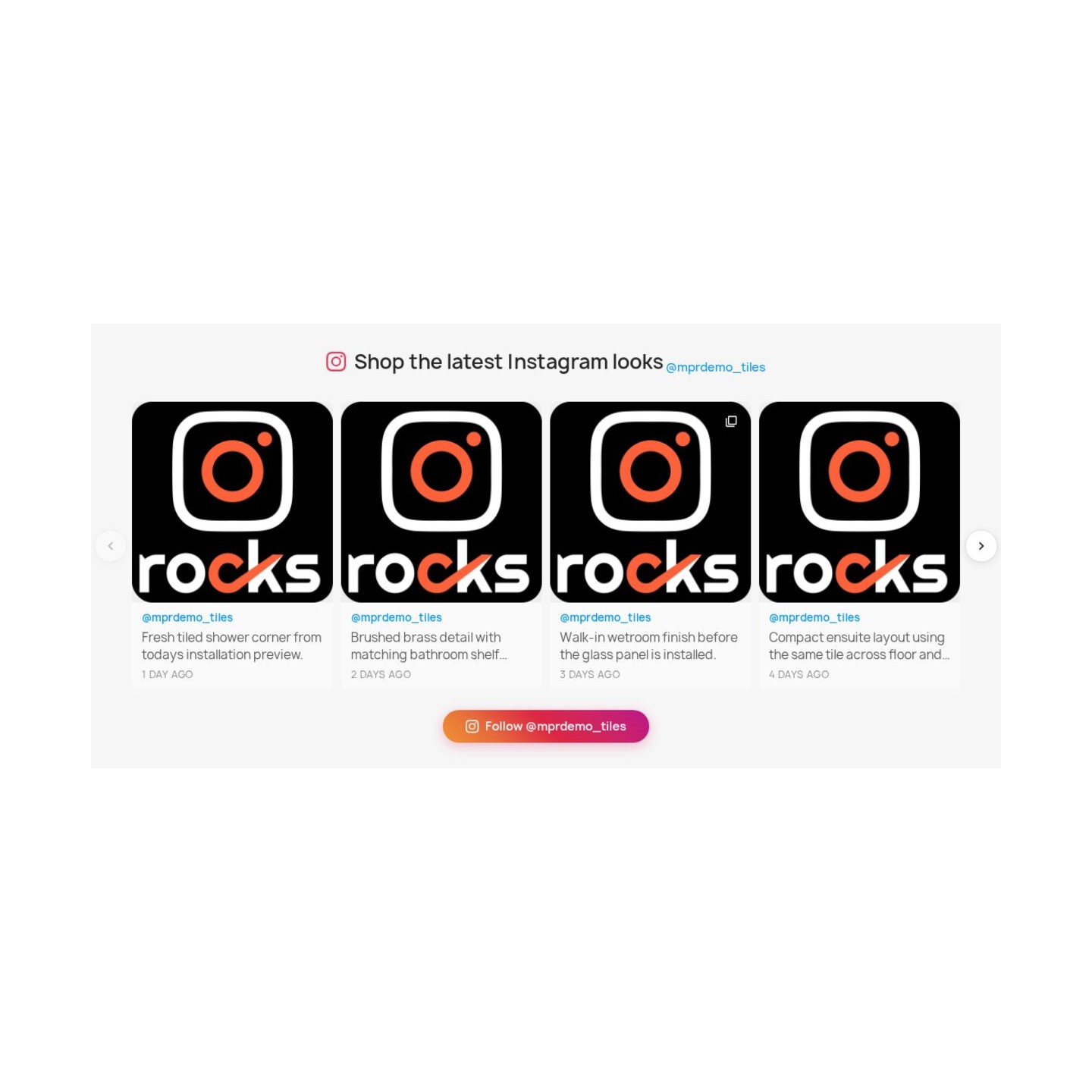
Show your latest Instagram posts as a cached grid or slider on PrestaShop


Instagram Feed Integration is a module for PrestaShop stores that places current Instagram photos, videos, Reels and multi-image posts inside the shop and publishes MPR Blog Revolution articles back to the connected professional account. Installation opens a guided Instagram login, and selecting the account and first feed position puts the section live in minutes.
Instagram is a visual social service for photos, video, Reels, Stories and conversations around them. A professional Business or Creator account is free and includes a professional dashboard, reach and interaction insights, contact tools and an organised inbox; paid promotion remains a separate Instagram service.
The module creates independent feeds for different parts of the store. You select the posts, hide unwanted material, tag products on images and choose a grid, carousel, masonry wall or vertical list. Each section contains from one to twenty-five posts, with separate choices for caption, date, author, likes and comments. Columns, rows, image quality, spacing, corners, frame colour, movement and phone behaviour keep every section consistent with the theme.
Each store and language receives its own heading, follow text and feed rules. A feed occupies the home page, footer, columns, product pages, categories, articles or another chosen content position, while photos enlarge and videos play without breaking the shopping journey. With MPR Blog Revolution, an article and its featured image reach Instagram automatically or through a manual action, with a prepared caption, publication history and duplicate protection. The connection renews itself and a prepared copy keeps the section present during a temporary Instagram interruption.
The result is fresh visual proof beside the offer, a direct route from inspiration to the right product, one piece of content working in both directions, and a module that starts quickly while giving an international store detailed control.
What does Instagram Feed Integration add to the store?
Instagram Feed Integration turns Instagram and a PrestaShop store into a two-way content system. Recent account activity becomes a controlled shop section, while MPR Blog Revolution articles become Instagram posts without repeating the same editorial work by hand.
- Instagram content where purchases happen: photos, videos, Reels and multi-image posts appear in the store.
- A route from an image to a product: product tags and page-specific feeds connect inspiration with the relevant offer.
- Several feeds with separate roles: each placement has its own content, language, layout and mobile rules.
- Presentation matched to the theme: grid, carousel, masonry and list layouts carry detailed appearance controls.
- Blog content working in the other direction: new MPR Blog Revolution articles reach Instagram automatically or through a manual action.
- A connection that stays ready: guided authorisation, automatic renewal and a protected stored copy keep the section current.
The next sections explain how each part works in the merchant's daily routine.

How does an Instagram post lead to the right product?
Each displayed post keeps its photo or video, caption, publication date and author, then adds the shop context needed for a buying decision. Product tags on an image lead to the assigned items, and product-specific feeds place relevant social material directly on the corresponding product page.
Post selection remains editorial. Individual items stay visible or are hidden, while a feed draws from the connected account or assigned products. A dedicated gallery page gathers the approved material, with its own search title and description, so a larger visual collection has a permanent place without crowding the home page.
Likes and comments show genuine zero values when the connected account supplies them and disappear only when that information is unavailable. The result is a focused path from visual proof to the catalogue, not an undirected wall of attractive images.

How does each feed match the design of the store?
Every feed is an independent section. The merchant selects a balanced grid, a touch-friendly carousel, a masonry wall with mixed proportions or a vertical list for captions that deserve more room. One to twenty-five recent posts fill the chosen format.
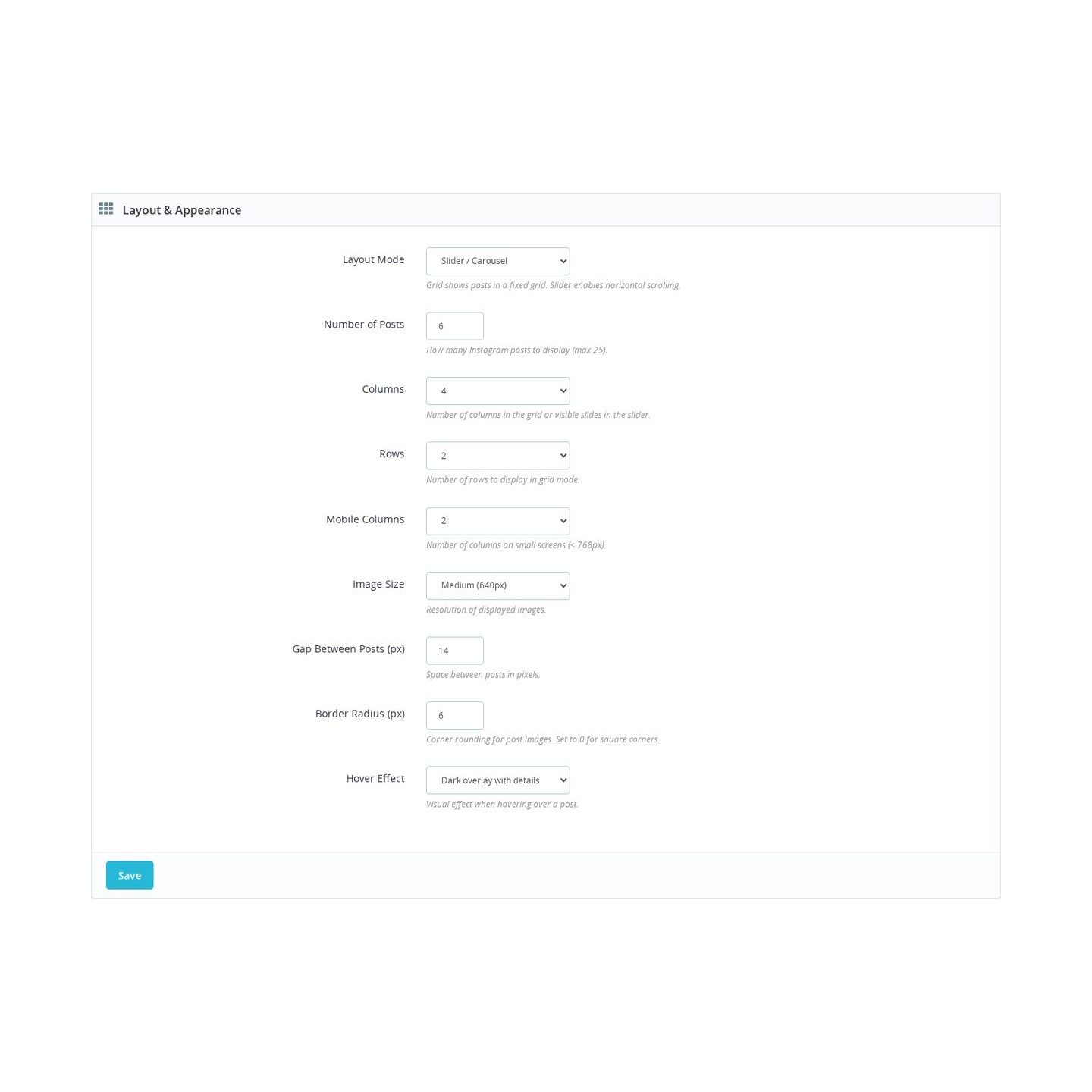
Desktop and phone columns, grid rows, image resolution, space between cards, corner shape, frame width and colour, hover treatment and carousel movement all have their own settings. Photos use responsive sizes, so the selected quality serves the screen without losing sharpness. Separate mobile-only and desktop-only feeds support layouts that need a different composition on a small screen.
A preview reflects the current choices before publication, and settings move between stores through import and export. This makes the first section quick to launch and keeps deeper brand work manageable across several feeds.

Where does each customer see the feed and what appears in it?
A feed belongs on the home page, before the footer, in the footer or columns, on selected product and category pages, inside articles, on the gallery page or in another chosen theme position. Several feed instances work at the same time, so a campaign section does not force the same content across the whole store.
Each shop and language has its own section heading and follow wording. Page, language, shop and device rules decide which instance appears, while the Instagram account header carries the profile image, biography, username and follow action.
Captions, dates, author, likes and comments are switched independently. Photos open in an in-store enlargement, videos and Reels play in the section, and multi-image posts open their complete sequence. Customers keep the product page and shopping context while viewing the material.

How do blog articles reach Instagram?
With MPR Blog Revolution installed, a newly published article sends its featured image and prepared caption to the connected professional Instagram account. Automatic publishing handles the regular flow, while a manual action gives the content team control over a particular launch.
The caption draws on the article title, excerpt, address and shop name, with separate wording for every store language. The administration screen lists recent articles with image readiness and Instagram publication state, so the content team knows what is ready, in progress, published or failed.
Every outcome is recorded against the exact Instagram account. A successful article is not sent twice, skipped image requirements become visible, and temporary processing problems receive bounded retries before a clear final state is shown. Development and staging stores remain protected from accidental publication to a real account.

How does connection and refreshing stay simple?
Connection starts with Instagram's login and authorisation screen. The module finds the eligible Business or Creator account, records its identity and confirms the permissions it needs, so the merchant does not assemble long credentials or search for a numeric account identifier.
The module renews the connection automatically after retrieving posts. It keeps a prepared copy for a selected period from fifteen minutes to twenty-four hours, and an immediate refresh brings in a new set on demand. The administration screen shows the connected account, last successful update and any action that needs attention.
A temporary Instagram interruption leaves the last valid section visible. New material replaces it only after a complete response, simultaneous visitors share one refresh and feed images load as they approach the visible area. Simple defaults produce the first result quickly, while the same screen opens all detailed content, display and publishing controls.

-
Referencemprinstagramfeedintegration
-
In stock2147483647 Items
-
PrestaShop CompatibilityPS 1.6 – 9.x
-
Pricing ModelOne-time Purchase
-
Module TypeFront-office
-
GDPR RelevantYes
-
Business GoalIncrease Traffic
-
External Account NeededYes
-
Module ComplexityLightweight Widget
-
Customer Journey StageAttract Visitors
-
Works With PlatformMeta / Facebook
What customers say about us
Company reviews
5.0
★
★
★
★
★
(4 reviews)
Loading customer reviews...
No product reviews yet
Be the first to share your experience with this module.
Write a Review
Pulls recent Instagram posts into your PrestaShop storefront as a visual feed, so shoppers can see your products, brand style, and social content without leaving the shop. You can place the feed in common front-office areas, choose a grid or slider layout, and link each item back to Instagram.
Have a question about this product?
Our experts are here to help. Ask anything about installation, compatibility, or specifications.
1301
questions
9
categories
2013
building modules since
1.6–9
PrestaShop versions
v1.0.132026-05-27
- Addedcomplete FR/DE/ES/IT/PL translations
- FixedAdd migrateFromPsConfiguration for ps_configuration cleanup
Loading full changelog...
Works Well With Instagram Feed Integration
Modules our team genuinely pairs with this one, and exactly why each belongs in the same setup.
Complement
A store using Instagram Feed Integration shows current Instagram media on the storefront, reusing posts you already create so the shop feels fresh and active. That feed lives outside the product page, though, and it does not improve the media experience where shoppers actually inspect a specific product before buying.
Gallery Revolution covers that separate need on the product page itself: swipeable images, thumbnails, full-screen viewing, video and moderated customer photos, improving the media area where visual decisions are made. It enhances product media, distinct from showing a social feed elsewhere on the site.
Running both, your storefront feels lively through the Instagram feed while each product page gives shoppers a rich, zoomable way to examine what they are buying. The social module keeps the brand present and current, and the gallery helps visitors understand details and compare angles, two complementary uses of imagery on the same store.

Complement
Instagram Feed Integration lets a store display its own recent Instagram media as ongoing social proof while shoppers browse. That feed is the brand's own output, however, and it does not capture the persuasive evidence of customers showing their finished projects and how products fit into real life.
Customer Showcase covers that with a moderated gallery of approved customer projects, holding categories, projects, multilingual text, images, pins, votes, comments and views, with product pins that move shoppers from inspiration into the catalogue. It is curated customer content, separate from a live social feed.
With both, your store shows current brand activity through Instagram and durable, customer-created proof through the showcase. Visitors get a sense that the brand is active and also see products used in context by real buyers, two different but reinforcing forms of social proof that sit on the same storefront near the buying journey.

Workflow
A store with Instagram Feed Integration pulls its own social media into the shop to keep proof close to browsing. That covers inbound brand content, but it leaves out the opposite motion, giving a shopper an easy way to push a particular product out to their own friends or social audience.
Social Share Buttons covers that outbound step with lightweight product share links for Facebook, X/Twitter, Pinterest, LinkedIn, WhatsApp and email, each using the current product URL and PrestaShop product data without loading social SDKs. It is a distinct sharing tool, not a media feed.
Together they handle both directions: your Instagram media appears on-site through one module, while shoppers extend your reach by sharing individual products through the other. Your store gains social freshness and organic distribution at once, with no theme edits and no heavy social scripts needed to enable either behaviour.

Complement
With Instagram Feed Integration, a store keeps a current social feed visible so the brand looks active to anyone browsing. That feed is brand-produced imagery, though, and it does not answer the more decisive question a buyer asks at the product page: how have other customers rated this exact item?
Reviews & Ratings covers that with native ratings, written feedback, optional photo reviews and review criteria for products, categories, CMS pages and the store itself, all moderated inside PrestaShop. It owns moderated customer feedback, a separate trust layer from a social feed.
Running both, the Instagram feed signals an active, current brand while moderated reviews provide product-level feedback exactly where shoppers decide. The two complement each other, freshness and presence on one side, the customer verdict on the other, and both stay on-site rather than sending visitors off to an external network.
 30 days return right
Easy return - no questions asked
 Plug & Play Modules
Install, set up and take profit
 Dedicated Support First
Priority Help & Satisfaction Over Sales
You might also like


