Customer Experience & Engagement

Cookies Revolution

PrestaShop cookie consent module, true pre-consent blocking with Google Consent Mode v2 signals and an audit-ready log

Version
1.17.56
Improvements
538
Updated
PrestaShop
1.7 to 9
Price: €299.00
Tax excluded
Partner price €239.20 Partner price for agencies Agencies with a partner account pay less on every module, depending on what they buy: 20% approved partner 25% from €1,000 a month 30% from €3,000 a month Average of the last 12 months, excl. VAT. Become a partner

Cookies Revolution finds your PrestaShop cookies, groups them by purpose and holds non-essential tools until the shopper chooses. Four ready categories and starter blocking rules make a scan and review the starting point.

A banner needs matching behaviour: rejected advertising stays inactive, the policy reflects actual cookies and each choice leaves evidence. The module handles these tasks inside the shop without a separate consent-platform subscription.

You choose a soft banner or consent wall, category rules and how long decisions remain valid. Google receives the visitor's consent signals, and the local ledger records decisions without raw IP addresses. Texts and appearance are adjustable per language and shop.

The policy refreshes from your reviewed cookie inventory, keeping the published explanation connected to the tools actually used.

Professional Setup We fully configure the module to your needs: all options set, tested & verified within 1 business day. +€29.00
Visual Integration CSS & template adjustments to match your theme: includes cross-device verification and screenshot review. +€49.00

In the box

  • Lifetime licence for one shop
  • 12 months of updates, security fixes free forever
  • 3 months of support by mypresta.rocks
  • PrestaShop 1.7 to 9

Recent changes

  • Maintenance release 1.17.56: refreshed shared admin and storefront components, the current licensing and update libraries, and stability and compatibility fixes.
Full changelog

What does Cookies Revolution manage in the store?

Cookies Revolution turns cookie consent into a shop-owned process: it keeps non-essential tools inactive before a choice, sends Google a denied starting state and records every decision locally without storing the visitor's raw IP address.

Four ready categories, a catalogue of common cookies, starter blocking rules and colours taken from the active theme provide a useful starting point immediately after installation.

  • Before the choice: analytics, advertising and optional services follow category rules.
  • Cookie inventory: automatic scans find new items and keep the policy aligned with the store.
  • Google measurement: Consent Mode v2 receives the right signals for the visitor's decision.
  • Evidence: a local ledger, dashboard and export preserve what was offered and selected.

  • Storefront: the banner, preferences panel and reopening routes match the shop and its languages.
  • Ongoing control: expiry, renewed consent, retention and separate shop settings handle later changes.

The consent banner on your first visit to this shop is Cookies Revolution.

The Cookies Revolution configuration screen

What happens before a shopper makes a choice?

The starting position is denied for every non-essential category. You choose a soft banner that leaves the store usable or a consent wall that waits for an explicit answer. Necessary functions remain available in both modes.

Ready rules cover common analytics, advertising and chat services, and your own rules connect any additional tool to the right category. Cookies Revolution stops both tools already present in the page and tools added later by the theme, modules or integrations. A rejection prevents them at their source and removes the state they created; an approval starts the selected category immediately without reloading the page.

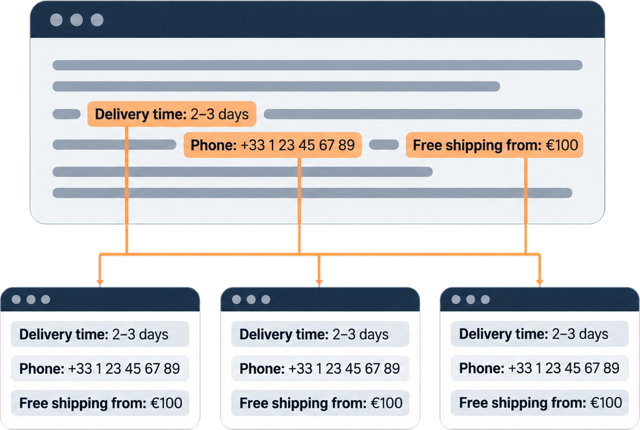
Google Consent Mode v2 receives denied signals before measurement begins, then receives the saved category decision. Even when the same prepared page is served to many visitors, one person's acceptance never becomes another person's starting state.

The Cookies Revolution dashboard

How does the cookie list stay complete?

The scanner visits representative store routes, runs the activity a shopper triggers and records cookies created by the store, theme, modules, outside integrations and browser-run tools. Recurring scans flag new findings in the administration panel instead of silently adding them to the published list.

A built-in catalogue recognises common PrestaShop, Google, Hotjar, Microsoft, Meta, TikTok and LinkedIn cookies and suggests provider, purpose, duration and category. You review pending findings, correct the suggestion where needed and add them to the active inventory.

The cookie policy is generated from that inventory in every store language. When a category, purpose, duration or cookie changes, the policy refreshes automatically and the consent version changes, so visitors receive the current choice rather than an outdated one.

Back Office Cookie Scanner tab with a storefront URL to scan and a pending result waiting to be assigned to a consent category

What proof remains after the decision?

Each answer receives its own decision identifier, date, source and consent version. Visitor, IP address and browser identifiers are stored as one-way hashes, while customer or guest references are added when available. The raw IP address and the visitor's raw identifier do not enter the ledger.

The dashboard reports accept all, reject all and partial choices for the exact selected dates, with comparisons to the preceding period and acceptance by category. The detailed ledger remains filterable and exports to a spreadsheet-ready file when evidence needs to leave the shop.

You choose how long records remain. Cookies Revolution removes entries beyond that limit automatically and keeps the reporting period, export and retained evidence consistent.

The Cookies Revolution settings screen

How does the banner fit the shop and its customers?

Cookies Revolution reads the active theme's colours, derives a matching palette and repeats that detection after a theme change. A live preview shows the result before publication.

You choose a bar, box, card or centred window, with positions at the top, bottom, corners or centre. The preferences panel opens in the centre or from either side. Colours, type, corner radius, buttons, overlay, motion and additional style rules, including gradients, remain adjustable when the ready design is not enough.

Every customer-facing text is separate for each store language. The dialog keeps keyboard focus in the active choice, supports screen readers, respects reduced-motion preferences and restores the previous focus when it closes. On small screens it adapts to the available space, and common chat buttons move clear of an open bottom banner.

Banner design screen with banner position, preferences panel layout, animation and colour pickers for the accept and reject buttons

How much work do setup and maintenance require?

Installation provides four categories, known-cookie definitions, blocking rules and an initial theme-matched design. The practical launch path is short: scan the store, review uncategorised findings, adjust the wording and publish.

You choose the lifetime of a saved decision and a fixed number of days after which the question returns. A changed category or cookie list also requests fresh consent. Customers reopen their choice from a floating button, a discreet footer link or the cookie settings entry in their account.

Each shop in a multistore installation keeps its own inventory, categories, design, policy, rules, evidence and reporting, with deliberate copying where a shared setup is useful. Automatic scans, policy refreshes and record retention handle recurring housekeeping while the administration screens remain available for deeper control.

The Cookies Revolution installation check and update screen
  • Reference
    mprcookiesrevolution
  • Version
    1.17.56
  • Improvements
    538
  • Released
  • Updated
  • PrestaShop Compatibility
    PS 1.6 – 9.x
  • Pricing Model
    One-time Purchase
  • Module Type
    Front & Back-office
  • GDPR Relevant
    Yes
  • Business Goal
    Legal & Compliance
  • External Account Needed
    No
  • Module Complexity
    Feature-Rich Module
  • Customer Journey Stage
    Retain Customers
  • Works With Platform
    No External Platform

What customers say about us

Company reviews
5.0 ★ ★ ★ ★ ★ (4 reviews)
Customer Reviews for PrestaShop Modules and Support

No product reviews yet

Be the first to share your experience with this product.

Write a Review

Quick start

  1. Disable the other active mprcookiebanner module if present. Upload the Cookies Revolution ZIP in Modules > Module Manager and install it.
  2. Open Cookies Revolution > Design. Choose Blocking Mode, starting with Soft block, and review Banner Layout.
  3. Open Cookie Categories, Services and Cookies. Check the purposes, required category and optional service assignments.
  4. Open Script Blocking. Review active patterns and keep essential checkout, login and cart scripts outside optional rules.
  5. Open Settings > Configuration. Review Cookie Expiry, Re-consent after, Enable GCM v2 and Enable Consent Logging.
  6. Run Cookie Scanner, categorize pending entries and use Create cookie policy page or enter Custom Policy URL (overrides CMS).
  7. Translate the Design text, save, then test Accept All, Reject All and selected preferences in a fresh browser. Verify the corresponding script requests and consent log.

Requires PrestaShop 1.6 or later and PHP 7.1 or later.

Open the full help page

Loading tab content...
30 days return right
Easy return - no questions asked
Plug & Play Modules
Install, set up and take profit
Dedicated Support First
Priority Help & Satisfaction Over Sales

Who builds and maintains this module

Built and maintained by David Miller and mypresta.rocks. David Miller has worked with PrestaShop since 2013, and the company behind this shop has been registered since 3 December 2018. Every module in this catalogue is our own work, so your questions to support reach the people who wrote the code. The changelog on this page lists every update with its date.

About us

More modules

Marketing Revolution

Cookies Revolution collects consent by category with script blocking, consent logs and Google Consent Mode v2, and Marketing Revolution runs your analytics and ad pixels from one module. When Cookies Revolution owns consent, Marketing Revolution leaves the consent defaults to it, so the two never contradict each other.

Social Revolution

Social Revolution can place conversion tracking for Meta, TikTok, Pinterest, X, LinkedIn and other platforms, and Cookies Revolution is where visitors decide which of those they accept, with every choice logged. Campaign measurement and GDPR consent, handled together.

SEO Revolution

SEO Revolution can add GA4 and Google Ads tags next to its SEO features, and Cookies Revolution provides the consent banner, script blocking and Google Consent Mode v2 those tags need in the EU. Grow your organic traffic and measure it lawfully.

Security Revolution

Cookies Revolution takes care of visitor privacy and Security Revolution takes care of shop protection, with a firewall, two-factor back office login, file integrity checks and security headers. Two suites for the things regulators and attackers look at first.

Loading...
Back to top