






Browse product media with Swiper galleries, videos and a PhotoSwipe lightbox in PrestaShop


Gallery Revolution is a module for PrestaShop stores that replaces the product image area with a sales-focused gallery built from the catalogue images already in use. Installation gives the shop a working carousel with full-screen viewing and zoom, while the complete settings remain ready for a larger visual catalogue.
Product photography earns its place when it settles questions about finish, scale, fit, movement or installation before the order. The image report connects every photograph with views, full-screen opens, enlargements, thumbnail choices, shares and viewing time, so the first position goes to evidence instead of guesswork.
You choose a carousel, grid or filmstrip, the position and form of the thumbnails, colours, captions, zoom, slideshow timing and separate behaviour on phones. Each image also receives its own copyable address, optional destination, sharing choices and download rule.
Images, hosted video, 360-degree views and AR/3D models stay in one gallery. Customer photos enter through rules for guests, signed-in customers or verified purchasers and wait for the moderation decision, while galleries also appear in categories, information pages, articles, the home page and their own search-friendly pages.
The result is closer product inspection, merchandising guided by real image interest, credible customer proof and one visual library that starts simply and serves the whole store.
What does Gallery Revolution change in the shop?
Gallery Revolution replaces the product image area in a PrestaShop store with a gallery that keeps the current catalogue images as its source and measures how each image contributes to a product decision. Installation starts a working carousel with full-screen viewing and zoom, while detailed controls remain available for every visual selling task.
The module joins presentation, measurement, customer proof and reuse instead of leaving them as separate image jobs.
- Immediate start: this section covers the catalogue connection and useful defaults.
- Image evidence: the next section explains which photographs earn attention and which need work.
- Product inspection: the viewer brings together detail, motion, scale, exact-image links and sharing.
- Customer proof: upload rules, moderation, ownership and rewards keep contributed media useful.
- Store-wide reuse: the same gallery system covers product, category, content, home and standalone pages.
- Detailed control: layouts, language, shop scope, image delivery and accessibility remain configurable.

Which product image deserves the first position?
The report separates native catalogue images from added media and shows views, full-screen opens, enlargements, thumbnail clicks, shares, average viewing time, viewing depth and stable unique visitors. Product totals and date comparisons reveal whether attention gathers around the detail shot, the scale photograph, the installation image or another part of the visual sequence.
The selected cover leads the gallery, while drag ordering changes the rest of the sequence. The practical consequence is clear: a useful photograph moves forward, an ignored one is replaced, and a new shoot begins with evidence about the missing angle rather than a general request for more pictures.

How closely does the shopper inspect the product?
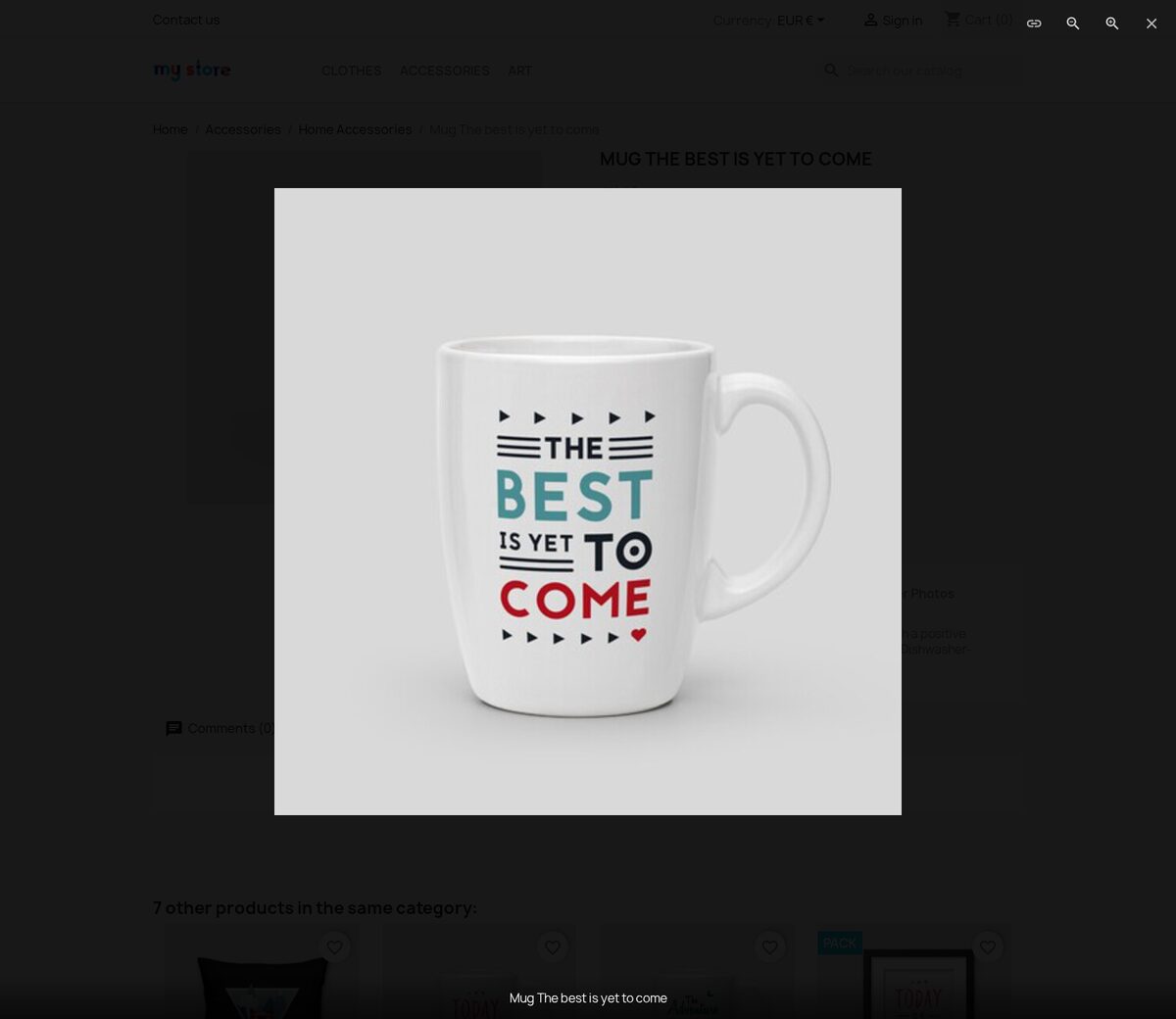
The full-screen viewer opens over the current product page, so the shopper remains beside the buying controls. Pinch gestures, the mouse wheel and dedicated controls enlarge the exact point under inspection, while swipe, keyboard navigation, captions and thumbnails keep the whole sequence understandable on a large screen or a phone.
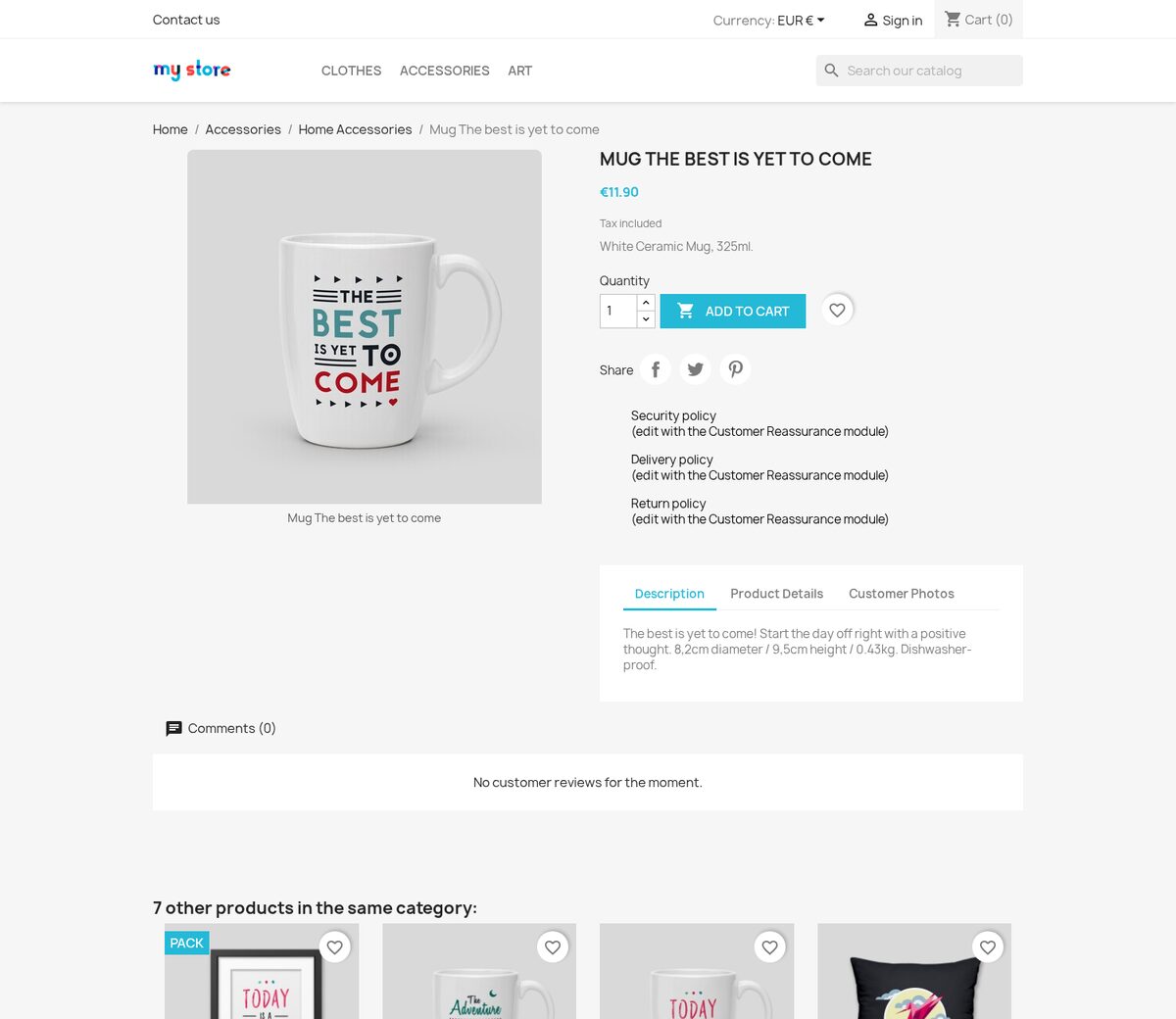
Carousel, grid and filmstrip layouts combine catalogue images with uploaded or hosted video, 360-degree views and AR/3D models. You choose autoplay, zoom, mobile thumbnail position, sharing and downloads. Each item also has a copyable exact address, an optional destination and named sharing actions, so a support reply or campaign leads to the precise finish, connector or installation step being discussed.
How do customer photos become credible buying evidence?
The merchant chooses whether submissions come from guests, signed-in customers or customers with a valid purchase of the exact product. File count and size limits apply before safe image processing, and every submission reaches one moderation list with approve, reject and flag decisions. The team receives a notification when new material waits.
Approved photographs appear with the product and enter the same lighter image delivery as store media. Customers manage their own submissions, while optional voting, contests and voucher rewards turn participation into a controlled programme. Purchase verification and merchant approval keep this proof connected to a real product instead of an ungoverned public feed.
Where else does the same gallery support a sale?
Galleries appear on product and category pages, information pages, articles, the home page and other selected content through a simple insertion marker. A page holds several independent galleries with their own layout and order, while a managed image folder also supplies an automatically refreshed gallery.
Standalone gallery pages receive a readable address, title, description, search information and pagination in every language. Gallery categories and catalogue tags organise larger collections and place the right album beside related products or content. Each image keeps its own friendly local address and optional destination, so buying guides, campaigns and support messages reuse the same managed material.
How quickly does it start, and how far does the configuration go?
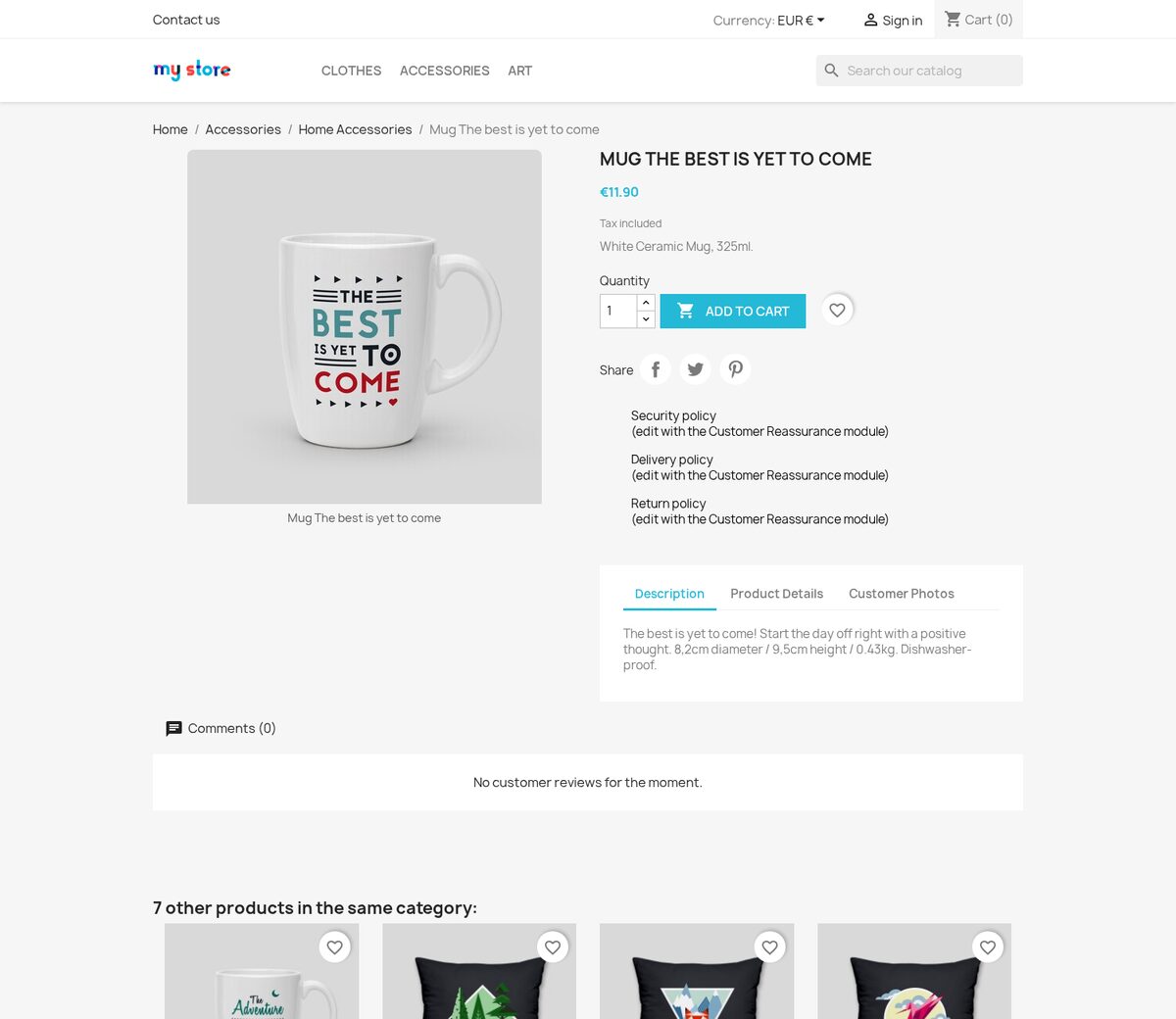
After installation, Gallery Revolution reads the product images already maintained in the catalogue and places them in the working default carousel. New catalogue images, translated legends, cover changes and product combinations flow into that gallery without a second import or a duplicate image list.
You choose carousel, grid or filmstrip, thumbnail position, rows, columns, spacing and opacity, gallery background, full-screen colours, captions, zoom, slideshow timing, video playback, phone behaviour, downloads and exact-image links. Language-specific alternative text and captions, separate shop ownership, lighter modern image formats and blurred previews support larger catalogues. Ordinary images in descriptions and articles receive the same full-screen treatment, while keyboard operation and readable controls keep the experience usable without a mouse. A YouTube or Vimeo video contacts that service only after the shopper presses play.

-
Referencemprgalleryrevolution
-
In stock2147483647 Items
-
PrestaShop CompatibilityPS 1.7 – 9.x
-
Pricing ModelOne-time Purchase
-
Module TypeFront & Back-office
-
GDPR RelevantNo
-
Business GoalBoost Conversions
-
External Account NeededNo
-
Module ComplexityComplete Solution
-
Customer Journey StageEngage Shoppers
-
Works With PlatformNo External Platform
What customers say about us
Company reviews
5.0
★
★
★
★
★
(4 reviews)
Loading customer reviews...
No product reviews yet
Be the first to share your experience with this module.
Write a Review
Gallery Revolution replaces the standard PrestaShop product media area with a Swiper gallery, PhotoSwipe lightbox, direct image links, content-image lightboxes, and back-office media reports. It keeps your native product images as the main source, so you can improve the product-page experience without rebuilding your catalog images.
Have a question about this product?
Our experts are here to help. Ask anything about installation, compatibility, or specifications.
1301
questions
9
categories
2013
building modules since
1.6–9
PrestaShop versions
v1.1.172026-05-27
- AddedAdd product gallery image hints
- AddedFinalize gallery endpoint SEO cleanup
- AddedAdd content lightbox thumbnails
Loading full changelog...
Works Well With Gallery Revolution
Modules our team genuinely pairs with this one, and exactly why each belongs in the same setup.
Complement
Gallery Revolution upgrades the product media area with a swipeable layout, thumbnails, full-screen viewing, video and moderated customer photos, helping shoppers inspect details and compare angles. Strong imagery answers the visual questions, but buyers still need the written specifics that pictures cannot convey.
Product Extra Info Tabs supplies that as a separate tool, adding clear sections for specifications, care guides, files, documentation, contact forms and related content, so the page stays scannable instead of becoming one long description.
Used alongside each other, the gallery handles visual inspection and the tabs handle structured information, two complementary halves of a confident product page. Shoppers can study the product and read its details without either the media or the text crowding the other, which makes the whole page easier to take in.

Complement
Gallery Revolution improves how products are shown, with swipeable images, full-screen viewing, video and moderated customer photos in the product media area. That centres on the product itself; shoppers often also want to see how a product looks in real use, in context.
Customer Showcase covers that as a separate tool, turning approved customer projects into controlled social proof with categories, project pages, images, product pins, votes and comments, letting shoppers move from real-world inspiration toward the catalogue.
Used together, the gallery strengthens the on-page product imagery while the showcase adds real-world context elsewhere on the store. Note these are independent tools with their own image sets; showcase project images do not flow into the product gallery. Each enriches a different stage of the visual journey, from inspiration to close inspection.

Complement
Gallery Revolution gives shoppers a richer view of the product through swipeable images, full-screen viewing, video and moderated customer photos in the media area, helping them inspect what they are buying. Seeing the product clearly is one half of confidence; hearing from other customers is the other.
Reviews & Ratings adds that second half as a separate native tool, with moderated ratings, written feedback, optional photo reviews and review criteria kept inside PrestaShop. Its photo reviews are its own feature and do not feed into the product gallery.
Used alongside each other, the gallery covers merchant-led visual presentation and the reviews cover moderated customer feedback, two independent layers of reassurance on the same page. Shoppers get both a clear look at the product and a sense of how reviewers rated it, supporting the decision from two angles.

Workflow
Gallery Revolution helps shoppers inspect a single product closely, with swipeable images, full-screen viewing, video and moderated photos that make visual details easy to study. Inspecting one product well is useful, but shoppers choosing between similar items need to weigh several at once.
Product Compare covers that as a separate tool, adding compare buttons to lists and product pages, holding a saved shortlist as shoppers browse and presenting a side-by-side comparison view, four products by default.
Run together, the gallery deepens confidence in each individual product while compare helps shoppers decide among the contenders. Someone can study each option's imagery and then line the finalists up against each other, getting both the close look and the structured comparison without leaving your store to evaluate elsewhere.
 30 days return right
Easy return - no questions asked
 Plug & Play Modules
Install, set up and take profit
 Dedicated Support First
Priority Help & Satisfaction Over Sales
You might also like

- New


