Customer Experience & Engagement

Google Customer Reviews

Earn Google seller ratings and publish a product review feed for Merchant Center from your shop

Version
1.2.0
Improvements
120
Updated
PrestaShop
1.6 to 9
Price: €69.00
Tax excluded
Partner price €55.20 Partner price for agencies Agencies with a partner account pay less on every module, depending on what they buy: 20% approved partner 25% from €1,000 a month 30% from €3,000 a month Average of the last 12 months, excl. VAT. Become a partner

Google Customer Reviews collects seller feedback, displays Google reviews in PrestaShop and exports your existing product reviews for Google. Installation and one Merchant Center identifier establish the initial connection.

Google Customer Reviews is a free programme linked to Merchant Center. Google writes, hosts and sends the post-purchase survey; customer responses contribute to the seller rating shown with the store where Google displays it.

You switch the badge, review display and survey separately, choose layouts and filter displayed reviews by rating or age. Survey invitations include product identifiers and a delivery estimate. Product review exports need a supported review source or field mapping, with separate files per shop and language.

Reviews already collected on your product pages become a Merchant Center feed without copying each customer's feedback by hand.

Professional Setup We fully configure the module to your needs: all options set, tested & verified within 1 business day. +€29.00
Visual Integration CSS & template adjustments to match your theme: includes cross-device verification and screenshot review. +€49.00

In the box

  • Lifetime licence for one shop
  • 12 months of updates, security fixes free forever
  • 3 months of support by mypresta.rocks
  • PrestaShop 1.6 to 9

Recent changes

  • Improvements
  • Display translated settings labels correctly and repair damaged translations.
  • Include available product identifiers in review invitations.
Full changelog

Summary of what the module offers

Google Customer Reviews joins the three jobs a store has around Google reviews: collecting seller ratings, showing Google review proof to shoppers, and feeding existing product reviews to Google. The sections below cover each part of that work.

  • Storefront proof: the rating badge and full Google reviews, in the layout and colours you choose.
  • Seller ratings: the official survey opt-in on the order confirmation, timed to delivery.
  • Review feed: your on-site product reviews published for Google Merchant Center.
  • Languages and shops: separate output for every storefront language and every shop.
  • Coexistence: no duplicate Google output when another module claims the same job.
  • Setup and upkeep: one identifier to start, visible run results afterwards.
Illustration of a star rating badge shown on a shop page

What do shoppers see in your store?

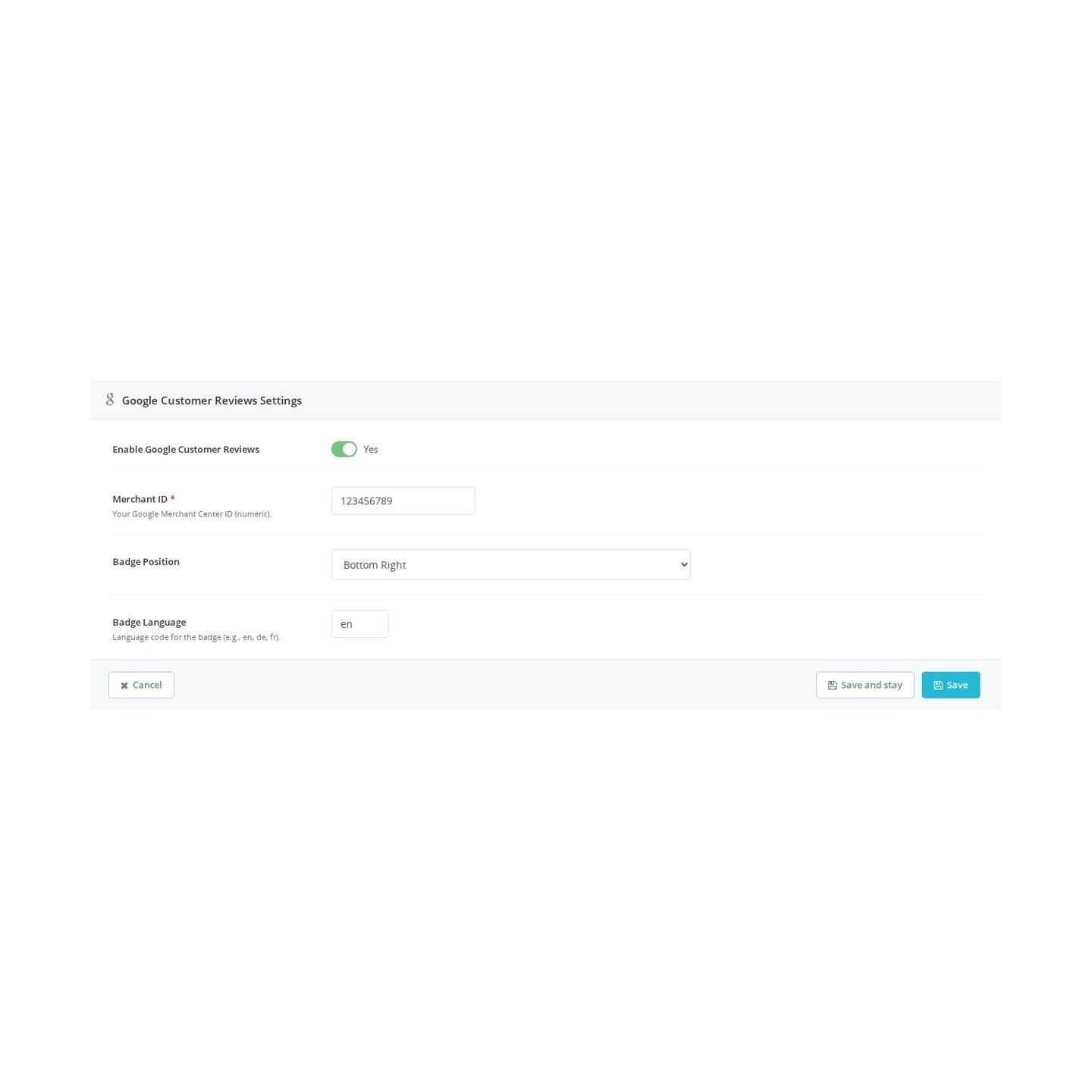
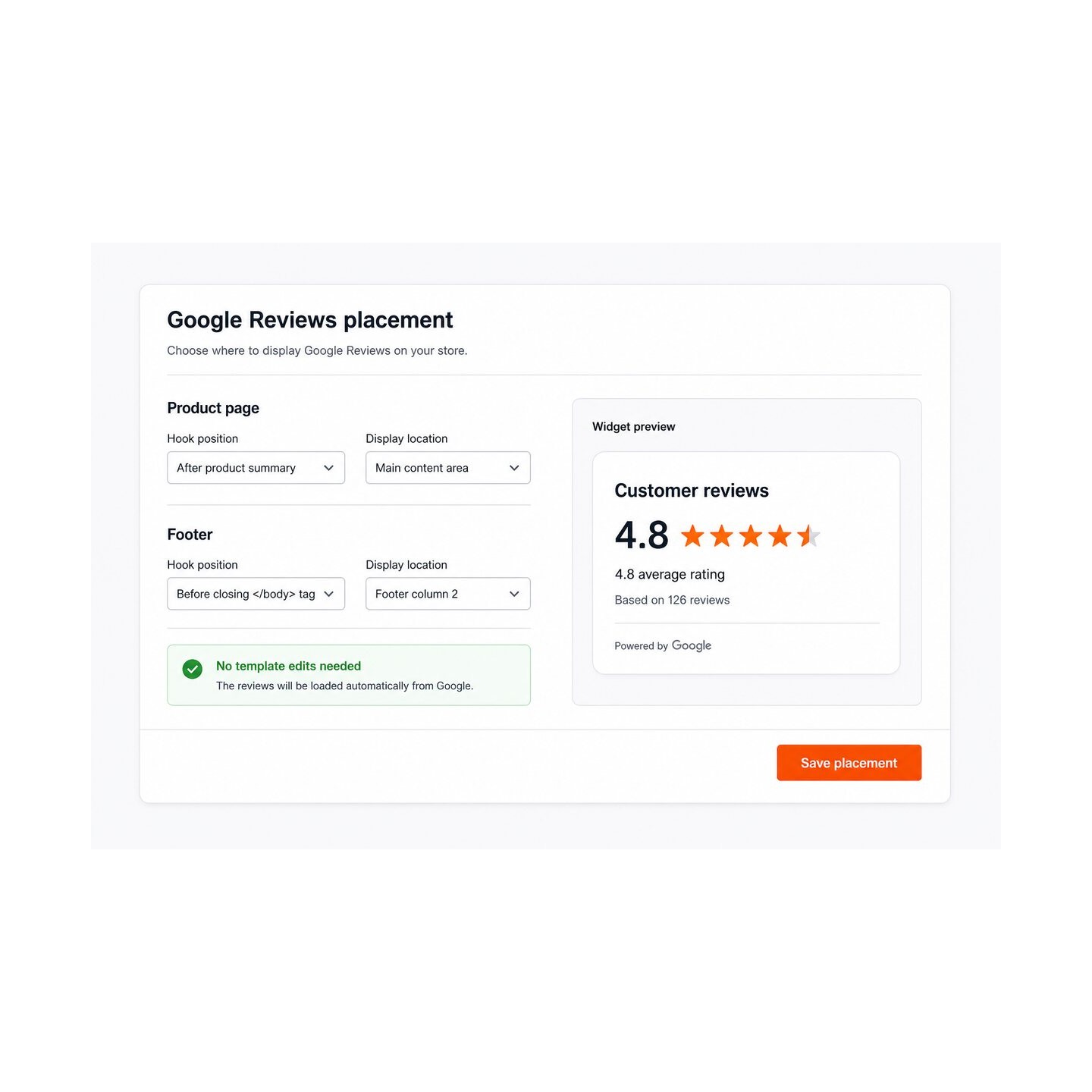
Two things: the official rating badge and your actual Google reviews. The badge shows the current seller rating in the corner you pick, bottom right, bottom left or inline within the page. The review display goes further and brings the review text itself into the store: reviewer name, stars and words, refreshed automatically on a schedule so it never goes stale.

You decide how the proof looks. A carousel for the home page, a grid or list for a dedicated reviews page, a compact summary bar with the average, the stars and the count where space is tight. Colours and spacing follow your theme, a minimum rating and a maximum age filter what appears, individual reviews are hidden with one click, and a switch removes the display on phones when the small screen is needed for selling. A leave-a-review button opens your Google review form directly, so a satisfied customer finds the way without searching.

Badge position selector in the Google Customer Reviews settings

How are seller ratings collected?

On the order confirmation page the module offers the buyer Google's survey opt-in. The payload is complete: order number, email address, delivery country, the delivery estimate and every ordered product with its identifier. Google then sends its short survey after the parcel arrives, at a moment tied to the real delivery estimate rather than a fixed guess, and the answer flows into your seller rating.

Because product identifiers travel with the opt-in, Google matches the answers to the exact products bought, which feeds product ratings as well as the store score. The survey, its wording and its delivery remain entirely Google's work; the module's job is that every single order offers the opt-in, correctly filled, without a developer touching the theme.

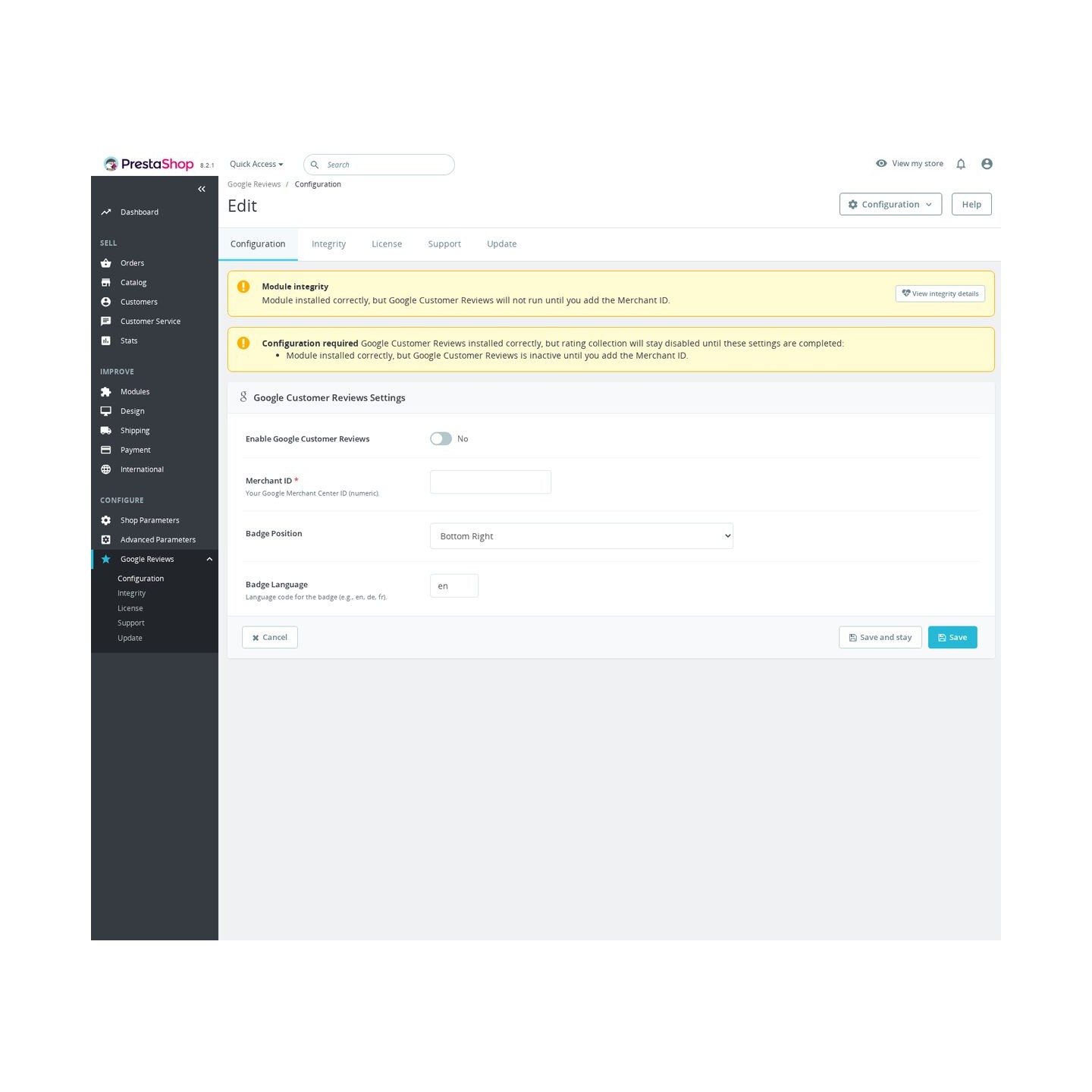
The Google Customer Reviews configuration screen

How do the reviews you already have reach Google?

Most stores sit on years of product reviews that Google never sees. The module reads them from Product Comments, IQIT reviews or MPR Comments through ready adapters, and from any other review table through a field-by-field mapping: product, rating with its own scale, author, title, content, date, language, shop and approval flag.

From that source it builds the review feed Google Merchant Center accepts. Ratings are converted to Google's scale, anonymous reviewers are handled, unpublished or broken records stay out, and each product travels with its name, address and identifiers so Google connects the review to the right offer. Generation runs in portions and publishes the finished file in one step, so the address Google reads never serves a half-written feed.
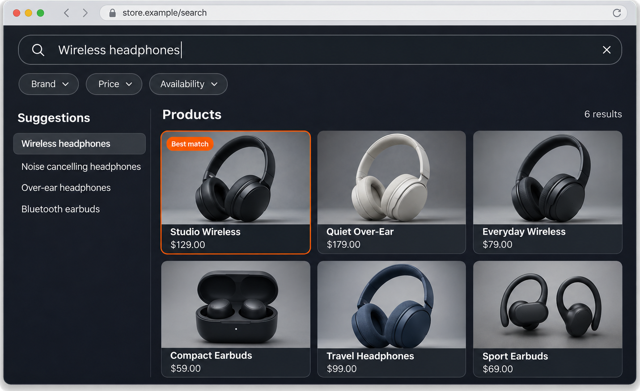
The reviews your customers already wrote can appear as product review stars in Google Shopping.
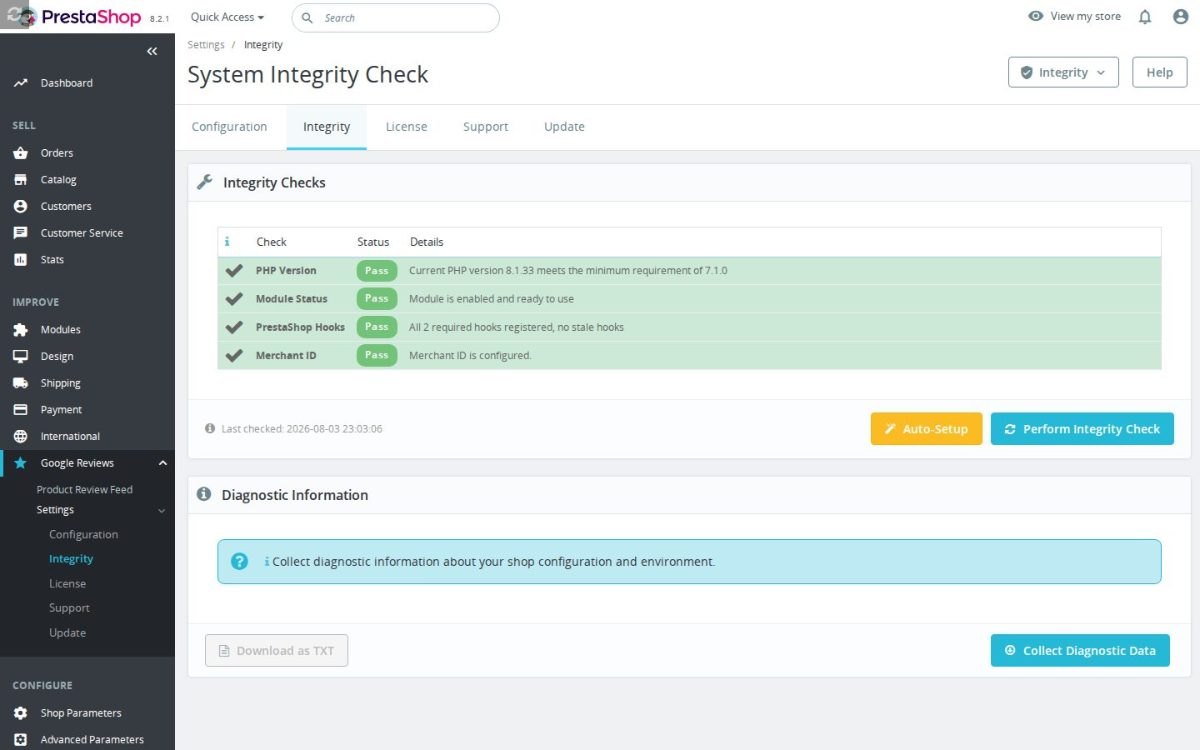
The Google Customer Reviews installation check

What happens with several languages, shops and modules?

The badge and the review display follow the storefront language, so a German visitor reads Google's interface in German. The review feed goes further: every active shop and every active language receives its own file with its own stable address, and reviews keep their language and shop assignment instead of blending into one export.

Installed next to another module that also serves Google Customer Reviews, this module coordinates instead of colliding. One module owns the badge and the survey for a given merchant account, the settings screen names the owner in plain words, and the review feed keeps running regardless. The failure this prevents is silent and expensive: duplicate opt-ins on the confirmation page and two badges fighting in the corner.

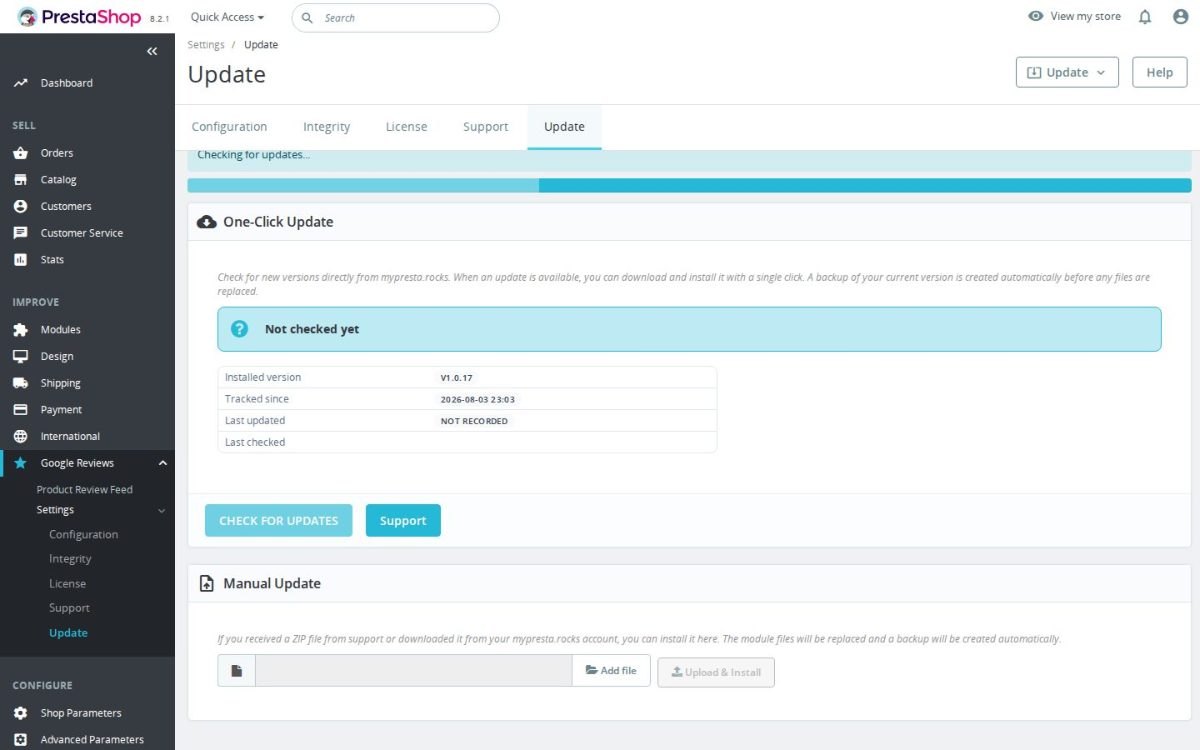
The Google Customer Reviews update screen

How much work are setup and upkeep?

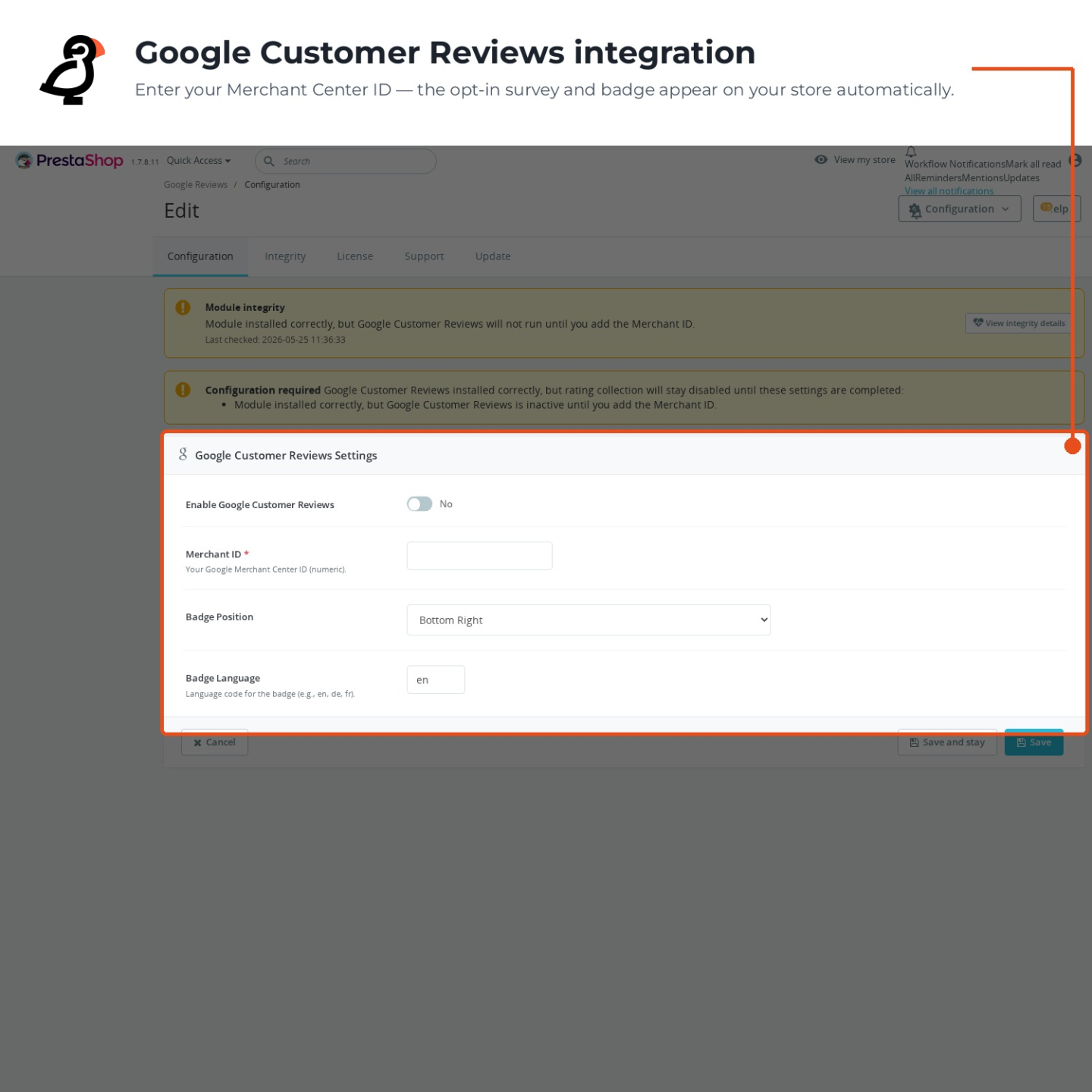
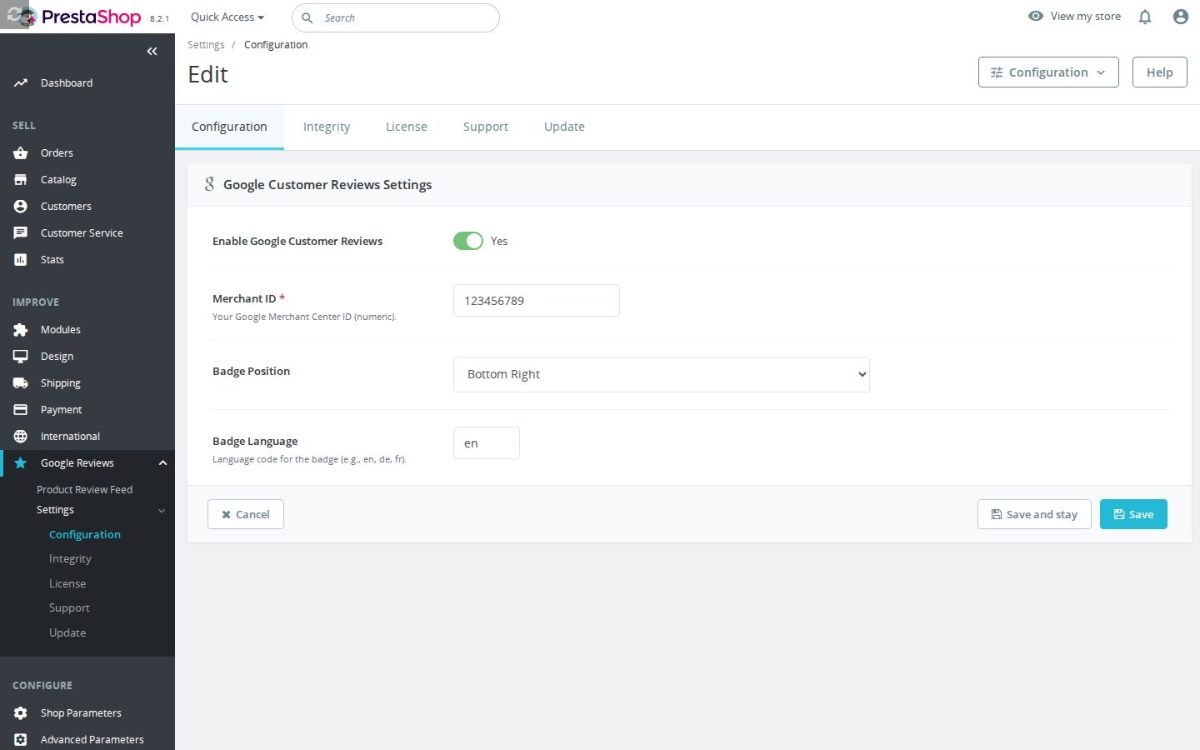
Setup is one identifier, the Merchant Center number, entered in one field. Until it is filled, the module states plainly what is missing and stays quiet; once it is filled, the badge, the survey opt-in and the review display are live. Each output has its own switch, so a store that only wants the feed, or only the survey, runs exactly that.

Upkeep is reading, not doing. The feed regenerates on the schedule you set or on demand with one button, and the screen shows the last run, its outcome and how many reviews were read, written and skipped. The displayed reviews refresh themselves the same way. Google's own files load in the background after the page is delivered, so shoppers never wait for the review system before they see your products.

Merchant ID and badge configuration in the Back Office
  • Reference
    mprgooglereviews
  • Version
    1.2.0
  • Improvements
    120
  • Released
  • Updated
  • PrestaShop Compatibility
    PS 1.6 – 9.x
  • Pricing Model
    One-time Purchase
  • Module Type
    Front-office
  • GDPR Relevant
    Yes
  • Business Goal
    Build Trust & Social Proof
  • External Account Needed
    Yes
  • Module Complexity
    Lightweight Widget
  • Customer Journey Stage
    Convert to Buyers
  • Works With Platform
    Google Services

What customers say about us

Company reviews
5.0 ★ ★ ★ ★ ★ (4 reviews)
Customer Reviews for PrestaShop Modules and Support

No product reviews yet

Be the first to share your experience with this product.

Write a Review

Quick start

  1. Upload and install the mprgooglereviews ZIP in Module Manager.
  2. Open Google Reviews > Settings > Configuration in the intended shop context.
  3. Enter Merchant ID.
  4. Set Estimated Delivery Days, Badge Position and Badge Language.
  5. Enable Google Customer Reviews and save.
  6. Test in a fresh customer session with marketing consent.
  7. Complete a new test order and check the badge and order confirmation survey.

Requires PrestaShop 1.6 or later and PHP 7.1 or later.

Open the full help page

Loading tab content...
30 days return right
Easy return - no questions asked
Plug & Play Modules
Install, set up and take profit
Dedicated Support First
Priority Help & Satisfaction Over Sales

Who builds and maintains this module

Built and maintained by David Miller and mypresta.rocks. David Miller has worked with PrestaShop since 2013, and the company behind this shop has been registered since 3 December 2018. Every module in this catalogue is our own work, so your questions to support reach the people who wrote the code. The changelog on this page lists every update with its date.

About us

More modules

Product and Store Reviews

Google Customer Reviews collects seller ratings that can appear in Google Shopping and search ads, and Reviews and Ratings collects product, category and store reviews with photos and moderation on your own pages. Ratings that work for you on Google and in your shop.

Google Merchant XML & API Integration

Smart Google Merchant Feed Manager gets your products into Google Shopping, and Google Customer Reviews collects the seller ratings that can be shown alongside them. Your Shopping listings gain the social proof of your buyers' ratings.

Loading...
Back to top