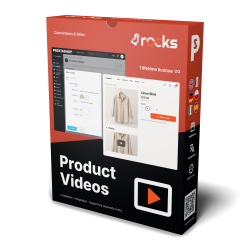
Product Videos
YouTube Feed Integration displays your channel videos in the shop, and Product Videos places the right video inside each product gallery with fast embeds and VideoObject JSON-LD. Your channel for browsing, product videos for buying.




YouTube Feed Integration builds a video gallery from a channel, playlist or selected links inside your PrestaShop store. The quickest setup is one field with a video address on each line.
YouTube hosts and plays the videos, while YouTube Studio reports views, watch time and subscribers. An ordinary channel and public viewing require no Premium membership; Premium is an optional paid viewing service.
You choose grid, slider or vertical list, target products and pages, and set playback over the shop page or in a new tab. A connected channel or playlist requires a Google connection key. An approved manual list replaces an empty connected source, with separate sources per shop and language.
Installation guides stay beside the relevant products, giving shoppers a visual explanation without searching through your channel.
YouTube Feed Integration builds a maintained YouTube gallery inside the PrestaShop store and protects it with an approved fallback list when a connected channel or playlist returns no videos.

You choose a whole channel, one playlist or a hand-picked set of links. A channel is found by its name, public username or identifier, so the setup confirms the right public profile before saving it. Manual input recognises regular video addresses, shortened links, embedded-player addresses and Shorts.
The connected source takes priority. When that request returns an empty result, the module uses the approved manual list; if retrieval fails, the last working gallery stays visible. New channel uploads then enter the gallery automatically, while campaigns and evergreen tutorials retain an editorial safety net.

You choose several positions at once: the home page, product pages, category pages, the area before the footer, the footer or a side column. Product, category and individual-page rules include or exclude exact parts of the catalogue, so an installation guide sits beside the relevant range rather than across an unrelated shop.
Every shop and language stores its own source, heading and subscription wording. A multilingual group therefore runs a German playlist in one storefront, a French channel in another and a curated campaign on selected product pages, all from the same module.

YouTube hosts the films, streams the player and maintains the public channel, playlists and subscriptions. Its Studio dashboard reports views, watch time, subscribers, recent content and comments. The module retrieves the chosen records, arranges them inside the shop and shows title, duration, view total and publication date for every source when those details are selected.
In on-page mode, the player opens over the current shop page and loads only after the shopper selects a video. In new-tab mode, the video opens on YouTube in a new tab. The subscription action resolves the owning channel from a channel, playlist or manual video source, so every valid gallery leads to the correct audience destination.

You choose a responsive grid, a moving slider or a compact vertical list. The number of videos, columns for desktop, tablet and phone, spacing, corner rounding, text colour, gallery background, hover treatment and phone visibility are independent settings shared by every layout.
The slider adds optional arrows and pagination dots, continuous looping, pointer dragging, touch swiping and automatic movement. Waiting time and transition speed are separate controls. These settings keep the first launch straightforward while giving a design team precise behaviour when the catalogue needs it.

The quickest route is one field containing selected video links. A maintained channel or playlist adds a Google connection key, and the administration then shows only the fields relevant to that source and layout. Missing, invalid and ready states identify the exact setting that needs attention.
A locally saved result reduces repeated YouTube lookups, with a retention period from fifteen minutes to twenty-four hours and a clear action in the administration. If a fresh retrieval or storage attempt fails, the last working gallery stays visible. Thumbnails arrive as they approach the screen, while the YouTube player waits for the shopper's click.

mpryoutubeintegration ZIP in Modules > Module Manager.displayHome. Keep Layout > Layout Type at grid.embed for the lightbox or newtab for YouTube.Requires PrestaShop 1.6 or later and PHP 7.1 or later.
 30 days return right
 Plug & Play Modules
 Dedicated Support First
Built and maintained by David Miller and mypresta.rocks. David Miller has worked with PrestaShop since 2013, and the company behind this shop has been registered since 3 December 2018. Every module in this catalogue is our own work, so your questions to support reach the people who wrote the code. The changelog on this page lists every update with its date.
YouTube Feed Integration displays your channel videos in the shop, and Product Videos places the right video inside each product gallery with fast embeds and VideoObject JSON-LD. Your channel for browsing, product videos for buying.
Blog Revolution publishes your written guides, and YouTube Feed Integration shows your latest channel videos. Visitors who prefer to read and those who prefer to watch both find your expertise.
Compliance & Legal
News & Updates
News & Updates
News & Updates
News & Updates
News & Updates