Weekly Sale
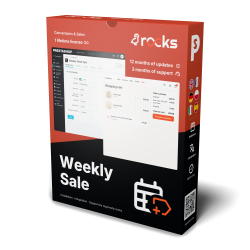
Weekly Sale publishes an automatic flash sale to X every week, and X (Twitter) Feed Integration shows your X feed inside the shop. Visitors see your current deals and announcements in one place.


X (Twitter) Feed Integration turns your X posts into cards rendered by your PrestaShop store, with images and engagement counts. An access token and your account handle start the first feed with working defaults.
X hosts the original posts and conversations. Its standard embedded feed brings outside styling and loads after the page; this module stores posts in your shop and draws the cards itself.
You choose placement, grid, carousel or list, and which post details appear. Replies and reposts have exclusion switches. Refreshes run separately from page loading, and the last good set remains if X is unavailable. Publishing blog articles additionally requires MPR Blog Revolution and publishing credentials.
Your social section appears with the shop page, without making each visitor wait for X.
X (Twitter) Feed Integration reads your X timeline on the server, stores it, and renders the posts as storefront cards that belong to the shop rather than to a third-party widget.
A bearer token and a handle are enough for the first feed. Everything else starts from a working default and is refined once the section is on the page.

You paste an X API v2 bearer token from the developer portal and your handle without the at sign. The numeric account id is resolved for you and stored, so it never has to be looked up by hand. A separate set of OAuth credentials is entered only when the store also publishes to X; a feed on its own does not need them.
The connection panel reports the state in plain terms: connected, how many posts are stored, when the last sync ran and how long until the next automatic refresh. Sync now pulls fresh posts immediately, which is what you press after a campaign goes out, and clear cache drops the stored copy without touching any setting. The automatic refresh runs outside the shopper's page load, so a stale copy never turns into a slow page.

The section goes on the home page, above the footer, in the footer or in either side column, under a heading you write for each store language, next to a follow button whose label you also write. A grid gives one to four desktop columns and one or two on phones. A touch carousel moves on swipe, pauses under the pointer, and takes its own step interval and speed. A vertical list suits a narrow column.
Spacing, corner radius and the hover behaviour, a lift, a glow, a border or nothing, are set per shop, and the cards follow a light or dark theme. Independent switches govern the post text and its length, the images, the date, the author, and the reply, repost, like and view counts. Replies and reposts can be excluded from the feed entirely, so the storefront shows your own posts rather than a conversation. One switch removes the whole section, and its display files, from phones.

An installation check reports the PHP version, the enabled state of the module, the registered display hooks and the database tables it owns, and it repairs what it can without help. When a required setting is missing, the same screen offers the field itself, so a token or a handle is completed where the problem is reported rather than three pages away. Diagnostic information about the shop and the server is collected into one file when something needs a second pair of eyes.
Images in the feed receive their address only as they approach the visible area, and a placeholder holds the space so nothing shifts under the reader. Each card is a link that opens the original post on X in a new tab, with the shop page left open behind it.

For stores running MPR Blog Revolution, the module posts articles to X. You connect the publishing credentials once, write a caption template from the article title, excerpt, address and shop name, and then either publish an article from the post table one at a time or let new articles go out on their own as they are published. A post can also be queued for a chosen time rather than sent at once.
Every attempt is recorded as published, submitted, blocked or failed, and the same article is never sent twice from the same account. An outbound write guard refuses to publish from a development copy, a staging mirror or a cloned install, and logs the refusal, so a database restored onto a test server does not quietly repost last month's articles to a live audience.

The module installs its own menu with configuration, integrity, licence, support and update pages, and the back office is translated into English, German, French, Polish, Italian and Spanish. Settings are grouped into connection, display, layout, post detail and performance, so a column count or a refresh interval is two clicks from the dashboard.
New versions are checked and installed from the update page, with a backup of the current files written before anything is replaced. The result is a storefront that looks current, an X account that gains followers from traffic the shop already has, and a social section that renders with the page instead of arriving late from another domain.

mprxintegration ZIP in Modules > Module Manager.@. Leave X User ID empty to resolve it automatically.displayHome. Leave Enable Custom Widget off.grid and set a positive Number of Posts, such as 6. Click Save.Requires PrestaShop 1.6 or later and PHP 7.1 or later.
 30 days return right
 Plug & Play Modules
 Dedicated Support First
Built and maintained by David Miller and mypresta.rocks. David Miller has worked with PrestaShop since 2013, and the company behind this shop has been registered since 3 December 2018. Every module in this catalogue is our own work, so your questions to support reach the people who wrote the code. The changelog on this page lists every update with its date.
Weekly Sale publishes an automatic flash sale to X every week, and X (Twitter) Feed Integration shows your X feed inside the shop. Visitors see your current deals and announcements in one place.
Blog Revolution publishes your articles, and X (Twitter) Feed Integration displays your short updates in the shop. In-depth content and quick news, side by side.
Compliance & Legal
News & Updates
News & Updates
News & Updates
News & Updates
News & Updates