Integrations & Data Export

Pinterest Feed Integration

PrestaShop Pinterest feed module, public boards and pins on your pages, with no developer account or token to expire

Version
1.0.69
Improvements
341
Updated
PrestaShop
1.6 to 9
Price: €129.00
Tax excluded
Partner price €103.20 Partner price for agencies Agencies with a partner account pay less on every module, depending on what they buy: 20% approved partner 25% from €1,000 a month 30% from €3,000 a month Average of the last 12 months, excl. VAT. Become a partner

Pinterest Feed Integration brings selected Pins and boards into your PrestaShop pages as a native inspiration feed. Installation, a Pinterest username, a public board or Pin address and a chosen position are enough to start.

Pinterest organises visual ideas into Pins and boards. Personal and business accounts are free, business accounts include analytics, and advertising is an optional paid service. Clicking an item opens the original Pin in a new tab.

You select sources per shop or language, choose a grid, carousel or vertical list, and set page visibility and refresh frequency. Public content display needs no developer account or expiring access token; separate phone settings control the smaller-screen layout.

A maintained inspiration board supplies relevant images beside your catalogue without rebuilding the selection for every store page.

Professional Setup We fully configure the module to your needs: all options set, tested & verified within 1 business day. +€29.00
Visual Integration CSS & template adjustments to match your theme: includes cross-device verification and screenshot review. +€49.00

In the box

  • Lifetime licence for one shop
  • 12 months of updates, security fixes free forever
  • 3 months of support by mypresta.rocks
  • PrestaShop 1.6 to 9

Recent changes

  • Back office login on PrestaShop 1.7 now works without the HTTP 500 error caused by the module.
  • The module now installs correctly on a fresh shop.
  • You can set feed options separately for each shop and translate the heading and follow button text for each language.
Full changelog

What does Pinterest Feed Integration add to the store?

Pinterest Feed Integration adds a native feed for selected Pinterest Pins, boards and account content, with separate source, placement and presentation rules for each shop context.

  • Content sources: exact Pins, a public board, an exact RSS address, full account content or several boards in one feed.
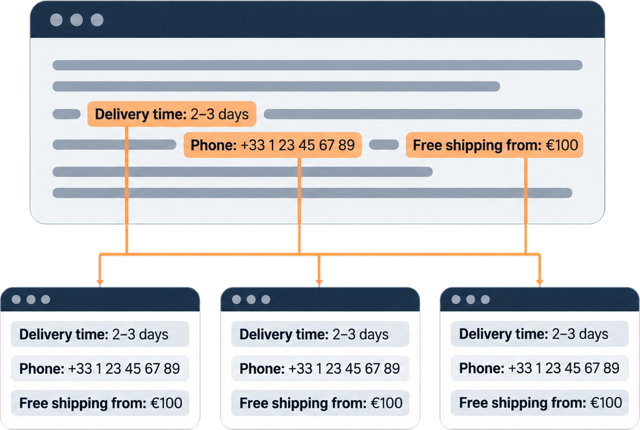
  • Independent feeds: separate selections for shops, languages, campaigns, page types and individual pages.
  • Pinterest context: images and ideas from a service used by 631 million people each month in the first quarter of 2026.
  • Store presentation: grid, touch carousel or vertical list with detailed visual and metadata controls.
  • Freshness and loading: a chosen refresh interval, phone behavior and images loaded near the visible area.
  • Publishing workflow: manual and automatic publication of eligible Blog Revolution posts to a chosen Pinterest board.

Setup remains small when one feed is enough, while the same administration supports a detailed multi-feed plan as the catalogue grows.

The Pinterest Feed Integration configuration screen

Which Pinterest content enters each feed?

You choose a maintained public board, an exact RSS address or a hand-picked list of Pin addresses. The module turns a board address into its feed address automatically, reads the board first and uses the approved Pins as a fallback when that source returns no items. Public display therefore starts without a Pinterest developer account or expiring access token.

A source manager also brings in full account content and several boards, removes duplicates and presents them as one mixed stream, separate tabs or independent blocks. Each block keeps its own order, post limit and localized title, so a seasonal selection does not replace the permanent inspiration feed.

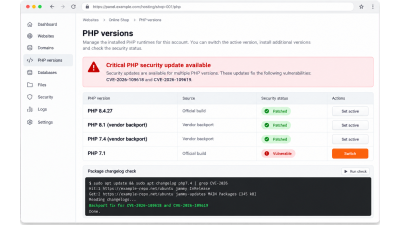
The Pinterest Feed Integration installation check

Where does the feed appear and how does it look?

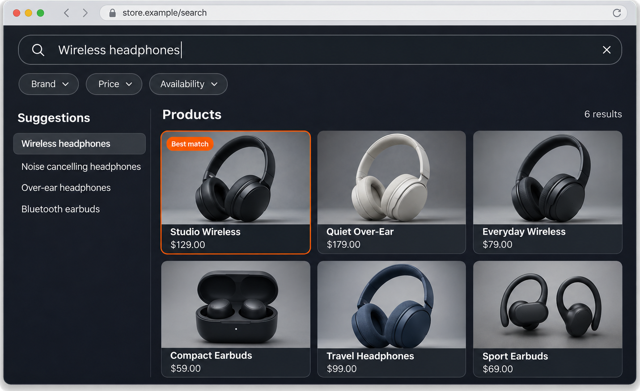
You choose the homepage, the area before the footer, the footer, either side column or a dedicated Pinterest page. Page rules include or exclude product pages, categories and individual addresses, while every shop and language keeps its own feed selection.

Grid, touch carousel and true vertical list layouts have separate previews. You set desktop and phone columns, item count up to twenty-five, spacing, corners, colours, type, dimensions, background and a maintained preset. Independent switches control the header, caption, author, date, Pinterest mark, follow text and share actions, and right-to-left pages reverse the layout and carousel direction naturally.

Back Office Pinterest page with the username, pin URLs, board URL and RSS feed fields

Why does Pinterest content fit product discovery?

Pinterest is a visual discovery and planning service where people collect ideas as Pins and organize them on boards. Pinterest reported 631 million global monthly active users for the first quarter of 2026. A free business account adds the Business Hub and analytics for Pins, while paid advertising remains optional and separate from this module.

In the store, the module shows the selected image, caption and author details. The shopper sees inspiration in the buying context, then a deliberate click opens the original Pin on Pinterest in a new tab with its full destination and profile context. Pinterest supplies the Pins, boards, profiles and account statistics; the module decides which of that public content belongs on each store page.
Feed placement and style panel with the placement, column count, grid or slider choice and a preview of the pin tiles

How does the feed stay current without weighing down each visit?

You choose how often the module checks for newer Pinterest content, from every thirty minutes to every twenty-four hours. Between checks, the stored feed serves the selected Pins without repeating the same retrieval for every visitor. A manual refresh is available after a board or campaign changes.

Off-screen images receive their address as they approach the visible area, and one switch removes the feed and its local display files from phones. Phone columns are set independently. In carousel mode, swipes move between Pins, automatic movement pauses under the pointer and resumes afterward, and the visible count adapts when the screen changes size.

The Pinterest Feed Integration update screen

How do setup and Pinterest publishing remain manageable?

The first feed needs a Pinterest username for the profile link and at least one source: exact Pins, a board or an RSS address. The configuration screen reports a missing, invalid or ready source, while the integrity workspace checks the required settings and the module environment.

For stores using Blog Revolution, you connect Pinterest securely, choose a board and write the description template from the article title, excerpt, address and shop name. Eligible articles with a featured image are published manually from the post table or automatically when they go live. Each result remains visible as published, submitted, blocked or failed, and the same article is not sent twice to the same board.

The outward publishing guard stops writes from a development or uncertain shop address. This keeps the easy one-feed start and the deeper editorial workflow in the same place without turning routine Pinterest work into a technical project.

Auto-Publish to Pinterest panel with the enable switch and a caption template using title, excerpt and URL placeholders
  • Reference
    mprpinterestintegration
  • Version
    1.0.69
  • Improvements
    341
  • Released
  • Updated
  • PrestaShop Compatibility
    PS 1.6 – 9.x
  • Pricing Model
    One-time Purchase
  • Module Type
    Front-office
  • GDPR Relevant
    Yes
  • Business Goal
    Increase Traffic
  • External Account Needed
    Yes
  • Module Complexity
    Lightweight Widget
  • Customer Journey Stage
    Attract Visitors
  • Works With Platform
    Social Media

What customers say about us

Company reviews
5.0 ★ ★ ★ ★ ★ (4 reviews)
Customer Reviews for PrestaShop Modules and Support

No product reviews yet

Be the first to share your experience with this product.

Write a Review

Quick start

  1. Upload and install the mprpinterestintegration ZIP in Modules > Module Manager.
  2. Click Configure. In Pinterest Connection, leave Enable Module set to Yes.
  3. Enter public Pin URLs, one per line. Alternatively enter a Board URL or RSS Feed URL.
  4. Optionally enter Pinterest Username for the profile and follow links.
  5. In Display Settings, select Display Hook displayHome. In Layout & Appearance, keep Layout Mode at grid for the first test.
  6. Click Save, then open the storefront page that renders the selected hook.
  7. Check that pin thumbnails appear and open the correct Pinterest pins in a new tab.

Requires PrestaShop 1.6 or later and PHP 7.1 or later.

Open the full help page

Loading tab content...
30 days return right
Easy return - no questions asked
Plug & Play Modules
Install, set up and take profit
Dedicated Support First
Priority Help & Satisfaction Over Sales

Who builds and maintains this module

Built and maintained by David Miller and mypresta.rocks. David Miller has worked with PrestaShop since 2013, and the company behind this shop has been registered since 3 December 2018. Every module in this catalogue is our own work, so your questions to support reach the people who wrote the code. The changelog on this page lists every update with its date.

About us

More modules

Gallery Revolution

Pinterest Feed Integration shows your pins in the shop, and Gallery Revolution turns product pages into rich galleries with lightbox, video and 360 degree views. Inspiration from Pinterest and detail where the buying decision happens.

Customer Showcase

Pinterest Feed Integration shows your own boards, and Customer Showcase displays the projects your customers submit, with voting and comments. Inspiration from you and proof from your customers.

Loading...
Back to top