Integrations & Data Export

TikTok Feed Integration

PrestaShop TikTok feed module, hand-picked videos as thumbnail cards, no developer account required

Version
1.0.68
Improvements
342
Updated
PrestaShop
1.6 to 9
Price: €129.00
Tax excluded
Partner price €103.20 Partner price for agencies Agencies with a partner account pay less on every module, depending on what they buy: 20% approved partner 25% from €1,000 a month 30% from €3,000 a month Average of the last 12 months, excl. VAT. Become a partner

TikTok Feed Integration presents selected TikTok videos inside your PrestaShop store and plays them over the current page. The first feed needs a username, video source and chosen position, with ready-made styles for a quick start.

TikTok is a short-video platform whose free Business Account adds performance figures, audience information and creative tools. Advertising is optional and billed separately by TikTok.

You select individual video addresses, a connected profile or a hashtag, then approve clips and their order. Grid and carousel layouts have separate phone settings, and a preview shows appearance changes before saving. Displaying hand-picked public videos needs no developer access; captions and view and like counts have their own visibility controls.

A customer watches your product demonstration without losing the product page underneath the player.

Professional Setup We fully configure the module to your needs: all options set, tested & verified within 1 business day. +€29.00
Visual Integration CSS & template adjustments to match your theme: includes cross-device verification and screenshot review. +€49.00

In the box

  • Lifetime licence for one shop
  • 12 months of updates, security fixes free forever
  • 3 months of support by mypresta.rocks
  • PrestaShop 1.6 to 9

Recent changes

  • Back office login on PrestaShop 1.7 now works without the HTTP 500 error caused by the module.
  • The module now installs correctly on a fresh shop.
  • You can set feed options separately for each shop and translate the heading and follow button text for each language.
Full changelog

What does TikTok Feed Integration bring into the store?

TikTok Feed Integration is a module for PrestaShop stores that turns the exact TikTok videos you select into a curated storefront feed, in your chosen order, without developer credentials for feed display.

The feed starts with a few video addresses and grows into detailed control over sources, playback, placement, appearance, mobile layout and publishing.

  • Purpose: what the module adds to the buying path.
  • Playback: where the shopper watches each video.
  • Selection: which profile, hashtag or individual clips supply the feed.
  • Appearance: how the gallery fits the store and each screen.
  • TikTok: what the service and its Business Account provide.
  • Daily work: how setup, refreshing and blog publishing are handled.
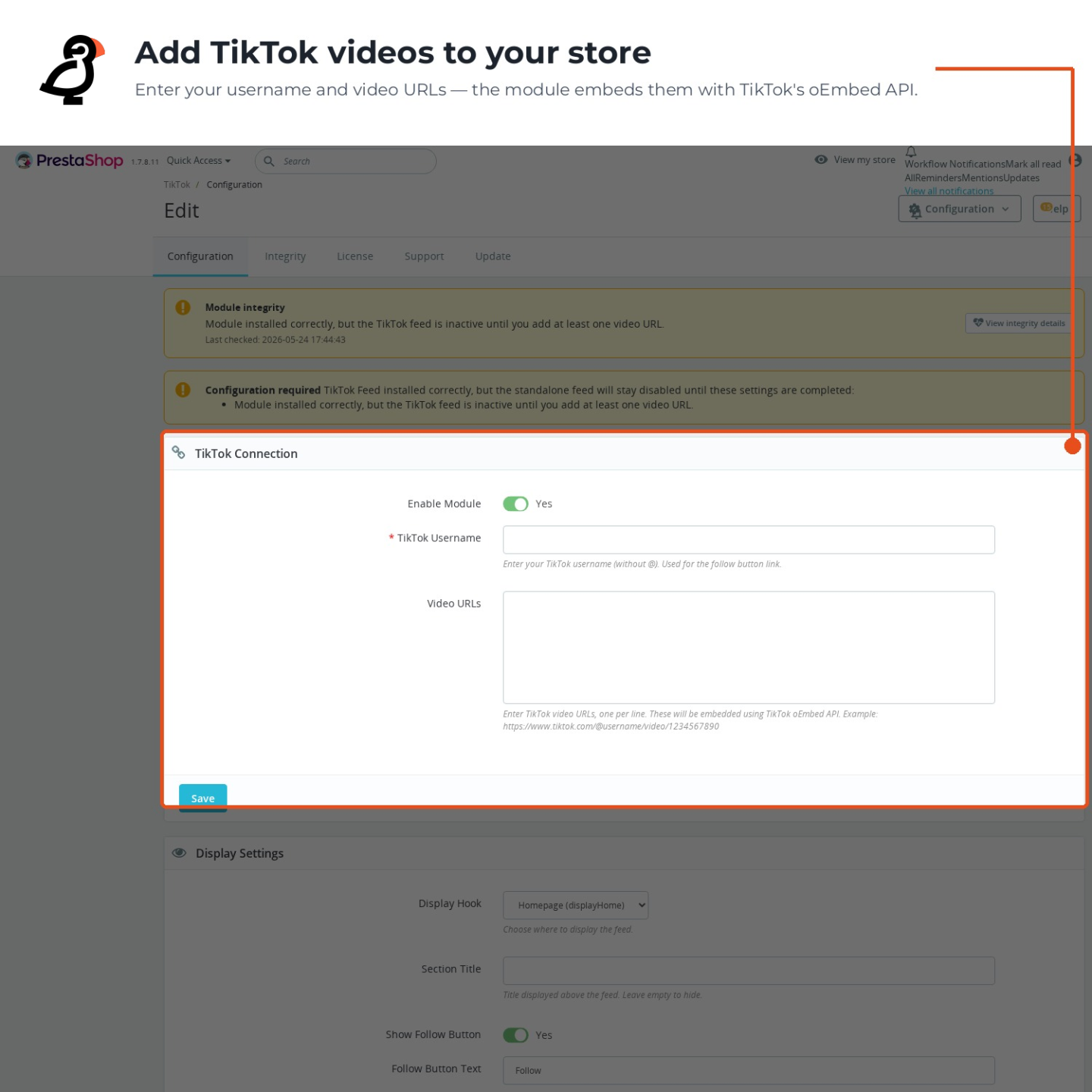
The TikTok Feed Integration configuration screen

Where does the shopper watch the video?

A click opens the TikTok video in a player over the current shop page. The shopper watches the product demonstration, hears the sound and reads the creator's caption without losing the product, cart or category underneath.

The card identifies the creator and presents the caption, view count and like count. You decide which of those details remain visible. A direct route to the original TikTok post is still available, but the first viewing happens inside the buying path.

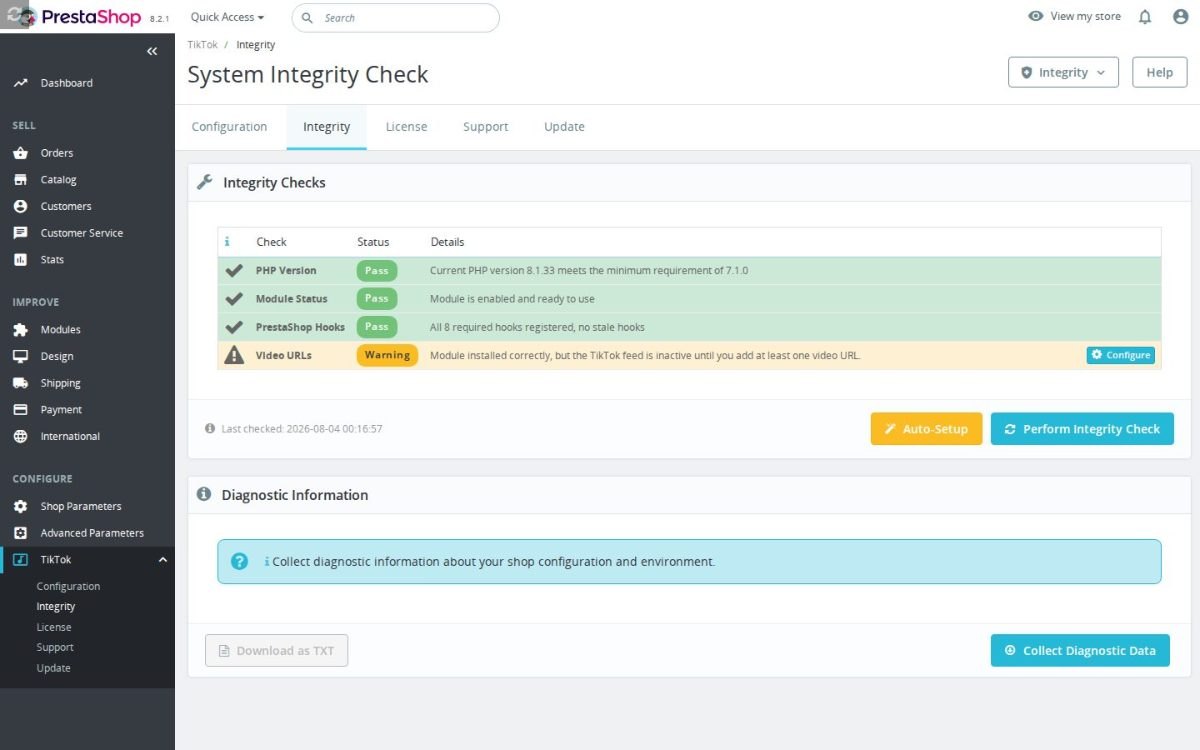
The TikTok Feed Integration installation check

Which videos make it into the feed?

You choose the source: exact video addresses for a tightly curated gallery, a connected TikTok profile for the account's latest clips, or a hashtag for a themed selection. Manual approval keeps unsuitable posts out and fixes the final order, regardless of the source.

The hand-picked route needs no developer access. TikTok supplies each public video's title, creator and cover, while the module stores the information for the interval you select and includes an immediate refresh. Removing a clip from the selection removes it from the store.

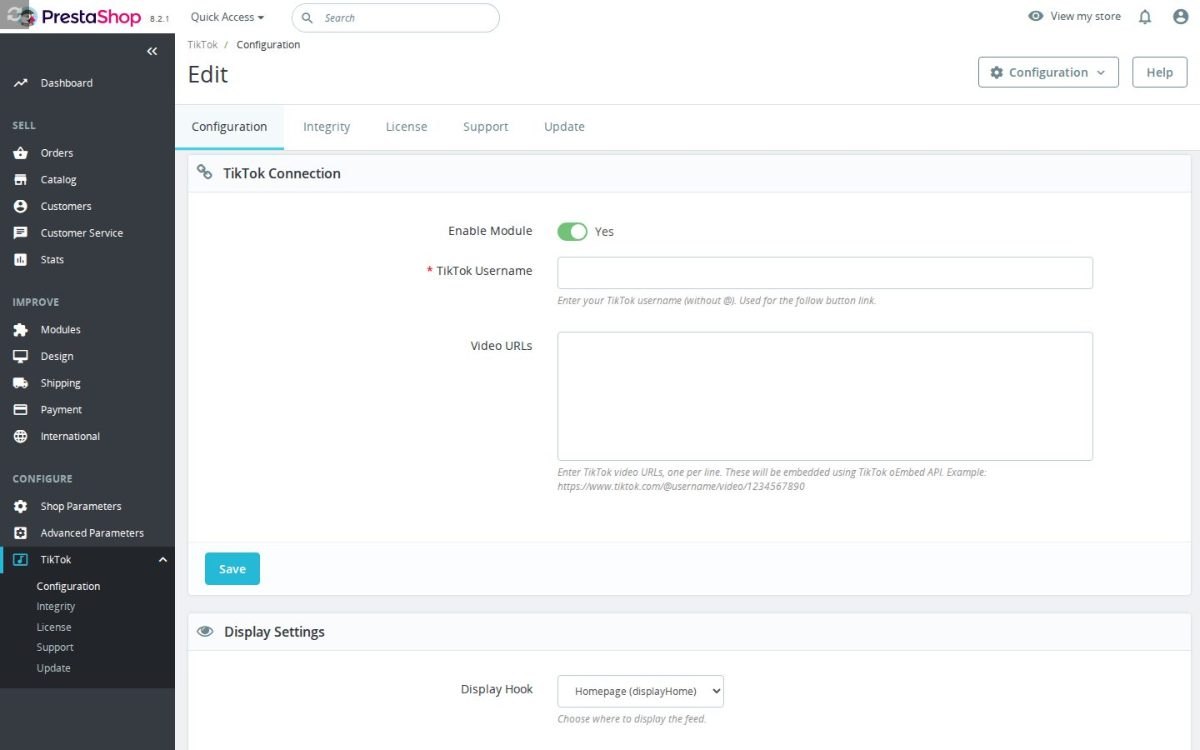
Back Office TikTok page with the connection fields and display settings before a video URL is added

How closely does the feed match the shop?

You choose the homepage, product pages, category pages, either column, the footer or selected content pages. Page rules place a product demonstration near the relevant offer while a broader brand feed remains on the homepage.

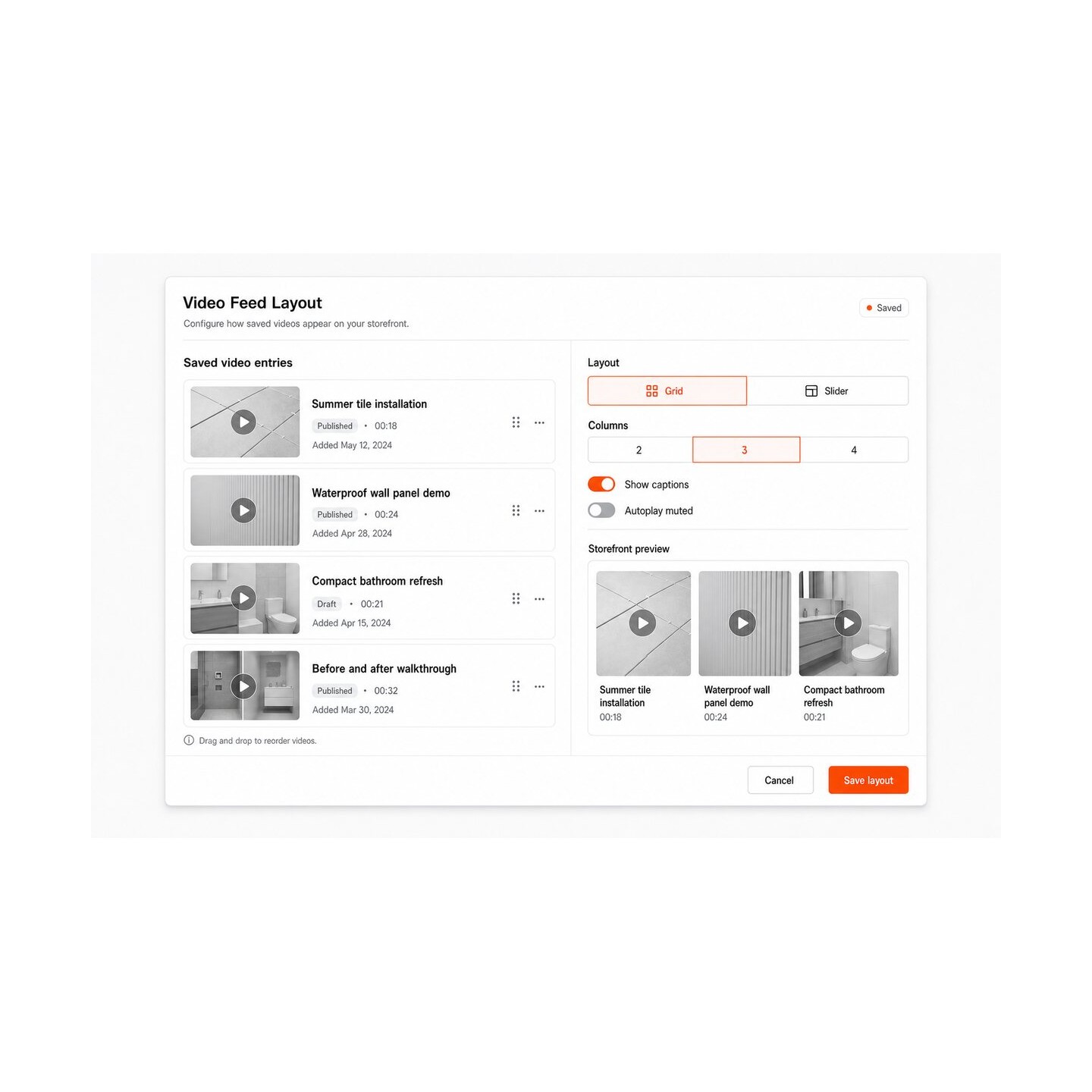
The live preview shows every change before saving. Ready-made styles provide a quick start, while grid or carousel layout, colours, two to six desktop columns, one or two mobile columns, spacing, rounded corners, captions and movement provide the depth. The carousel adds arrows, touch movement, automatic progress from two to ten seconds and pause when the shopper interacts with it.

Video covers load only as they approach the visible part of the page. The feed is also hidden on phones with one setting when screen space matters more than social content.

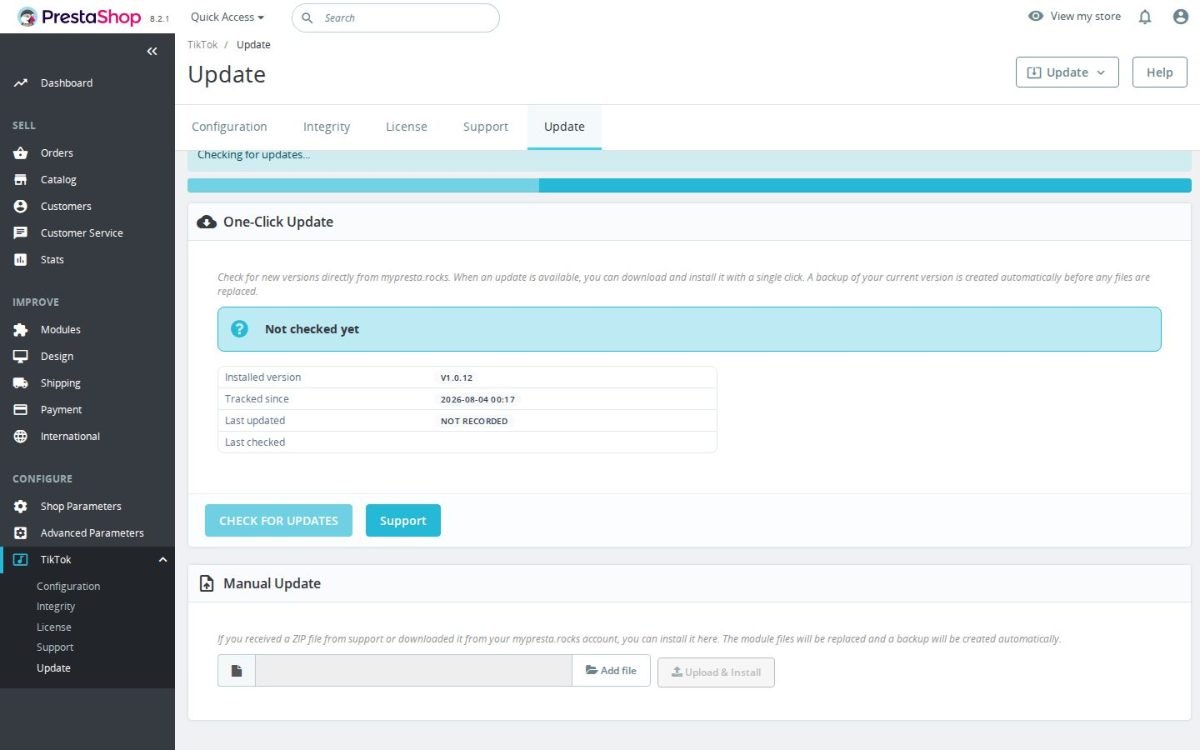
The TikTok Feed Integration update screen

What does TikTok contribute to the experience?

TikTok is built around short video, sound, creators and discovery. TikTok reported in September 2025 that more than 200 million people across Europe use the platform each month, which gives product demonstrations, customer clips and brand stories a familiar visual language.

A public TikTok profile shows the brand name, username, videos, captions and follower community. The free Business Account adds figures for views, visits, followers and audience, together with scheduling and creative tools. TikTok provides those account functions, while the module brings selected public clips into the store and controls their commercial context.

The editable follow button leads to the configured profile. Paid advertising remains an optional TikTok service and is separate from the module sold on this page.

Storefront video grid with six customer video cards and play badges

How much work remains after installation?

The first feed needs a username, a source and a chosen position. A ready-made style produces a finished gallery quickly, and the same screen opens the deeper settings when the store needs exact colours, page rules, mobile behaviour or carousel timing.

With Blog Revolution, the module also submits eligible blog videos to TikTok automatically or one at a time from the shop panel. You write the caption pattern once, and the post title, excerpt and page address fill it automatically. The publishing list records processing, confirmation, success and failure, and prevents the same post from being sent twice.

TikTok sometimes asks the account owner to confirm a submission in its app. The status remains visible in the shop panel, so the team knows whether a video is waiting, published or needs attention.

Auto-Publish to TikTok panel with the enable switch and a caption template using title, excerpt and URL placeholders
  • Reference
    mprtiktokintegration
  • Version
    1.0.68
  • Improvements
    342
  • Released
  • Updated
  • PrestaShop Compatibility
    PS 1.6 – 9.x
  • Pricing Model
    One-time Purchase
  • Module Type
    Front-office
  • GDPR Relevant
    Yes
  • Business Goal
    Increase Traffic
  • External Account Needed
    Yes
  • Module Complexity
    Lightweight Widget
  • Customer Journey Stage
    Attract Visitors
  • Works With Platform
    Social Media

What customers say about us

Company reviews
5.0 ★ ★ ★ ★ ★ (4 reviews)
Customer Reviews for PrestaShop Modules and Support

No product reviews yet

Be the first to share your experience with this product.

Write a Review

Quick start

  1. Upload and install the mprtiktokintegration ZIP in Modules > Module Manager.
  2. Click Configure. In TikTok Connection, leave Enable Module set to Yes.
  3. Enter at least one public TikTok Video URLs value, one full video URL per line. Leave publishing credentials empty for feed-only use.
  4. Optionally enter TikTok Username without @ for the profile and follow links.
  5. Select Display Hook displayHome and Layout Mode grid. Leave Enable automatic submission off.
  6. Click Save on the feed form. Open the storefront where the selected hook is rendered.
  7. Check the thumbnail cards and click one to confirm it opens the correct TikTok video.

Requires PrestaShop 1.6 or later and PHP 7.1 or later.

Open the full help page

Loading tab content...
30 days return right
Easy return - no questions asked
Plug & Play Modules
Install, set up and take profit
Dedicated Support First
Priority Help & Satisfaction Over Sales

Who builds and maintains this module

Built and maintained by David Miller and mypresta.rocks. David Miller has worked with PrestaShop since 2013, and the company behind this shop has been registered since 3 December 2018. Every module in this catalogue is our own work, so your questions to support reach the people who wrote the code. The changelog on this page lists every update with its date.

About us

More modules

Product Videos

TikTok Feed Integration displays your TikTok videos in the shop, and Product Videos adds videos directly to your product gallery with fast embeds and VideoObject JSON-LD. Short clips for inspiration and product videos where the decision is made.

Customer Showcase

TikTok Feed Integration shows your videos, and Customer Showcase shows what your customers made with your products, with moderation, voting and comments. Brand content and customer proof on the same site.

Loading...
Back to top