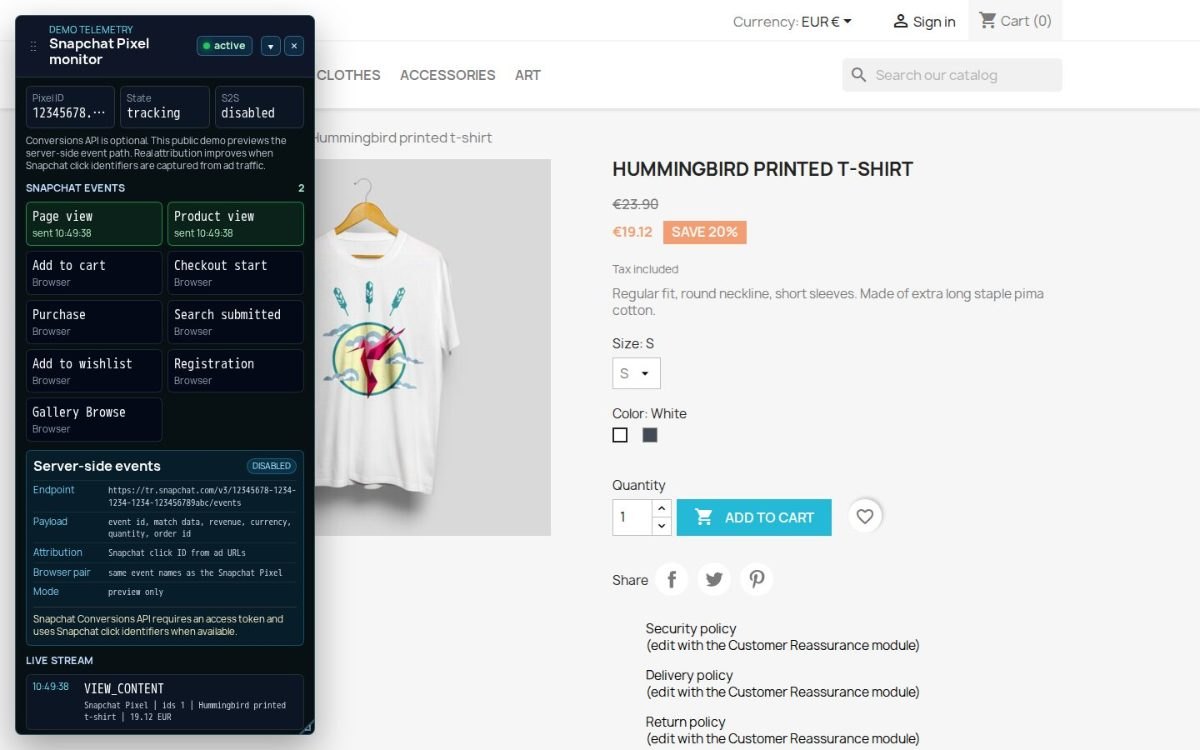
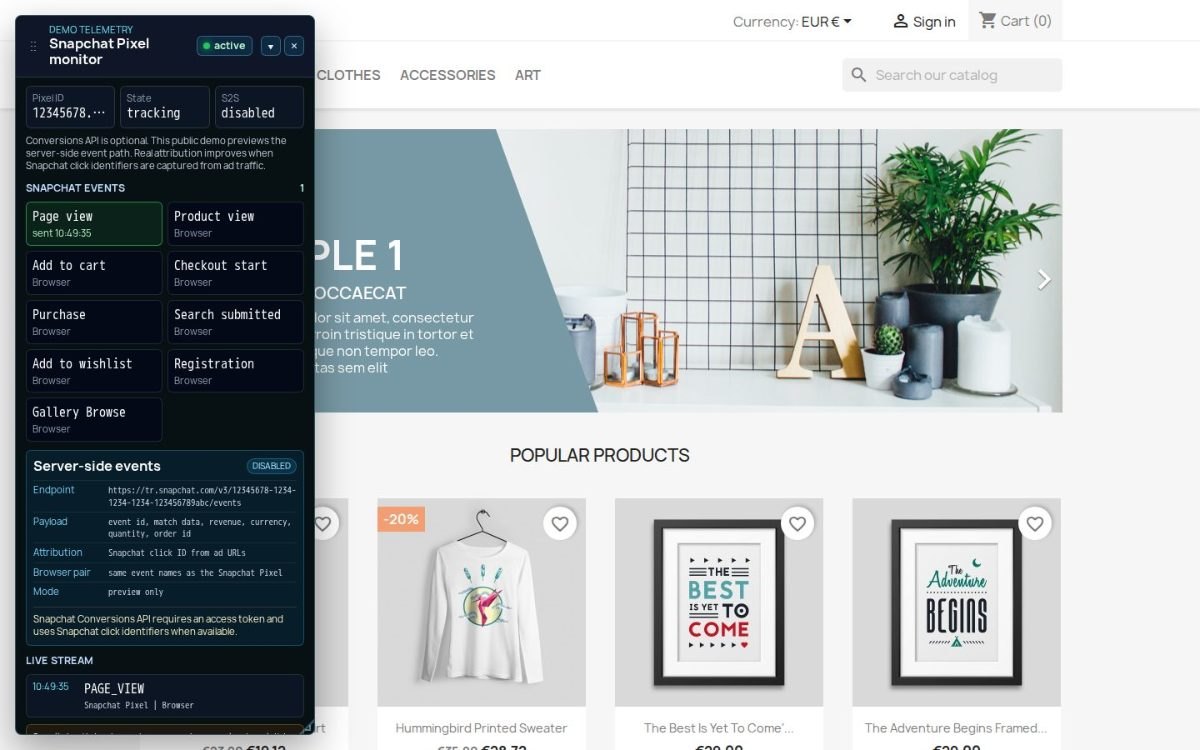
Snapchat Pixel reports shopping actions from your PrestaShop store to Snapchat Ads through the browser and directly from the shop. A Pixel ID and activation switch start measurement; an access token enables direct delivery.
Snapchat Ads uses these signals for campaign attribution, audiences and advertising optimisation. Its account and measurement tools are free, while campaigns spend the advertising budget you set.
You choose event scope, how tax and shipping enter purchase value, and which products enter catalogues by language and currency. Both delivery paths share a reference so one sale is counted once; failed deliveries wait for another attempt. Marketing consent comes from your store's separate consent solution.
Refund updates keep returned sales from remaining uncorrected in the campaign revenue used for advertising decisions.

Summary of what the module offers
Snapchat Pixel connects a PrestaShop store to Snapchat Ads and supplies the shopping signals used to understand, attribute and optimize advertising. The six parts of the module are mapped below.
- Shopping journey: visits, product views, cart and wishlist additions, checkout, search, registration, purchases and refunds.
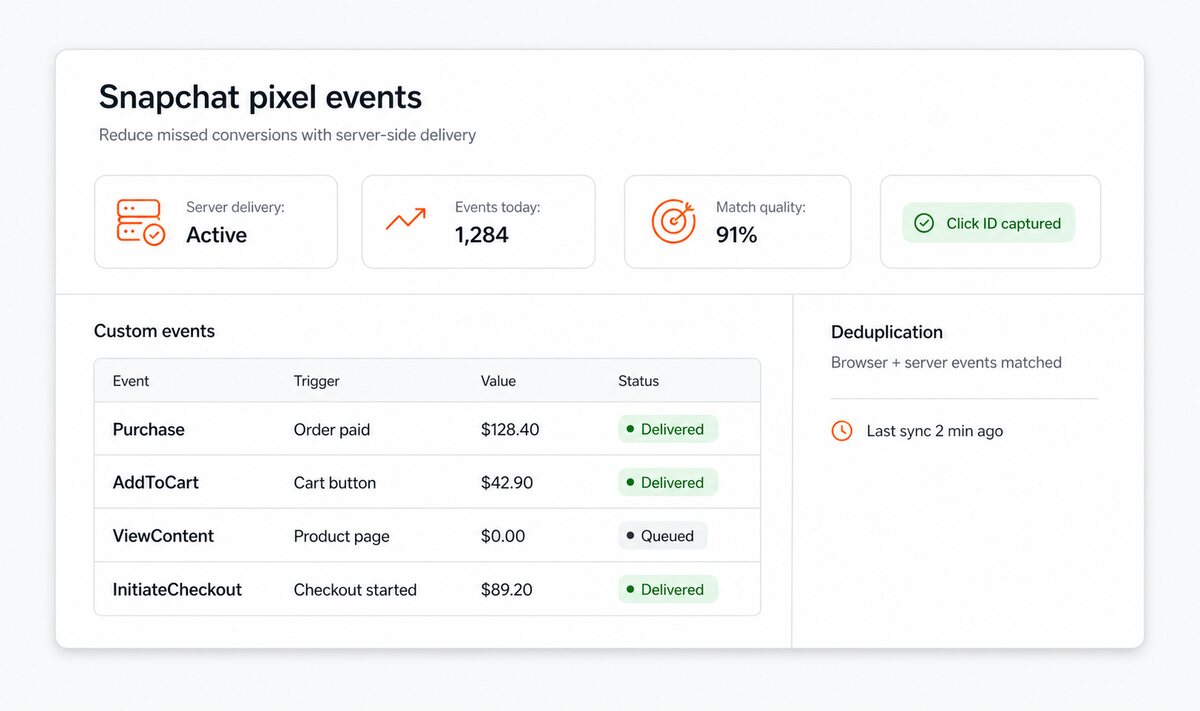
- Reliable sales: browser and direct store delivery share one reference and completed orders remain queued until accepted.
- Revenue and products: order value, cart contents, variants and catalog feeds give Snapchat useful commercial detail.
- Merchant control: event switches, page scope and up to twenty store-specific rules define what is measured.
- Visibility and privacy: readiness, delivery history, test mode, consent and staff exclusions keep tracking understandable.
- Simple start, deep setup: one screen launches the connection and also holds multistore, feed and migration controls.
How does a completed order stay visible when the browser stops?
The purchase enters the delivery queue as soon as PrestaShop validates the order. The confirmation page records the same purchase for the browser, and both copies carry one shared event reference. Snapchat therefore recognizes a single sale instead of losing it or counting it twice.
Direct store delivery retains the order while a connection is unavailable and makes further attempts with a controlled delay. The event includes order value, currency, item count, products, quantities, prices, brands and the order reference. Campaign reports then reflect revenue rather than only a count of confirmation pages that happened to finish loading.
Which product and revenue details reach Snapchat?
Product views include the selected variant, its current price, currency, product name and category. Cart and purchase events carry the line items and quantities, while purchase value follows the merchant's choice of tax, shipping and wrapping treatment. Paid order states decide when revenue is reported, and a later refund updates the advertising data instead of leaving a returned sale in the result.
The module also generates Snapchat catalog feeds for product ads. A separate feed is available for each store language and currency. Category and brand selection, stock status, minimum price, image size, title enrichment, description source, availability wording and campaign labels in links are configured in the shop panel, so the exported catalog matches both the range and the market it serves.
How precisely does the merchant decide what counts?
Every standard event has an independent switch and page scope. Homepage, category lists, product pages, cart and checkout are included or excluded separately. Cart and wishlist events follow the confirmed store result, including product, variant, quantity and value, so a rejected request or removal never looks like a successful addition.
Up to twenty custom rules cover actions unique to the store. A rule responds to a selected element, part of a page address, a PrestaShop page type, a page added by another module or a named action already produced by the shop. It receives a readable name and selected parameters, runs once or repeatedly, and uses the browser path, the direct store path or both.
How does the team know that tracking is clean and active?
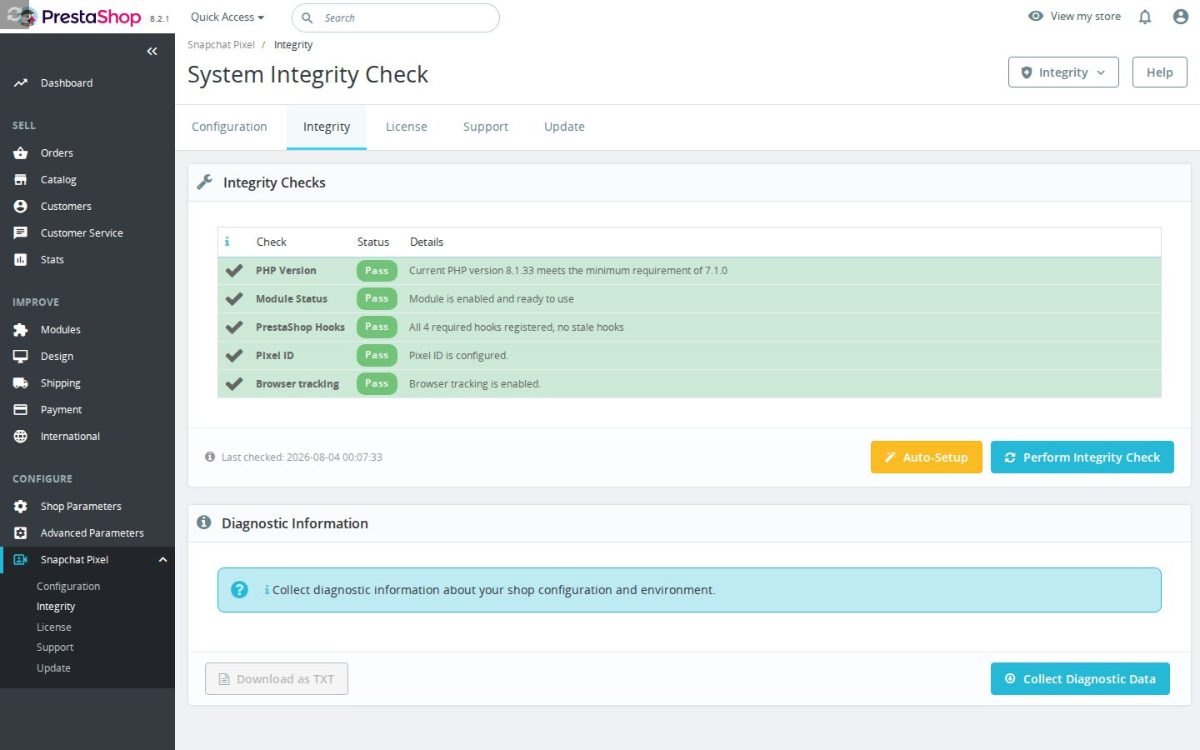
The readiness panel distinguishes an active connection from a missing identifier, disabled browser measurement, incomplete direct delivery or a stopped delivery process. The operational view shows pending, sending, accepted and failed totals together with recent events, attempts, responses and errors. Failed entries return to the delivery cycle with one action, while test mode displays what would fire without adding events to live campaign reports.
Marketing consent from the store's consent solution governs when Snapchat measurement loads, and denied attempts remain visible in diagnostics. MPR Cookies Revolution and MPR Cookie Banner have the separate job of collecting the shopper's marketing choice; Snapchat Pixel applies that choice to measurement. Staff traffic is excluded through employee context or selected office addresses. The module also recognizes another Snapchat tracker using the same Pixel ID and keeps one owner for the connection, preventing duplicate sales before they reach Snapchat.
What is needed for the first launch, and how far does configuration go?
The first useful setup needs installation, a Pixel ID from Snapchat and the activation switch. Direct store delivery adds its access token only when that second path is wanted. The module validates the required values and stays inactive when the connection is incomplete, so the status shown in the panel matches what runs in the shop.
The same screen opens the deeper layer: event scope, purchase-value rules, custom conversions, catalog feeds, consent, exclusions, test mode and delivery history. Settings are exported and imported for agency rollouts, and every shop in a multistore installation keeps its own identifiers, rules and feeds. Snapchat supplies the advertising account, audience tools, reporting, signal-quality guidance and campaign optimization; the module supplies the complete PrestaShop data those tools need.
-
Referencemprsnapchatpixel
-
Version1.5.0
-
Improvements149
-
Released
-
Updated
-
PrestaShop CompatibilityPS 1.6 – 9.x
-
Pricing ModelOne-time Purchase
-
Module TypeFront-office
-
GDPR RelevantYes
-
Business GoalMarketing & Retargeting
-
External Account NeededYes
-
Module ComplexityLightweight Widget
-
Customer Journey StageAttract Visitors
-
Works With PlatformAd & Analytics Networks
Be the first to share your experience with this product.
Connect your PrestaShop store to Snapchat Ads Manager with browser Pixel events and optional Snapchat Conversions API delivery. It helps you send ecommerce actions, custom interactions, and server-side conversion signals for Snapchat campaigns.
What do I need to start tracking, and where is my Snapchat Pixel ID?
Does it work with PrestaShop 1.6, 1.7, 8 and 9?
Do I have to enable the Conversions API, and what does it require?
Will it slow down my store?
Will I receive future updates?
What should I know about data, consent or store policy?
Can I track custom actions beyond the standard ecommerce events?
- AddedValidate Snapchat custom events
- AddedAdd Snapchat conversion cron readiness
- AddedAdd Snapchat Conversions API tracking
Works Well With Snapchat Pixel
Modules our team genuinely pairs with this one, and exactly why each belongs in the same setup.
Running the Snapchat Pixel with its CAPI path, your store measures Snap Ads against real events, tracking visits, product views, searches, add-to-cart and saved-item actions, checkout starts, sign-ups and purchases, including order value and currency where purchase tracking is available. That single-channel attribution is useful for optimising Snapchat, but it does not let you compare that spend fairly against the rest of your traffic from a neutral standpoint.
Google Analytics GA4 is a separate module that sends ecommerce activity to your GA4 property after validating the Measurement ID, covering product views, cart activity, checkout starts, purchases, searches, logins and account creation. It gives you channel-agnostic reporting where Snapchat sits alongside every other source in the same funnels and revenue view.
Used alongside the Snapchat Pixel, GA4 keeps Snapchat's conversion view for campaign tuning while showing how the channel performs against everything else. The payoff is store-wide context for your decisions: you optimise Snap campaigns with platform data yet judge their real worth from a neutral report, so you are never allocating budget on the strength of one platform's self-reported numbers alone.
A store using the Snapchat Pixel sends shopping events to Snap Ads and usually runs other marketing tags alongside it. Coordinating those tags manually across the theme is awkward and fragile, and the Snapchat Pixel only handles its own platform, so the wider mix of pixels and analytics snippets lacks any shared, event-aware structure to keep it consistent as it grows.
Google Tag Manager is a separate module that adds your GTM container and feeds it GA4-formatted ecommerce events from real shopping behaviour, giving surrounding marketing and analytics tags a consistent delivery layer. GTM supplies events to its configured tags, while this pairing uses the dedicated Snapchat module separately, so your dedicated Snapchat Pixel and its CAPI path stay exactly as configured.
Running both keeps the Snapchat Pixel intact while GTM organises the wider tag landscape. The payoff is a more maintainable setup: your Snapchat measurement stays independent and reliable, other tags live in a tidy structure, and adjusting your stack becomes far less likely to break existing tracking, freeing you to act on campaign data instead of firefighting snippet conflicts.
Because the Snapchat Pixel loads browser tracking and can send CAPI activity, a store using it collects marketing data EU shoppers should be able to accept or decline. The pixel applies the marketing choice supplied by a supported consent solution; Cookies Revolution adds the shopper-facing choices, script controls and decision ledger.
Cookies Revolution is a separate consent manager that collects and enforces choices for necessary, functional, analytics and marketing cookies. It blocks matching external and inline scripts before consent, reactivates allowed scripts once it is granted, and records each decision.
Used alongside the Snapchat Pixel, it holds marketing scripts until a shopper agrees and logs their choice, so your Snapchat measurement runs on a compliant foundation. The payoff is defensible tracking: you keep measuring shoppers who opt in, you have an auditable consent record, and consent handling stays a distinct layer rather than something wired into your campaign code, keeping both your data and your compliance position clean.
Snapchat Pixel not firing on Thank You page when order is paid via redirect
Easy return - no questions asked
Install, set up and take profit
Priority Help & Satisfaction Over Sales
You might also like
Who builds and maintains this module
Built and maintained by David Miller and mypresta.rocks. David Miller has worked with PrestaShop since 2013, and the company behind this shop has been registered since 3 December 2018. Every module in this catalogue is our own work, so your questions to support reach the people who wrote the code. The changelog on this page lists every update with its date.