


Add lightweight social sharing for Facebook, X, Pinterest and more to PrestaShop


Social Share Buttons is a module for PrestaShop stores that adds sharing controls to store pages and sends the right product or content address to the destination chosen by the shopper. Installation activates six useful destinations, so the first sharing row is ready as soon as the module is enabled.
A useful recommendation needs more than a bare address. The module carries the localized product name, the exact page and the selected product variant, together with the preview image, title and description. The recipient recognises what was recommended and returns directly to the relevant store page.
The module is simple to start and detailed to configure. Facebook, X, Pinterest, LinkedIn, WhatsApp and email are ready by default, while you control the active destinations, their order, additional sharing routes, page coverage, position and appearance. Separate settings keep each shop and audience aligned with its own market.
Prepared sharing text is written separately for every store language. Social destinations open their own sharing window in a new tab, while email opens the visitor's mail application. No social platform receives a request before the shopper clicks, and the controls remain clear on phones, with keyboards and through screen readers.
The result is easier product recommendation, referral visits arriving with useful context, customer privacy before the click, and a quick launch with enough control for multilingual and multistore catalogues.
Summary of what the module offers
Social Share Buttons gives a PrestaShop store a controlled sharing surface for products and other selected pages. Useful defaults appear immediately, while destinations, message content, previews, placement, appearance, language and shop scope remain under the merchant's control.
- Share content: the exact page, localized name, prepared message and visual preview travel together.
- Destinations: six ready choices, additional sharing routes and separate ordered sets for different audiences.
- Placement: page coverage, position, layout and mobile visibility match the store rather than a fixed widget.
- Privacy: social platforms receive nothing from the page until the shopper chooses one.
- Store context: language-specific content and shop-specific settings keep every market distinct.
- Operation: immediate defaults, a visual preview and built-in diagnostics support both launch and ongoing use.

What reaches the recipient with each share?
A product share contains the localized product name and its exact store address. When the shopper is viewing a selected variant, that choice remains in the destination. A category, article or other selected page travels with its own title and address, so the recipient returns to the content that prompted the recommendation.
The merchant defines the accompanying sentence separately for every store language. Preview controls set the image, title and description that identify the page when the destination presents a preview. A German recommendation therefore arrives in German with the relevant product image, rather than as an unexplained address.
Facebook, X, Pinterest, LinkedIn and WhatsApp open their sharing view in a new tab. Email opens the visitor's own mail application with a prepared subject and message. The action leaves the store only after the shopper has selected a destination.

Which destinations fit each audience?
Facebook, X, Pinterest, LinkedIn, WhatsApp and email are ready after installation. Each destination is switched on or off and placed in the required order. Additional destinations use their own name, icon and sharing address while retaining the same privacy boundary.
Different button sets serve different contexts. A visual catalogue gives Pinterest and WhatsApp prominent places, a business catalogue leads with LinkedIn and email, and another shop in the same installation follows its own selection. The merchant controls these choices rather than showing every option to every visitor.
Labels, prompts and prepared messages follow the active store language. Every market therefore receives a concise set of familiar routes and wording written for that audience.

Where and in what form do the controls appear?
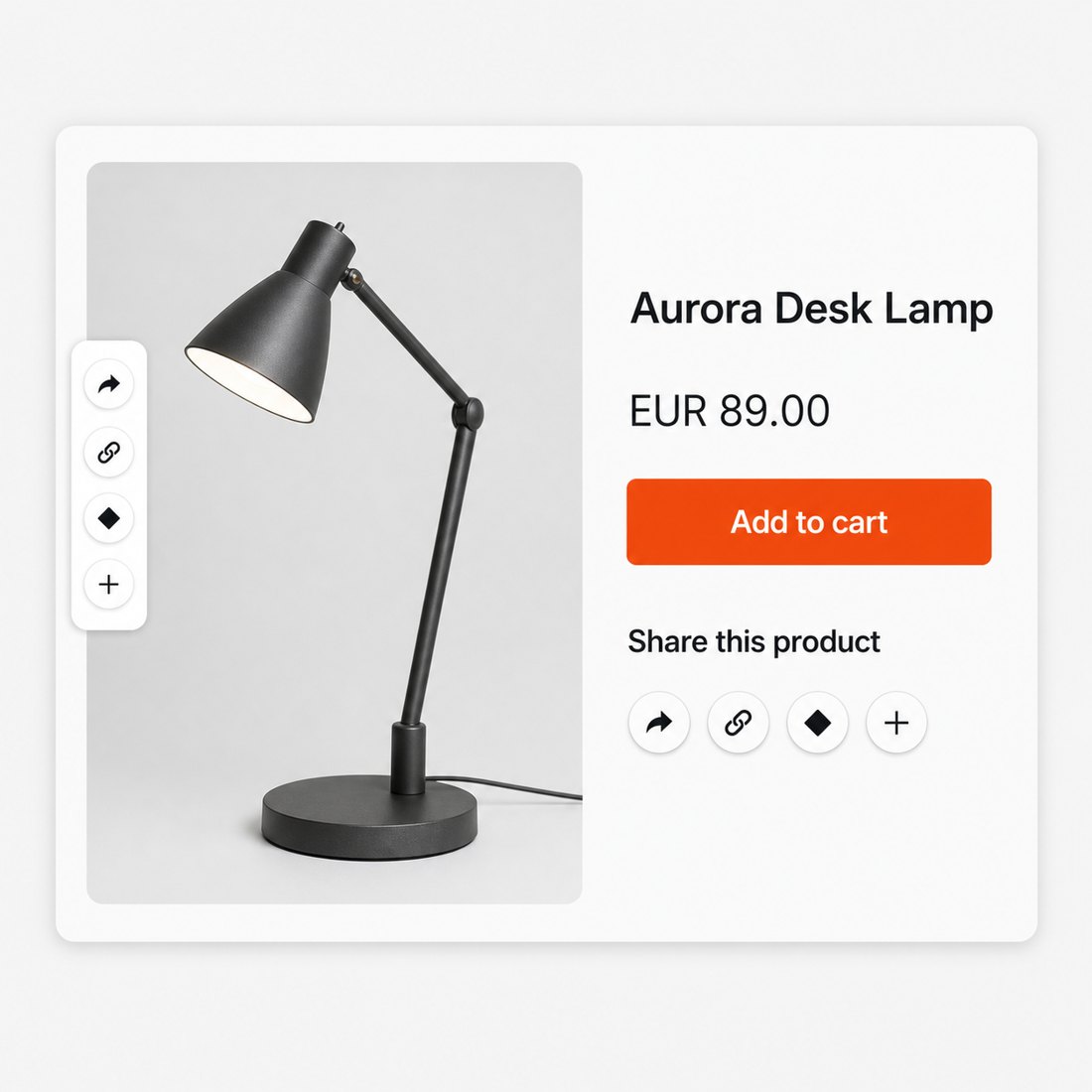
The sharing surface covers product pages, the home page, categories, blog articles and other selected content. Separate sets sit beside product information, within page content, in a side position or as a floating row. When a theme exposes two suitable product positions, the same set appears only once.
Appearance settings cover icon or icon-with-name display, colour, size, shape, spacing, horizontal or vertical arrangement and left or right placement. Mobile visibility is controlled separately, and the row wraps cleanly when the available width becomes smaller.
A live preview shows the result before publication. One shop starts with the ready circular buttons, while a richer brand system receives detailed control without requiring a storefront redesign.
What information reaches social platforms before the click?
Nothing is sent to Facebook, X, Pinterest, LinkedIn or WhatsApp merely because a store page was opened. The buttons are ordinary links styled by the module, and the selected destination is contacted only after the shopper activates its control.
The module creates no visitor profile, sharing history or tracking cookie. Preview information belongs to the store page and does not require a social platform to watch the visit. This keeps a recommendation route available without turning every product view into a third-party contact.
Every control carries a clear accessible name and a visible keyboard focus. External destinations open safely in a new tab, email stays with the visitor's mail application, and touch-sized controls remain usable on narrow screens.

How does a quick start grow into precise store control?
Installation enables a complete six-destination set, so the module produces a useful result before any detailed work begins. The administration screen then brings destination choice, order, message text, previews, page scope and appearance into one workspace.
Language and shop scope stay separate. The merchant prepares different wording and destination sets for each language, applies settings to one shop or a shop group, and keeps another storefront independent. Multiple sets cover different pages without accidental duplicate output.
The module area also includes installation checks and support diagnostics for shop, server and database information. Simple stores remain with the ready defaults, while larger catalogues gain the controls and evidence needed to keep sharing consistent across themes, languages and shops.

-
Referencemprsocialshare
-
PrestaShop CompatibilityPS 1.6 – 9.x
-
Pricing ModelOne-time Purchase
-
Module TypeFront-office
-
GDPR RelevantNo
-
Business GoalIncrease Traffic
-
External Account NeededNo
-
Module ComplexityLightweight Widget
-
Customer Journey StageAttract Visitors
-
Works With PlatformSocial Media
What customers say about us
Company reviews
5.0
★
★
★
★
★
(4 reviews)
Loading customer reviews...
No product reviews yet
Be the first to share your experience with this module.
Write a Review
Add clean sharing buttons for Facebook, X, Pinterest, WhatsApp, LinkedIn, and email to your PrestaShop product pages. The module uses native share links, so your store does not load social platform scripts, tracking pixels, or external front-office JavaScript.
Have a question about this product?
Our experts are here to help. Ask anything about installation, compatibility, or specifications.
1315
questions
9
categories
v1.0.182026-05-27
- Addedcomplete FR/DE/ES/IT/PL translations
Loading full changelog...
Works Well With Social Share Buttons
Modules our team genuinely pairs with this one, and exactly why each belongs in the same setup.
Complement
Adding the free Social Share Buttons shows you want shoppers to spread your products, using lightweight links for Facebook, X/Twitter, Pinterest, LinkedIn, WhatsApp and email that share the current product URL without loading heavy social SDKs. Your reach grows when visitors pass products to others.
Facebook Posts Integration works the opposite direction, bringing your social presence into the store. It fetches recent Facebook page posts using your Page ID and a secure connection key, saves a refreshed feed, and displays them in grid, list or slider layouts in placements you choose. It is a separate, paid module that shows your activity rather than helping shoppers share.
Together they connect your store and your Facebook presence both ways. The share buttons let visitors push products out to their own networks, while the posts feed shows that your brand is active and current right on the storefront, so social proof and outward sharing both stay close to the buying path.

Measurement
The free Social Share Buttons help shoppers distribute your products by sharing the current product URL to Facebook, X/Twitter, Pinterest, LinkedIn, WhatsApp and email. They are about spreading reach, but they do not tell you what happens when that traffic returns.
Facebook Pixel handles measurement, a separate job. It connects your store to Meta Ads with browser events and optional server-side purchase delivery, tracking actions such as PageView, ViewContent, AddToCart, InitiateCheckout and purchases, so you can see whether Facebook and Instagram traffic becomes carts and orders. The share buttons distribute while the pixel measures; they do not wire together.
Run alongside each other, they cover both sides of working with Facebook and Instagram. The buttons help shoppers send products into those networks, and the pixel measures how visitors from Meta behave once they reach your store, so you can judge that traffic on store actions rather than guessing from shares alone.

Measurement
With the free Social Share Buttons, you are encouraging shoppers to pass products around, including to Pinterest, by sharing the product URL without loading social SDKs. That widens reach, but sharing alone does not reveal whether the resulting visits turn into sales.
Pinterest Tag covers the measurement side independently. It connects your store to Pinterest Ads with CAPI support, starting browser tracking once a numeric Tag ID is stored, and can report product and category views, searches, carts, wishlist actions, checkout steps, sign-ups and completed orders. The share buttons distribute content while the tag measures behaviour; they remain separate tools.
Used together, they let you both grow Pinterest reach and understand it. The buttons help shoppers send products to Pinterest, while the tag measures how Pinterest Ads traffic behaves in your store, so any spend or organic interest can be judged on real shopping actions rather than visits or shares alone.

Complement
Running the free Social Share Buttons means you want products travelling outward to social audiences, with quick share links to Pinterest among others, directly from the product page. That is about pushing your catalogue into shoppers' own networks.
Pinterest Feed Integration brings Pinterest content the other way, into your store. It fetches selected pins, boards or RSS content and displays them in the storefront so shoppers see visual inspiration without leaving, and it can optionally publish products to Pinterest when publishing details, a board ID and a caption template are configured. It is a separate, paid module focused on display and optional publishing.
Together they keep your store and Pinterest connected in both directions. The share buttons let visitors send your products to Pinterest, while the feed shows curated Pinterest visuals on your storefront, so social inspiration stays close to the buying journey alongside the outward sharing you already offer.
 30 days return right
Easy return - no questions asked
 Plug & Play Modules
Install, set up and take profit
 Dedicated Support First
Priority Help & Satisfaction Over Sales
You might also like


