Yandex Metrica

PrestaShop Yandex Metrica module, ecommerce goals, purchase revenue and a queued server-side fallback

Price: €49.00
Tax excluded

Yandex Metrica sends your PrestaShop shopping journey to Yandex and retries delivery of eligible approved purchases. A numeric counter ID and one switch start measurement; an optional Yandex token enables the purchase backup.

Yandex Metrica is a free analytics service covering traffic, products, orders and advertising results, with recordings, click maps and form analysis. The separate paid Pro plan is not required.

You switch nine shopping actions on independently, name the purchase goal and define up to fifteen custom goals. Marketing consent governs measurement and purchase delivery, staff visits stay excluded, and each shop keeps separate settings. The purchase queue shows waiting, accepted and failed reports and retries unsuccessful deliveries.

A temporary delivery fault leaves a visible purchase to retry instead of silently removing that order from your reporting.

Product availability: In stock
Instant Live Demo Real store, ready in ~1 min See how it works in a few clicks. We spin up a real PrestaShop store on our own infrastructure in about a minute (with the module installed and demo data loaded) so you can click around and try everything, nothing to set up.
Buying as a company? €39.20 Business 20% Apply for Partner Account
Share
verified Lifetime license per domain, yours forever. Includes 3 months support & updates. Learn more
The demo is the complete module: buy anytime and activate the same installation, nothing to reinstall and nothing lost. Open the module's License tab and click "Activate from mypresta.rocks" (or paste your key); your settings and data stay exactly as they are. Updates install in one click from the Update tab.
build Professional Setup We fully configure the module to your needs: all options set, tested & verified within 1 business day. +€29.00
palette Visual Integration CSS & template adjustments to match your theme: includes cross-device verification and screenshot review. +€49.00
Options total: €0.00
Selected total: €49.00

How does the module protect the sales picture?

Yandex Metrica connects a PrestaShop store to the Yandex service and protects every consent-eligible approved purchase with shop-managed retries, so a failed first delivery does not erase revenue from campaign reports.

  • Purchase resilience: approved orders enter a visible queue and failed deliveries return automatically.
  • Service value: Yandex turns the supplied shop activity into traffic, behavior, ecommerce and advertising reports.
  • Shopping signals: nine standard actions and up to fifteen store-specific goals describe the path to an order.
  • Delivery evidence: waiting, sending, accepted and failed purchase reports remain visible in the shop.
  • Clean measurement: consent, staff exclusion, counter ownership and separate shop settings control whose activity is reported.
  • Simple start, deep control: one counter ID starts measurement, while diagnostics and advanced settings govern every part later.
Back Office readiness panel with counter ID, tracking status and consent checks

What does the module add to Yandex Metrica?

Yandex Metrica supplies the hosted analysis. Its reports show where visitors come from, which pages and products they use, what reaches the cart, which orders are completed and how much revenue each source produces. Webvisor replays recorded visits, click and scroll maps combine page interactions, and form analysis exposes where fields slow people down.

The standard Yandex Metrica service is free. Yandex Metrica Pro is a separate paid plan for larger limits, real-time data transfer, centralized tag access and unsampled reports; the module needs neither that plan nor another reporting service.

The module gives those Yandex reports their PrestaShop meaning. It connects the selected counter to products, searches, carts, wishlists, checkout, customers and approved orders, then keeps important purchase delivery under the shop's control.

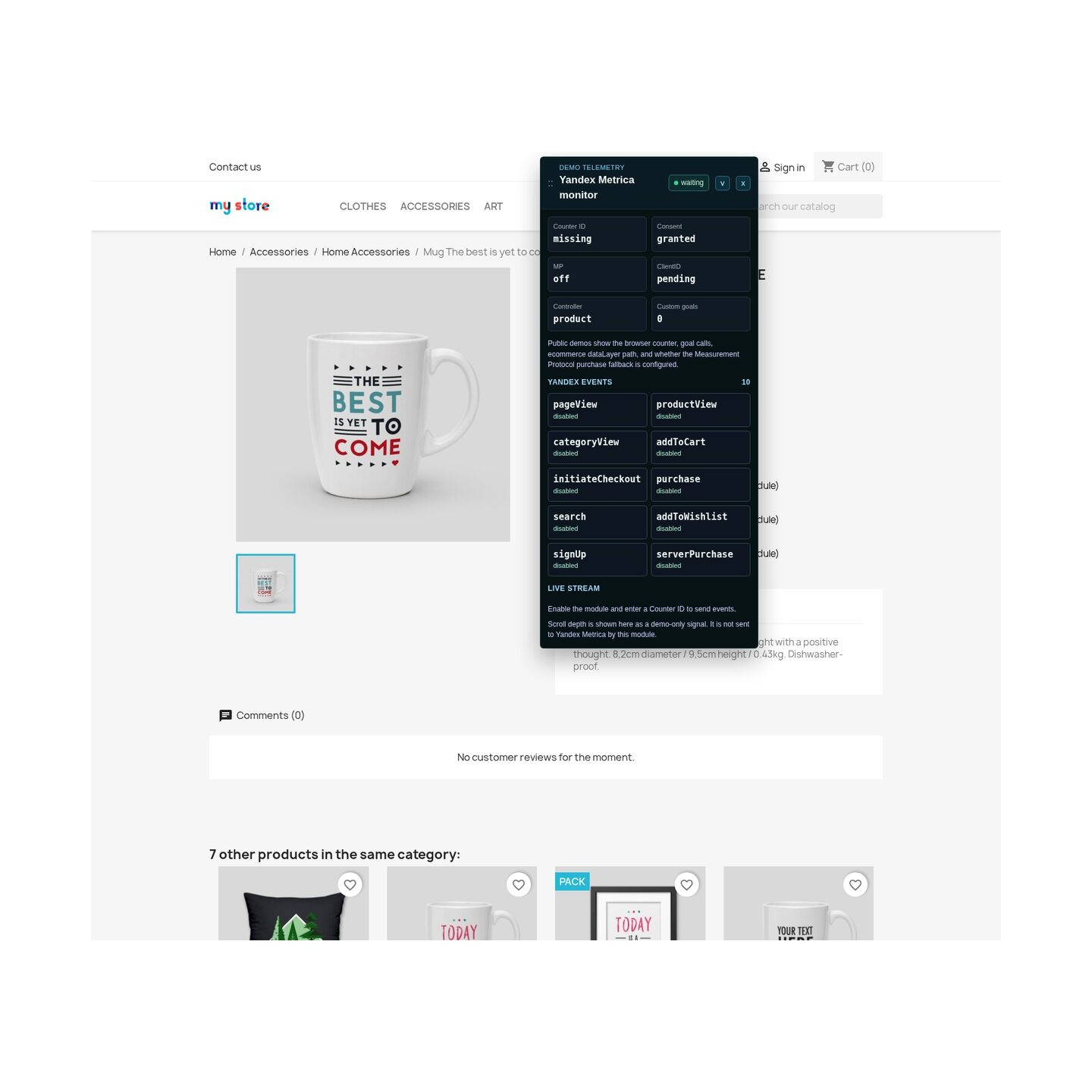
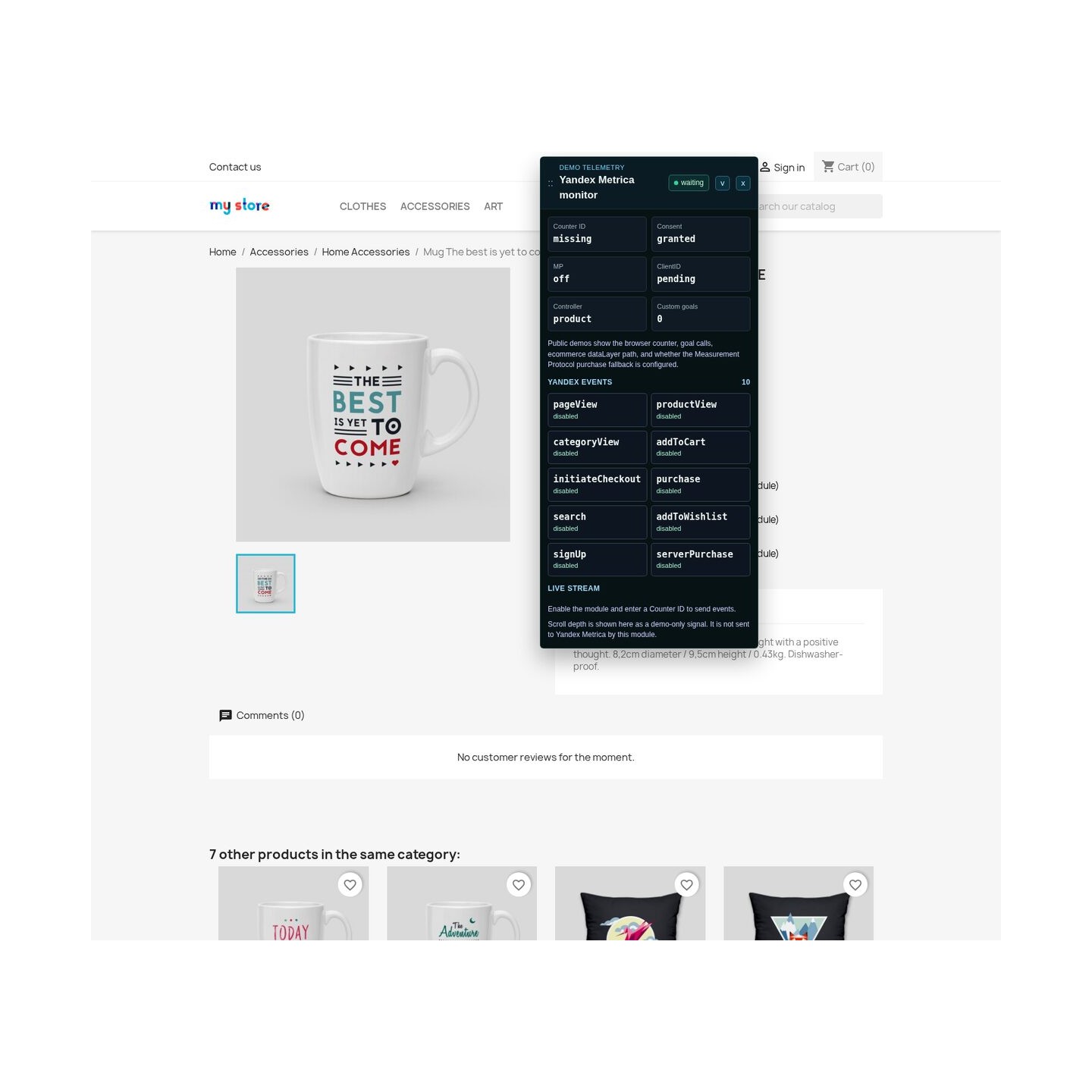
Storefront monitor showing product view and add-to-cart data sent to the Yandex counter

Which shop actions become useful sales signals?

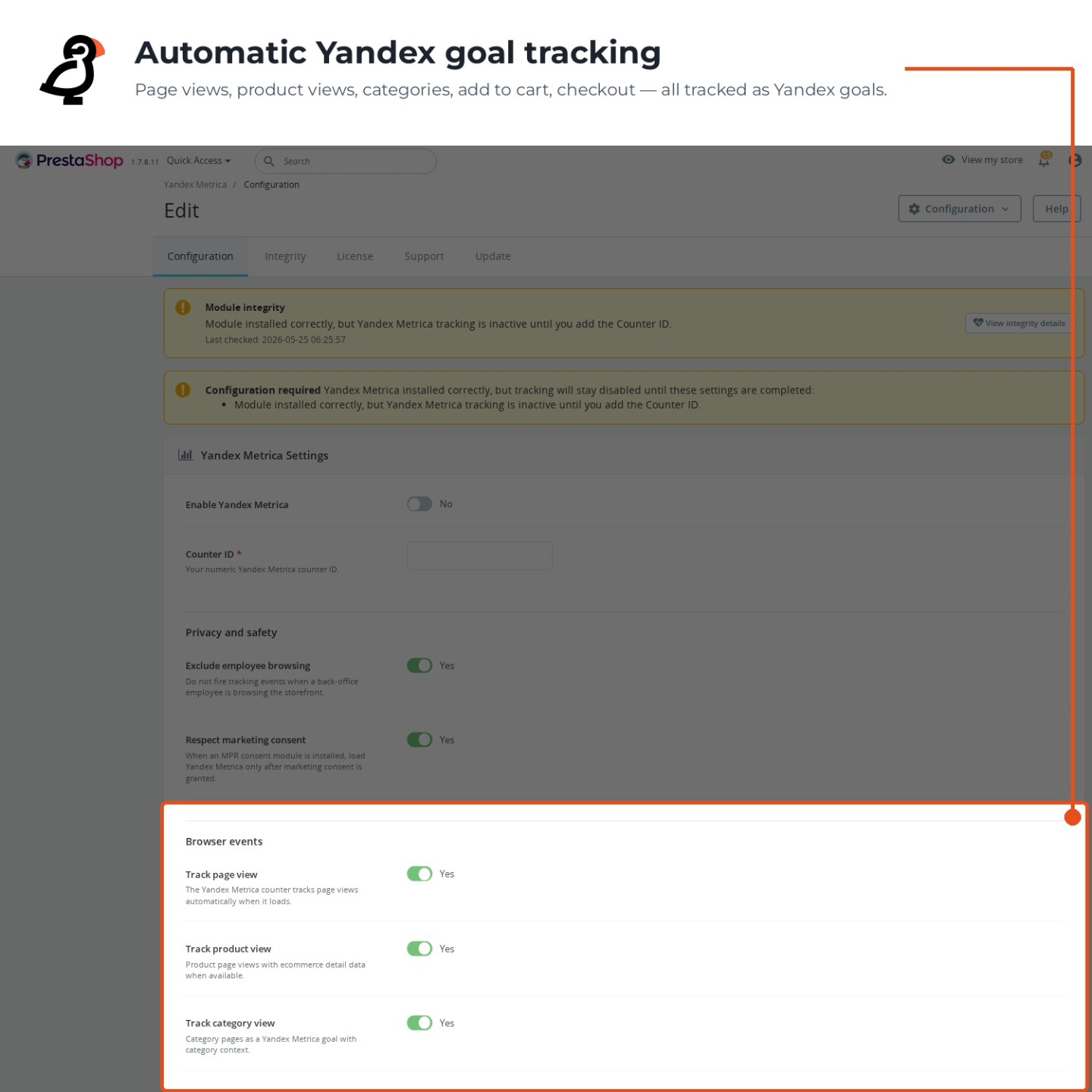
Nine independent switches cover page view, product view, category view, successful cart addition, successful wishlist addition, checkout start, search, account creation and purchase. Cart and wishlist actions are reported only after the store confirms the change, with the correct product and quantity. The page-view switch controls page reporting itself rather than merely changing a label.

You choose the purchase goal name and define up to fifteen additional goals for the moments particular to the store. A rule responds to a selected element, part of a page address, a chosen page type or a named action already produced by the storefront. A quote request, newsletter signup, telephone link, finance tab or completed configurator therefore appears under a readable business name.

The module validates every target before saving it and isolates a faulty rule from the others. Standard measurement remains quick to enable, while a mature store gains the vocabulary needed to answer its own conversion questions.

Back Office screen defining custom goals with click and URL triggers

What happens when a purchase report fails?

Every consent-eligible approved order enters the purchase queue, including a guest whom Yandex had not previously identified. The record carries the order reference, gross revenue, currency and as many as fifty product lines. A stable visitor identity keeps the order connected to the same reporting path.

The first delivery run starts immediately. If Yandex or the network refuses that attempt, the record remains in the queue and the automatic sender returns to it, with no more than six attempts. The shop shows what is waiting, in progress, accepted or failed, together with the response that explains a rejection.

This is the module's strongest difference: an interrupted confirmation page or temporary delivery fault becomes visible work for the queue instead of a silent hole between PrestaShop revenue and the Yandex report.

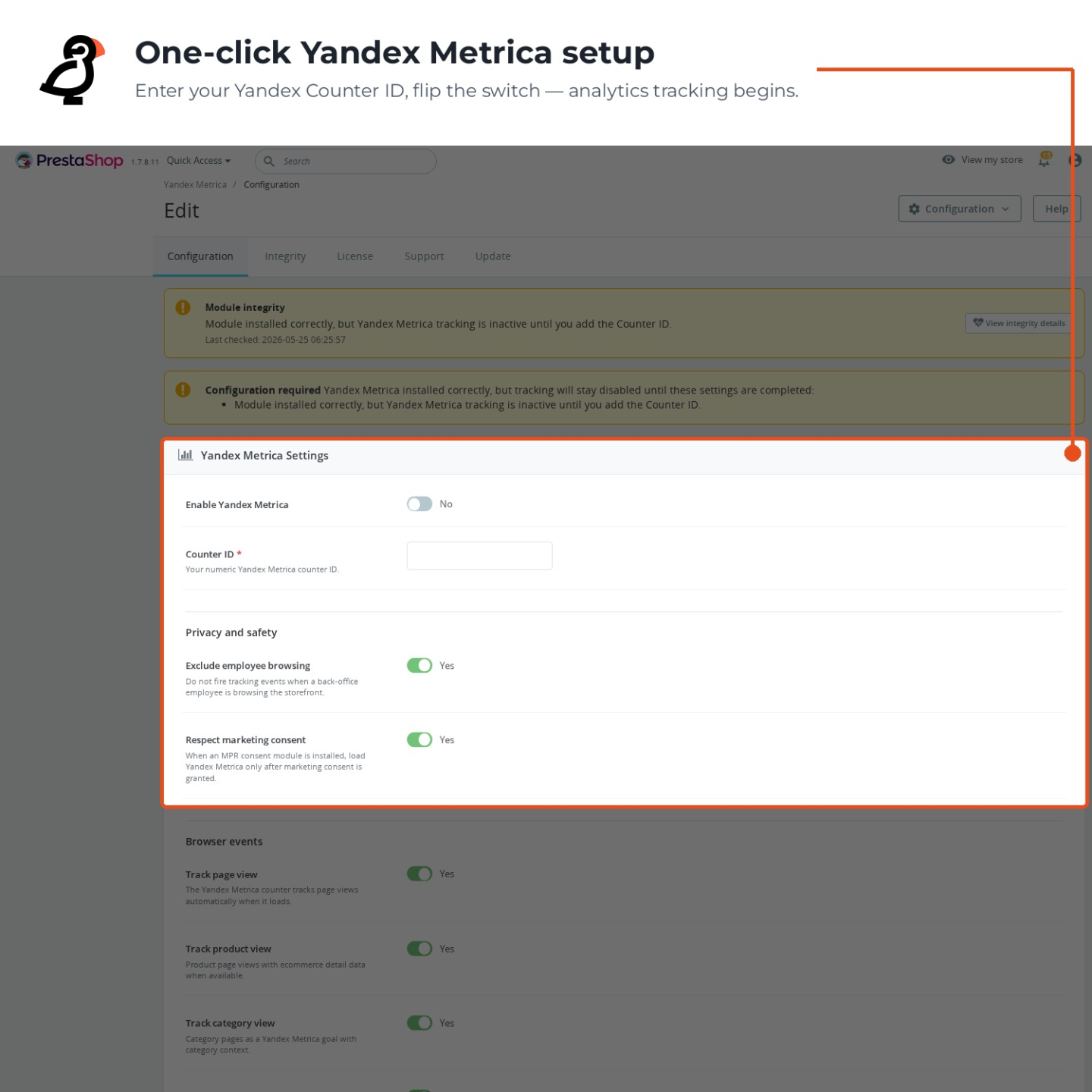
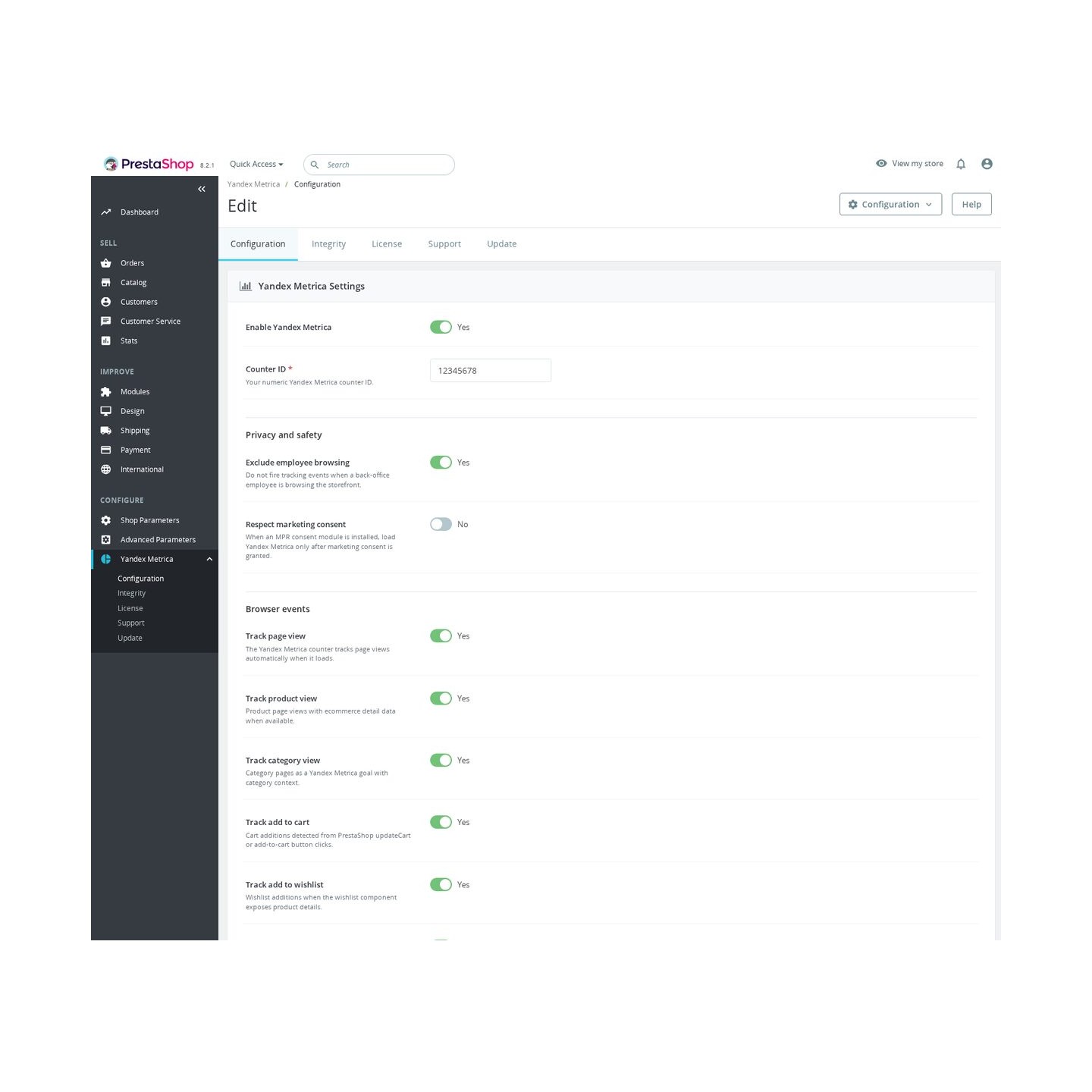
The Yandex Metrica configuration screen

When does measurement start and whose visits stay out?

MPR Cookies Revolution and MPR Cookie Banner pass the current marketing decision to the module. Consent granted on the open page starts Yandex measurement immediately; withdrawal stops later shop actions and purchase delivery without waiting for another page. The same choice governs both the storefront and the retry queue.

Staff exclusion covers ordinary administration, previews and impersonation work, so price checks and test orders do not enter customer reports. When another supported MPR module uses the same Yandex counter, ownership selects one sender and the configuration screen names the conflict.

In a multistore installation, each shop has its own counter, goal names, consent behavior, purchase credentials and delivery view. One brand's traffic and queue history therefore stay separate from another brand managed in the same PrestaShop installation.

Yandex Metrica on a shop product page

How does a quick setup grow into precise control?

Everyday measurement starts with installation, a numeric counter ID and the activation switch. The optional purchase backup adds one token created in Yandex. Invalid identifiers are rejected, and tracking stays inactive until the required value is complete.

The same screen later controls nine standard actions, the purchase goal name, merchant-defined goals, consent behavior, staff exclusion, the amount processed in one delivery run and the active shop. There is no second setup when the store moves from basic reports to a detailed measurement plan.

The readiness view tests the effective storefront state, the Yandex connection, every custom target, consent, duplicate ownership, purchase credentials, queue health and automatic delivery. It distinguishes configured from active, consent-blocked, staff-excluded, invalid or rejected, so the merchant sees the reason before missing figures guide a budget decision.

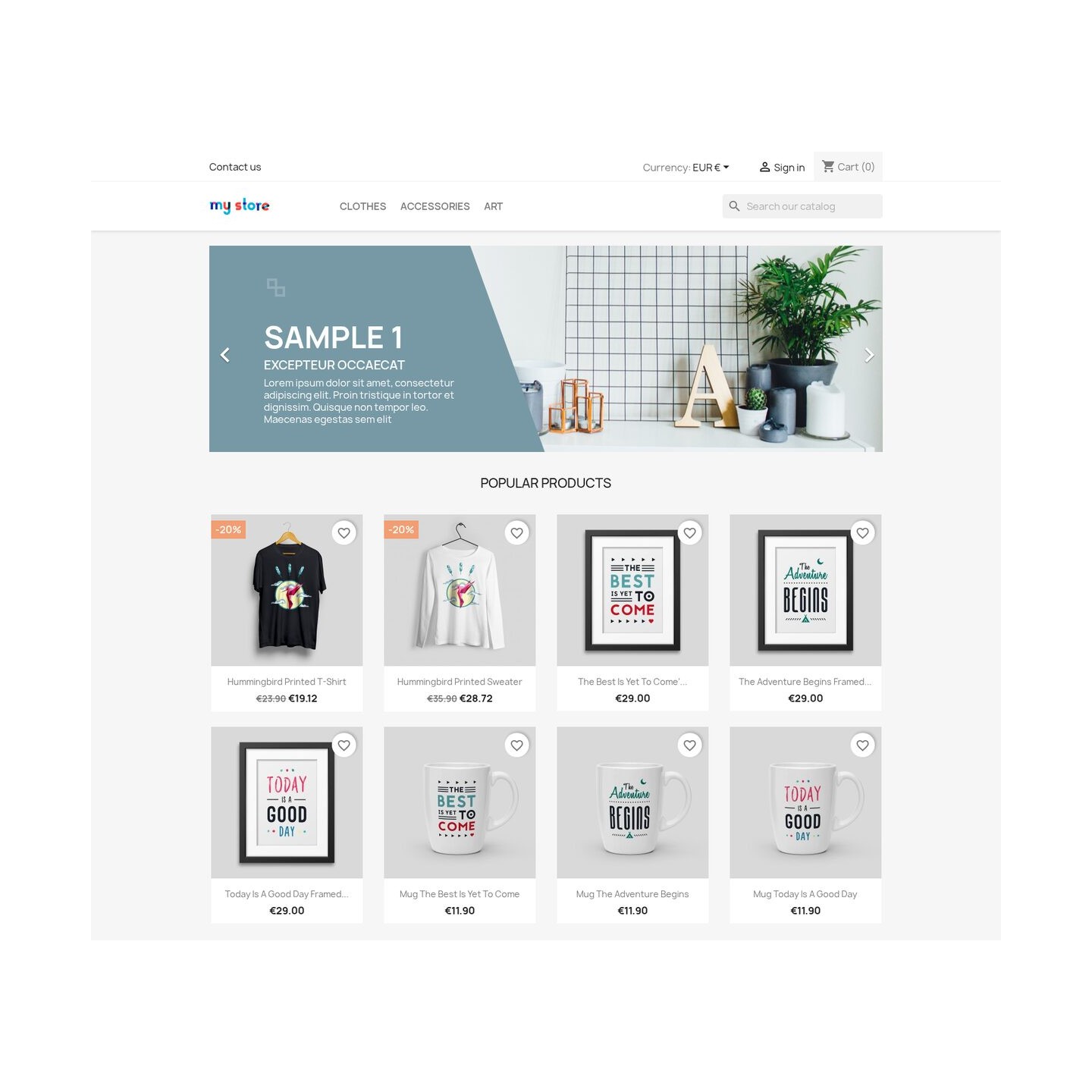
Yandex Metrica on the shop front page
  • Reference
    mpryandexmetrica
  • Version
    1.3.2
  • Improvements
    155
  • Released
  • Updated
  • PrestaShop Compatibility
    PS 1.6 – 9.x
  • Pricing Model
    One-time Purchase
  • Module Type
    Front-office
  • GDPR Relevant
    Yes
  • Business Goal
    Marketing & Retargeting
  • External Account Needed
    Yes
  • Module Complexity
    Lightweight Widget
  • Customer Journey Stage
    Attract Visitors
  • Works With Platform
    Ad & Analytics Networks

What customers say about us

Company reviews
5.0 ★ ★ ★ ★ ★ (4 reviews)
Customer Reviews for PrestaShop Modules and Support
No product reviews yet

Be the first to share your experience with this product.

Write a Review Customer Reviews for PrestaShop Modules and Support

Yandex Metrica connects your PrestaShop store to a Yandex Metrica counter so you can see page activity, product interest, cart actions, searches, sign-ups, and completed orders in one analytics account.

Have a question about this product? Our experts are here to help. Ask anything about installation, compatibility, or specifications.
Ask a question
1350 questions
9 categories
Does it include heatmaps and session recordings? Published
The module installs the standard Yandex Metrica counter on your storefront, which is what powers Yandex features like heatmaps and Webvisor session recordings. Those features themselves are turned on and viewed inside your Yandex Metrica account, not in the module. The module's job is to add the counter correctly, respect consent and staff exclusion, and send the ecommerce and goal events.
What does the server-side purchase fallback do, and what does it need? Published
Browser tracking can be blocked by ad blockers or interrupted connections, so purchases are sometimes missed. When you enable the Measurement Protocol option and provide a valid Counter ID and API token, the module also sends confirmed orders to Yandex from your server. It only sends when a Yandex visitor ID is available from the cookie, and delivery is queued and retried by a cron task, so it reduces missed purchases but does not guarantee that every single one is captured.
Which storefront events can it track, and can I turn them off individually? Published
You choose what is tracked. The module has separate switches for page views, product views, category views, add to cart, add to wishlist, checkout start, on-site search, purchases and account sign-ups, plus optional custom goals. Each one can be enabled or disabled independently in the Back Office, so you can keep tracking focused on the events that matter for your reports.
Does it work with PrestaShop 1.6, 1.7, 8 and 9? Published
Yes, Yandex Metrica is intended for PrestaShop 1.6, 1.7, PrestaShop 8 and PrestaShop 9. It is configured from the Back Office and sends selected storefront events to Yandex Metrica. The exact set of events you see depends on which options you enable.
Does it slow down my store? Published
The module loads Yandex Metrica tracking only when configured and allowed by consent settings. Any analytics script adds some browser work, but the module gives you control over whether tracking is active and which events are sent. Staff exclusion and readiness checks also help keep the data cleaner so the performance cost is tied to useful measurement.
Will future updates affect my tracking setup? Published
Your Counter ID, event choices, custom goals and optional server-side settings are managed inside the module. Future updates can improve compatibility, diagnostics or event handling without requiring theme snippet edits. After updates, use the readiness panel again so you are not trusting stale assumptions about tracking.
Is it GDPR compliant by default? Published
No analytics module can make a store compliant by itself because compliance depends on your legal basis, consent banner, privacy policy and regional obligations. This module can wait for shopper consent from your consent module and exclude your own staff. You should configure those options and update your privacy information to match your use of Yandex Metrica.
v1.2.42026-09-15
  • AddedQueue Yandex measurement protocol purchases
  • AddedAdd Yandex Metrica conversion tracking
  • Addedcomplete FR/DE/ES/IT/PL translations

Works Well With Yandex Metrica

Modules our team genuinely pairs with this one, and exactly why each belongs in the same setup.

Workflow

A store using Yandex Metrica measures ecommerce activity, custom goals and purchases in markets where Yandex reporting genuinely matters, building data from page, product and checkout actions. Metrica is a capable analytics destination, but it is one endpoint; stores of any size also run additional marketing tags that benefit from organised, event-aware delivery rather than being scattered as separate snippets throughout the theme.

Google Tag Manager is a separate module that adds your GTM container and feeds it GA4-formatted ecommerce events from real product views, cart changes, checkout starts, purchases, searches, logins and sign-ups. It gives your wider tag stack a single, consistent delivery layer, keeping the marketing tags around Metrica tidy as they multiply.

Used alongside Yandex Metrica, GTM keeps the two roles distinct: Metrica remains your primary analytics view for its markets while the container orchestrates the other tags around it. The payoff is a cleaner, more maintainable setup where your regional analytics reporting is not entangled with campaign snippets, adding or changing tags is lower risk, and each tool does the job it was built for instead of one being stretched to cover both.

Hotjar
€129.00
Measurement

Running Yandex Metrica, your store already measures ecommerce activity, custom goals and purchases, so you can see which products, searches and checkout steps contribute to revenue in the markets you care about. Those numbers reliably show where behaviour changes, but they cannot reveal the on-page cause, and without that detail it is difficult to move from noticing a weak step to fixing it with any confidence.

Hotjar is a separate tool that ties heatmaps and session recordings to real shopping context, exposing friction on product pages, checkout steps, forms and calls to action. It adds another qualitative view alongside Metrica’s own recordings, maps and form analysis, letting you observe individual journeys through exactly the steps your data flags as problematic.

Used together, they let you find a weak step in Metrica and then watch Hotjar recordings of that step to see what is actually going wrong. The payoff is diagnosis grounded in two kinds of evidence: Metrica tells you where and how much, Hotjar tells you why, so you prioritise improvements by measurable impact and implement them based on real, visible shopper behaviour rather than assumptions.

Governance

A store using Yandex Metrica is collecting ecommerce behaviour data, and EU visitors should be able to accept or decline that tracking. Metrica measures activity; it does not present and enforce a category-based consent choice across all the scripts your store loads, so on its own it leaves you without a dependable gate for the analytics and marketing cookies a real storefront tends to accumulate over time.

Cookies Revolution is a separate consent manager that collects and enforces choices for necessary, functional, analytics and marketing cookies. It blocks matching external and inline scripts before consent, reactivates allowed ones afterwards once it is granted, and records each decision.

Used alongside Metrica, it keeps measurement and consent enforcement as separate layers, holding scripts until a shopper agrees and logging their choice. The payoff is a compliant foundation you do not have to assemble by hand: you keep measuring visitors who opt in, you have an auditable consent record, and you avoid editing what loads before someone agrees, so privacy handling sits cleanly beside your analytics rather than inside it.

0 open1 resolved
Report an issue
Yandex Metrica webvisor records password fieldsResolved2026-03-20
View all known issues

Feature Requests: 6

View full roadmap

Suggest a Feature

30 days return right
Easy return - no questions asked
Plug & Play Modules
Install, set up and take profit
Dedicated Support First
Priority Help & Satisfaction Over Sales

You might also like

SEO Revolution
€299.00
Blog Revolution
€299.00
More From This Category
Bing UET Tag
€49.00
Microsoft Clarity
€129.00
Hotjar
€129.00
Matomo Analytics
€129.00

Who builds and maintains this module

Built and maintained by David Miller and mypresta.rocks. David Miller has worked with PrestaShop since 2013, and the company behind this shop has been registered since 3 December 2018. Every module in this catalogue is our own work, so your questions to support reach the people who wrote the code. The changelog on this page lists every update with its date.

About us

Loading...
Back to top