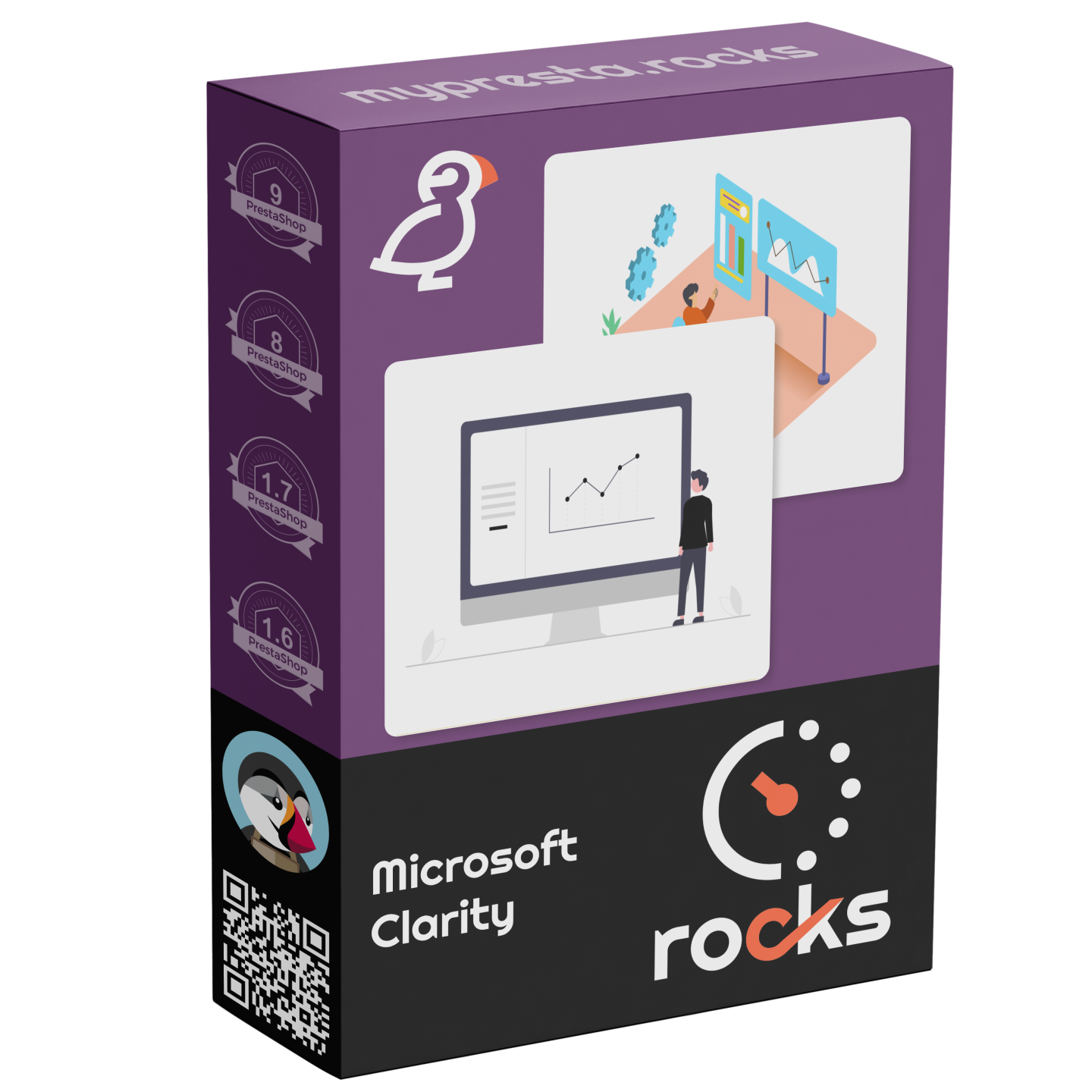
Microsoft Clarity

Visualize User Behavior with Heatmaps and Session Recordings via Clarity

Price: €129.00
Tax included

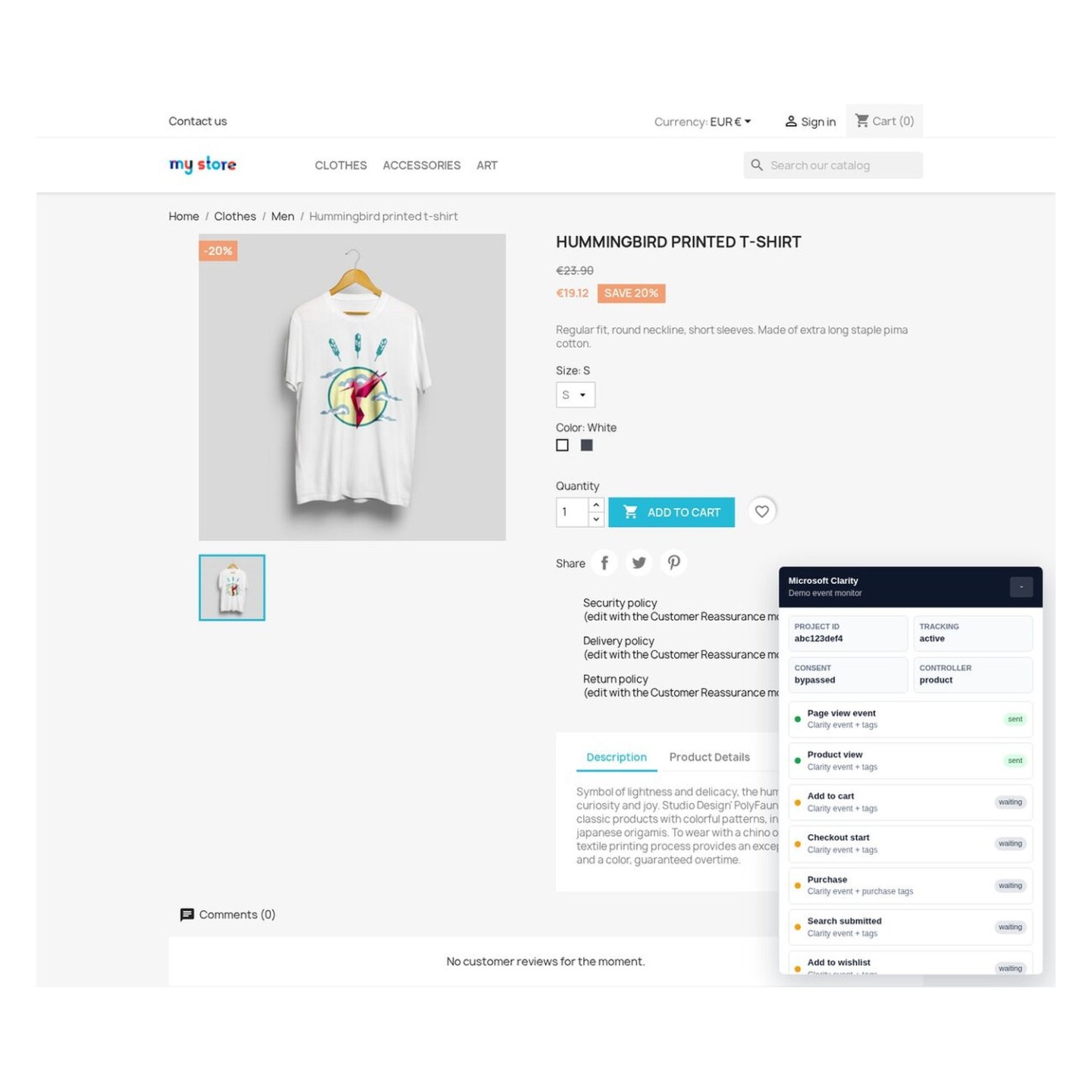
Add Microsoft Clarity to your PrestaShop store and see exactly how customers interact with your pages. Clarity is a free behavior analytics tool from Microsoft that provides heatmaps, session recordings, and dead click detection — all without using cookies or impacting your site's performance.

Unlike traditional analytics that tell you what happened (page views, bounce rate), Clarity shows you why it happened. Watch real visitor sessions, see where people click, scroll, and get frustrated. Identify UX issues that are costing you sales — then fix them with confidence.

  • Session recordings — replay actual visitor sessions to understand navigation patterns and drop-off points
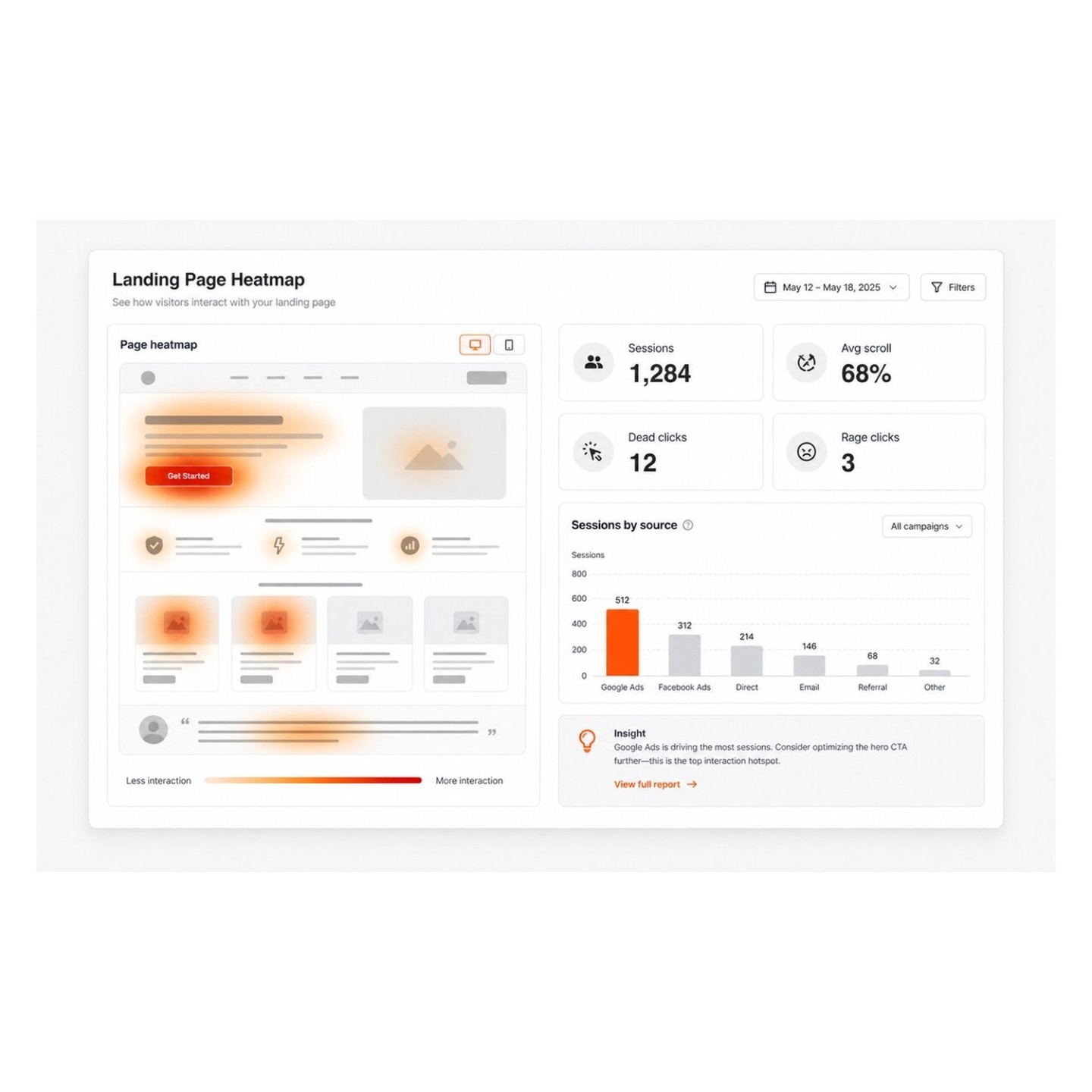
  • Heatmaps — visualize click density, scroll depth, and attention areas on any page
  • Dead click detection — automatically identifies elements visitors click that don't do anything (broken UX)
  • Rage click detection — spots frustrated repeated clicking, signaling serious usability problems
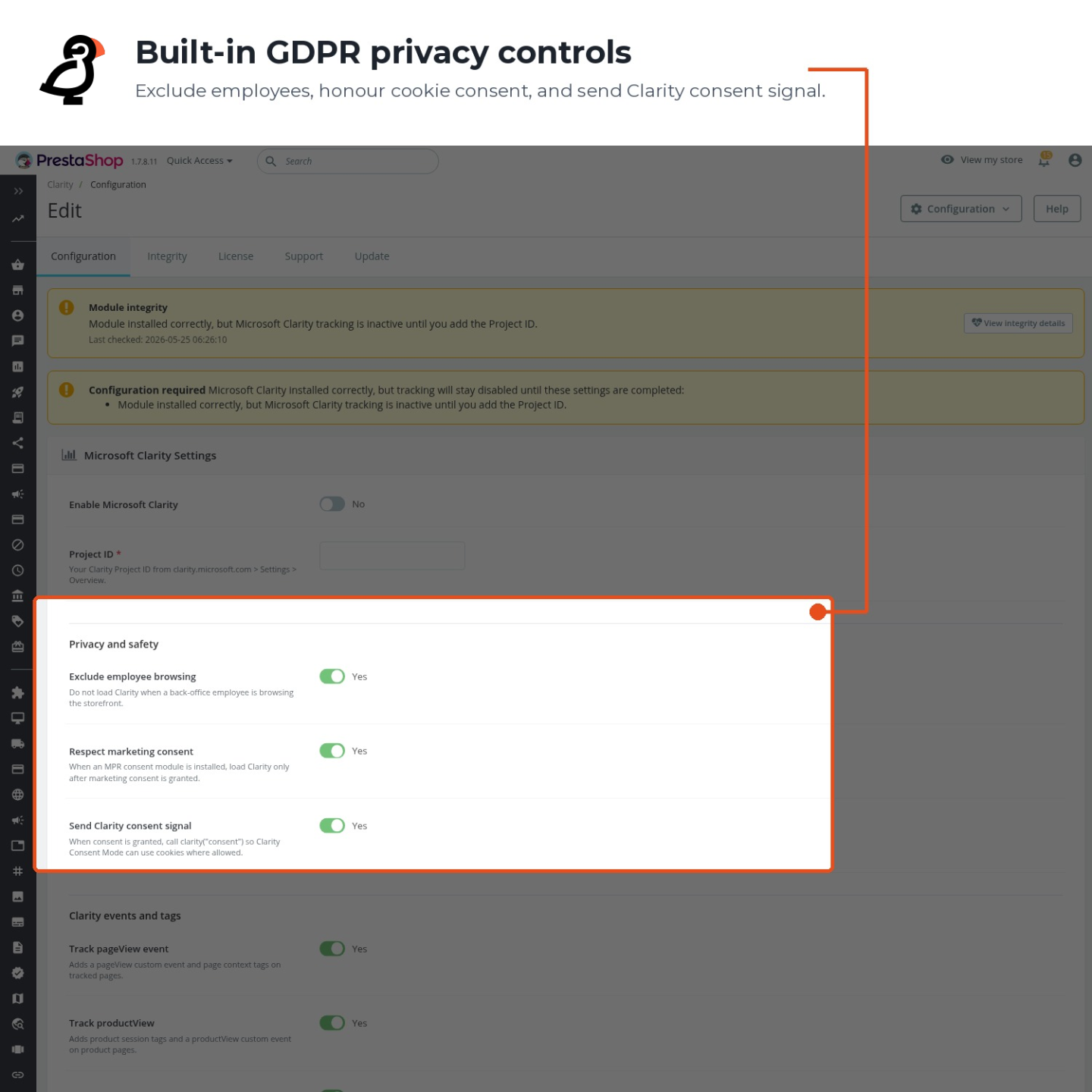
  • No cookies required — Clarity works without setting tracking cookies, simplifying GDPR compliance
  • Zero performance impact — async loading with minimal footprint, designed by Microsoft for high-traffic sites
  • Unlimited traffic — Clarity is completely free with no page view caps, even for large stores
  • PrestaShop 1.7 – 9.x compatible — works with all modern PrestaShop versions and themes
Product availability: Instant download after purchase
Share
1 viewed
1 watching now

What Is Microsoft Clarity?

Microsoft Clarity is a free behavior analytics platform that helps you understand how visitors actually use your website. Launched by Microsoft in 2020, it has rapidly grown to over 2 million websites because it offers enterprise-grade session recording and heatmap functionality with no traffic limits, no pricing tiers, and no cookies. For PrestaShop store owners, this means you can analyze every visitor session on your store — from homepage to checkout — without paying a cent for the analytics platform itself.

While Google Analytics tells you metrics (bounce rate, page views, conversion rate), Clarity answers the why behind those numbers. A 70% bounce rate on your product page means nothing until you watch 20 sessions and realize visitors can't find the "Add to Cart" button on mobile, or that your image gallery is broken in Safari, or that your size chart opens in a way that covers the buy button.

Core Features That Matter for Ecommerce

Session Recordings

Every visitor session is recorded and available for playback in the Clarity dashboard. You can filter recordings by:

  • Pages visited — watch sessions that included your checkout page to find abandonment causes
  • Device type — isolate mobile sessions where UX issues are most common
  • Frustration signals — Clarity automatically tags sessions with rage clicks, dead clicks, and excessive scrolling
  • Country and browser — identify if issues are localized to specific markets or browsers

Session recordings are anonymized — form fields, credit card inputs, and other sensitive data are automatically masked. You see the interaction patterns, not personal information.

Heatmaps

Clarity generates three types of heatmaps for every page on your store:

  • Click heatmaps — show where visitors click most (and where they click but shouldn't, indicating confusing UI elements)
  • Scroll heatmaps — reveal how far down visitors scroll, helping you position key content (CTAs, trust badges, offers) where people actually see it
  • Area heatmaps — aggregate engagement by page section, showing which areas get the most interaction

For product pages, this data is gold. You can see if visitors are engaging with your product descriptions, if they notice your upsell sections, and whether your "Add to Cart" button is positioned optimally for the way people actually browse your pages.

Smart Insights — Automatic Issue Detection

One of Clarity's most powerful features is its automatic insight detection. The platform uses machine learning to identify patterns in your visitor data and surface issues proactively:

  • Dead clicks — visitors clicking on elements that aren't interactive (images that look like buttons, text that looks like links). Each dead click is a potential lost sale.
  • Rage clicks — rapid repeated clicking on the same element, indicating frustration. Common with slow-loading add-to-cart buttons or unresponsive dropdown menus.
  • Excessive scrolling — visitors scrolling up and down repeatedly, suggesting they can't find what they're looking for.
  • Quick backs — visitors who navigate to a page and immediately return, indicating the page didn't match their expectation.

These insights are surfaced in your Clarity dashboard automatically — you don't need to manually review hundreds of sessions to find problems.

Google Analytics Integration

Clarity integrates directly with Google Analytics (both Universal Analytics and GA4). Once connected, you can launch session recordings directly from your GA reports — click on a metric in GA and watch the actual sessions behind it. This bridges the gap between quantitative data (GA) and qualitative understanding (Clarity).

Privacy and GDPR

Microsoft Clarity is designed with privacy at its core:

  • No cookies by default — Clarity uses a cookieless tracking approach, which means it doesn't require cookie consent for basic functionality under most GDPR interpretations. However, consult your legal advisor for your specific situation.
  • Sensitive data masking — all form inputs, including checkout fields, are automatically masked in recordings. You see that a visitor typed in a field, but not what they typed.
  • Data processing — Microsoft processes Clarity data under their standard privacy terms. Data is stored in Microsoft Azure data centers.
  • No data selling — Microsoft does not sell Clarity data or use it for advertising targeting outside the Clarity product.

Technical Implementation

The module injects Clarity's JavaScript tracking code asynchronously in the <head> of your store. The script is:

  • ~16KB compressed — one of the smallest analytics scripts available
  • Async and non-blocking — loads in parallel with your page, never delays rendering
  • Automatically handles SPAs and dynamic content — captures interactions even on AJAX-loaded elements
  • No external dependencies — no jQuery, no additional libraries

Setup

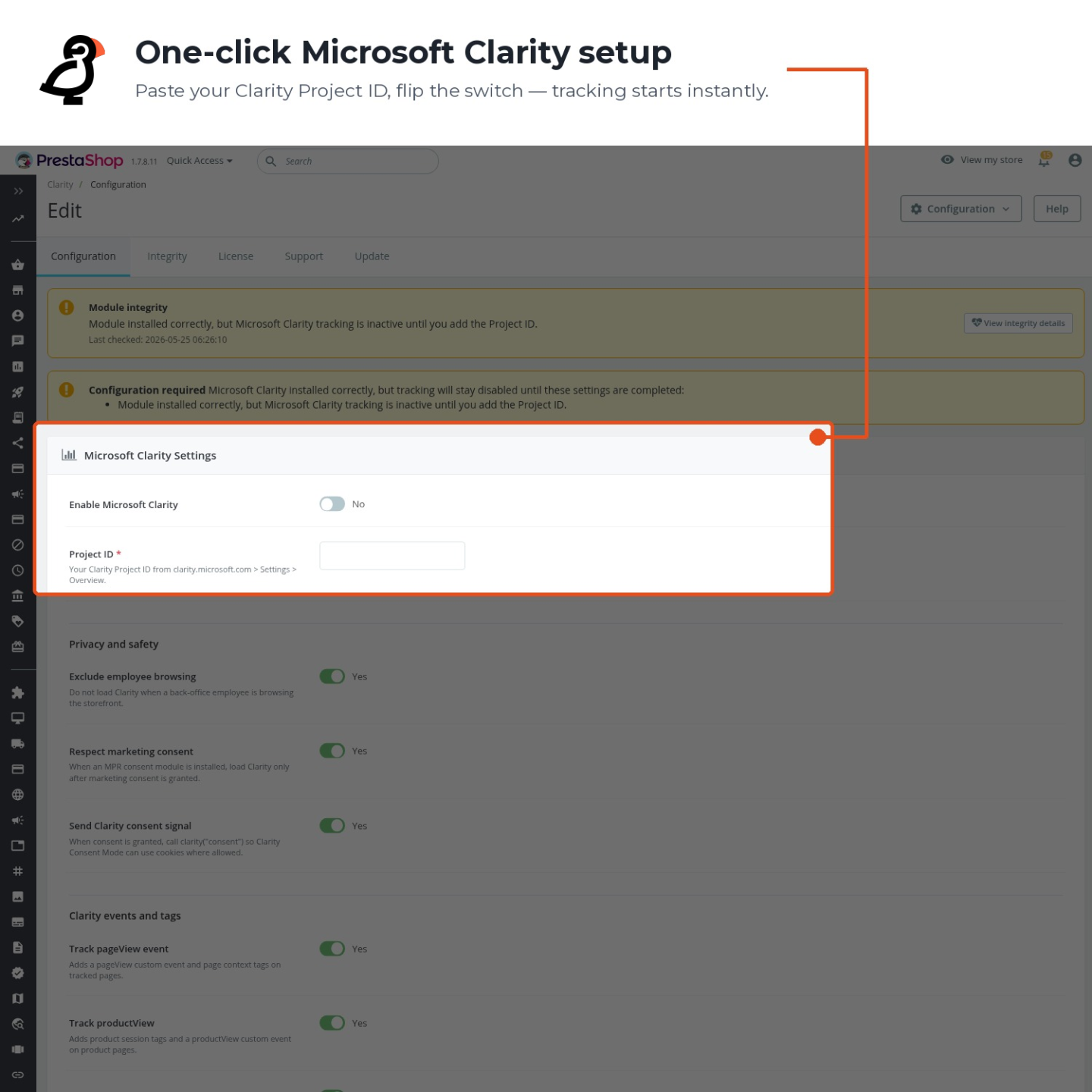
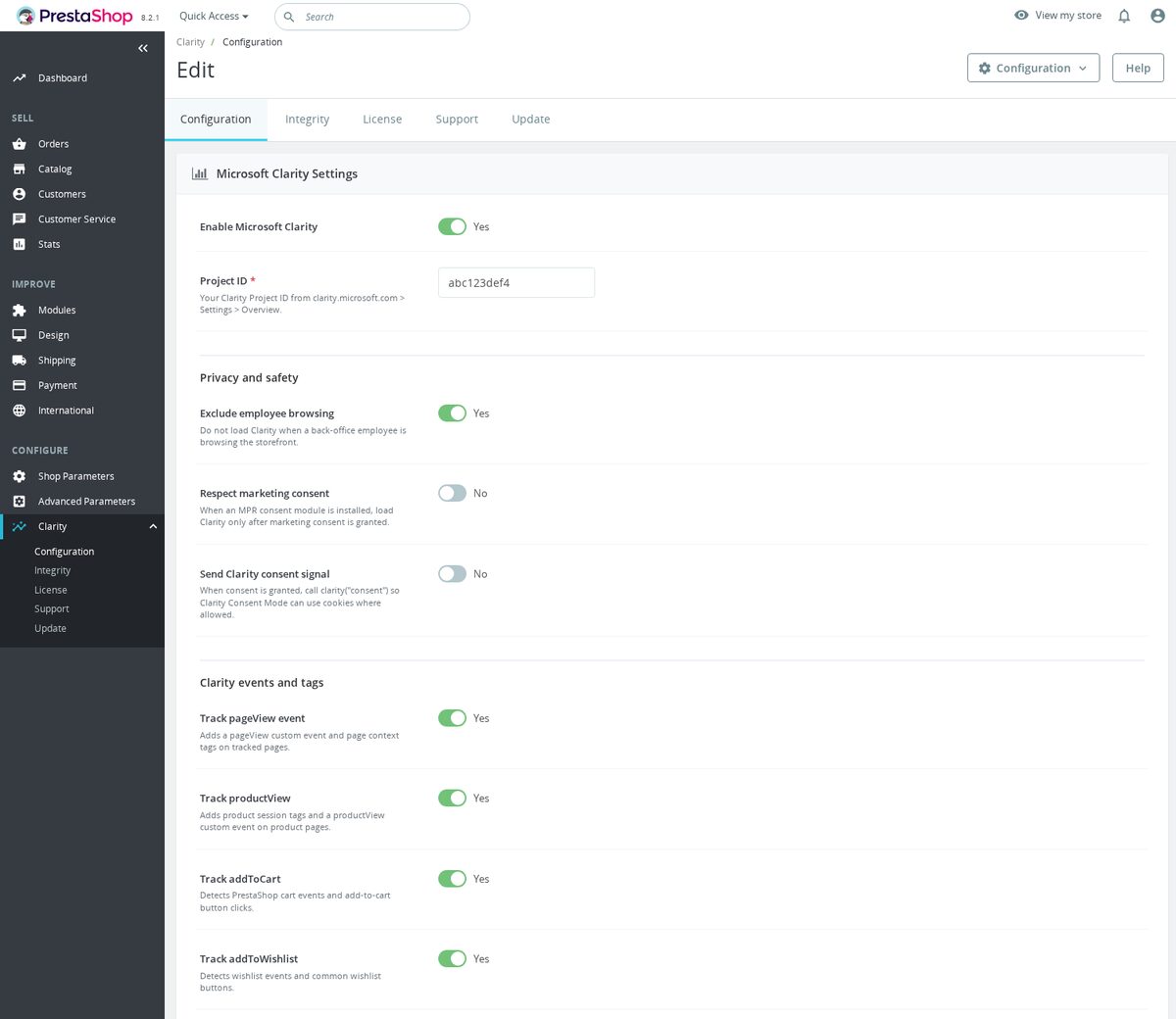
  1. Create a free account at clarity.microsoft.com and set up a new project.
  2. Copy your Clarity Project ID (a string like abc123xyz).
  3. Install this module in PrestaShop, paste the Project ID, and save.
  4. Clarity starts collecting data immediately — heatmaps and recordings appear within 2 hours.

Why is this module unique?

  • Clarity is 100% free with no traffic limits — this module gives you instant access to enterprise-grade behavior analytics
  • Cookieless tracking simplifies GDPR compliance compared to cookie-dependent alternatives
  • Automatic dead click and rage click detection finds UX problems without manual analysis
  • Direct Google Analytics integration lets you watch sessions behind any GA metric
  • One Project ID field — setup takes less than 30 seconds
  • Session recording data is automatically anonymized (form fields masked)
  • Compatible with PrestaShop 1.7 through 9.x with zero theme modifications

Use Cases

  • Checkout optimization — watch session recordings of visitors who abandon checkout to identify exactly where and why they leave.
  • Mobile UX audit — filter heatmaps by device type to see how mobile visitors interact with your store versus desktop users.
  • Product page layout testing — use scroll heatmaps to verify that key content (reviews, trust badges, shipping info) is positioned where visitors actually look.
  • Bug discovery — rage click detection surfaces broken buttons, non-functioning dropdowns, and JavaScript errors that silently cost you sales.
  • A/B test validation — compare session recordings before and after a design change to verify the change actually improved the experience.
  • Client reporting — if you build stores for clients, Clarity heatmaps are a powerful visual tool for demonstrating UX improvements.
  • Reference
    mprclarity
  • In stock
    999 Items
  • PrestaShop Compatibility
    PS 1.6 – 9.x
  • Pricing Model
    One-time Purchase
  • Module Type
    Front-office
  • GDPR Relevant
    Yes
  • Business Goal
    Marketing & Retargeting
  • External Account Needed
    Yes
  • Module Complexity
    Lightweight Widget
  • Customer Journey Stage
    Attract Visitors
  • Works With Platform
    Ad & Analytics Networks

Microsoft Clarity

Free heatmaps and session recordings for PrestaShop.

Features

  • Microsoft Clarity tracking code integration
  • Free heatmaps and session recordings
  • GDPR-friendly analytics
  • Enable/disable toggle without uninstalling

Compatibility

  • PrestaShop 1.6 / 1.7 / 8.x / 9.x

Installation

  1. Upload the module ZIP via Back Office > Modules
  2. Enter your Clarity Project ID
  3. Enable the module

Development

yarn install
yarn release    # Build release ZIP

License

Proprietary - mypresta.rocks

v1.3.0 — 2026-01-24

  • PrestaShop 9 Hummingbird theme support for Microsoft Clarity
  • Server-side session validation via Clarity API
  • Performance: reduced Clarity script impact on Total Blocking Time
  • Debug mode with session replay link injection in admin orders
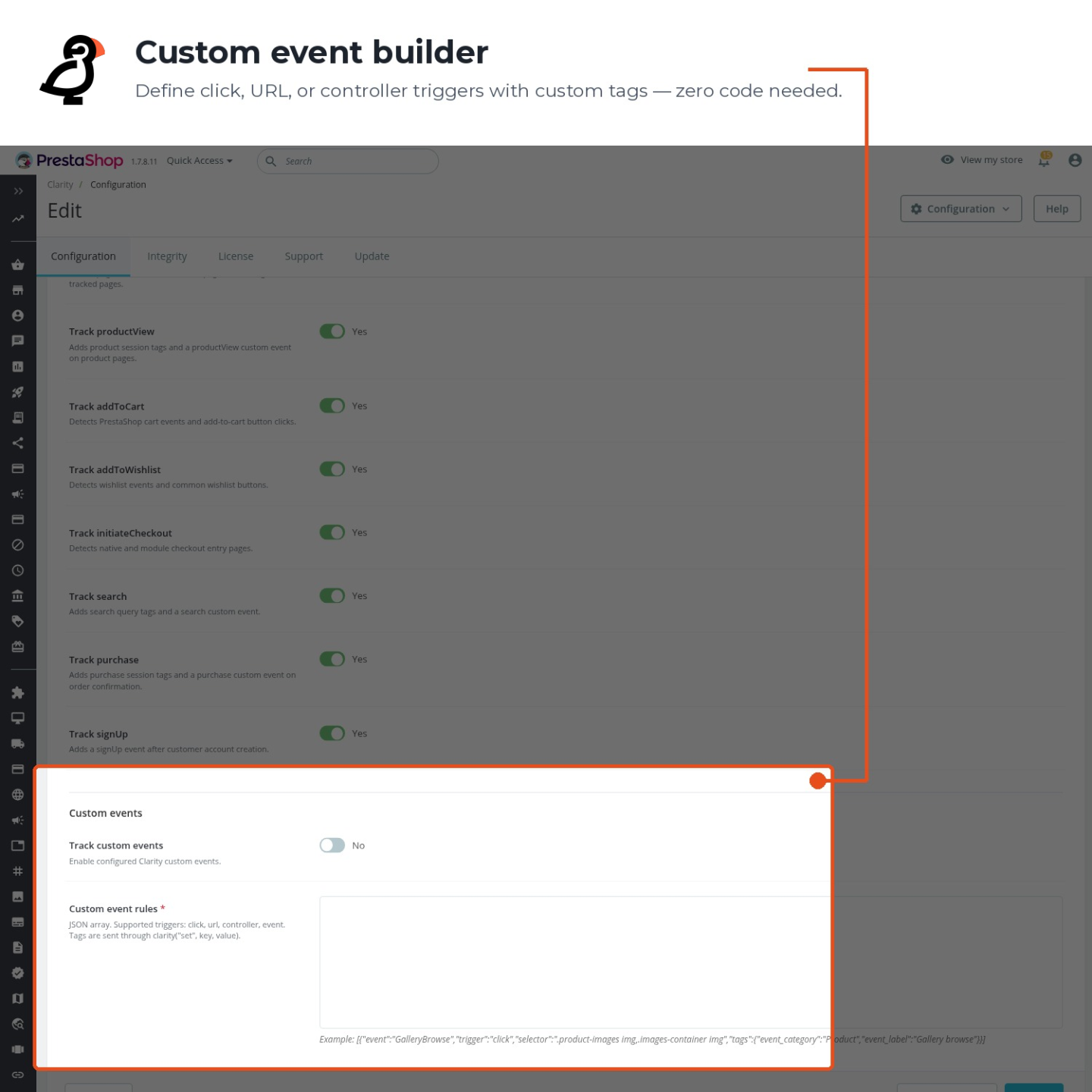
  • Added smart event tagging for checkout funnel analysis

v1.2.0 — 2025-06-14

  • Full PrestaShop 8.x Symfony admin compatibility
  • Cookie consent integration for Clarity session recording compliance
  • Customer group exclusion from click maps and scroll depth tracking
  • Async Clarity initialization with configurable sampling rate
  • Enhanced click map accuracy for AJAX-driven cart interactions

v1.1.0 — 2024-11-02

  • Enhanced tracking: click maps on product pages, scroll depth on category listings
  • Session replay filters by page type, device, and user engagement score
  • Configurable custom tags for segmenting Clarity sessions by customer behavior
  • Added dead click and rage click detection for UX insights
  • Automatic masking of sensitive customer data in session replays

v1.0.0 — 2024-05-30

  • Initial release with Microsoft Clarity integration for PrestaShop
  • Automatic session recording and click map generation
  • Add-to-cart interaction tracking in click heatmaps
  • Purchase funnel session replay for conversion analysis
  • Back office configuration for Clarity Project ID
0.0
0 reviews
5 ★
0
4 ★
0
3 ★
0
2 ★
0
1 ★
0

No reviews yet. Be the first to leave a review!

Write a Review

Rate specific aspects (optional)
Quality
Price / Quality
Stability
Compatibility
Support
30 days return right
Easy return - no questions asked
Plug & Play Modules
Install, set up and take profit
Dedicated Support First
Priority Help & Satisfaction Over Sales

More From This Category

  • New
Hotjar
€129.00
Loading...
Back to top