Automatic Internal SEO Linker is a module for PrestaShop stores that turns selected phrases into internal links and keeps the shop's linking structure under control from one panel. After installation, the first useful rule needs only a destination and the phrases that should lead to it, while catalogue suggestions prepare both for approval.
Large catalogues accumulate products, categories and guides that receive no useful internal path. The module identifies these gaps before important sales pages remain isolated, then connects relevant text with the destinations that deserve attention from shoppers and search engines.
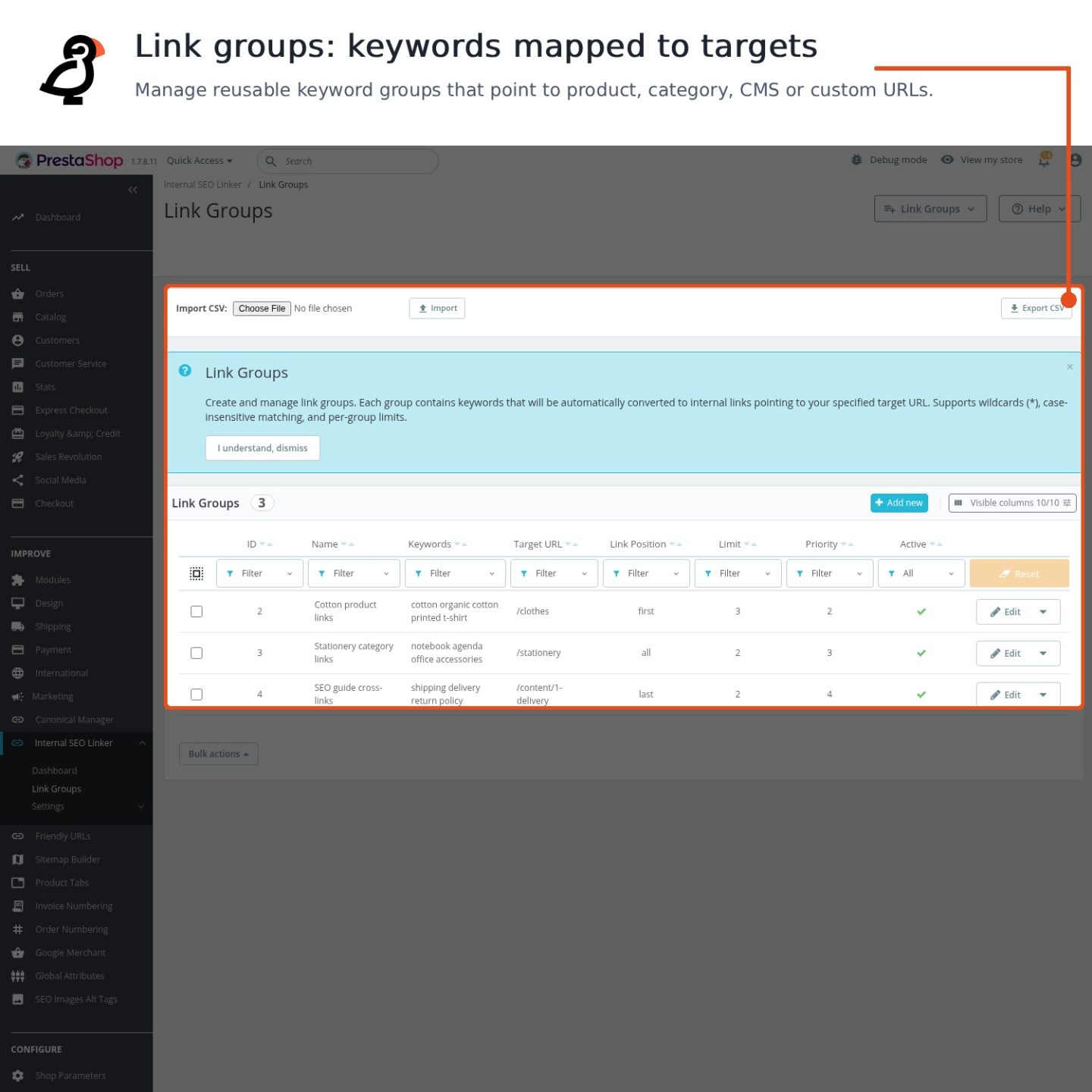
Each rule brings together its destination, phrases, page types, content areas, limits and order. Destinations selected from products, categories, CMS pages, manufacturers or suppliers use the current address for the active shop and language, while the saved descriptions remain untouched when a rule is changed, paused or removed.
Every language and store receives its own wording and scope. Phrase variants and flexible word endings cover natural forms, individual phrases have their own priority and active state, and links appear at the first, middle, last or evenly spread occurrence. The dashboard reports real placements and phrases with no match, while page and group limits prevent crowded text.
The result is stronger paths to important pages, less work across a large catalogue, readable descriptions, safer address changes and a linking structure whose coverage is visible.
What does Automatic Internal SEO Linker take care of?
Automatic Internal SEO Linker builds and maintains internal links across a PrestaShop store without rewriting the descriptions saved in the catalogue. A first rule is quick to create, while detailed controls keep a large, multilingual shop organised.
- The dashboard maps pages and phrases that need attention.
- Catalogue suggestions prepare destinations and natural linking phrases.
- Displayed links change while the saved content remains untouched.
- Each rule has its own language, store, page and placement scope.
- Limits and exclusions protect the readability of every page.
- Placement reports and bulk tools make the structure measurable and manageable.
The workflow starts with a suggested or selected destination. The merchant approves the phrases, confirms where the rule applies and sees the result across eligible content without editing individual descriptions.

Which pages and phrases need attention?
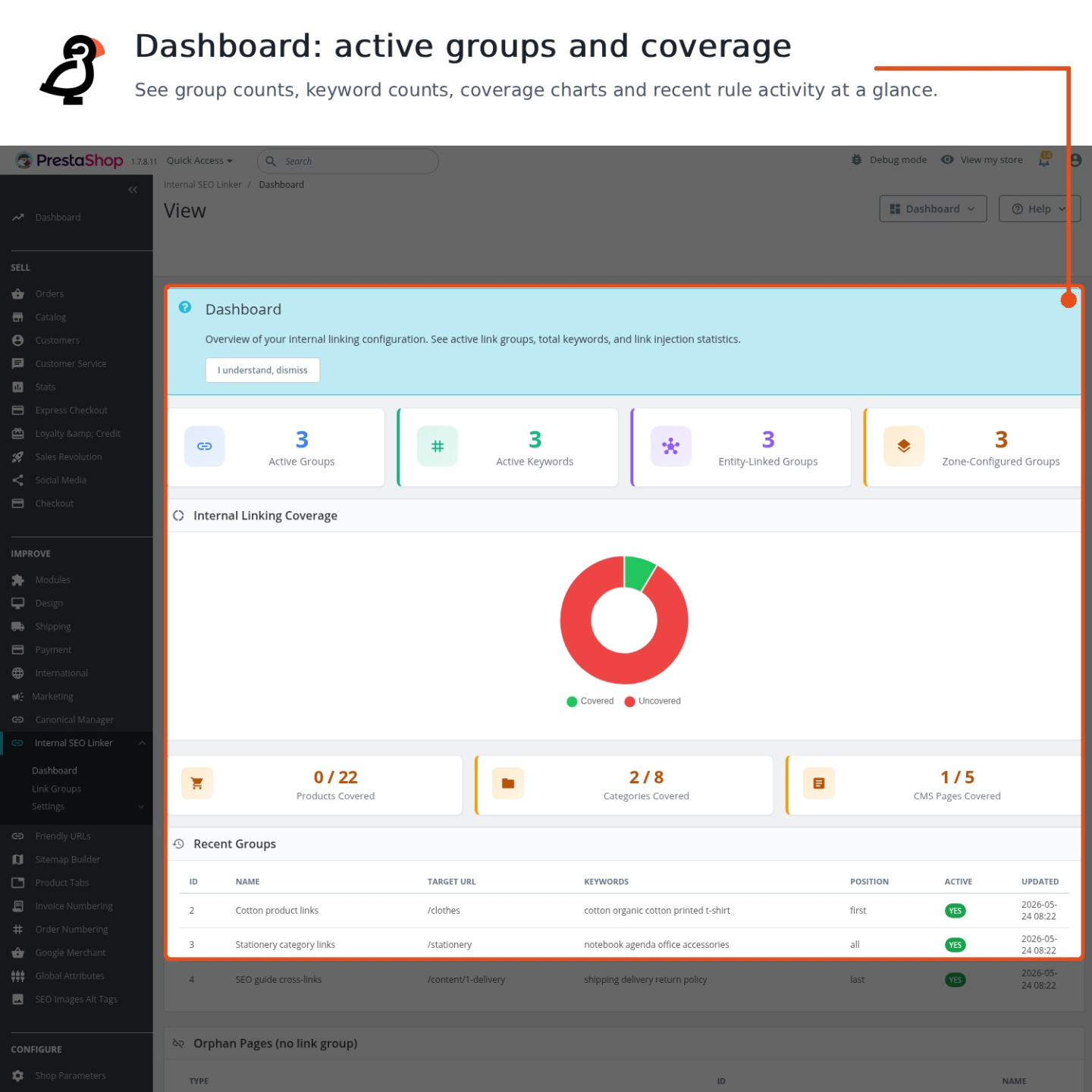
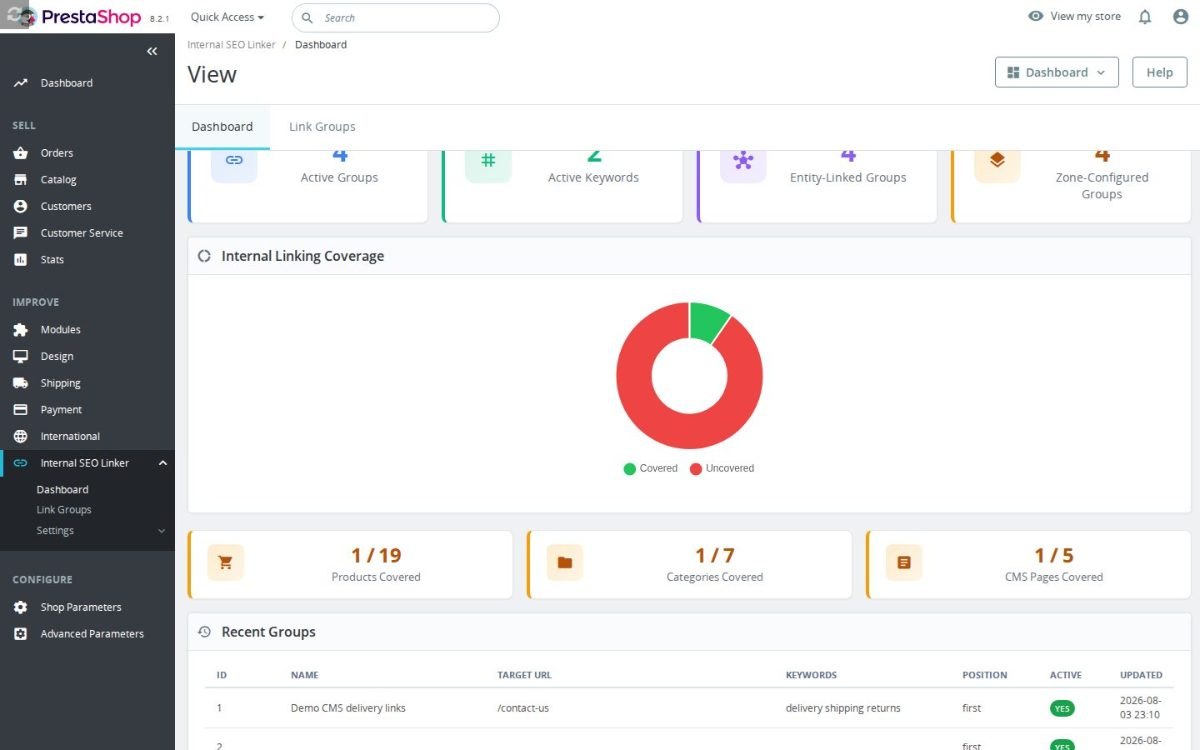
The catalogue view separates products, categories and CMS pages that already receive internal links from those that remain isolated. It also shows the source pages where a relevant phrase creates a useful path to each destination, so the work is organised by real linking opportunities rather than by a general score.
Suggestions draw on product and category names, page titles, product tags, manufacturers, suppliers and CMS content for the active language and store. Colliding or repeated phrases are marked for review, and approval turns the selected proposals into rules rather than filling the shop with unchecked links.

Why does the saved content remain unchanged?
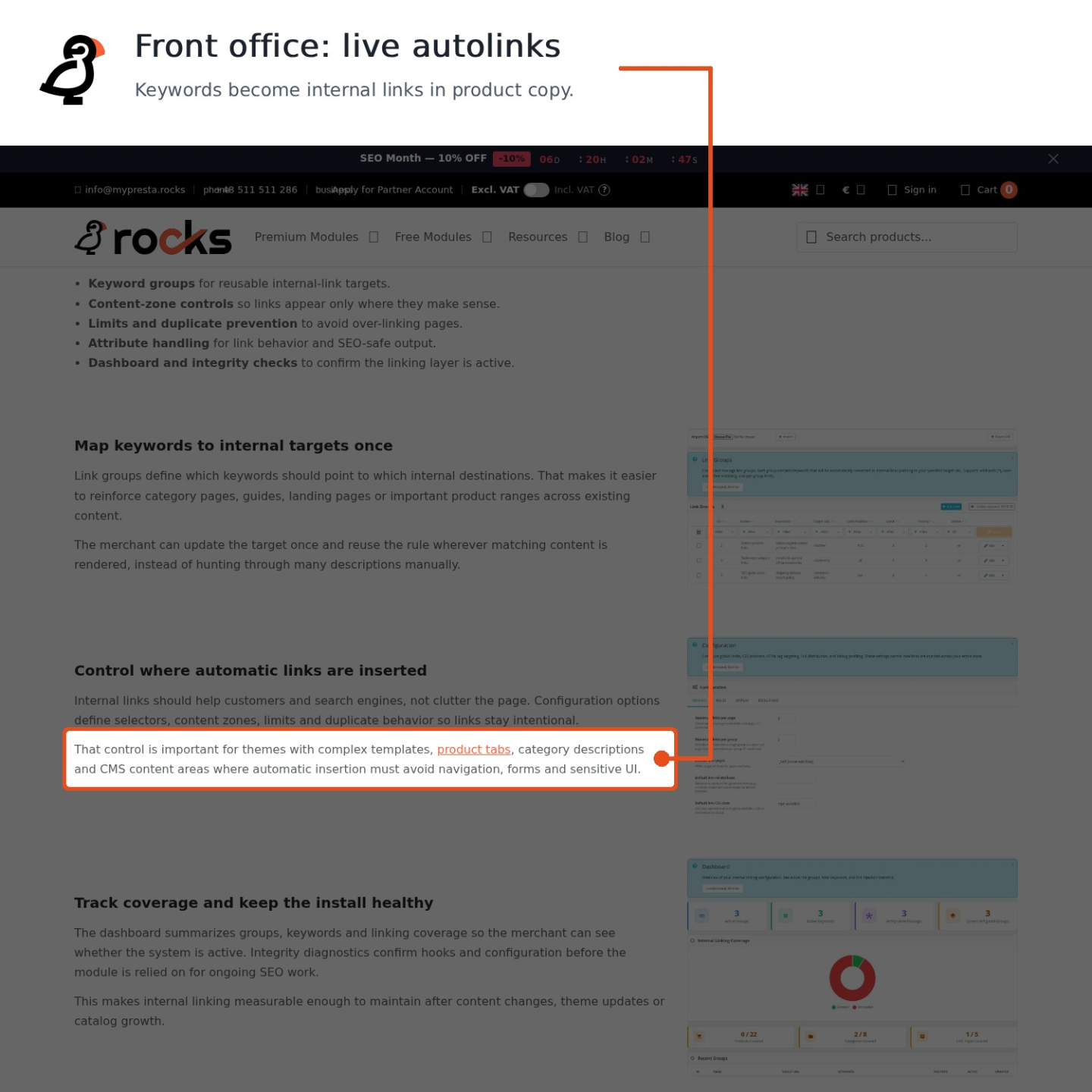
The module adds each link to the page shown in the storefront and leaves product descriptions, category text, guides and other saved content exactly as they were written. The linking layer remains separate from the editorial work already completed in the shop.
A changed phrase or destination takes effect wherever the rule applies. Pausing or deleting the rule removes its generated links, and a catalogue destination follows the current address for the active shop and language. There is no trail of old links to remove from individual descriptions.

How exact is the control over each rule?
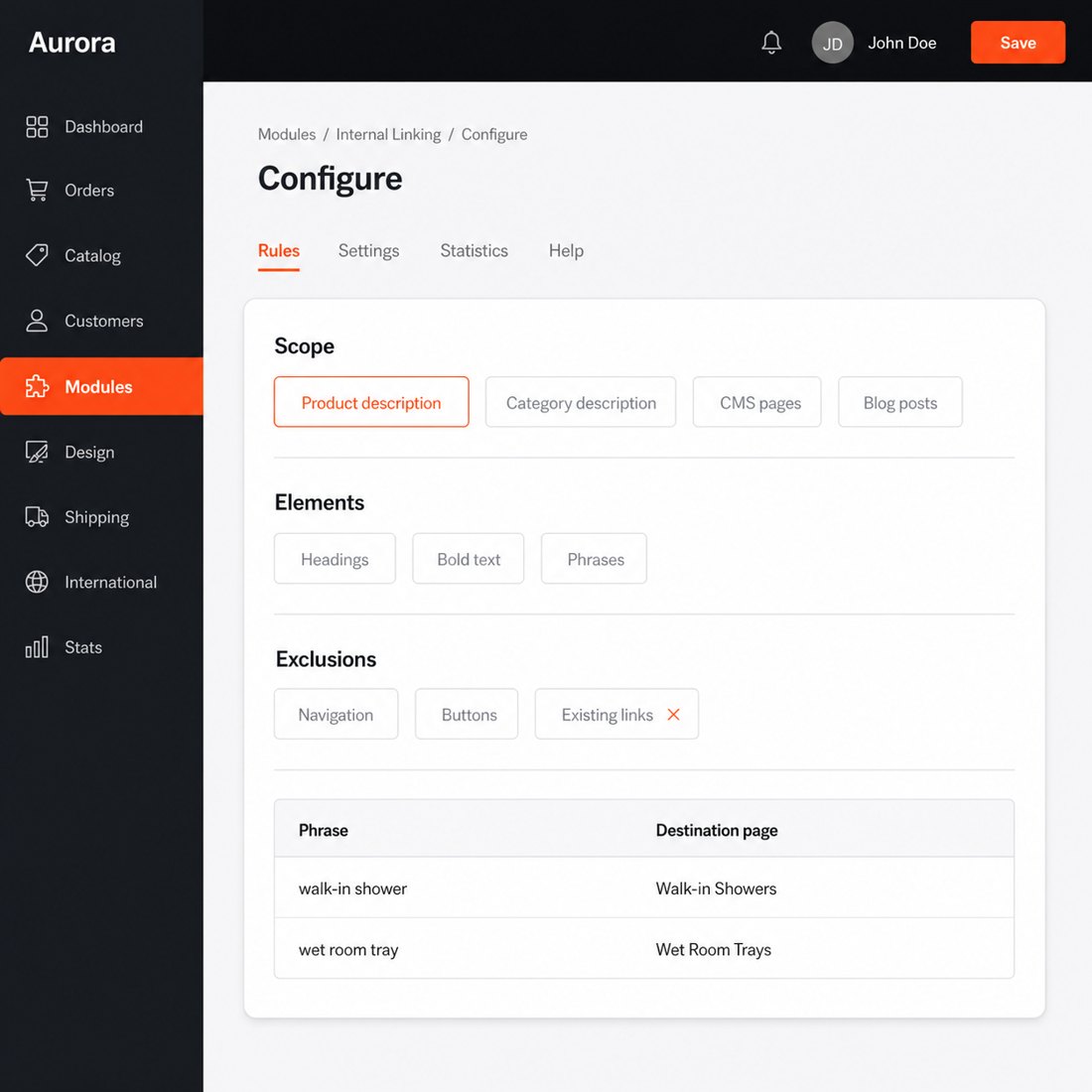
A rule targets the whole selected page type or a precise content area: long or short product descriptions, category text, CMS pages, blog articles, manufacturer pages, supplier pages and custom theme blocks. It also defines the eligible text elements and excludes the current destination, selected pages, headings or bold passages.
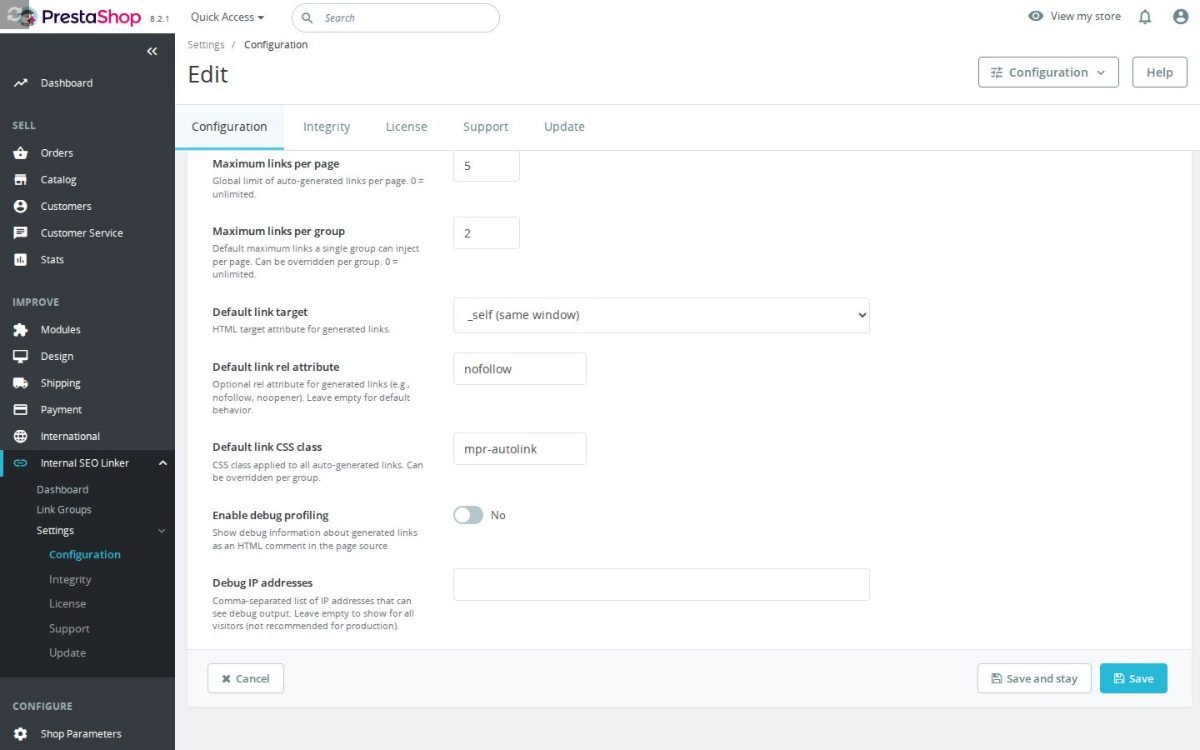
Phrases are set separately for every language and store, with an active state, priority and natural variants for each phrase. Placement uses the first, middle, last or evenly spread occurrence. The link also has its own opening behaviour, search engine instruction, appearance and optional explanatory text shown when the pointer rests on it.

How does automation stay readable?
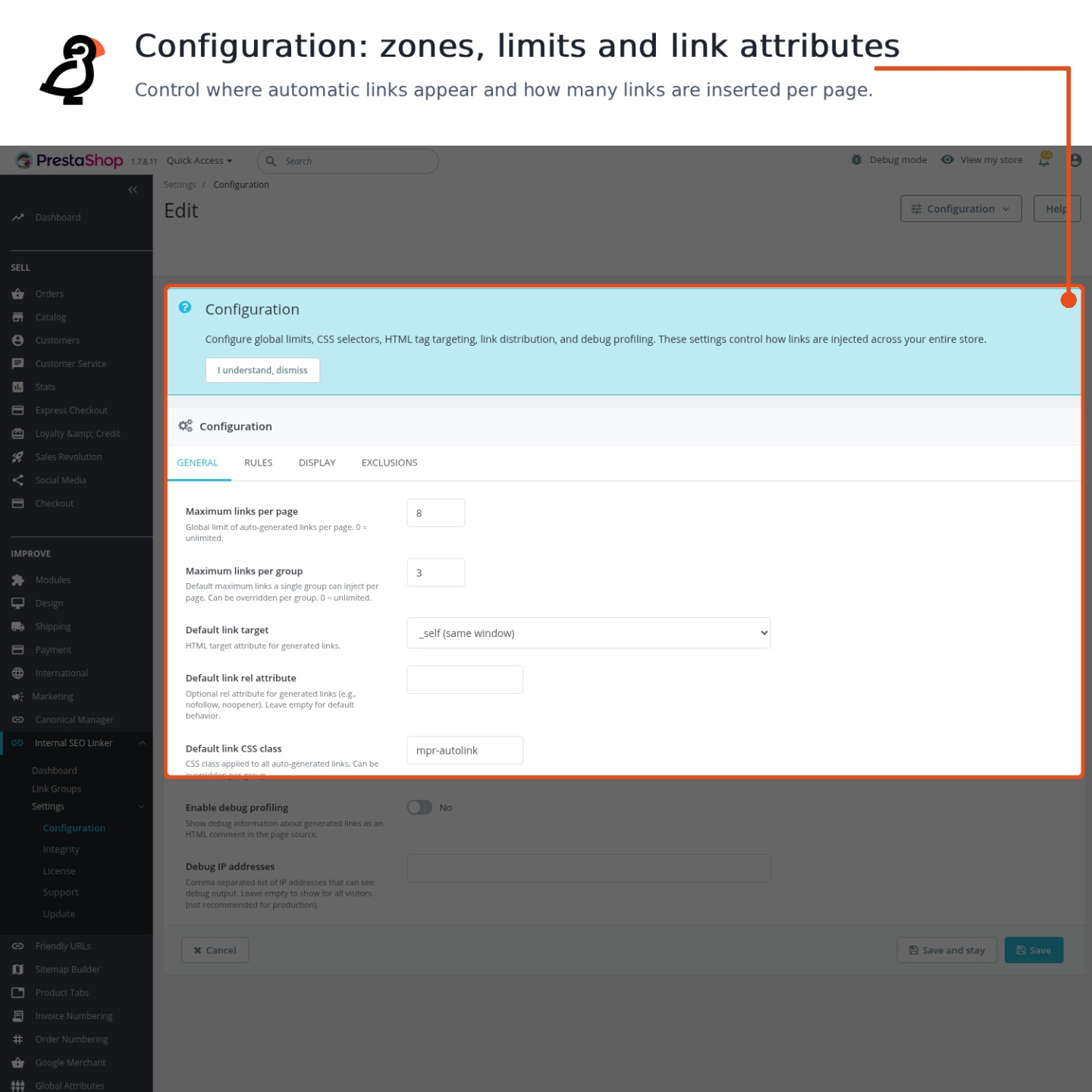
Global and per rule limits decide how many generated links appear on one page. When several rules compete for a smaller page allowance, the available places are shared fairly according to their limits and priorities, so an early rule does not consume the entire allowance.
Existing links are counted when the rule requires it, duplicate destinations are blocked, a block that already contains a link is left alone, and only one generated link enters the same text element. Together with heading and bold text exclusions, these safeguards keep commercial copy readable instead of turning every repeated phrase into a link.

What proves that the links are being placed?
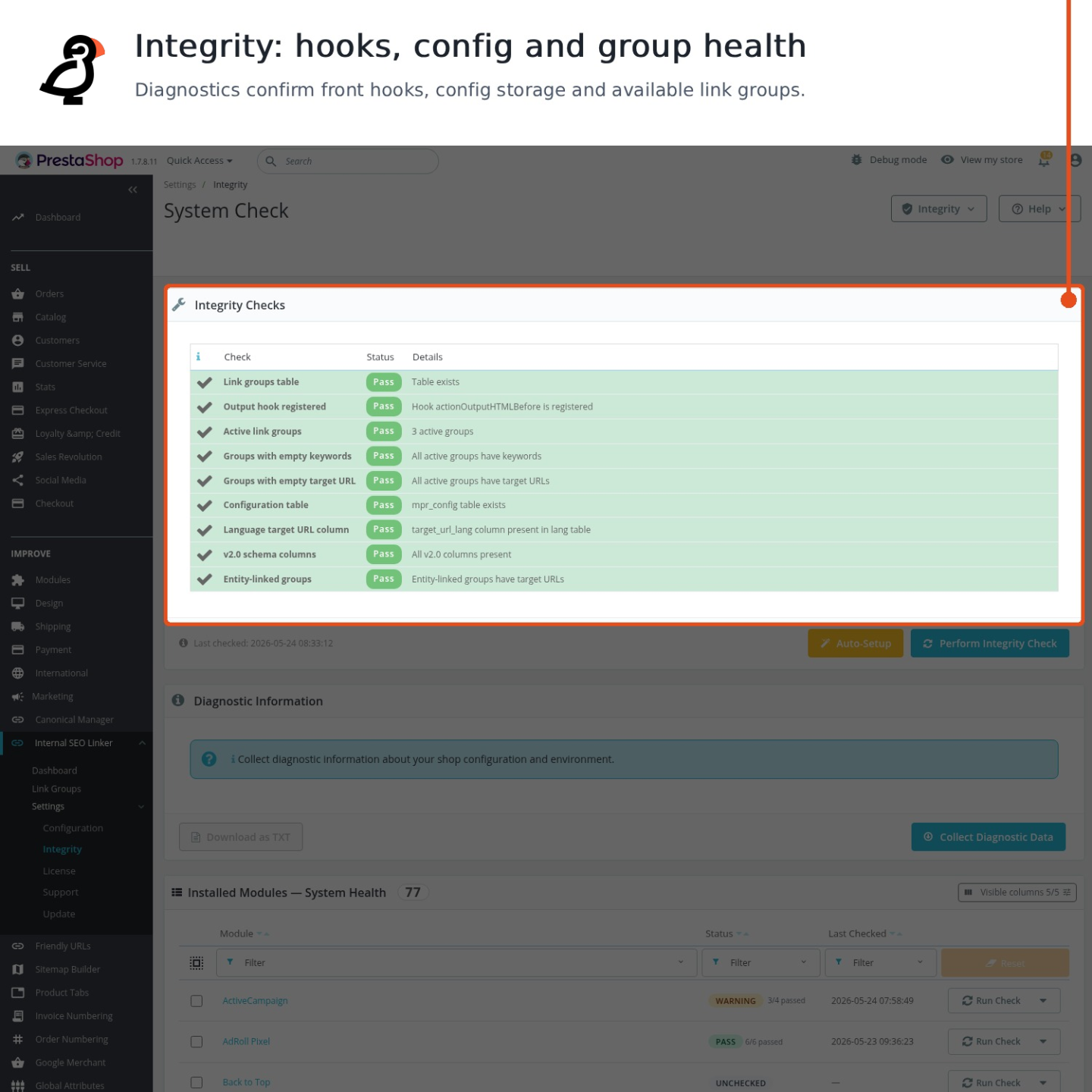
The reporting view records generated and existing links by source page, destination, phrase, language and store. It highlights phrases that found no match, shows the last observation and distinguishes a configured destination from one that actually receives a link.
Groups move between shops through a complete spreadsheet transfer that preserves language wording, store scope, destinations, content areas, limits, placement and phrase priorities. Bulk activation and ordering, together with a clear editor, keep hundreds of rules practical, while the report verifies the internal structure rather than promising a search position.

-
Referencemprinternalseolinker
-
In stock2147483647 Items
-
PrestaShop CompatibilityPS 1.7 – 9.x
-
Pricing ModelOne-time Purchase
-
Module TypeFront & Back-office
-
GDPR RelevantNo
-
Business GoalIncrease Traffic
-
External Account NeededNo
-
Module ComplexityFeature-Rich Module
-
Customer Journey StageAttract Visitors
-
Works With PlatformNo External Platform
What customers say about us
Be the first to share your experience with this module.
Write a Review
Automatic Internal SEO Linker creates internal links across your PrestaShop content from keyword groups you define. It helps products, categories, CMS pages, manufacturers, suppliers, and blog content point visitors and search engines toward your most important pages without rewriting saved descriptions.
- AddedAdmin UI for excluded pages — checkbox grid in Exclusions tab
- Addedcomplete FR/DE/ES/IT/PL translations
- ImprovedSync fragment-aware internal linking engine
Works Well With Automatic Internal SEO Linker
Modules our team genuinely pairs with this one, and exactly why each belongs in the same setup.
Automatic Internal SEO Linker is building controlled internal links across your existing content, creating clearer paths toward important products, categories and pages. Those internal paths help once a page is in the index, but they do not by themselves get every important URL discovered and crawled in the first place.
Advanced SEO Sitemap Builder covers discovery directly, generating XML sitemaps across products, categories, CMS pages, brands, suppliers and core pages, with an optional HTML sitemap. It complements internal linking: one submits the full set of URLs to crawlers, the other strengthens how those URLs connect to each other.
Together you address both discovery and internal flow. The sitemap makes sure crawlers can find your important pages while internal linking helps distribute relevance among them once found, so a page benefits from being both listed for crawling and well-connected inside the site, with each tool handling a separate part of getting it to perform.
Automatic Internal SEO Linker strengthens the paths between your pages by turning chosen keywords into controlled internal links. Routing relevance toward a page is most effective when that page is the one you actually want ranked, and on a real catalogue several similar URLs can muddy which version that is.
Product Canonical Manager covers that consolidation, letting you set canonical, noindex, nofollow and hreflang rules per entity or selection so the right page carries the search signal. It complements internal linking: one builds paths toward pages, the other clarifies which page should be treated as authoritative, each managed separately.
Used together, your internal links and your canonical signals point the same way. Relevance flows toward pages you have explicitly marked as primary rather than getting diluted across duplicates, so the linking effort is not undermined by duplicate-content confusion and search engines receive a consistent message about which pages matter.
Automatic Internal SEO Linker works by finding chosen keywords in your existing content and turning them into controlled internal links. The more relevant on-page text your store has, the more natural opportunities exist for those links, and thin category pages give it little to work with.
Second Category Description adds exactly that text, storing an extra multilingual content block below the product grid so categories carry richer copy without crowding the shopping area. It complements the linker by expanding the content surface, while the linker independently handles where links are placed within content.
Together you get more substantial category copy and a clearer internal-link structure built from it. The descriptions add depth and keyword context low on the page, and internal linking can use that kind of content to strengthen paths toward key products and categories, so each tool reinforces the other's value while keeping their jobs cleanly separate.
Automatic Internal SEO Linker creates controlled internal links across existing content, but its usefulness scales with how much linkable, topical content your store publishes. A catalogue-only store gives it limited material, especially for earlier-stage, informational queries.
Blog Revolution adds that material, keeping native articles, buying guides and advice inside the shop with categories, tags and clean blog pages, so content can attract search traffic and lead readers toward products. It complements the linker by producing more content to work with, while the linker handles internal link placement as its own job.
Used together, your store gains both a content engine and a way to weave it into the rest of the site. Articles bring in readers researching topics around your products while internal linking helps connect that content to relevant categories and products, so editorial pages are not isolated but part of a deliberate internal structure, each tool owning a distinct role.
Easy return - no questions asked
Install, set up and take profit
Priority Help & Satisfaction Over Sales