ActiveCampaign Integration

Match storefront visits to the right ActiveCampaign contact using nothing but your Account ID

Price: €99.00
Tax excluded

ActiveCampaign Integration sends PrestaShop browsing, contacts, orders and abandoned carts to your ActiveCampaign account. One account identifier starts site tracking; contact and order synchronisation also require your account address and key.

ActiveCampaign combines email marketing, automation and a sales CRM in a paid subscription following a free trial. It runs the messages and recovery flows; the module supplies the shop activity those flows use.

You select customers to synchronise, the waiting time before a cart counts as abandoned and whether values include tax. Signed-in browsing attaches to the contact, and recovered carts are closed when a purchase completes. Lists, scheduled campaigns and results remain accessible in your shop panel.

Recovery messages name the products left behind and stop pursuing a cart that has already become an order.

Product availability: In stock
Instant Live Demo Real store, ready in ~1 min See how it works in a few clicks. We spin up a real PrestaShop store on our own infrastructure in about a minute (with the module installed and demo data loaded) so you can click around and try everything, nothing to set up.
Buying as a company? €79.20 Business 20% Apply for Partner Account
Share
verified Lifetime license per domain, yours forever. Includes 3 months support & updates. Learn more
The demo is the complete module: buy anytime and activate the same installation, nothing to reinstall and nothing lost. Open the module's License tab and click "Activate from mypresta.rocks" (or paste your key); your settings and data stay exactly as they are. Updates install in one click from the Update tab.
build Professional Setup We fully configure the module to your needs: all options set, tested & verified within 1 business day. +€29.00
palette Visual Integration CSS & template adjustments to match your theme: includes cross-device verification and screenshot review. +€49.00
Options total: €0.00
Selected total: €99.00
3 viewed

Summary of what the module offers

ActiveCampaign Integration sends behaviour, contacts, orders and carts from a PrestaShop store to ActiveCampaign for use in campaigns and automations.

  • Site tracking: shopper behaviour recorded and signed-in customers identified to their contact.
  • Contacts and orders: customer records and sales synchronized to the CRM.
  • Abandoned carts: detection, a back-office list, and recovery through your automations.
  • Campaigns from the shop: lists, messages, scheduling and results in the shop's panel.
  • Precision: what is sent, when, and with which price treatment stays your decision.
  • Start and footprint: one identifier, nothing emitted before it, background loading.
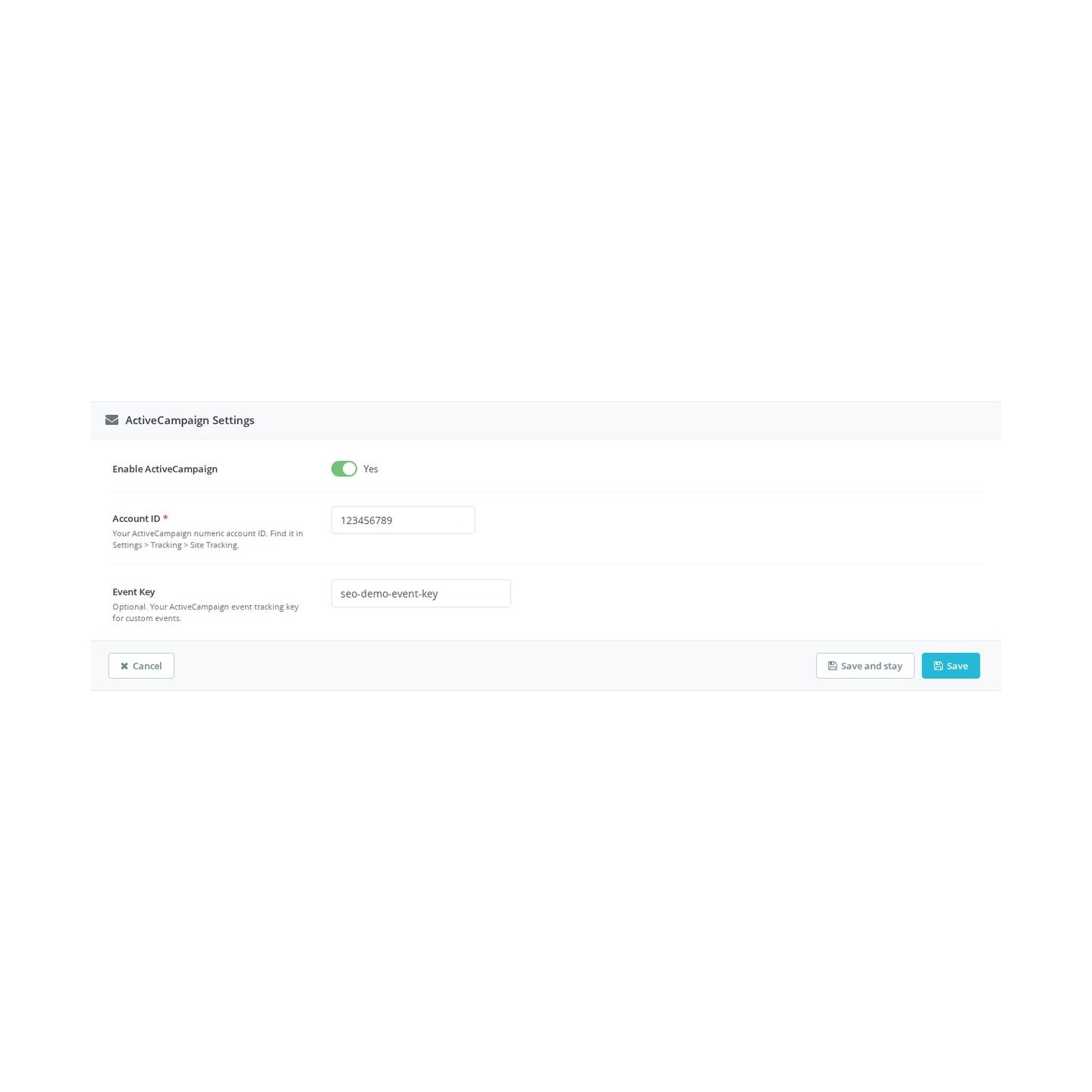
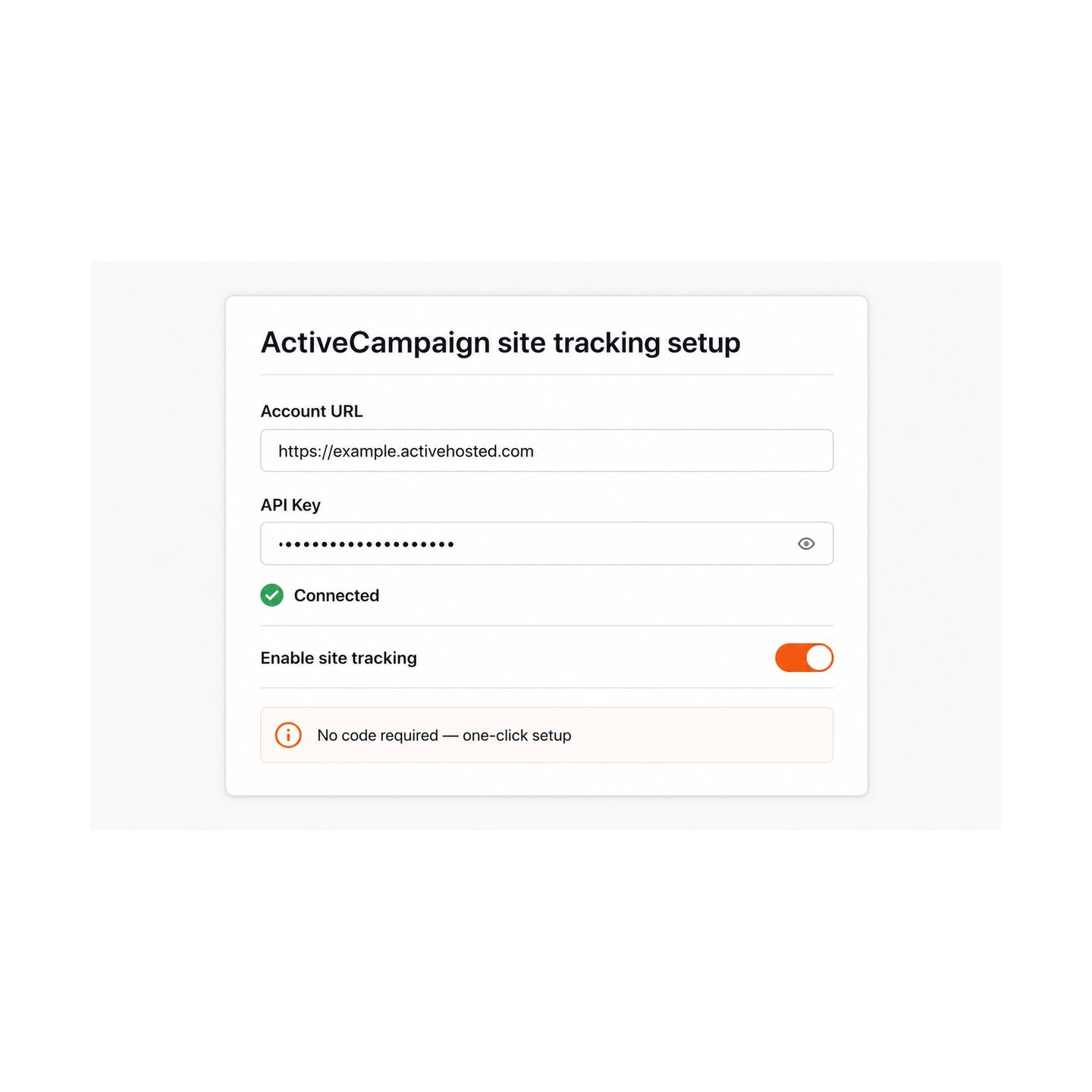
Site tracking setup panel with the account fields filled in, a connected status and tracking switched on

How does ActiveCampaign learn what shoppers do in your store?

The module places ActiveCampaign's site tracking across the storefront. Site tracking can record page visits. When a customer signs in, the module passes their email address to the tracker so browsing history can be linked to the correct contact record.

This is the difference between an automation that guesses and one that knows. A contact who opened the same product three times this week is a signal your flows read directly, lead scores rise on real interest, and the segment of people who viewed a category is built from actual visits, not from clicks in past emails.

Site tracking enable switch in the module settings

How do customers and orders reach the CRM?

The connection is made once, with the account address and key from your ActiveCampaign settings. From then on the shop's customers become contacts: you export everyone or a selected set, updates follow when customer data changes, and removal is available from the same screen, so the CRM mirrors the shop instead of drifting away from it.

Orders travel too. A purchase lands on the buyer's contact record as it happens, with its products and value, so post-purchase automations start on time and revenue reporting inside ActiveCampaign reflects the store's reality. Cart and order values are recorded with or without tax, whichever matches how you read your numbers.

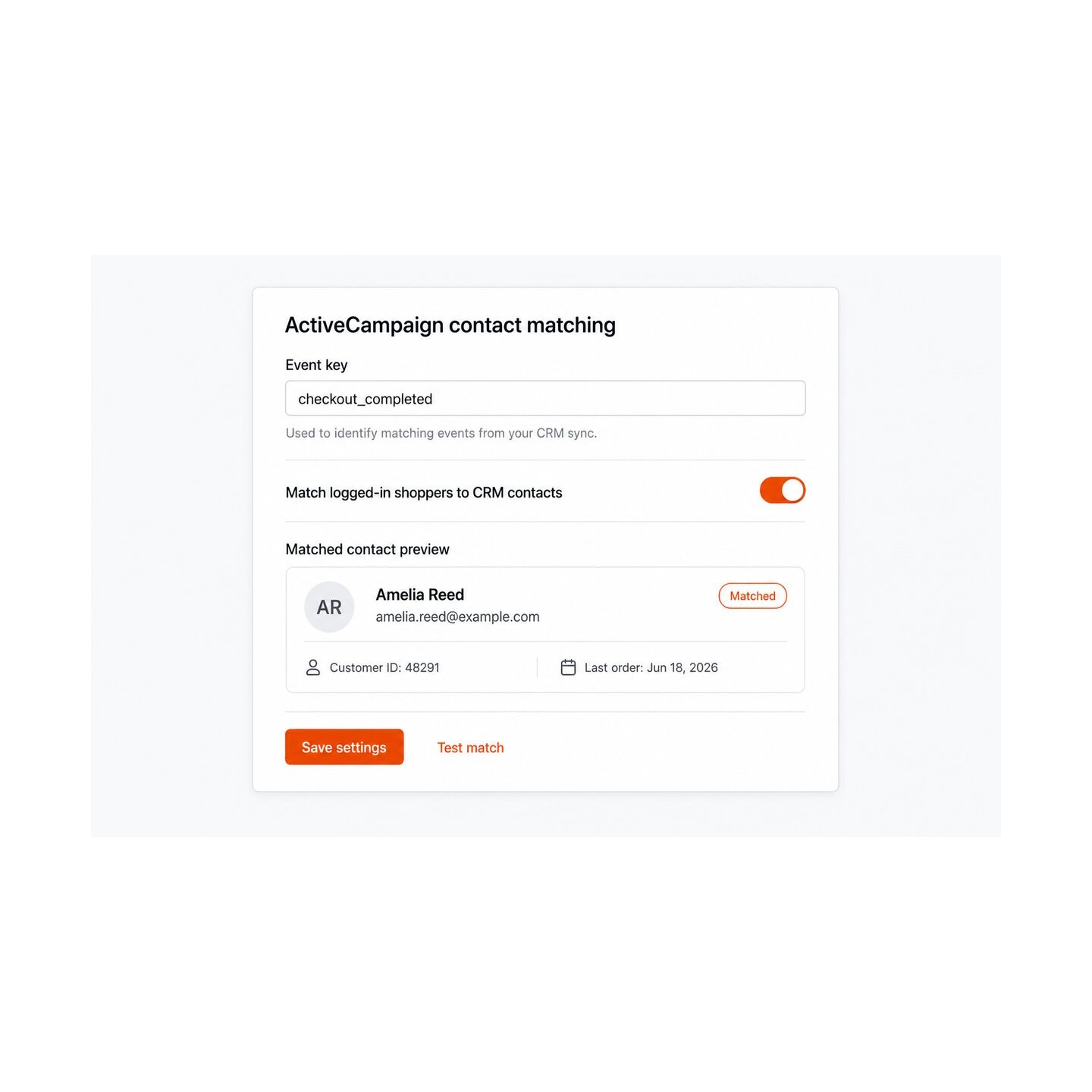
Contact matching panel with a logged-in shopper matched to their CRM contact

What happens with abandoned carts?

A cart left behind is detected after a waiting time you set, so a shopper still deciding is not disturbed while a genuinely abandoned cart is caught the same day. The cart appears in a list in your own back office, with the customer and the contents, and the same data is delivered to ActiveCampaign.

There, your recovery automation takes over and writes about the actual products in the cart, not a generic reminder. When the shopper returns and completes the purchase, the module marks the cart as recovered in ActiveCampaign, so the sequence stops and nobody receives a discount for an order they already placed. The refund that never needs granting and the annoyed reply that never arrives are the point of that last step.

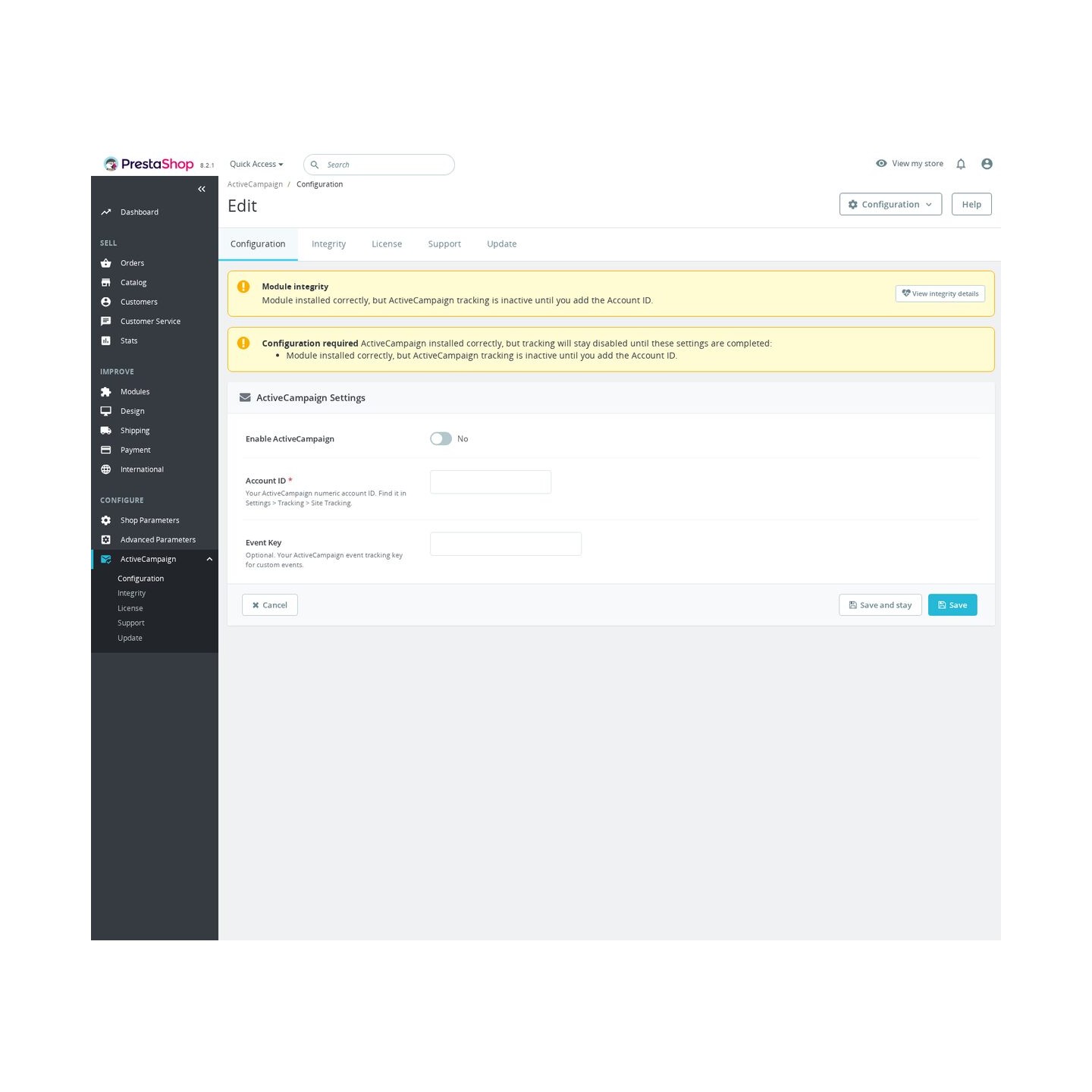
The ActiveCampaign Integration configuration screen

What campaign work stays inside the shop's panel?

The everyday marketing loop runs without switching systems. You create contact lists and place exported customers on them, write campaign messages with full formatting, and send them immediately or at a scheduled date and time.

Afterwards, each campaign's results are read from the same panel, so the person running the shop sees what a send achieved next to the orders it produced. ActiveCampaign remains the engine underneath; the module keeps the controls where the merchant already works.

A working screen of ActiveCampaign Integration in the back office

How fast is the start, and what does the storefront pay for it?

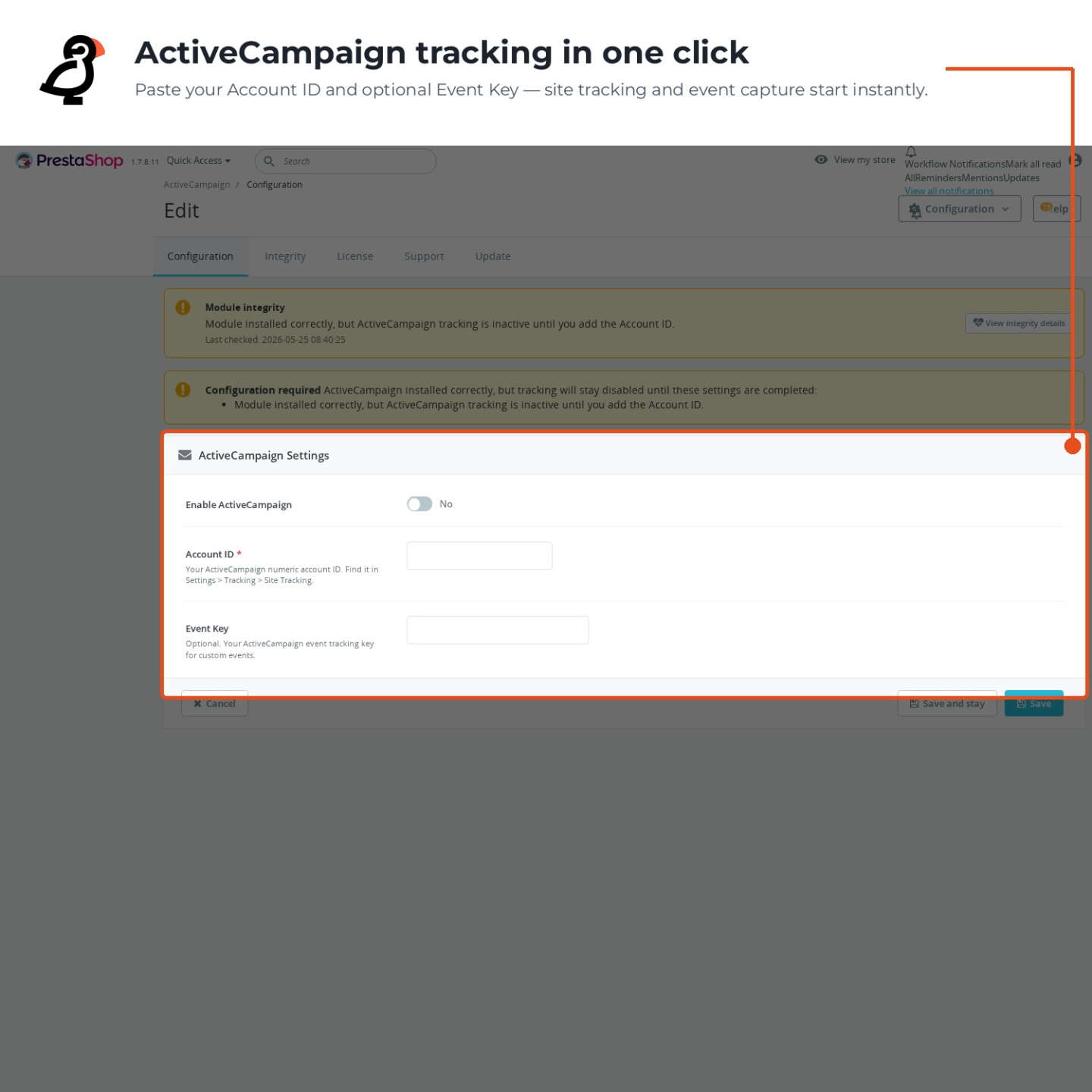
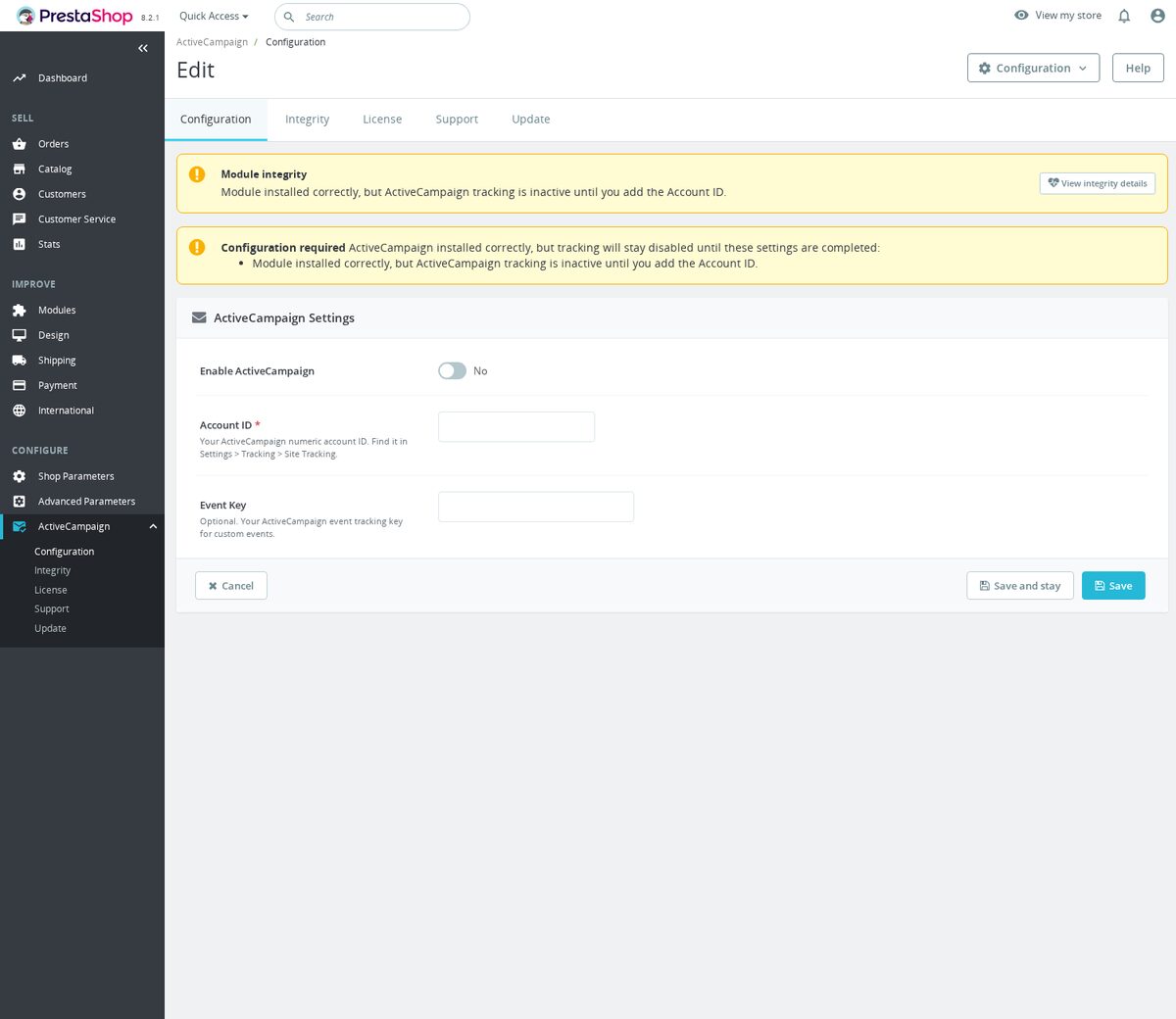
The start is one field: the account identifier, found in the tracking settings of your ActiveCampaign account. Until it is filled, the module states plainly what is missing and emits nothing at all, so a half-configured installation never sends stray data. Once filled, tracking is live storewide.

The storefront pays nothing noticeable. The tracking file loads in the background after the page has been delivered, so product pages appear at their usual speed, and the switch in the settings turns the whole integration off in one movement whenever you need silence.

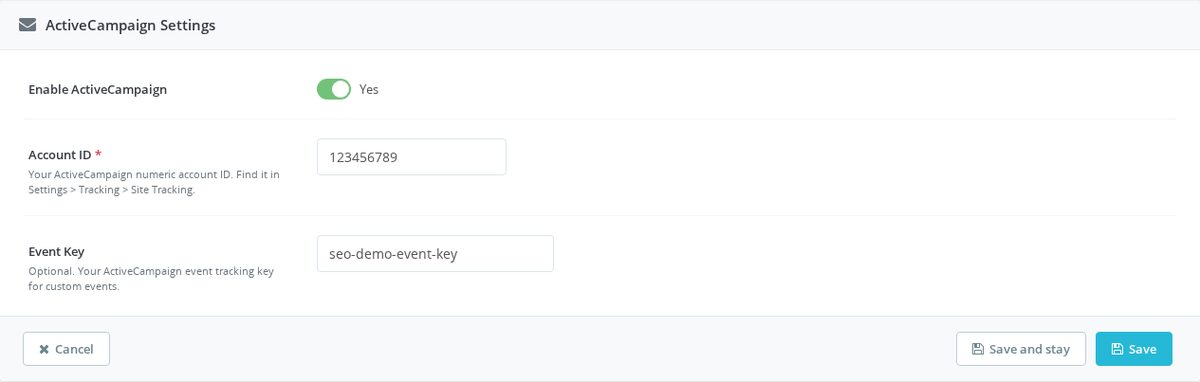
Back Office configuration screen with the required ActiveCampaign Account ID field
  • Reference
    mpractivecampaign
  • Version
    1.1.0
  • Improvements
    108
  • Released
  • Updated
  • PrestaShop Compatibility
    PS 1.6 – 9.x
  • Pricing Model
    One-time Purchase
  • Module Type
    Front & Back-office
  • GDPR Relevant
    Yes
  • Business Goal
    Marketing & Retargeting
  • External Account Needed
    Yes
  • Module Complexity
    Feature-Rich Module
  • Customer Journey Stage
    Retain Customers
  • Works With Platform
    Email Marketing

What customers say about us

Company reviews
5.0 ★ ★ ★ ★ ★ (4 reviews)
Customer Reviews for PrestaShop Modules and Support
No product reviews yet

Be the first to share your experience with this product.

Write a Review Customer Reviews for PrestaShop Modules and Support

Track ActiveCampaign visits from your PrestaShop store without editing theme files. The module adds ActiveCampaign site tracking from the Back Office and can identify logged-in customers by email.

Have a question about this product? Our experts are here to help. Ask anything about installation, compatibility, or specifications.
Ask a question
1343 questions
9 categories
Is the ActiveCampaign tracking GDPR-compliant, and what data does it send? Published

This module loads ActiveCampaign's third-party site-tracking script (diffuser.js from diffuser-cdn.app-us1.com) directly in the visitor's browser. It renders whenever the module is enabled and an Account ID is saved. There is no built-in cookie-consent gate in the code, so consent management is your responsibility.

The only personal data the module itself passes is the email address of a logged-in customer, sent to ActiveCampaign with vgo('setEmail', ...) so visits can be tied to the right contact. Guests are tracked without any email. The module stores only two settings in PrestaShop (ENABLED and ACCOUNT_ID); it keeps no visitor data of its own.

Because this is marketing/analytics tracking that can transmit a personal identifier, load it behind your consent mechanism where the law requires it, and describe ActiveCampaign in your privacy policy.

Which PrestaShop versions are supported, and does it modify my theme? Published

The module targets PrestaShop 1.6 through 9.x and does not edit any theme files. It registers a single front-office hook, displayBeforeBodyClosingTag, and inserts the tracking script just before the closing </body> tag, not in the page head.

Because it relies on that hook, the script only appears if your theme actually renders displayBeforeBodyClosingTag, which the standard PrestaShop themes do. Nothing is copied into a template, so a theme change or update will not lose the integration.

If tracking never shows in the page source, confirm the module is enabled, the Account ID is filled in, and that your custom theme calls displayBeforeBodyClosingTag near the end of the page.

How do I add ActiveCampaign site tracking to PrestaShop? Published

Enable the module, paste your ActiveCampaign Account ID, then save the configuration. The Account ID is the numeric value ActiveCampaign shows in Settings > Tracking > Site Tracking; it is stored as ACCOUNT_ID, and the module will not render the storefront script until both ENABLED and ACCOUNT_ID are present.

  • In PrestaShop, open the ActiveCampaign module configuration.
  • Switch Enable ActiveCampaign on.
  • Paste the numeric Account ID, for example 123456789.
  • Visit a storefront page and confirm the page source contains the ActiveCampaign diffuser script.

When active, the displayBeforeBodyClosingTag hook loads ActiveCampaign's diffuser script, runs vgo('setAccount', ...), enables default tracking and calls vgo('process'). For logged-in customers it can also pass the customer's email with vgo('setEmail', ...).

The script is inserted just before the closing body tag, not in the page head. That is useful when checking installation: search the rendered page source near the bottom for diffuser-cdn.app-us1.com/diffuser/diffuser.js, vgo('setAccount' and your account ID. If those are missing, either the module is disabled, the Account ID is empty, or the theme does not execute the displayBeforeBodyClosingTag hook.

The configuration also has an optional EVENT_KEY field, but the current storefront hook is site tracking only. It does not send custom ActiveCampaign event-tracking calls from this module code path. Use it to add the official site-tracking snippet and identify logged-in customers by email; build custom event automation separately if you need deeper ActiveCampaign event tracking.

For privacy, remember that this is a tracking script. Pair it with your consent setup if your store requires marketing or analytics consent before loading third-party tracking, because this module itself does not implement a cookie-consent gate.

What ActiveCampaign settings are required for PrestaShop tracking? Published

The required setting is the ActiveCampaign Account ID, plus the module must be enabled. The code checks both before rendering the PrestaShop storefront script; the Event Key field is saved in configuration, but the current tracking template does not use it.

On install, ENABLED defaults to 0, ACCOUNT_ID defaults to an empty string and EVENT_KEY also defaults to an empty string. The required-configuration notice only declares ACCOUNT_ID as required, and the activation check is simply enabled plus a non-empty account ID.

The admin option labels the Account ID as the numeric ID from ActiveCampaign site tracking, but this source does not apply a numeric validator before rendering. For a clean setup, copy the account ID exactly from ActiveCampaign's site tracking settings, enable the module, then check the page source for the diffuser.js script and vgo('setAccount', ...).

ENABLED = 1
ACCOUNT_ID = 123456789
EVENT_KEY = optional, stored but not rendered by tracking.tpl
Does ActiveCampaign for PrestaShop send ecommerce events? Published

No, this module does not send product, cart, order or custom ActiveCampaign ecommerce events. Its PrestaShop code only loads site tracking, sets the account, optionally identifies a logged-in customer's email and calls the ActiveCampaign page processing function.

The saved EVENT_KEY setting is described as optional for custom events, but the storefront template never references it. There are no purchase, cart, product or checkout event calls in the tracking template; the only ActiveCampaign calls are setAccount, setTrackByDefault, optional setEmail and process.

For merchants, the practical result is page-visit tracking rather than ecommerce tracking. You can use it to let ActiveCampaign see tracked page views and identify logged-in customers by email, but order value, product IDs, cart contents and line items are not sent by this module. If those are needed, they would require another integration or new code that actually hooks product, cart and order events.

Does ActiveCampaign for PrestaShop identify logged-in customers? Published

Yes, logged-in PrestaShop customers are identified by email in the ActiveCampaign tracking script. The module reads the current customer from the PrestaShop context and sends the email only when the customer is logged in; anonymous visitors are tracked without an email value.

The check happens in the storefront body-closing hook. Tracking is rendered only when the module is enabled and an ActiveCampaign Account ID is present. The hook then assigns three template values: the account ID, the customer email, and a boolean that says whether an email was found.

In the template, vgo('setEmail', ...) is wrapped in a logged-in check, so guests do not get an empty email call. Every tracked page still sets the account, enables default page tracking and calls vgo('process'). That means ActiveCampaign can connect known page visits to the logged-in customer's email, while guest page visits remain anonymous until ActiveCampaign can identify them by some other route.

Logged in customer -> setAccount + setTrackByDefault + setEmail + process
Guest visitor -> setAccount + setTrackByDefault + process
Do I need an ActiveCampaign API key or API URL to use this module? Published

No. This integration uses ActiveCampaign's client-side site tracking only. The single required value is the numeric Account ID, which you copy from Settings > Tracking > Site Tracking in ActiveCampaign.

The module stores just ENABLED and ACCOUNT_ID and injects the official diffuser.js tracker in the browser. There is no API key, API URL, or server-to-server sync anywhere in this code path, so no API credentials are stored on your server or sent from it, all data flows from the visitor's browser to ActiveCampaign.

Remember to switch site tracking on inside your ActiveCampaign account as well, otherwise the visits collected by the script will not appear.

v1.0.172026-09-08
  • Addedcomplete FR/DE/ES/IT/PL translations

Works Well With ActiveCampaign Integration

Modules our team genuinely pairs with this one, and exactly why each belongs in the same setup.

Complement

A store using ActiveCampaign Integration adds site tracking so visits from known shoppers can be connected to CRM contacts for automations, lead scoring and follow-up timing. That sharpens off-site nurture, but it does not change the on-site incentives that encourage repeat shoppers to keep buying from you.

Loyalty Discounts System covers that by assigning shoppers to spending-based tiers linked to native PrestaShop groups, so loyal buyers receive the configured group treatment once their valid order spend reaches each threshold. It rewards spend on-site, separate from the ActiveCampaign connection.

Running both, your store rewards loyalty through automatic tier-based group treatment while ActiveCampaign handles CRM-based follow-up from storefront behaviour. The two operate independently, one shaping on-site incentives by spend and the other re-engaging contacts off-site, covering both how you reward and how you reach repeat customers.

Complement

A store using ActiveCampaign Integration renders site tracking so known shoppers' visits connect to CRM contacts, letting automations use storefront behaviour. That handles the CRM and messaging layer, but follow-up is most effective when there is real on-site content worth bringing shoppers back to.

Blog Revolution covers that with a native place for buying guides, announcements and advice, keeping articles, categories, tags, authors, comments, ratings, RSS and clean blog pages inside the shop. It produces on-site content, entirely separate from the ActiveCampaign integration.

Running both, your store builds durable articles that attract and inform visitors while ActiveCampaign connects known browsing to CRM contacts independently. The blog gives your automations substantial on-site material to point readers toward, and the two operate as separate tools, one creating content and the other connecting storefront behaviour to ActiveCampaign.

Governance

A store running ActiveCampaign Integration connects known shoppers' visits to CRM contacts, so the value of its scoring and automations holds up better when contacts are not padded with bot submissions. ActiveCampaign connects the behaviour, but it does not reduce automated junk in the forms that produce contacts.

reCAPTCHA & hCaptcha Protection covers that by reducing spam messages and bot submissions on contact, registration, login and newsletter forms, supporting reCAPTCHA v2, v3 and hCaptcha. It filters bot noise at submission, a separate concern from the ActiveCampaign connection.

Running both, your storefront forms see fewer bot submissions while ActiveCampaign works from cleaner data. The protection module reduces spam and automated submissions, so the contacts and scoring you rely on in ActiveCampaign carry less bot noise than unprotected forms would produce.

Complement

With ActiveCampaign Integration, a store connects known shoppers' visits to CRM contacts so automations and lead scoring use storefront behaviour. That supports off-site re-engagement, but it does not provide the on-page trust signal that helps a hesitant shopper commit: how reviewers rated the product.

Reviews & Ratings covers that with native ratings, written feedback, optional photo reviews and review criteria for products, categories, CMS pages and the store itself, all moderated inside PrestaShop. It owns moderated customer feedback, a separate concern from the ActiveCampaign connection.

Running both, reviews help convert shoppers on-site while ActiveCampaign re-engages those who leave through CRM-based automations. The two operate independently, one building trust at the decision point and the other handling follow-up afterwards, so your store strengthens both conversion and retention without either tool depending on the other.

0 open1 resolved
Report an issue
ActiveCampaign contact sync creates duplicate entries for customers with multiple addressesResolved2025-11-18
View all known issues

Feature Requests: 4

View full roadmap

Suggest a Feature

30 days return right
Easy return - no questions asked
Plug & Play Modules
Install, set up and take profit
Dedicated Support First
Priority Help & Satisfaction Over Sales

You might also like

More From This Category

Who builds and maintains this module

Built and maintained by David Miller and mypresta.rocks. David Miller has worked with PrestaShop since 2013, and the company behind this shop has been registered since 3 December 2018. Every module in this catalogue is our own work, so your questions to support reach the people who wrote the code. The changelog on this page lists every update with its date.

About us

Loading...
Back to top