Integrations & Data Export

Klaviyo Integration

Feed Klaviyo the browsing and cart activity behind your flows and match it to the right profile

Version
1.3.36
Updated
PrestaShop
1.6 to 9
Price: €99.00
Tax excluded
Partner price €79.20 Partner price for agencies Agencies with a partner account pay less on every module, depending on what they buy: 20% approved partner 25% from €1,000 a month 30% from €3,000 a month Average of the last 12 months, excl. VAT. Become a partner

Klaviyo Integration sends what shoppers do in your PrestaShop store to Klaviyo: the products they view, what goes into their cart and the orders they place. Setup takes one field, the public key from your Klaviyo account.

Klaviyo is an email and SMS marketing service that sends the abandoned-cart reminder and the follow-up on a viewed product from flows you set up once. Its free plan covers 250 active profiles and 500 emails a month.

A viewed product reaches Klaviyo with its name, price, photo and page address, so the follow-up email shows the exact item the shopper looked at. Signed-in customers land on their own Klaviyo profile, and you switch each event on or off.

Your follow-ups name the right product, and your segments rest on what customers actually did.

Professional Setup We fully configure the module to your needs: all options set, tested & verified within 1 business day. +€29.00
Visual Integration CSS & template adjustments to match your theme: includes cross-device verification and screenshot review. +€49.00

In the box

  • Lifetime licence for one shop
  • 12 months of updates, security fixes free forever
  • 3 months of support by mypresta.rocks
  • PrestaShop 1.6 to 9

Recent changes

  • One download for every shop: each shop gets its own 30-day trial from installation, then you activate it with your licence key.
  • Shared components updated to the current release set.
Full changelog

Summary of what Klaviyo Integration offers

Klaviyo Integration connects a PrestaShop store to Klaviyo and turns storefront behaviour into the events your flows and segments run on. Six features support your marketing and daily operation:

  • What Klaviyo adds to your marketing: the service, its flows and its pricing.
  • Which shopper actions reach Klaviyo: identity, viewed products, cart activity, purchases.
  • What that data settles: carts recovered and emails that name the right product.
  • The control you keep: a switch per event and a storefront that stays untouched until you decide.
  • The start: one public key, with the module naming anything still missing.
  • Day-to-day safety: an integrity screen that repairs itself and guarded updates.
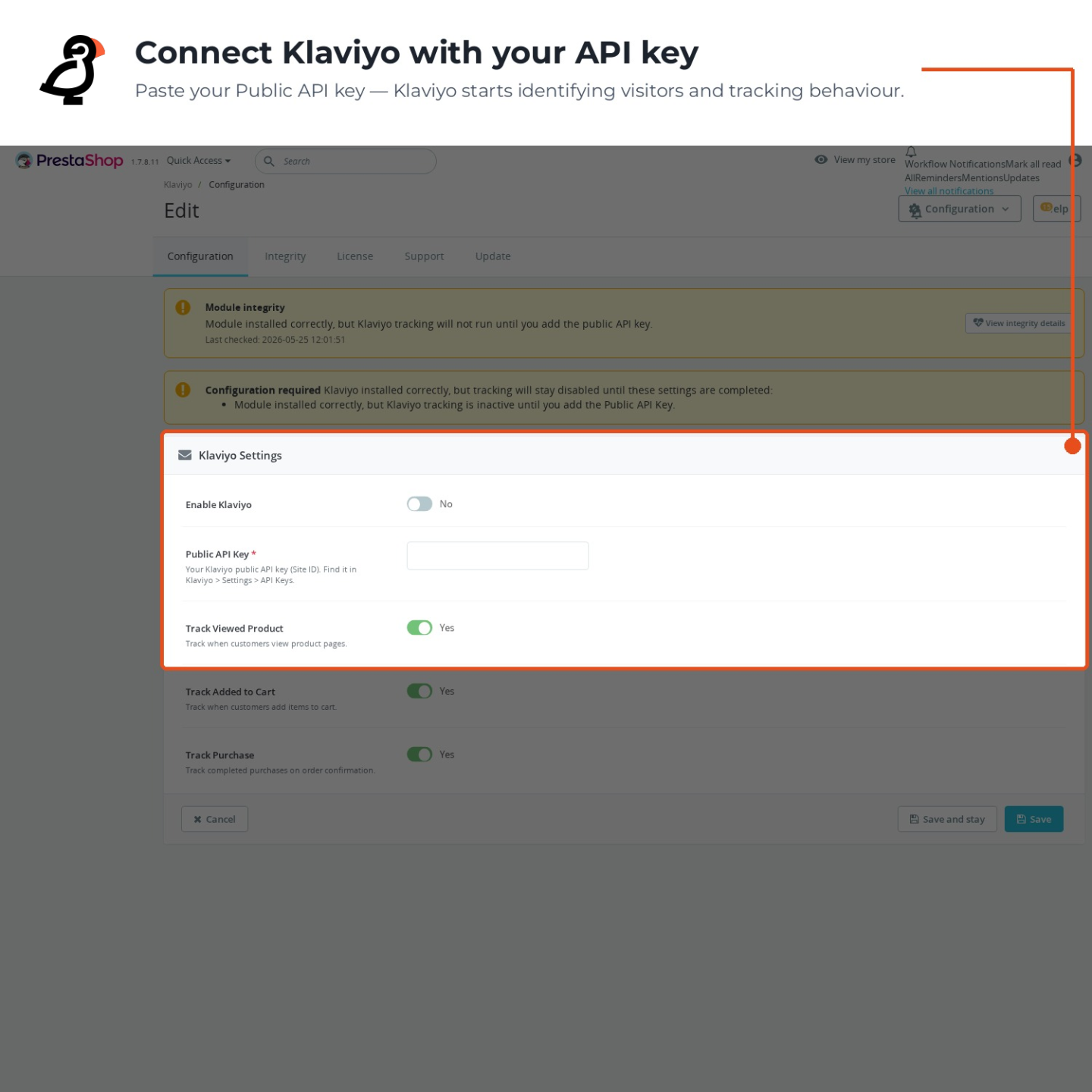
Klaviyo Integration configuration page in the PrestaShop back office with the enable switch, public API key and per-event toggles

What does Klaviyo add to your marketing?

Klaviyo is a marketing automation service for email and text messages, used by shops to send messages triggered by behaviour instead of a calendar. A flow starts when something happens: a cart is left, a first order is placed, a product returns to stock. The account includes a segment builder, prebuilt flow templates, a drag-and-drop email editor and reporting that attributes revenue to each message.

An account is free for up to 250 contacts, and paid plans are priced by the size of the contact list. Every integration feature works on the free plan, so the connection is tested end to end before a subscription starts.

The Klaviyo Integration configuration screen

Which shopper actions reach your flows?

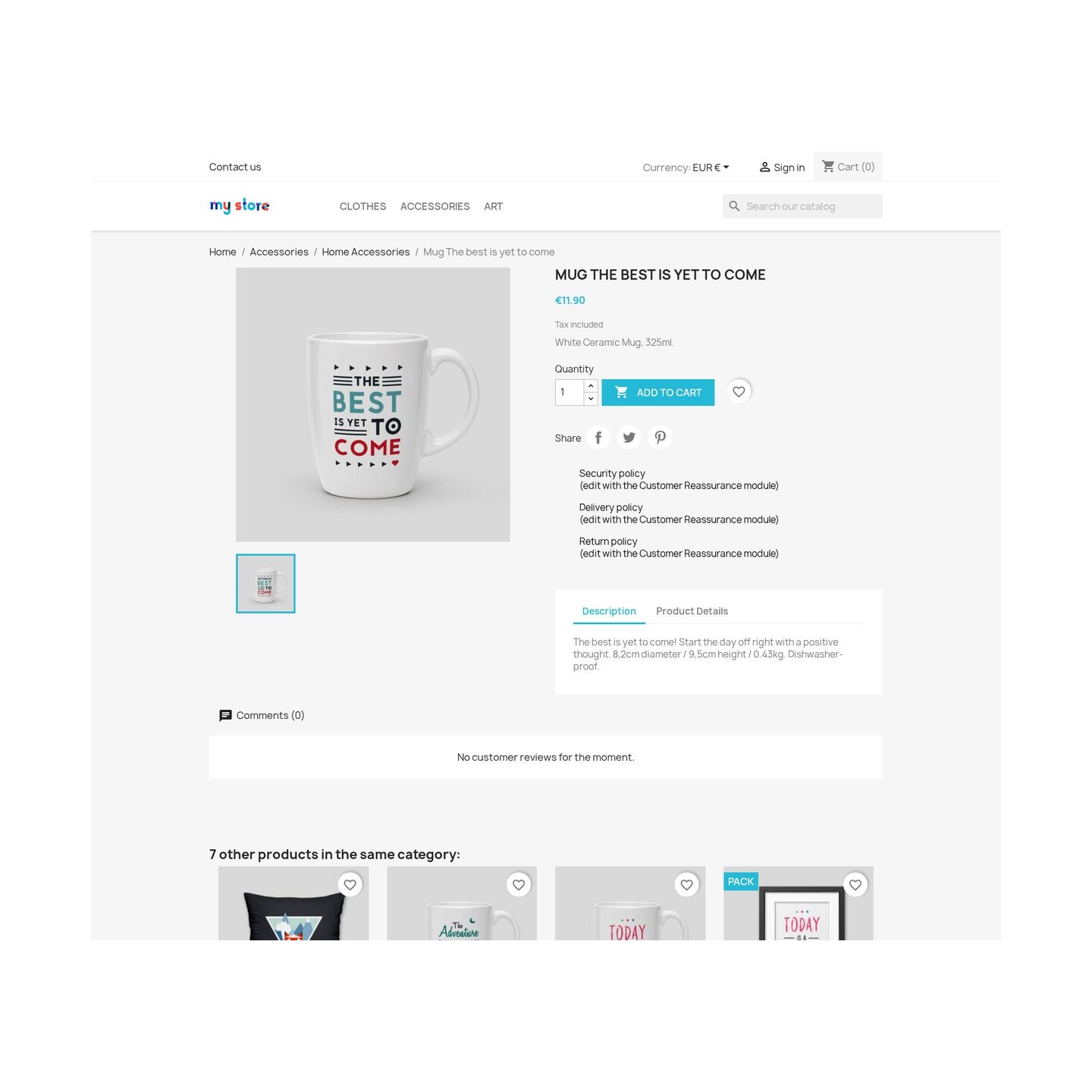
A signed-in customer is identified to Klaviyo by name and email address, so every later event lands on that profile instead of an anonymous visit. From that moment the store reports what happens: the product page a customer opens arrives as a viewed-product event with the product name, price, page address and photo, adding an item to the cart sends the added product together with the cart contents and value, and the order confirmation page reports the completed purchase with its value.

Each event has its own switch in the settings, so you decide which signals Klaviyo receives. The store sends behaviour, Klaviyo stores it on the profile, and every flow and segment reads from the same record.

Viewed Product event reaching Klaviyo Integration with the product name, price and image

How do abandoned carts come back?

The value of an event is the message it triggers. A cart left at lunch can trigger an automated reminder in the afternoon, with the products from that cart in the email, encouraging the shopper to complete the order. A shopper who viewed a product three times and never bought receives a browse-abandonment email naming exactly that product.

Because the events carry product data, recommendation blocks in your emails show items the customer actually looked at, and segments like viewed but never purchased or bought once, ninety days quiet build themselves from real behaviour. That is the difference between mailing a list and answering what each customer did.
The Klaviyo Integration installation check

How much control do you keep?

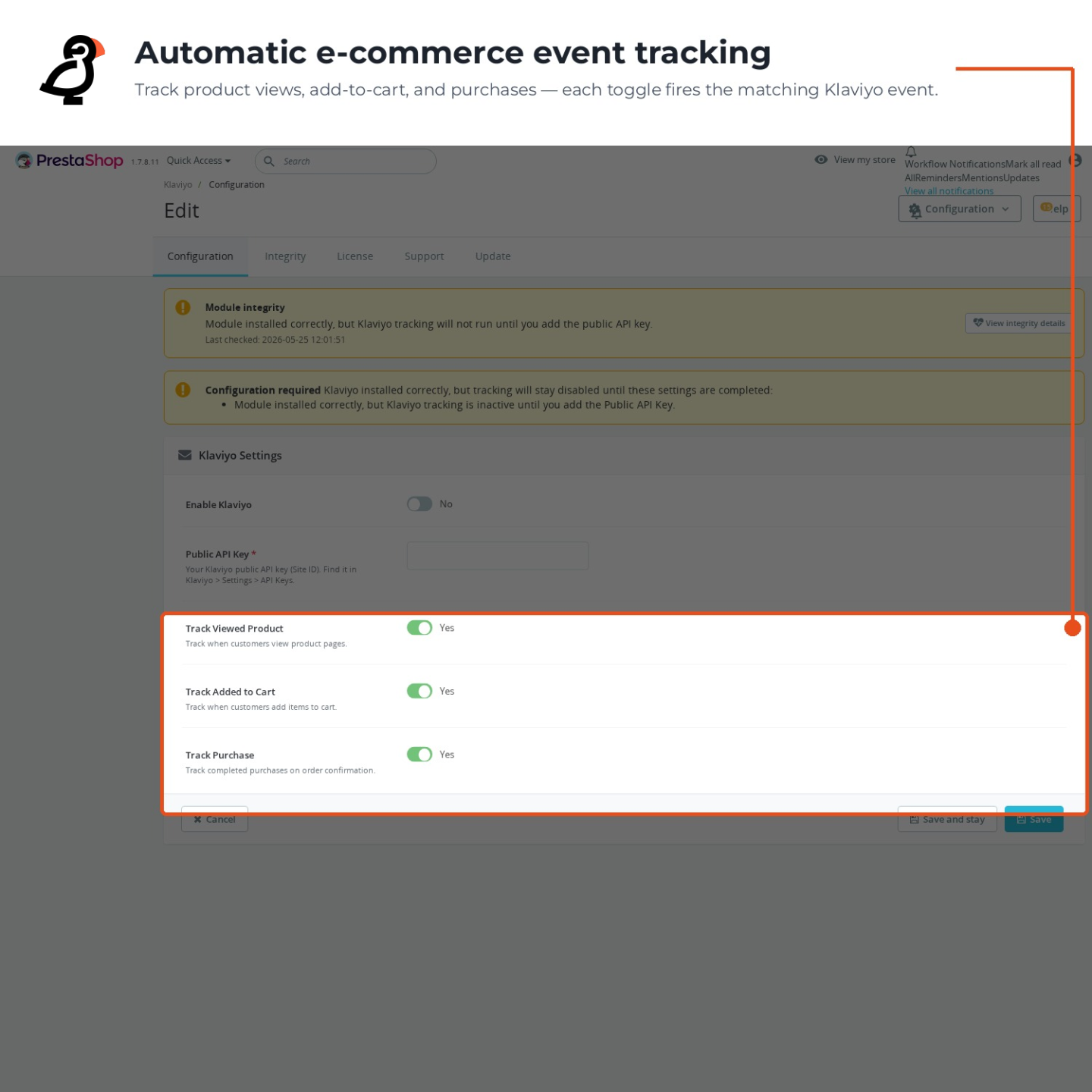
The integration is off after installation and the storefront stays untouched until you enable it, so nothing loads for shoppers before you decide. Viewed products, cart activity and purchases each have a separate switch, and turning one off stops that event while the rest keep flowing.

No theme file is edited and no code is pasted anywhere. Uninstalling the module removes the tracking as cleanly as it arrived.
Back office switches for viewed-product, cart and purchase tracking

How does setup and daily operation look?

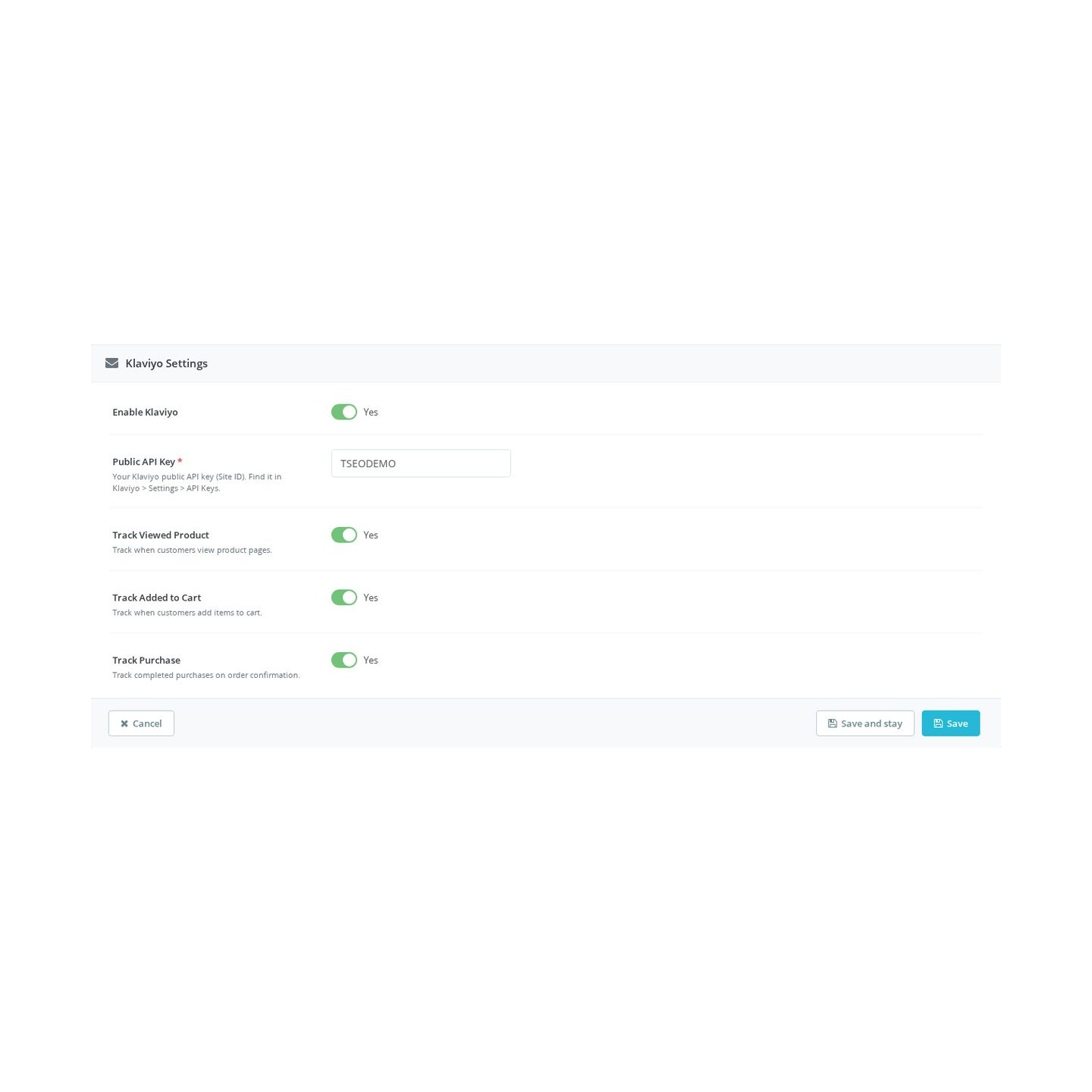
Setup is one field. The public key sits in the Klaviyo panel under account settings; paste it into the module and enable the integration to activate the connection. While anything is missing, the module states exactly which field it is; save the required value and enable the integration to complete activation.
A dedicated integrity screen verifies the installation, repairs it when a piece is missing and collects a structured diagnostic snapshot for support. Updates run from the same panel and create a full backup before replacing anything, restoring it if the update fails. The connection is set up once and then simply runs.

Identify and onsite tracking panel with the connected public API key and the status of each storefront event
  • Reference
    mprklaviyo
  • Version
    1.3.36
  • Released
  • Updated
  • PrestaShop Compatibility
    PS 1.6 – 9.x
  • Pricing Model
    One-time Purchase
  • Module Type
    Front & Back-office
  • GDPR Relevant
    Yes
  • Business Goal
    Marketing & Retargeting
  • External Account Needed
    Yes
  • Module Complexity
    Feature-Rich Module
  • Customer Journey Stage
    Retain Customers
  • Works With Platform
    Email Marketing

What customers say about us

Company reviews
5.0 ★ ★ ★ ★ ★ (4 reviews)
Customer Reviews for PrestaShop Modules and Support

No product reviews yet

Be the first to share your experience with this product.

Write a Review

Quick start

  1. Upload and install the mprklaviyo ZIP in Module Manager.
  2. Click Configure to open Klaviyo Settings.
  3. Enter your public Site ID in Public API Key.
  4. Review Klaviyo consent service ID and the three event switches.
  5. Enable Klaviyo and save.
  6. Grant marketing consent in a fresh customer session, view a product and add it to the cart.
  7. Complete a new test order and confirm Viewed Product, Added to Cart and Placed Order in Klaviyo.

Requires PrestaShop 1.6 or later and PHP 7.1 or later.

Open the full help page

Loading tab content...
30 days return right
Easy return - no questions asked
Plug & Play Modules
Install, set up and take profit
Dedicated Support First
Priority Help & Satisfaction Over Sales

Who builds and maintains this module

Built and maintained by David Miller and mypresta.rocks. David Miller has worked with PrestaShop since 2013, and the company behind this shop has been registered since 3 December 2018. Every module in this catalogue is our own work, so your questions to support reach the people who wrote the code. The changelog on this page lists every update with its date.

About us

More modules

Welcome Popup

Welcome Popup greets new visitors and collects newsletter signups with cookie-controlled frequency, and Klaviyo Integration connects your shop to Klaviyo for automated flows, segmentation and personalized recommendations. New contacts get your emails from the first visit.

Loyalty Discounts System

Loyalty Discounts System rewards customers with loyalty tiers and benefits, and Klaviyo Integration powers segmented, automated email with Klaviyo. Your best customers get both better prices and better messages.

Checkout Revolution

Klaviyo Integration runs abandoned cart flows and personalized emails, and Checkout Revolution lets returning shoppers finish the purchase in one modal with wallets, cards or a saved card. The email brings them back and the checkout keeps them.

Loading...
Back to top