



Every module sale is really two promises. The first is the one on the product page: this feature, that integration, this version compatibility. The second is invisible until something goes wrong, and it is the one that decides whether you ever buy from us again. It is the promise that when your checkout throws a fatal on a Tuesday afternoon and your store is down, a human who actually understands the code reads your message, aiming to reply within one business day. This post is about that second promise: how our support is built, why we aim to reply within one business day, and how we organise our work around that aim. If you run a store yourself, it doubles as a working blueprint for the support you owe your own customers.
What actually happens when you open a ticket
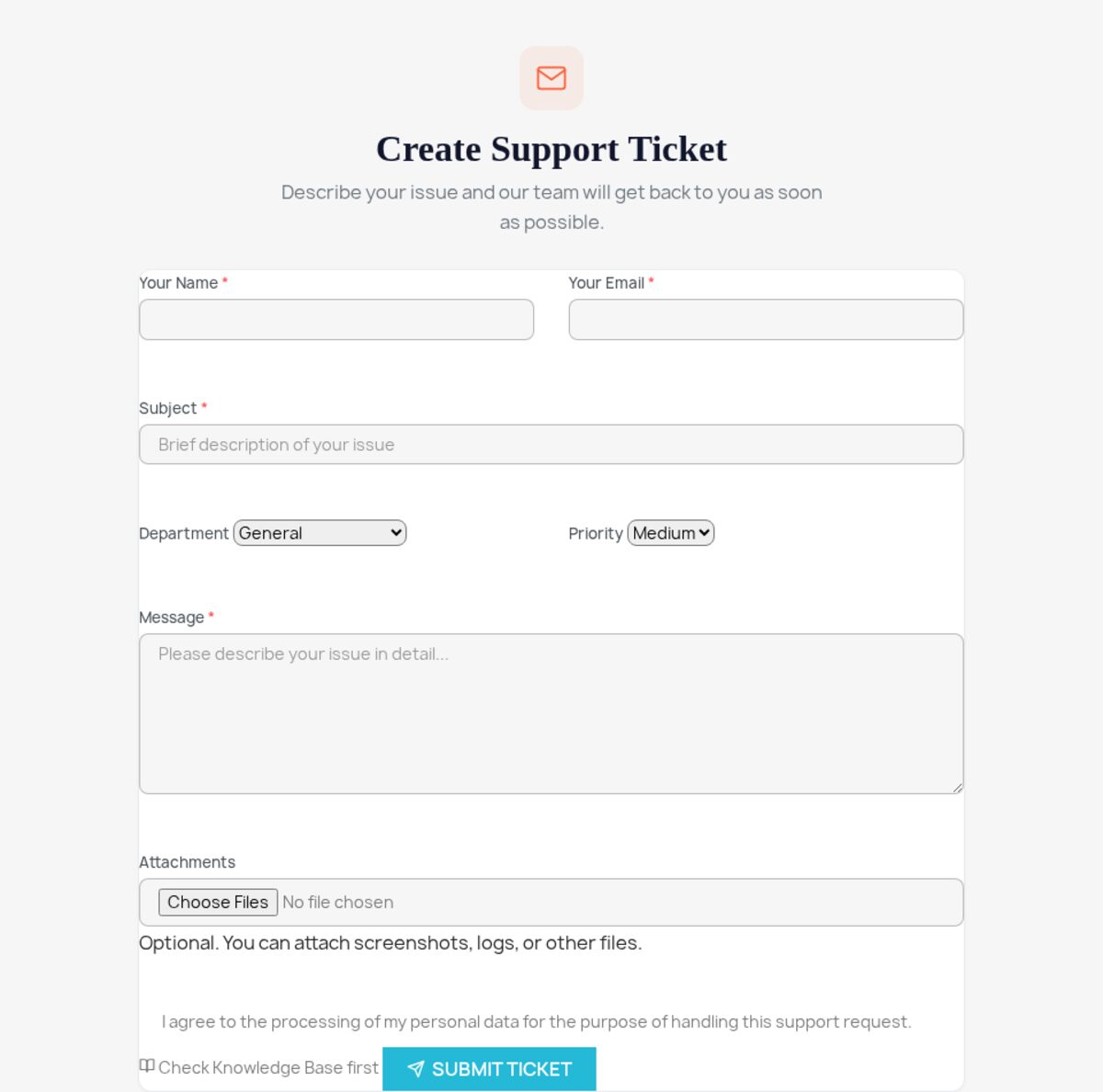
When you submit a ticket at mypresta.rocks, it does not land in a tiered queue. It goes to the developer who wrote the module. Not a first-line agent reading from a macro, not a chatbot pattern-matching your words against an FAQ, not a shared inbox that someone skims on Fridays. The person who knows where the bug lives reads your message; we aim to reply within one business day.
That routing is not a courtesy; it is the only model that works for this product. A PrestaShop store is never a clean-room environment. Yours is a specific PrestaShop version, on a specific PHP version, running a specific theme, with some number of other modules, ours and other vendors', all hooking the same display points, plus whatever overrides a previous developer left in /override/. A bug report like "the module's block disappeared after I updated" could be a hook conflict, a theme template that doesn't call the hook, an OPcache serving stale class files, or a genuine regression in our code. A generalist agent has to escalate to even understand the question. The developer who wrote the hook registration reads the same sentence and already has three hypotheses. So what does that mean for you? Fewer round trips, and a resolution measured in one or two replies instead of a week of "have you tried clearing your cache."
Why "within hours" is an economic decision, not a virtue
Fast support sounds like generosity. It is closer to arithmetic. A ticket that gets a real answer on the first reply is cheap: one developer, one context-load, done. The same ticket left for three days becomes expensive in ways that don't show up on an invoice. The customer reinstalls things and makes the state worse, opens a second ticket, posts a one-star review that mentions "no response," and asks for a refund. Slow support is not a saving. It is a deferred, compounding cost, and every store owner reading this already knows it from the other side of the counter.
The same logic governs how we build the modules in the first place. The cheapest support ticket is the one nobody needs to open, so the work that prevents tickets happens before release:
- Self-heal and integrity checks built in. Most of our module entry files carry integrity and self-repair routines, if a database table or a config row goes missing, the module detects it and restores it rather than throwing a cryptic error that becomes your ticket.
- Version and PHP-floor testing before shipping. Modules are exercised across the PrestaShop and PHP versions they declare support for, so "it installs on 1.7 but fatals on 8.x" is caught by us, not by you at 9pm.
- Proactive updates. When PrestaShop ships a new release, we update ahead of breakage where we can, instead of waiting for the support queue to tell us something snapped.
- Try-before-buy demos. Many modules have a live demo shop and a full 30-day demo download, so a chunk of "will this even do what I need" never has to become a ticket at all, you see it running first.
None of that eliminates support. PrestaShop's variability guarantees edge cases. But every bug caught pre-release is a ticket that never competes for the support time available to the tickets that do arrive.
What "good support" means on a platform this complex
We aim to reply within one business day. The substance is what the answer contains. Four things separate support that resolves your problem from support that just acknowledges it:
| Principle | What it looks like in practice |
|---|---|
| Real fixes, not deflections | If the bug is in our code, we ship a patch, not a "clear your cache and hope." (Sometimes clearing the cache genuinely is the fix on PrestaShop; we say so when it is, and explain why.) |
| Help past our own boundary | When the cause is a theme template, a server limit like a low max_input_vars, or a PrestaShop core quirk, we still point you to the fix, or fix it ourselves because that's faster than narrating it. |
| Honesty about limits | A known limitation gets named as one. A feature we won't build gets a straight no, not a vague "we'll consider it." A multi-day fix gets that expectation set on the first reply. |
| One context, start to finish | You are not re-explaining your setup to a new agent at each reply. The same developer holds the whole thread. |
That last row is where most marketplace support quietly fails. On a stepped helpdesk, the cost of context-switching is paid by you, in repetition. Holding one developer on one ticket front-loads the cost onto us, where it belongs.
The PrestaShop-specific facts that turn a multi-day thread into one reply
The single biggest lever on how fast we can help is the first message. Vague reports force a discovery round; precise ones let us go straight to a hypothesis. If you send these five things up front, you skip the back-and-forth almost every time:
- PrestaShop version and PHP version. Find them in Advanced Parameters → Information (PHP version, server config, and the configuration checklist live here). This alone rules out whole classes of bug.
- The exact module version. And update to the latest build before reporting. The issue may already be fixed. Module versions are listed under Modules → Module Manager.
- The real error text. Turn on debug mode under Advanced Parameters → Performance → Debug mode on a staging copy (PrestaShop 1.6 also exposes it under Performance, or via config-file constants depending on your setup) to surface the actual exception and stack trace, or pull the last entries from var/logs/. "It doesn't work" costs days; a stack trace costs minutes. Include browser console output for front-office JavaScript issues.
- Steps to reproduce. What you did, what you expected, what happened instead, in that order.
- Back-office access, if you can grant it. Often the fastest route to a fix is seeing the issue on your actual store rather than guessing from a description.
This is not us pushing work onto you. A developer who has the version matrix, the stack trace, and reproduction steps can often diagnose before opening your store at all. The detail you spend two minutes gathering helps us investigate the issue sooner.
The infrastructure behind the promise
Answering fast at scale is not willpower; it is tooling. We run our own support stack rather than bolting onto a generic helpdesk, which is why a ticket can route to the right developer instead of a triage pool. Our Support Revolution ticketing module, the same one we sell, handles departmentalised tickets and IMAP email integration, so support that arrives by email and support that arrives through the account both land in one organised place with the right person. Our Digital Revolution module manages the licensing and support-months side: it knows which products you own and how long your support window runs, so nobody wastes a reply establishing whether you're entitled to help.
There is a deliberate point in selling the tools we depend on: we are our own hardest support customer. We also run real PrestaShop stores ourselves, across several PrestaShop versions, so the edge cases you hit are frequently ones we have already met on our own checkout. "We run shops too" is not a slogan here. It is why the first reply tends to recognise your problem rather than discover it.
Stealing this model for your own store
If you sell anything, you are now a support operation whether you planned to be or not, and the same economics apply to you. The instinct, especially early, is to treat support as an interruption to "real work." It is the opposite: support is where retention is won or lost, and a customer whose problem you solved fast is worth far more over time than one you sold to once. The mechanics that make our support fast are portable to a one-person shop:
- Route, don't queue. Make sure inbound questions reach whoever can actually answer them, for a solo store, that's you, but with a system that surfaces the question instead of burying it in a personal inbox.
- Front-load the context. A short "what to include" prompt on your contact form (order number, product, what went wrong) does for you exactly what our five-point checklist does for us.
- Prevent the predictable tickets. A clear FAQ and order-status communication kill the most common questions before they're asked. The post-sale experience is a support strategy in itself, which we cover in post-purchase experience.
- Know what to keep and what to hand off. Support is one of the first functions owners agonise over delegating; the trade-offs are real and worth thinking through before you outsource the relationship with your customers. See what to delegate and what to keep in-house and, once volume forces the question, when to hire your first employee.
Support is also the quiet engine of retention. The first sale is the expensive one; everything after it is cheaper and more profitable, and a fast, honest support reply is one of the strongest reasons a customer comes back. The broader playbook is in building a customer retention strategy.
Frequently asked questions
Who actually answers my ticket?
The developer who wrote the module, not a first-line agent reading from a macro, not a chatbot, not a shared inbox skimmed on Fridays. That routing is the only model that works here, because a PrestaShop bug is almost never clean: it's your specific version, PHP, theme and other modules all interacting. The person who wrote the hook already has hypotheses where a generalist would have to escalate just to understand the question.
What does "within hours" actually mean?
We aim to reply within one business day; diagnosing and resolving the issue may take longer. It's an economic decision, not a virtue: a ticket answered on the first reply is cheap, while one left for three days compounds into reinstalls, a second ticket, a one-star review and a refund request.
What should I include to get the fastest fix?
Five things: your PrestaShop and PHP version (Advanced Parameters → Information), the exact module version (and update to the latest build first. It may already be fixed), the real error text (turn on debug mode on a staging copy, or pull the last entries from var/logs/), clear steps to reproduce, and back-office access if you can grant it. A developer with the version matrix, a stack trace and reproduction steps can often diagnose before opening your store at all.
What if the problem isn't in your module?
We still point you to the fix, or fix it ourselves when that's faster than narrating it, whether the cause is a theme template, a server limit like a low max_input_vars, or a PrestaShop core quirk. And a known limitation gets named as one rather than dressed up; honesty about limits is part of the model.
How to judge a vendor's support before you buy
Feature lists are easy to write and easy to compare; support quality is neither, which is exactly why it gets ignored at purchase time and resented later. When you weigh a PrestaShop module, ours or anyone's, read the reviews that mention the support experience specifically, not just the feature praise. Ask a pre-sales question and notice three things: how fast the reply comes, whether it was written by someone who understood the question, and whether they were honest about limitations rather than telling you everything is possible.
A module with 90% of the features you need and support that answers within hours will keep your store running. A module with 100% of the features and a dead support inbox will eventually cost you a day of downtime and a migration to its competitor. Features are why you install a module. Support is why you keep it, and, on a platform as variable as PrestaShop, it is the difference between a module that quietly does its job for years and one that becomes the reason you dread the next core update.


