



LinkedIn Integration publishes new PrestaShop products and blog articles to your company page and brings its posts back into the storefront. Setup needs your LinkedIn access key and company identifier.
LinkedIn is a professional network where business buyers review suppliers and their recent activity. A company page is free and gives your catalogue updates a public business profile beyond the shop.
You choose separate product and article caption templates, then place a grid or slider feed with your wording and phone visibility. Publication history records outcomes, each item posts once per account, and test shops are blocked from publishing. If Social Revolution already manages LinkedIn, this integration steps aside.
A newly published product supplies its own image and link to the company page, keeping your professional presence aligned with catalogue additions.
Summary of what the module offers
LinkedIn Integration connects a PrestaShop store to its LinkedIn company page in both directions: content flows out automatically, and the page's life flows back into the storefront. Six features connect publishing, company posts, safeguards and setup with your shop.
- Blog publishing: every new article posts itself to the company page, with image, caption and link.
- Product publishing: new products travel the same route with their picture and address.
- The feed: company posts displayed in the shop, as grid or slider, styled to the theme.
- Trust and safety: duplicate prevention, an audit history and a guard against staging accidents.
- The service: a LinkedIn company page gives business buyers a professional presence to check before choosing a supplier.
- Setup: two values, honest diagnostics, and a clean handoff to Social Revolution.

How do blog articles reach the company page?
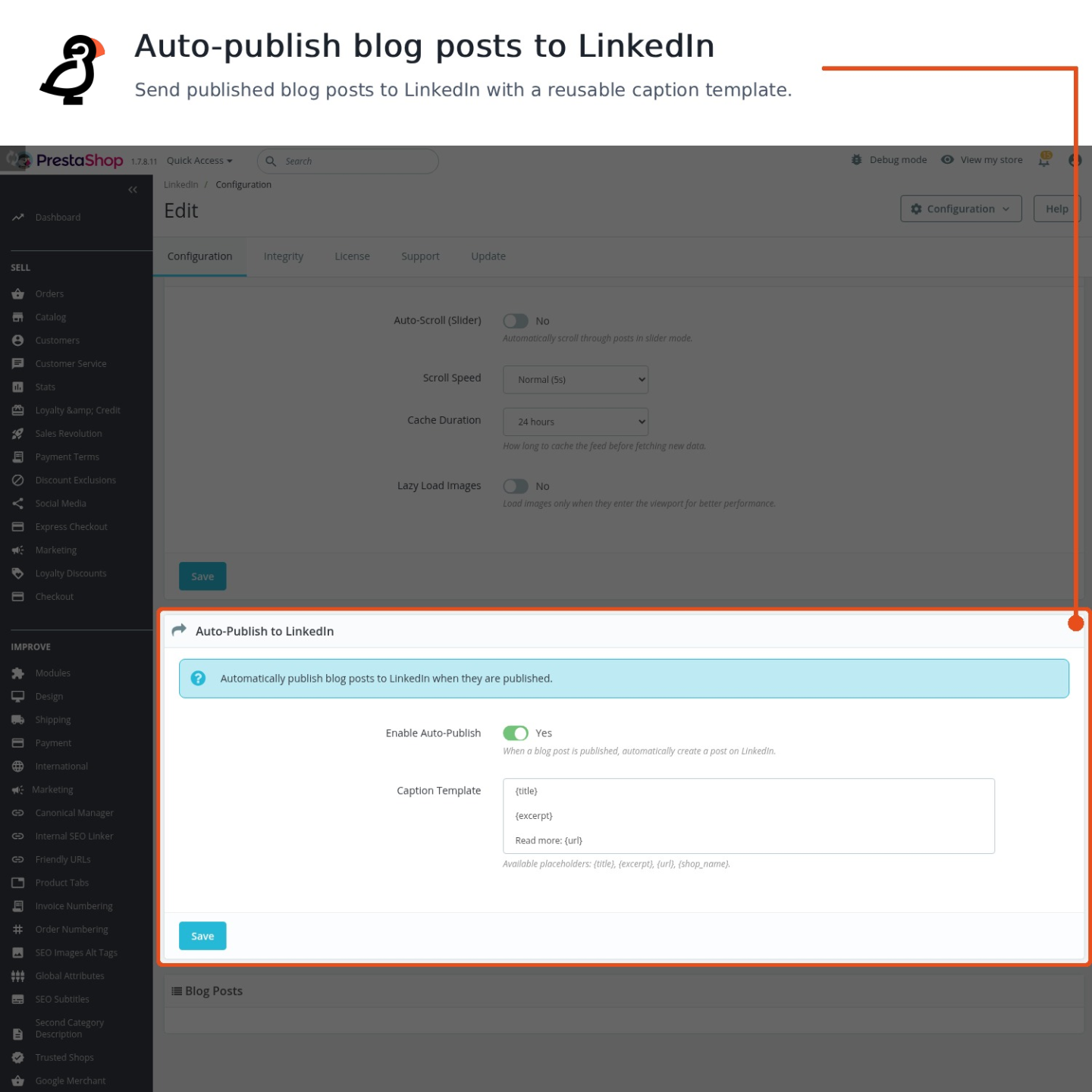
When an article is published in the store, its LinkedIn post is created at that moment. The caption is assembled from your template: the title, the summary, the address and the shop name enter automatically, unused placeholders disappear, and the text is kept within what LinkedIn accepts. The featured picture is uploaded properly and the post appears as a real image post; an article without a picture becomes a clean link post instead, never a silently broken one.
A one-click action publishes any article manually, and the same rules protect both paths: each account receives each article once, and the history records every attempt with its remote address, caption, image and outcome, including failures. What went to LinkedIn, and how it went, is never a guess.
What about products?
Products travel the same route as articles. A newly published product posts itself to the company page with its cover picture, name and address, and a product edit republishes only when you decide so. The caption template for products has its own wording, so a product post reads like an offer and an article post reads like an article.
For a B2B store this is the difference between a page that shows the company's actual assortment growing and a page that shows nothing. The follower who sees the new component in the feed may be a purchaser.
What does the feed look like in the store?
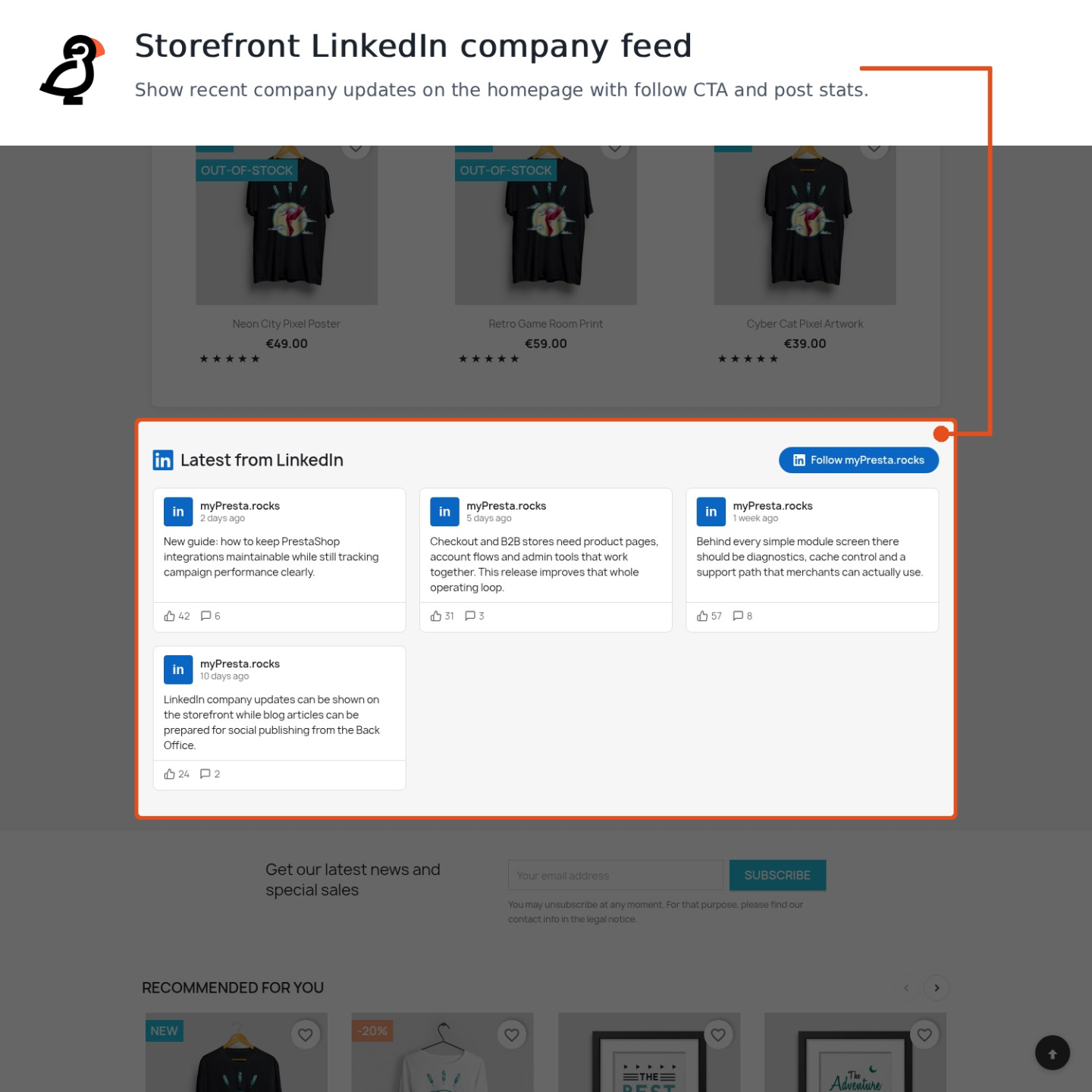
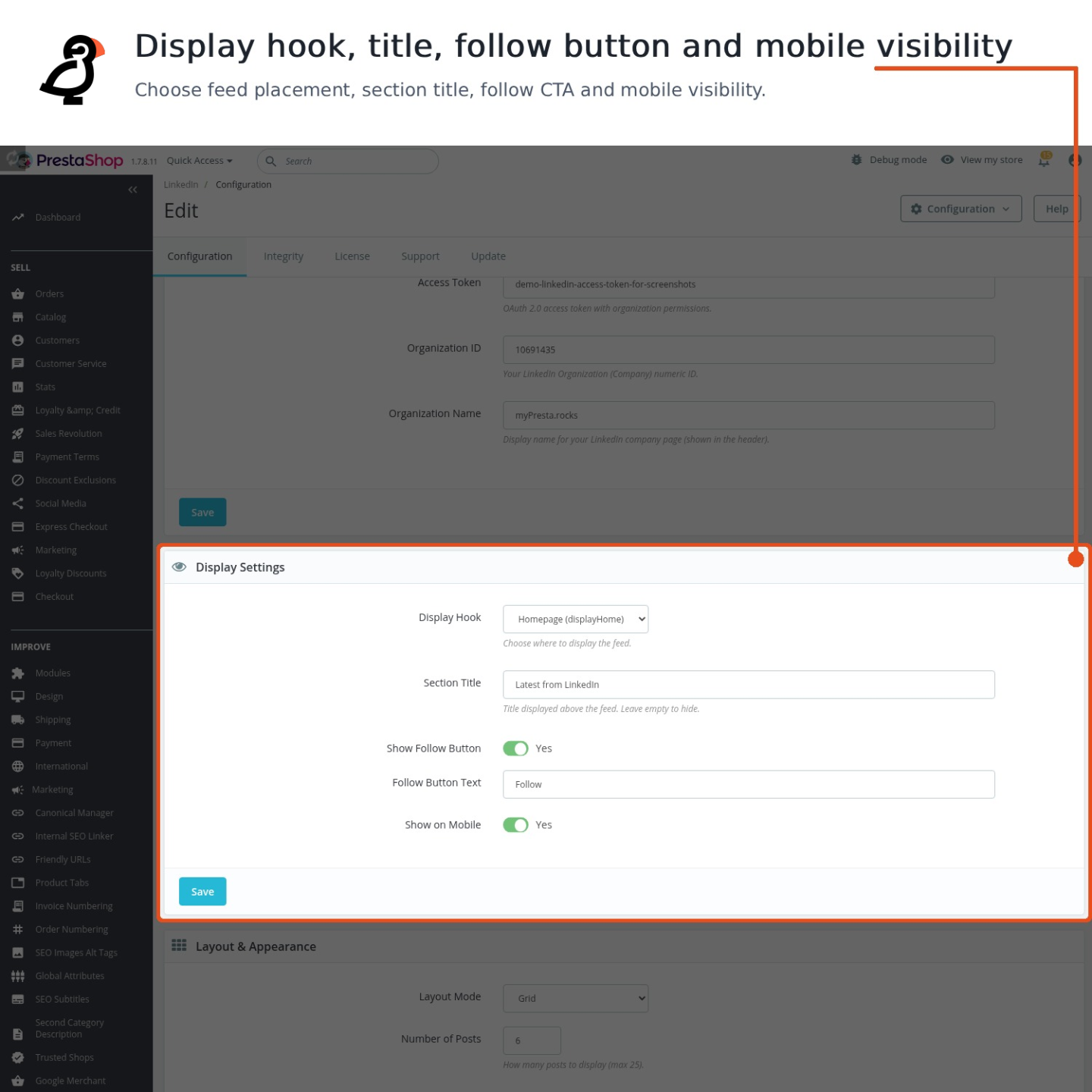
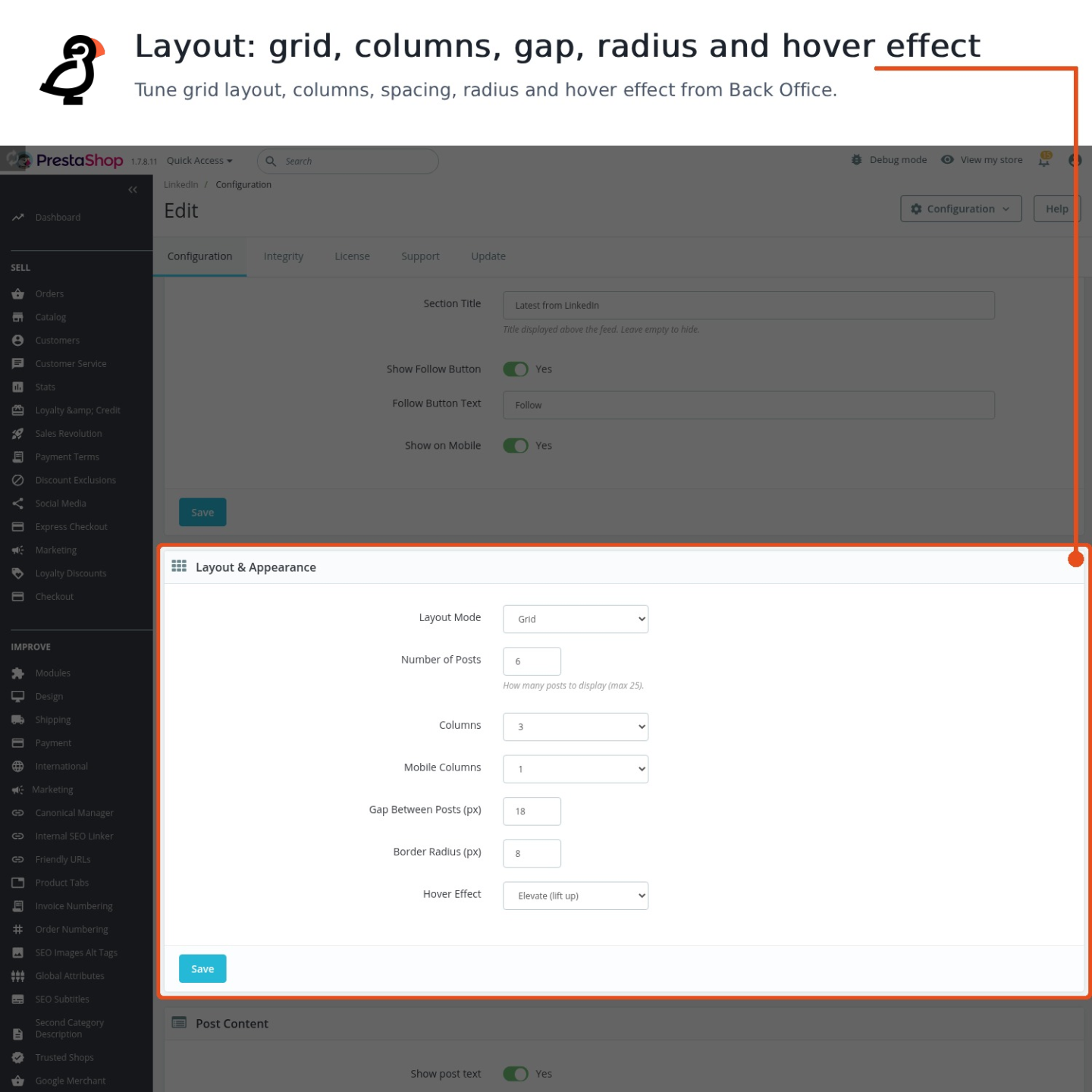
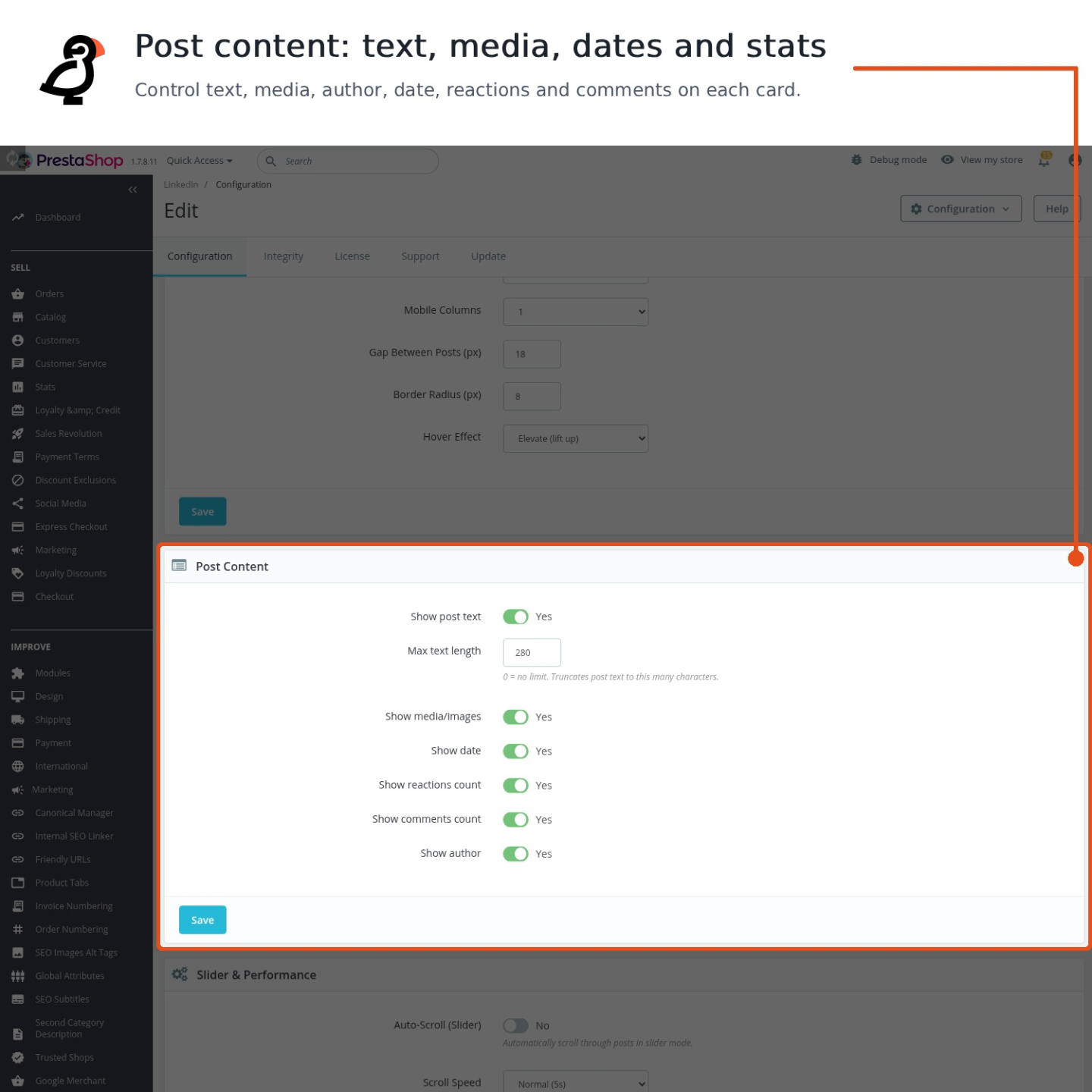
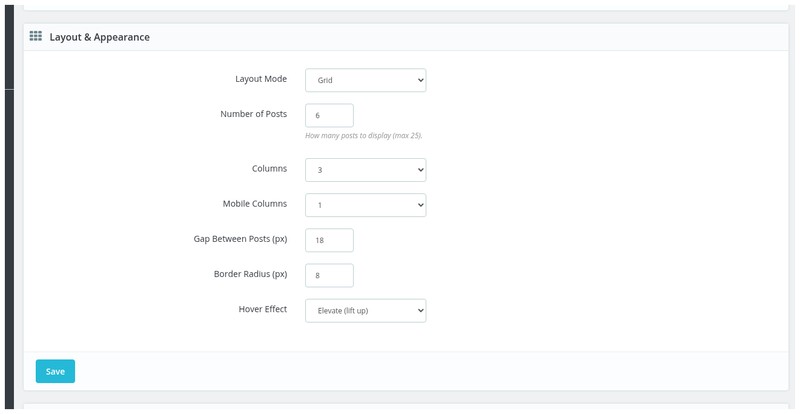
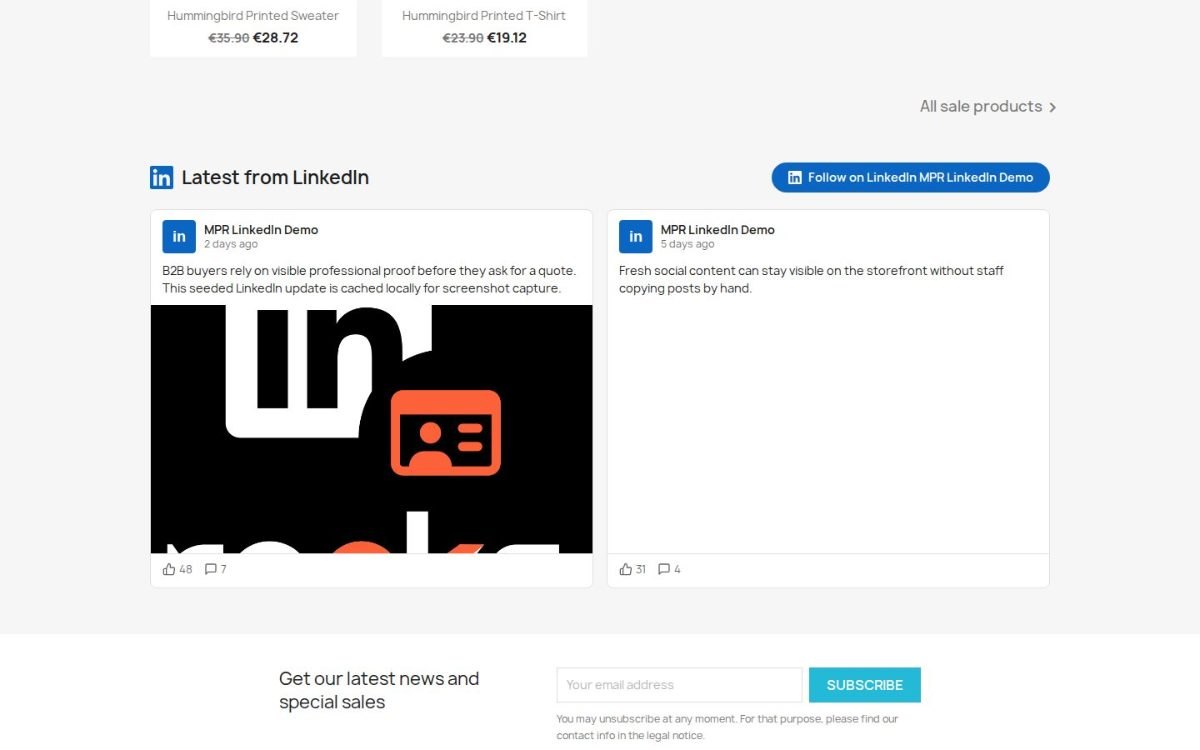
The feed shows the company page's posts where you place it, as a grid or a slider with automatic scrolling and visible controls. You choose the number of posts and columns, the theme, the hover effect, the spacing and rounding, the text length, and whether the date, reaction counts, comment counts and author appear. A follow button with your own wording stands next to it, the whole block switches off on phones when you decide so, and images load only as they enter the screen, so the feed costs nothing on arrival.
Each card links to its exact post on LinkedIn, and the displayed copy refreshes itself on the schedule you set. Business visitors see a supplier with a living professional presence at the moment they are deciding whether to trust the shop.
What is a LinkedIn company page worth to a store?
LinkedIn is the professional network, with over a billion members, and a company page there is free. It is where procurement people, wholesale buyers and business partners verify a supplier: they read the last posts, look at the follower count, and judge whether the company is alive.
The module's job is to make that judgement come out right without anyone's weekly effort: the page reflects the store's real activity because it is fed by it, automatically, from the content the merchant already produces.
How does setup work, and what keeps it safe?
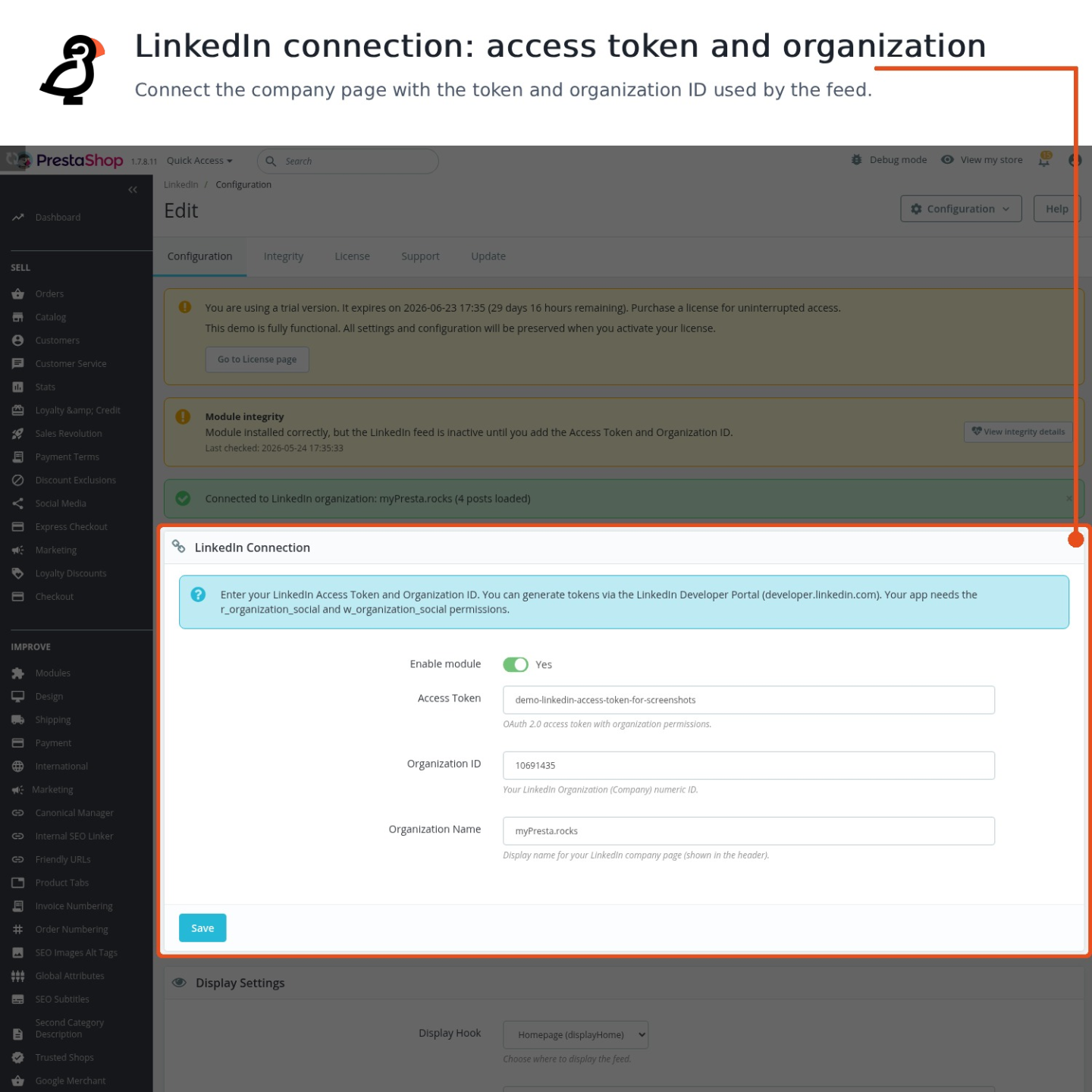
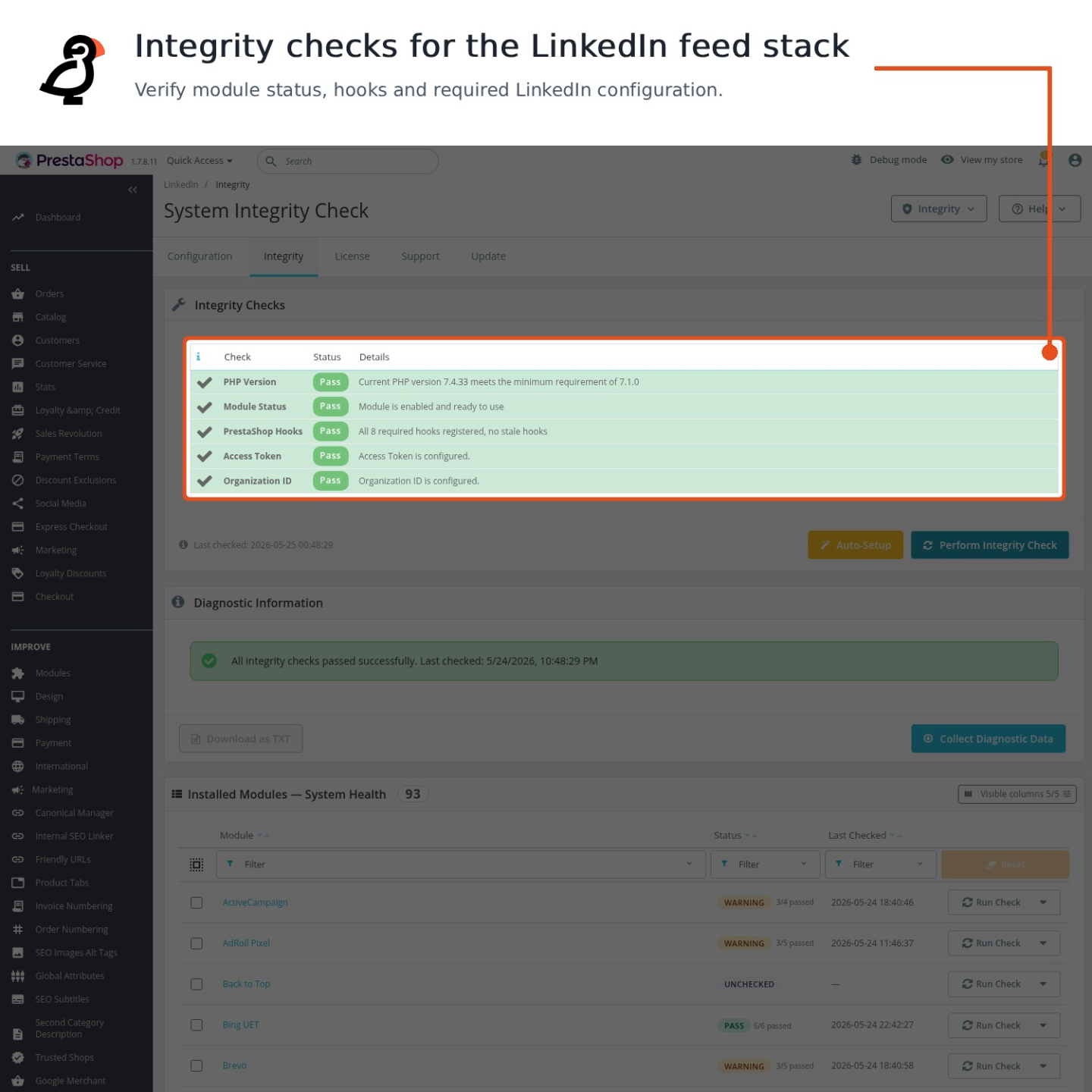
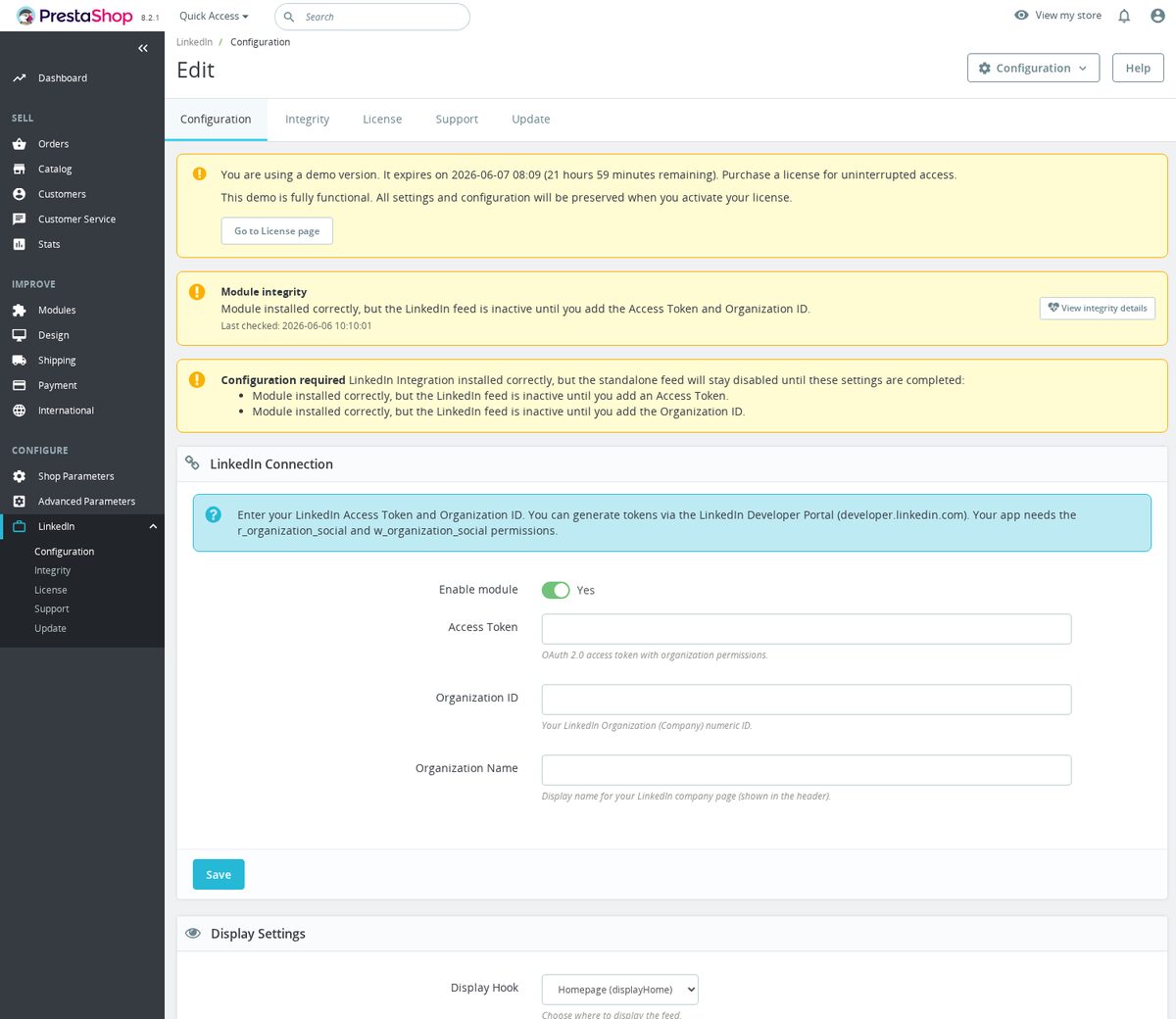
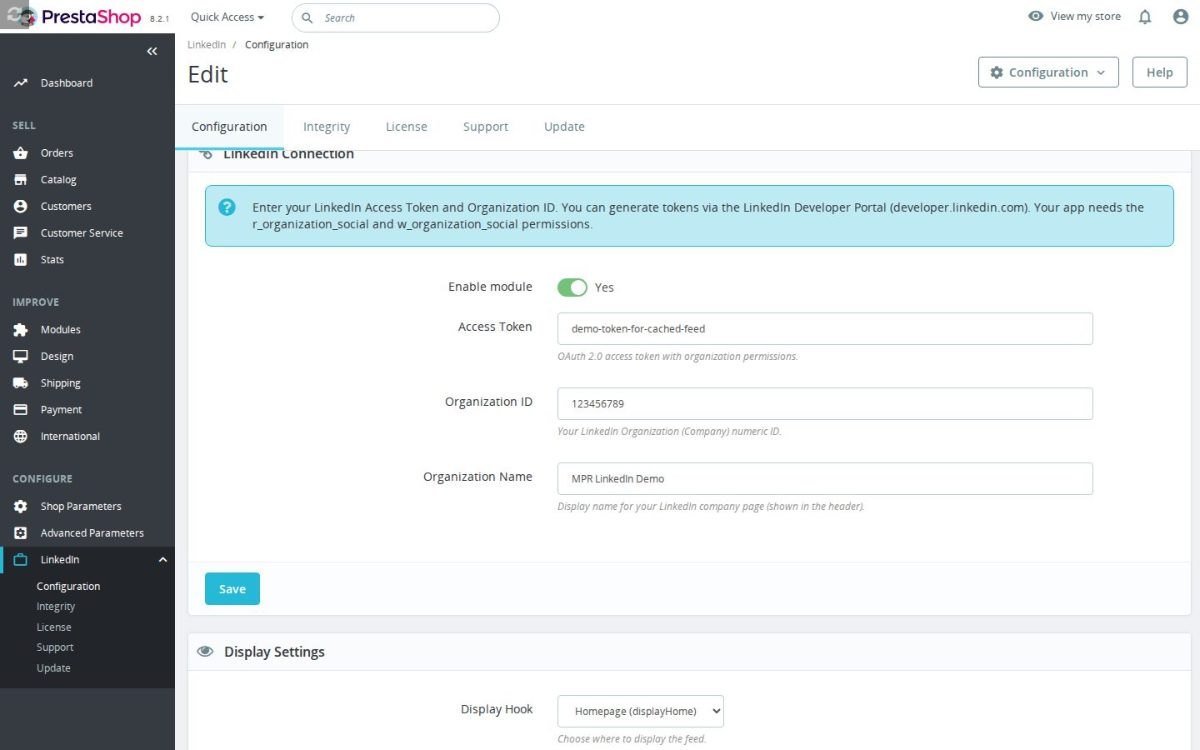
Setup is two values from the LinkedIn account: the access key and the company identifier, pasted into the configuration screen. The connection screen then says precisely what is happening: connected and how many posts were loaded, or the exact obstacle, an expired key, a missing permission, or simply a page with no posts yet. Each settings section saves on its own without touching the others.
Safety is structural: a staging or development copy of the shop is recognized and refused before any real post is sent, refusals are logged, and duplicate publication is impossible per account. When the broader Social Revolution module manages LinkedIn, this module detects that and steps aside, so two integrations never fight over one page.

-
Referencemprlinkedinintegration
-
Version1.1.0
-
Improvements76
-
Released
-
Updated
-
PrestaShop CompatibilityPS 1.6 – 9.x
-
Pricing ModelOne-time Purchase
-
Module TypeFront & Back-office
-
GDPR RelevantYes
-
Business GoalMarketing & Retargeting
-
External Account NeededYes
-
Module ComplexityLightweight Widget
-
Customer Journey StageAttract Visitors
-
Works With PlatformSocial Media
Be the first to share your experience with this product.
Display your LinkedIn company posts inside your PrestaShop store and publish MPR Blog Revolution articles to your LinkedIn company page from the same module. It helps B2B and professional stores show current company news, expertise, product updates, and social proof without sending visitors away first.
Where can the feed appear on my storefront, and does it edit theme files?
What exactly does auto-publishing post to LinkedIn?
Does it work with PrestaShop 1.6, 1.7, 8 and 9?
What do I need to connect the LinkedIn feed?
Will it slow down my store?
What should I know about data, consent or store policy?
Will I receive future updates?
- Addedcomplete FR/DE/ES/IT/PL translations
- FixedRender install integrity in linkedin integration
Works Well With LinkedIn Integration
Modules our team genuinely pairs with this one, and exactly why each belongs in the same setup.

Running the free LinkedIn Integration means you value your company's LinkedIn presence enough to show its activity on the storefront and publish selected store content back to LinkedIn, keeping professional proof near the buying journey. That is about presence; it does not tell you how LinkedIn traffic performs.
LinkedIn Insight Tag + Conversions API covers that measurement gap. It connects your store to LinkedIn Campaign Manager from a numeric Partner ID and can send Conversions API activity, so B2B and high-value campaigns can be measured against product views, searches, carts, checkout starts, sign-ups or purchases. It is a separate, paid module focused on tracking, not feeds.
Together they pair a visible LinkedIn presence with real performance data. The free feed keeps your company activity close to shoppers, while the Insight Tag measures whether LinkedIn traffic becomes meaningful store actions, so professional-audience campaigns can be judged on results rather than on visits or surface engagement alone.

The free LinkedIn Integration shows you are courting a professional audience, displaying company LinkedIn activity on the storefront and publishing store content back to LinkedIn. That professional, often B2B-leaning visitor base raises the question of how you handle business buyers when they arrive.
Trade Account gives those buyers a proper route in. It adds a logged-in customer application page that collects business details, can require company name, VAT number or trade references independently, and gives your team a back-office queue to review, approve or reject wholesale access without exposing trade pricing to everyone. It is a separate, paid module.
Together they connect attracting a professional audience with serving it. The LinkedIn feed keeps your company presence visible to business-minded shoppers, while Trade Account provides the controlled application and approval flow those buyers need to request wholesale access, so professional interest has a clear path toward a real trade relationship.

Using the free LinkedIn Integration tells you your store leans on a professional audience, showing LinkedIn activity on the storefront and publishing content back to the network. Working that one channel well usually goes hand in hand with running several ad and analytics platforms.
Marketing Revolution gives all of those one controlled home. It manages platforms such as GTM, GA4, Google Ads, Meta, TikTok, Pinterest, Snapchat, Reddit, X, Criteo, AdRoll, Outbrain, Quora, Taboola and Google Customer Reviews, helping you send more consistent ecommerce data instead of juggling a pile of unrelated snippets. It is a separate, paid module focused on tracking.
Together they pair a strong LinkedIn presence with coordinated measurement across your wider marketing stack. The free feed keeps your professional activity close to shoppers, while Marketing Revolution centralises the events for your many ad and analytics platforms, so the data behind your campaigns stays consistent as you grow beyond a single channel.
LinkedIn company feed shows generic 'shared a link' instead of rich content
 30 days return right
Easy return - no questions asked
 Plug & Play Modules
Install, set up and take profit
 Dedicated Support First
Priority Help & Satisfaction Over Sales
You might also like


Who builds and maintains this module
Built and maintained by David Miller and mypresta.rocks. David Miller has worked with PrestaShop since 2013, and the company behind this shop has been registered since 3 December 2018. Every module in this catalogue is our own work, so your questions to support reach the people who wrote the code. The changelog on this page lists every update with its date.