Currency Selector

Compact Symbol-Based Currency Dropdown for Multi-Currency Stores

PrestaShop 1.6 – 9.0PHP 7.1+Version 2.2.18
Free Lifetime license

PrestaShop currency selector gives your store a compact header switcher so international shoppers can choose the currency they understand without crowding the navigation. It replaces the native dropdown with a symbol-first control, helping prices feel clearer while keeping mobile and dense themes tidy.

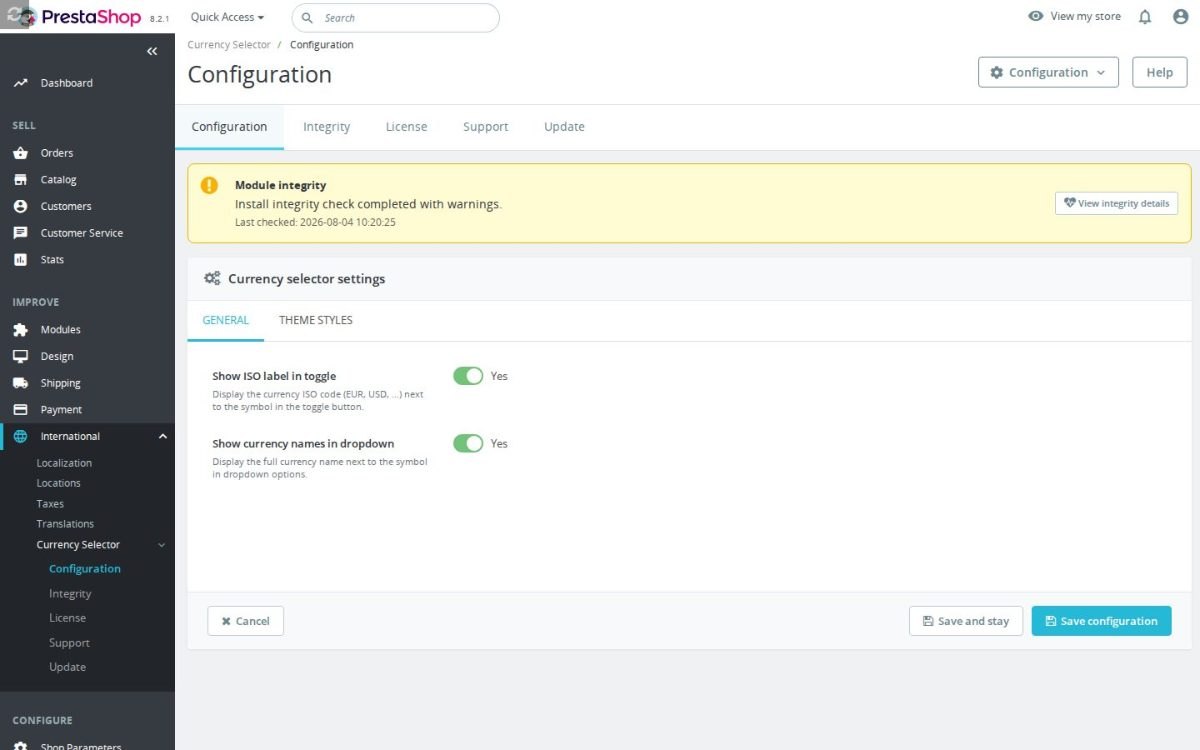
The module uses the active currencies already configured in PrestaShop, so there is no separate currency list to maintain. You can show only the symbol, add the ISO code when symbols may be confusing, and display full currency names inside the dropdown so shoppers can switch with confidence.

Setup is handled from the Back Office with simple display options plus bundled storefront styling and behaviour. The selector appears in the header navigation area automatically whenever more than one currency is active, so normal use never requires template editing.

A built-in theme detector adapts the control to your active theme, and the switcher stays hidden in catalog mode or when only one currency exists. The result is a lightweight, self-contained currency switcher that respects your existing PrestaShop currency configuration.

Share
verified Free lifetime license per domain — yours forever.
autorenew Auto-renew support
+€14.90/mo
build Professional Setup We fully configure the module to your needs — all options set, tested & verified within 1 business day. +€29.00
palette Visual Integration CSS & template adjustments to match your theme — includes cross-device verification and screenshot review. +€49.00
Options total: €0.00
Selected total: €0.00
1 viewed
  • Symbol-based currency switch. Replaces the standard dropdown with a small symbol-driven currency control in the store top bar.
  • Symbol-first display. Shows the currency symbol on the toggle so the header stays tidy on mobile and dense themes.
  • Optional ISO codes. Adds the ISO code beside the symbol when lookalike symbols could otherwise be confused.
  • Full names in the menu. Shows complete currency names inside the open dropdown so shoppers switch with confidence.
  • Only checkout-ready choices. The selector shows currencies the store can actually price and accept, avoiding a misleading display option.
  • Automatic placement. Appears in the header navigation area whenever more than one currency is available.
  • Ready out of the box. Includes the storefront styling and interaction needed for the selector; setup is just confirming currencies and two display choices.

Compact PrestaShop currency selector for headers

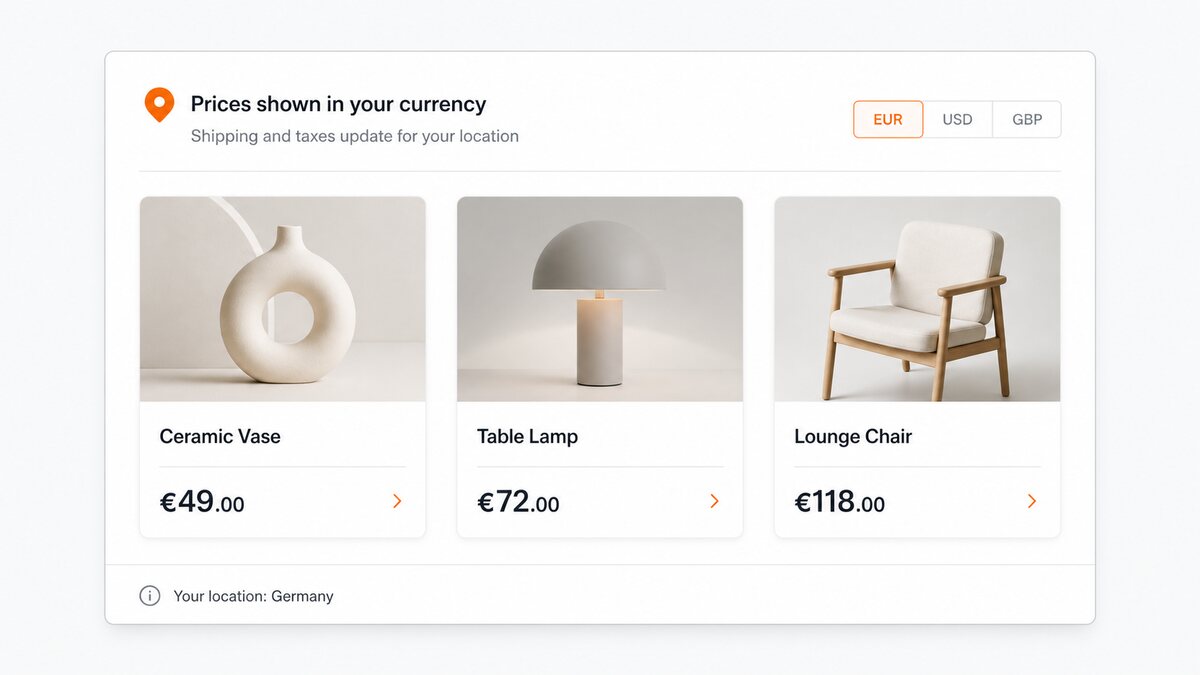
PrestaShop Currency Selector Module swaps the bulky native currency dropdown for a compact symbol-based control in the store header. International shoppers decide faster when prices appear in a currency they recognise, and a long text label can eat scarce header space on mobile or dense themes. The module keeps switching clear and uncluttered using familiar symbols, with optional ISO codes and optional full names in the menu.

Currency Selector - Compact PrestaShop currency selector for headers

Make international buying feel easier

Shoppers hesitate when they must mentally convert prices or hunt for a switcher hidden in the page. A visible header selector lets them move to the currency they understand before they compare products or reach checkout. That small convenience protects sales, because uncertainty about price is one of the quickest ways to lose an international visitor.

Currency Selector - Make international buying feel easier

Protect valuable header space

Headers already carry search, account links, cart access, language selectors and promotions — especially tight on mobile. Replacing long labels such as full currency names with compact symbols keeps navigation clean and avoids wrapped or pushed-out elements. A tidier header saves design time and improves the first impression of the store.

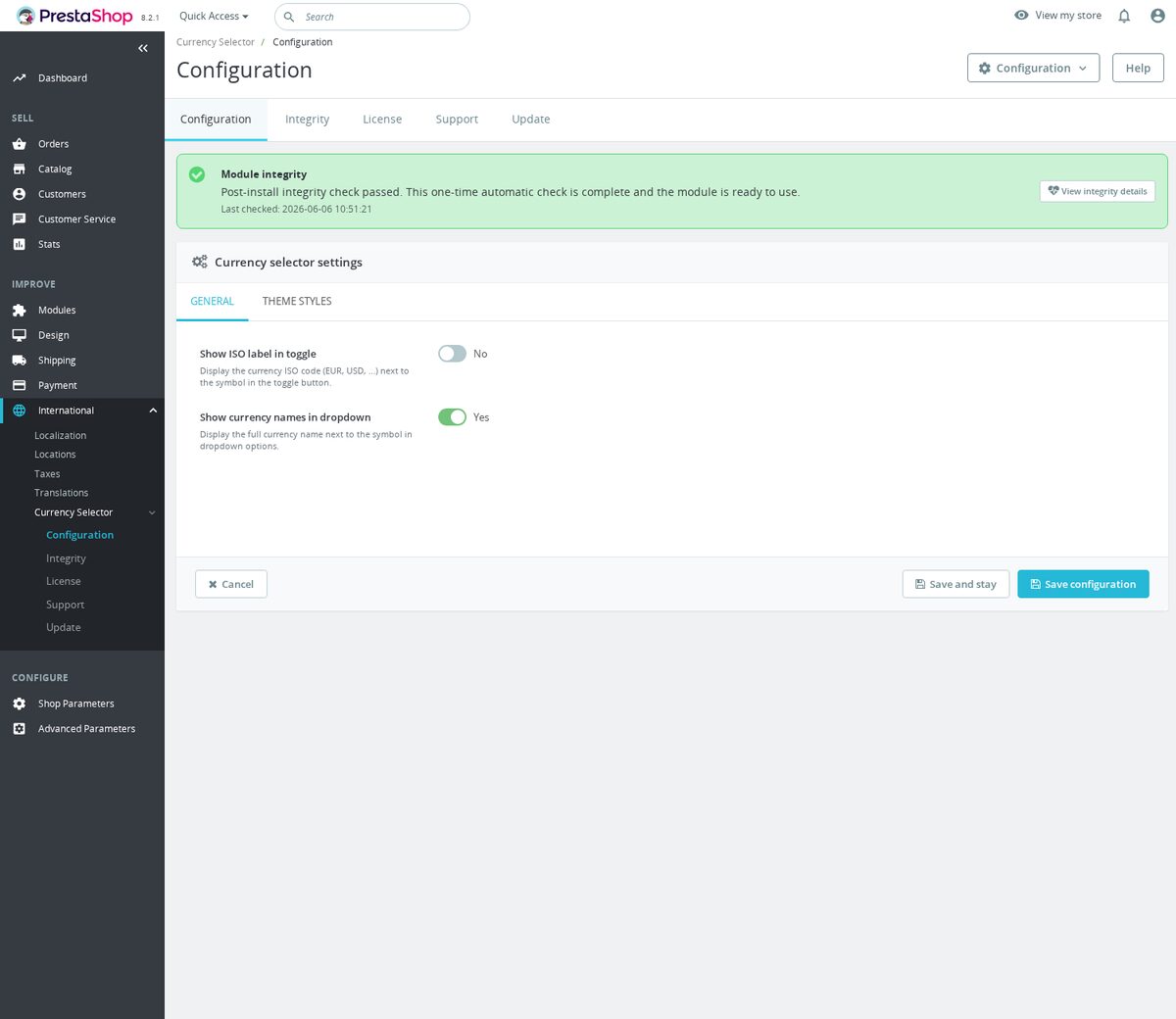
Currency Selector for PrestaShop - Admin Currency Styling

Stays in sync with your PrestaShop currencies

The selector draws on the active currencies managed in PrestaShop, so there is no separate currency administration to keep aligned. That matters because duplicated setup invites mistakes, and pricing mistakes erode trust fast. When you add or remove a currency in PrestaShop, the selector follows the store configuration instead of drifting into an outdated theme fragment.

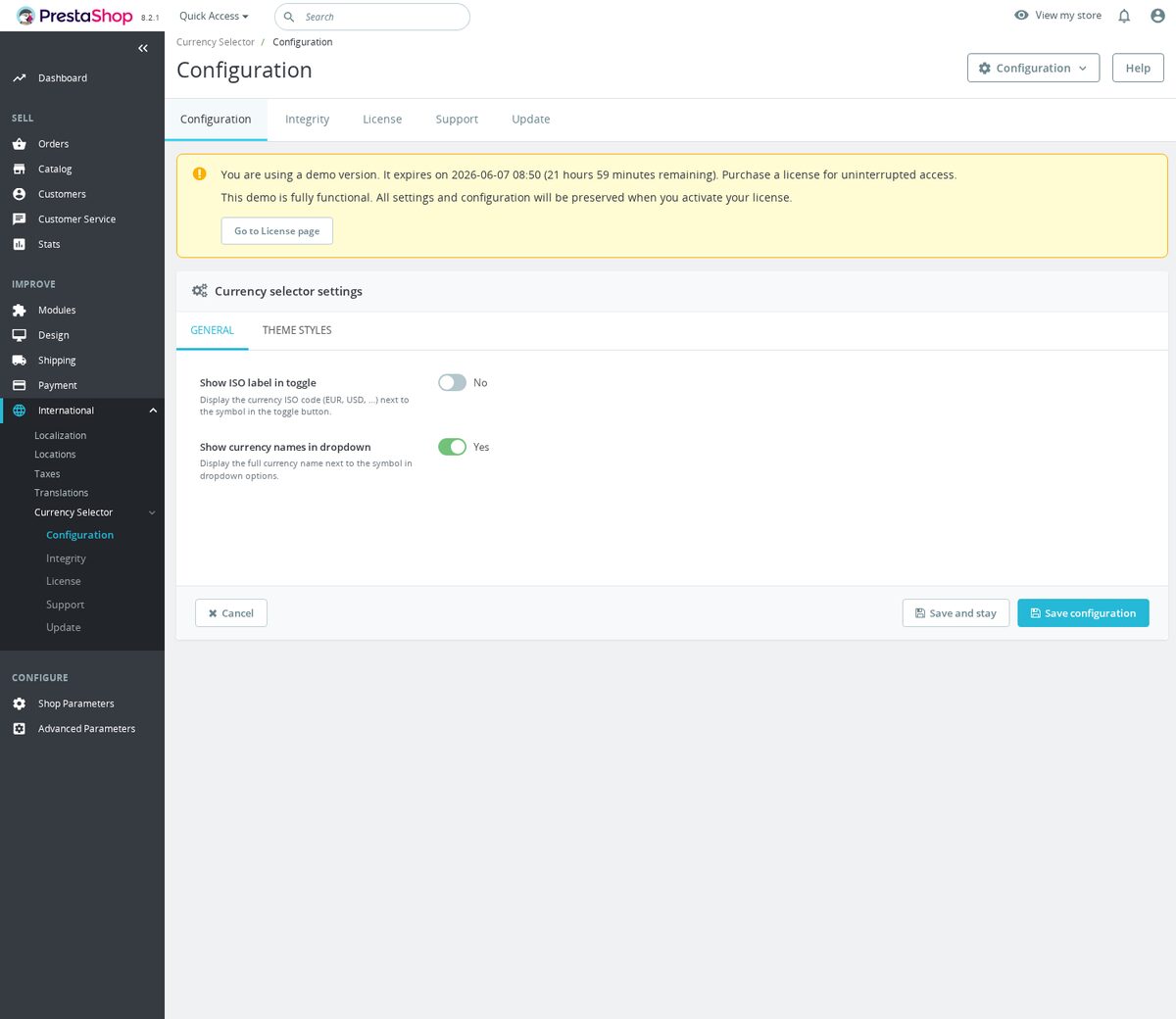
Currency Selector for PrestaShop - Admin Currency Names

Native currencies without duplicate setup

Everything is managed from the Back Office and uses the normal storefront placement, so standard use needs no coding or template editing. It ships with styling and behaviour intended for store headers, with options to show symbols, ISO codes and full names depending on the room your design allows. The module changes how the switcher looks and where it sits — conversion rates, pricing and checkout still follow PrestaShop's own currency rules.

  • Reference
    mprcurrencyselector
  • In stock
    2147483647 Items
  • PrestaShop Compatibility
    PS 1.6 – 9.x
  • Pricing Model
    One-time Purchase
  • Module Type
    Front-office
  • GDPR Relevant
    No
  • Business Goal
    Boost Conversions
  • External Account Needed
    No
  • Module Complexity
    Lightweight Widget
  • Customer Journey Stage
    Engage Shoppers
  • Works With Platform
    No External Platform

What customers say about us

Company reviews
5.0 (4 reviews)
Loading customer reviews...
No product reviews yet

Be the first to share your experience with this module.

Write a Review
Rate specific aspects (optional)
Quality
Price / Quality
Stability
Compatibility
Support

Currency Selector replaces the standard PrestaShop currency dropdown with a compact symbol selector for the header. It keeps multi-currency stores easier to scan while using the currencies already managed in PrestaShop.

Have a question about this product? Our experts are here to help. Ask anything about installation, compatibility, or specifications.
1256 questions
9 categories
2014 building modules since
1.7–9 PrestaShop versions
v2.2.182026-05-27
  • AddedAdd configurable currency selector styles
  • Addedcomplete FR/DE/ES/IT/PL translations

Works Well With Currency Selector

Modules our team genuinely pairs with this one — and exactly why each belongs in the same setup.

Complement

Adding the free Currency Selector shows you serve international shoppers, giving them a compact header switcher that uses the currencies already configured in PrestaShop so prices feel clearer without crowding navigation. Currency is one half of how different audiences read a price.

Tax Display Switcher covers the other half: how tax is shown. It lets visitors choose tax-included or tax-excluded prices while browsing, with toggle, button and dropdown styles, a configurable default and multilingual labels, without changing your real tax rules or checkout calculation. It is a separate, paid module serving consumer and business shoppers different price presentations.

Together they let each shopper see a price in the form they expect. The currency selector handles which currency is shown, while the tax switcher handles whether tax is included, so an international consumer or a business buyer both read prices in a way that feels natural to them, all without touching your underlying pricing.

Workflow

Running the free Currency Selector means you are catering to cross-border shoppers, letting them pick a familiar currency from a tidy header control built on your existing PrestaShop currencies. Selling internationally, though, usually brings B2B buyers and EU VAT questions along with it.

Automatic EU VAT Checker handles that B2B side at checkout. It validates EU VAT numbers through VIES, gives shoppers live feedback on address pages, can require a VAT number when a company name is entered, and stores validation details so staff can see what was checked. It is a separate, paid module focused on getting business customer data right.

Used together, they make an international store smoother for both consumer and business buyers. The currency selector keeps prices readable across countries, while the VAT checker helps validate intra-community business details before they become accounting problems, so cross-border selling is easier on both the storefront and the back-office side.

Checkout Revolution
€299.00
Workflow

The free Currency Selector helps international shoppers feel at home by letting them browse in a currency they understand, using a compact, symbol-first header control over your active PrestaShop currencies. Getting them comfortable while browsing is one step toward an international sale.

Checkout Revolution addresses the finish. It keeps contact details, address, carrier selection, vouchers, payment methods, terms, notes and order summary in one purchase flow on a Stripe-backed payment layer, giving shoppers who want to pay quickly a controlled, single-surface checkout. It is a separate, paid module focused on the buying step rather than browsing.

Together they smooth both ends of a cross-border purchase. The currency selector makes prices clear while shoppers browse, while Checkout Revolution streamlines the path to paying, so an international visitor who reads prices comfortably also reaches a fast, less fragmented checkout when they decide to buy.

Bundle

If you have the free Currency Selector in place, you are tailoring the header for international shoppers, giving them a clean way to choose their currency without crowding the navigation. Currency is one part of how a multinational visitor finds their footing in your store.

Flag Selector handles the matching language side. It replaces the desktop language selector with a compact flag dropdown and optional ISO label, using your active PrestaShop languages and local SVG flag assets, so language choice stays visible in the header while taking less space. It is a separate, free module that mirrors the currency control's approach.

Together they make the header fully international without clutter. The currency selector lets shoppers pick the money they understand, and the flag selector lets them pick the language they read, so a visitor from another country can set up both essentials in one tidy header before they start browsing.

0 open 1 resolved
Report an issue
View all known issues
1 Implemented
1 request

Loading feature requests...

View full roadmap
30 days return right
Easy return - no questions asked
Plug & Play Modules
Install, set up and take profit
Dedicated Support First
Priority Help & Satisfaction Over Sales

You might also like

Loading...
Back to top