Customer Experience & Engagement

Customer Extra Info (IP Ban)

PrestaShop customer IP ban module, block abuse without ever locking out your own team

Version
2.1.40
Updated
PrestaShop
1.7.6 to latest
Price: €99.00
Tax excluded
Partner price €79.20 Partner price for agencies Agencies with a partner account pay less on every module, depending on what they buy: 20% approved partner 25% from €1,000 a month 30% from €3,000 a month Average of the last 12 months, excl. VAT. Become a partner

Customer Extra Info (IP Ban) connects visitor details with customers and orders, then restricts unwanted access to your PrestaShop store. Setup starts with installation and the collection and protection switches.

Repeated fake accounts and suspicious orders are hard to investigate without the visitor's address and device history. The module places that evidence beside the customer or order, including the details recorded at purchase.

You target the whole store, checkout or account access using address, country and device rules. A trusted-address list takes priority over restrictions. Rules have start and end times, and you test matches before saving; retention settings decide which observations remain. Collection stays between the visitor and your shop.

Your team blocks the problematic action from the same panel that shows why the visit needs attention.

Professional Setup We fully configure the module to your needs: all options set, tested & verified within 1 business day. +€29.00
Visual Integration CSS & template adjustments to match your theme: includes cross-device verification and screenshot review. +€49.00

In the box

  • Lifetime licence for one shop
  • 12 months of updates, security fixes free forever
  • 3 months of support by mypresta.rocks
  • PrestaShop 1.7.6 to latest

Recent changes

  • One download for every shop: each shop gets its own 30-day trial from installation, then you activate it with your licence key.
  • Shared components updated to the current release set.
Full changelog

What does Customer Extra Info & IP Ban put under your team’s control?

  • Which part of the store each restriction protects
  • What customer, order and guest evidence the team sees
  • How addresses, countries and device signals form a rule
  • What trusted visitors and blocked visitors experience
  • How temporary restrictions and automated checks work
  • How imports, privacy settings and multistore work stay organised

Customer Extra Info & IP Ban links visitor evidence with access control. It records the address, country, operating system, browser, screen and device behind store visits, presents that context beside customers and orders, and turns a confirmed problem into a restriction without leaving the store panel.

The module starts with sensible settings after installation, while separate workspaces for observations, restrictions and trusted addresses keep a large operation manageable.

The Customer Extra Info (IP Ban) configuration screen

How does it stop the risky action without closing the store?

A restriction applies to the whole storefront, checkout only, or login and account pages only. A source responsible for fake registrations loses access to accounts while product browsing remains open. A source connected with suspicious orders reaches the catalogue but not checkout. Full blocking remains available for traffic that has no legitimate place in the store.

The trusted-address list is evaluated before every restriction. Office connections, partners, payment services and valued customers therefore remain open even when a broader country or network rule matches. Repeated failed logins create a temporary account restriction, and Google reCAPTCHA separates automated attempts from genuine visitors before the account receives more abuse.
Customer page in the Back Office with stored IP addresses and a ban action

What evidence appears next to a customer or order?

The customer and order screens show the recorded address, country, operating system, browser, screen size, device type, first visit, most recent visit and accurate visit count. Order details keep the observation connected with the moment of purchase separate from the customer’s later activity, so an old order never inherits a newer device by mistake.

Each current or historical address has a confirmed one-click restriction action with safe defaults and duplicate protection. Guest visits appear in their own searchable history and join the customer record after conversion. In a multistore setup, each shop sees its own observations, while authorised employees use a clearly labelled all-store view.
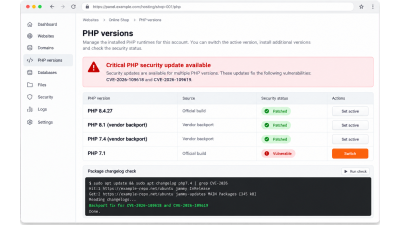
A working screen of Customer Extra Info (IP Ban) in the back office

How precise is each protection rule?

A rule matches an exact address, a wildcard address, a range, a whole network, a country, or a browser and device signature. Current and newer address formats receive the same validation. Combined criteria use an explicit all-conditions or any-condition mode, and the preview explains which sample visitor matches before the rule is saved.
Rules carry an internal reason, responsible employee, shop scope, active state, start time and end time. Country selection covers the complete country list, and a source-status panel confirms whether country recognition is working. The restriction list shows upcoming, active and expired states, while filters and bulk actions keep hundreds of entries practical.

Ban rule form with IP, range, country and user-agent matching and a scope setting

What does a blocked visitor see?

The merchant chooses a message page or a validated redirect for each rule, with a store-wide fallback. The default message is written separately for every store language, and an individual rule carries its own wording when the situation needs a specific explanation.

A rate-limited appeal form attaches the request to the matched restriction. The team sees the request, its status and employee history in the store panel, then approval creates the appropriate trusted-address entry. A mistaken match therefore becomes a controlled case instead of a lost customer.

The Customer Extra Info (IP Ban) installation check

How does day-to-day management stay simple?

Initial setup consists of installing the module and confirming the collection and protection switches. Deeper settings decide whether guest activity, operating system, browser, screen and browser signature are retained. Retention and deletion controls remove earlier values when the store no longer needs them.

Restrictions and trusted addresses are searchable, filterable and exportable. Spreadsheet import includes a preview, duplicate handling and row-by-row validation before anything changes. Bulk actions, employee history and shop scope keep recurring security work understandable to the whole team, while data collection stays between the visitor and the store and needs no paid remote country lookup.

The Customer Extra Info (IP Ban) update screen
  • Reference
    mprcustomerextrainfoipban
  • Version
    2.1.40
  • Released
  • Updated
  • PrestaShop Compatibility
    PS 1.6 – 9.x
  • Pricing Model
    One-time Purchase
  • Module Type
    Front & Back-office
  • GDPR Relevant
    Yes
  • Business Goal
    Streamline Operations
  • External Account Needed
    No
  • Module Complexity
    Feature-Rich Module
  • Customer Journey Stage
    Retain Customers
  • Works With Platform
    No External Platform

What customers say about us

Company reviews
5.0 ★ ★ ★ ★ ★ (4 reviews)
Customer Reviews for PrestaShop Modules and Support

No product reviews yet

Be the first to share your experience with this product.

Write a Review

Quick start

  1. Upload the module ZIP in Modules > Module Manager and open Configure.
  2. Enable Enable Data Collection and choose Track Guest Visitors.
  3. Choose Show Info on Orders and set Default Ban Message, then save.
  4. Log in as a test customer and verify the collected information in the back office.
  5. Add your trusted IP in IP Whitelist.
  6. Add a controlled test rule in Banned IPs with Ban Type, Active and an optional future Expiry Date.
  7. Verify the intended 403 response, then disable or remove the test rule.

Requires PrestaShop 1.6.1 or later and PHP 7.1 or later.

Open the full help page

Loading tab content...
30 days return right
Easy return - no questions asked
Plug & Play Modules
Install, set up and take profit
Dedicated Support First
Priority Help & Satisfaction Over Sales

Who builds and maintains this module

Built and maintained by David Miller and mypresta.rocks. David Miller has worked with PrestaShop since 2013, and the company behind this shop has been registered since 3 December 2018. Every module in this catalogue is our own work, so your questions to support reach the people who wrote the code. The changelog on this page lists every update with its date.

About us

More modules

reCAPTCHA & hCaptcha Protection

Customer Extra Info (IP Ban) shows device information on customer profiles and lets you ban abusive IP addresses, and reCAPTCHA & hCaptcha Protection stops bots at your login, registration, contact and newsletter forms. Spot the bad actors, then keep them out.

Customer Merge

Customer Extra Info (IP Ban) shows device details for each customer, and Customer Merge finds duplicate accounts and merges them with a dry-run preview, a one-transaction merge and full undo. Cleaner, better understood customer records.

Loading...
Back to top