Smart Favicon

Tab-title nudges, a live cart count on the icon and icons that follow light and dark mode

PrestaShop 1.6.0.4PHP 7.1+Version 1.4.0Released Updated
Free Lifetime license

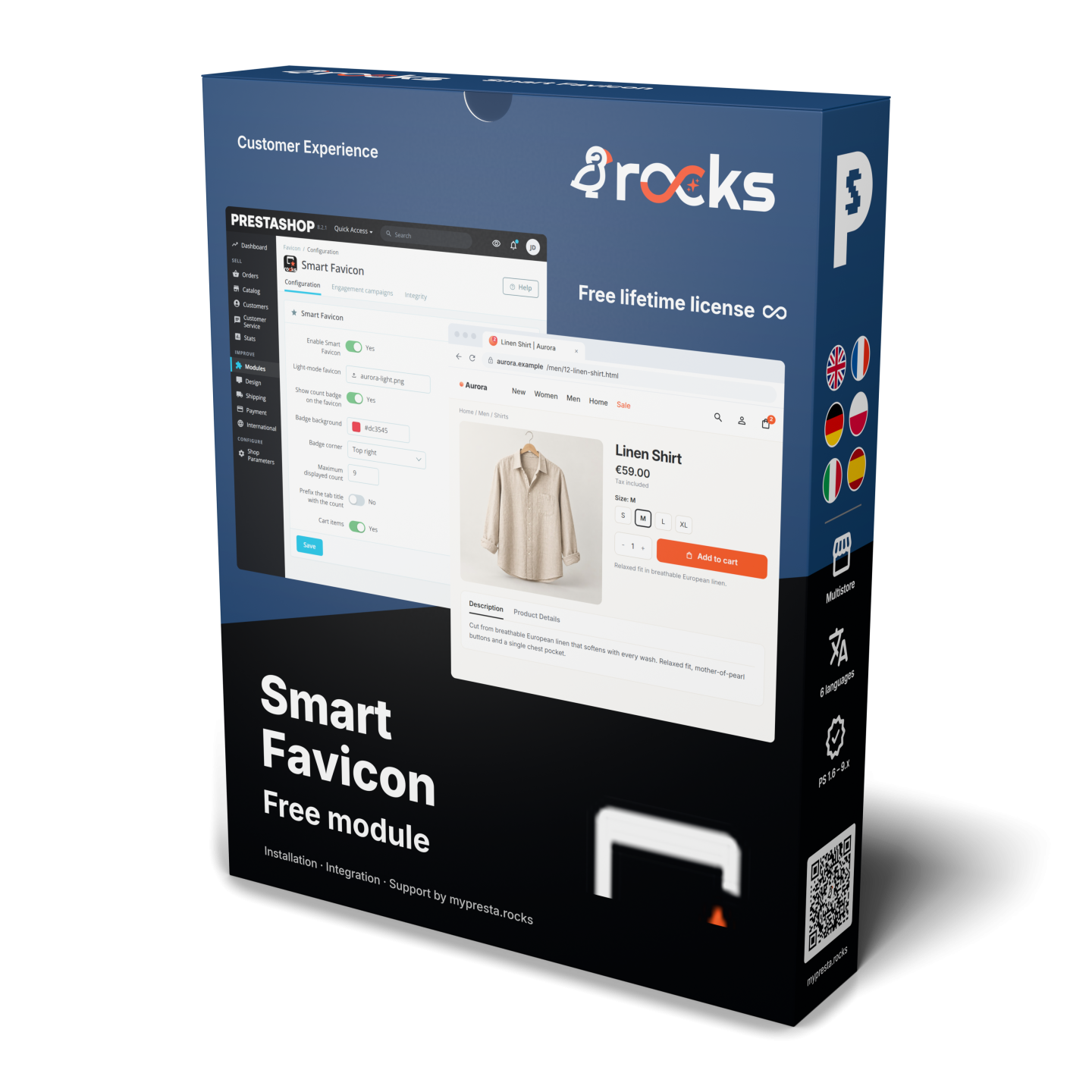
Smart Favicon is a module for PrestaShop stores that turns the browser-tab icon and title into a recognisable brand sign, a live cart reminder and a controlled route back to the order. After installation, one PNG or WebP upload and a save start the complete icon family, cart count and away-tab messages with practical defaults.

A favicon has several jobs that one small file rarely settles on its own. It must remain visible in light and dark browser themes, look right in a tab and on a saved phone shortcut, give search services a suitable store icon and help the shopper identify the right tab among many. Smart Favicon prepares those variants inside the shop and places each one where browsers and search services expect it.

Starting is simple and configuration goes deep. You choose separate light and dark icons, the cart badge colours, corner, displayed-count limit, font, weight, circle or pill shape, scale and padding, with an immediate preview. The tab title receives an optional count, while return messages have their own wording for every store language and rotate at the interval you set.

Campaigns add precise control over timing and context. Rules react to page type, cart contents, time on the page, inactivity, scrolling, exit intent, tab changes, login and returning-customer status, then change the icon, title or a plain storefront message. Each shop keeps its own campaigns, settings also apply to one shop, a shop group or all shops, and the admin favicon shows live totals for new orders, new customers and unread messages.

The result is consistent branding across browser surfaces, a visible reason to return to a waiting cart, language-matched reminders, and a module that starts in minutes yet remains powerful enough for deliberate engagement campaigns.

Share
verified Free lifetime license per domain, yours forever.
autorenew Auto-renew support
+€4.99/mo
Options total: €0.00
Selected total: €0.00
1 viewed

Summary of what the module offers

Smart Favicon manages the shop icon across browser surfaces and turns the tab into a live, rule-controlled reminder. The standard setup starts from one image, while the sections below map the deeper controls.

  • Complete icon family: one PNG or WebP becomes the variants used by tabs, saved shortcuts, web apps and search services.
  • Light and dark branding: the visible icon follows the visitor’s device theme and switches during the visit.
  • Live cart signal: the favicon carries the product count and the title brings the shopper back after a tab change.
  • Contextual campaigns: page, cart, attention and customer signals decide which icon, title or message appears.
  • Shop and admin control: settings cover individual shops, groups and all shops, with a separate operational admin favicon.
  • Safe, detailed configuration: visual controls, local processing, title restoration and protected icon replacement keep the merchant in charge.
Illustration: Summary of what the module offers

How does one image cover tabs, search services and saved shortcuts?

A PNG or WebP uploaded as the main icon becomes a coordinated family of small browser icons, an Apple home-screen icon, web-app icons and the classic multi-size favicon. Smart Favicon publishes the matching references automatically, so the shop supplies the right asset for a browser tab, a phone shortcut and the services that collect store icons for search results.

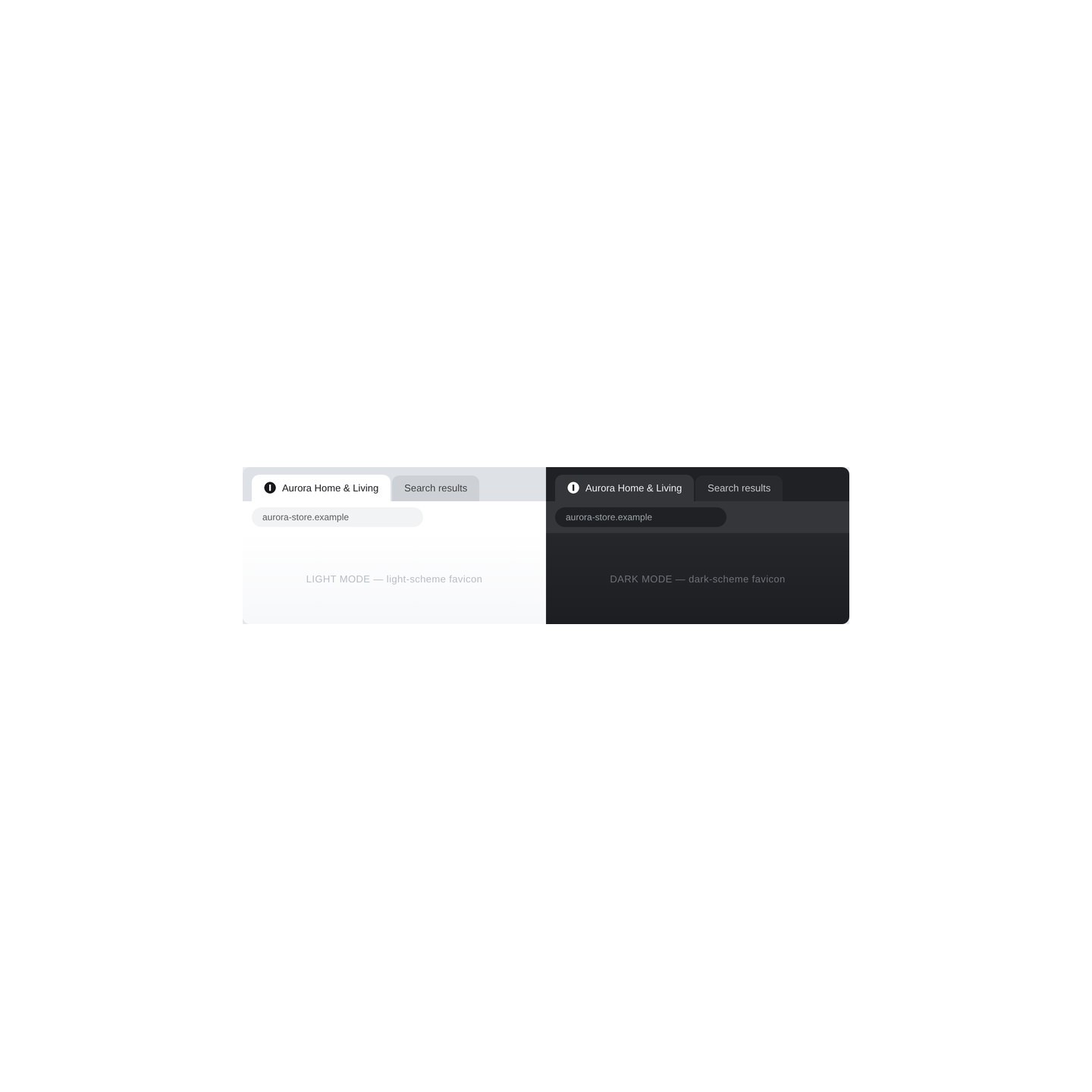
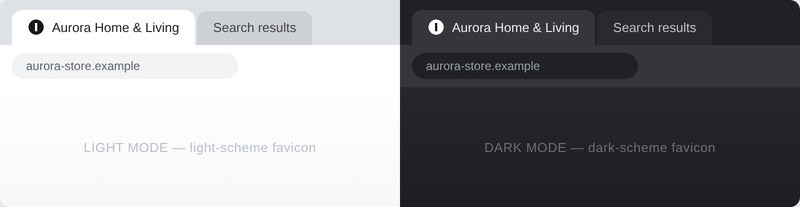
Light and dark variants remain separate brand choices. The visitor’s device preference selects the right one, and a theme change during the visit updates the tab. Where one variant has not been uploaded, the shop’s existing favicon stays in place instead of producing a missing icon.

The same browser tab in light and dark mode, each showing its own favicon variant

What brings a shopper back to a cart left in another tab?

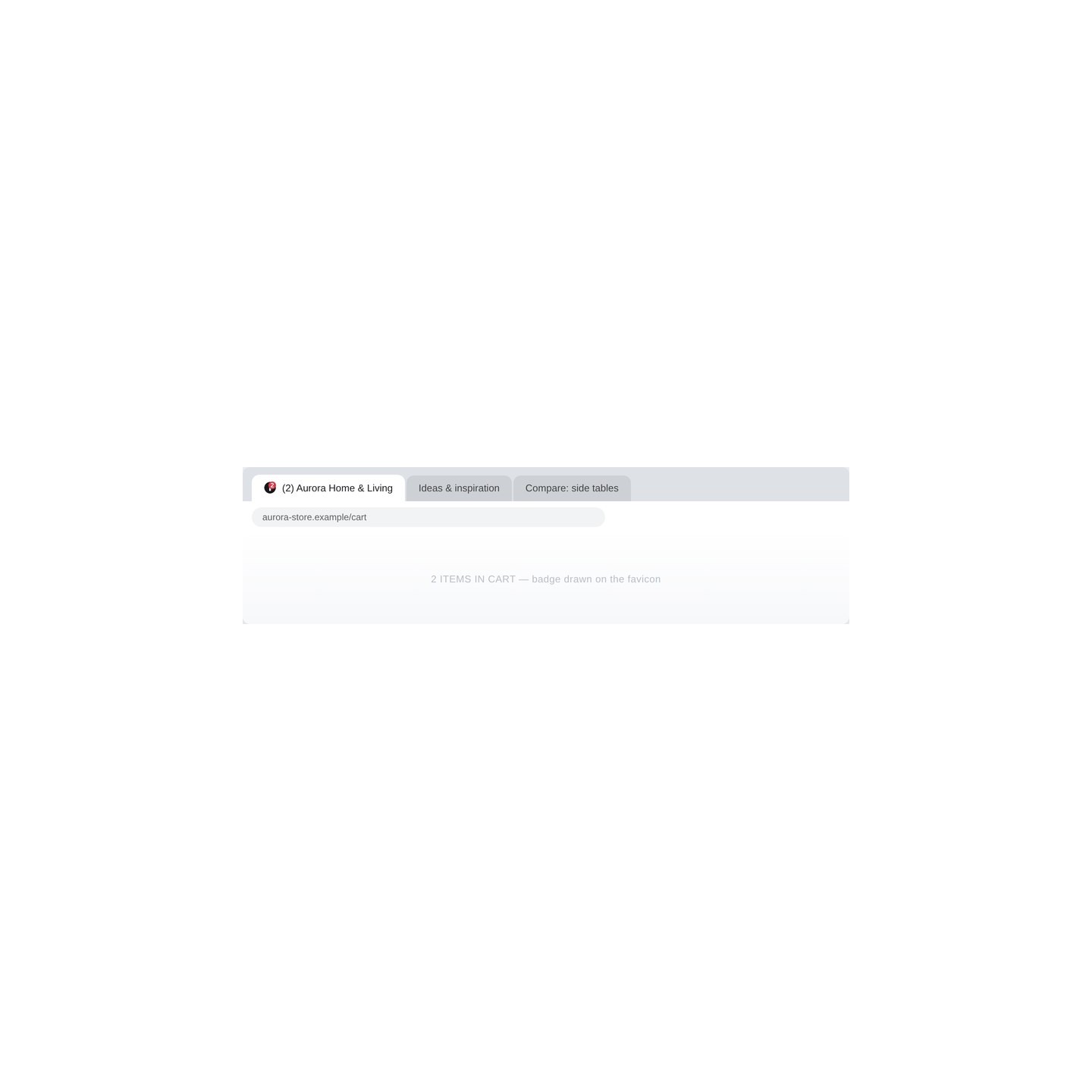
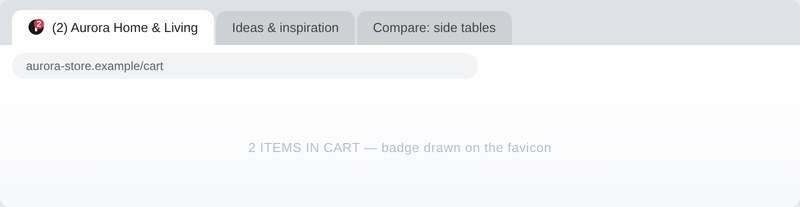
The favicon displays the live number of products in the cart. It updates after additions, removals and quantity changes, shortens a large value to the merchant’s chosen limit and disappears when the cart is empty. Background and text colours, corner and count source remain under merchant control.

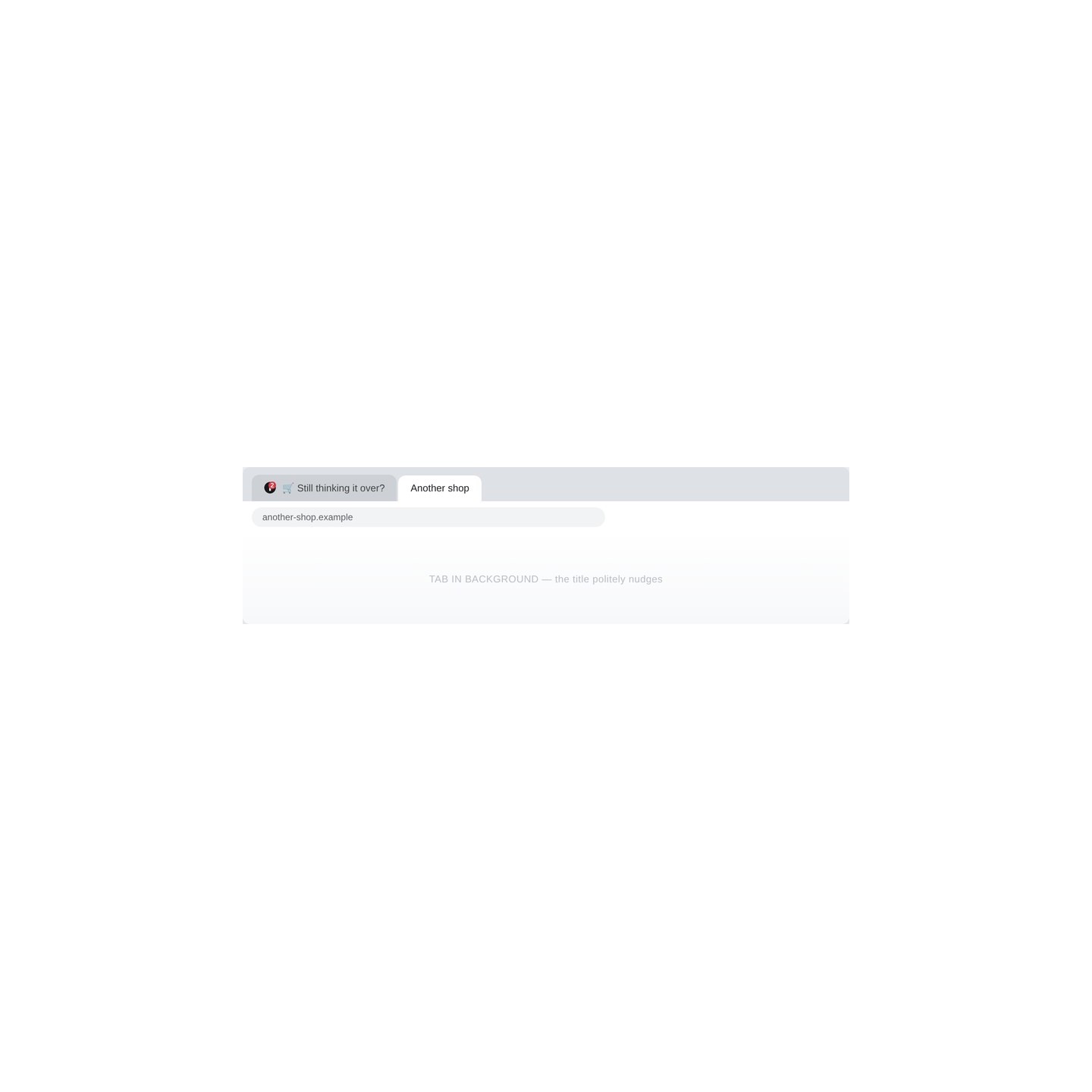
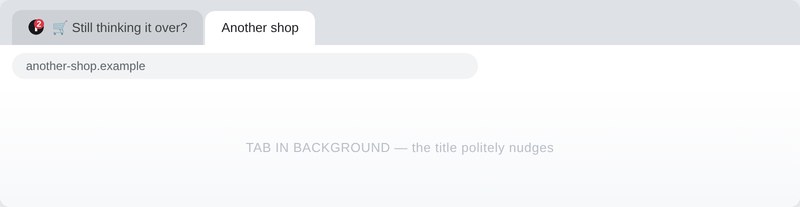
When the shopper moves to another tab with a positive count, the title rotates short reminders in the current store language. The wording and interval are editable per language, an optional count also sits before the ordinary title, and the exact original title returns as soon as the shopper comes back.

Browser tab whose favicon carries a badge with the two items currently in the cart

How precisely do campaigns react to browsing context?

A visual campaign joins a trigger, conditions and actions. It reacts when the page is ready, a value changes, the visitor scrolls, shows exit intent, leaves or returns to the tab, or remains on the page for the chosen time. Conditions narrow that moment by page type, cart count, inactivity, time away, login, previous orders and returning-customer status.

The matching action changes the title, selects the light or dark icon, draws a badge, flashes, pulses or swaps the favicon, or shows a plain message inside the shop. Priority settles competing actions and a re-entry delay prevents repetition on the same page. Each campaign is enabled, paused and edited from its own shop-scoped list.

Background tab whose title changes to a gentle reminder while the shopper browses another shop

What stays distinct across several shops and admin tabs?

Icons, messages, badge settings and campaigns remain attached to the relevant shop. The multistore selector applies the same configuration to one shop, a selected shop group or all shops, with clear inheritance and overrides where one brand needs a different result.

The back office receives its own favicon, either a dedicated upload or the light storefront icon. Its live badge shows new orders, new customers and unread messages with separate colours, so several open admin tabs reveal both the shop and the work waiting inside it.

Illustration: What stays distinct across several shops and admin tabs

How small is the setup, and how far does visual control go?

Installation and one PNG or WebP upload are enough for the standard icon family, cart badge and language-matched return messages. The detailed controls then cover colours, corner, count cap, summed or priority count sources, title format and message pace. Badge typography adds font and weight, circle or pill geometry, scale and padding, with the preview matching the result that appears in the tab.

Processing and storage stay in the shop, and the module runs from its own files without changing the theme. Search crawlers receive ordinary static icon references, while the live title behaviour belongs only to the visitor’s browser. The optional classic site-wide favicon is backed up before replacement. If the merchant later supplies a different file, the module leaves it in place. Otherwise, the original returns when module ownership ends.

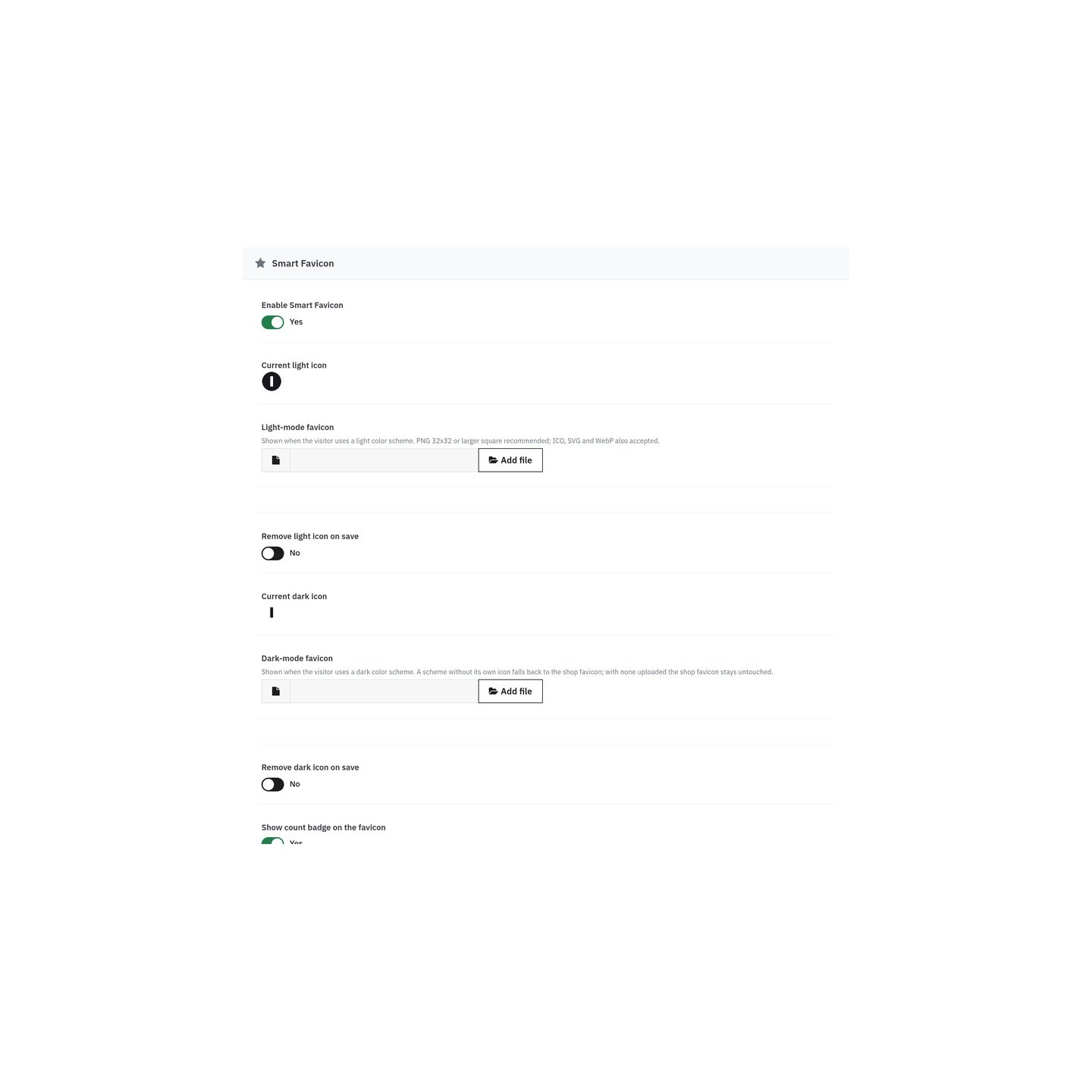
Smart Smart Smart Favicon settings with separate light and dark icon uploads and the cart badge switch
  • Reference
    mprfavicon
  • In stock
    2147483647 Items

What customers say about us

Company reviews
5.0 ★ ★ ★ ★ ★ (4 reviews)
Loading customer reviews...
No product reviews yet

Be the first to share your experience with this module.

Write a Review
★ ★ ★ ★ ★
Rate specific aspects (optional)
Quality
★ ★ ★ ★ ★
Price / Quality
★ ★ ★ ★ ★
Stability
★ ★ ★ ★ ★
Compatibility
★ ★ ★ ★ ★
Support
★ ★ ★ ★ ★

Installation

Upload the module ZIP in Modules → Module Manager → Upload a module and install it. A Smart Favicon entry appears under Design in the back office menu. The module works out of the box: the cart badge and tab-title features are active immediately, using your shop's existing favicon until you upload dedicated icons.

Have a question about this product? Our experts are here to help. Ask anything about installation, compatibility, or specifications.
1301 questions
9 categories
2013 building modules since
1.6–9 PrestaShop versions
v1.1.1
  • Hardening: multistore-safe favicon.ico override with merchant-file protection and verified backup/restore.
  • Per-shop icon-set files and a grace period for cached manifests.
  • PHP 7.1 WebP compatibility and scheme-qualified sized icon links (192 px link, 256 px ICO entry).

Works Well With Smart Favicon

Modules our team genuinely pairs with this one, and exactly why each belongs in the same setup.

Checkout Revolution
€299.00
★ ★ ★ ★ ★
Complement

Smart Favicon's job ends at the moment of truth: it brings the shopper back to the tab with a live cart count and a polite nudge. What happens next is Checkout Revolution's territory, a checkout that doesn't squander the returned attention.

Most "recovered" visitors are lost a second time by friction: forced account creation, surprise steps, a cart that lost its state. Checkout Revolution's streamlined flow turns the comeback into a completed order instead of a second abandonment.

Together they close the loop on hesitation: the favicon badge keeps the cart present across twenty tabs, the nudge invites the return, and the checkout makes finishing faster than leaving again.

Support Revolution
€299.00
★ ★ ★ ★ ★
Complement

The worked example in Smart Favicon's developer documentation is literally this pairing: unread support replies as a badge source. A customer who asked a pre-sale question rarely sits refreshing your ticket page, they open other tabs and forget.

Support Revolution runs the conversations worth coming back for: tickets, replies, satisfaction follow-ups. Its unread-reply count is a number with real intent behind it. Someone is waiting for an answer they asked for.

Registered through the actionRegisterFaviconBadge hook, that count lands on the favicon with its own toggle in the back office. The customer sees "1" appear on your tab, returns, reads the reply, and the pre-sale conversation actually converts.

Complement

The two modules work the same nerve, attention, on opposite sides of the tab. Live Sales Notifications creates urgency inside the page with real recent-purchase popups; Smart Favicon keeps working after the shopper leaves the tab, with the cart badge and a polite rotating title.

Attention has two failure points: on the page, where hesitation kills momentum, and off the page, where twenty other tabs bury you. This pairing covers both without a single email or push permission.

A shopper sees that others are buying, adds to cart, drifts away to compare, and the tab itself calls them back: "🛒 Still thinking it over?" with the count right on the icon.

Smart Wishlist
€49.00
★ ★ ★ ★ ★
Complement

Smart Favicon ships with the cart as its built-in counter, but its badge is an open hub: any number can feed the bubble on your tab icon. Saved wishlist items are the most natural second source. A quiet signal that something in your shop is still on a shopper's mind.

Wishlist gives your customers that saving behavior in the first place: elegant lists, guest wishlists and easy sharing. Every saved product is a purchase deferred, not declined, exactly the kind of count worth surfacing.

Wired together through the badge-source API, the tab icon can reflect carts and saved items in one number, so a shopper who parked three products keeps seeing a gentle reminder on the very tab they left open.

0 open 0 resolved
Report an issue
View all known issues

Loading feature requests...

View full roadmap
30 days return right
Easy return - no questions asked
Plug & Play Modules
Install, set up and take profit
Dedicated Support First
Priority Help & Satisfaction Over Sales

You might also like

Checkout Revolution
€299.00
★ ★ ★ ★ ★
Smart Wishlist
€49.00
★ ★ ★ ★ ★
Support Revolution
€299.00
★ ★ ★ ★ ★
Loading...
Back to top