


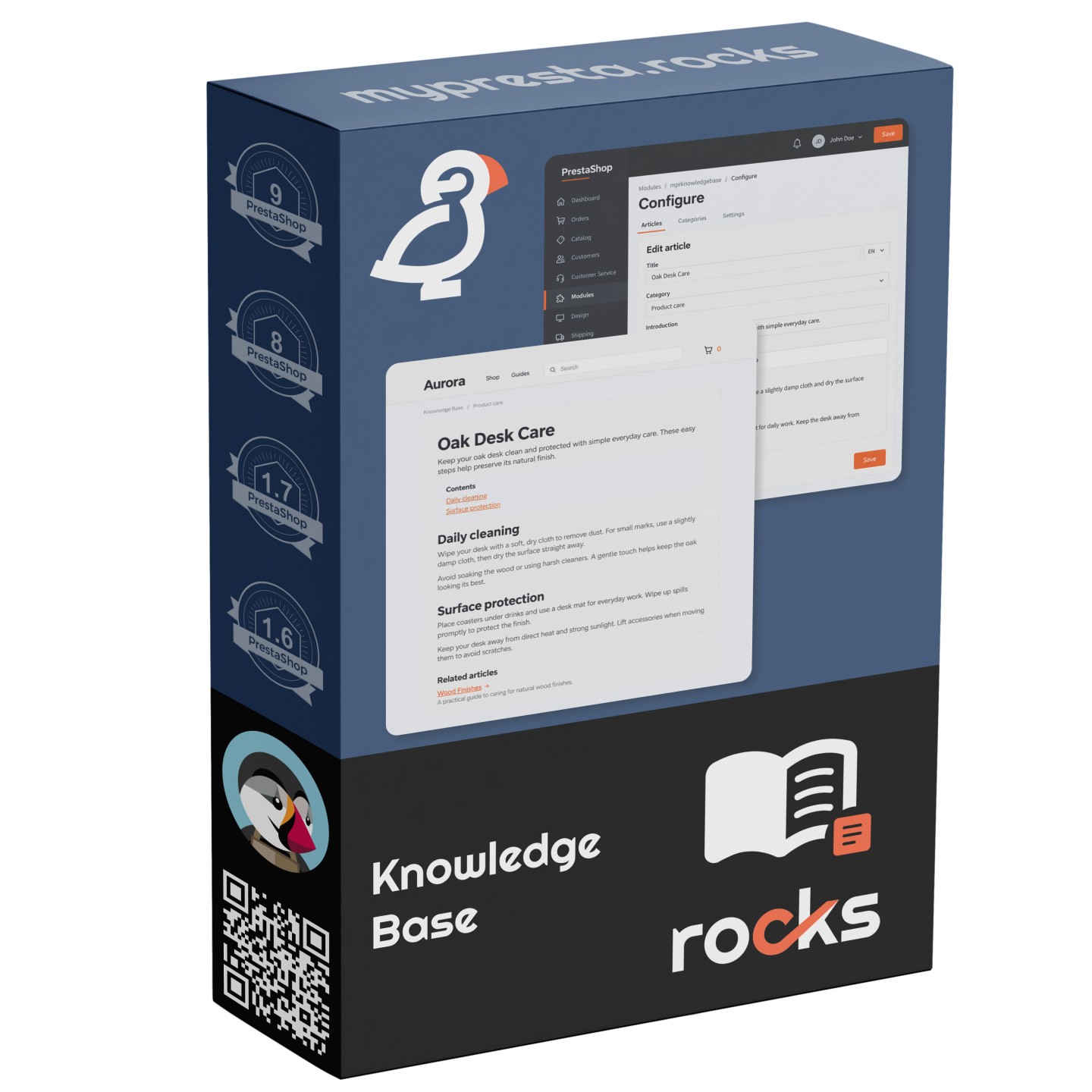

Organise guides in PrestaShop with searchable articles, categories and contents navigation


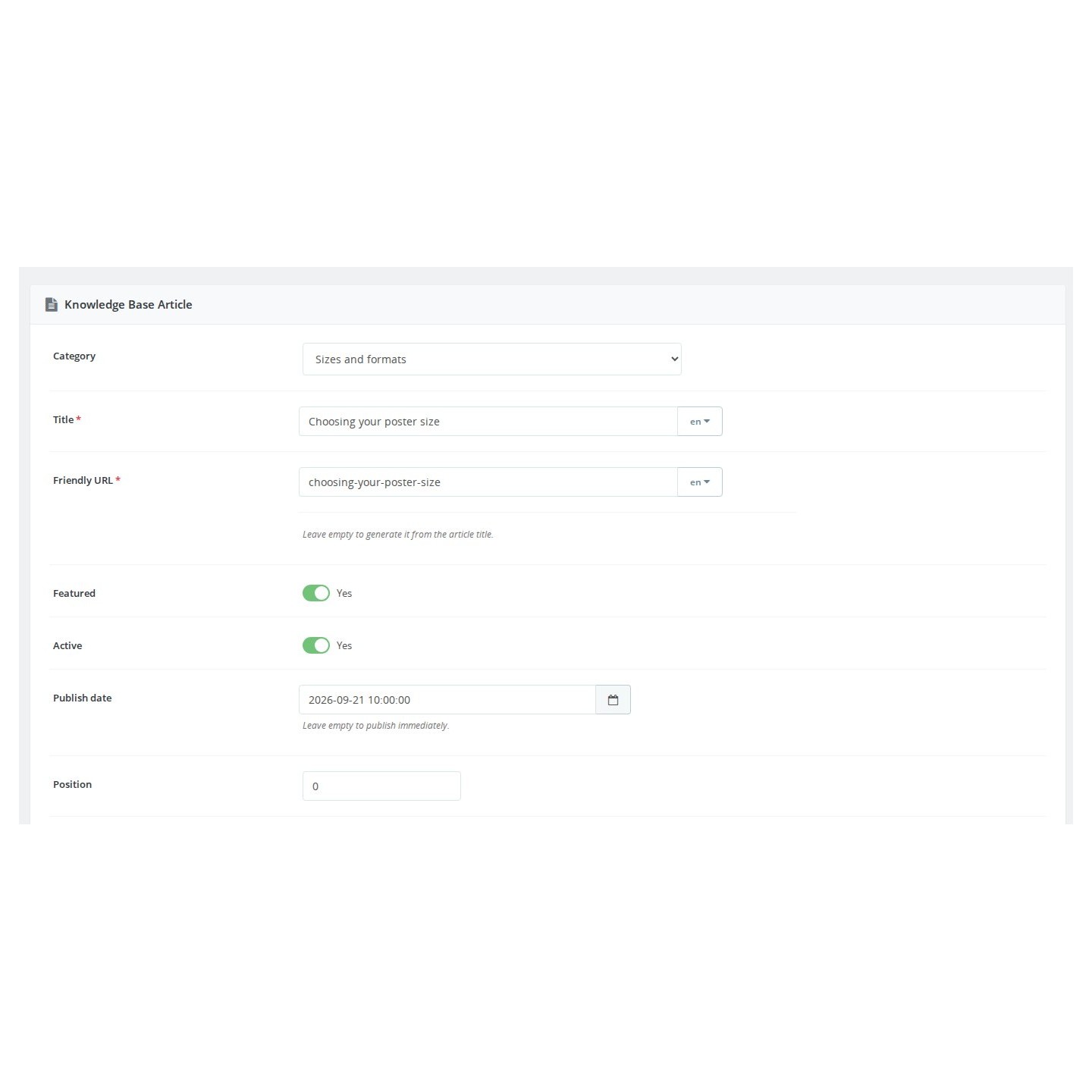
Knowledge Base is a module for PrestaShop stores that turns your guides and advice into a searchable help section. Setup starts with a category and an article in your back office, giving customers a place to find the information they need before and after an order.
Installation steps, care advice and buying guides often answer questions your team receives repeatedly. A published article gives customers an explanation they can return to, while your team has a page to share whenever the same subject comes up.
The module is straightforward to start and gives you control as your library grows. You choose the categories, article order, featured guides and publication dates. Short introductions and badges help readers choose a guide, while a contents list takes them to the relevant section of a longer article.
You write titles, article text and search descriptions separately for each shop language. Customers search the published articles or browse by category, and related guides from the same category appear below an article. Saved changes to article and category addresses redirect readers to the current page.
Customers get a clear route from a question to your answer, and your team has reusable guidance for the conversations that come back most often.
How does Knowledge Base help customers find answers?
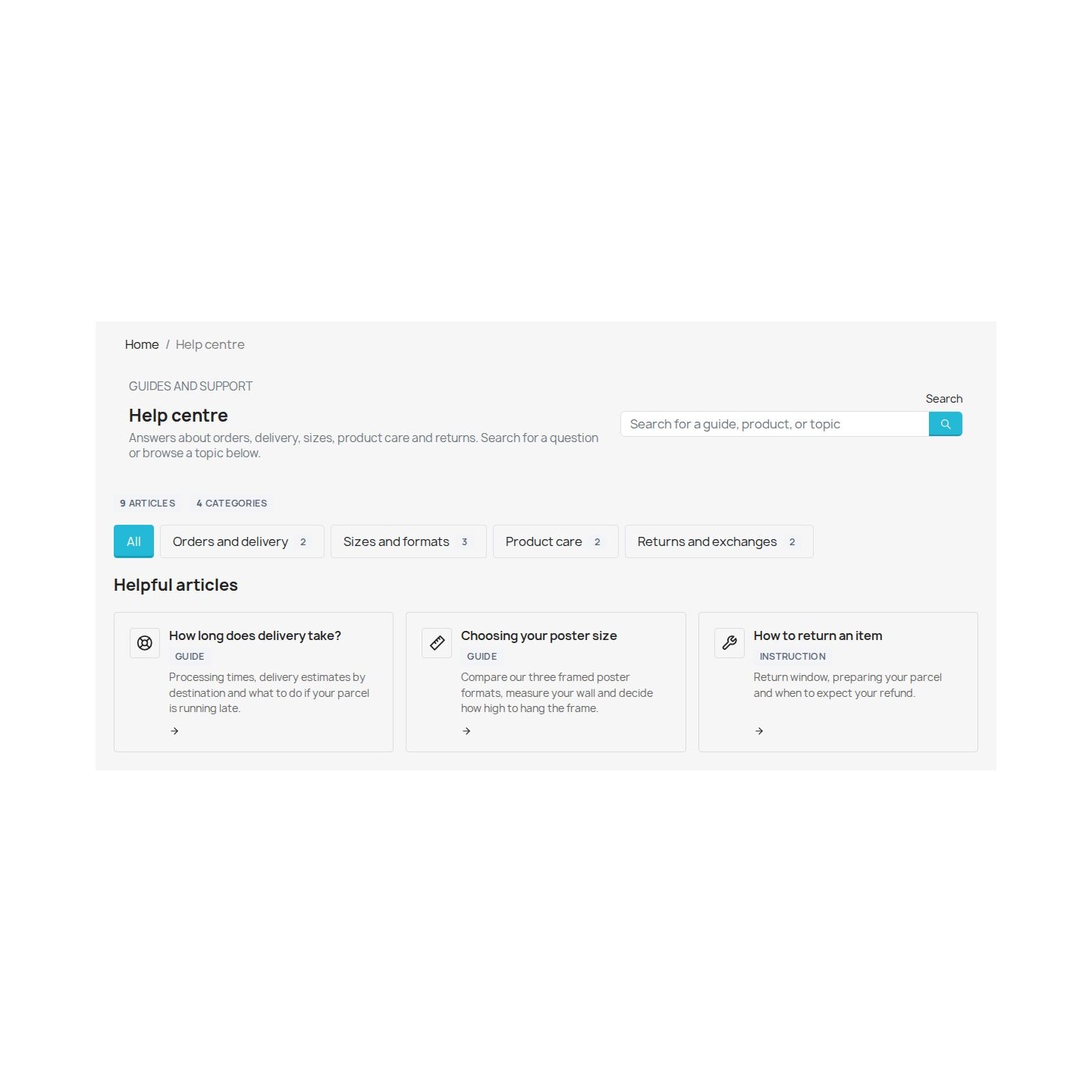
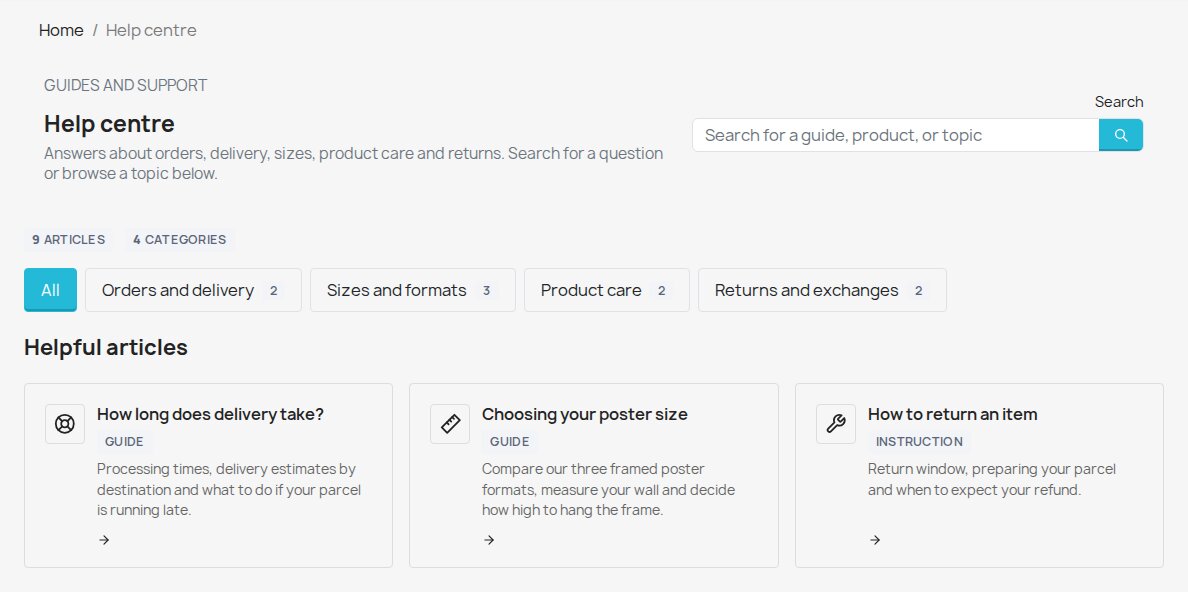
- A central help page brings your published guides together
- Categories and short introductions help readers choose the right article
- Contents navigation and related guides keep detailed instructions easy to follow
- Article search finds advice from the words customers enter
- Translations, featured articles and publication dates keep you in control
- Editable page addresses and search descriptions give each guide a clear identity
Knowledge Base publishes your shop's advice as an organised library of articles. Your team writes and maintains the guidance in the back office, and customers reach it through a help page with categories and search.
How do customers choose the right guide?
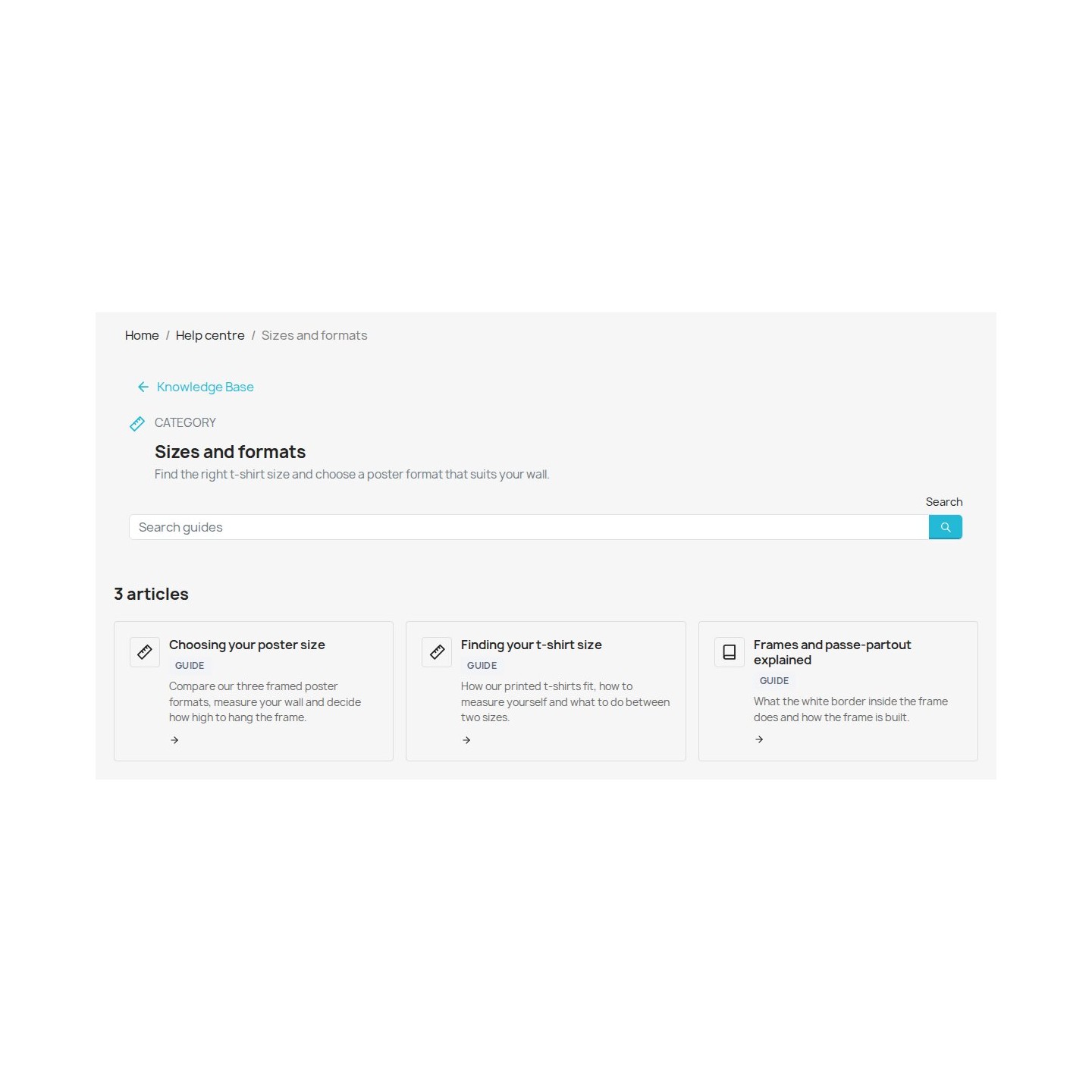
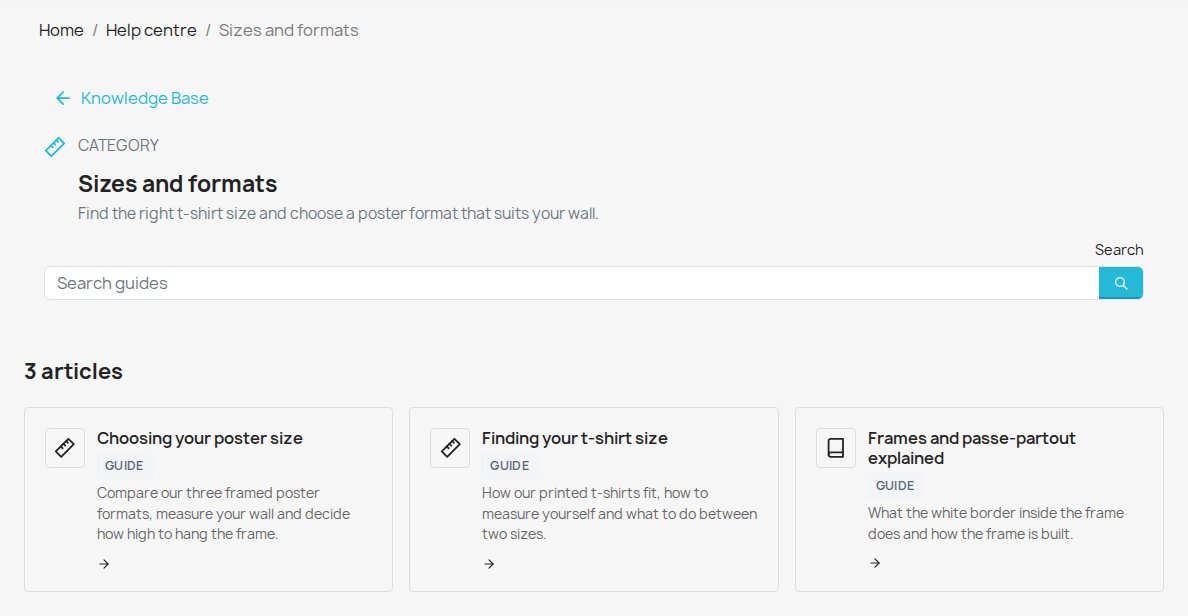
A category brings articles about the same subject together. A shop selling equipment might separate installation, everyday care and choosing accessories, so the person fitting a purchase has a clear place to start.
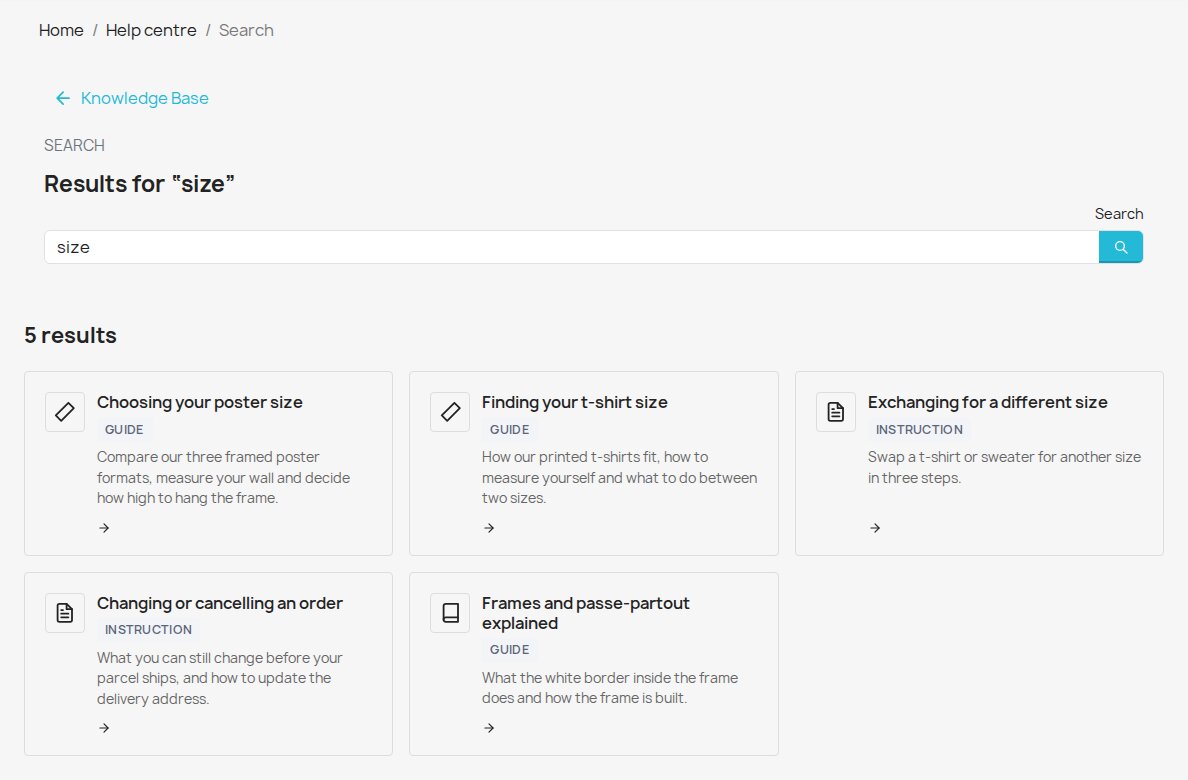
Each article card shows a title and short introduction, with an icon and an optional badge such as Guide or Instruction. Readers see what the page covers before opening it. You set the category order and the order of its articles, keeping introductory advice ahead of the more detailed topics.
How does a reader find one step in a longer article?
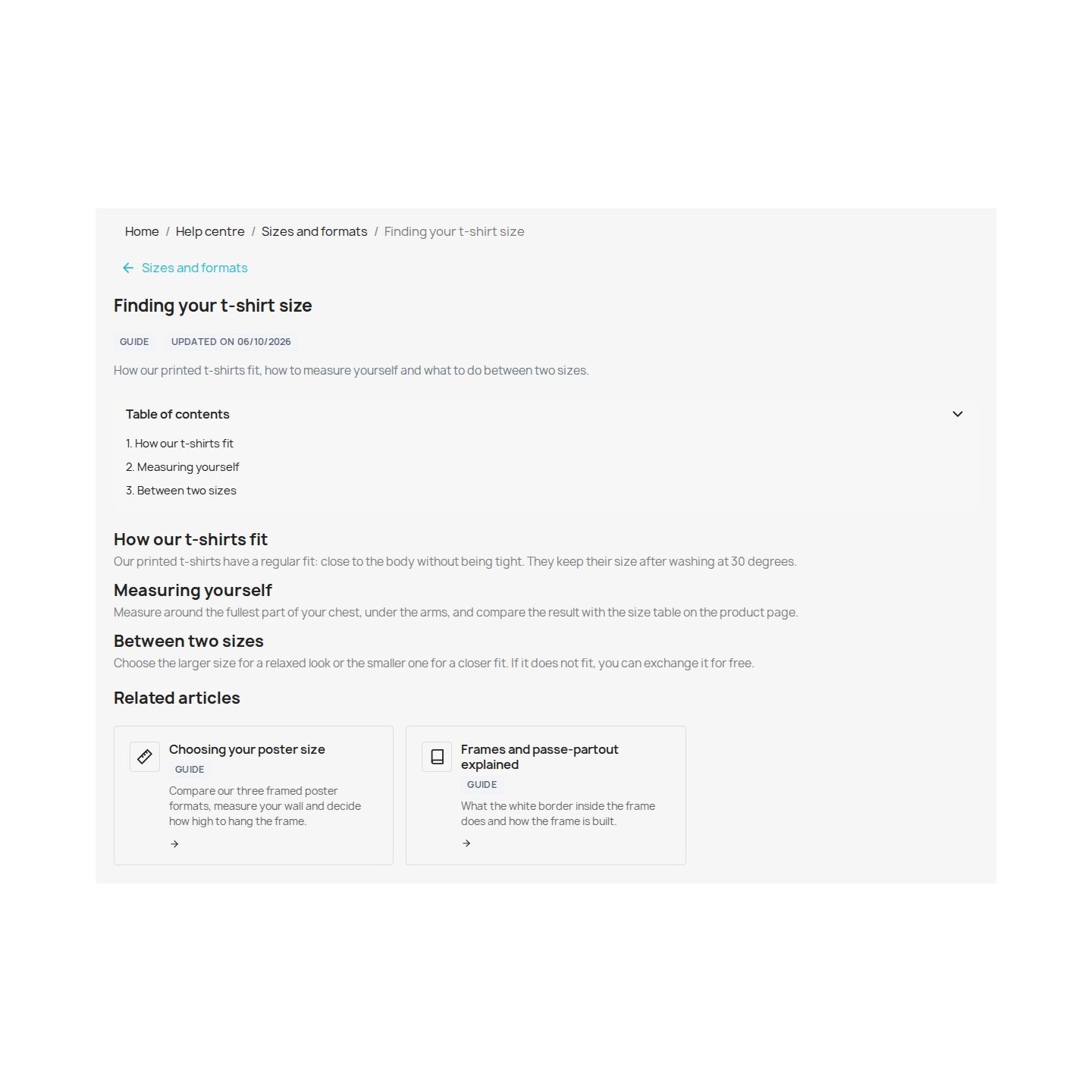
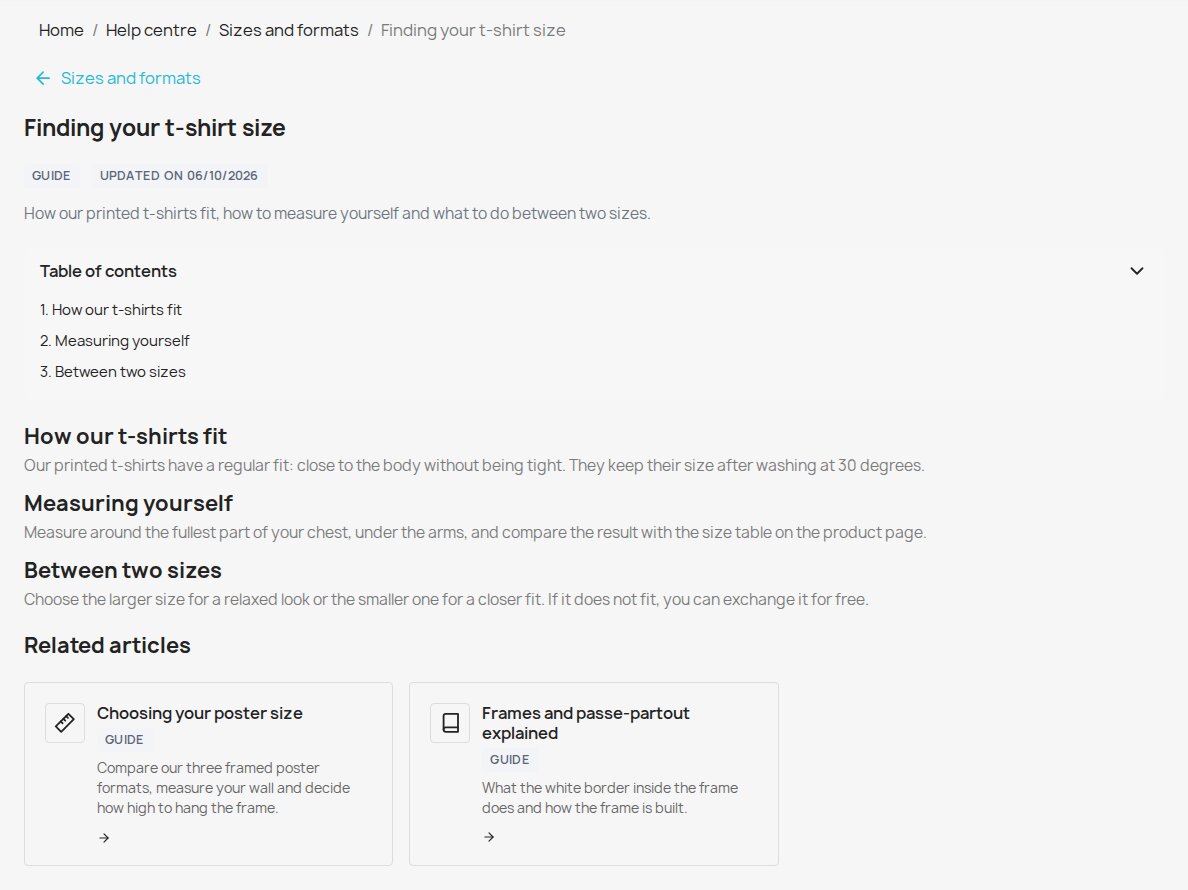
For articles with suitable section headings, the module builds a contents list above the text. A customer who has already unpacked a product can go straight to fitting or care instructions, without working through the introduction again.
The article also shows its last-updated date and links to other published guides from the same category. Installation advice can lead naturally to maintenance guidance, giving customers the next answer while they are still reading.
What if customers know the subject but not the article title?
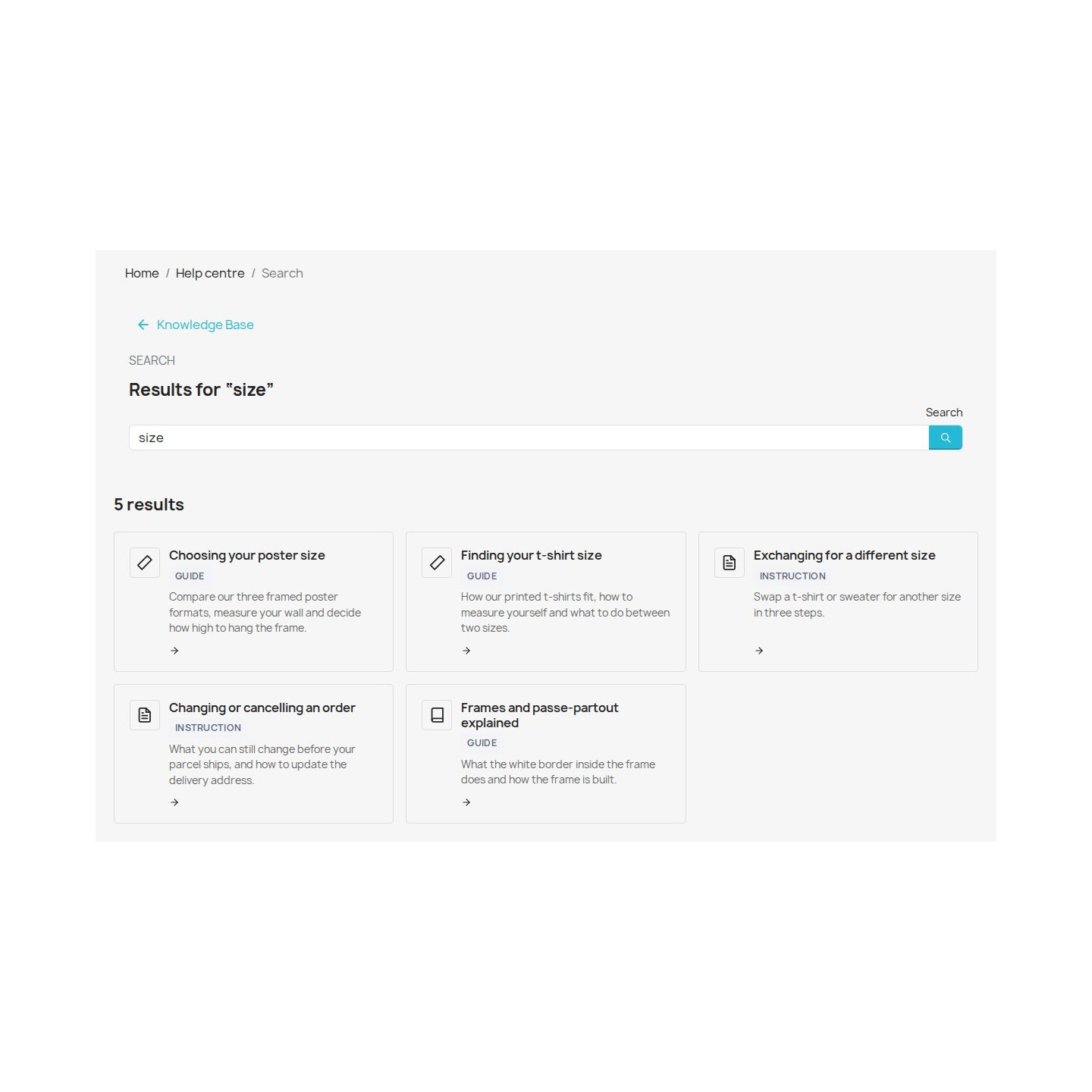
Search checks the words entered against article titles, introductions, full text, search descriptions and category names. A guide remains findable when the relevant phrase appears inside the instructions rather than in the title. Results use the customer's current shop language.
With a compatible Smart Search Revolution module enabled for your guides, customers find articles through the wider shop search and see matching products and other enabled content below the knowledge-base results.
How do you keep advice ready for the right moment?
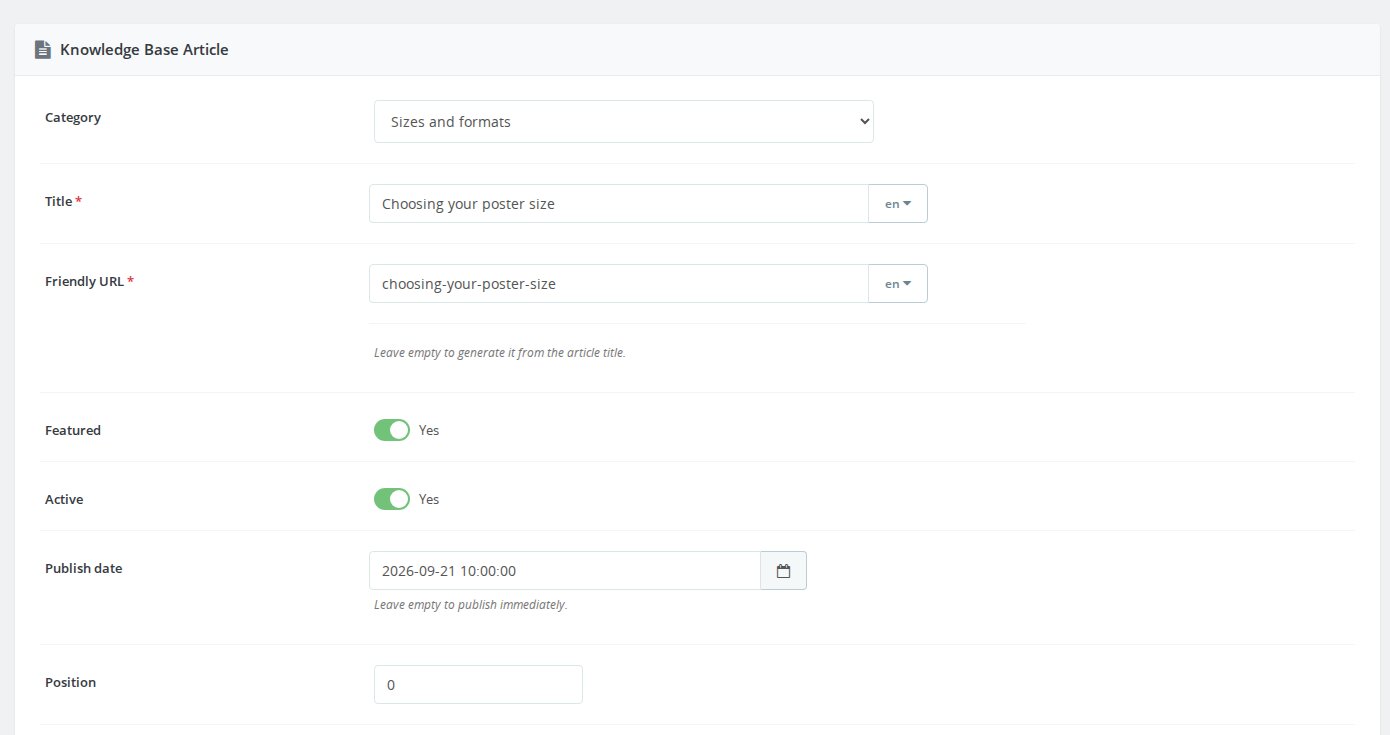
You edit the title, introduction and full article for each shop language in the back office. That gives customers instructions written for them and gives your team one article record to maintain as the guidance changes.
An active article with a future publication date stays out of public view until that date arrives. Featured status gives selected guides priority, and article positions keep each category in the order you choose. The article list also shows total views, giving you a starting point for deciding which frequently opened guides deserve an update.
How does the help section fit your shop and its languages?
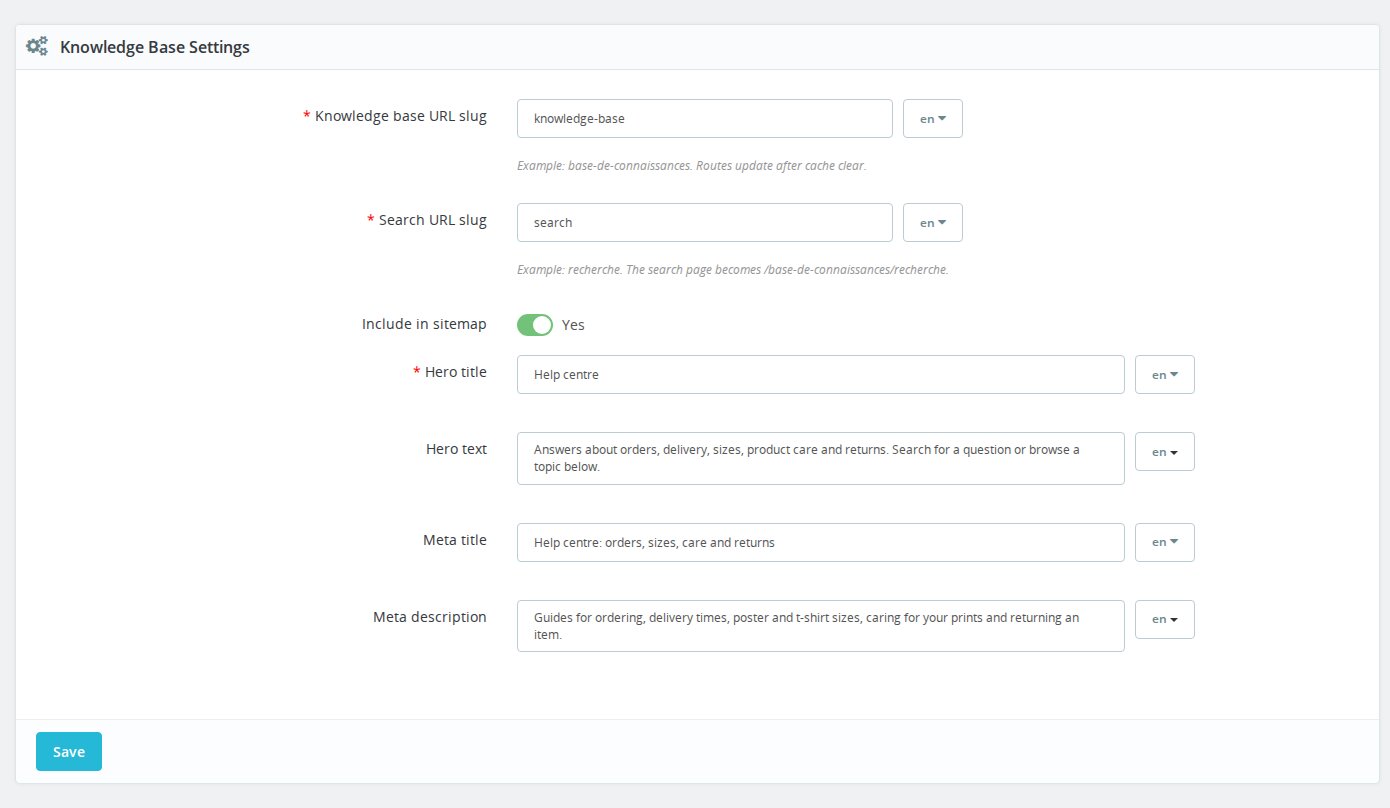
You set the help page's heading, introduction and address separately for each language. Categories and articles have their own editable addresses and search descriptions, so an installation guide is presented as its own useful page.
When an article or category address changes through its editor, the module remembers the previous address and redirects readers to the current published page. The sitemap option helps search engines discover your help page, active categories and published guides through the shop's sitemap, provided your sitemap tool supports the module.
-
Referencemprknowledgebase
-
PrestaShop CompatibilityPS 1.6 – 9.x
-
Pricing ModelOne-time Purchase
-
Module TypeFront & Back-office
-
GDPR RelevantNo
-
Business GoalCustomer Communication
-
External Account NeededNo
-
Module ComplexityFeature-Rich Module
-
Customer Journey StageEngage Shoppers
-
Works With PlatformNo External Platform
What customers say about us
Company reviews
5.0
★
★
★
★
★
(4 reviews)
Loading customer reviews...
No product reviews yet
Be the first to share your experience with this module.
Write a Review
Knowledge Base gives your PrestaShop store a public library of guides, installation instructions and advice. Your team maintains categories and articles in the back office, and customers browse or search the published guidance.
Have a question about this product?
Our experts are here to help. Ask anything about installation, compatibility, or specifications.
1343
questions
9
categories
v1.4.32026-10-06
- Article cards on the landing, category, search, related-guides and not-found pages share one card design with covers, price and meta lines, and keep their grid on every theme.
- The search field and category filter buttons use the shared form and button styles, with a visible focus ring and the pressed state announced to screen readers.
- The module's own front stylesheet and script carry a version, so browsers load the new files right after an update.
Loading full changelog...
Works Well With Knowledge Base
Modules our team genuinely pairs with this one, and exactly why each belongs in the same setup.
Complement
Knowledge Base gives your shop full guides with categories and article search. It suits questions that need an explanation, such as preparing a product for use, following installation steps or caring for a purchase. Customers open a dedicated article, follow its contents list and continue to related guidance when the subject needs more detail.
FAQ Manager handles short answers attached to the catalogue. A question about sizing, delivery or compatibility belongs near the product it concerns, where a shopper is deciding whether to order. Its questions, translations and product assignments give those repeated points a place within the buying decision.
Together they give your team a clear home for each kind of answer. Brief product questions stay close to the item, while longer instructions live in Knowledge Base. The pairing is useful when the same catalogue needs both concise buying advice and fuller guidance for customers using their purchases.

Workflow
Knowledge Base gives customers search within your published guidance. Someone who enters a phrase from an installation problem can find an article even when that phrase appears inside the instructions. Categories and related articles then help them continue through the subject without needing to know the exact title in advance.
Smart Search Revolution provides the wider shop search connection. With a compatible active installation, it receives the published knowledge-base articles and supplies its available product and other content results to the knowledge-base search page. The content shown follows the companion's configuration, while Knowledge Base keeps its local article results first.
Together they connect finding an answer with finding the relevant shop content. A customer researching how to use something has a route to both guidance and available products. Your team keeps writing the guides in Knowledge Base, and that work becomes useful through another place customers already search.

Complement
Knowledge Base publishes answers customers can read at their own pace. A guide explains a repeatable task, from choosing an accessory to caring for a purchase, and remains available when the same question returns. Your team maintains the article once and shares its address in later conversations about that subject.
Tawk.to Chat Integration provides a conversation with a person for questions that need individual judgement. A customer's unusual installation, uncertainty about fit or need to explain a particular problem may call for a reply from your team. The chat module puts that contact option in the shop.
Together they cover published guidance and personal help. Customers have articles for common questions and chat when their situation needs discussion. Staff can share an article address during a conversation, using the existing guide as a starting point while concentrating their reply on the customer's particular circumstances.
 30 days return right
Easy return - no questions asked
 Plug & Play Modules
Install, set up and take profit
 Dedicated Support First
Priority Help & Satisfaction Over Sales
You might also like


