


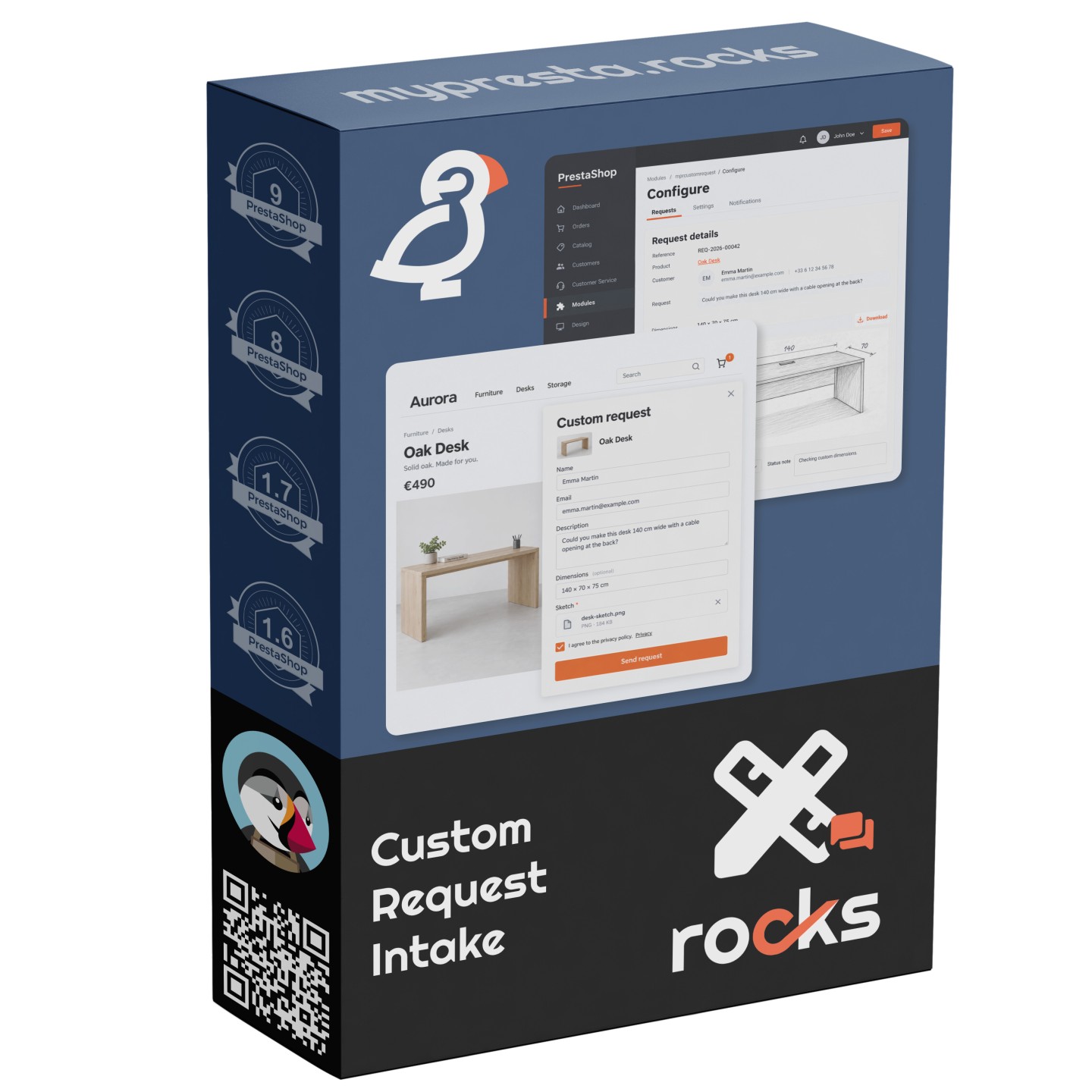


Collect sketches and review custom enquiries in PrestaShop with Custom Request Intake


Custom Request Intake is a module for PrestaShop stores that collects customer sketches and requirements, then gives your team a place to review them and reply. Product, contact and standalone forms start enabled, with notifications sent to the shop email.
A custom size needs more explanation than a catalogue choice. Customers send a sketch, describe what they need and add rough dimensions or supporting photos, so your team has the material to assess the request before discussing a price.
The module starts with ready settings and gives you control as enquiries grow. You choose where the forms appear, the notification inbox, file size and request limits, the reply promise and how long closed requests are kept.
Requests arrive with their own reference and, from a product page, the reference product. Staff review files, change statuses with notes and send text replies from the back office. Supplied reply starters fill in the customer's name, request reference and product name.
Your team starts with a clearer brief, keeps review work visible and answers customers with the sketch and requirements at hand.
How does Custom Request Intake organise custom enquiries?
- A request dialog beside the product, plus contact and standalone forms
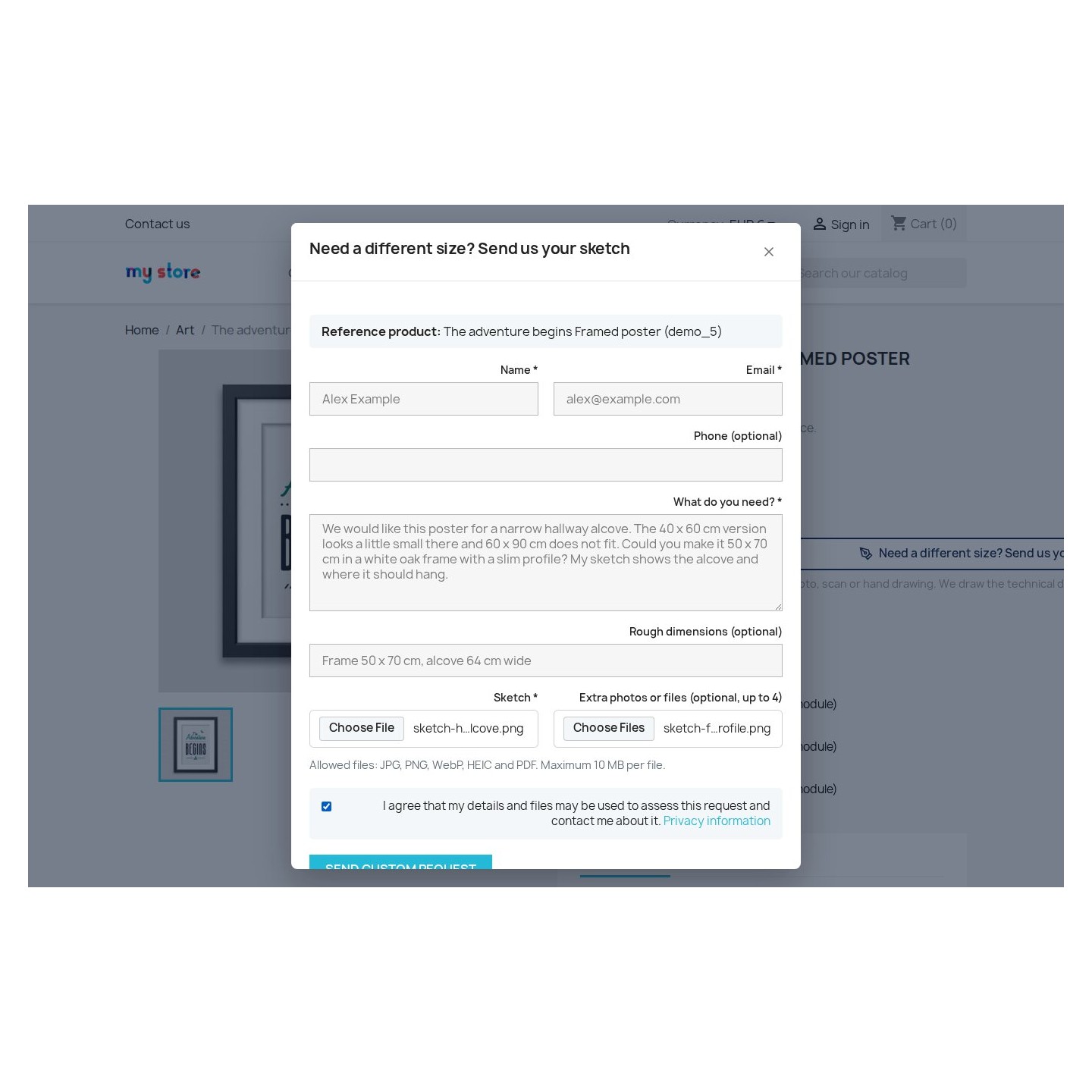
- A required sketch, optional dimensions and up to four supporting files
- A request reference, customer confirmation and notification to your shop
- A filterable queue showing which requests need review
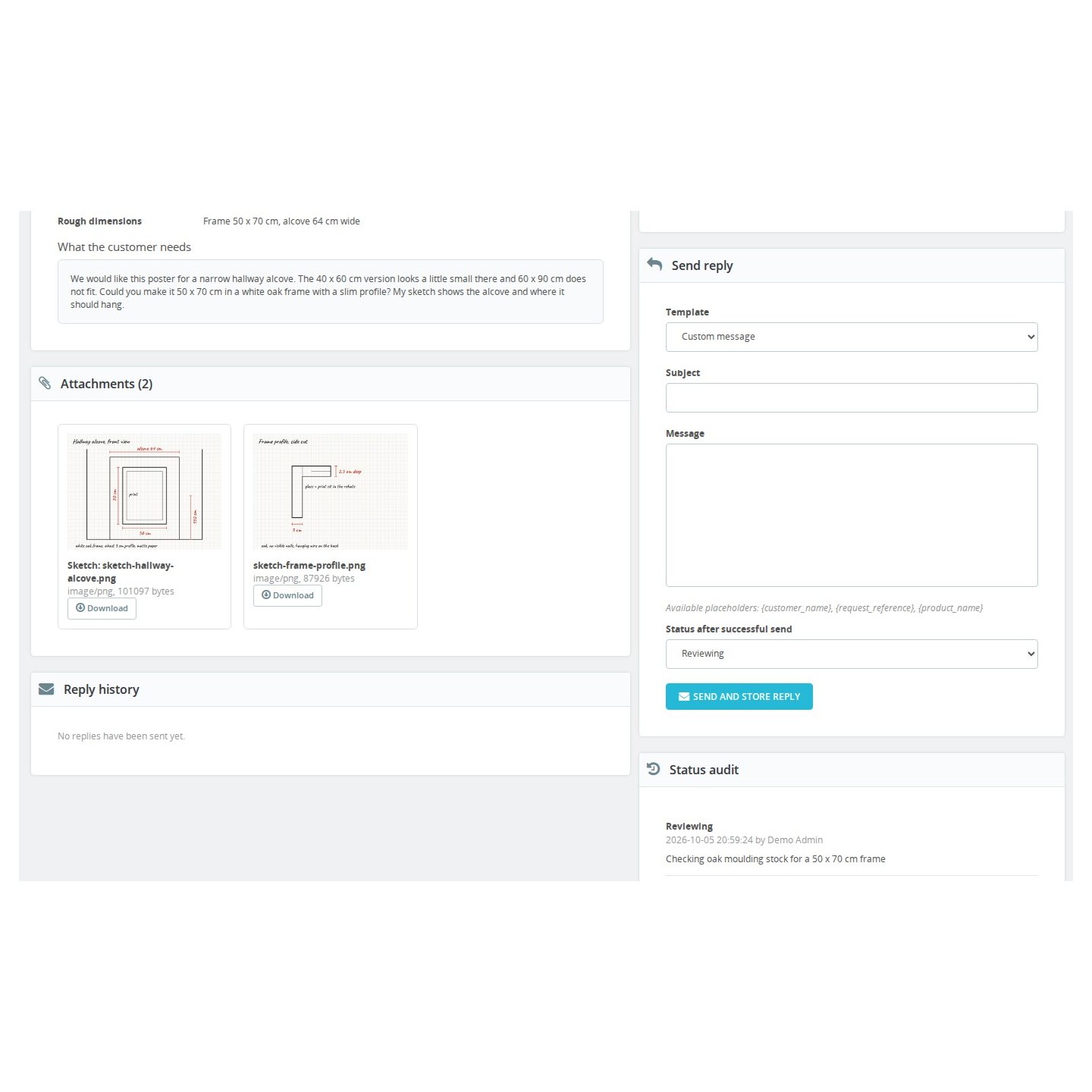
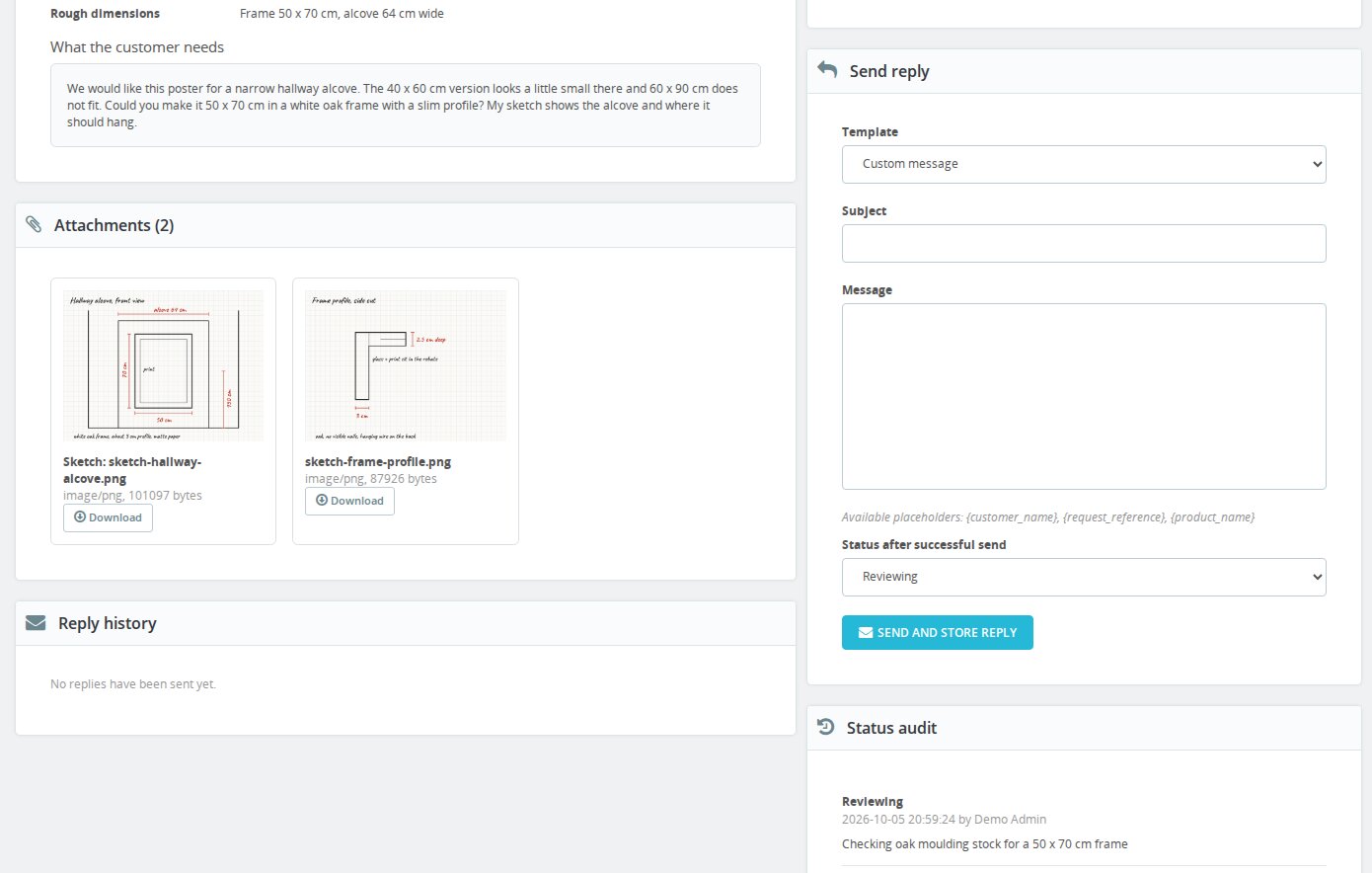
- Attachments, customer requirements and status history together on the request
- Text email replies with supplied starters and a recorded sending result
Custom Request Intake collects the brief for a custom version and carries it into your team's review queue. The shopper explains the change beside the reference product; your team receives the sketch, message and contact details together, ready to decide what needs clarification.
What does the customer send before you assess the work?
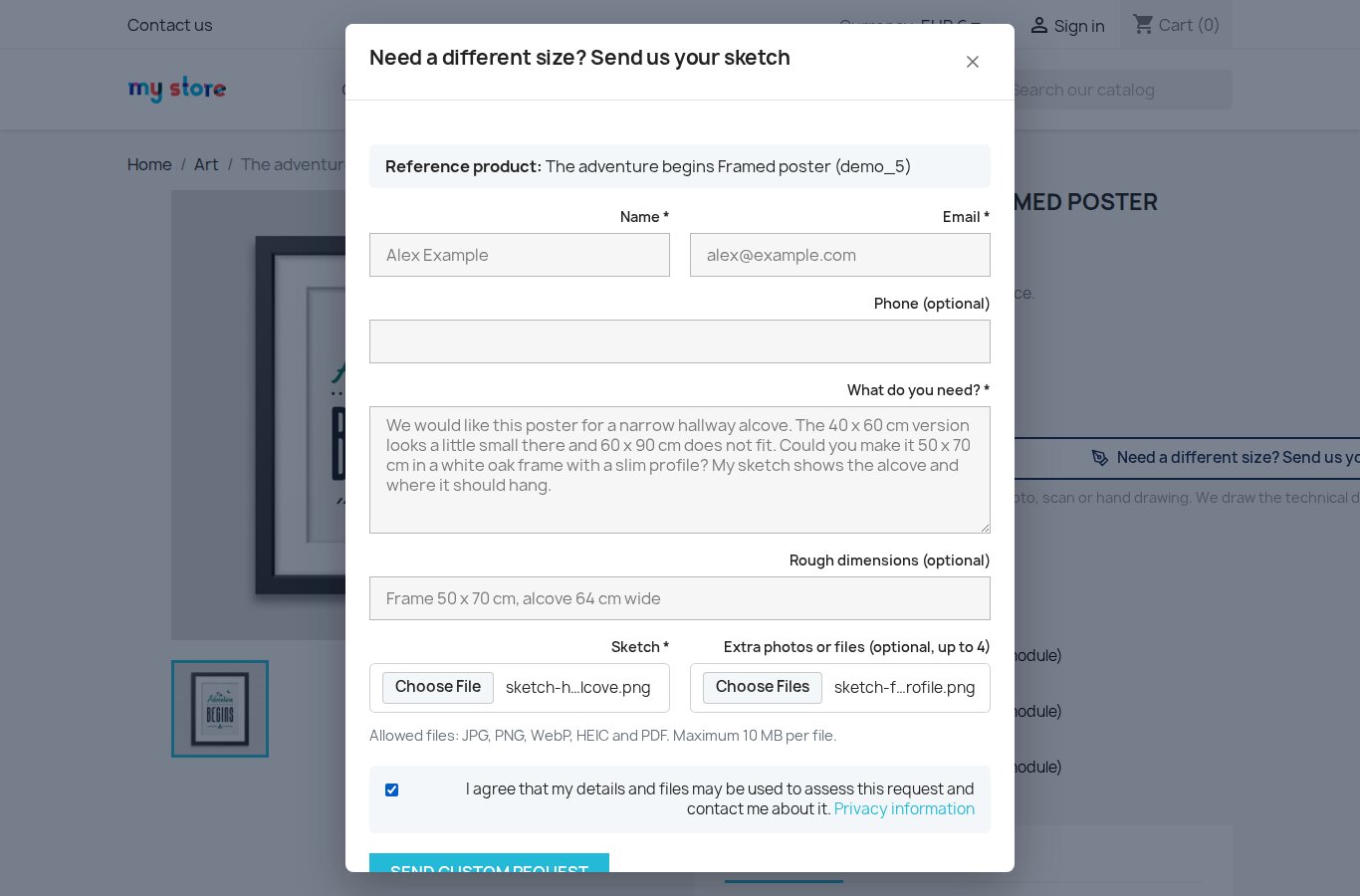
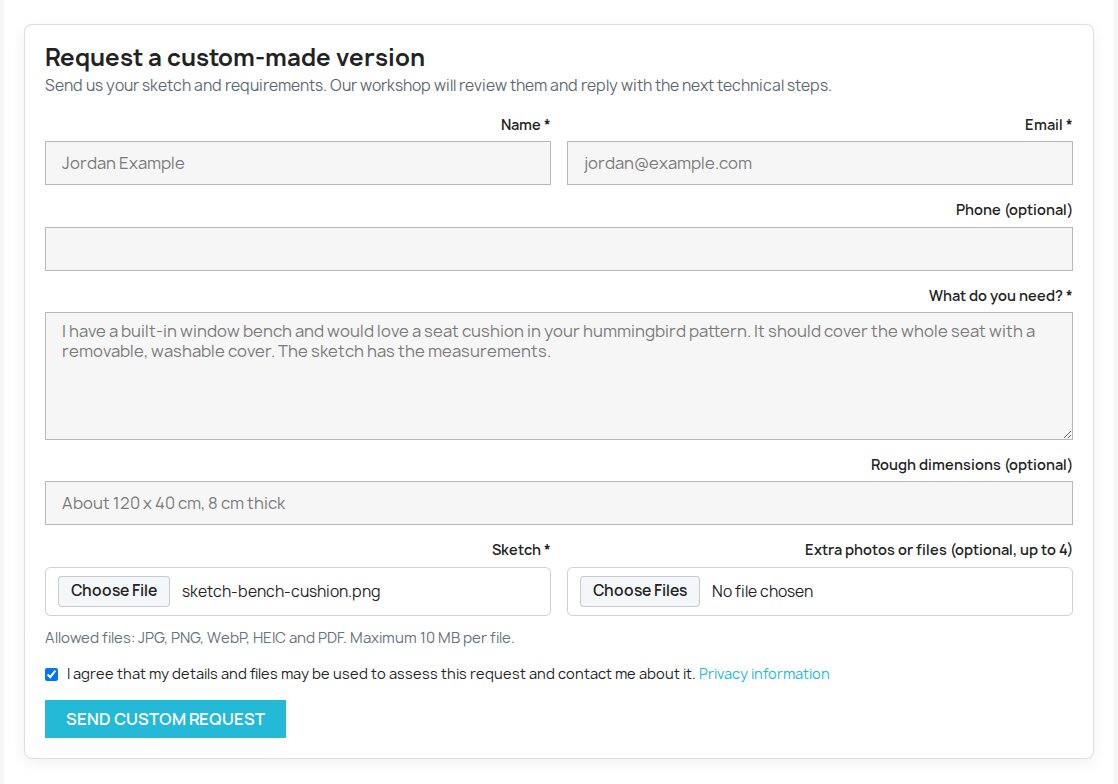
The form asks for a name, email, description and sketch. Rough dimensions and a phone number are optional, with room for up to four extra files. A photograph of a hand drawing, a scan or a PDF gives the workshop something concrete to review alongside the customer's explanation.
JPEG, PNG, WebP, HEIC and PDF files are accepted. Customers submit without creating an account, while signed-in customers start with their name and email filled in. The standalone page suits a request that has no reference product yet; the product dialog keeps the catalogue item attached to the enquiry.
How does the customer know the request was received?
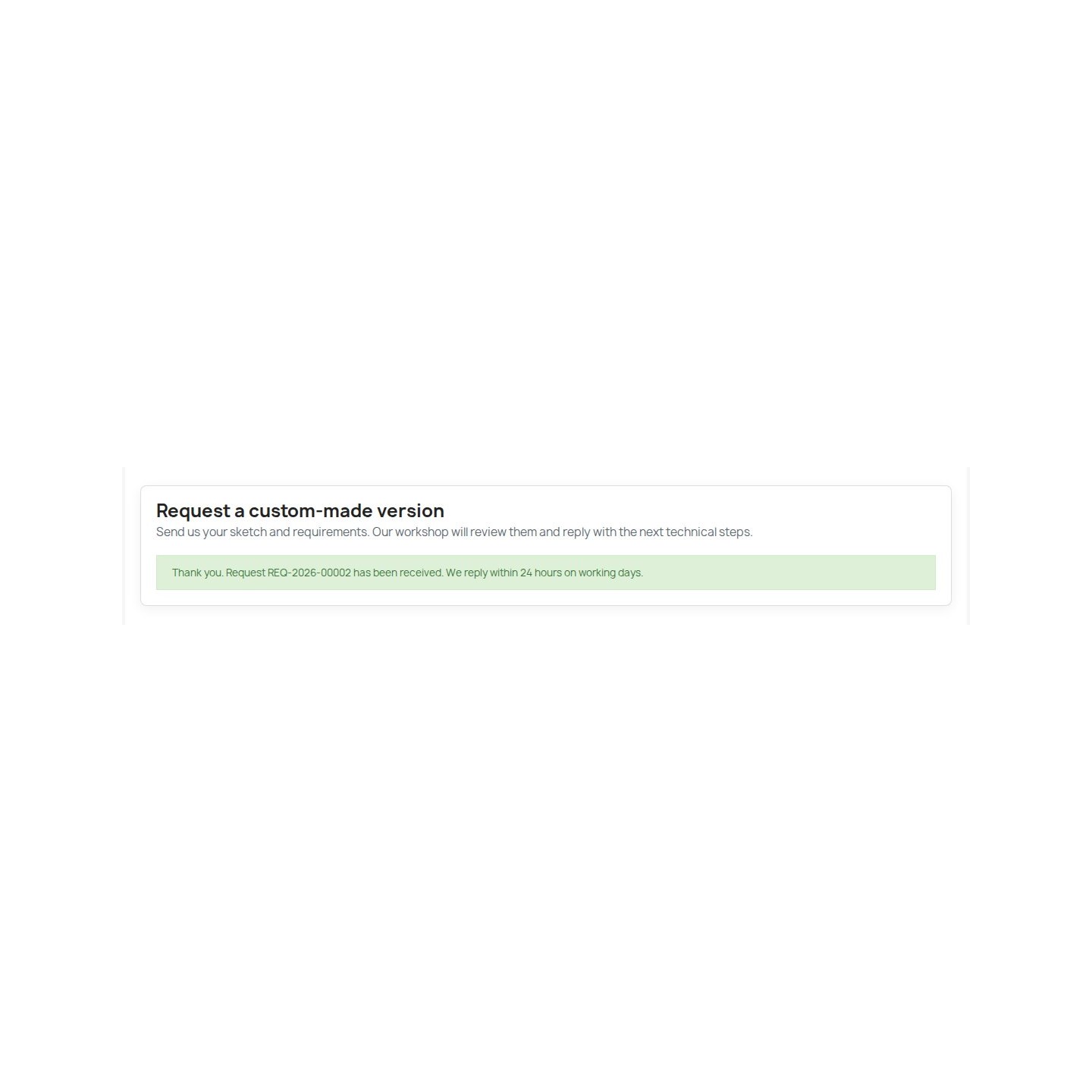
After a successful submission, the form shows the request reference and the reply time your shop promises. The module sends a confirmation to the customer and a notification to your chosen inbox, giving both sides a reference to use when discussing the work.
The shop notification includes the submitted details and a link to the request, where staff open the files. You set the number of hours shown in the working-day reply promise to match your team's availability. Your team carries out that review and reply.

Which enquiries need your team's attention?
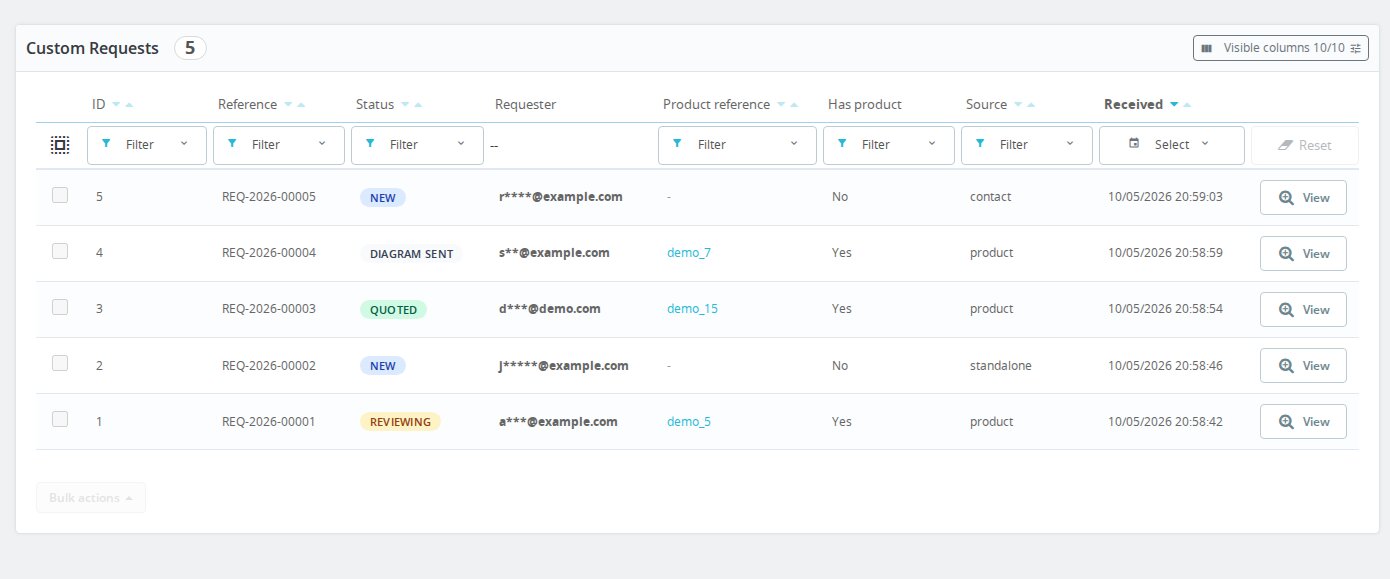
The back-office queue shows the newest requests first, with their references, statuses, source pages and received dates. Filters narrow the list by status, date, request reference or product reference, helping staff return to the work they need to handle.
New, Reviewing, Diagram sent, Quoted, Closed and Spam describe the stage your team has reached. A status change records who made it, when and any accompanying note. Diagram sent and Quoted record work your team has prepared, keeping the queue useful throughout a custom enquiry.
What does a colleague see when taking over a request?
The request detail brings together the customer's message, contact details, rough dimensions and reference product. The sketch and supporting files sit beside the outgoing replies and status history, so a colleague sees what was submitted and what your team has already said.
JPEG, PNG and WebP images have previews; HEIC and PDF files are available to download. Staff with access to the request retrieve the files from the back office, giving the person reviewing the work the same source material as the colleague who first opened it.
How does your team answer without writing every reply from scratch?
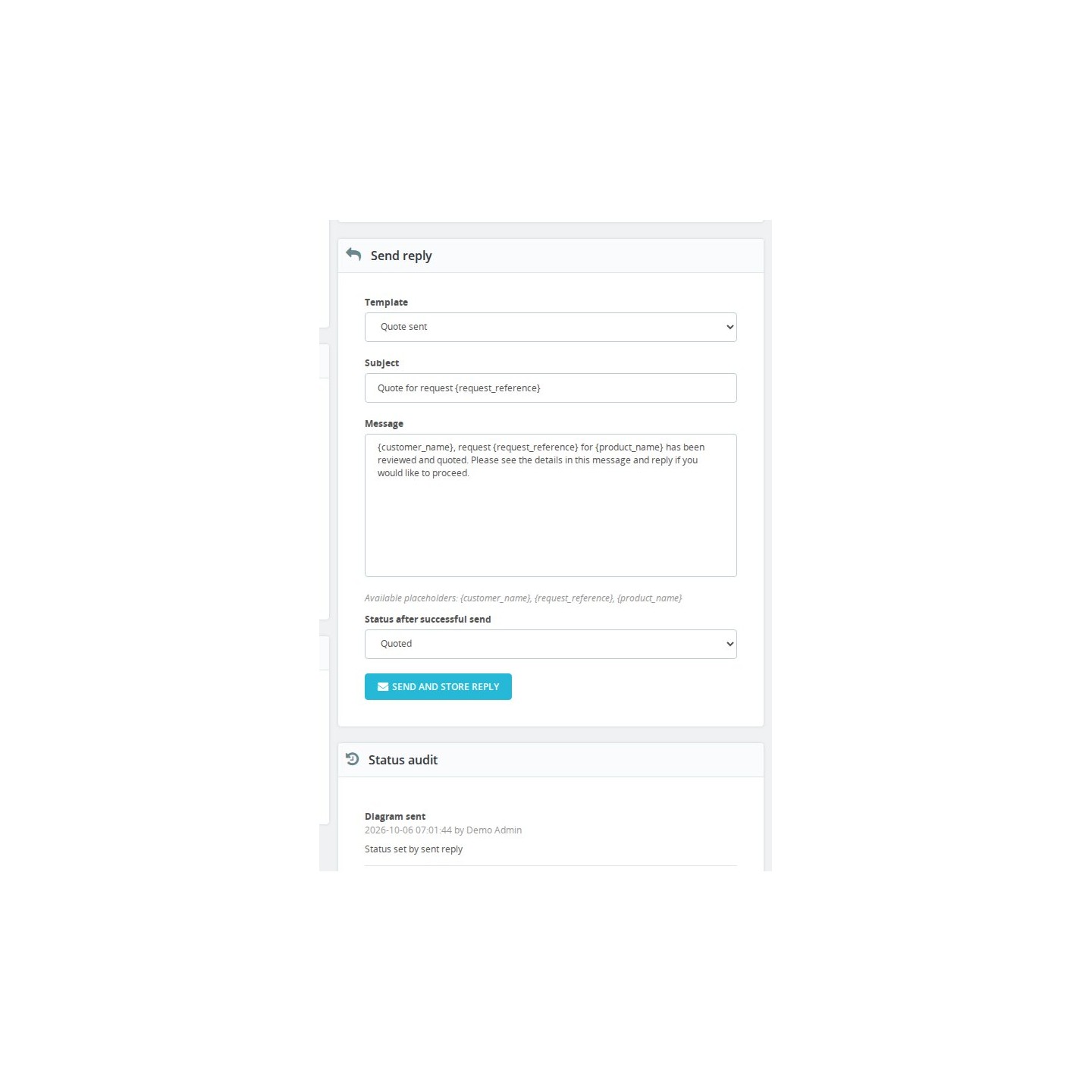
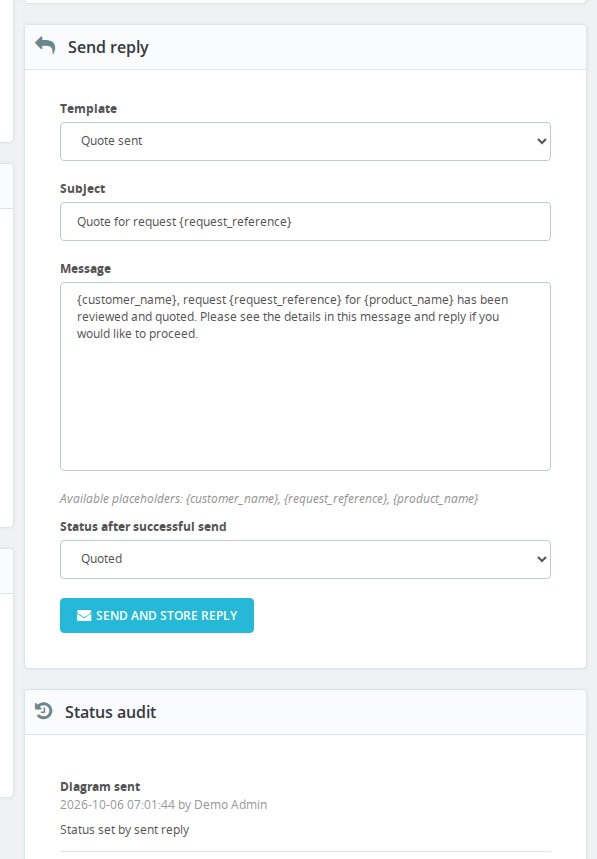
The reply composer offers supplied text for reviewing a request, asking for more information, announcing a prepared diagram or sending quotation details. Staff edit the subject and message for the enquiry. When sending, the module inserts the customer name, request reference and product name.
A text reply is sent by email and kept on the request. When sending succeeds, the selected status is applied; a failed attempt remains visible for follow-up. The next colleague sees the message and sending result before deciding what to do next.
-
Referencemprcustomrequest
-
PrestaShop CompatibilityPS 1.6 – 9.x
-
Pricing ModelOne-time Purchase
-
Module TypeFront & Back-office
-
GDPR RelevantYes
-
Business GoalStreamline Operations
-
External Account NeededNo
-
Module ComplexityFeature-Rich Module
-
Customer Journey StageEngage Shoppers
-
Works With PlatformNo External Platform
What customers say about us
Company reviews
5.0
★
★
★
★
★
(4 reviews)
Loading customer reviews...
No product reviews yet
Be the first to share your experience with this module.
Write a Review
Custom Request Intake collects customer sketches and requirements in PrestaShop, gives each request a reference and brings the review and outgoing replies into the back office.
Have a question about this product?
Our experts are here to help. Ask anything about installation, compatibility, or specifications.
1343
questions
9
categories
v1.1.42026-10-07
- Configure in the module list now opens the module settings page (it opened the request list).
Loading full changelog...
Works Well With Custom Request Intake
Modules our team genuinely pairs with this one, and exactly why each belongs in the same setup.
Complement
Custom Request Intake collects the sketch and written brief your team needs to assess a custom version. Customers describe the change, add rough dimensions and send supporting files, while staff review each enquiry under its own reference. Some questions still come up before a customer is ready to send the form, such as whether a size is possible at all.
Tawk.to Chat Integration adds a live chat window to the shop, so customers can ask a quick question while they are still looking at the product. Your team answers from the Tawk.to dashboard and can point the customer to the request form once the idea is clear enough to describe.
Together, the modules cover a quick conversation and a complete brief. Customers check the basics in chat and then send their drawings and dimensions through Custom Request Intake. Staff connect the two themselves, using the chat to understand the context and the request to assess the version the customer actually wants.

Complement
Custom Request Intake gives each customer a place to submit a sketch, dimensions and requirements before your team assesses the work. The usefulness of that brief also depends on what the customer knows beforehand: which measurements matter, what belongs in the drawing and what information the workshop needs to decide on the next step.
FAQ Manager presents reusable answers connected to the catalogue, with questions, categories, translations and product assignments. Your shop writes guidance on measurement, preparation and the custom-order process, giving customers an explanation they can read before sending their own request.
Used together, the modules cover preparation and individual assessment. FAQ Manager explains the points that apply to many customers, while Custom Request Intake collects the particular sketch and requirements that need a person's attention. Your team spends the review on the customer's project with a clearer shared starting point.

Workflow
Custom Request Intake organises the initial custom enquiry: the sketch, requested change, rough dimensions and outgoing replies while your team assesses the work. That record is useful before a sale, when staff need to understand what the customer wants and explain the next step. Later service questions often need a different working record.
Support Revolution provides a help desk for ongoing customer cases, with ticket history, customer identity and order-related context. It gives staff a place to manage service conversations when the matter concerns an order or needs continued follow-up beyond the original custom request.
Together, the modules support enquiry review and later customer care. Staff use Custom Request Intake to assess the brief and handle a separate support case in Support Revolution when needed. The team carries the relevant information into that case, giving the colleague handling customer care the details needed to continue the conversation.
 30 days return right
Easy return - no questions asked
 Plug & Play Modules
Install, set up and take profit
 Dedicated Support First
Priority Help & Satisfaction Over Sales
You might also like


