




The Hidden Cost of a Bad Product-Feed Integration
Last updated: July 7, 2026. Written from building supplier-import and marketplace-sync integrations for PrestaShop 1.7, 8 and 9. The diagnostic queries below run against PrestaShop core tables you can inspect on your own shop.
Author: mypresta.rocks editorial team — we build PrestaShop modules and run PrestaShop stores.
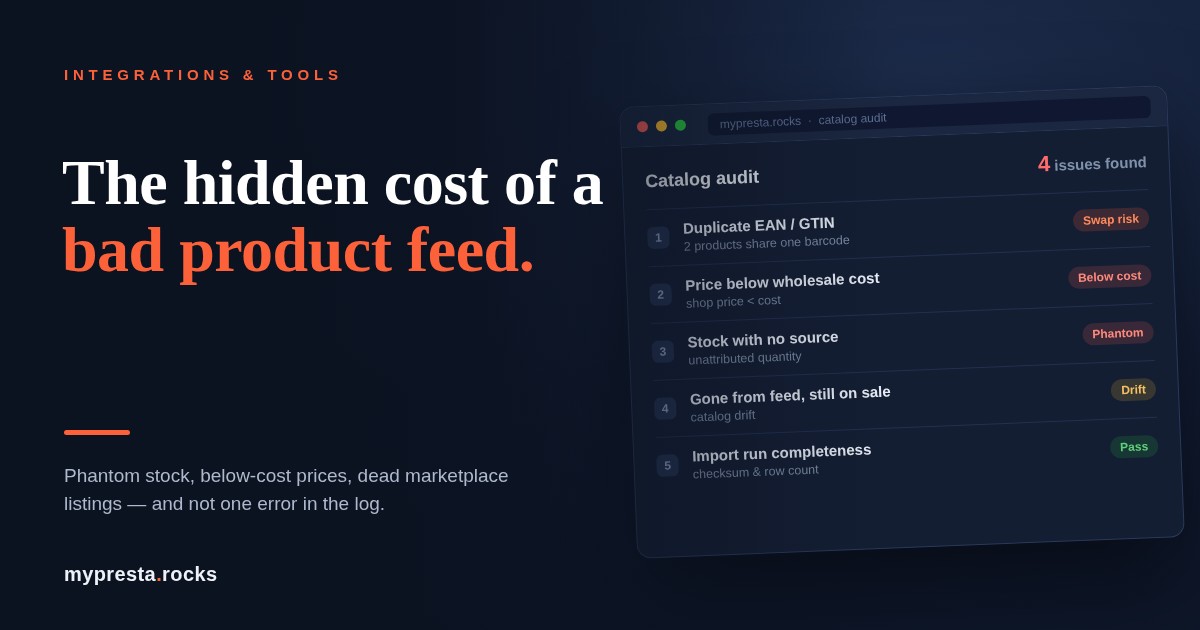
A bad product-feed integration is the rare kind of failure that costs you money while everything looks fine. Nothing errors out — no red banner, no failed cron, no support ticket. The catalog just quietly starts telling customers the wrong price, the wrong stock, the wrong availability, and every small lie is a cancelled order, a refund, or a chargeback waiting to happen.
This is about the risk class: what a cheap, opaque, or unmaintained inbound import / marketplace-sync integration does to a store, and what a trustworthy one does differently. If you already run one and just want to know whether it's happening to you, skip to the two queries — they'll find the damage in your own catalog in about a minute.
Quick comparison: cheap feed vs. trustworthy feed
| Failure mode | What a cheap / unmaintained integration does | The bill you get | What a trustworthy integration does |
|---|---|---|---|
| Phantom inventory | Writes a stock number it can't attribute to the right product | Overselling: cancelled orders, refunds, marketplace defect metrics | Attributable writes through StockAvailable; sanity guards; hold on unattributable numbers |
| Wrong-product / below-cost price | Binds to a volatile supplier ID and overwrites the price | An expensive item lists at a fraction of cost; legal exposure; margin gone | Match on stable identity; a price floor that refuses the write |
| Damaged marketplace listing | Mirrors a bad price/stock straight to the channel | Offer reset or ended — listing age, velocity, position lost | Validate before propagation; treat live listings as high-value state |
| Catalog drift | Keeps a discontinued SKU on sale with phantom stock | You sell something you can no longer source at any price | Drop the source, sell real on-hand stock, then a clear "no longer available" |
| Truncated feed | Treats a half-downloaded file as the complete truth | Thousands of SKUs zeroed / discontinued in one run | An import-run audit that rejects a feed which shrank or failed its checksum |
1. Phantom inventory: selling stock you don't have
The most common way a cheap import module bleeds a store is phantom inventory — a stock number on the storefront that corresponds to nothing real in a warehouse. It happens when a sync writes a quantity it cannot attribute to the right product: the wrong column is mapped, an "available" flag is read as a count, or one product's quantity is written onto another because the match was wrong. Two flavours: phantom (a number that never matched reality) and stale (a number that was true once, but the feed stopped updating it and the store kept selling on a frozen count). Either way the number looks plausible, so nobody questions it — until you're cancelling orders you can't fulfil, eating refunds, and on marketplaces taking a defect-rate hit that damages account health.
The PrestaShop-specific trap: real stock lives in ps_stock_available (per product, per combination, scoped by id_shop or id_shop_group), and it should be written through StockAvailable::setQuantity() so the actionUpdateQuantity hook fires and dependent state stays consistent. A cheap import that writes the legacy ps_product.quantity column directly desyncs from what the storefront actually reads. Combine that with the "allow ordering when out of stock" setting (PS_ORDER_OUT_OF_STOCK, global or per product) and a phantom or zeroed quantity converts straight into a live oversell. A trustworthy integration only writes a quantity it can attribute to a correctly-matched source line, sanity-checks it against the previous value, and holds anything it can't vouch for instead of selling on it.
2. The expensive one: a damaged marketplace listing
When your catalog feeds a marketplace — Allegro, Amazon, eBay — the integration is no longer just editing rows in your database. It's manipulating a live asset on someone else's platform, under their rules. A single bad push can trip those rules: a price the platform reads as invalid, a stock value pushed to zero that ends the offer, a mis-mapped identifier that makes the offer look like a different product.
Be precise about what's actually at risk, because the platforms differ. What you can lose is offer-level momentum — listing age, position, the velocity signals a channel's ranking rewards, watchers — and, on offer-based channels like Allegro and eBay, the sales history attached to that listing. Product reviews are more nuanced: on Amazon they live on the ASIN and generally survive an offer change; eBay feedback is seller-level, not listing-level. So "a bad push wipes your reviews" is not universally true — but the momentum that made the offer competitive can absolutely be reset, and a relisted offer rebuilds it from a standing start. The failure mode that makes this dangerous is propagation: a cheap integration mirrors the catalog to the channel with no gate, so one bad local row reaches a live listing at machine speed. A trustworthy one validates the price and stock write, and blocks mass "end offer" / zeroing pushes for review, before anything propagates.
3. Below-real-price listings: legal and financial exposure
A product listed far below its real price is usually filed under "lost margin." That understates it. Once you accept an order at a displayed price, some jurisdictions expect fulfilment (a displayed price alone is often not a binding offer in common-law systems; obvious errors may be cancellable — it depends on local law and your terms), and either way mass-cancelling costs more in chargebacks and disputes than the margin you were protecting. Mispriced items also get found fast: resale scripts watch for exactly this, so an item priced far under market is cleared in minutes. On the compliance side, breaching a supplier agreement is the realistic exposure; pure competition-law liability is narrow (EU Article 102 needs dominance and abuse; US law generally treats below-cost pricing as legal unless it's predatory). And Google Merchant requires your feed price to match your landing page, so a mismatch spills into paid-channel disapprovals.
The trigger is almost always a matching error upstream, and no exception is thrown — the listing just goes live at a fraction of its value. The defence is a price floor that refuses an implausible write before it reaches the storefront or a channel. The one subtlety worth building in: compare like with like — a base price that clears the floor can still go below cost once an active ps_specific_price discount or catalog rule applies, so the floor has to consider the effective price, not just ps_product_shop.price.
The root cause: matching on volatile supplier IDs
This is the original sin of feed integration. Supplier internal IDs are not stable — distributors recycle and reassign them as their own systems churn. Match on that ID and you bind your catalog to a moving target: the day a supplier reuses an ID for a different article, your expensive product adopts the cheap one's price and stock. Anchor instead on a stable identifier of the target product. In PrestaShop that's a unique GTIN (ean13 / upc), the manufacturer part number mpn, or your own reference, at combination level (ps_product_attribute). PrestaShop 8.1+ validates ean13 as a GTIN at the product level. The supplier's own reference belongs in ps_product_supplier.product_supplier_reference, scoped by id_supplier, and should be used only as a deterministic fallback — never as the primary key that overwrites price and stock.
How to tell it's already happening to you
If you run a cheap import module today, you don't have to wait for a complaint. The damage leaves fingerprints. These are first-pass smoke checks — read-only, safe on a copy — not a full audit, but they surface the two failures that cost the most.
Duplicate identity — the precondition for wrong-product matching. Any GTIN shared by two base products is a data defect and the setup for a wrong-product swap:
SELECT ean13, COUNT(*) AS n
FROM ps_product
WHERE ean13 <> ''
GROUP BY ean13
HAVING n > 1;
-- repeat for upc, mpn, and the ps_product_attribute identifiers (combinations)
Below-cost listings — anything priced under its own wholesale cost is a live margin leak or a matching error that already fired. Note id_shop: in multistore the same product can be safe in one shop and below cost in another. This checks the base price only — it does not net active specific_price discounts, tax, fees, or combinations, so treat a clean result as "no obvious base-price leak," not "all clear":
SELECT p.id_product, p.reference, ps.id_shop, ps.price, ps.wholesale_price
FROM ps_product p
JOIN ps_product_shop ps ON ps.id_product = p.id_product
WHERE ps.wholesale_price > 0
  AND ps.price < ps.wholesale_price;
Below-cost rows are an active failure; duplicate identifiers are a data defect and a wrong-product swap waiting to happen. Either way it's in your catalog now, not in theory.
PrestaShop-native footguns to know
- The CSV import "Delete all products before import" checkbox — with "Force all ID numbers," it's the most famous catalog-nuking action in PrestaShop. One unattended run can wipe and re-key the catalog.
- Writing
ps_product.quantityinstead of usingStockAvailable. Real stock lives inps_stock_available; bypassing the API skips theactionUpdateQuantityhook, so caches and any listeners that depend on it never learn the number changed. - Multistore scoping. Prices are scoped by
id_shop; stock byid_shopor a sharedid_shop_group. An import that ignores scoping updates the wrong storefront, or all of them at once.
Catalog drift and truncated feeds
Catalog drift is the slow divergence between what your supplier offers today and what your storefront still shows — added, discontinued and repriced SKUs your feed didn't reflect. The nastiest case is a discontinued product still showing phantom stock: the customer buys something you can't source. Handling it is subtle. Detect "gone from the feed," but don't blindly kill the product — sell-through of real, owned stock (on-hand after reservations, not the supplier's number) is money you've already paid for. In a multi-supplier catalog, "missing from one feed" should drop that source, not the product, and you only flip to "no longer available" once real on-hand stock hits zero and no other supplier covers it.
The failure that turns a small problem into a catastrophe is the truncated feed — a download that dies partway, which a naïve module treats as complete. Suddenly a large share of SKUs look "missing" and get zeroed or discontinued en masse. The fix is an import-run audit: never act on a feed you haven't validated against the previous run.
CREATE TABLE ps_feedrun (
  id_run         INT UNSIGNED AUTO_INCREMENT PRIMARY KEY,
  supplier       VARCHAR(64),
  started_at     DATETIME,
  row_count      INT UNSIGNED,
  prev_row_count INT UNSIGNED,
  checksum       CHAR(64),
  state          ENUM('running','applied','rejected'),
  reject_reason  VARCHAR(255)
);
-- Reject the run (never apply removals) when the download is incomplete,
-- the checksum fails, the export timestamp is stale, or row_count collapses
-- versus prev_row_count.
How one bad run cascades
Illustrative, but each step is a real mechanism: a scheduled import runs overnight as it has for months. This time the export truncates partway, and the module ingests it as gospel. Products past the cut-off look "gone," so their stock is zeroed. A handful of IDs the supplier recycled that week bind expensive items to cheap lines, and those prices are overwritten. By the time anyone logs in, the storefront shows out-of-stock on live products, a few items sit far below cost already selling to bots, and — because the catalog pushed all of it onward with no gate — marketplace offers have been reset for invalid data. Not one line threw an error. Every guard that would have caught it — the import-run audit, the price floor, the provenance check, the channel gate — was simply absent.
What a trustworthy feed integration must do
- Match on stable identity — a GTIN (
ean13/upc),mpn, or your ownreference, at combination level; supplier reference only as a scoped fallback. - Guard prices before they publish — a floor on the effective price (after
specific_priceand catalog rules), refusing and alerting instead of publishing. - Write stock attributably — through
StockAvailable, only from a correctly-matched source line, with a sanity band on big jumps. - Audit every import run — checksum, row count vs. previous, export freshness; a suspect feed never drives removals.
- Gate channel propagation and stay reversible — validate before anything reaches a marketplace, and snapshot before you change so recovery is a restore, not a rebuild.
FAQ
Why is my store selling out-of-stock items?
Usually phantom or stale inventory, often amplified by "allow ordering when out of stock," or an order landing in the window between syncs. The fix is an integration that writes stock attributably through StockAvailable, distinguishes a confirmed zero from a missing update, and guards implausible jumps.
How do I stop selling below cost?
Put a floor in front of every price write, compared on the effective price after any active specific_price or catalog rule — not just ps_product_shop.price. Refuse and alert instead of publishing, and keep cost data current, because stale cost hides a below-cost sale until the margin report arrives. The below-cost query above finds the ones already live.
What is catalog drift?
The growing gap between what your supplier offers now and what your storefront still shows. Measure yours by diffing the supplier's current feed against your live catalog — every SKU in one and not the other is drift: a wrong price, phantom stock, or an item you can no longer source.
The point
A feed integration earns its keep on its worst day, not its average one. When the export truncates, an ID gets recycled, or a distributor reprices overnight, a well-built integration refuses the bad data and a cheap one applies it. None of these failures is exotic — they're the predictable result of skipping a handful of guards that aren't hard to build. Run the two queries above against your own catalog; if they return rows, you already have the answer.

Comments
No comments yet. Be the first!
Be the first to ask a question or share useful feedback.
Leave a comment
Share a question, an installation detail, or feedback that could help another reader.