




Their Employee Left. We Run the Store — and Couldn't Prove the Access Left Too.

The finding that stopped the review cold
We build and maintain PrestaShop stores for other businesses. We don't own the shops — we run them on our clients' behalf, which means their back office is our responsibility to keep secure. That's the job. It's also why the story I'm about to tell landed on us, not on someone else.
Not long ago, one of the businesses whose store we look after had an employee leave. Nothing dramatic, no story worth telling in the departure itself. But that person had access spread across the operation we run for their employer — a PrestaShop back-office account among it — and their leaving triggered what should have been a routine access review across the store, its mail, and its hosting. As the caretaker of that store, running the review was on us.
It found the usual mess you'd expect from an operation that grew faster than its processes. But one finding stopped everything cold — and it wasn't the back-office login everyone expects to worry about first. It was the mailbox:
The departed employee's mailbox — their personal inbox, and the shared role inboxes they'd used — was still active. Its password had never been rotated. And it was still being logged into every single day.
Here's the part that should worry you more than the finding itself: because the client's whole team worked from one shared office connection, and because some credentials were shared between people, it was impossible to tell whether those daily logins were the person who'd left or a current colleague doing the old job from the old inbox. Both explanations fit the logs perfectly. A log line records that a credential was used from an address — and an IP address identifies a connection, not a person. Weeks after someone stopped working for the business, we — the agency responsible for that store's security — could not prove their access had stopped with them.
That's the story of this post. Not a breach — we found no evidence of one, and to be precise about what the logs actually showed: the former employee's still-active mailbox credentials were used; who was holding them is exactly what nobody could establish. Something quieter and, I'd argue, more common than a breach: a store whose caretakers could not answer the question "who can get into any of this right now?" — and, when we tried to reconstruct the answer from logs, discovered the logs couldn't tell us either. And if that's true of a mailbox, the same architecture leaves you just as blind about the back office — which is where the rest of this post aims.
If you run — or run for someone else — a PrestaShop store with more than one person touching the back office, this post is the checklist I wish we'd had in hand before we needed it.
Why the forensics failed — and why yours would too
When the "still active, still logged in" finding surfaced, the obvious next step was forensics: pull the logs, attribute every login, confirm nothing improper happened. We did that work. It mostly failed, and the ways it failed are worth spelling out, because they're not specific to this client — they're the default state of a typical small-business hosting stack, and we see the same shape across the stores we manage.
The logs didn't reach back far enough. The mail server only kept detailed login logs for roughly four weeks. Anything older was simply gone. If the question is "has this account been misused since the person left months ago?", a four-week window cannot answer it — and no amount of skill changes that.
Webmail hid the real source. Logins through the hosted webmail client were proxied by the server itself, so the mail log recorded the server's own local address as the source of the session — not the person's actual IP. An entire class of access was effectively anonymous by architecture.
Shared IPs destroyed attribution. Everyone in the client's office egressed through one broadband connection. A login from the office IP could be any of a dozen people — including, potentially, someone who no longer worked there but still had the password and, say, a reason to drop by, or a device that still auto-synced. NAT, VPNs, and shared networks all produce the same effect: the IP tells you where a connection came from, never who was behind it.
Shared credentials destroyed it twice. Several role inboxes and the hosting access itself used passwords known to multiple people. When five people know a password, a log line proves a password was used — never who used it.
Pre-existing access was invisible. The most important limitation of all: logs record events, not knowledge. If someone copied a password, exported a mailbox, or noted down an API key while they legitimately had access, no log will ever show it. The review could honestly conclude "we found no evidence of misuse" — and we had to immediately add the caveat every security person knows: absence of evidence is not evidence of absence.
Put together, this is the real lesson, and it's the thesis of this entire post:
You cannot investigate what you never prevented. By the time you're doing forensics, you've already lost the version of this story where you get a clean answer. Prevention isn't just cheaper than forensics — in a typical merchant stack, it's the only one of the two that actually works.
Our own house wasn't clean either
I'd be writing a dishonest post if I framed this as "a client had bad hygiene and we, the diligent agency, tut-tutted from the sidelines." The same review audited access that included our own agency accounts on that store — and it found two things I'm not proud of.
One of my own passwords hadn't been changed in roughly five years. It was long, it was unique, it had never — as far as any log could show — been misused. None of that is the point. Five years is five years of former collaborators, old devices, forgotten browser profiles, and third-party breaches accumulating against one static secret. As the people paid to look after this store, we knew better. It was still true.
My "VPN" was making things worse, not better. For years I'd used a free VPN service that rotates its exit servers across random data centers. Security-wise it added little. Forensically it was a disaster in reverse: my own legitimate logins into the store showed up in the logs as bursts from unfamiliar data-center IPs in multiple countries — exactly the fingerprint of an account takeover. During the review we burned real hours proving that the scariest-looking pattern in the entire log history was me, the store's own administrator, browsing through a free VPN's roulette wheel of exit nodes. A tool I'd adopted in the name of security generated the noise that nearly buried the signal.
I'm including these because they're the honest shape of this problem, and because holding client back offices means holding ourselves to the same list. Credential hygiene doesn't fail because people are careless or stupid. It fails because nothing in day-to-day operations ever forces the issue. The shop works. The mail arrives. The password from 2021 still logs you in. Every day that nothing goes wrong is a day the debt compounds invisibly — until a departure, an audit, or an incident makes you look.
The credential lifecycle has two halves. Everyone does one.
When someone joins — an employee, a freelancer, an agency, a business partner — access gets created within hours. It has to, or they can't work. There's a motivated person (the newcomer), a motivated manager (who needs them productive), and an immediate, visible failure mode if it doesn't happen.
When the relationship ends, revocation has none of that. Nobody is blocked by a leaver's account continuing to exist. There's no error message, no complaint, no ticket. The default outcome of doing nothing is that everything keeps working — which is precisely the problem. Onboarding is self-enforcing; offboarding only happens if you've made it a deliberate, written process. And it applies to every kind of departure equally: the employee who resigns, the contractor whose project ends, the agency a client switches away from. There's a second trap here that stung us directly: when a store is run by an agency but staffed by the client's own people, offboarding can fall into the gap between them — the client assumes their departing employee is "our vendor's problem," the agency never hears the person left. Access doesn't know whose problem it was supposed to be. Somebody has to own it explicitly, in writing, on both sides.
And in an e-commerce operation, "access" is never one account. It's a sprawl: the PrestaShop back office, mailboxes, shared role inboxes, SSH and FTP, the hosting control panel, database access, webservice API keys, the payment provider's dashboard, the shipping platform, analytics, marketplaces, the password manager, shared documents. Miss any one of them and the departure isn't complete — you've just stopped looking.
The offboarding checklist most shops don't have
This is the artifact to steal from this post. Print it, adapt it, and attach it to your departure process — whether you're the merchant or the agency that runs the store, the goal is that on someone's last day you're executing a list, not trying to remember the whole stack under time pressure.
| # | Access to revoke | What to do on departure day | Where merchants miss it |
|---|---|---|---|
| 1 | PrestaShop back-office account | Disable (don't delete) their employee account in Advanced Parameters → Team | Deleting orphans whatever records reference that account; disabling keeps its identity so those references still resolve to a known person |
| 2 | Personal mailbox | Disable login and rotate the password; decide explicitly what happens to incoming mail | "We'll sort the inbox out later" quietly becomes "never" — this was the killer finding above |
| 3 | Shared/role inboxes (info@, orders@, returns@…) | Rotate every shared password the person knew | The person is gone but the password in their head still works everywhere it's shared |
| 4 | SSH / SFTP / FTP | Remove their user and keys; rotate any shared account | Old FTP credentials in a leaver's abandoned deployment tool are a classic quiet backdoor |
| 5 | Hosting / server control panel | Remove their user; rotate the master login if it was shared | This is root-equivalent for the whole business — treat it as the crown jewels |
| 6 | Database access | Rotate DB passwords they had; check remote-access allowlists | Nobody remembers the read-only reporting credential from two years ago |
| 7 | PrestaShop webservice / API keys | Revoke or regenerate keys they created or used | Keys don't look like "accounts", so they survive every review |
| 8 | Payment, shipping, analytics, marketplace dashboards | Remove their user from each third-party service | Each platform is its own account system; none of them know the person left |
| 9 | Password manager | Remove their seat; rotate every credential in vaults they could read | A leaver's cached vault is a complete map of everything else on this list |
| 10 | Shared docs / cloud drives | Remove their account; audit anything shared to personal addresses | Files shared "just this once" to a private email outlive the relationship indefinitely |
| 11 | VPN / office network | Revoke their VPN profile and Wi-Fi credentials | If the back office trusts the office IP, network access is admin access |
| 12 | 2FA and recovery codes | Re-check recovery emails/phones on critical accounts | A recovery path pointing at a leaver's mailbox silently defeats everything above |
Two process notes that matter as much as the list: it runs on the last day, not "within a couple of weeks" — the review that prompted this post found the gap precisely because revocation was treated as an eventually-task. And someone owns it by name — and when a store is run by an agency, that "someone" and the hand-off between client and agency has to be pinned down before anyone leaves, not improvised after. A checklist nobody owns is a suggestion.
One deliberate choice in row 1 worth repeating: disable, don't delete. A disabled account can't log in, but it keeps its identity and existing references intact — so whatever records do mention it still resolve to a known person instead of a dangling ghost. Deletion feels tidier and orphans exactly the links you may later need to make sense of.
Hardening: so a leaked password is never enough
Offboarding is damage control for a system where a password equals access. The deeper fix is making a back office survivable even when a credential leaks — because eventually, one will. These are the six changes we now push on every store we run, in the order I'd make them:
1. Kill shared accounts — one person, one account. This is the foundation everything else stands on. PrestaShop's employee system (Advanced Parameters → Team) exists precisely so you never share a login: give each person their own account with a profile that matches their actual job, and reserve SuperAdmin for the one or two people who genuinely need it. The payoff is exactly what this store didn't have when we inherited its history: when every account maps to one human, you can attribute actions and you can revoke one person without resetting everyone.
You can't secure access you can't see. Before anything else, list everyone who can open the back office and when each of them last used it — straight from the database:
-- Who can open this back office right now — and when did each of them last log in?
SELECT id_employee, email, active, last_connection_date
FROM ps_employee
ORDER BY last_connection_date DESC;
Sort by that last column and the dormant accounts float to the top: the logins nobody would miss, which is exactly where a leaver's still-valid credentials hide.
2. Revoke completely, not just the obvious password. The checklist above is the point: departure means executing all twelve rows, not disabling the back-office login and calling it done. The finding that opened this post wasn't a back-office account — it was a mailbox. The access you forget is always the access that matters.
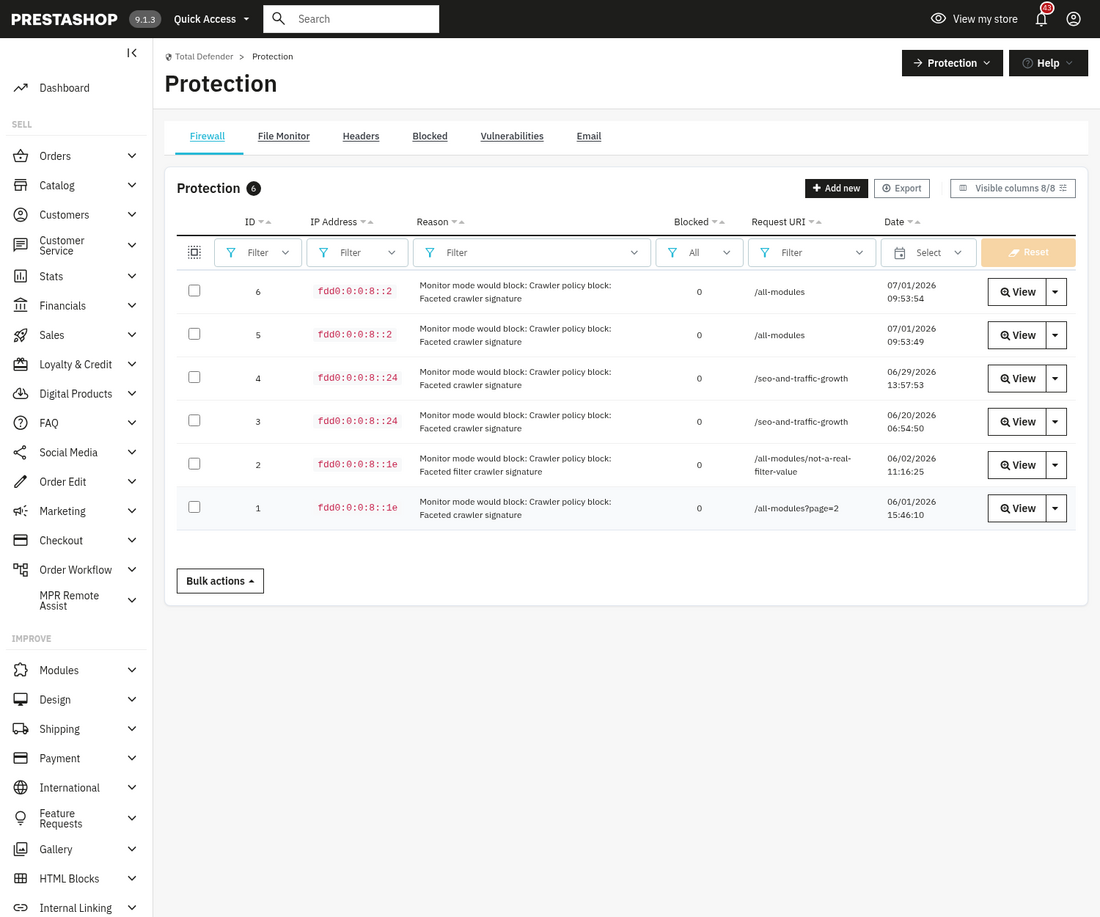
3. Put the back office behind an IP wall — at the server edge, not just in the application. Renaming the admin directory is obscurity, not control; it's undone by one leaked URL. What actually changes the math is an allowlist: the back office answers only to known office and VPN egress addresses, and to nobody else on the internet. And the honest engineering answer is that the best place to enforce it is in front of PrestaShop entirely — a server-level rule (nginx allow/deny, Apache Require ip), a Cloudflare Access policy or WAF rule on the admin path, or a VPN that is the only network route to the back office. Enforced there, the block happens before a single line of PHP runs, so even an application-level vulnerability can't talk its way past it. An in-application allowlist is then a worthwhile second layer — defense in depth, and often the only layer available on restrictive shared hosting where we don't control the edge. Our mprsecurityrevolution module provides that layer as an IP firewall — block rules, whitelist rules, country-level blocking — and applies the same allowlist thinking directly to employee logins with a trusted-admin-IP gate on the back office. Either way, the effect is the same: a leaked or unrotated admin password — the exact failure in this story — is no longer sufficient on its own. An attacker needs the credential and a position on your network.
Here is that allowlist in the two stacks most PrestaShop shops run on. Swap in your real admin folder name and your own office / VPN addresses:
# Lock the back office to known networks (nginx) — blocks before PHP even loads
location ^~ /your-admin-folder/ {
    allow 203.0.113.10;      # office egress IP
    allow 198.51.100.0/24;   # company VPN range
    deny  all;               # everyone else gets 403
    # ...your existing PHP / fastcgi handling below...
}
# Same rule for Apache 2.4+ — drop this in an .htaccess inside the admin folder
<RequireAny>
Require ip 203.0.113.10
Require ip 198.51.100.0/24
</RequireAny>Because the web server evaluates these rules before a single line of PrestaShop runs, a stolen or unrotated admin password is useless on its own — an attacker also has to be on your network. If you don't control the edge (restrictive shared hosting), enforce the same idea one layer up with a Cloudflare Access policy on the admin path, or make a VPN the only route in.
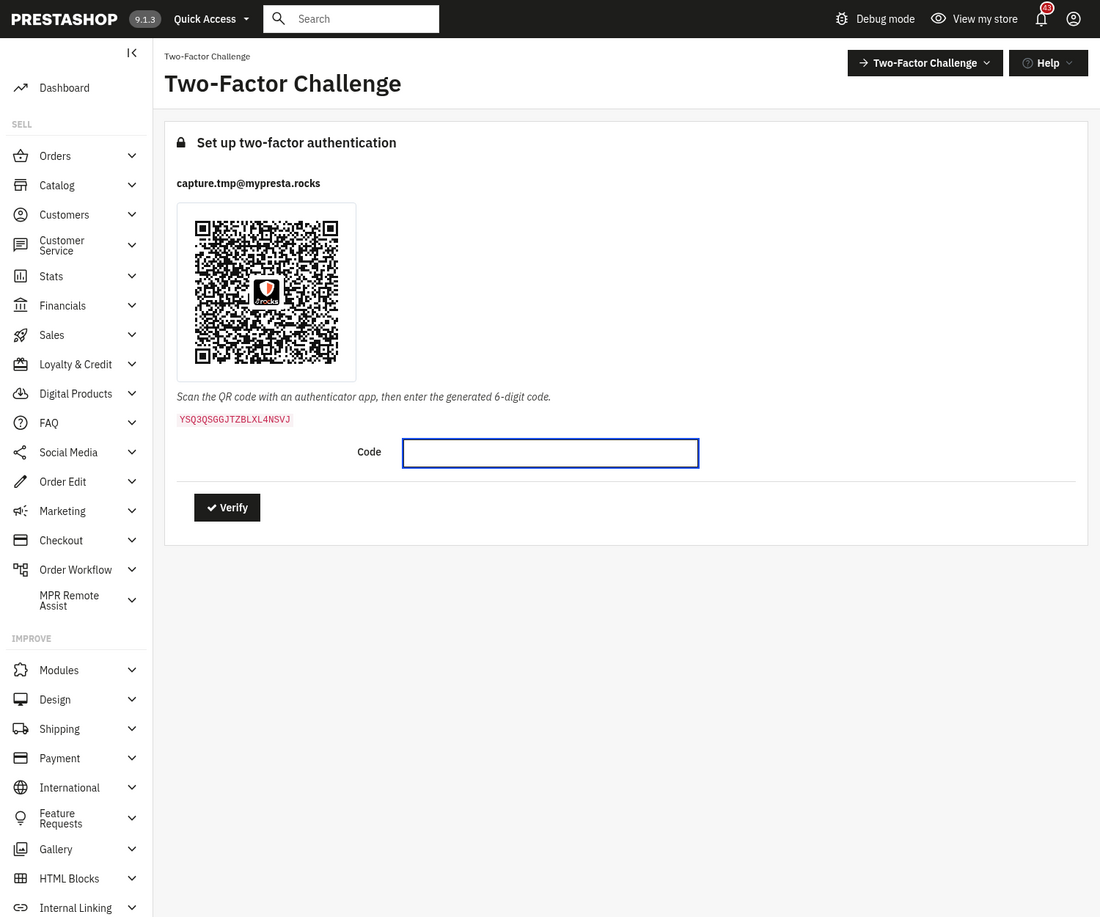
4. Add a second factor to admin logins — PrestaShop won't do it for you. Here's a fact that surprises many merchants: PrestaShop core — 1.7, 8, and 9 alike — ships no native two-factor authentication for the back office. PrestaShop 8 and 9 did harden admin access in other ways (a configurable password policy and improved session handling), but a second factor never made it into core. If you want 2FA on employee logins, it has to come from a module or from a layer in front of the shop (an SSO portal or something like Cloudflare Access). It's worth having: a TOTP app on each admin's phone costs seconds per login and removes the entire category of "someone, somewhere, still knows an old password" as a sufficient way in. mprsecurityrevolution adds TOTP two-factor authentication to PrestaShop employee logins so the back office gets this without custom infrastructure. Be clear-eyed about what 2FA buys, though: it dramatically reduces password-only risk — it does not offboard anyone. A departed employee whose account is still active and whose phone is still enrolled walks straight through 2FA. It complements the checklist; it cannot replace it.
5. Rotate on a schedule and on every departure — and use a real VPN. Rotation isn't about paranoia; it's about capping the age of any secret a former collaborator, old laptop, or breached third party might still hold. Rotate critical credentials on a calendar (the hosting panel, database, payment dashboards at minimum), and rotate everything a leaver touched on their last day — that's rows 3, 5, 6 and 9 of the checklist. And if you or your client's team VPNs into anything, use a proper one with fixed, known egress addresses — self-hosted WireGuard or a reputable business provider. My free rotating-exit VPN didn't just add negligible security; it actively poisoned the logs I later needed. A VPN with a stable egress IP does the opposite: it makes legitimate access more attributable, and it gives your IP allowlist a clean address to trust.
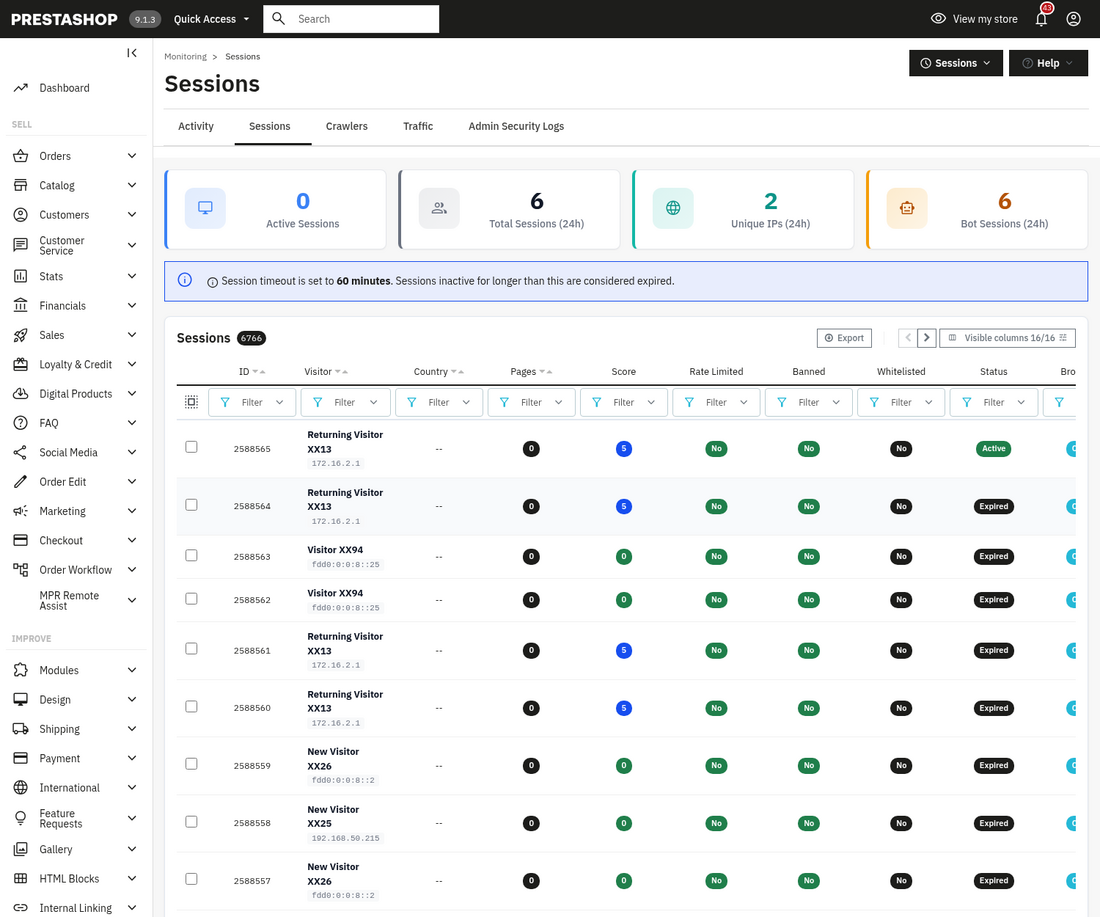
6. Log admin actions — because you can only investigate what you logged. The forensic dead-ends earlier weren't bad luck; they were the default logging posture of a standard stack. And a caveat worth stating plainly: PrestaShop's built-in logging is not a full audit trail. The core Logs page (Advanced Parameters → Logs) records errors and a subset of events, but plenty of security-relevant actions — logins and their sources, permission changes, configuration edits — leave no durable, reviewable trace, and retention is whatever your maintenance routine happens to leave behind. Decide now what questions you'd need answered after an incident — who logged into the back office and from where, who created or disabled an employee, who changed permissions, who touched security-relevant configuration — and make sure something is durably recording those answers today, with more than four weeks of retention. This is why activity and audit logging is one of the pillars of mprsecurityrevolution's admin protection, alongside its session management (one unified place to see every active back-office session and terminate the ones that shouldn't exist — the "still logged in from an old device" problem — across PS 1.7, 8 and 9 alike; older versions have no such control at all, and on PS 9 it sits alongside core's own session handling as a single console for spotting and killing sessions), file integrity monitoring, and email security checks. When the uncomfortable question eventually comes — and if you run stores for other people, it will come — "we log who did what in the back office" is the difference between an answer and a shrug.
Where to start if this post made you uncomfortable
Start with the truth, not the tooling. Our free, open-source scanner, mprsecurityscan, audits a shop from the inside — exposed files, missing hardening, risky defaults — and gives you findings with manual fix steps. It's detection-only and it's free, because the first step is knowing where you actually stand. Then work the checklist above against everyone who has ever had access — every current and former employee, contractor, agency, and partner — and let the results tell you which of the six hardening steps you need first. When you want the admin controls enforced rather than remembered, that's what mprsecurityrevolution is for: the IP firewall, session management, activity and audit logging, file integrity monitoring, and email security it ships today, plus two-factor authentication and the trusted-admin-IP login gate for the back office. No module makes offboarding automatic or insider risk impossible — nothing does — but it moves the critical controls from "someone remembered" to "the system enforces." That's the standard we hold ourselves to on every store we run, and it's the one we'd want run on ours.
The quiet ending
The review that started all this ended undramatically: the departed employee's account was disabled — disabled, not deleted, so its identity and references stay intact rather than orphaned — the passwords were rotated, and the checklist now exists, has an owner, and is written into how we hand off access with that client.
No breach was found. But "no breach was found" and "no breach happened" are different sentences, and the gap between them is permanent — that store will simply never know with certainty, because the logs that could have said so were never kept, and the access that should have ended with the employment quietly outlived it.
That permanent, unresolvable not-knowing is the real cost of getting the credential lifecycle wrong. You won't pay it on the day someone leaves. You'll pay it months later, at review time or incident time, when every question comes back "we can't tell." And if you're the one entrusted with someone else's store, it's their business that pays it — which is why we treat this as ours to get right.
The best incident response is the login that never happened. Revoke like you mean it.

Comments
No comments yet. Be the first!
Be the first to ask a question or share useful feedback.
Leave a comment
Share a question, an installation detail, or feedback that could help another reader.