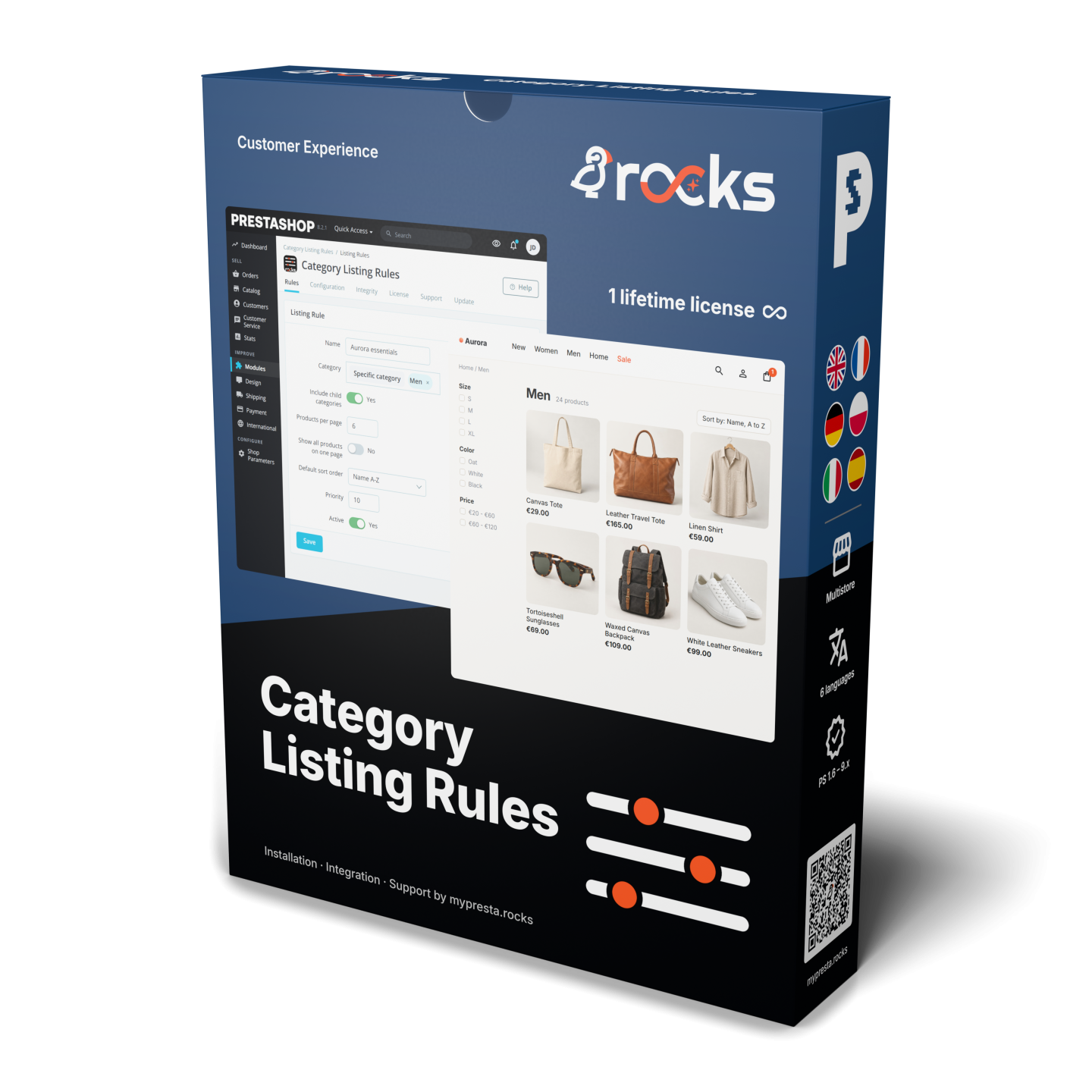
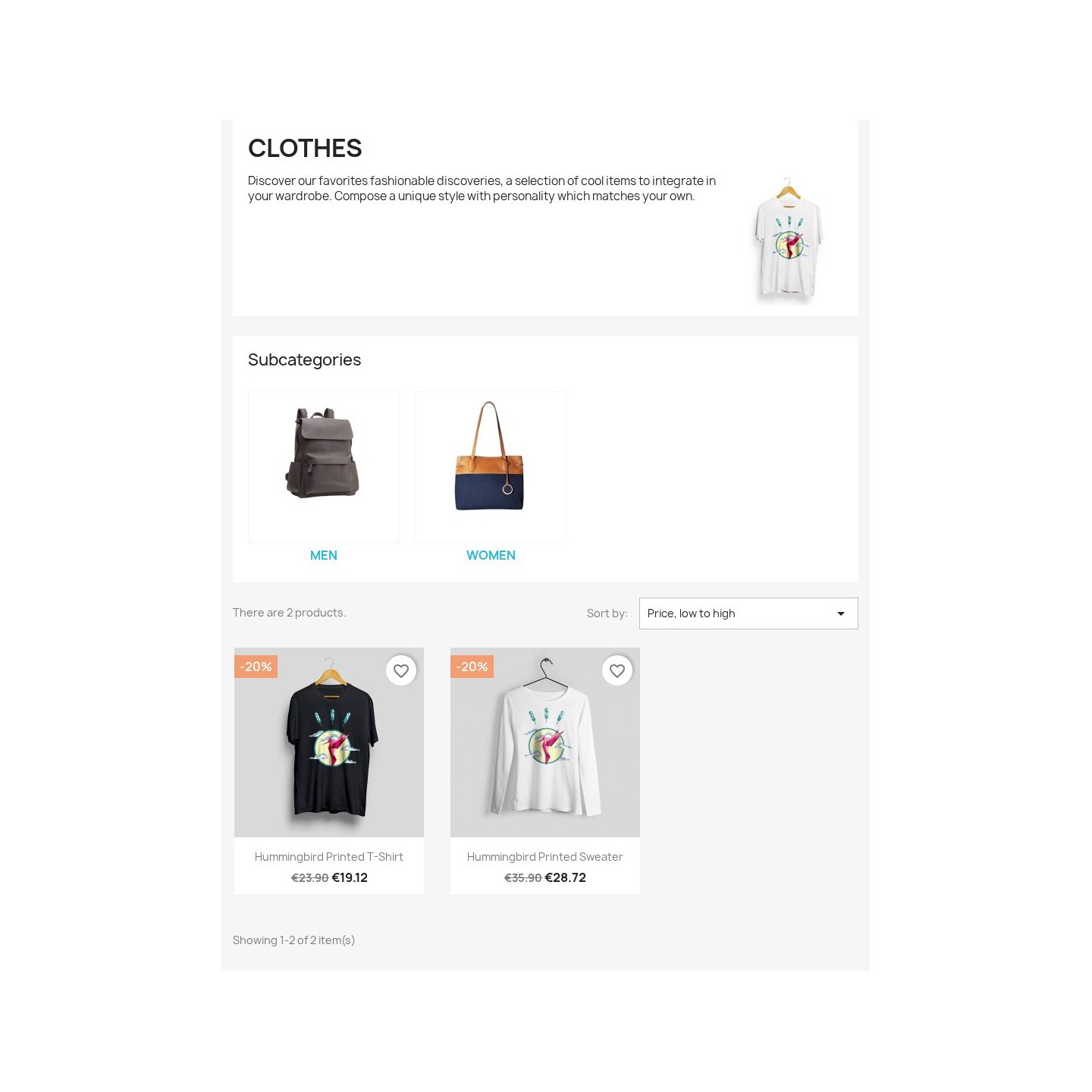
Category Listing Rules sets the products-per-page count and the default sort order separately for each PrestaShop category, applied through the category listing query — no template edits or controller overrides. A busy accessories category can show 48 products newest-first while a considered-purchase range shows 12 sorted by price.
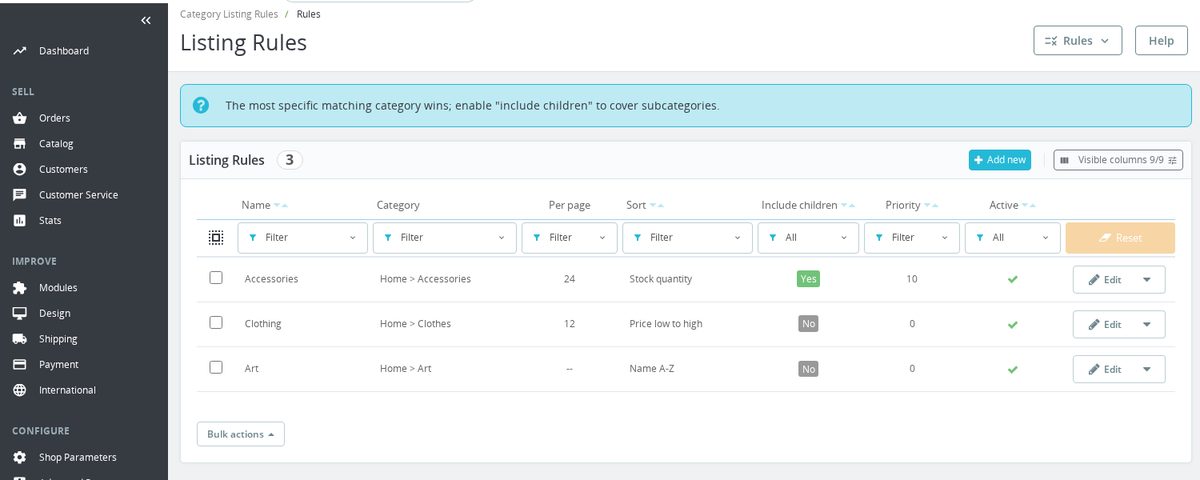
Rules resolve per request on the category page: a category's own rule always wins, otherwise the nearest parent marked "inherit to subcategories" applies, and a numeric priority breaks ties when several rules could match. One per-rule switch collapses a small or curated category to a single "all on one page" view.
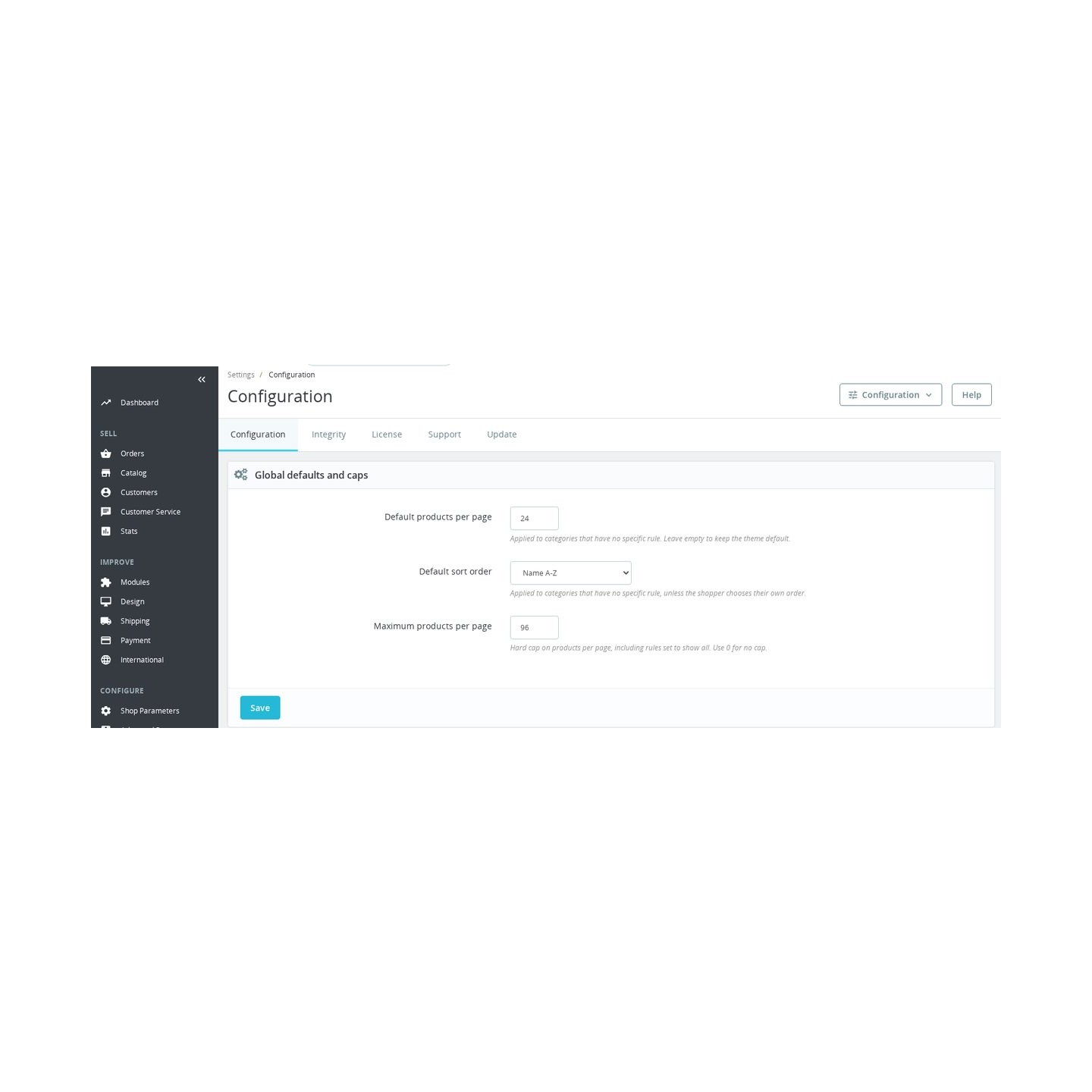
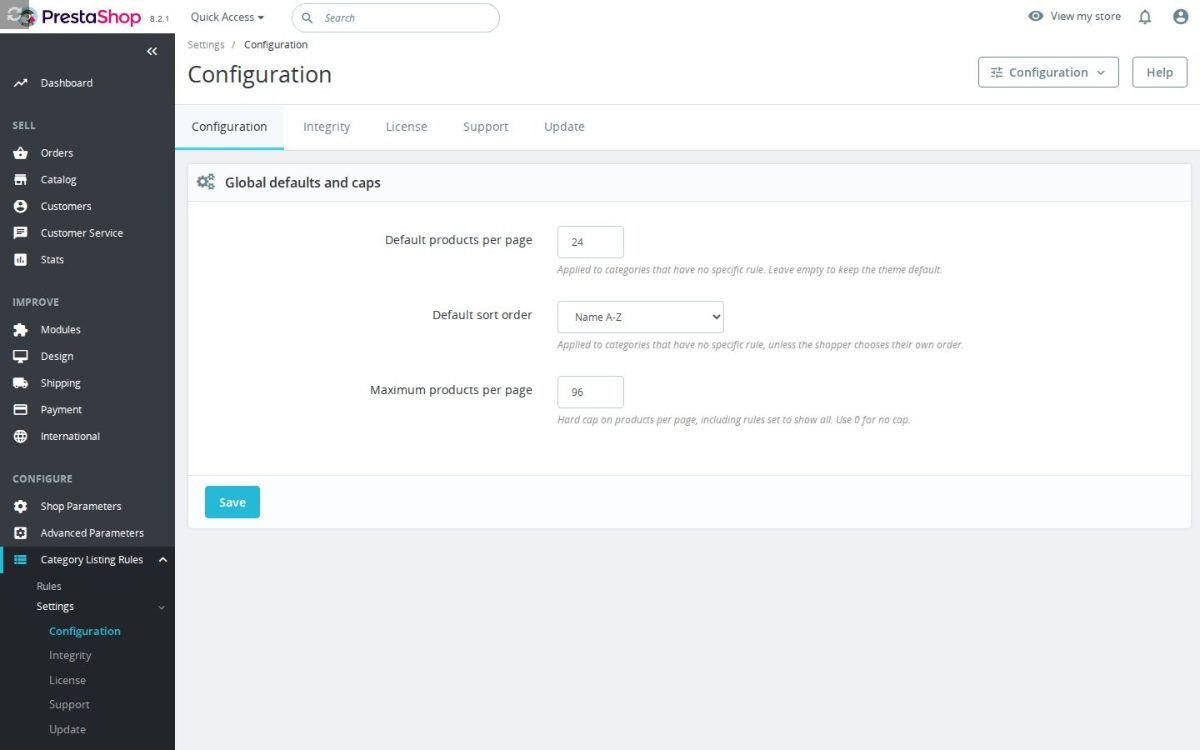
Categories without a rule follow a store-wide default page size and sort order, and a hard max-products-per-page cap keeps any listing from growing beyond what your layout and server handle comfortably.
It never fights your shoppers: the moment a visitor picks their own sort or page size, that choice is respected. Rules are stored per shop for multishop stores and are kept on uninstall, so removing the module never wipes your configuration.
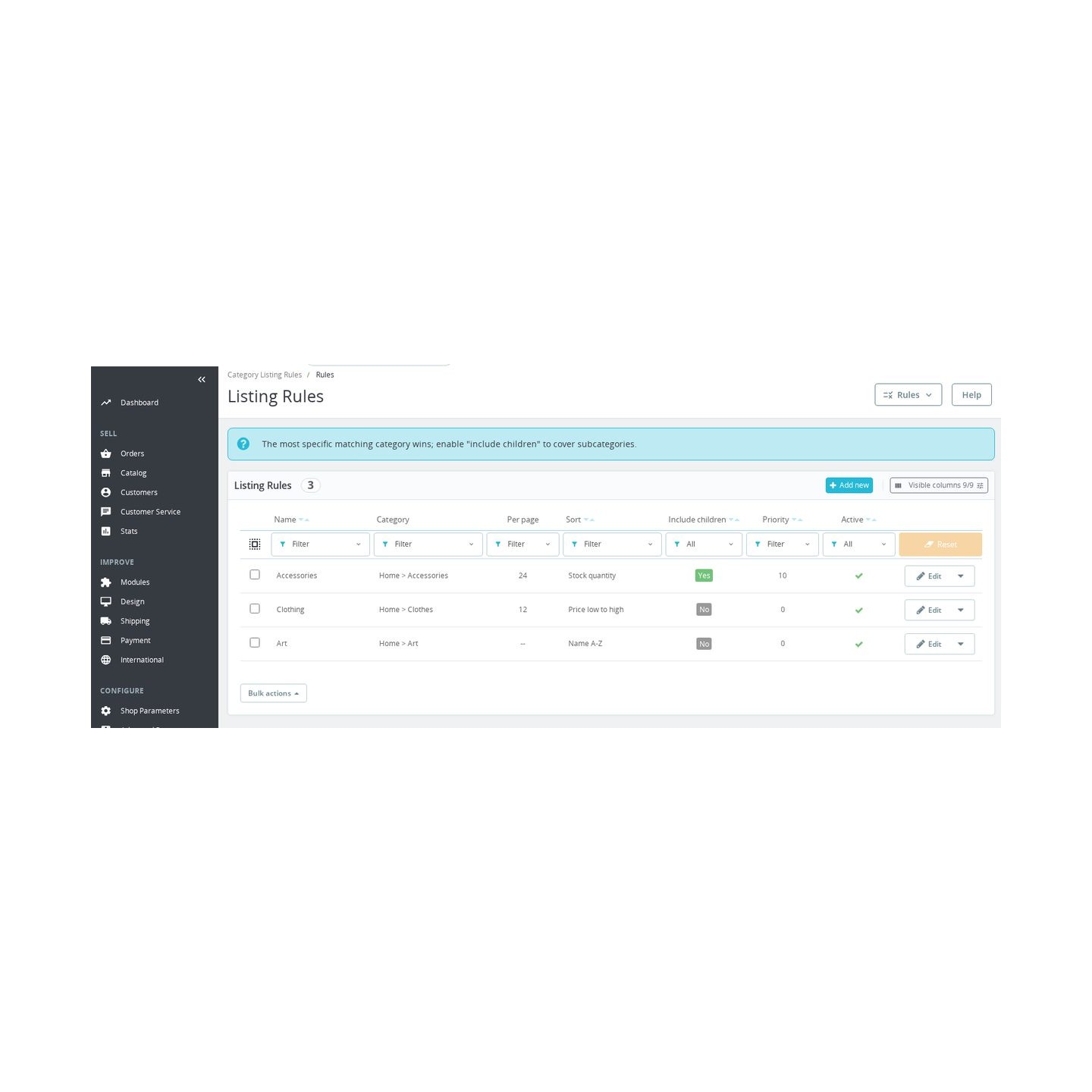
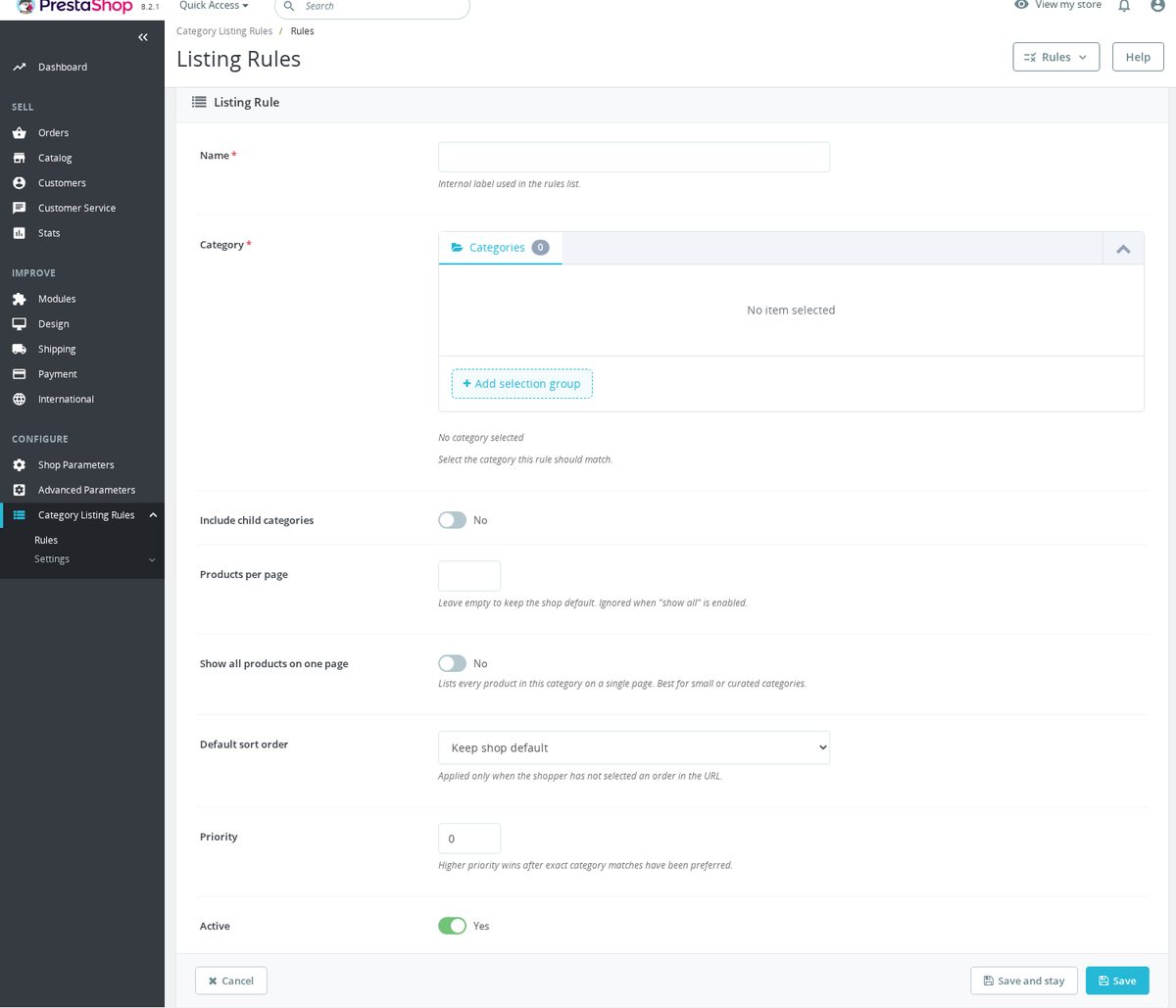
- Per-category products per page. Each rule sets its own products-per-page value for one category, applied on the category listing page through PrestaShop's product-search query. Categories with no rule keep the theme default.
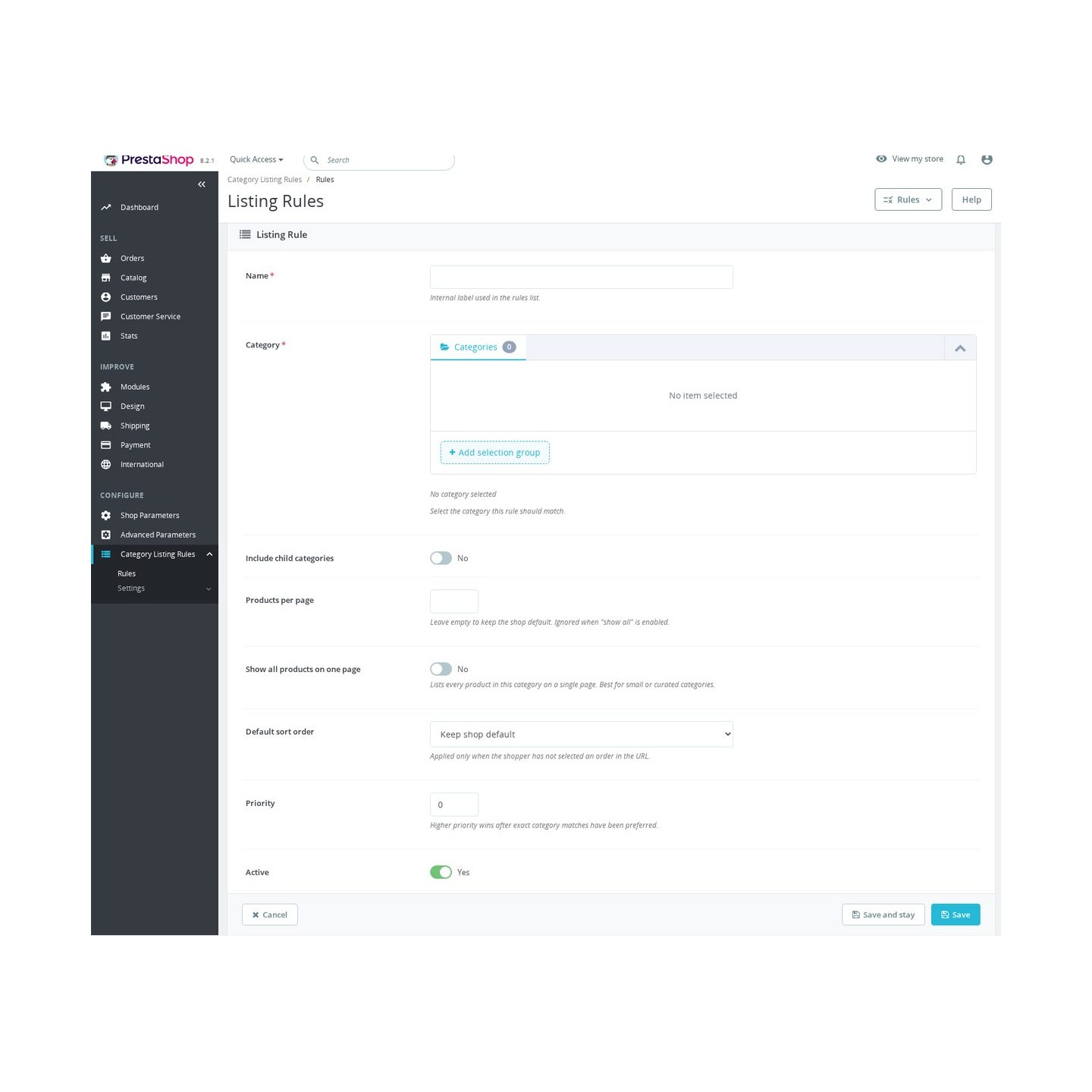
- Per-category default sort order. A rule can also set the default sort — position, name A→Z or Z→A, price low→high or high→low, newest, or highest stock first — using PrestaShop's own SortOrder, so pagination and "sort by" stay consistent.
- Inherit to subcategories. Turn on "include children" and a rule applies to a whole branch. A category with its own rule always overrides an inherited one, so a parent default and a specific child override coexist cleanly.
- Show all on one page. A per-rule switch collapses a category to a single page for small or curated categories where pagination just gets in the way.
- Store-wide defaults and a hard cap. Set a default products-per-page and sort order that apply to every category without its own rule, and a maximum-per-page cap that protects your layout and server from oversized listings — including rules set to show all.
- Shopper choice always wins. If a visitor passes their own page size or sort order from the storefront controls, the rule does not override it — their selection is left untouched for that request.
- Per-shop rules with priority. Rules are stored per shop for multishop installs, and a numeric priority breaks ties when more than one active rule could apply to the same category.
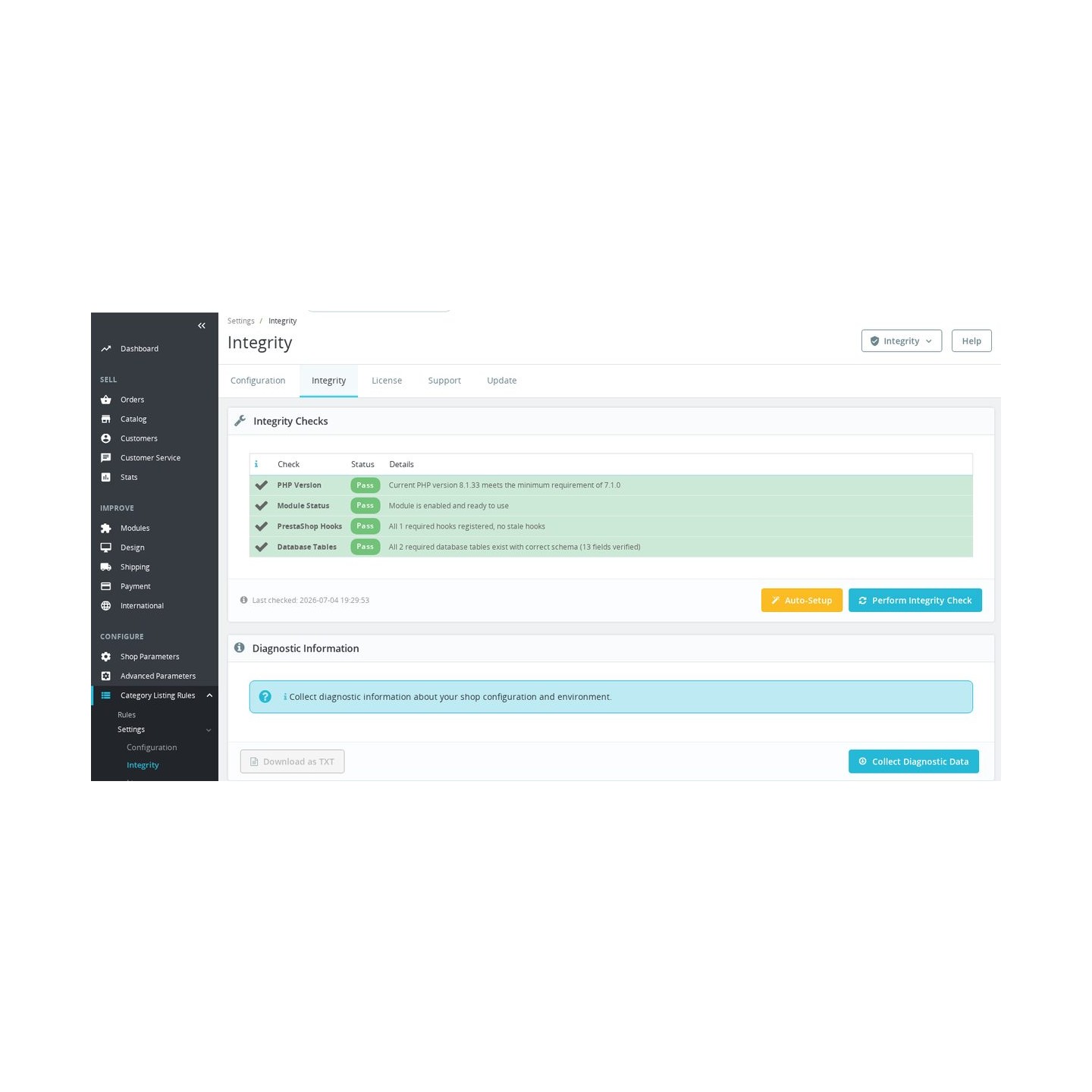
- Safe by design. Rules live in the module's own tables and are kept on uninstall for data safety; a category picker, active toggle and integrity self-check keep the admin side honest.
Different categories, different listing rules
Not every category should list the same way. A large accessories or consumables category benefits from more products per page and a newest-first sort, while a small range of high-consideration products reads better with fewer per page sorted by price. Category Listing Rules lets you make that decision once per category and applies it automatically on the category listing page, so you tune merchandising without editing the theme or overriding controllers.

Inheritance that follows your category tree
Turn on "include children" and a single rule covers an entire branch of your catalogue. Set a sensible default on a top-level category and every child follows it — until a child needs something different, in which case its own rule quietly takes precedence. Resolution is deterministic: an exact match first, then the nearest inheriting parent, then priority. You get broad defaults and precise exceptions from the same simple list.

Store-wide defaults and a safe maximum
Not every category needs its own rule. Set a store-wide default page size and sort order once, and every category without a rule simply follows it. On top of that sits a hard cap on products per page — a maximum that applies even where no rule exists, so a forgotten category can never render an unreasonably long listing. The result is consistent behaviour across the whole catalogue, with individual rules only where a category genuinely needs different treatment.

The shopper is always in control
Rules decide how a category opens, not how a visitor has to browse it. The moment a shopper picks their own sort order or products-per-page value, that choice wins — the rule steps aside and their selection is respected. Nothing snaps back, nothing overrides them mid-browse. Your settings are a sensible starting point for people who never touch the sort dropdown, which in practice is most of them, while anyone with a preference keeps full control of the listing.

Built for multishop and kept safe
Every rule is scoped to a shop, so each store in a multishop installation keeps its own listing layout without leaking rules across shops. Rules are stored in the module's own tables and are deliberately preserved when you uninstall, so a reinstall or an accidental removal never wipes your configuration. A built-in integrity check verifies the module's tables and hooks on demand from the back office.

-
Referencemprcategorylistingrules
-
In stock2147483647 Items
-
PrestaShop CompatibilityPS 1.7 – 9.x
-
Pricing ModelOne-time Purchase
-
Module TypeFront & Back-office
-
GDPR RelevantNo
-
Business GoalBoost Conversions
-
External Account NeededNo
-
Module ComplexityFeature-Rich Module
-
Customer Journey StageEngage Shoppers
-
Works With PlatformNo External Platform
What customers say about us
Be the first to share your experience with this module.
Write a Review
Category Listing Rules gives you per-category control over how a category page lists its products — the number of products per page and the default sort order — with inheritance down the category tree, store-wide defaults, and a hard cap. It changes only how products are listed; it never modifies products, categories, prices or stock, and adds no columns to PrestaShop's own tables.
v2.0.0 — 2026-07-05
- ▸Productized the module with declarative
mprclr_ruleandmprclr_rule_shopdatabase schema. - ▸Added a dedicated Rules admin page for category selection, products-per-page, show-all mode, sort order, inheritance, priority, active status, and shop association.
- ▸Added global fallback settings for products per page, default sort order, and maximum products-per-page cap.
- ▸Added rule resolution for exact category matches, inherited parent-category matches, priority, and stable tie-breaking by rule id.
- ▸Added multishop-aware rule storage and lookup.
- ▸Added license, update, support, integrity, and install-integrity Back Office wiring.
- ▸Added v1 JSON rule migration into v2 rule rows during install and upgrade.
- ▸Fixed v2 upgrade behavior so admin tabs are installed during upgrade as well as fresh install.
- ▸Fixed the Configuration page so the form is rendered only once.
v1.1.0 — 2026-07-04
- ▸Changed fresh installs to start with an empty
MPRCLR_RULESJSON map instead of a hardcoded category rule. - ▸Updated README notes to describe rule-less default installation.
v1.0.1 — 2026-07-04
- ▸Added the module logo.
- ▸Guarded category query page-size changes with
setResultsPerPageavailability checks. - ▸Normalized saved JSON rules so only positive category ids and positive page sizes are stored.
- ▸Kept invalid JSON input visible in the form so the admin can correct it.
v1.0.0 — 2026-07-03
- ▸Initial release.
- ▸Added per-category products-per-page overrides through the
MPRCLR_RULESJSON configuration map. - ▸Registered
actionProductSearchProviderRunQueryBeforeto adjust category product-search results per page before the query runs. - ▸Added a simple Back Office configuration form for the JSON rule map.
- Reworked into a complete per-category listing-rules product
- Per-category products-per-page and default sort order, applied on the category listing page
- Subcategory inheritance — the nearest matching parent wins, with a numeric priority tie-break
Works Well With Category Listing Rules
Modules our team genuinely pairs with this one — and exactly why each belongs in the same setup.
Shoppers narrow a category with facets while Category Listing Rules decides how many products that list shows and in what order — filtering and listing behaviour stay consistent on the same page.
SEO Revolution shapes how a category page looks to search engines; Category Listing Rules shapes what visitors see when they land on it — a sensible sort and page length for each category.
The hard per-page cap stops rule-less categories from rendering huge product lists, and Performance Revolution speeds up delivery of whatever the listing does load — smaller pages, served faster.
Loading feature requests...
Easy return - no questions asked
Install, set up and take profit
Priority Help & Satisfaction Over Sales