
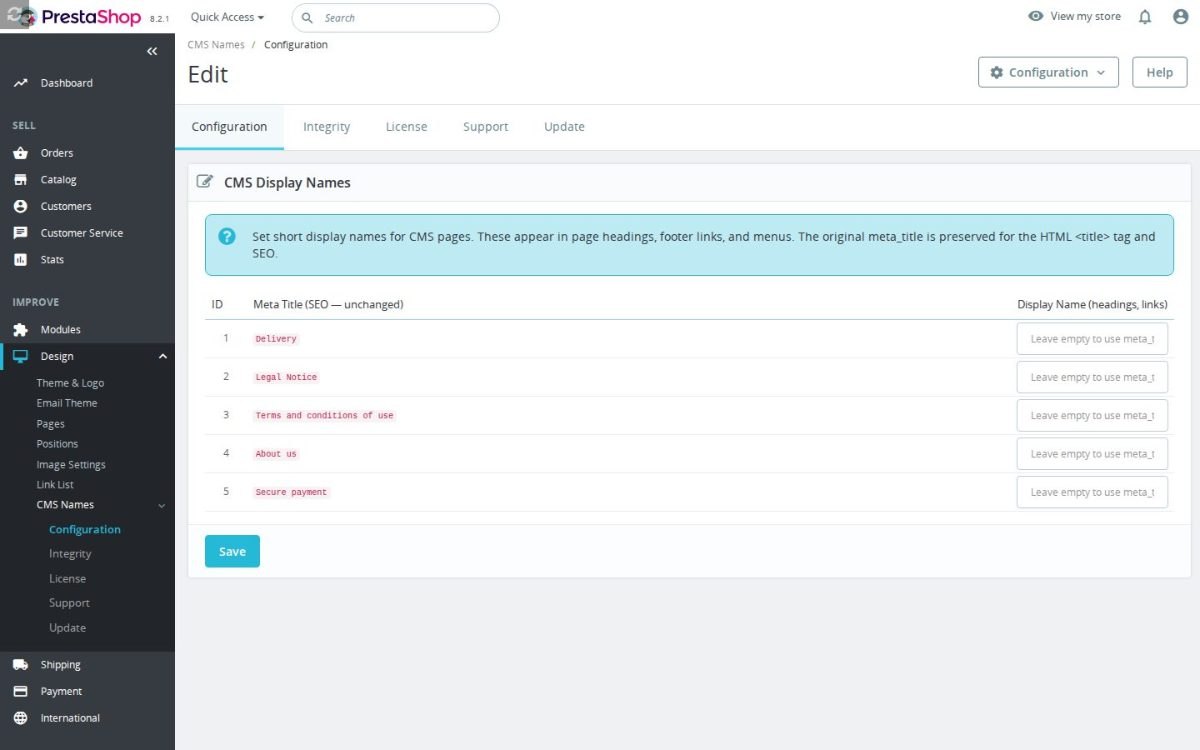
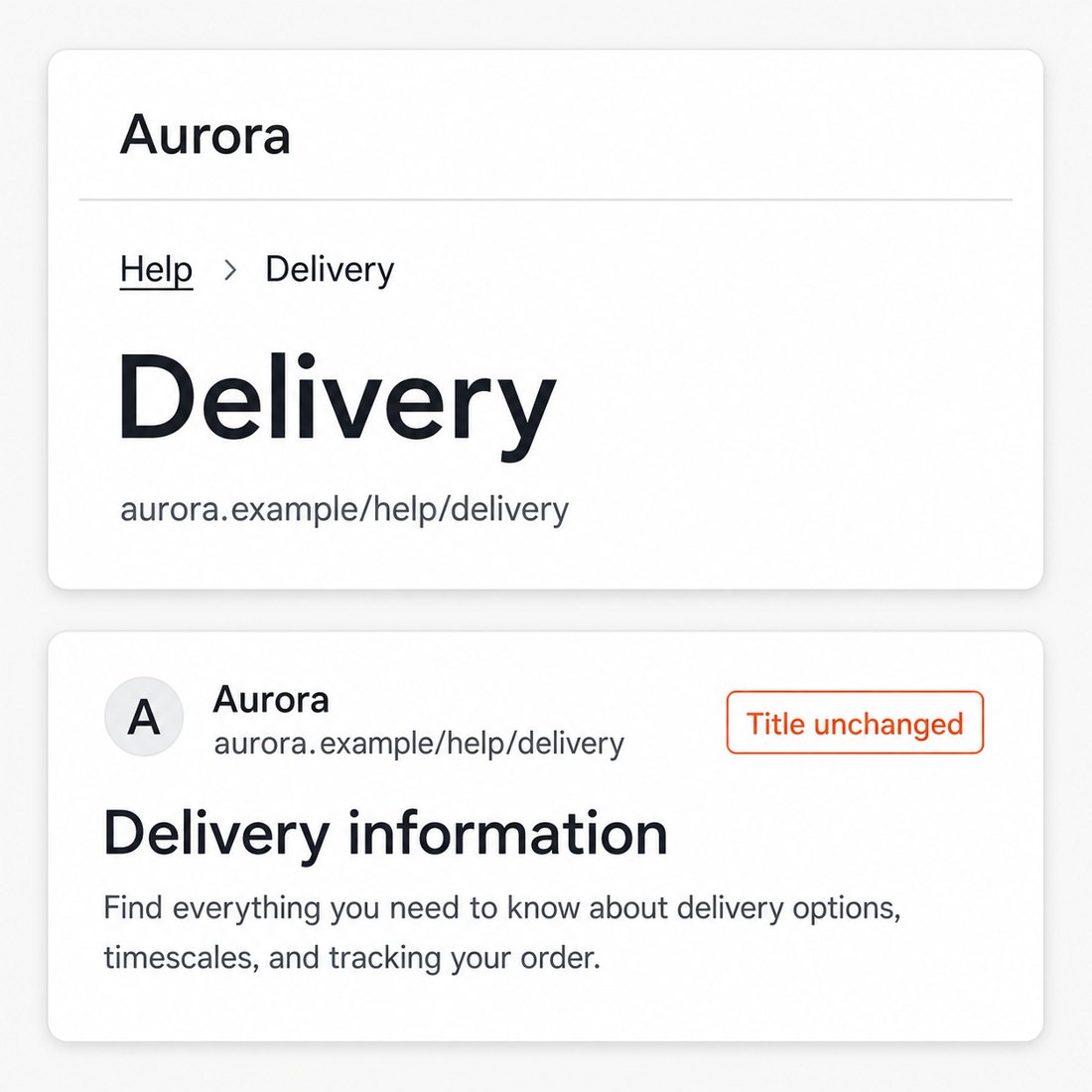
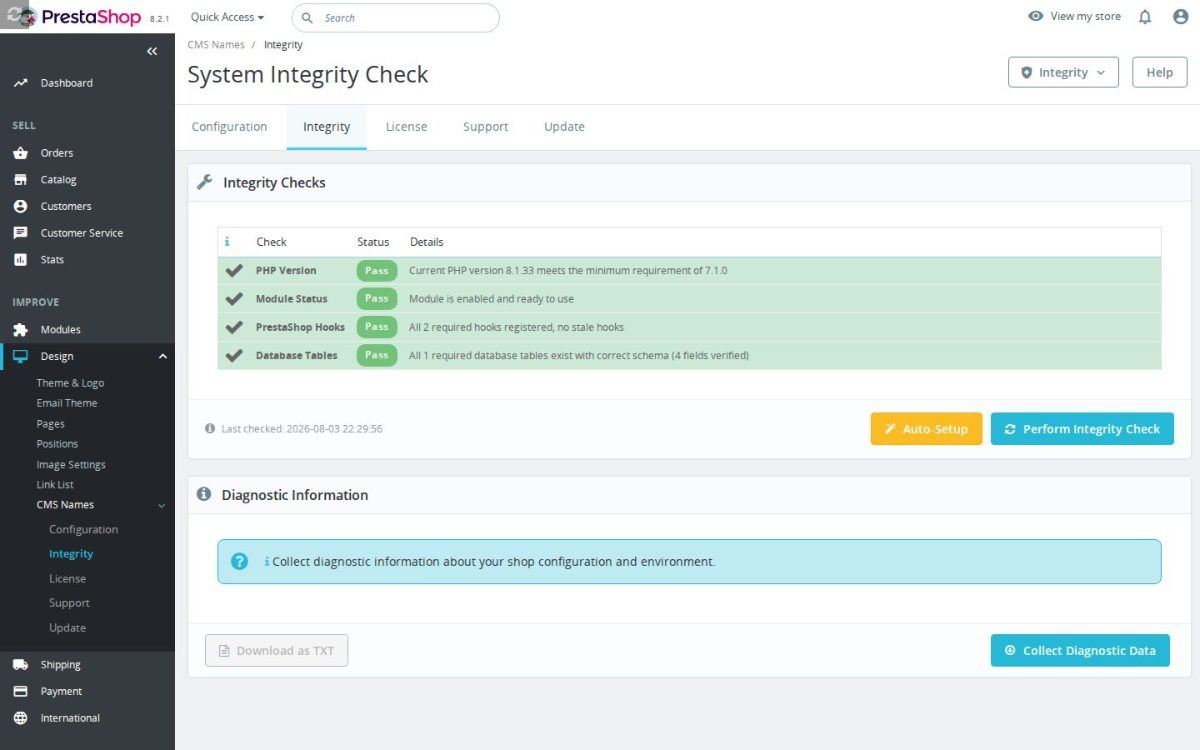
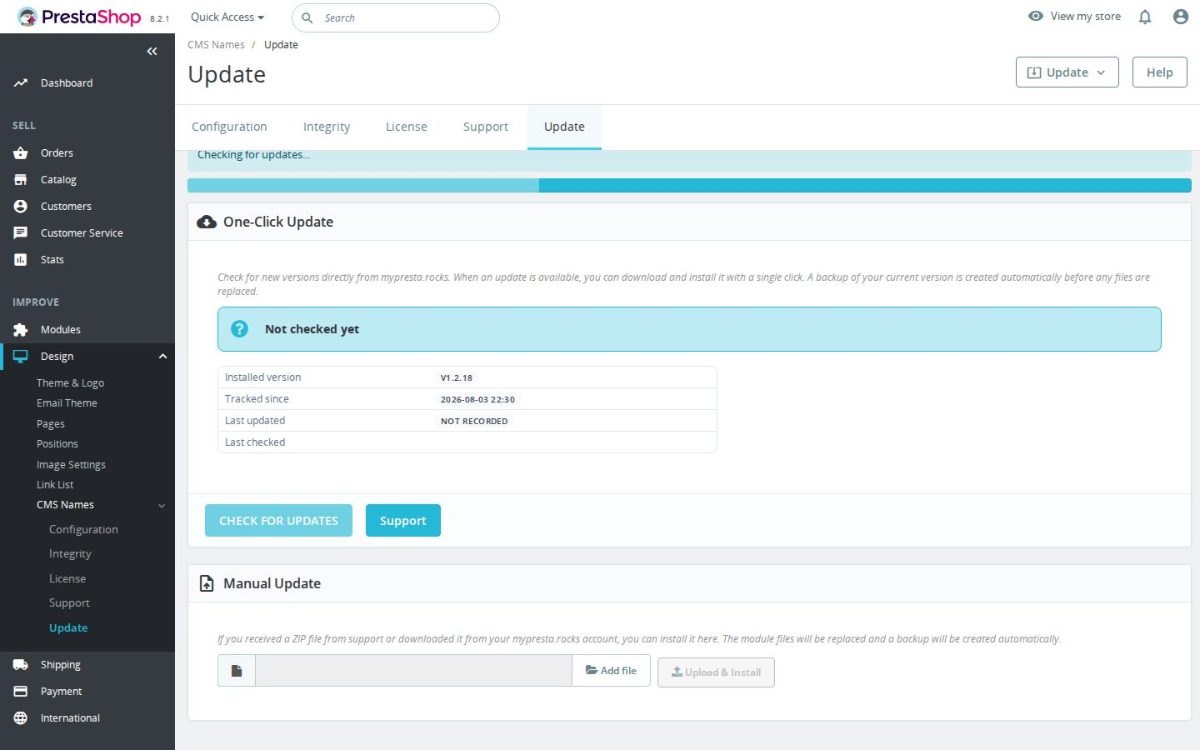
Custom CMS Page Names supplies short display names for your PrestaShop information pages while leaving their search titles intact. Setup takes one screen: all pages in a table, a name beside each, then one save.
PrestaShop uses the same title for search engines, page headings and navigation. Detailed wording therefore fills footer links and menus that need a shorter label.
You set names per language and per shop, with the original search title visible beside each field. Short names appear in headings, footer links and menus; blank fields retain native titles. No theme file changes or outside service are involved, and clearing a field restores the original display.
Your footer stays readable without shortening the search titles you have already written.
Summary of what the module offers
Custom CMS Page Names ends the trade-off between search-friendly page titles and readable navigation.
- The conflict it settles: one field feeding both the search title and the visible labels
- What stays intact for search engines: the title tag, to the letter
- Where the short name appears: page heading, footer links and menu entries
- Languages and shops: a name per language and per shop
- The working screen: every page in one table with the search title beside each field
- Safety: blank means native, and nothing is loaded from anywhere

Why does a store need a second name for a page?
The platform stores one title per information page and uses it everywhere: in search results, in the page heading, in the footer, in the menus. A title written to rank carries places, services and qualifiers, and that exact string then sits in a footer column three lines tall.
Every merchant who optimises titles meets the same fork: shorten the title and give up the terms it ranks for, or keep it and live with broken navigation. The module removes the fork by storing a second name reserved for display.

What stays exactly as it was for search engines?
The title search engines read is not touched at all. The module changes visible headings and links while preserving the original title tag; search rankings are not guaranteed.
That boundary is structural, not a setting to get right: the display name is written into the visible heading and links only, and the title tag is produced from the untouched original every time.

Where does the short name appear?
In three places the customer actually looks: the heading at the top of the page, the link lists in the footer, and the menu entries that point at the page. All of them show the same short name, so navigation stays consistent.
Pages you leave blank keep their native title in all three places. You rename the five pages with unwieldy titles and leave the other twenty alone.

What about several languages and several shops?
Every name is stored per language and per shop. The English storefront reads Delivery, the German one Versand, the French one Livraison, each written by you, not translated by a machine.
In a multistore each shop keeps its own set of names, so a brand with two storefronts names the same page differently in each without the two ever colliding.

How is the work organised?
One screen lists every information page of the shop: its number, the search title shown read-only, and the field for the short name. You see the whole picture at once instead of opening pages one by one.
The read-only column is the safety rail: while typing the short name you look straight at the title it stands in for, so names never drift from what the page is.

Does it touch the theme or slow anything down?
No theme file is edited and nothing new is loaded by the customer's browser: the names are written into the page inside the shop before it is sent. There is no outside service in this module at all.
Undo is total. Clear a field and that page is native again; uninstall the module and every page, heading and link returns to stock behaviour.

-
Referencemprcmsnames
-
Version1.2.21
-
Improvements101
-
Released
-
Updated
-
PrestaShop CompatibilityPS 1.6 – 9.x
-
Pricing ModelOne-time Purchase
-
Module TypeFront & Back-office
-
GDPR RelevantNo
-
Business GoalIncrease Traffic
-
External Account NeededNo
-
Module ComplexityLightweight Widget
-
Customer Journey StageAttract Visitors
-
Works With PlatformNo External Platform
Be the first to share your experience with this product.
CMS Display Names lets you give each CMS page a short storefront label without changing its original CMS meta title. It helps keep menus, footer links, and CMS headings readable while preserving your existing SEO title data.
What happens to my display names if I uninstall CMS Display Names?
Uninstalling drops the module's own mprcmsnames table, so every custom display name you saved is removed. Your native PrestaShop CMS pages are untouched: their original names and meta titles were never modified in the first place, so the front office simply reverts to showing the standard CMS titles again. Nothing in the ps_cms or ps_cms_lang tables is changed at any point.
Does CMS Display Names store or process any customer or personal data?
No. The module's only table (mprcmsnames) stores four columns: id_cms, id_lang, id_shop and the display_name text you type, and nothing about customers, orders or visitors. It reads no personal data and writes none, so it has no bearing on your GDPR obligations or privacy policy. It is purely an editorial labelling tool for your CMS pages.
Does CMS Display Names change the HTML title tag in PrestaShop?
No, it does not rewrite the HTML title tag. The module is intentionally limited to visible CMS content and rendered CMS link text, so PrestaShop can keep using the original CMS meta title for the page head and search snippets.
The source comment states that the <title> tag is built by PrestaShop's Meta::getMetaTags() path and is unaffected. The module does not update the native CMS table, does not hook into meta tag generation and does not write a new SEO title back to PrestaShop.
What it can change is the CMS object passed through filterCmsContent. If the page template uses that filtered CMS object's meta_title as the visible heading, shoppers see the shorter display name on the page. Separately, actionOutputHTMLBefore can replace matching CMS link text in the final HTML. Those are visible-content changes, not head-tag changes.
For SEO work, keep editing the real CMS meta title in the native PrestaShop CMS page. Use this module when the SEO title is too long for menus, footers, breadcrumbs or on-page headings.
How do I shorten CMS page names in PrestaShop menus without changing SEO titles?
Use this module to set separate display names for PrestaShop CMS pages. It stores a display name per id_cms, language and shop in its own mprcmsnames table, so the native CMS record and its SEO meta_title are not rewritten in the CMS table.
- Example: keep the CMS page meta title as
Terms and Conditions | My Shopfor SEO. - Open the module's CMS Display Names screen and find that CMS page row by ID and existing meta title.
- Enter a shorter display name such as
Termsin the Display Name field and save. - On the front office, the CMS page heading gets the display name through
filterCmsContent, and CMS links matching PrestaShop'scms-page-linkpattern are replaced in the final HTML. - If you clear the display name field, the module deletes its custom row for that CMS page and the shop falls back to the original CMS
meta_title.
So the practical split is: use the native CMS title for search snippets and browser title behaviour, and use this module for shorter page headings, footer links and menu labels that shoppers actually scan.
The module has two front-office paths. First, filterCmsContent changes the CMS object passed to the page template by replacing meta_title with the stored display name for the current language and shop. Second, actionOutputHTMLBefore edits the final HTML for matching CMS links before the response is sent.
The source comment is explicit that the real HTML <title> tag is unaffected because PrestaShop builds it through Meta::getMetaTags() using its own SQL path. That is why this module can shorten visible names without overwriting the CMS SEO title stored by PrestaShop.
Theme markup still matters. Link relabeling only runs on anchors that match the module's expected CMS link pattern, with the CMS page ID in link-cms-page-{id}-... and the exact cms-page-link class attribute in the order expected by the regex. If a theme builds CMS menus with different markup or nested HTML inside the anchor text, the heading can still be changed but the link text may not be replaced.
Can CMS display names be different per shop and language in PrestaShop?
Yes, display names are stored per CMS page, language and shop. The module table uses id_cms, id_lang and id_shop as its key, and saving an empty value removes that stored label so PrestaShop falls back to the native CMS title.
The front-office lookup is also language and shop specific. It loads rows from mprcmsnames where id_lang equals the current context language and id_shop equals the current context shop. There is no broad id_shop=0 fallback in this lookup, so a display name saved for one shop is not automatically reused by another shop.
On save, the module loops through CMS pages and languages, replacing rows when a value is posted and deleting rows when the submitted value is empty. That is why clearing a field is a real reset, not just a blank custom label.
One implementation detail to check in this source version: the rendered configuration table shows the default language input for each CMS page. The database and save logic support id_lang, but the visible form in this checkout does not render separate input columns for every language. If you need non-default language display names, confirm the installed build exposes those inputs or add them before relying on multilingual editing through the standard form.
Do I need to edit theme templates or create overrides to use CMS Display Names?
No. The module works entirely through two PrestaShop hooks: filterCmsContent for CMS page headings and actionOutputHTMLBefore for the rendered link text in footers and menus. It registers both on install and creates no .tpl template overrides and no core class overrides, so it stays compatible with your theme and survives theme updates. Because actionOutputHTMLBefore rewrites the final HTML output, your CMS link labels are replaced wherever PrestaShop's standard cms-page-link anchors appear, without touching a single template file.
Which PrestaShop CMS links can be relabeled by this module?
It relabels CMS links that match PrestaShop's expected CMS link markup. The output hook looks for an anchor whose id starts with link-cms-page-{id}- and whose class is cms-page-link, then replaces the plain link text with the stored display name for the current language and shop.
<a id="link-cms-page-3-1" class="cms-page-link" href="/content/3-terms-and-conditions">Terms and conditions</a>That pattern matters for customized themes: if the CMS link has a different class, no link-cms-page-... id, the class appears before the id in markup targeted by the module, or the label is built from nested HTML instead of plain text, the output replacement may not match it.
The regex is deliberately narrow. It expects the id attribute before class="cms-page-link", and it captures plain text between the opening and closing anchor tags. A link with multiple classes such as class="footer-link cms-page-link", a span inside the anchor, or a completely custom menu component can fall outside that pattern.
The replacement also does nothing in the back office and returns early if there are no display names for the current language and shop. If your theme's CMS footer or menu is not relabeled, inspect the generated anchor markup first; often the fix is to make the template output the native PrestaShop CMS link ID and class pattern.
- Addedcomplete FR/DE/ES/IT/PL translations
Works Well With Custom CMS Page Names
Modules our team genuinely pairs with this one, and exactly why each belongs in the same setup.
Using CMS Display Names, your store keeps short, clean labels for shoppers in menus, footer links and CMS headings while preserving the descriptive native CMS meta title that PrestaShop can still use in the page head. That tidies how CMS pages are presented on-site, but presentation is only half the job: it does nothing to control how those same pages are discovered and crawled by search engines.
Advanced SEO Sitemap Builder is a separate module that creates XML sitemaps and can also provide an HTML sitemap, giving crawlers and shoppers a clearer route through products, categories, CMS pages, brands, suppliers and core pages, drawing from selectable URL sources. It handles discovery, ensuring your CMS pages have a clear path into the sitemaps search engines read.
Used together, they let you present CMS pages cleanly on-site while making sure those same pages are properly represented in your sitemaps, two complementary tools covering presentation and crawlability. The payoff is content that is both readable for shoppers in your navigation and findable by search engines through your sitemap, so tidy labels and reliable discovery reinforce each other rather than being handled in isolation.
With CMS Display Names, your store separates short shopper-facing labels from descriptive CMS meta titles, keeping menus and headings tidy without weakening the titles search relies on. That neatly solves presentation for CMS pages, but your category pages carry a different challenge: they need room for SEO depth without pushing products down the page, which display names do nothing to address.
Second Category Description is a separate module that adds an extra multilingual content block below the product grid on category pages, storing a second description per category, shop and language. It gives your store space for richer SEO copy while keeping the top of the category focused on shopping.
Used together, they keep both page types clean at the top and strong for search underneath: display names tidy your CMS labels while the second description adds depth beneath category listings, two complementary tools working on different page types. The payoff is that you improve SEO wording across CMS and category pages without cluttering what shoppers see first, so both readability and search depth improve without one being sacrificed for the other.
Using CMS Display Names, your store presents short, clean labels in menus and headings while preserving fuller CMS meta titles for search. Clean labels genuinely improve readability, but they only affect the wording shoppers read; the underlying page addresses can still be technical or cluttered, undermining the professional impression your tidy labels are meant to create.
Smart SEO Friendly URL Manager is a separate module that replaces technical, cluttered addresses with cleaner, readable links across products, categories, CMS pages, manufacturers and suppliers, using configurable URL patterns with entity data and reducing lost traffic when addresses change. It tidies the address bar the way display names tidy your on-page labels.
Used together, they let you present CMS content cleanly in both the wording shoppers read and the URLs they share, two complementary tools that align labels and links. The payoff is consistency across the whole presentation of a CMS page: it looks professional in the menu, in the heading and in the address alike, so the polish you apply to labels is matched by the links people copy, bookmark and pass on.
With CMS Display Names, your store keeps concise labels for CMS pages while preserving descriptive titles for search, which suits stores that use CMS pages for stable information content. But CMS pages are a limited home for content that grows and changes: they are not built for a steady stream of dated, categorised articles, and forcing editorial content into them quickly becomes unwieldy.
Blog Revolution is a separate module that gives your store a native place for buying guides, announcements and advice, keeping articles, categories, tags, authors, comments, ratings, RSS and clean blog pages inside the shop, with statuses for draft, published and scheduled. It handles the ongoing editorial content CMS pages were never designed for.
Used together, they let you keep static CMS pages tidy with clean labels while running richer, evolving content in a proper blog, two complementary tools covering different content needs. The payoff is that each type of content gets the structure that fits it: your information pages stay neat and well-labelled, your articles live in a purpose-built blog, and neither is compromised by being squeezed into the wrong place.
Custom CMS page names not visible in the admin menu on PS 9.0
Easy return - no questions asked
Install, set up and take profit
Priority Help & Satisfaction Over Sales
You might also like
Who builds and maintains this module
Built and maintained by David Miller and mypresta.rocks. David Miller has worked with PrestaShop since 2013, and the company behind this shop has been registered since 3 December 2018. Every module in this catalogue is our own work, so your questions to support reach the people who wrote the code. The changelog on this page lists every update with its date.