






Build clean order reference formats with patterns, counters and reset rules in PrestaShop


Custom Order Numbering is a module for PrestaShop stores that replaces the random order reference with a number you designed, at the exact moment the order is placed. Install it, click a pattern together from ready tags, and the next order already carries your format.
The problem it settles is a reference nobody can work with. XKBKNABJK says nothing to the customer reading it over the phone, nothing to the warehouse, nothing to the accountant reconciling orders with invoices, and in a multi-shop installation it does not even say which shop it came from. A reference like ORD-2026-000481 answers all of that at a glance.
The module is simple to start and exact to configure. The pattern is built visually from tags for the date, a padded counter, the customer, the shop, the payment method and more, wrapped in your own prefix and suffix, with a live preview showing the result as you click. The counter runs on forever or resets yearly, monthly or daily, counts globally or per customer so every client gets their own sequence, and when you migrate from an old system you set the exact next number once; the override then clears itself and normal sequencing resumes. An existing order's reference is edited from the order screen when a correction is needed, with the change recorded.
Under load the numbering holds: the counter advances atomically and every candidate is verified against existing references before use, so two orders placed in the same second never share a number. In one installation with several shops each shop keeps its own counters or shares one sequence, your choice, and historical orders are never rewritten. A dashboard shows the counter state and the latest references, and a searchable ledger records every generated number with its order.
Support finds any order on the first try, accounting reconciles without a mapping table, documents carry numbers that look like a business rather than an accident, and an audit meets an unbroken sequence with a written trail. Invoice Number does the same job for invoice documents where the two are needed together.
Summary of what Custom Order Numbering offers
Custom Order Numbering gives every new order a structured, readable reference built to your pattern, with collision-proof counters and a full audit trail. This page answers six questions:
- Why the random reference costs money: phone support, warehouse and accounting all pay for it.
- How you design the number: tags, prefix, suffix and a live preview.
- How counters behave: resets, per-customer sequences, migration and simultaneous orders.
- What you see afterwards: a dashboard, a searchable ledger and untouched history.
- How several shops coexist: shop-scoped or shared sequences and shop tags.
- How the start looks: one switch, no theme work, guarded updates.

Why does the random reference cost you money?
Because people have to use it. The customer on the phone spells XKBKNABJK three times and the agent still mistypes it. The warehouse cannot see which of two hundred parcels came first. The accountant matching orders to sequential invoices builds a lookup table by hand, and the auditor asks why order numbers carry no order at all.
A structured reference dissolves all four problems at once: the date is in the number, the sequence is in the number, and whatever else matters to your operation, shop, country, payment, customer, is in the number too. That is the difference between an identifier and a puzzle.

How do you design your number?
By clicking it together. The format builder offers grouped tags: full or short year, month, day, quarter and week; a counter padded to any width up to eight digits; customer tags such as ID, email prefix and delivery country; shop tags; the payment method; random components where you want them. Literal text and separators pass through as typed, and a prefix and suffix wrap the whole pattern.
A live preview shows the finished reference as you build, and validation stands guard before anything goes live: a pattern without a counter or one that grows too long is refused at the door, not discovered in production. The design is one decision made once, then every order follows it.

How do the counters behave?
Predictably, which is the entire job. The sequence runs on forever or resets yearly, monthly or daily to match your bookkeeping. It counts globally for the shop or per customer, so each client's orders read 1, 2, 3 in their own history. Moving from another platform, you set the exact next number once; the override is consumed by the next order and normal sequencing resumes. When a reference genuinely must change, you edit it on the order screen and the correction is recorded.
Under pressure nothing bends: the counter advances inside a locked transaction and every candidate reference is checked against existing references, orders and payments before being accepted. Two orders in the same second get two numbers, every time, which is precisely the property an order number exists to have.

What do you see afterwards, and what about several shops?
A dashboard shows the current counter state, the ten most recent references and how many were generated this month and in total, so the health of the numbering is one glance. Beneath it, a searchable ledger records every generated reference with its order, which is the difference between believing the sequence is unbroken and showing it.
In a multistore installation each shop keeps its own counters and its own ledger, or shares one sequence across shops where the business is one, your choice, and shop tags put the origin into the number itself. Existing orders keep their references forever: the module numbers the future, never rewrites the past.

How does the start look, and what keeps it safe?
One switch turns the numbering on; switched off, the shop simply returns to its native references. No theme file is touched and the numbering plugs into the shop's own order creation, so checkout, payments and emails all carry the new reference automatically.
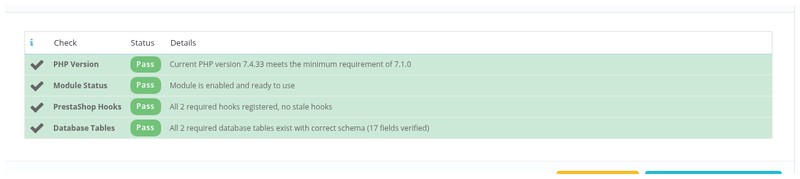
Updates create a full backup before changing anything and roll back if something fails, and a dedicated integrity screen verifies and repairs the installation. Where invoices need the same discipline, Invoice Number applies matching structured numbering to invoice documents as its own separate job.
-
Referencemprordernumber
-
In stock2147483647 Items
-
PrestaShop CompatibilityPS 1.7 – 9.x
-
Pricing ModelOne-time Purchase
-
Module TypeBack-office
-
GDPR RelevantNo
-
Business GoalStreamline Operations
-
External Account NeededNo
-
Module ComplexityFeature-Rich Module
-
Customer Journey StageManage Store
-
Works With PlatformNo External Platform
What customers say about us
Company reviews
5.0
★
★
★
★
★
(4 reviews)
Loading customer reviews...
No product reviews yet
Be the first to share your experience with this module.
Write a Review
Replace PrestaShop's random order references such as XKBHMQWNY with readable, structured order numbers like ORD-2026-000042. Order Number gives your shop a configurable reference format for customer service, accounting, and daily order handling.
Have a question about this product?
Our experts are here to help. Ask anything about installation, compatibility, or specifications.
1301
questions
9
categories
2013
building modules since
1.6–9
PrestaShop versions
v1.2.92026-05-27
- AddedSupport explicit scoped order counters
- AddedAdd customer-scoped order references
- Addedcomplete FR/DE/ES/IT/PL translations
Loading full changelog...
Works Well With Custom Order Numbering
Modules our team genuinely pairs with this one, and exactly why each belongs in the same setup.
Measurement
Custom Order Numbering gives a store readable, structured order references built from dates, counters, shop or customer context, prefixes and suffixes, so staff and bookkeeping can quote and match orders easily. Those tidy references are most valuable when they travel into the spreadsheets accounting and analysis actually use, which calls for a separate export step.
Orders CSV List Exporter provides that. Staff choose the period, statuses, paid state, columns, separator and row limit, then download a dated CSV with default columns for order details, documents and totals. The exporter simply carries whatever reference each order already holds into the file; it reads the data, it is not fed by the numbering module.
Used together they make order data both readable and portable: one ensures every order wears a sensible reference, the other puts those references and details into clean files for finance or analysis. The tools are independent, but the pair means the order numbers your team relies on in the Back Office also show up usefully in every export.

Workflow
Custom Order Numbering replaces opaque default references with structured, readable ones, which pays off most where staff handle many orders by reference every day. A team coordinating post-order work across people is exactly that setting, constantly citing orders in comments, assignments and reminders.
Advanced Order Workflow provides that coordination separately. It adds teams, custom statuses, assignments, internal comments, mentions and reminders so fulfilment, support and managers can see who owns each order's next step. It organises the task work; the numbering module makes the orders in those tasks easy to read and quote.
Used together they make a busy order area smoother: the workflow module routes responsibility while every order it touches carries a reference staff can say aloud and search instantly. The tools stay independent, but the readable numbering removes friction from the constant order-referencing that team-based workflow involves, so coordination is quicker and less error-prone.

Complement
Custom Order Numbering brings structure to order references, building readable numbers from dates, counters and context so orders are easy for shoppers, support and bookkeeping to use. Orders are only half of a store's documents, though, the invoices, delivery notes and credit slips have their own numbering needs that this tool does not cover.
Custom Invoice Numbering handles those documents separately. It defines formatted numbers for invoices, delivery notes and credit slips while keeping PrestaShop's internal numeric records intact, with each document type having its own pattern, abbreviation and reset mode. It shapes document references; the order module shapes order references.
Run together they give a store consistent referencing across both orders and financial documents as complementary tools. Neither depends on the other, but using both means an order and its resulting invoice both carry deliberate, readable numbers that fit how staff and accounting work, instead of a mix of structured orders and rigid default document numbers.

Complement
Custom Order Numbering ensures every order arrives with a structured, readable reference that staff and bookkeeping can quote and match quickly. When one of those orders turns out to be wrong, the team needs to correct it, and the numbering tool, which only shapes the reference, has nothing to do with editing the order's contents.
Order Editor is the separate tool for corrections. On the order detail page it lets staff adjust products, prices, customer data, addresses, carrier details, vouchers, payments and documents without rebuilding the order. It edits the order; the numbering module gives it a readable reference.
Used together they make order handling cleaner end to end: orders are easy to identify thanks to the numbering, and easy to fix thanks to the editor. The tools are independent, but the pair means staff can quickly find the order they need by its readable number and then correct it in place, rather than wrestling with opaque references or rebuilding orders.
 30 days return right
Easy return - no questions asked
 Plug & Play Modules
Install, set up and take profit
 Dedicated Support First
Priority Help & Satisfaction Over Sales
You might also like

- New


