


Show shoppers an estimated delivery date and order cutoff on PrestaShop product pages


Estimated Delivery Date is a module for PrestaShop stores that shows a specific arrival date or range on product pages, in the cart and during checkout, based on product preparation and carrier transit. The first estimate is ready after installation and entry of the store's usual handling time and carrier delivery times.
The module replaces a vague delivery promise with an answer tied to the actual order. It accounts for the chosen product or combination, stock status, the daily cut-off, working days, closures, destination and available carrier, so the date reflects the route the parcel follows.
It is quick to start and detailed to configure. You choose the default handling time, product and combination exceptions, carrier transit ranges, dispatch and carrier calendars, cut-off time and shipping timezone. Rules cover products, categories, brands and suppliers, while stock conditions add a delay or hide an estimate that is not yet reliable.
The estimate follows the purchase from product lists and product pages through the cart and checkout. Once the order is placed, the accepted date is recorded and appears on confirmation, in the order email, in the customer's account and on the administration order. Store-language wording, local date names, display format, colours and device visibility are set separately, and the live cut-off line changes when the same-day window closes.
The store gains a clearer buying decision, fewer questions about arrival and one delivery promise shared by the customer, support team and warehouse. The calculation runs inside the shop without an outside estimation platform or a stored pre-purchase customer history.
Summary of what the module offers
Estimated Delivery Date turns preparation, stock, carrier transit and the working calendar into an arrival date or range that stays with the order from browsing to after-sales service.
- Before purchase: a specific estimate appears on product lists, product pages, in the cart and at checkout.
- Calculation: product preparation, stock, destination, carrier transit, cut-off and non-working dates shape the result.
- After payment: the accepted promise is recorded with the order and repeated on customer and staff surfaces.
- Merchant rules: catalogue scopes, carrier settings, calendars and presentation modes remain under your control.
- Storefront fit: every language, date style, colour, icon, position and device receives the intended message.
- Daily operation: a short initial setup is backed by a system health review and recoverable in-shop updates.

How is the promised arrival calculated?
The calculation starts with the preparation time for the chosen product and combination. A global value covers ordinary products, while exceptions handle made-to-order items, backorders and stock that needs extra time. The merchant's shipping timezone and minute-precise cut-off decide which dispatch day is still available.
Dispatch working days, recurring holidays and one-off closures are counted separately from each carrier's transit calendar. Before the customer's address is known, default carrier rules show a useful range. Once destination and delivery method are available, the estimate narrows to the eligible carrier and includes its transit time.
The cut-off line runs only when same-day handling is still valid. At expiry it switches to the next dispatch message and recalculates the date, so urgency and the delivery promise describe the same warehouse reality.

Where does the customer see the estimate?
A compact value works on product lists, while the product page shows the full date or range beside the buying information. The cart keeps a separate estimate for each product and adds one arrival result for the order. Checkout refreshes that result when the address or carrier changes.
At order placement, the module records the accepted estimate together with the inputs that produced it. The same snapshot appears on the confirmation page, in the order email, in customer order history and on the administration order, so later changes to schedules do not rewrite an earlier promise.

Which rules remain under your control?
You choose whether one rule covers the whole catalogue or only selected products, categories, brands or suppliers. Product and combination preparation times override the default, stock rules add restocking days or suppress the message, and each carrier receives its own name, transit range, working days and display state.
The storefront presents a single date, an arrival range, the fastest eligible option or a list of carriers with their dates and prices. Separate switches govern product lists, product pages, cart and checkout, while inclusions and exclusions keep the block away from products whose delivery remains genuinely unknown.

How does the message fit each storefront?
Date names and message text follow the active store language instead of borrowing wording from the server. Each language has its own delivery label, range sentence, cut-off message and next-dispatch text, with a fallback for newly added languages.
You choose the date format, icon, colour, background, position and spacing, plus separate visibility on desktop and phone. The preview shows the finished block for a single date, a range and a carrier list before those choices reach customers.

How much work does it add to daily operation?
The useful starting path is short. Installation, the normal preparation time, carrier transit ranges and confirmation of the working calendar are all it takes for the first estimate. Product exceptions, stock rules and presentation controls remain available for a more complex operation.
The pre-purchase calculation runs inside the shop, without an outside delivery-estimation platform and without storing a customer or order history for the estimate. A dedicated system health screen verifies that the module is active and connected to its storefront position, and repairs the connection when needed.
Updates are started from the shop panel. A backup is created before files are replaced, and a failed installation restores the previous files, giving a purchase-critical delivery message a clear recovery path.

-
Referencemprestimateddelivery
-
PrestaShop CompatibilityPS 1.6 – 9.x
-
Pricing ModelOne-time Purchase
-
Module TypeFront & Back-office
-
GDPR RelevantNo
-
Business GoalBoost Conversions
-
External Account NeededNo
-
Module ComplexityFeature-Rich Module
-
Customer Journey StageEngage Shoppers
-
Works With PlatformNo External Platform
What customers say about us
Company reviews
5.0
★
★
★
★
★
(4 reviews)
Loading customer reviews...
No product reviews yet
Be the first to share your experience with this module.
Write a Review
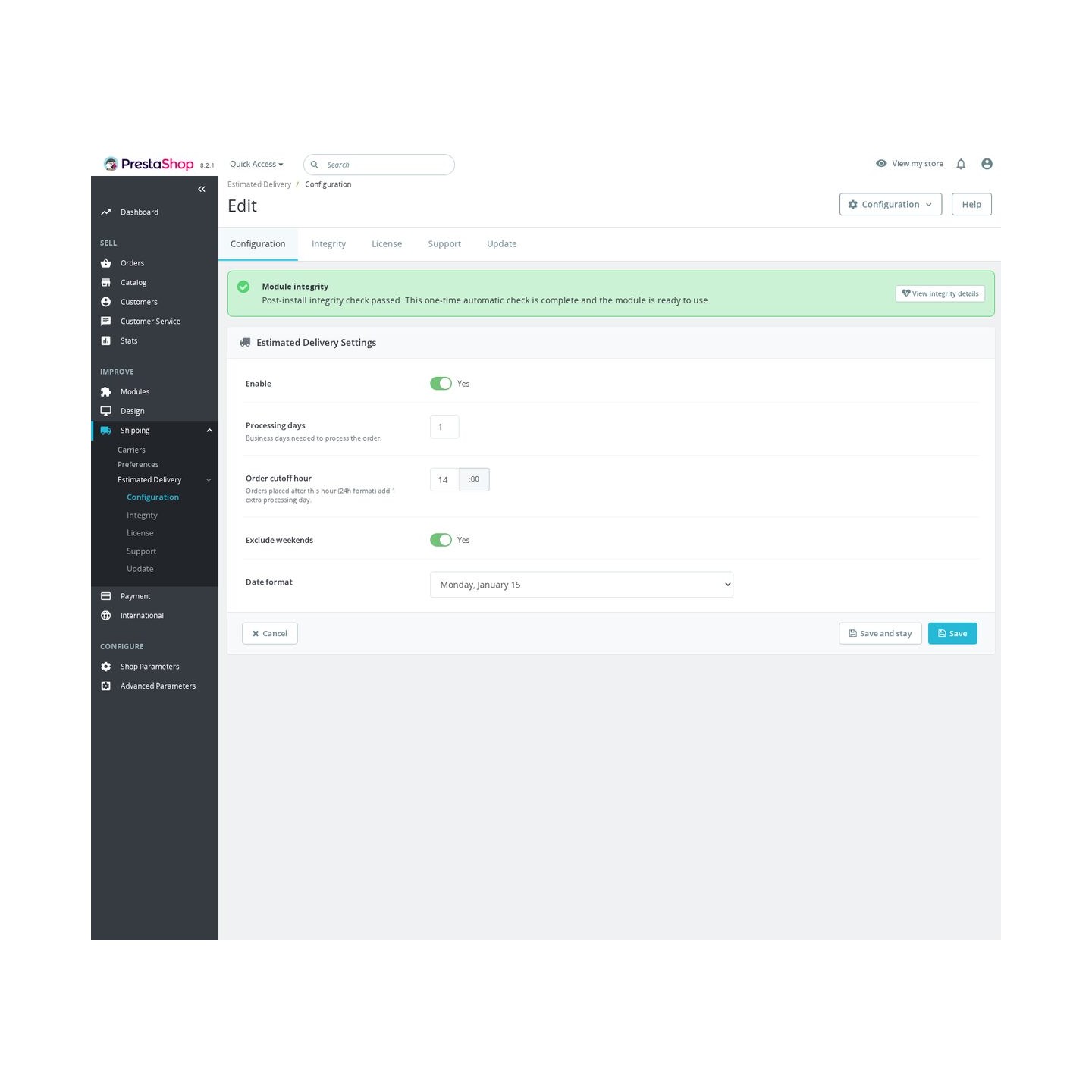
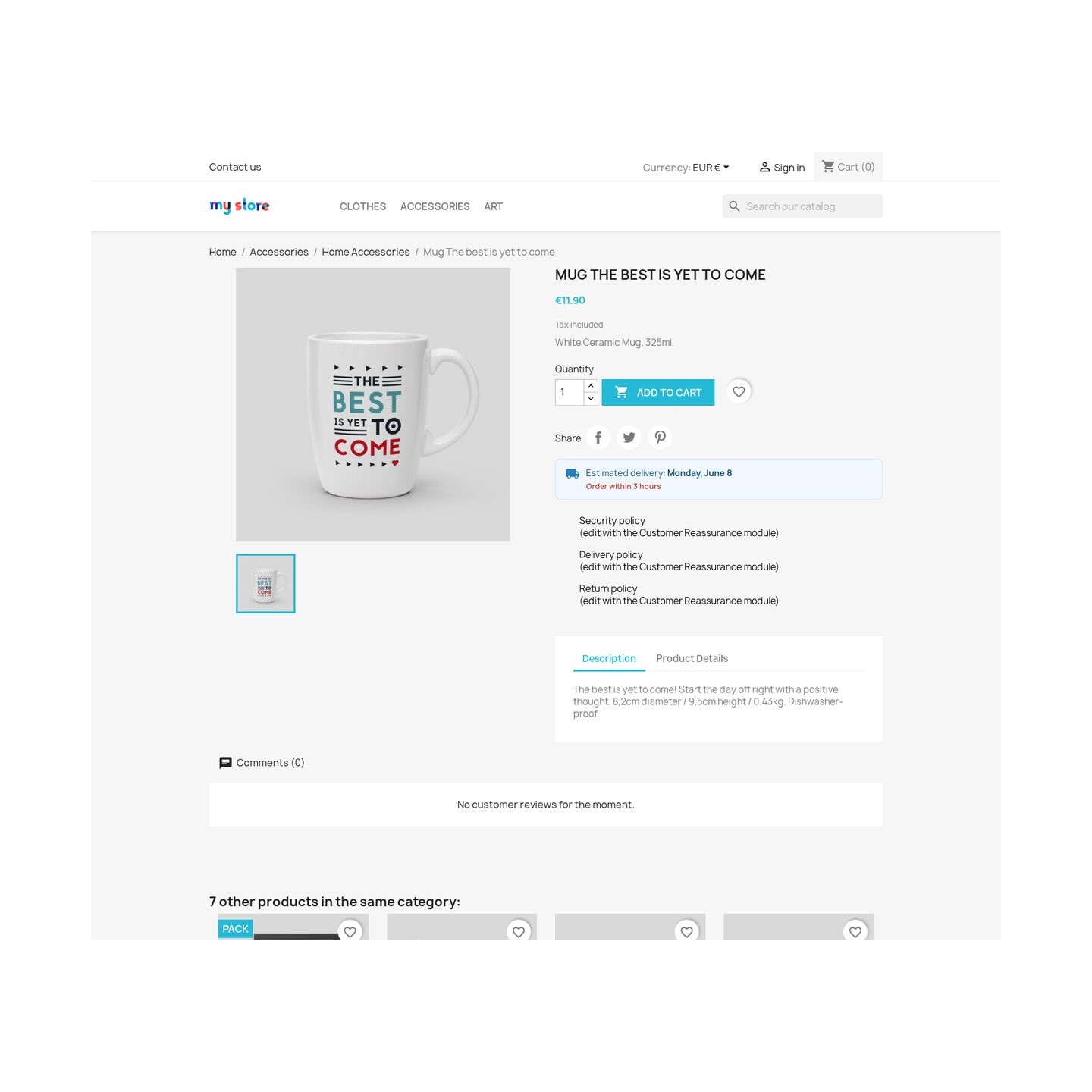
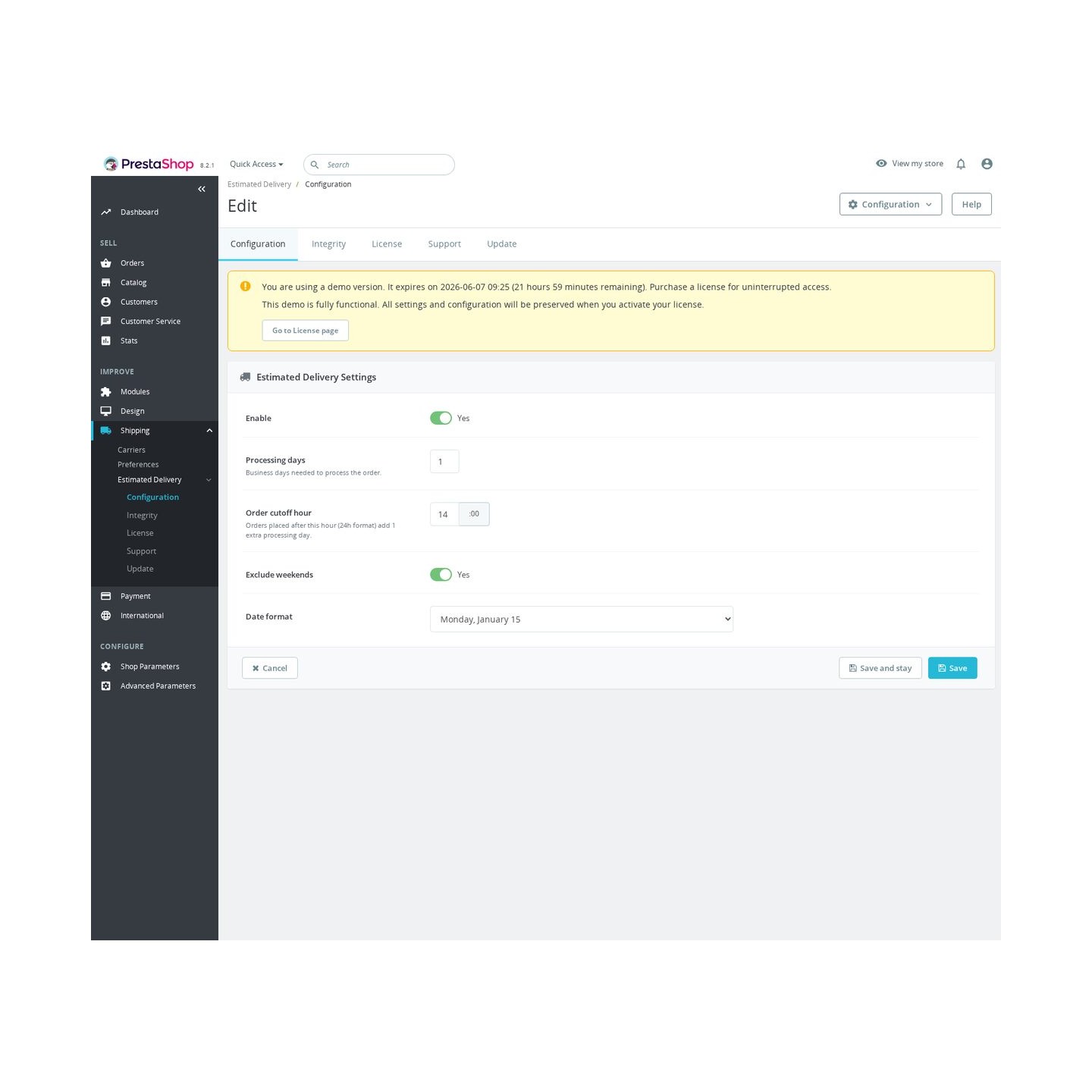
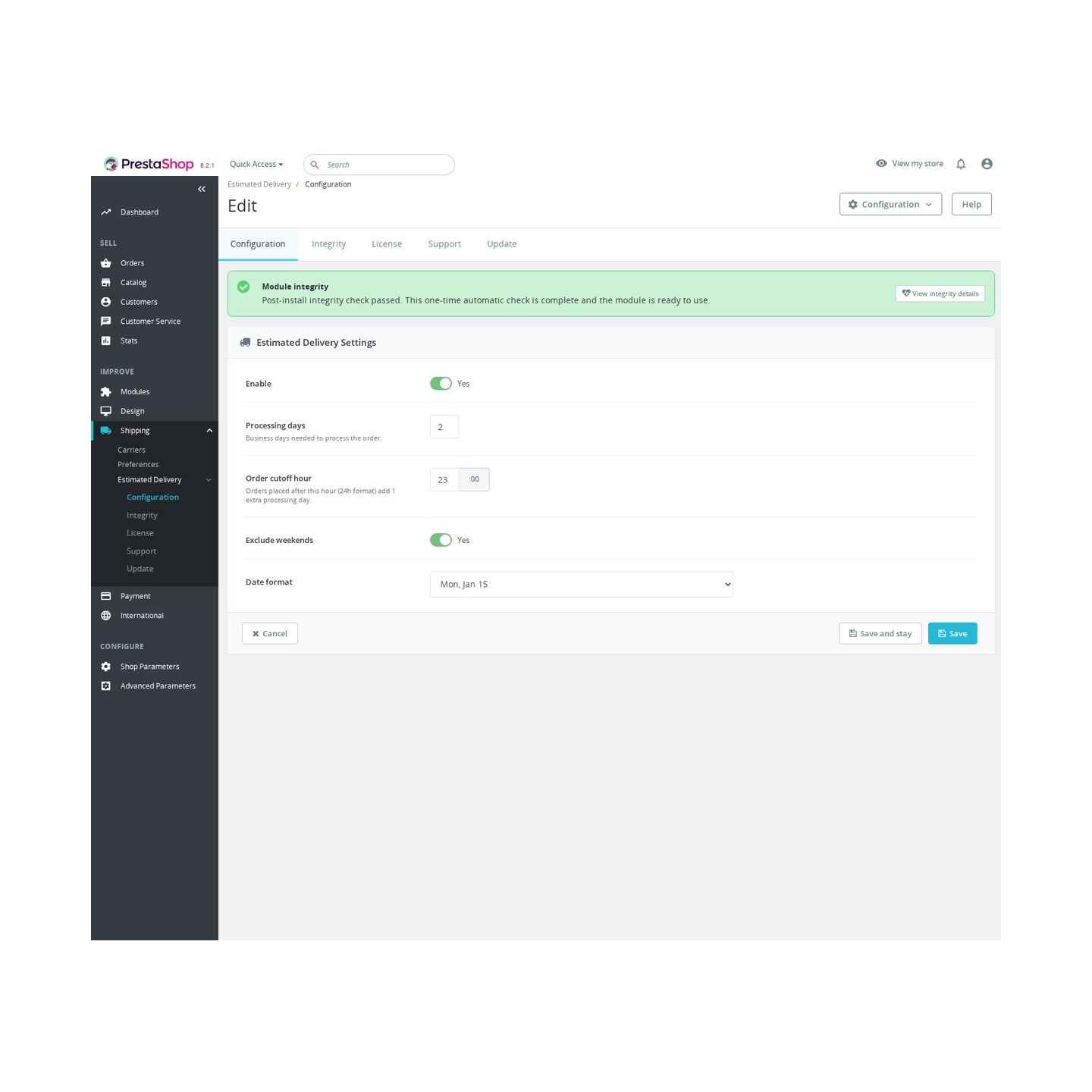
Estimated Delivery Date shows a clear delivery estimate on product pages before the customer adds an item to the cart. It answers "When will I receive it?" using your processing time, daily cutoff hour, weekend rule, and chosen date format.
Have a question about this product?
Our experts are here to help. Ask anything about installation, compatibility, or specifications.
1315
questions
9
categories
v1.0.142026-05-27
- Addedcomplete FR/DE/ES/IT/PL translations
Loading full changelog...
Works Well With Estimated Delivery Date
Modules our team genuinely pairs with this one, and exactly why each belongs in the same setup.
Complement
Estimated Delivery Date shows shoppers a clear product-page delivery estimate before they add to cart, calculated from processing days, a daily cutoff hour, optional weekend exclusion and your chosen date format. That answers the when, but a product page often needs much more structured detail than a single delivery line.
Product Extra Info Tabs covers that as a separate tool, adding scannable sections for specifications, care guides, documentation, files and related content so the page is not one oversized description.
Used alongside each other, the delivery estimate reduces timing uncertainty while the tabs organise the rest of the product information clearly. They are independent tools placed on the same page; together they answer both the practical when of delivery and the detailed what of the product, helping shoppers feel confident enough to add to cart.

Workflow
Estimated Delivery Date sets a clear timing expectation on the product page, showing when an item should arrive based on processing days, a daily cutoff hour and your chosen format, with the hours remaining before cutoff. Setting that expectation early is good; the place it matters most is when the shopper commits.
Checkout Revolution covers that stage as a separate tool, keeping contact details, address, carrier, vouchers, payment, terms and summary in one Stripe-backed purchase flow built for fast, controlled checkout.
Used alongside each other, the delivery estimate manages expectations while shoppers browse and decide, and the streamlined checkout carries them through purchase with less friction. They are independent tools at different points of the journey; together they reduce two common sources of drop-off, uncertainty about timing earlier and a fragmented checkout later.

Complement
Estimated Delivery Date reduces one specific worry, when will it arrive, by showing a clear product-page estimate from processing days, cutoff hour and weekend rules. Delivery timing is just one of several doubts; payment, returns and support reassurance are separate concerns at the same decision point.
Trust Badges covers those as a separate tool, displaying configurable badge messages on product pages and in the cart about payment, returns, delivery or support, each editable from Back Office as an honest confidence signal that it displays rather than guarantees.
Used alongside each other, the delivery date answers the timing question while the badges address the broader reassurance questions. Both sit where shoppers decide, tackling different hesitations at once, so a product page can quietly resolve more of the small uncertainties that otherwise stall an add-to-cart.

Complement
Estimated Delivery Date reassures shoppers about timing by showing a clear product-page arrival estimate before they add to cart. Knowing when it will arrive is one kind of confidence; knowing that plenty of others have already bought the item is another, separate signal.
Total Products Sold Counter covers that as a separate tool, adding a compact units-sold badge using real sales from valid completed orders, joining order_detail quantities to valid orders by product ID, as a practical trust signal without fake scarcity.
Used alongside each other, the delivery estimate handles the practical timing question while the sold counter handles social proof, two different reassurances on the same product page. One tells the shopper when, the other tells them how many others have bought, and together they quietly chip away at the small doubts that can delay a purchase.
 30 days return right
Easy return - no questions asked
 Plug & Play Modules
Install, set up and take profit
 Dedicated Support First
Priority Help & Satisfaction Over Sales
You might also like


