Customer Experience & Engagement

Product Issue Reports

Answer the same question once, public known-issues hub, product tab and customer reports

Version
2.12.44
Improvements
469
Updated
PrestaShop
1.7.6 to 9
Price: €49.00
Tax excluded
Partner price €39.20 Partner price for agencies Agencies with a partner account pay less on every module, depending on what they buy: 20% approved partner 25% from €1,000 a month 30% from €3,000 a month Average of the last 12 months, excl. VAT. Become a partner

Product Issue Reports publish known product problems, their status and workarounds on PrestaShop product pages and a public tracker. Installation adopts your theme colours automatically, and the first issue is published within minutes.

A known limitation repeatedly explained by email still catches buyers who never contact support. Putting the explanation on the product page gives shoppers the information before they pay and gives staff one answer to share.

You set issue severity, status and fix information, moderate incoming reports and decide what search engines index. Customer and guest reports wait for approval; individual issue pages stay out of search engines by default. Products without issues show no tab.

Support sends the issue's own page link instead of rewriting the same workaround for each customer.

Professional Setup We fully configure the module to your needs: all options set, tested & verified within 1 business day. +€29.00
Visual Integration CSS & template adjustments to match your theme: includes cross-device verification and screenshot review. +€49.00

In the box

  • Lifetime licence for one shop
  • 12 months of updates, security fixes free forever
  • 3 months of support by mypresta.rocks
  • PrestaShop 1.7.6 to 9

Recent changes

  • Maintenance release 2.12.44: refreshed shared admin and storefront components, the current licensing and update libraries, and stability and compatibility fixes.
Full changelog

Summary of what the module offers

Product Issue Reports answers the recurring product question once, in public, and turns buyer reports into an ordered queue.

  • Where the answer lives: a Known Issues tab on the product page and a public tracker
  • What an issue carries: status, severity, versions, workaround, fix information and a date
  • How buyers report: a protected form from the tab or the hub, moderated before publication
  • How the team works: a filterable queue ordered by votes, with bulk actions
  • What search engines see: sitemap and indexation switches, off by default for issue pages
  • What it costs the page: counts first, detail loaded only when the tab opens
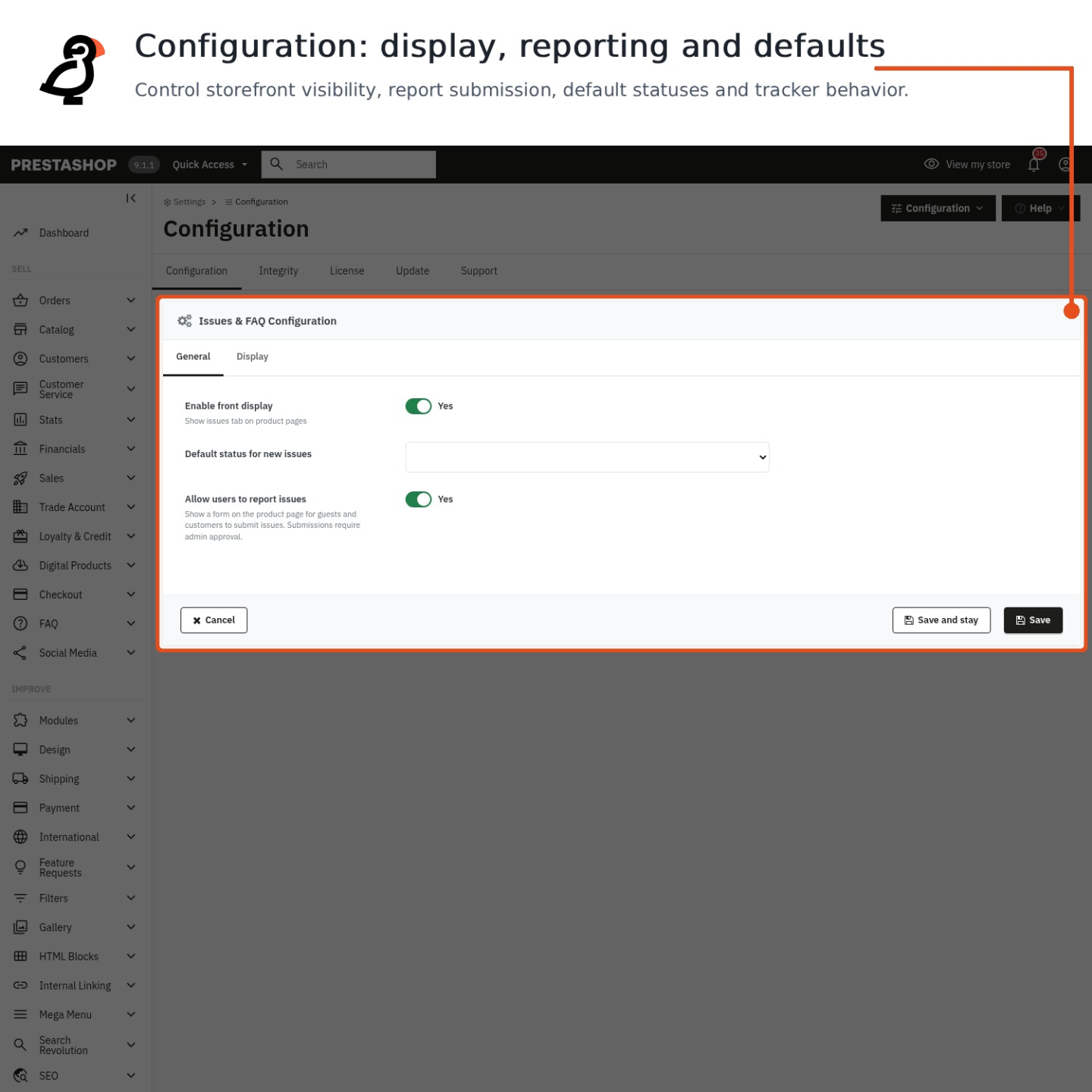
The Product Issue Reports configuration screen in the PrestaShop back office

Where does the customer find the answer?

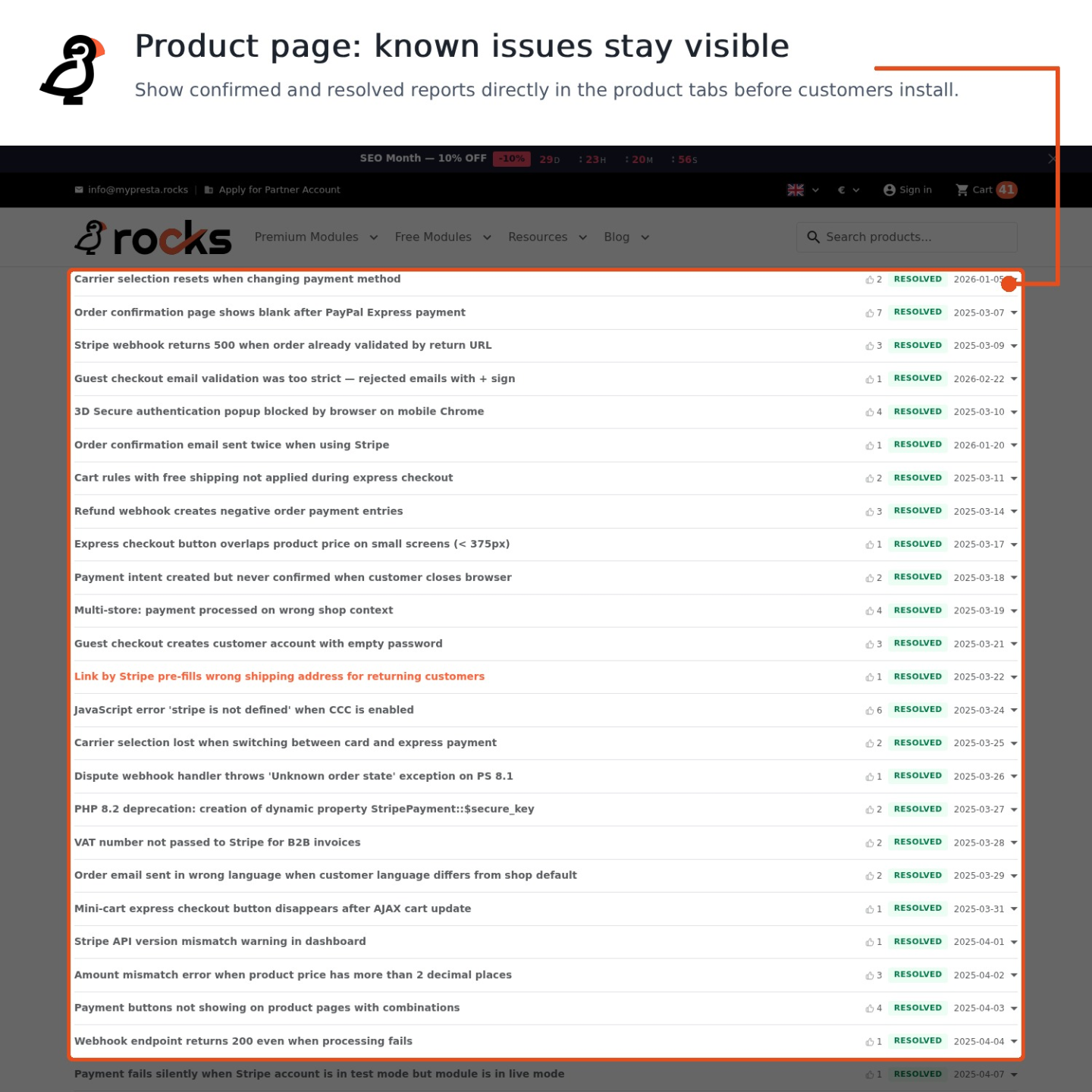
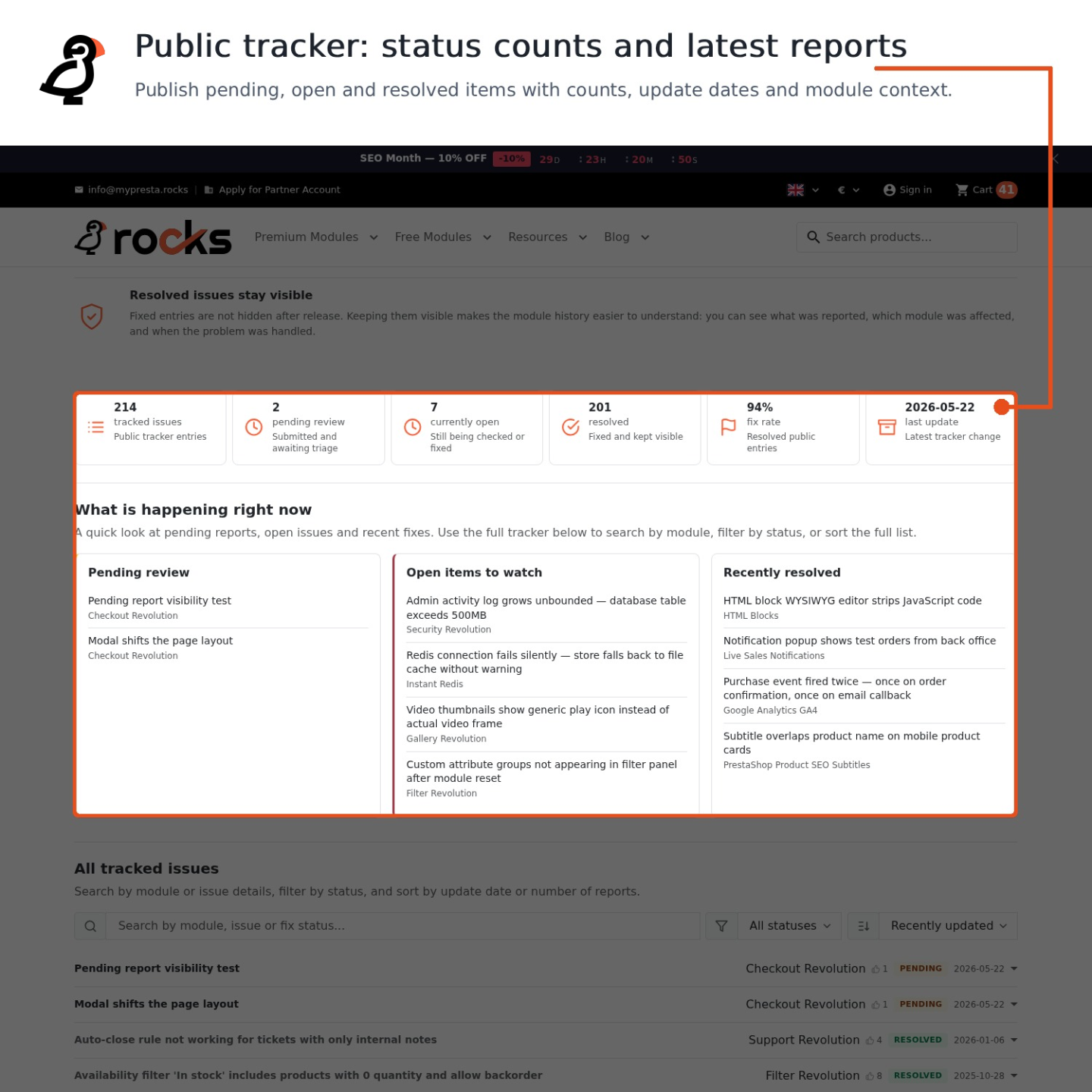
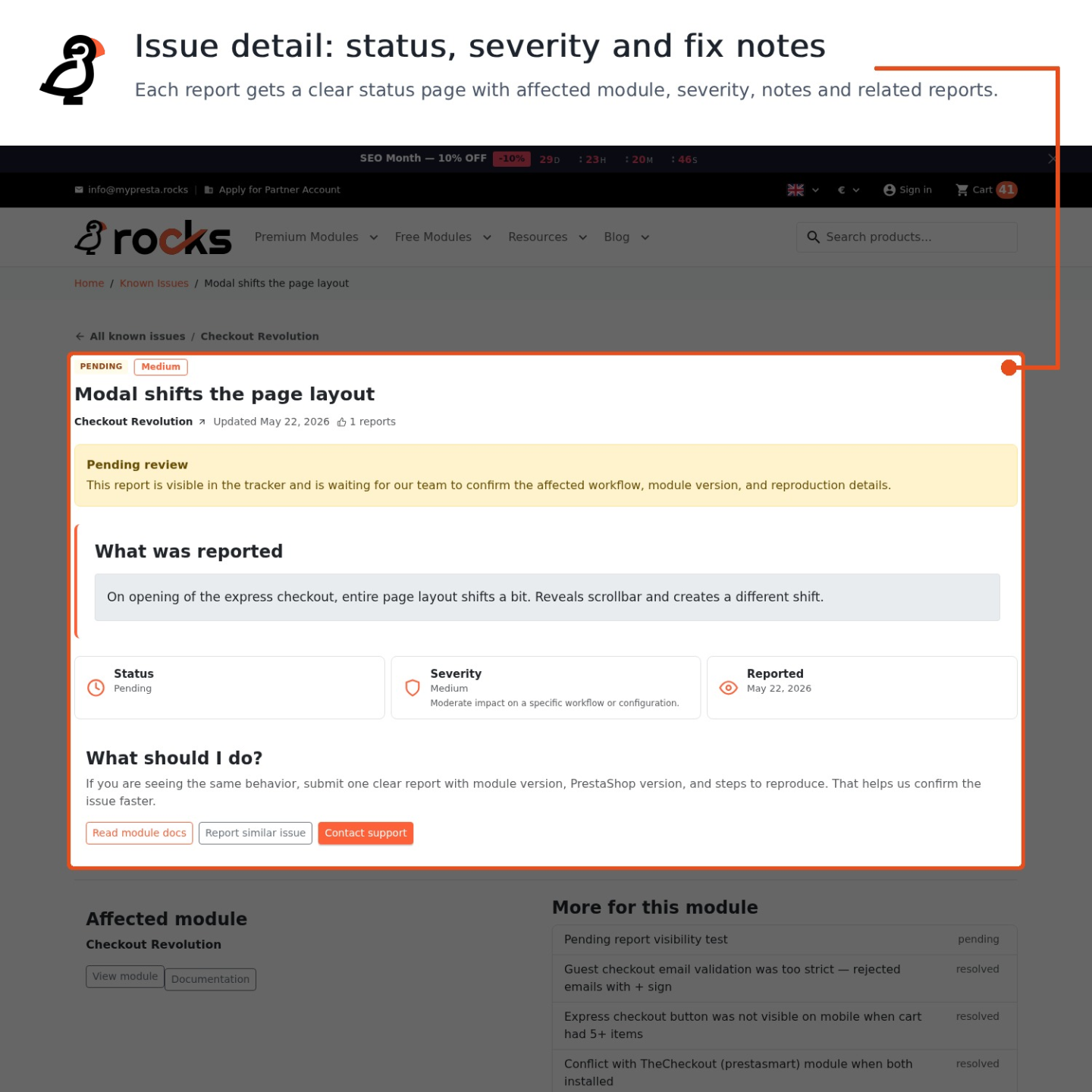
On the product page itself: a Known Issues tab shows the totals, open and resolved counts and status badges, and expands into full detail on demand. Where a product has nothing to show, the tab hides itself.

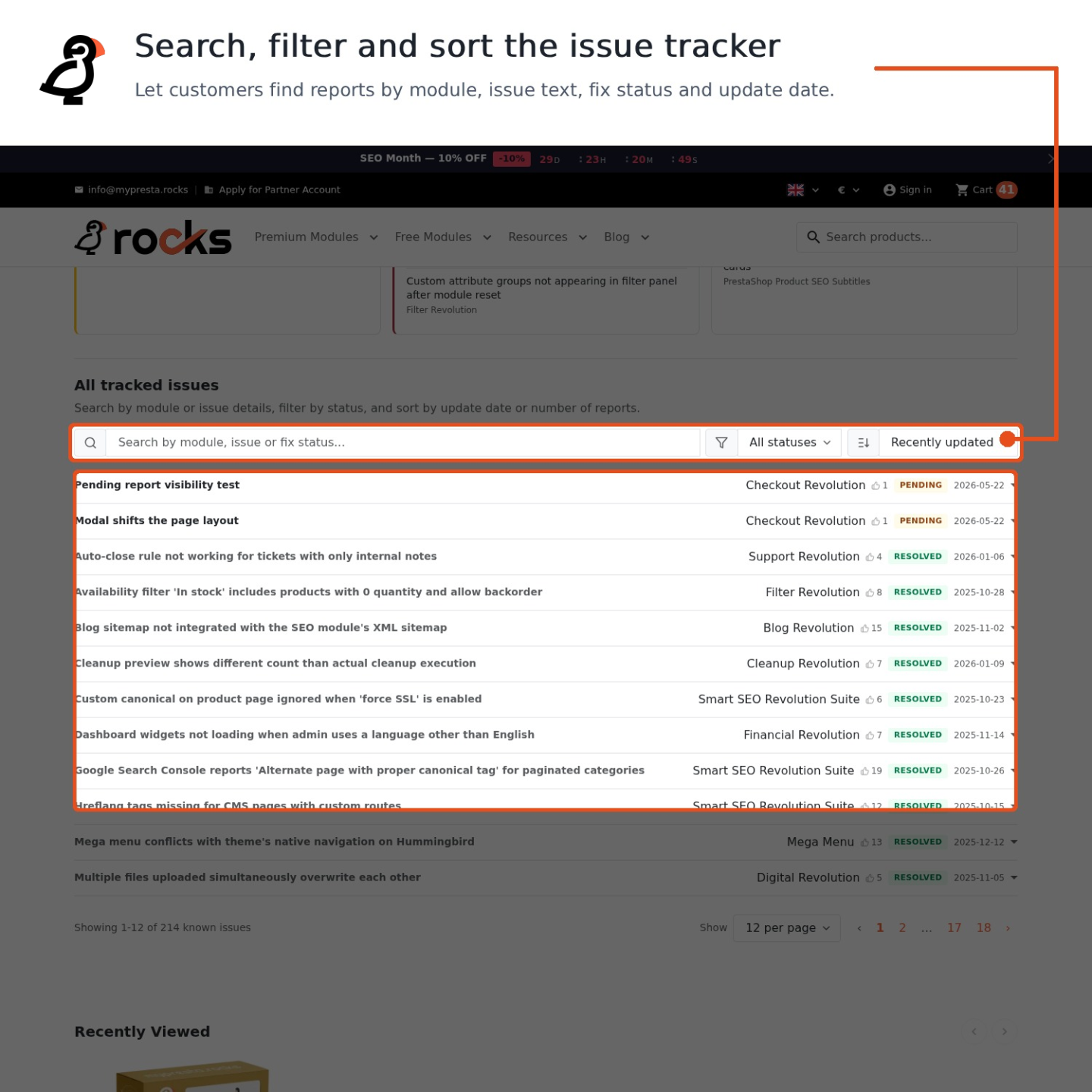
Above the products sits one public hub for the whole catalogue: every active issue, searchable, filtered by status and product, sorted and paged. Each issue also owns a page of its own with a clean address, which is exactly the link your support team sends instead of retyping the explanation.

The Product Issue Reports configuration screen

What does a published issue tell the buyer?

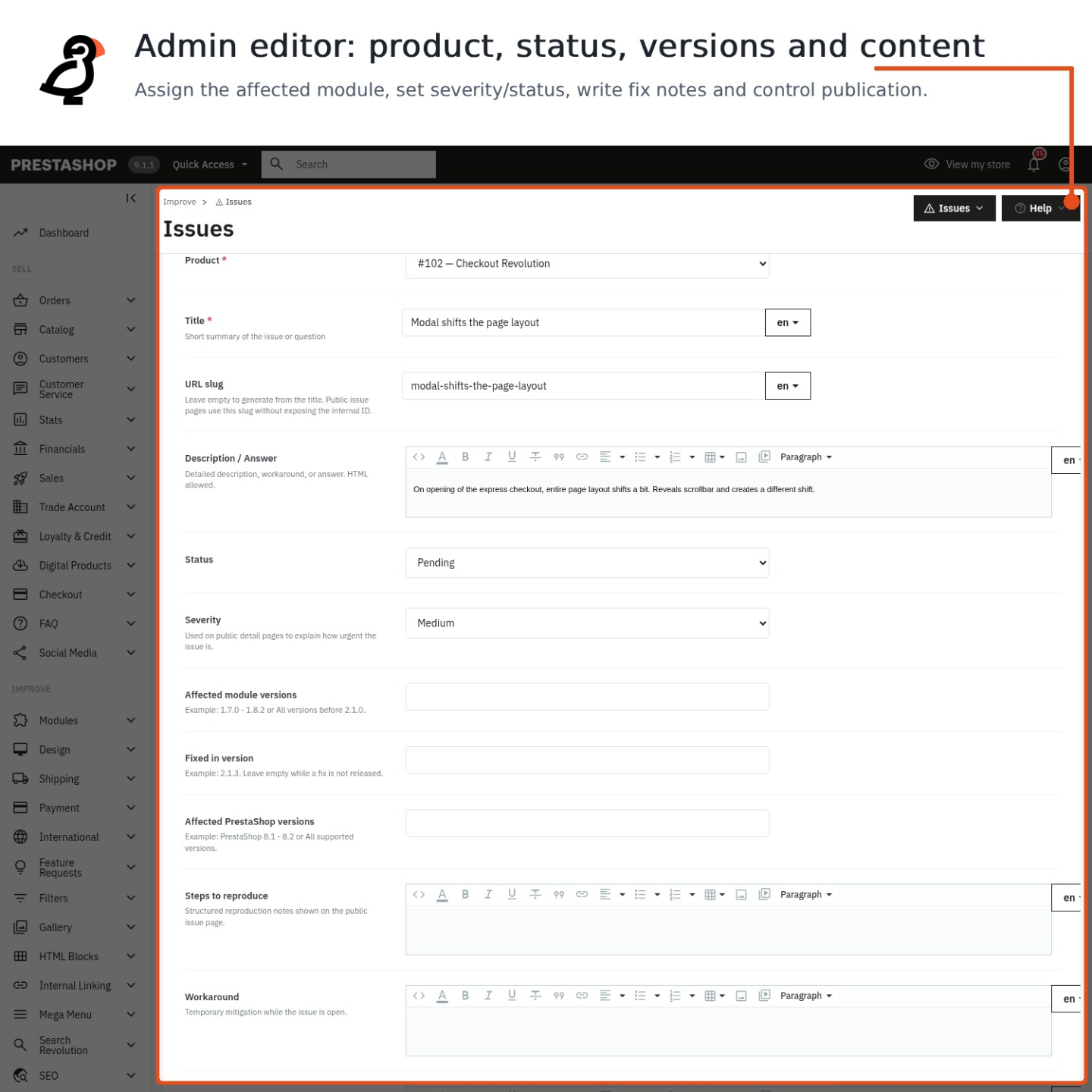
Everything the twentieth email used to ask: current status, severity from low to critical, the affected versions, reproduction steps, a workaround to use today, resolution notes, the version the fix arrived in and the expected date when it has not yet.

Statuses run from pending through open, resolved and closed to won't fix, and resolved issues remain visible. A tracker with a resolved history reads as honesty and competence, not as risk.

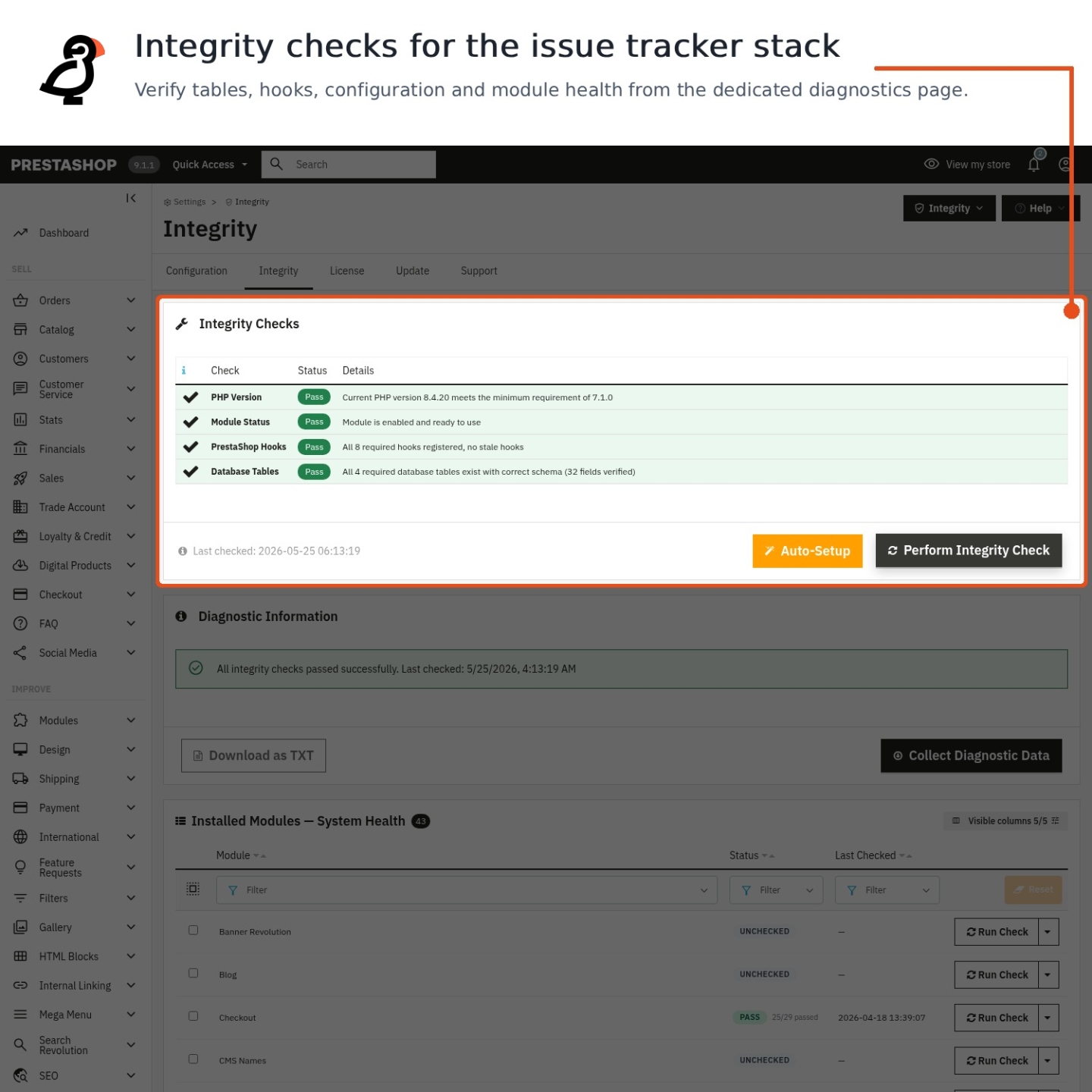
The Product Issue Reports installation check

How do customers report a problem?

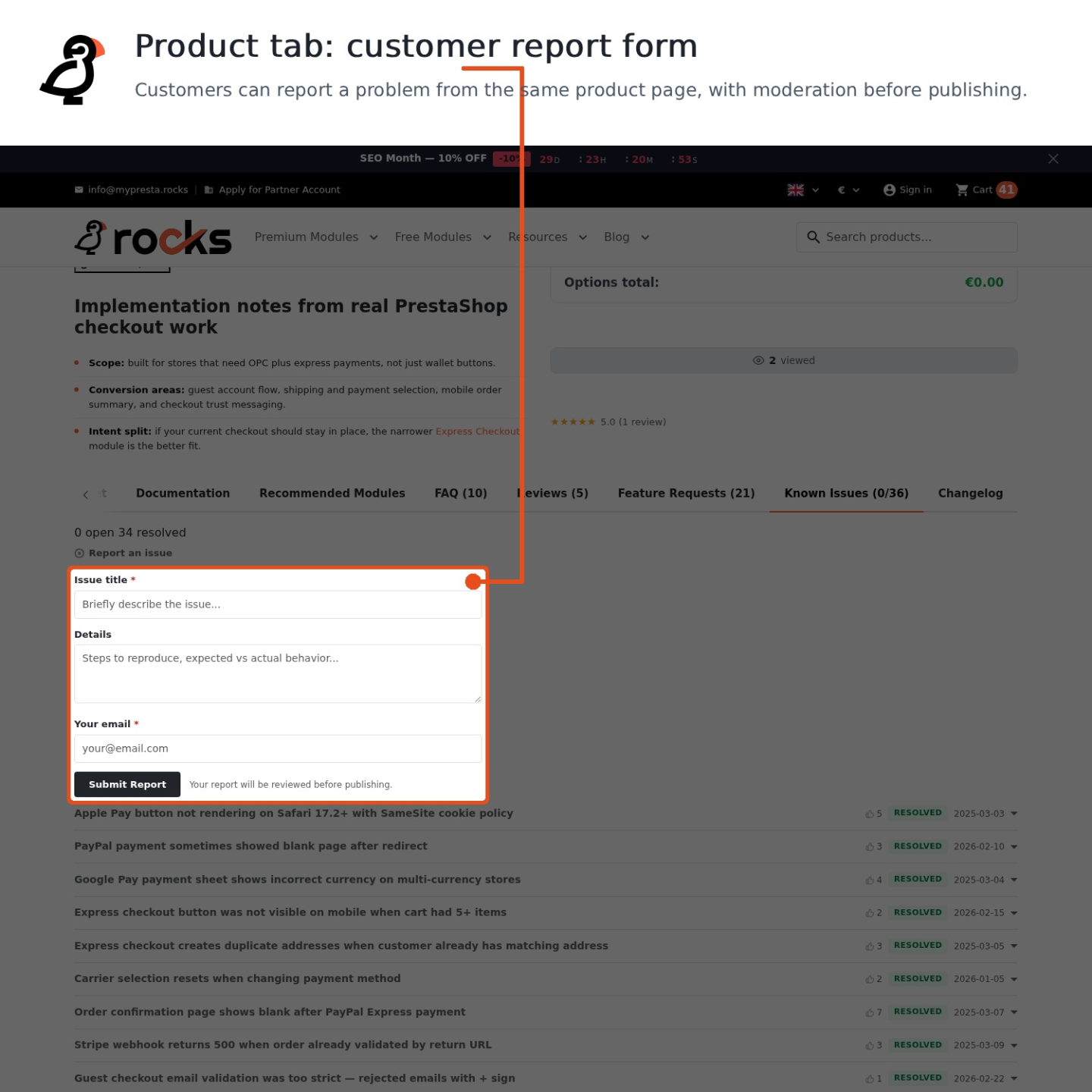
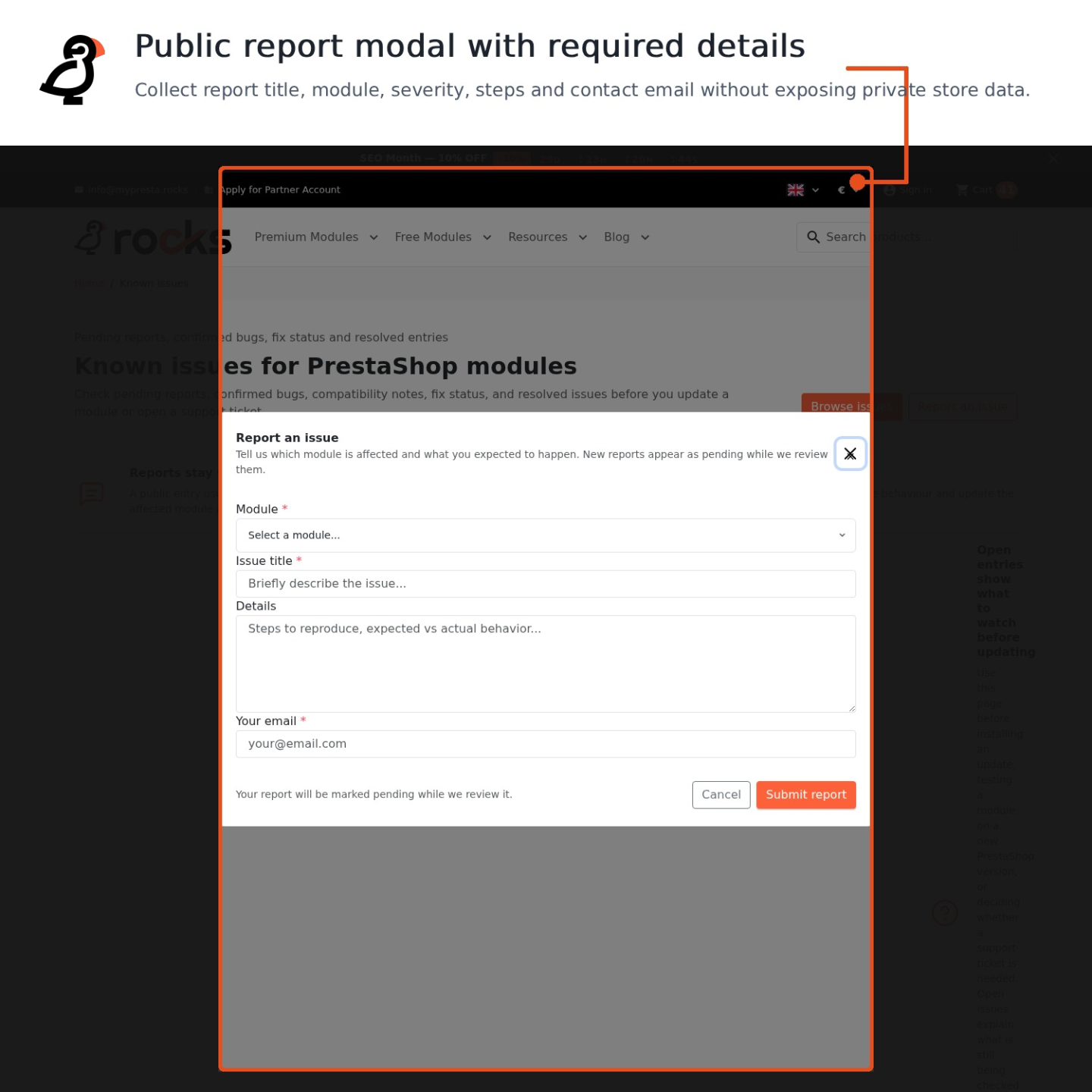
From the product tab or from the hub, signed in or as a guest: an email address, a title and optional reproduction details. The form is protected against abuse, with submission limits per sender and per address, so the queue receives reports, not noise.

Nothing appears publicly on arrival. Every report lands as pending with its first vote counted, and only a decision by your team publishes it. The storefront shows what you validated, never what someone typed.

The Product Issue Reports update screen

How does my team stay on top of it?

In a filterable queue: product, title, status, severity, dates, votes. Bulk actions handle the routine, and the votes and report counts of real buyers order the work by impact rather than by whoever emailed last.

Issue content is written per language, so the German buyer reads a German workaround. The tab title is yours to name per language as well, and one switch turns customer reporting off entirely where you want a read-only tracker.

The Product Issue Reports licence screen

What about search engines and page speed?

Indexation is a decision, not an accident: sitemap inclusion is a switch, the hub is indexable when you allow it, and individual issue pages stay out of search engines unless you deliberately open them, and even then only when active and open or resolved.

The product page pays nothing: the tab renders grouped counts only, and full issue bodies load from your own shop the moment someone opens the tab, never sooner. No outside service is involved anywhere.

The Product Issue Reports support screen
  • Reference
    mprissuesrevolution
  • Version
    2.12.44
  • Improvements
    469
  • Released
  • Updated
  • PrestaShop Compatibility
    PS 1.6 – 9.x
  • Pricing Model
    One-time Purchase
  • Module Type
    Front & Back-office
  • GDPR Relevant
    Yes
  • Business Goal
    Build Trust & Social Proof
  • External Account Needed
    No
  • Module Complexity
    Feature-Rich Module
  • Customer Journey Stage
    Retain Customers
  • Works With Platform
    No External Platform

What customers say about us

Company reviews
5.0 ★ ★ ★ ★ ★ (4 reviews)
Customer Reviews for PrestaShop Modules and Support

No product reviews yet

Be the first to share your experience with this product.

Write a Review

Quick start

  1. Upload and install mprissuesrevolution through Module Manager.
  2. Open Issues > Settings > Configuration and choose Enable front display and Allow users to report issues.
  3. Set Tab title, Show dates, Show status badges, and Hide tab when empty, then save.
  4. Add an issue with Product, Title, Description / Answer, Status Open, and Active Yes.
  5. Open the product tab, public hub, and detail link to verify the entry.
  6. Submit a test report and verify it is Pending and hidden publicly.
  7. Review it in Issues, change Status to Open, and confirm it becomes visible.

Requires PrestaShop 1.6.1 or later and PHP 7.1 or later.

Open the full help page

Loading tab content...
30 days return right
Easy return - no questions asked
Plug & Play Modules
Install, set up and take profit
Dedicated Support First
Priority Help & Satisfaction Over Sales

Who builds and maintains this module

Built and maintained by David Miller and mypresta.rocks. David Miller has worked with PrestaShop since 2013, and the company behind this shop has been registered since 3 December 2018. Every module in this catalogue is our own work, so your questions to support reach the people who wrote the code. The changelog on this page lists every update with its date.

About us

More modules

Support Revolution

Issue Tracker publishes known issues, notes and their status as a product tab, and Support Revolution takes every question that is not answered there as a ticket. Fewer duplicate tickets, and customers can see that you are working on the problem.

Checkout Revolution

An honest list of known issues removes doubts before the purchase, and Checkout Revolution removes friction at the purchase itself with an express checkout. Buyers who trust the product page buy faster.

Loading...
Back to top