



Most PrestaShop performance advice eventually arrives at the same word: Redis. It gets recommended like a tonic. "Add Redis, your store will be faster", usually without anyone explaining what it actually replaces, which stores genuinely need it, or which slow pages it will do nothing for. This article is the honest version of that conversation. It is about whether Redis is the right next move for your specific store, what it changes under the hood on a PrestaShop install, and how to decide, before you pay for a VPS upgrade you may not need. For the click-by-click installation and the settings that produce the gains, we hand off to our companion guide on Redis cache setup and performance gains; here the job is the decision, not the keystrokes.
Reviewed June 2026 for PrestaShop 1.7.8, 8.x and 9.x. We use Redis on mypresta.rocks ourselves. The trade-offs below reflect that experience; Redis alone does not determine a PageSpeed score, so compare the whole storefront before and after a change under the same test conditions.
What Redis actually is, in one honest paragraph
Redis is an in-memory key-value store. A very fast dictionary that lives in RAM instead of on disk. You hand it a key (say, the rendered data for category 12) and it returns the value in a fraction of a millisecond, because nothing touches the disk and nothing queries MySQL. That is the whole trick: it is not a "speed plugin," it is a faster place to keep things PrestaShop is already caching. It is not PrestaShop-specific and not new. It is mature open-source infrastructure that runs as a service on your server (or as a managed add-on from your host). The "so what" for a store owner: every piece of data Redis serves is a database query that never runs and a disk read that never happens, and on a busy page those savings stack up into a visibly faster store.
What Redis replaces inside PrestaShop, specifically
PrestaShop already caches several things; by default it parks them on disk or inside the MySQL database. Redis can step in as the storage layer for selected caches and session handling, but only where a supported cache adapter, module or PHP session handler is configured to point at it; it is not a native, automatic store for every built-in cache. On a PrestaShop store the relevant pieces are:
- Object cache (the big one). PrestaShop's caching layer (Advanced Parameters → Performance → Caching, the
Cachesetting whose available backends vary by PrestaShop version and installed PHP extensions, historically filesystem (CacheFs), Memcached, APC/APCu and Xcache; Redis is not a standard core option and needs a module or custom adapter) stores objects PrestaShop rebuilds on almost every page, configuration values, the category tree, hook lists, currency and language data. Served from disk (CacheFs) it is a flurry of small file reads; served from Redis it is a memory lookup. This is where most of the real-world win comes from. - Smarty template cache. PrestaShop compiles
.tpltemplates and caches the result. By default these compiled and cached files live on disk undervar/cache/(older versions usedcache/smarty). Standard PrestaShop does not move the Smarty compile cache into Redis, so that only happens through a custom or third-party integration, not a built-in setting. - PHP sessions. Customer session data, login state, cart contents, defaults to files on disk (PHP's native file session handler). Moving sessions to Redis takes that read/write load off the filesystem and, on multi-server setups, lets every app server share one session store instead of each holding its own local files.
- Full-page cache. Whole rendered pages for anonymous visitors can be kept in Redis and returned almost instantly. This is its own topic with real trade-offs, what to cache, how to bust it, what breaks for logged-in customers, so we keep it in the full-page-cache modules explainer rather than rushing it here.
The honest framing: Redis does not make PrestaShop do less work. It makes the work PrestaShop already repeats, the same config lookups, the same category tree, the same compiled templates, request after request. Come back from RAM instead of disk or MySQL.
Does your store actually need Redis? A decision framework
This is the question the tonic-sellers skip. Redis is worth it for some stores and pure overhead for others. Run your store through this before spending anything:
| Your situation | Is Redis the right next step? |
|---|---|
| Shared hosting, no SSH, ~few hundred products, light traffic | No. Shared hosting usually can't run a Redis service at all, and CacheFs is fine at this size. Fix images and modules first. |
| VPS, 1k–10k products, repeat traffic spikes, TTFB creeping up | Yes, strong fit. This is Redis's sweet spot: enough repeated data to cache, and a server you control. |
| MySQL is the bottleneck (high query count per page, DB CPU pegged) | Yes, especially object caching, it serves repeated config and catalogue lookups from RAM, so those queries never reach MySQL. |
| Pages slow because of heavy modules or un-cacheable real-time logic | No. Redis can't cache code execution. See below. This is a different problem. |
| Multiple app servers / load-balanced setup | Yes. A shared Redis gives every server one cache and one session store. |
If you don't yet know which of these you are, that's the prerequisite step, not Redis. Diagnose first: how to check whether your store is slow and what's causing it, and the breakdown of what actually makes PrestaShop slow, database, modules and hosting. Buying RAM for Redis to fix a problem that turns out to be a 4MB hero image is a common, avoidable mistake.
What Redis will not fix (so you don't blame the wrong thing)
This matters as much as the upside, because a store owner who installs Redis expecting it to fix everything walks away disappointed and convinced caching is snake oil. Redis does nothing for:
- Un-cacheable queries. A real-time stock check or a per-customer price calculation runs on every page by design. There is nothing to cache. If a specific query is slow, the query needs fixing, which is a database job: see performance tuning from database queries to full-page cache.
- Heavy modules. A module that executes expensive PHP on every request still executes it. Caching speeds up data lookups, not code paths.
- Un-optimised front-end assets. Redis is a server-side cache; it never touches a 5MB product image or a render-blocking script. That's CCC, image compression and a CDN's job.
- A bloated database. Years of dead carts, stale guest sessions and orphaned rows make MySQL slower in ways caching only papers over. Clear the rot too: why your store gets slower over time, and the cleanup that reverses it.
- Slow external APIs. A payment or shipping call to a third party on page load is latency you don't own; Redis can't cache someone else's server.
Redis is a multiplier on an already-tidy store, not a rescue for a messy one. The right order is: trim modules, fix the obvious queries, clean the database, then add Redis so the operations that remain come back from RAM.
Redis vs Memcached on PrestaShop
PrestaShop's cache dropdown also lists Memcached, so the comparison is worth settling. Both keep data in RAM; for a PrestaShop store the practical differences fall out like this:
| Factor | Redis | Memcached |
|---|---|---|
| Survives a restart | Yes, optional disk persistence, so a reboot doesn't dump the whole cache | No. Restart wipes everything, then the store cold-starts every cache |
| Sessions in the same store | Yes. Object cache, full-page cache and sessions can all point at one Redis service | Also possible. PrestaShop's back-office cache backend is separate from PHP's session handler, and Memcached can store PHP sessions too if configured at the PHP/app level |
| Selective flushing | Yes. Flush by key prefix, so you can clear one shop without nuking the rest | Coarser; typically flush-all |
| Data structures | Strings, hashes, lists, sets, room for smarter caching | Strings only |
| Still actively the default recommendation | Yes, for nearly every PrestaShop case | Legacy-acceptable, rarely the better pick today |
For the overwhelming majority of PrestaShop stores, Redis is the right choice, the persistence and the prefix-scoped flush alone earn it, and the multi-shop story below seals it.
Redis for multi-shop and multi-server
If you run several shops from one PrestaShop install, or the same shop across multiple app servers, one Redis instance serves all of them. Each shop gets its own keyspace via a key prefix, so carts and cached objects never leak between shops while they share the underlying RAM, cheaper and simpler than running a separate cache per shop. That prefix discipline is also what makes a scoped flush possible: clearing shop B's cache after a price import without cold-starting shop A. On a load-balanced setup the same instance gives every server one cache and one session store, so a customer doesn't get logged out because the balancer moved them to a different node.
The catch with shared hosting
The single most common dead end: Redis needs a running service on the server, and shared hosting almost never provides one (no SSH, no way to start a daemon). If you're on shared hosting and want Redis, the real decision isn't "which module". It's whether your store has outgrown shared hosting. Usually a store big enough to benefit from Redis is already big enough to justify a VPS, and the hosting choice itself deserves its own scrutiny: what actually matters in PrestaShop hosting versus what's marketing. Don't pay for a "Redis-ready" plan before you've confirmed Redis is even your bottleneck.
How to know it's actually working
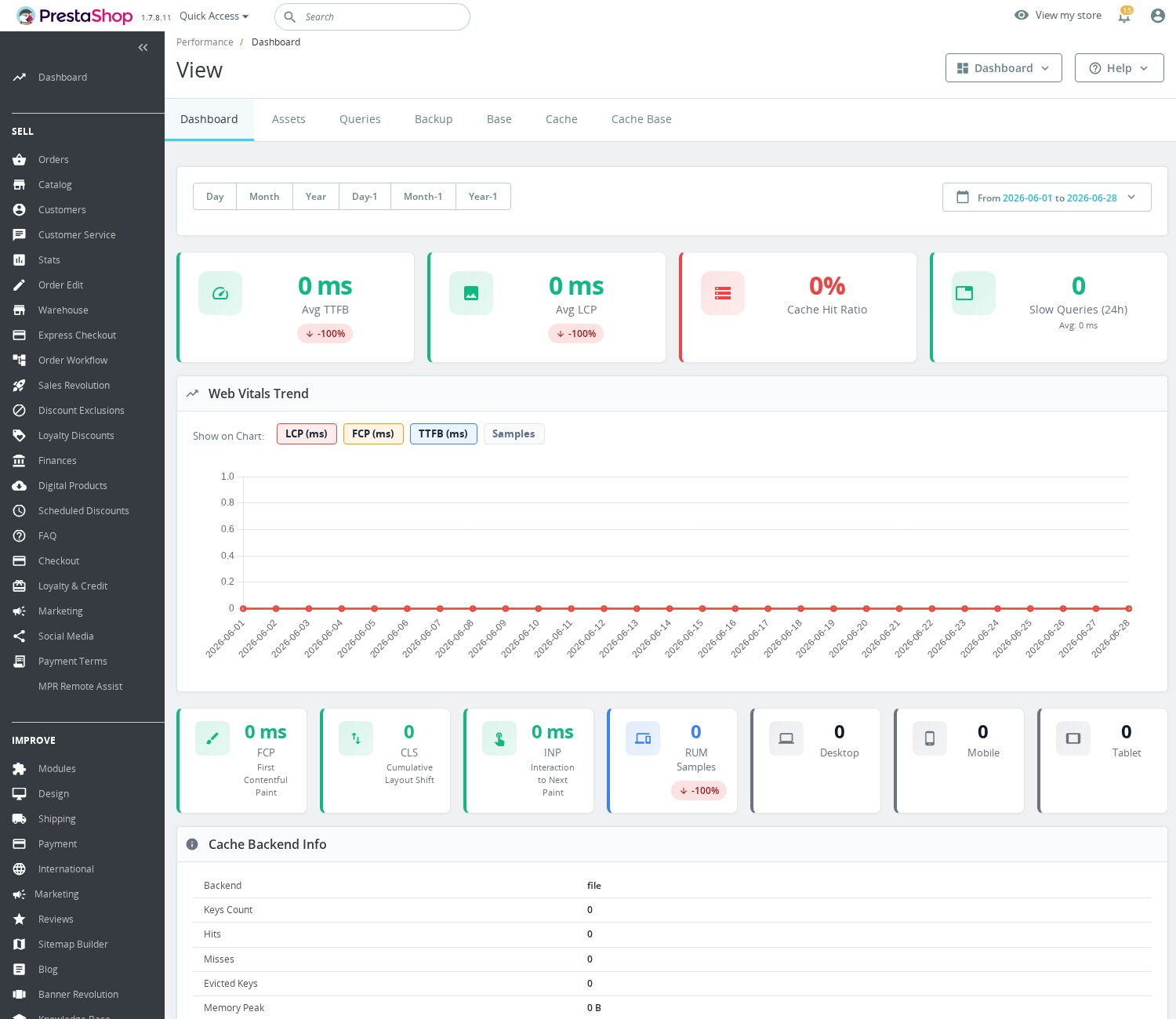
The performance dashboard shows TTFB, LCP, cache hit ratio and slow-query cards, a Web Vitals trend chart, and the cache backend set to file.
Caching that you can't see is caching you can't trust. Two numbers tell you whether Redis is earning its keep, and PrestaShop's own logs plus the Redis INFO output expose both:
From the shell, the minimum useful check is this:
redis-cli -h 127.0.0.1 -p 6379 INFO stats | egrep 'keyspace_hits|keyspace_misses'
redis-cli -h 127.0.0.1 -p 6379 INFO memory | egrep 'used_memory_human|maxmemory_human|used_memory_peak_human'- Hit rate. The ratio of cache hits to total lookups (
keyspace_hitsvskeyspace_missesin RedisINFO). You want this comfortably above 90%. A low hit rate means the cache keeps getting regenerated, usually a too-aggressive flush schedule or too little memory, and you're paying for Redis without getting the benefit. - Memory headroom. Watch
used_memoryagainst yourmaxmemorylimit. Once Redis hits the ceiling it starts evicting keys, the hit rate falls, and your "fast" store quietly gets slower. As a rough planning figure: up to ~5k products often sits happily in 256MB; 5k–50k tends to want 512MB–1GB; very large catalogues, more, but treat those as starting points to verify against your realused_memory_peak, not guarantees.
And measure the outcome that pays the bills, not just the cache internals. Before switching anything, note your Time to First Byte and average page-generation time (from PrestaShop's profiler, enabled via _PS_DEBUG_PROFILING_ in config/defines.inc.php on staging, or the Symfony debug toolbar, or your APM and server logs); after Redis is live and warm, compare the same numbers over real traffic across several days, not one quiet afternoon. A reduction in page-generation time on heavy category and product pages is the signal that it worked.
Connecting PrestaShop to Redis without the YAML
You can wire Redis into PrestaShop by hand. Edit configuration, set the cache class, manage the connection details, restart things and hope you didn't fat-finger a host. It's doable, and our setup guide walks the manual route. The reason we built Redis Cache Manager & Monitor is that the manual route gives you no feedback loop: you can't see your hit rate, you can't tell if memory is about to evict, and clearing the cache safely means knowing exactly which keys belong to which shop.
Redis Cache Manager & Monitor runs that whole relationship from the back office. So what does that mean in practice? You enter your Redis host and port and test the connection before committing, it reports back the server version, used memory, connected clients and uptime, so you know it's reachable instead of guessing. You toggle object cache, session storage and full-page cache independently, turning on only what your store needs. The dashboard shows the live hit rate and memory usage. The two numbers above, so "is it working?" becomes a glance, not a redis-cli session. And when you save config it can flush only your shop's keys (by prefix) rather than the whole instance, which is what makes it safe on a multi-shop server. The benefit isn't "we made Redis fancy", it's that a store owner, not just a sysadmin, can run Redis correctly and prove it's helping. What happens if Redis becomes unavailable depends entirely on how each layer is wired: a misconfigured cache adapter or session handler can break requests rather than degrade gracefully, so graceful fallback is something to verify, not assume. Redis Cache Manager & Monitor is built to fall back to PrestaShop's default caching if Redis drops out, but test that behaviour on your own setup before you rely on it.
Questions store owners ask before committing to Redis
Will Redis cache my cart and checkout pages too? Not as object cache, and you don't want it to. Object caching speeds up the repeated reads behind a page, config, the category tree, hook lists, not the per-customer cart, checkout or login state, which is dynamic by design and must stay live. Redis can store sessions (so a cart survives across servers), but that's a different job from caching a rendered page. Full-page caching is the layer that returns whole HTML, and it's correctly restricted to anonymous visitors, a logged-in customer or anyone with a cart bypasses it. Cache the storefront, never the cart or login.
Is OPcache or Redis the better first move? Do OPcache first, it's near-free, ships with PHP, and caches compiled bytecode so the engine stops re-parsing your files every request. On PHP 8 the JIT is part of OPcache and is the single biggest free server-side win newer PHP gives a CPU-bound store. Redis caches data; OPcache caches code. They're complementary, but OPcache is the one you turn on before spending anything on RAM for Redis.
What happens to my store if the Redis server goes down? It depends entirely on how each layer is wired, and this is worth verifying rather than assuming. A cleanly-wired object cache should fall back to PrestaShop's default caching if Redis drops out; a misconfigured cache adapter or session handler can instead break requests. Test the failure case on your own setup, stop Redis on staging and load a page, before you rely on graceful fallback in production.
Redis or Memcached. Does it actually matter for a single store? For most PrestaShop stores, Redis. The deciding points are honest and small: Redis survives a restart with optional disk persistence (Memcached cold-starts every cache on reboot), and Redis flushes by key prefix so you can clear one shop without nuking the rest. Memcached is legacy-acceptable and stores PHP sessions if you wire it at the PHP level, but on a new setup there's rarely a reason to pick it over Redis. Varnish is a different tool again. A full-page HTTP cache that sits in front of PHP, not a drop-in object-cache backend, so compare it against your full-page-cache decision, not against Redis-as-object-cache.
How much RAM should I give Redis? Start from your catalogue and verify against real usage, don't guess high. As rough planning figures: up to ~5k products often sits in 256MB; 5k–50k tends to want 512MB–1GB; larger catalogues more. Then watch used_memory_peak against your maxmemory, if Redis hits the ceiling it evicts keys, the hit rate drops, and your "fast" store quietly slows. The right number is the one your own INFO memory output confirms.
The bottom line
Redis is one of the highest effort-to-impact upgrades available to a PrestaShop store, once it's the right upgrade. The discipline is in that qualifier. If your store is on a VPS, has enough repeated traffic and catalogue depth to fill a cache, and you've already dealt with images, heavy modules and database bloat, Redis turns the work PrestaShop repeats all day into memory lookups, and you'll see it in your TTFB. If you're on shared hosting, or your real problem is an un-cached query or an oversized image, Redis is the wrong tool and your money belongs elsewhere first. Diagnose, tidy, then cache, and measure the hit rate so you're never guessing whether it earned its RAM. When you're ready to wire it up, the setup and performance guide takes it from here.


