SEO & Traffic Growth

X Pixel + Web Conversions API

X Ads conversions delivered from your server and retried on failure, consent-aware, with no double-counted orders

Version
1.7.31
Updated
PrestaShop
1.6 to 9
Price: €49.00
Tax excluded
Partner price €39.20 Partner price for agencies Agencies with a partner account pay less on every module, depending on what they buy: 20% approved partner 25% from €1,000 a month 30% from €3,000 a month Average of the last 12 months, excl. VAT. Become a partner

X Pixel + Web Conversions API sends PrestaShop shopping activity to X Ads through the browser, server or both. A guided connection verifies your account, finds the Pixel and maps shopping actions in minutes.

X Ads provides advertising, audiences and conversion reports. There is no minimum campaign spend, you choose the budget, and X bills advertising separately from the module.

You switch actions individually, choose catalogue identifiers and define paid, cancelled and refunded order states. Reported value follows your tax, delivery and packaging choices. Combined delivery shares one conversion identity, failed server attempts retry automatically, and marketing consent controls eligible tracking.

Campaign revenue follows your actual order lifecycle, with a live delivery timeline showing whether a purchase reached X or still needs attention.

Professional Setup We fully configure the module to your needs: all options set, tested & verified within 1 business day. +€29.00
Visual Integration CSS & template adjustments to match your theme: includes cross-device verification and screenshot review. +€49.00

In the box

  • Lifetime licence for one shop
  • 12 months of updates, security fixes free forever
  • 3 months of support by mypresta.rocks
  • PrestaShop 1.6 to 9

Recent changes

  • Maintenance release: current licensing and update components (needed for live demos and downloads).
Full changelog

Summary of what the module offers

  • Guided X connection and event mapping for a quick first launch
  • Shopping, checkout, purchase, cancellation and refund events with commercial detail
  • Browser, server or combined delivery with one action counted once
  • Independent event controls, custom actions and rules for shops and markets
  • Protected customer matching, marketing consent and employee exclusion
  • Live delivery health, funnel diagnostics, retries and recovery

X Pixel + Web Conversions API connects a PrestaShop store with X Ads and keeps buying activity consistent between the shopper’s browser and the store server. The module decides which actions leave the shop, which X Pixel receives them and which details accompany them. X receives those actions and uses them in Events Manager, campaign reporting, audience creation and advertising optimization.

The first connection remains short, while the same workspace expands into control over events, order states, delivery paths, markets, catalogue identifiers, matching policy and diagnostics. A shared ownership safeguard also prevents a second participating MPR tracking product from reporting the same X Pixel.

The X Pixel + Web Conversions API configuration screen in the PrestaShop back office

Which buying actions reach X Ads?

Each part of the buying path has its own setting: page visit, product and variant view, search, cart view, addition and removal, wishlist addition, checkout start, delivery choice, payment choice, account registration, paid purchase, cancellation and refund. Product actions carry the chosen product, combination, reference, EAN or supplier identifier. Purchases carry the selected value basis, currency, products, quantities and one stable order reference.

The module follows variant changes and sends the current identifier and price instead of leaving X with the first product state. You also choose which order statuses represent a paid sale and which represent cancellation or refund, so campaign revenue follows the commercial result recorded in PrestaShop.

Store-specific actions sit beside these standard choices. A rule reacts to a selected click, a phrase in the page address, a type of shop page or a named on-page action. Each rule has its own values, fires once or repeatedly, and travels through the browser, the server or both.

X Pixel configuration with the integrity check passed, the Pixel ID field and separate switches for each event

How does one action remain one conversion?

You select browser-only, server-only or combined delivery. In combined mode both copies carry the same conversion identifier, including one order-based identifier for Purchase, so X recognizes one action instead of two. Product names, identifiers, prices, quantities, order value and currency remain identical on both paths.

Server events first enter a persistent local delivery list. A temporary connection problem starts automatic retries with increasing intervals, and an interrupted sending attempt returns to processing. Terminal failures remain visible and one recovery action returns them to the pending list.

The settings workspace shows waiting, sending, accepted and failed totals together with recent attempts, response codes, times and the last error. The merchant therefore sees the difference between a campaign with weak results and a conversion that has not yet reached X.

X Pixel monitor showing browser and server delivery per event, with actions deduplicated by a shared event ID

How precisely does the measurement follow your shop?

Every standard event has an independent switch, so PageView, ViewContent, AddToCart, StartCheckout, Purchase, Search, AddToWishlist and SignUp follow the campaign plan separately. Turning off page visits leaves the selected commercial actions active. Custom rules add store-specific interactions without changing the theme.

Ordered rules route a different Pixel and secure X connection by shop, language, customer country or currency. Each market inherits a chosen common setting or keeps its own destination. Catalogue settings select product, combination, reference, EAN or supplier reference, with an optional prefix and suffix, and a preview shows the exact identifier used by product view, cart and purchase events.
Purchase controls define the paid states, cancellation and refund states, and whether reported value includes tax, shipping and packaging. These choices keep the X campaign result aligned with the figure the merchant actually recognizes as revenue.

Full X Pixel settings with per-event switches, custom event rules in JSON and the Web Conversions API credentials

How are customer matching and consent handled?

The server route matches an eligible action with the X click identifier and protected email, phone, name and location details. The optional network address and browser information work as their own matching pair. The settings state which groups of information participate, while protected values stay hidden in diagnostics.

Marketing measurement waits for consent when MPR Cookies Revolution or MPR Cookie Banner governs the decision. Approval starts the selected delivery paths once on the same page. Employee storefront sessions remain outside campaign data, so testing and internal order checks do not alter advertising reports.
A shared ownership check assigns each X Pixel to one participating MPR product. When another product already owns that identifier, the duplicate path stays silent and the settings page names the conflict instead of sending a second copy.

X conversion mockup traces a lamp purchase through click matching, hashed contacts, location, consent and Events API delivery.

How does setup show that everything works?

A guided connection verifies the X account, finds the available Pixel and events, maps the selected shopping actions and checks each chosen delivery path. The setup then sends a controlled test purchase and ties the browser and server results to one conversion identifier.

One live timeline combines browser and server actions with shop, market, event, delivery state, matching strength and the response from X. The health score separates missing configuration from weak customer matching, a catalogue mismatch, a consent block or a delivery error, then ranks the repair by its effect on measurement.

Funnel diagnostics place product views, cart activity, checkout stages, paid purchases, cancellations and refunds on one path. The first launch takes only the guided connection, while deeper settings remain ready for several markets, custom actions and detailed order policy.

Product page with the X Pixel monitor overlay reporting an active pixel and a ViewContent event just sent
  • Reference
    mprxpixel
  • Version
    1.7.31
  • Released
  • Updated
  • PrestaShop Compatibility
    PS 1.6 – 9.x
  • Pricing Model
    One-time Purchase
  • Module Type
    Front-office
  • GDPR Relevant
    Yes
  • Business Goal
    Marketing & Retargeting
  • External Account Needed
    Yes
  • Module Complexity
    Lightweight Widget
  • Customer Journey Stage
    Attract Visitors
  • Works With Platform
    Ad & Analytics Networks

What customers say about us

Company reviews
5.0 ★ ★ ★ ★ ★ (4 reviews)
Customer Reviews for PrestaShop Modules and Support

No product reviews yet

Be the first to share your experience with this product.

Write a Review

Quick start

  1. Upload and install the ZIP in Modules > Module Manager, then open X Pixel + Web Conversions API > Configure.
  2. Enter X Pixel ID in X Pixel Settings.
  3. Enter the real ViewContent Event ID, Purchase Event ID, and IDs for the other conversions you intend to enable.
  4. Review the Track event switches, enable Enable X Pixel, and click Save.
  5. Grant marketing consent in a normal visitor browser and open a product page.
  6. Confirm uwt.js loads and the configured ViewContent event is emitted.
  7. If using Web Conversions API, configure all four OAuth credentials and verify an eligible event through the queue and send_x_conversions task.

Requires PrestaShop 1.6 or later and PHP 7.1 or later.

Open the full help page

Loading tab content...
30 days return right
Easy return - no questions asked
Plug & Play Modules
Install, set up and take profit
Dedicated Support First
Priority Help & Satisfaction Over Sales

Who builds and maintains this module

Built and maintained by David Miller and mypresta.rocks. David Miller has worked with PrestaShop since 2013, and the company behind this shop has been registered since 3 December 2018. Every module in this catalogue is our own work, so your questions to support reach the people who wrote the code. The changelog on this page lists every update with its date.

About us

More modules

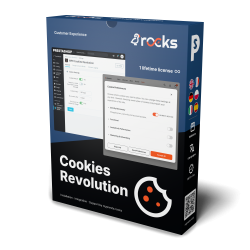
Cookies Revolution

X Pixel + Web Conversions API tracks product views, carts, checkouts and purchases for your X ads, and Cookies Revolution collects visitor consent by category with script blocking and consent logs. X campaigns measured with consent handled properly.

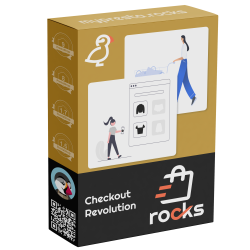
Checkout Revolution

X Pixel + Web Conversions API shows which posts and ads bring buyers, and Checkout Revolution turns more of those visits into orders with Apple Pay, Google Pay and cards in one modal. Fewer lost sales between the click and the payment.

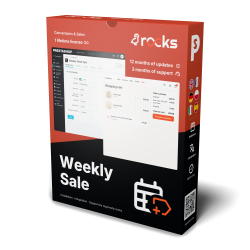
Weekly Sale

Weekly Sale publishes an automatic flash sale to X every week, and X Pixel + Web Conversions API tracks which visitors go on to buy. Your deal posts and your conversion data live on the same network.

Loading...
Back to top