






Delete test or failed orders straight from the PrestaShop order page


PrestaShop delete orders helps your Back Office team remove unwanted, duplicate or test orders from the order detail page. Your store gets a controlled cleanup action where staff are already reviewing the order, with an optional browser confirmation step to reduce accidental clicks.
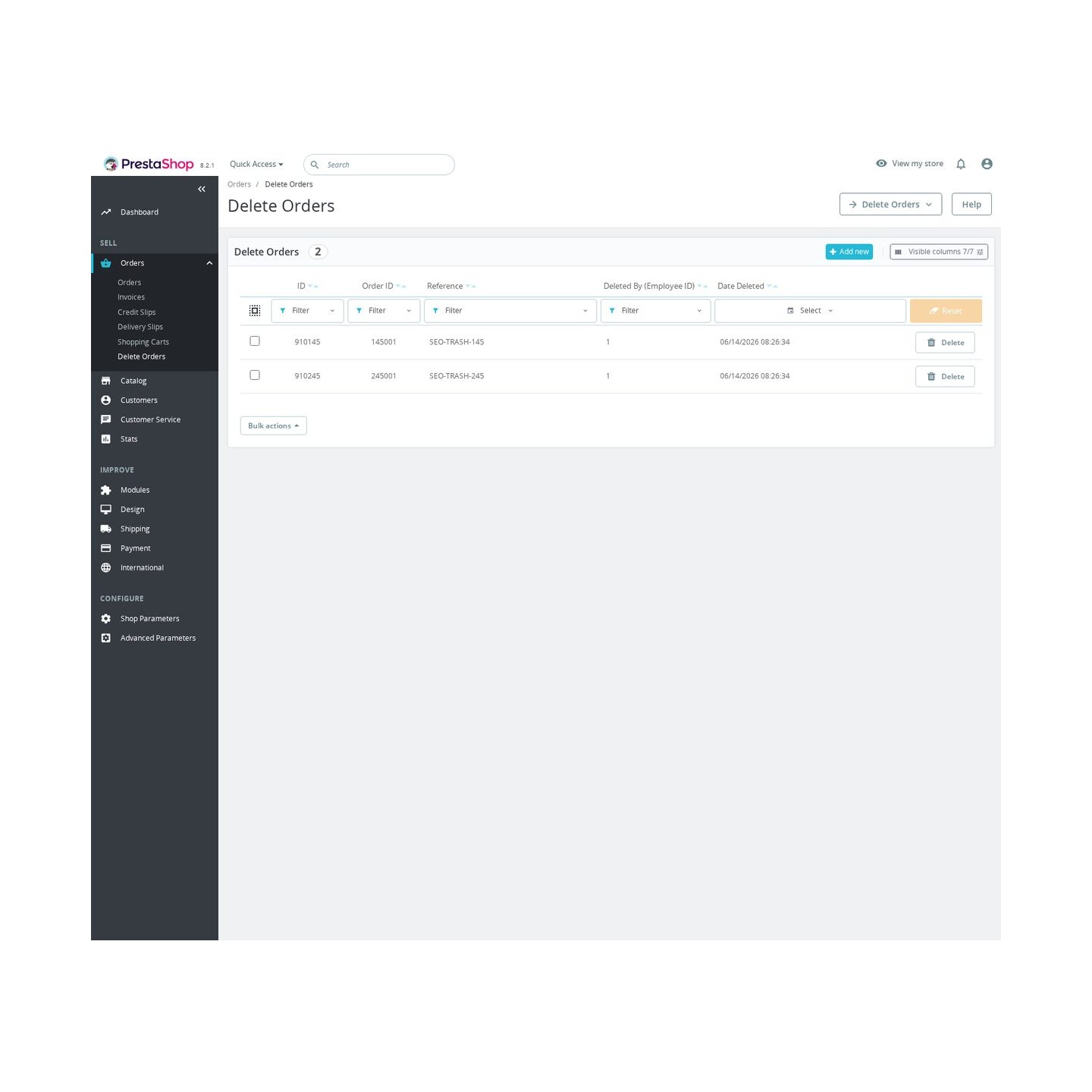
Before deletion, the module stores a deletion record with order ID, reference, customer ID, total paid, creation date and current state, plus the employee and deletion date in its trash list. Deleted-order records appear in a dedicated admin list with reference, customer, total, state, deletion date and employee data, and that list can be filtered.
The configuration is intentionally narrow: whether deletion is enabled and whether confirmation is required. The module does not change checkout, invoices or customer workflows, and its uninstall keeps the deletion records so audit details remain unless the merchant removes those records separately.
- Order-page delete action. The module adds a delete button directly on PrestaShop order detail pages. Staff can start the cleanup from the order they are already reviewing.
- Optional confirmation step. A Back Office setting controls whether the delete action shows a browser confirmation prompt. This helps reduce accidental clicks when staff are removing test, duplicate, or unwanted orders.
- Trash record before delete. Before removing an order, the module keeps the key cleanup details: order ID, reference, customer ID, total paid, creation date, current state, employee and deletion date.
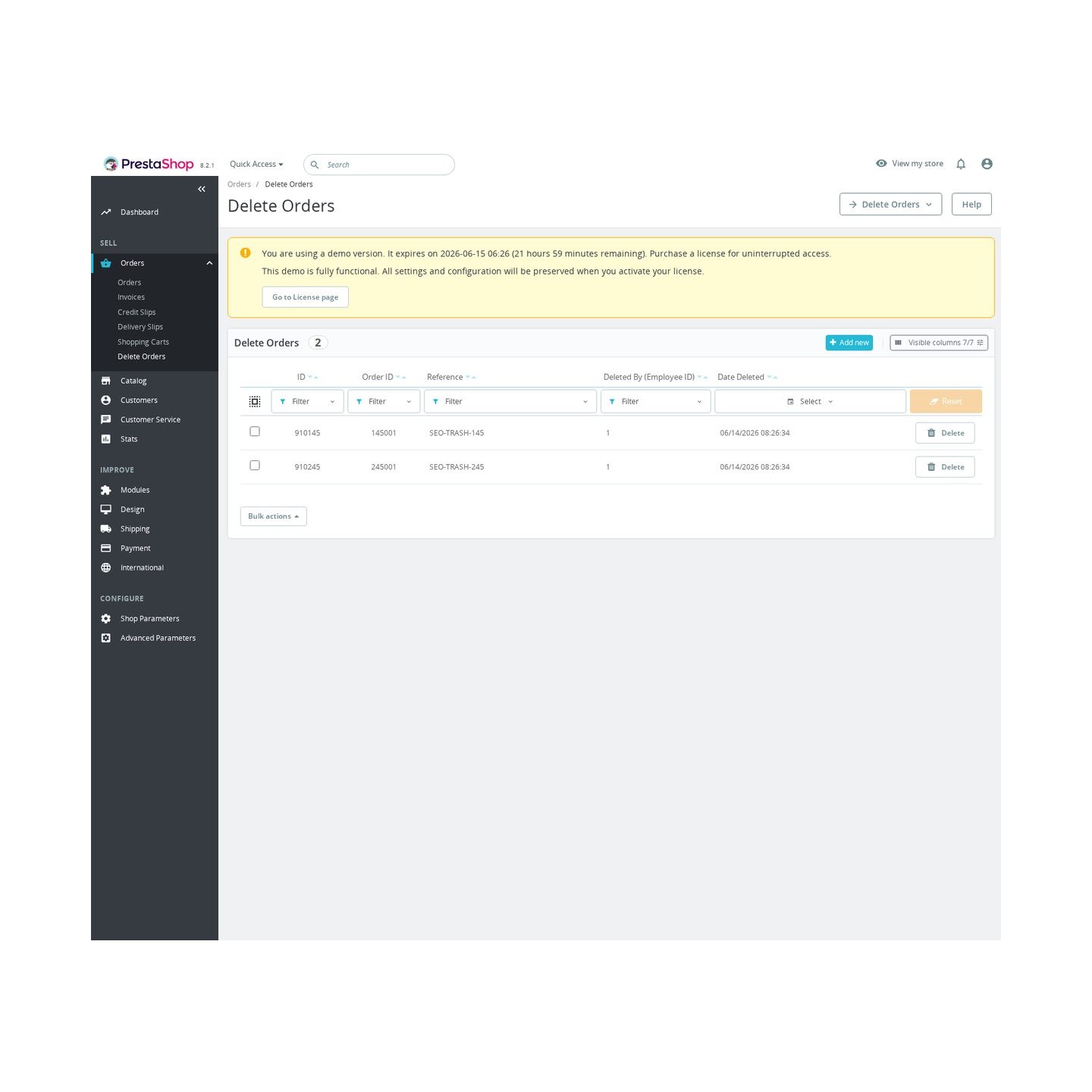
- Dedicated trash list. Deleted-order records are available in an admin list with order ID, order reference, deletion date, and employee ID. The list can be filtered and supports permanent trash-record deletion.
- Configuration stays narrow. The settings cover only whether deletion is enabled and whether confirmation is required. The feature is deliberately focused on controlled removal rather than changing checkout, invoices, or customer workflows.
- Uninstall keeps deletion records. Uninstall removes tabs and configuration, but deletion records are intentionally kept for safety unless the merchant removes them separately.
PrestaShop delete orders tool for test and duplicate records
Delete Orders gives PrestaShop store owners a controlled way to remove test orders, spam, duplicates and unwanted order records from the back office. Messy order lists waste time, make reporting harder and increase the chance that staff process or review the wrong record. This module adds a delete action, a back-office trash list, deletion records and an optional confirmation step, so cleanup becomes faster while still treating order deletion as a serious action.
Clean test and duplicate orders faster
Launch testing, sandbox payments and failed retries can leave order records that clutter daily operations. When staff must work around old test orders, real customer service takes longer and reports become harder to read. Delete Orders lets you remove unwanted records from the order page and review deleted orders in a dedicated trash list, helping the back office stay usable.

Reduce accidental cleanup mistakes
Deleting an order is risky because orders are connected to invoices, stock, payments and customer history. A careless click can create confusion, cost time and damage trust if a real order is removed by mistake. The module includes an optional confirmation step and logs who deleted an order and when, which gives your team more discipline around cleanup actions.

Keep an audit trail for removed records
Stores need to know what was removed, especially when several employees work in the same back office. Without a record, a deleted order can become an internal argument instead of a traceable action. Delete Orders records the order reference, employee and time of deletion, so managers can review cleanup activity before final trash clearing.

Protect operational focus
Order management is one of the most sensitive parts of an online store. If the list is full of test transactions and duplicates, staff lose time and may hesitate when handling real orders. By giving cleanup a clear workflow, the module helps the team focus on valid orders that affect revenue and customer reputation.

Order cleanup with confirmation and audit trail
Delete Orders is deliberately focused on a narrow back-office problem: removing unwanted orders with visibility and confirmation. It provides a delete action on the order page, a trash list, deletion records, a global enable switch and a require-confirmation option, without asking staff to handle cleanup outside the back office. The description is clear that the trash keeps a record of removed orders and that deletion should be treated carefully, especially on production stores where orders may be legal or accounting records.

-
Referencemprdeleteorders
-
In stock2147483647 Items
-
PrestaShop CompatibilityPS 1.6 – 9.x
-
Pricing ModelOne-time Purchase
-
Module TypeBack-office
-
GDPR RelevantNo
-
Business GoalStreamline Operations
-
External Account NeededNo
-
Module ComplexityFeature-Rich Module
-
Customer Journey StageManage Store
-
Works With PlatformNo External Platform
What customers say about us
Company reviews
5.0
★
★
★
★
★
(4 reviews)
Loading customer reviews...
No product reviews yet
Be the first to share your experience with this module.
Write a Review
Delete Orders helps you remove test, duplicate, abandoned, or internal orders from the Back Office without losing the basic deletion trail. It adds a controlled Move to Trash action on the order page and keeps a Deleted Orders list for review.
Have a question about this product?
Our experts are here to help. Ask anything about installation, compatibility, or specifications.
1258
questions
9
categories
2014
building modules since
1.7–9
PrestaShop versions
v1.0.152026-05-27
- Addedcomplete FR/DE/ES/IT/PL translations
Loading full changelog...
Works Well With Delete Orders
Modules our team genuinely pairs with this one — and exactly why each belongs in the same setup.
Workflow
Delete Orders gives Back Office staff a controlled cleanup action on the order detail page to remove unwanted, duplicate or test orders, storing a deletion record before anything goes. Deciding which orders are genuinely safe to delete, and which are simply stuck mid-process, is easier when the team can already see who owns each order and what stage it is at.
Advanced Order Workflow provides that visibility separately. It adds teams, custom statuses, assignments, internal comments and reminders so fulfilment and managers can see who owns the next step for every order. It organises live orders; Delete Orders removes the ones that should not be there.
Used together they keep the order list both organised and tidy: the workflow module clarifies which orders are real, active work, so staff can confidently use the delete action on the test and duplicate orders that are not. The tools stay independent, but the pair helps a team prune the order area without accidentally removing something still in progress.

Complement
Delete Orders lets staff remove unwanted, duplicate or test orders one at a time from the order page, with a stored deletion record for safety. Clearing stray orders is one kind of housekeeping, but a store also accumulates other operational debris, stale carts, search statistics, old logs and guest records, that the order-level tool does not touch.
Database Cleanup handles that wider maintenance separately. From one Back Office screen it clears stale carts, search statistics, expired specific prices, logs, connections, guest records and old mail records, showing what will be removed before deleting. It cleans the broad operational data; Delete Orders handles individual orders deliberately.
Run together they keep a store tidy at two levels: precise order removal where staff are reviewing a specific order, and bulk cleanup of the background data that builds up over time. The tools are independent, but the pair lets a team manage both stray orders and accumulating clutter without guessing what is safe to remove.

Complement
Delete Orders removes specific unwanted, duplicate or test orders from the order detail page, with a deletion record kept for accountability. That is targeted cleanup of one record type, while a store over time also collects orphaned images, temporary files, stale carts and module leftovers that an order-level action cannot reach.
Cleanup Revolution covers that broader optimisation separately. Its dashboard surfaces reclaimable database space, stale carts, logs, temporary files, orphaned images and module leftovers, giving visibility before deletion so cleanup happens with less guesswork. It tidies the wider store; Delete Orders deals with individual orders.
Used together they give a store complete housekeeping as complementary tools: deliberate per-order removal where staff are already looking, and a broad dashboard for the database and file clutter that accumulates elsewhere. Each does its own job, but the pair lets a team keep both the order area and the wider install clean and easier to administer.

Workflow
Delete Orders is used when an order should be removed entirely, a test, a duplicate, something created in error, with a confirmation step and a stored record. But many orders that look like candidates for deletion actually just need correcting, and removing then recreating them is wasteful when only a detail is wrong.
Order Editor is the separate tool that handles those fixable cases. On the order detail page it lets staff adjust products, prices, customer data, addresses, carrier details, vouchers, payments and documents without rebuilding the order. It corrects orders that should stay; Delete Orders removes the ones that should not.
Used together they give staff the right action for each situation: edit the order when only part of it is wrong, delete it when the whole record is unwanted. The tools are independent, but having both on the order page means a team rarely has to delete-and-recreate, which keeps the order history cleaner and saves time.
 30 days return right
Easy return - no questions asked
 Plug & Play Modules
Install, set up and take profit
 Dedicated Support First
Priority Help & Satisfaction Over Sales
You might also like


